Microsoft spent much of the past week rejecting legitimate emails sent to Outlook.com, Live, and Hotmail accounts due to what appears to be overly aggressive IP reputation filtering or faulty blocklist rules. According to The Register, many senders received 550 errors claiming their networks were blocked, preventing delivery of invoices, notifications, and authentication emails. From the report: A block list is a good thing. It helps stem the flow of spam from networks or addresses associated with junk email. However, the confusing thing for our reader is that his company was not on Microsoft’s naughty step for email. A look at Microsoft’s Smart Network Data Service (SNDS) showed no issues with the IP. “We’re also a member of their JMRP (Junk Mail Reporting Program),” our reader added, “which is intended to inform us when people are reporting spam sent from our IPs – except, we never get any reports.”
The problem worsened in February. On Microsoft’s support forums, users began to complain about similar issues as the IP net presumably widened. One wrote: “We are currently experiencing a critical and recurring email delivery issue affecting recipients at outlook.com, live.com, hotmail.com, and msn.com,” and provided a copy of an error that suggested the mail server has been “temporarily rate limited due to IP reputation.” The user drily noted, “Although the error indicates rate limiting, in practice no emails are being delivered.”
A large number of users, ranging from the administrator of a server sending automated notifications on behalf of Estonian Public Libraries to an email provider for healthcare professionals, chimed in to confirm they too were having delivery problems and Microsoft support was not helpful. […] Unsurprisingly, our reader spoke on condition of anonymity – nobody wants to be the ISP that has to say, “Yeah, we can deliver your email anywhere but Outlook.com” to customers. We asked Microsoft to comment, but other than acknowledging our questions, the company did not respond further.
One of the nicest things about Apple software, at least in theory, is its uncluttered design. That’s why many users (myself included) were annoyed when Safari’s Compact Tabs feature was dropped in macOS 26 or iPadOS 26. It was a great way to neaten up your browser bar, and people have been complaining about the missing feature ever since.
Happily, the complainers now have something to look forward to, as the upcoming macOS Tahoe 26.4 and iPadOS 26.4 releases will bring back the Compact Tab option, according to MacRumors. Their reporting shows a screenshot of the Safari settings on macOS, with “Separate” and “Compact” tab style both on offer.
Why I love Compact Tabs
Here’s why I’m jazzed about this feature’s return: Your browser’s tab bar, by default, sits right below the main toolbar (which contains your address bar as well as forward/back buttons and new tab buttons). Compact Tabs moves the tabs into the address bar, a space that is otherwise mostly blank. This cuts the amount of occupied space taken at the top of the browser in half. This isn’t a feature for everyone—people who routinely keep dozens of tabs open tend to like having more space to see which tab is which. But for those of us who like to keep things clean (like me) Compact Tabs was perfect.
And it will be perfect again. Apple hasn’t announced when the 26.4 update will ship to all macOS and iPadOS users, but based on based release cycles, it’s likely to come out in the next month or so. ANd if you don’t want to wait, you can try out the 26.4 beta now.
Credit: Justin Pot
The serious caveat here is that beta versions of software are, by definition, less stable than the release version, meaning you may have to put up with a few bugs that will annoy you or (at worst) leave your computer unusable.
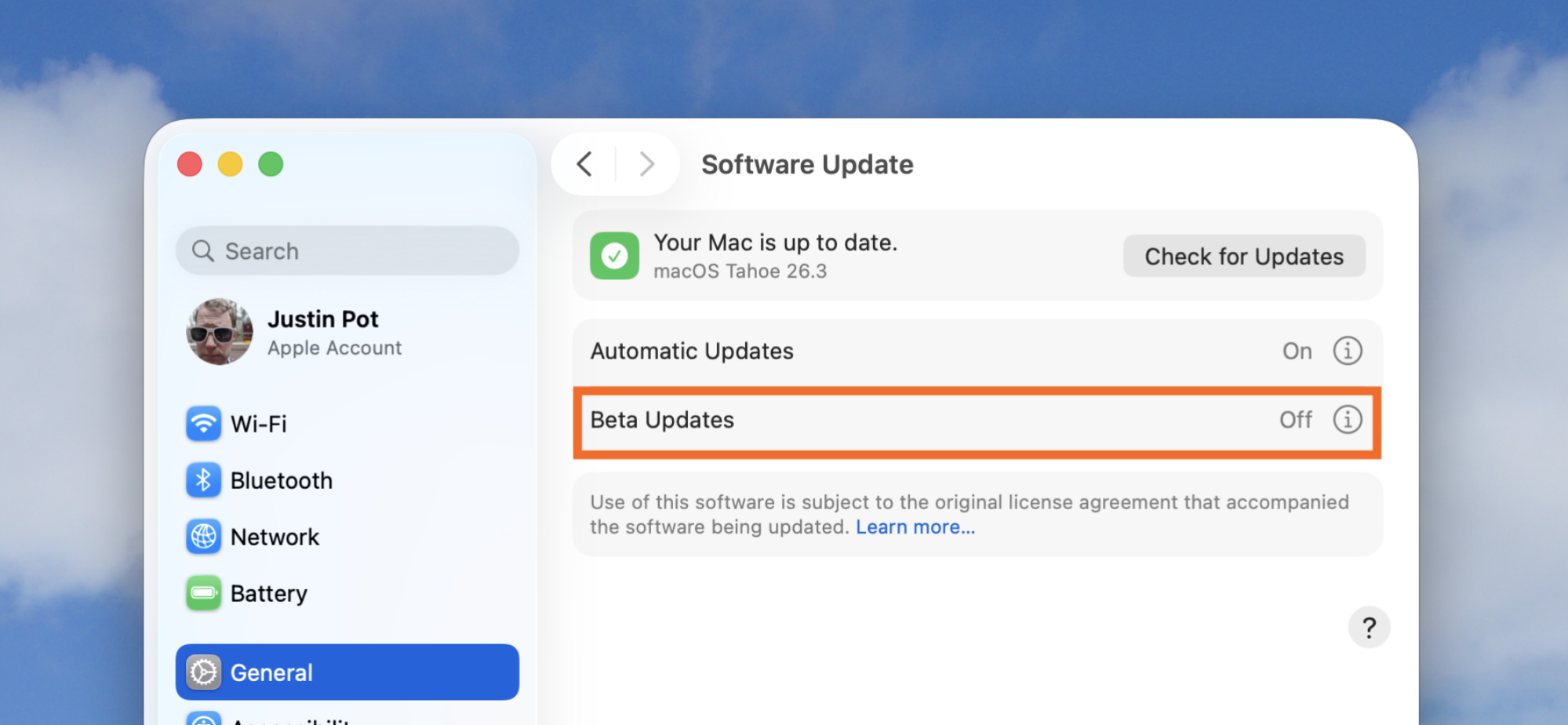
All that aside, if you want to jump in, open System Settings on your device and head to General > Software Update. From here turn on beta updates—you should then be offered a beta version of 26.4. I don’t generally recommend risking using a beta operating system for a minor quality of life improvement (even though there are other cool features coming), but the full version shouldn’t be long in coming.
This story probably won’t come as a surprise to anyone who pays attention to desktop APUs, but the news is simple: the new Ryzen AI 400 desktop processors that AMD just launched don’t come with a full complement of PCIe lanes. In fact, they actually have even fewer lanes for high-speed I/O than some of the last-generation APUs, which were
During a brief hearing on Wednesday morning, the Senate Committee on Commerce, Science, and Transportation spent only a few minutes “marking up” new legislation that provides guidance to NASA for its various initiatives, including the Artemis program to land humans on the Moon.
“Our bill authorizes critical funding for, and gives strategic direction to, the agency in line with the priorities of administrator Isaacman and the Trump administration,” said the committee’s chairman, Sen. Ted Cruz, (R-Texas).
The duration of the hearing, however, seems to be the inverse of its significance.
NEW YORK CITY—Whether you’re talking about the iBook, MacBook, or MacBook Air, Apple’s most basic laptops have started at or within $100 of the $1,000 price point for over 20 years. Sure, the company had quietly been testing the waters with a Walmart-exclusive M1 MacBook Air configuration for several years, first at $699 and then at $599. But as far as what Apple would actively advertise and offer on its own site and in its own retail stores, we’ve never seen anything for substantially below $1,000.
The new MacBook Neo changes that. Apple has experimented with lower-cost products before, most notably with the $329 and $349 iPads and the old $429 iPhone SE. But this is the first time it has used that strategy for the Mac. The Neo starts at $599 for a version with 256GB of storage and no Touch ID sensor, and $699 for a version with Touch ID and 512GB of storage (each also available to educational customers for $100 less).
We had a chance to poke at a MacBook Neo for a while at Apple’s “special experience” event in New York this morning, and what I can tell you is that this does feel like an Apple laptop despite the lower starting price. It definitely has some spec sheet shortcomings, even compared to older M3 or M4 MacBook Airs that you still might be able to get at a discount from third-party retailers or Apple’s refurbished site—more on that in our full review next week. But it’s priced low enough to (1) appeal to people who might not have considered a Mac before, and (2) to make some of its borderline specs feel reasonable, and that’s enough to keep it interesting.
Humble Games’ library has returned home, so to speak. Indie publisher Good Games Group (GGG), led by former Humble leaders, has acquired the full back catalog of over 50 Humble Games titles from Ziff Davis. Alongside the purchase, GGG has rebranded to Balor Games, positioning itself as a force in “triple-I” gaming.
“For the developers we have worked with over the years, this moment is a reunion,” Balor Games CEO Alan Patmore wrote in a statement. “[It has] the same leadership and the same commitment to thoughtful publishing remain in place. What changes is our scale and our focus. Balor Games is built for inventors and backed by believers. To that end, it exists to be a seal of quality for independent games.”
The Humble Games lineup includes (among others) Slay the Spire, A Hat in Time, SIGNALIS, Forager, Coral Island, Monaco and Wizard of Legend. Separate from the Humble transaction, Balor also bought the complete catalog of Firestoke Games (which shut down last August) and publishing rights to Fights in Tight Spaces. In total, the young studio now owns the publishing rights to over 60 indie titles.
Humble Games is separate from the Humble Bundle storefront. The latter is still owned by Ziff Davis.
Alan Patmore (l) and Mark Nash
Balor Games
The seemingly happy ending comes after quite the rocky road. In July 2024, Ziff Davis laid off all 36 employees of Humble Games. But later that year, Humble Games’ former leaders (Patmore and Mark Nash) formed GGG and cut a deal to help manage their old studio’s back catalog. Now, with Ziff Davis in a selling mood, that library is back in Patmore and Nash’s hands. Balor Games, it is.
The pair view the newly anointed Balor as a developer-friendly publishing house. As for its name, Balor is a supernatural being in Irish mythology. It’s sometimes depicted as having three eyes. Triple-eye, triple-I… Clever devils!
The triple-I moniker is a more recent addition to the gaming lexicon. It typically means something defined by indie creativity and passion — with a budget far less than AAA but more than a tiny two-person passion project. (Balor says it’s about “high-quality, impactful games.”) You wouldn’t be blamed for wondering how that’s different from AA. But the slant here is to define the genre less by budget and more by “indie” intangibles.
Nash detailed the company’s vision in an interview with GamesIndustry.biz (which, curiously, is a Ziff Davis property). “We felt that what’s becoming more and more critical is that as game development becomes more diverse, more complicated, and expectations continue to rise, we feel it’s important that a publisher can match the needs of each individual project,” Nash said. “We are spending a considerable amount of time with anyone we are partnering with, figuring out what they need specifically.”
This article originally appeared on Engadget at https://www.engadget.com/gaming/humble-games-former-bosses-buy-the-studios-back-catalog-183831194.html?src=rss
Android users will soon be able to use tracking devices to coordinate lost luggage recovery directly with airlines. The feature, one of many announced as part of Google’s March Pixel Drop, generates a Find Hub link for compatible trackers that can be shared with airlines to help locate bags that have gone missing transit.
Apple rolled out a similar feature for AirTags in late 2024, called Share Item Location. iOS users can temporarily share the location of a Find My accessory with their airline to help find lost luggage. It’s important to note that AirTags (and other tracking tags, including those compatible with Android’s Find Hub) aren’t real-time trackers, as they generally rely on pinging other internet-connected devices nearby to share their whereabouts. Share Item Location for AirTags is currently supported by 36 airlines, including all major U.S. carriers.
How to use Android Find Hub to locate your lost luggage
To use this feature, you must already have a Find Hub-compatible tracker in your luggage. Select the tracking device in the Find Hub app, tap Share item location to generate an encrypted URL, and copy the link to paste into your airline’s lost luggage claim form on its mobile app or website.
The sharing link automatically expires after seven days (during which you will have hopefully recovered your luggage), though you can stop sharing at any time. Find Hub will also disable location sharing when your Android phone detects the tracker nearby.
At this time, 10 global airlines are working with Find Hub for baggage recovery:
Ajet
Air India
China Airlines
Lufthansa
Austrian Airlines
Brussels Airlines
Swiss International Airlines
Saudia Airlines
Scandinavian Airlines
Turkish Airlines
None of the major carriers in the U.S have signed on, though Google has said it plans to partner with more airlines, including Qantas, in the future.
An anonymous reader quotes a report from the BBC: TikTok will not introduce end-to-end encryption (E2EE) — the controversial privacy feature used by nearly all its rivals — arguing it makes users less safe. E2EE means only the sender and recipient of a direct message can view its contents, making it the most secure form of communication available to the general public. Platforms such as Facebook, Instagram, Messenger and X have embraced it because they say their priority is maximizing user privacy.
But critics have said E2EE makes it harder to stop harmful content spreading online, because it means tech firms and law enforcement have no way of viewing any material sent in direct messages. The situation is made more complex because TikTok has long faced accusations that ties to the Chinese state may put users’ data at risk. TikTok has consistently denied this, but earlier this year the social media firm’s US operations were separated from its global business on the orders of US lawmakers.
TikTok told the BBC it believed end-to-end encryption prevented police and safety teams from being able to read direct messages if they needed to. It confirmed its approach to the BBC in a briefing about security at its London office, saying it wanted to protect users, especially young people from harm. It described this stance as a deliberate decision to set itself apart from rivals. “Grooming and harassment risks are very real in DMs [direct messages] so TikTok now can credibly argue that it’s prioritizing ‘proactive safety’ over ‘privacy absolutism’ which is a pretty powerful soundbite,” said social media industry analyst Matt Navarra. But Navarra said the move also “puts TikTok out of step with global privacy expectations” and might reinforce wariness for some about its ownership.
Over the past few years, Google’s A-series Pixel phones have consistently been some of the best midrange phones you can buy. But with the AI boom causing memory shortages and the price of consumer electronics to rise, including smartphones, affordable devices like the Pixel 10a are more important than ever. Thankfully, Google’s new phone still represents great value, even if it doesn’t come with many upgrades.
Design and display
As before, the Pixel 10a has a 6.3-inch 120Hz P-OLED display.
Igor Bonifacic for Engadget
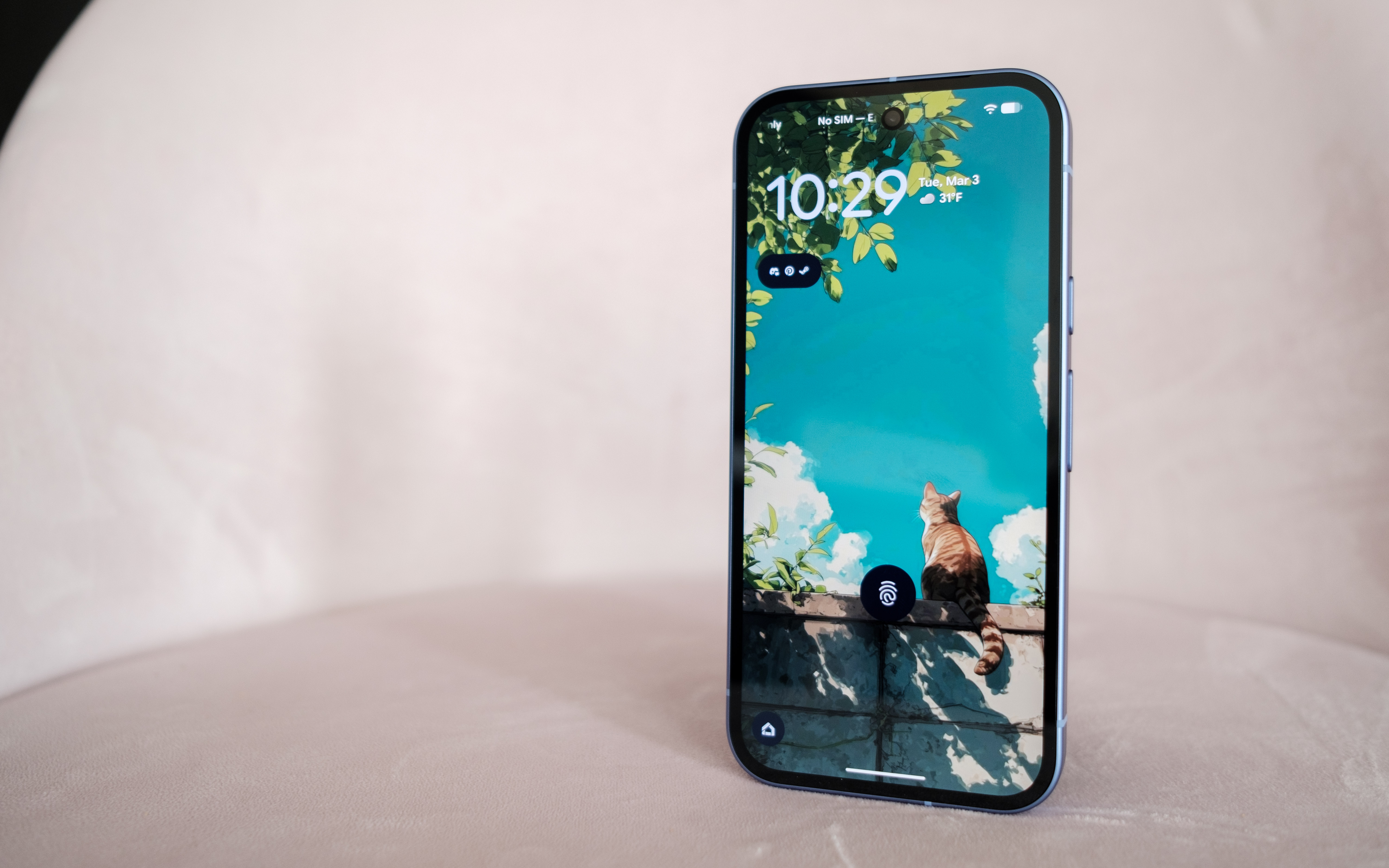
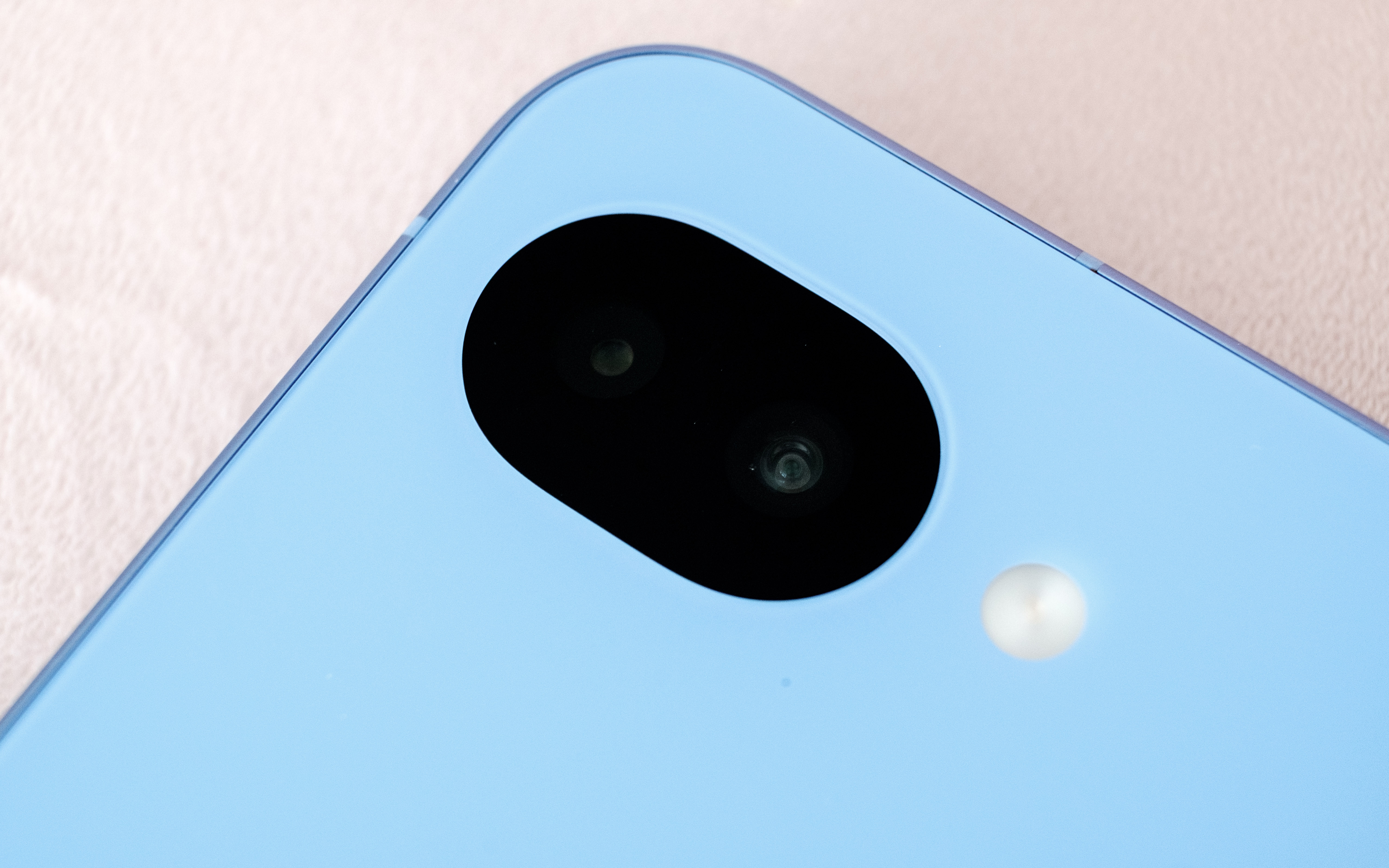
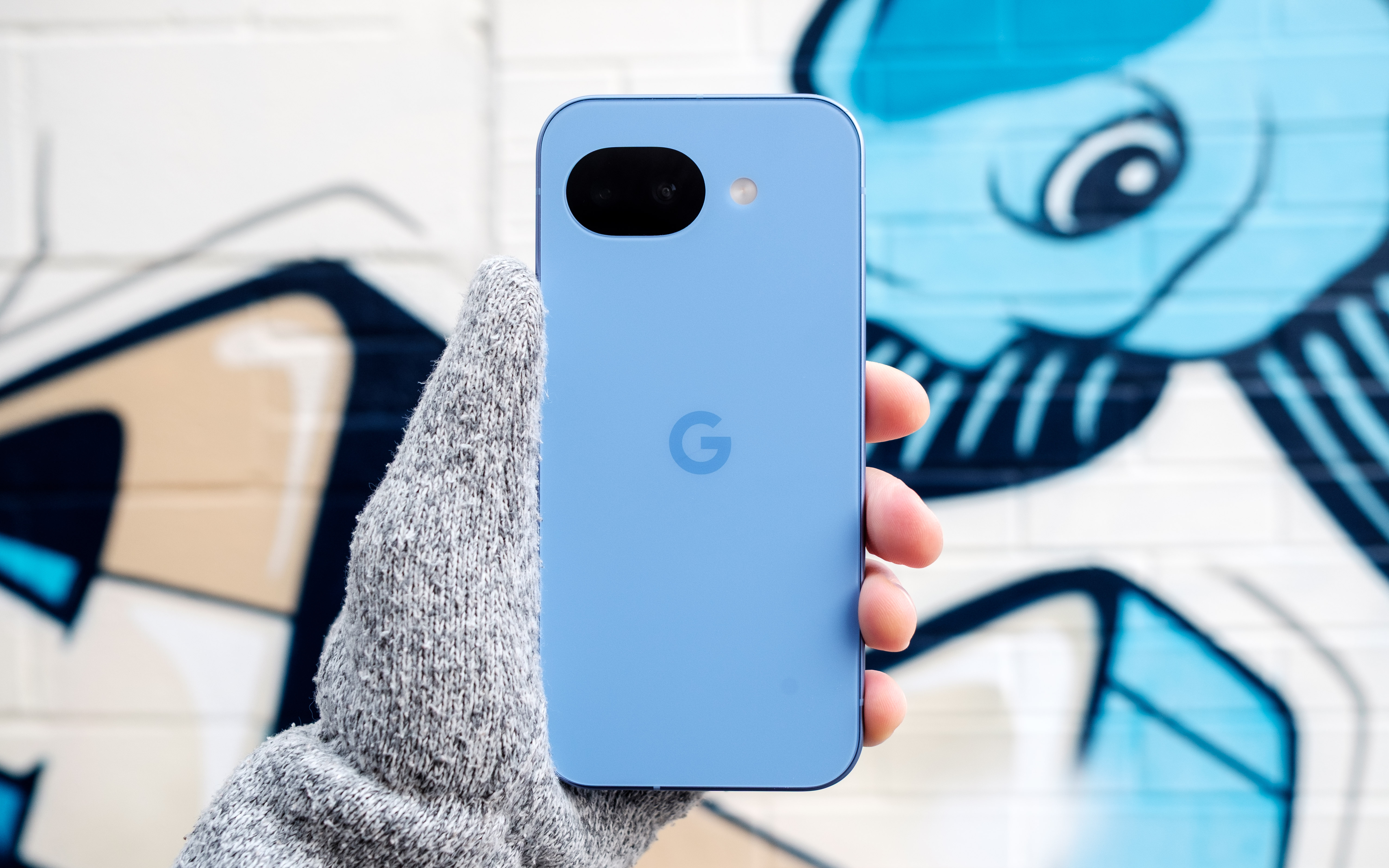
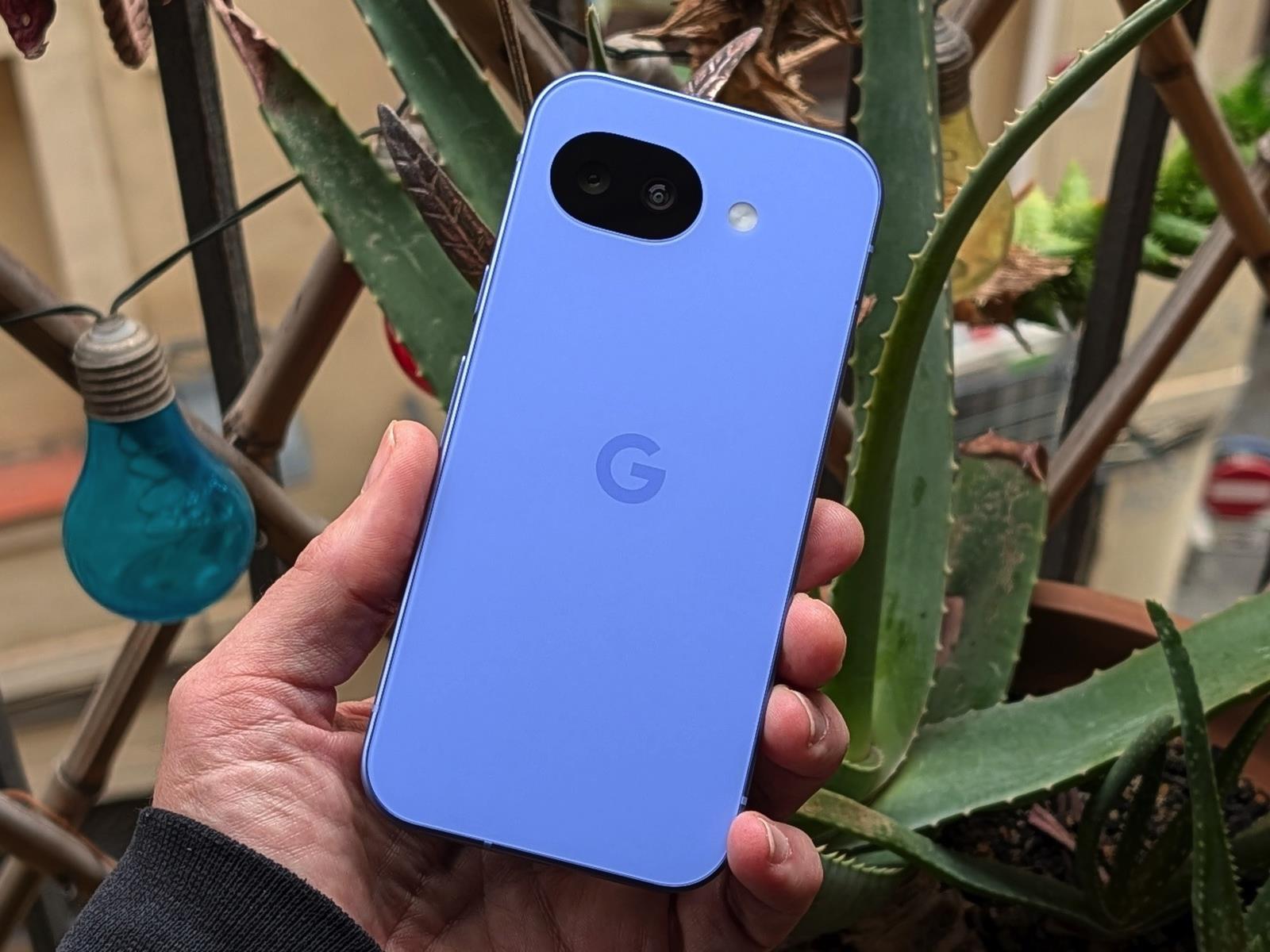
The story of the Pixel 10a is one of small changes, so let’s start with the outside. The phone is available in four colors: lavender (pictured), berry, fog and obsidian. Photos don’t do the lavender color justice. In person, the light refracts beautifully off the surface of the aluminum frame and composite back. The back of the phone also has a pleasing matte finish that made the 10a feel secure in my hand. Another nice touch is that Google shaved down the camera module further, so that the 10a can now lie completely flat. As before, the entire phone is rated IP68-certified against dust and water. For DIY enthusiasts, Google has said it redesigned the 10a’s internals to make it easier to repair. Hooray for that.
Beyond those changes, the 10a has a brighter 120Hz P-OLED screen that offers up to 3,000 nits of brightness, up from 2,700 on the 9a. The display also offers better protection against scratches and drops thanks to Google’s decision to switch to Gorilla Glass 7i for the screen coating. Despite the minimal changes, there’s not much to complain about here. The 10a’s screen is fast, responsive and vibrant. The on-screen fingerprint sensor is also in an easy-to-reach spot toward the middle of the phone. After reviewing severalbigphones in recent months, it was also nice to go back to a handset with a sensible 6.3-inch footprint.
Performance and battery
The speakers on the Pixel 10a could be stronger and more defined.
Igor Bonifacic for Engadget
I’ve been spoiled recently by phones like the OnePlus 15R, which offers a 7,400mAh battery and 55 watt charging out of the box. By that metric, the Pixel 10a, with its 5,100mAh battery, leaves something to be desired. Putting the phone through Engadget’s video rundown test, it ran for 28 hours before the battery died, which is exactly where the Pixel 9a landed last year. However, that score means the 10a is thoroughly middle of the pack when it comes to battery life. I can also see battery life becoming a concern as the phone ages. While that’s true of every phone, the 10a’s smaller battery makes that more of a pressing concern since you’ll be charging the phone more often and therefore degrading the battery faster.
Google has improved wired charging speeds, with the new phone capable of charging at 30 watts, up from 23-watts with the 9a. You’ll need to provide a compatible power adapter though; the Pixel 10a doesn’t come with one inside the box. With a 30 watt charger, the 10a’s battery went from dead to about 50 percent in under 45 minutes. A full charge takes approximately an hour and 45 minutes. Again, not great, but serviceable.
Another disappointment is that the Pixel 10a doesn’t support Google’s new Pixelsnap standard. Wireless charging is faster on the new phone (it’s now rated at 10 watts, up from five), but without a compatible third-party case, a charging puck won’t magnetically align with the back of the 10a. It’s not a dealbreaker, but Pixelsnap would have been a great addition.
The 10a has the same chipset Google used on the Pixel 9a, the Tensor G4, and the company has once again gone with 8GB of RAM. Other midrange phones like Samsung Galaxy S25 FE offer faster chips, but they also cost more. Moreover, I didn’t feel like the 10a was worse for running on old silicon. The new 120Hz display does a lot to make the new phone feel snappy, and Google’s in-house Android skin feels responsive as ever.
The 10a also does a commendable job of keeping heat in check. I sat down to play Diablo Immortaland even after an hour of playtime, the phone was still cool to the touch despite running the game at high settings and 60 frames per second.
Cameras
This time around, the Pixel 10a has a camera module that’s flush with its body.
Igor Bonifacic for Engadget
The 10a comes with the same camera package as its predecessor. On the back, you get a 48-megapixel main camera with an f/1.7 lens that offers optical image stabilization and phase detection autofocus. Complementing it is a 13MP ultrawide with a 120-degree field of view. For selfies, you get a 13MP camera with an f/2.2 lens. As ever, Google’s software is doing most of the heavy lifting here. That includes a pair of new features, Camera Coach and Auto Best Take, that debuted with the Pixel 10 series.
Camera Coach, like the name suggests, uses AI to analyze the scene you’re about to capture, and offers tips on how to best compose and light the shot. It will also suggest the best camera mode for the job. While I can see how this tool could be useful, I found the fact it relies on a cloud model made it too slow for some situations. For example, when I used Camera Coach to help me snap a photo of my cat, a sassy tortoiseshell, she walked away by the time the 10a got a response from Google’s servers. In more static scenes, Camera Coach is more useful, but much of photography is about capturing a fleeting moment in time, so its utility is limited.
Auto Best Take solves a problem I’m sure we’ve all experienced. You go to take a group portrait, and snap multiple frames to ensure everyone looks good, only to end up without a single usable shot. With Auto Best Take, Google promises to combine similar group photos so that everyone looks their best. This feature works as advertised.
Outside of those features, the 10a offers a predictably great camera experience. The phone consistently produces photos that are sharp with great natural colors. That said, I did miss having a telephoto camera, as you can see from the photos I shot during a recent Cat Power concert in Toronto. Given the 10a only costs $500, it’s hard to fault Google for not including one.
Software
The Pixel 10a’s side button can both activate Gemini and the phone’s camera.
Igor Bonifacic for Engadget
Out of the box, the 10a comes with Android 16. Like all of Google’s recent Pixel devices, the company has promised to support the 10a for an industry-leading seven years with software updates and security patches. The company’s pledge includes Pixel Drops, which often bring new software features. One feature Google has brought over from the more expensive Pixel 10 line is Satellite SOS, which allows you to call for help during emergencies, even when your phone can’t connect to a cellular network. Outside of a demo designed to make users aware of the feature, I wasn’t able to test Satellite SOS (thankfully).
Notably, the 10a is still missing Google’s Screenshots app. That’s unfortunate since it’s one of the more useful Pixel exclusives, making it easier to organize all your online clippings. Other AI features such as Gemini Live and Circle to Search are accounted for, and as useful ever.
Wrap-up
Overall, the Pixel 10a is a great phone, though I would have loved to see more year-over-year upgrades.
Igor Bonifacic for Engadget
The Pixel 10a is a tricky phone to grade. On the one hand, part of me wants to dock points because Google has added so few updates. On the other, the 10a is still a great phone for $500, and at a time when consumer electronics are becoming more expensive by the day, the fact it hasn’t gone up in price is a small miracle. Even if Google is partly responsible for the current memory crunch, the company’s hardware division has delivered an affordable device that’s still worth recommending. The Pixel 10a is still the phone to beat in the $500 range.
This article originally appeared on Engadget at https://www.engadget.com/mobile/smartphones/google-pixel-10a-review-small-changes-but-still-great-value-173026779.html?src=rss
The greatest regret of my life is choosing to take French in high school. Don’t get me wrong, I find French beautiful, and I was a dedicated A+ student. But as an adult, I’m constantly embarrassed by how little Spanish I know.
But even in adulthood, I knew it wasn’t too late for me to learn Spanish, so I did what literally everyone does: I downloaded Duolingo. It’s free, popular, and has a mascot with deeply threatening energy. What’s not to love?
Eventually, I reached a 300-day streak—nearly a full year of daily practice!—but when I tried to have an actual conversation in Spanish, I could not hold my own, to put it gently. I realized that Duolingo had gamified me into feeling like I was making progress, rewarding streaks and unlocking owl animations while carefully avoiding the part where I learned, you know, to speak and understand Spanish.
Duolingo is a game, but Babbel is a learning tool
With a trip to Mexico City approaching, I signed up for Babbel. I didn’t expect to be fluent, but I wanted to avoid being the most helpless monolingual American on the trip. And now that I’m on the other side of that vacation, I can say with confidence that every basic phrase I successfully attempted to speak was thanks to two things: 1) Babbel’s grammar lessons, and 2) the generous patience of every local willing to communicate with me.
A few months of daily Babbel lessons genuinely helped me navigate asking how much something costs, whether I could pay by card, and ordering at a restaurant. Crucially, I felt I was doing all of this not from a place of pure regurgitation, but from a place of actual language understanding. That’s a different feeling entirely.
Duolingo’s genius is its dopamine loop, but that’s its limitation too—a sustained streak, and not language acquisition, is the real product. Where Duolingo’s scenarios include sentences like “My fathers are young and pretty,” (a real example!), Babbel teaches you “Could I please have the check?”
Babbel is more structured. The grammar explanations are woven directly into lessons rather than siloed in a separate section you’ll never visit. The scenarios are grounded in reality. The whole thing feels less like Candy Crush and more like…a class. Which, it turns out, might be why classrooms were never designed to feel like Candy Crush.
Babbel versus Duolingo: Point by point
Here’s my breakdown of how the most important ways these apps compare.
Duolingo:
Free (with ads for unhinged mobile games)
Great for building daily habits
Solid vocabulary exposure
Gamified streaks and rewards
Grammar depth is limited
Designed to feel like progress, no matter what
Babbel:
Paid subscription (around $15 per month, give or take)
Structured, grammar-forward lessons
Real-world conversational scenarios
Cultural context built in
Purposeful over playful
Designed to build actual skills
Questions to consider before you try any language learning app
Before you start using Babbel (or flirting with the Duolingo Owl), it’s important to consider your actual goals. Whether you’re prepping for a trip, want to keep your brain sharp, or actually become fluent, no app comparison means anything without first understanding what you’re trying to achieve.
If your goal is casual learning or building a daily habit, Duolingo is genuinely a fine place to start. It’s perfectly good for vocabulary exposure and using the psychology of habit formation to keep you coming back. There’s real value in that! Just don’t confuse a 300-day streak with 300 days of progress.
If your goal is to actually speak another language—to survive a vacation, hold a conversation, order food with confidence—Babbel is the more honest tool. And hey, both apps use streak mechanics to use habit formation psychology, but Babbel also integrates grammar explanations into lessons, offers far more practical and applicable conversation scenarios, and wraps everything in cultural context that makes the language feel alive rather than abstract.
Any language app will have limits, but Babbel is worth the cost
A major caveat here is that no app will make you fluent. Native speakers don’t speak with the crisp, patient enunciation of a language app. Real people speak quickly, use slang, have regional accents, and might not be willing to wait patiently while you search for the right vocabulary. You’ll eventually hit a wall with any app.
Duolingo’s perpetual free tier is likely the decision-maker for most people. You’ll never be locked out of educational content for lack of a credit card. The cost of “free,” though, is a parade of deeply unhinged ads for other addictive phone games. A fair trade, perhaps, depending on your tolerance for chaos.
But if you’re self-motivated and serious (or even just serious enough to want to survive a vacation!), then Babbel is the structured, purposeful, real-world-ready choice. It might feel less like a game, but I suppose that’s the point. When I signed up, I caught a 50% deal: $8.95/month for 12 months. Babbel also offers a one-time lifetime access payment of $299.99, though at that investment level, you might as well hire a tutor? All in all, standard month-to-month pricing hovers around $15/month.
Google Pixel 10a – MSRP Starting A $499 The Pixel 10a is Google’s latest mid-range phone. It’s a minor update over last year’s Pixel 9a, and mostly cosmetic, but the phone is still a good value. Strong value Brighter display Excellent cameras Satellite connectivity Impressive battery life Faster charging Outstanding software…
Google’s budget Pixels have long been a top recommendation for anyone who needs a phone with a good camera and doesn’t want to pay flagship prices. This year, Google’s A-series Pixel doesn’t see many changes, and the formula certainly isn’t different. The Pixel 10a isn’t so much a downgraded version of the Pixel 10 as it is a refresh of the Pixel 9a. In fact, it’s hardly deserving of a new name. The new Pixel gets a couple of minor screen upgrades, a flat camera bump, and boosted charging. But the hardware hasn’t evolved beyond that—there’s no PixelSnap and no camera upgrade, and it runs last year’s Tensor processor.
Even so, it’s still a pretty good phone. Anything with storage and RAM is getting more expensive in 2026, but Google has managed to keep the Pixel 10a at $500, the same price as the last few phones. It’s probably still the best $500 you can spend on an Android phone, but if you can pick up a Pixel 9a for even a few bucks cheaper, you should do that instead.
If it ain’t broke…
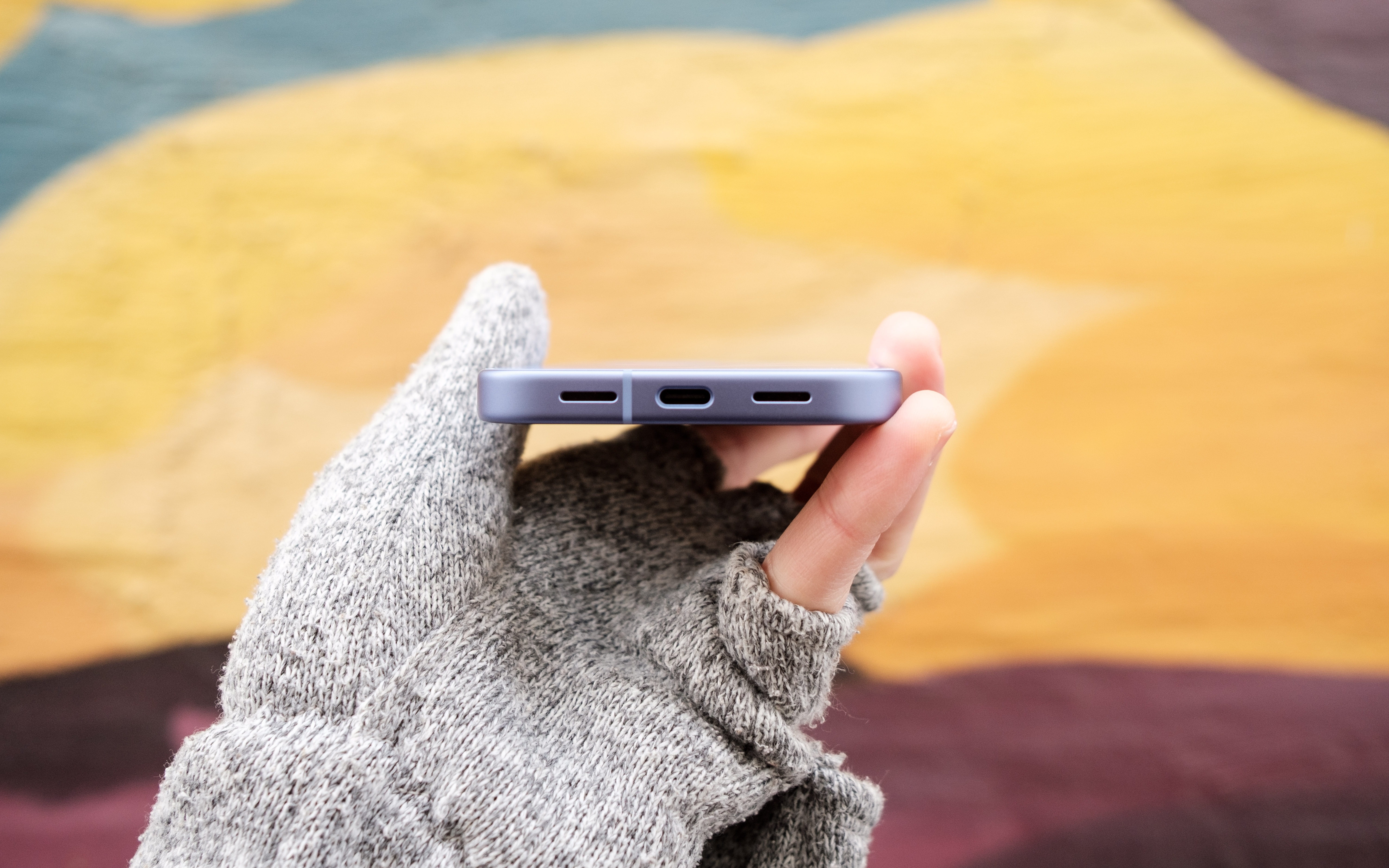
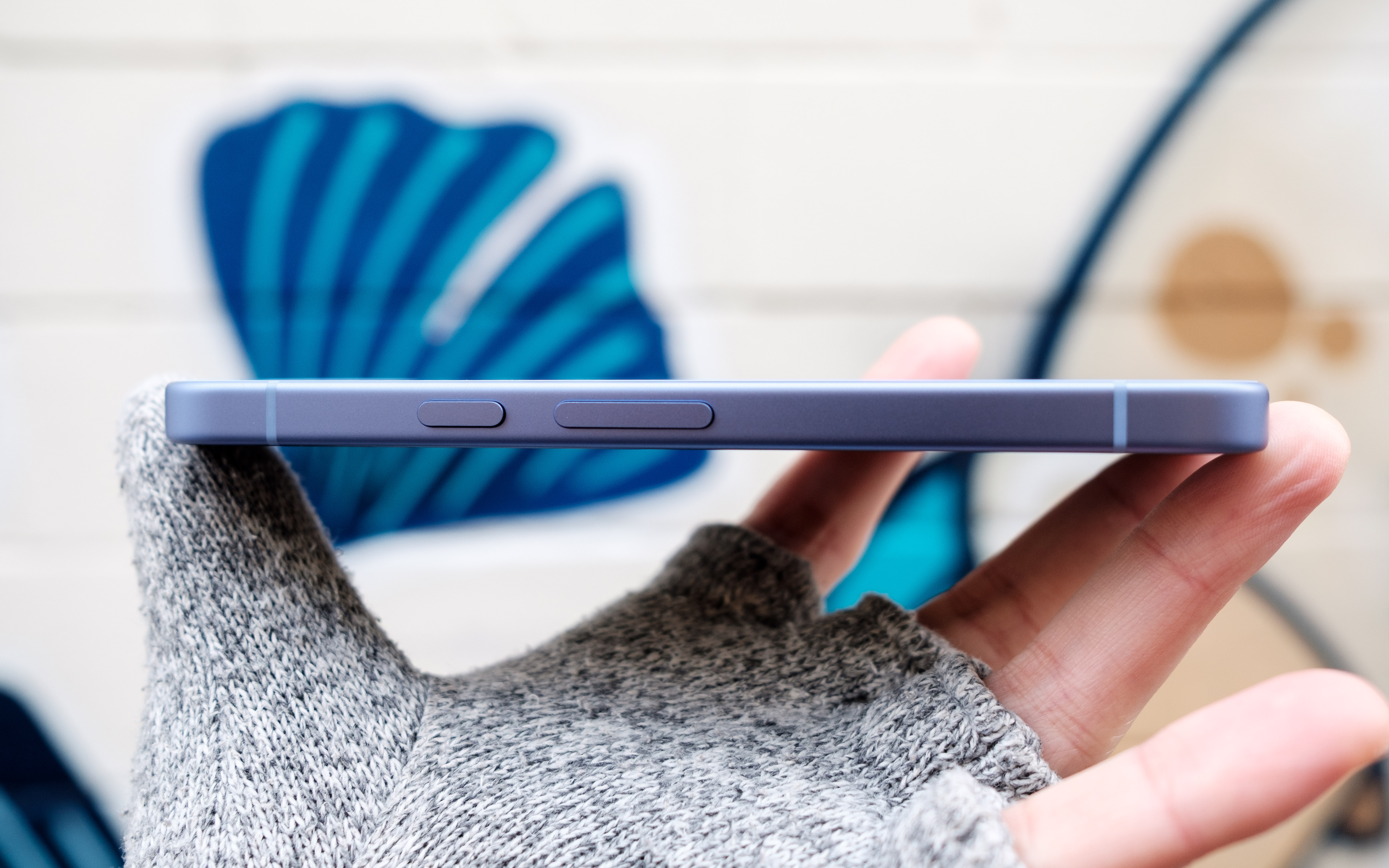
The phone’s silhouette doesn’t shake things up. It’s a glass slab with a flat metal frame. The display and the plastic back both sit inside the aluminum surround to give the phone good rigidity. The buttons, which are positioned on the right edge of the frame, are large, flat, and sturdy. On the opposite side is the SIM card slot—Google has thankfully kept this feature after dropping it on the flagship Pixel 10 family, but it has moved from the bottom edge. The bottom looks a bit cleaner now, with matching cut-outs housing the speaker and microphone.
Continuing its product launches this week, Apple today announced the “MacBook Neo,” an all-new, low-cost Mac featuring the A18 Pro chip. It starts at $599 and begins shipping on Wednesday, March 11. MacRumors reports: The MacBook Neo is the first Mac to be powered by an iPhone chip; the A18 Pro debuted in 2024’s iPhone 16 Pro models. Apple says it is up to 50% faster for everyday tasks than the bestselling PC with the latest shipping Intel Core Ultra 5, up to 3x faster for on-device AI workloads, and up to 2x faster for tasks like photo editing. The MacBook Neo features a 13-inch Liquid Retina display with a 2408-by-1506 resolution, 500 nits of brightness, and an anti-reflective coating. The display does not have a notch, instead featuring uniform, iPad-style bezels.
It is available in Silver, Indigo, Blush, and Citrus color options. The colored finishes extend to the Magic Keyboard in lighter shades and come with matching wallpapers. It weighs 2.7 pounds. There are two USB-C ports. One is a USB-C 2 port with support for speeds up to 480 Mb/s and one is a USB-C 3 port with support for speeds up to 10 Gb/s. There is also a headphone jack. The MacBook Neo also offers a 16-hour battery life, 8GB of unified memory, Wi-Fi 6E and Bluetooth 6 connectivity, a 1080p front-facing camera, dual mics with directional beamforming, and dual side-firing speakers with Spatial Audio.
Apple just announced the MacBook Neo, a 13-inch laptop offering the full macOS experience for just $599. It is the machine, I’m sure, plenty of the company’s fans have been clamoring for since the dawn of the netbook. I’m equally sure its specs have enough drawbacks to ensure there are still plenty of customers for the more expensive Macbooks; the same cannot be said of the iPad Air.
If you’re looking for a machine that you can actually use meaningfully, the Neo has the Air beat. It has two USB-C ports, 16-hour battery life, a real keyboard, trackpad and the ability to run macOS with proper multitasking. $599 won’t even get you an iPad Air with a keyboard and trackpad, which costs you an extra $270.
Of course, the MacBook Neo is sandbagged in all of the ways Apple will always sandbag a cheaper product. But I do think the company has been smart enough to ensure the base model, which I’m sure will sell a crazy amount, is enough of a computer to matter. The A18 Pro chip will run a lot slower than Apple’s M-Series silicon but raw performance isn’t the big issue. After all, if you’re buying this machine as Apple’s version of a Chromebook, you’re not going to be compressing 55GB Final Cut Pro files here. This is a machine for light work, the sort of stuff the iPad was always meant to enable, but has never quite been able to.
Apple knows how its A-series chip stack up against low-end laptop CPUs. Given the differences in OS, it’s impossible to make a real comparison yet, but in synthetic benchmarks the A18 Pro outperformed the Intel Core i3-1315U found in plenty of low-end laptops, including the Framework 12. And the A18 Pro only needs 8W to run, compared to the 15W Intel requires, which helps maintain that lovely long battery life. Even with just 8GB RAM, if it can run macOS and its applications at an acceptable level, then you know it’ll go down beautifully with its intended audience.
As an aside, it’s worth saying the Neo’s intended audience is decidedly not the sort of folks who will quibble about the limited USB bandwidth the machine offers. As Devindra Hardawar said last week, the target market for this machine is the same people who bought Walmart’s MacBook Air M1. He also made the point — rightly — that macOS remains unburdened with all of the awful AI features which are making Windows use an increasingly less enjoyable experience. Even so, if you are quibbling about such specs, it’s not as if the iPad Air, with its one USB-C port, offers a meaningful improvement.
I’ve always hoped and wished the iPad would mature enough to bridge the gap between the tablet and the laptop, but it never did. What Apple did to solve the issue in the end was to just make a laptop as affordable as a tablet.
This article originally appeared on Engadget at https://www.engadget.com/computing/laptops/well-there-goes-any-reason-to-buy-an-ipad-air-165754581.html?src=rss
The iPhone 17e was announced on Monday through a press release, so there was no real chance to immediately get a hands-on with it. But at Apple’s event in New York today, the phone was on display alongside the new MacBook Neo, iPad Air M4, MacBook Pro M5 and Studio Display XDR. I managed to take it for a quick spin to see if it is truly as similar to the iPhone 16e as it appeared from pictures. Spoiler: It mostly is.
One of the most noteworthy changes to the iPhone 17e is the addition of MagSafe support, and aside from confirming whether that works, I don’t really have any impressions to add. I also can’t tell you at the moment whether the increased wireless charging speed makes a difference, although mathematically I have to imagine it would.
I did get a chance to try out the new Portrait photography here. I brought my iPhone 16e and tried taking portraits with both devices. I could immediately see that the iPhone 17e allowed me to apply an artificial background blur to pictures I was framing up of the new MacBook Air M5, whereas my iPhone 16e just said “No person detected.”
The other thing I can tell from seeing the iPhone 17e in person is that this new pink color option is absolutely delightful. I won’t go as far as to call it stunning or vibrant — it’s too subtle to be either of those things. It’s almost the same shade of pink as the Pixel 3, except rosier than that.
This story is developing, please refresh for updates.
This article originally appeared on Engadget at https://www.engadget.com/mobile/smartphones/iphone-17e-hands-on-pretty-in-pink-with-portraits-enabled-163946647.html?src=rss
Apple’s “affordable” MacBook is official. The company revealed the “MacBook Neo” in a non-livestreamed event on Wednesday, following a series of product announcements throughout the week. Despite the hoopla, there aren’t a ton of surprises here: The rumors pointed to a low-cost MacBook running an iPhone chip that came in a variety of fun colors to choose from. That’s basically exactly what we got: The Neo runs the A18 Pro—the same chip as the iPhone 16 Pro—and comes in Blush (pink), Indigo, Citrus (yellow/green), and Silver.
If you’re in the market for a new MacBook, the Neo might be particularly tempting. But it really isn’t the only Mac you should consider. Despite Apple’s pricey reputation, you can pick up powerful Macs for very reasonable prices these days—though not necessarily through Apple itself. The company will happily sell you a MacBook Air starting at $1,099 ($999 through the education store) which is quite a bit more than the Neo. Instead, you should consider older Macs through other stores that carry them. It might sound odd, but you really might be better off with something that didn’t come out this year, or even something pre-owned.
Back when the Neo was just a rumor, I recommended not waiting for it. Sure, the colors sounded fun, and the price is great, but there are some serious drawbacks to consider here—first, and foremost, the underlying hardware. The A18 Pro is a capable chip for the iPhone 16 Pro, but it’s unproven as a vehicle to run macOS. It’s an Apple-designed chip, so there is an advantage there, but it still wasn’t designed for Apple’s OS in the same way the Mac’s M-series chips were. We won’t know exact performance specs until testers get their hands on the Neo, but my guess is the A18 Pro is not going to be a macOS workhouse—hence that ultra-low price.
The Neo’s RAM is also holding it back. Apple is only shipping Neos with 8GB of memory, which will be fine for most simple tasks, but not more complex ones, or for multitasking. Power users who try to push the Neo will likely run into issues with trying to run too many programs (or too many browser tabs) at once. That said, Apple knows it has a lot of users relying on 8GB of RAM, since it was the entry-level standard up until M4. Plus, that lower RAM is a huge part of what’s keeping the price down.
Finally, there are the nitpicky things. The keyboard, while color-matched, doesn’t have a backlight, and if you’re opting for the base model, you won’t get Touch ID. For that, you’ll need to spend another $100, though that will also double your storage (512GB instead of 256GB). There’s no MagSafe, which has become a standard again on modern MacBooks, and the trackpad is mechanical rather than haptic—though that might not necessarily be better or worse.
None of these things are necessarily a deal breaker, and other MacBooks have similar issues. But that doesn’t mean the Neo is right for everyone in this price range. Before you hit “preorder” on Apple’s website, here are a couple other options to consider.
The M1 MacBook Air is still worth considering
The M1 MacBook Air may go down in history as the best laptop Apple ever made. Not because it’s the most powerful, or the sleekest design, but because this five-year-old MacBook is still going strong. If you bought one back in 2020, you might still have one, and have no real reason to upgrade.
Apple doesn’t make this Air any longer—in fact, it only makes the M5 option it announced this week. But you can still pick up the M1 from stores like Amazon and Walmart, often at wildly good prices. I’ll point you to two options here, as possible Neo alternatives. One is the base model M1 Air, with 8GB of RAM and 128GB of storage. That’s half the storage of the Neo, which could be a problem, but that sacrifice saves you even more money. Right now, Walmart has a pre-owned model for just over $350. That’s tough to beat.
Here’s an option that does beat it: On Amazon, you can buy an M1 MacBook Air with 16GB of RAM and 256GB of storage for $515. If you can find a machine like this at that price, jump on it. Even if the A18 Pro outperforms the M1 chip in testing, that 16GB of RAM will keep this machine feeling fast for longer. I strongly suggest buying a MacBook with 16GB of RAM in 2026, so if you can pick one up at this price, go for it.
The M2 MacBook Air is cheap, and a beast
In the $600 to $650 range, the M2 MacBook Air is a beast. You have Apple’s second-gen M-series chip, of course, but also Apple’s modern MacBook design. The company hasn’t really changed the look of its MacBook Airs since the M2, which means this machine looks brand-new. It comes with a brighter and larger display over the M1 Air and MagSafe charging, too.
Again, Apple doesn’t make this model anymore, so you need to look to the pre-owned and third-party markets here. You can find models with 8GB of RAM and 256GB of storage for $600, like this one on Amazon. 16GB of RAM would be ideal, but it’s tough to find M2s with that configuration in this pricing right now, as it tends to push things into the $800 range. But that’s the compromise at this price point: You get the modern form factor and the newer chip, while sacrificing the RAM. M2 with 8GB of RAM is probably going to outlast A18 Pro with 8GB of RAM when it comes to macOS. We’ll need to wait for testing to be sure, but I’d bet on the chip made for macOS.
The MacBook Neo is probably a great buy
This isn’t to say that you shouldn’t consider the Neo. In fact, it might be the right Mac for you. For one, you’re getting a brand new Mac—not pre-owned or refurbished—for $499, in color options the M-series Macs have never offered. There are also some perks you don’t get with M1 or M2 MacBook Airs: The M1 has a 720p FaceTime camera while M2 and Neo have a 1080p lens. The MacBook Neo has support for Wi-Fi 6E and Bluetooth 6, standards both M1 and M2 don’t support. If the Neo is your jam, I’m not trying to dissuade you.
Instead, I’d encourage you to wait until we know more about it. Apple opened up preorders today, but don’t rush: Keep an eye out for benchmarks and real-world testing, and see how the A18 Pro compares to M1 and M2 when running macOS.
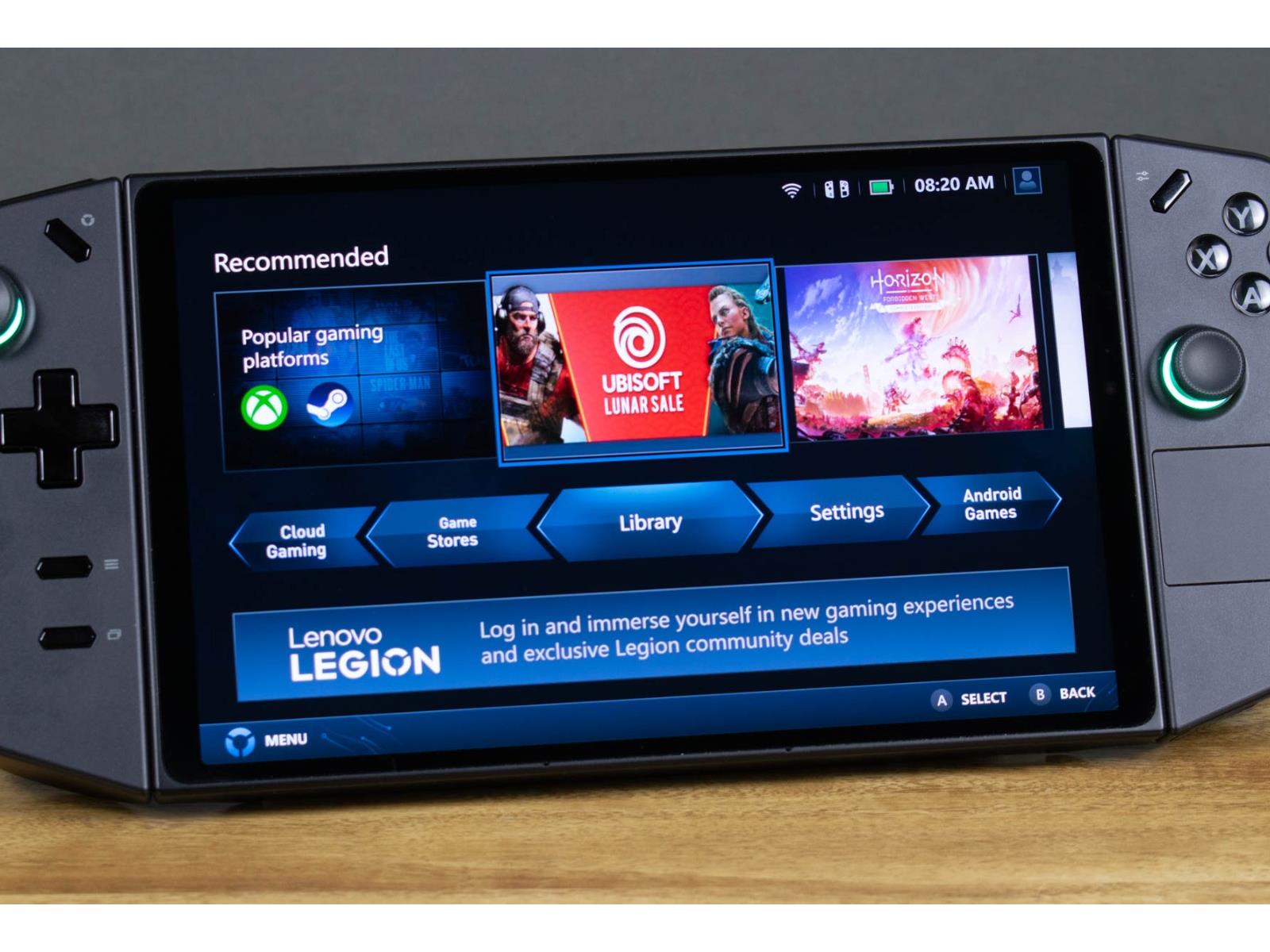
In recent comments made on The Full Nerd Network, Lenovo confirmed that its Lenovo Legion Go will be supported through October 2029, debunking claims that the OEM had essentially dropped support for its handheld. This will include “necessary driver and BIOS updates,” and Lenovo further claims it is working closely with AMD on driver update
Intel has formally unveiled its Xeon 6+ “Clearwater Forest” data-center processor with up to 288 cores, built on the company’s new Intel 18A process and using Foveros Direct packaging. The chip targets telecom, cloud, and edge-AI workloads with massive parallelism, large caches, and high-bandwidth DDR5-8000 memory. Tom’s Hardware reports: Intel’s Xeon 6+ processors with up to 288 cores combine 12 compute chiplets containing 24 energy-efficient Darkmont cores per tile that are produced using 18A manufacturing technology, two I/O tiles made on Intel 7 production node, as well as three active base tiles made on Intel 3 fabrication process. The compute tiles are stacked on top of the base dies using Intel’s Foveros Direct 3D technology, whereas lateral connections are enabled by Intel’s EMIB bridges.
Intel’s ‘Darkmont’ efficiency cores have received rather meaningful microarchitectural upgrades. Each core integrates a 64 KB L1 instruction cache, a broader fetch and decode pipeline, and a deeper out-of-order engine capable of tracking more in-flight operations. The number of execution ports has also been increased in a bid to improve both scalar and vector throughput under heavily threaded server workloads.
From a cache hierarchy standpoint, the design groups cores into four-core blocks that share approximately 4 MB of L2 cache per block. As a result, the aggregate last-level cache across the full package surpasses 1 GB, roughly 1,152 MB in total. This unusually large pool is intended to keep data close to hundreds of active cores and reduce dependence on external memory bandwidth, which in turn is meant to both increase performance and lower power consumption. Platform-wise, the processor remains drop-in compatible with the current Xeon server socket, so the CPU has 12 memory channels that support DDR5-8000, 96 PCIe 5.0 lanes with 64 lanes supporting CXL 2.0.
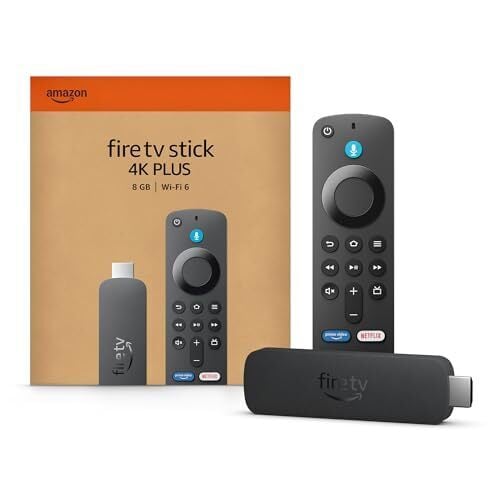
The first thing you need to understand about Amazon Fire anything is that a Fire TV and a Fire TV Stick are not the same thing. Some hacks only work on Fire TVs, others only with Fire TV Sticks, and others with both. You can have a Google TV (or any kind of TV) and hook up a Fire TV Stick to it: So if you don’t have a Fire TV, know that there is a simple $30 solution that can fix that. I’ve been using the Fire OS for many years, and although it’s not my favorite, it has some pretty cool hacks that no other OS has.
Amazon Fire TV Stick 4K Plus AI-Powered Streaming Stick
$29.99 at Amazon
$49.99 Save $20.00
$29.99 at Amazon
$49.99 Save $20.00
55″ Amazon Fire TV 4-Series 4K HDR10+ Smart TV (2025 Model)
$379.97 at Amazon
$459.99 Save $80.02
$379.97 at Amazon
$459.99 Save $80.02
Make menu navigation more detailed
If you press Fast Forward and Rewind at the same time and hold them for two seconds, you will activate the Text Banner in the navigation menu. This will make a white box appear at the bottom of the screen with more information about anything you’re highlighting in the navigational menu. You can get IMDB ratings, length of movies or shows, year it was released, rating, summaries, etc. You can use the Fast Forward arrow to get more information from the banner. You also get a better menu by pressing the Menu button, which gives you a different menu option, where you can add shows or movies to your watchlist or platforms where you can stream them.
Restart the Fire TV Stick quickly
Fire TV Sticks and Fire TVs are mini computers, and as such, they might malfunction and need a restart from time to time. Hold the Circle and the Play/Pause button together for five seconds, and your Fire Stick will restart immediately. This is much easier than having to find the restart option on the menu or physically disconnecting it from the wall.
Mirror your iPhone to the Fire TV
While Fire TVs and Fire TV Sticks can mirror/cast Android phones natively, iPhones need to jump through hoops to do the same. Just because it’s not easy doesn’t mean it’s not possible. You’ll need to download a paid app like Screen Mirroring for Fire TV to do this for you. (There are other free alternatives (AirScreen, DoCast, LetsView), but they will restrict you in some way or another by putting ads or setting a time restriction until you pay for the app.) To get started, after you select your app, hold the Home button for five seconds and select the Mirroring option that comes up. Then open the mirroring app and make sure you’re on the same network as your Fire TV. Then follow the on-screen instructions on the app.
You don’t need a Fire TV remote to work your Fire TV
Losing your remote (or buying a used TV without a remote) doesn’t mean you’re screwed. There’s an easy and free solution. Download the Amazon Fire TV app, which essentially turns your phone into a Fire TV remote, often with more options. You need to make sure you’re on the same network as your TV to set this up. One of my favorite reasons to use this app over the physical remote is that you can type anything you’re searching for on your phone rather than selecting each letter individually with the remote.
Watch anything virtually for free with Kodi
Kodi is a free, open-source media system that lets you reliably stream your entire media collection to any local device, like your Fire TV Stick. The catch is that it takes a bit to set it up, but worry not. I’ve gone through the steps in this tutorial to make it easy for you to install. Plex and Jellyfin are also good alternatives, as they’re easy to download from the official Amazon app store (but check out our coverage for their advantages and disadvantages).
Use your computer as a Fire TV
If you want to watch your Fire TV on the go or don’t have a TV, playing it on your computer (Mac or PC) is helpful—especially if you’ve got Kodi already running on your Fire TV Stick. To set it up, you’ll need to install an open-source software like OBS Studio to make this work. But you’ll essentially have another method of watching your shows and movies.
Use your Fire TV Stick as a computer
You can access the web through your Fire TV or Fire TV Stick, and it’s surprisingly easy. Download the Amazon Silk app on your Fire TV or Stick and you’ll be able to check your email, social media, or do anything you do on a browser on your TV. And if the idea of using your remote to type stresses you out, remember the Amazon Fire TV app I mentioned earlier, or you can get one of these cheap remotes to type easily. If you get really good at it, you can get to the point where you make homepage shortcuts for your favorite websites as if they were apps.
Use your Alexa speaker as a hands-free remote
Sometimes we have our hands full or can’t find the remote or our phones in time before the preview to the next episode spoils the show for us. If you have an Alexa speaker nearby, simply use voice commands to tell Alexa to, for instance, “Pause the TV.”
Listen to TV with your Bluetooth headphones
Many people notice the Bluetooth feature on TV sticks and don’t think much of it—but it’s a powerful feature. You can connect your wireless keyboard to type out searches, hook up game pads to play games, connect your surround sound or portable speakers to it, and, most personally useful of all, connect your Bluetooth headphones to listen to shows without disturbing anyone else you live with. Go to Settings > Controllers & Bluetooth Devices > Other Bluetooth Devices > Add, and it will find any device that is in sync mode.
See who’s at your door right on your TV
If you have a camera that’s compatible with Alexa, there’s a way to get it to show up on your Fire TV. Some of these brands include: Nest, Arlo, Blink, Wyze, Logitech, Ecobee, TP-Link, Aqara, Honeywell, Kami, Reolink, Zmodo, Amcrest, Canary, Vivint, and SwitchBot. They will not all have the same level of features and on-screen options, so it’s best to see what your brand is capable of doing in the Fire TV and how to set each one up correctly.
A sophisticated iPhone hacking toolkit, suspected to have originated within U.S. government-linked development circles, has surfaced in the wild as a weapon used by both foreign intelligence services and opportunistic cybercriminals. It’s uncertain how the toolkit, dubbed “Coruna” by researchers, landed outside of the government, although