The PlayStation 5 release date for Indiana Jones and the Great Circle has been revealed. MachineGames’ latest Nazi-thwacking simulator will hit Sony’s console on April 17, just four months after it debuted on Xbox and PC. If you pony up for the digital premium edition or physical collector’s bundle, you’ll get early access to the game on April 15 (plus some other goodies). Digital pre-orders are open now and physical pre-orders go live tomorrow, March 25.
Microsoft confirmed last August that it would bring a port of the tremendously enjoyable blockbuster to Sony’s console this spring as part of its shift away from platform exclusivity. We’ve seen a number of notable former Xbox exclusives come to PS5 (and Switch in some cases) over the last year or so. Among them are Sea of Thieves, Hi-Fi Rush, Pentiment and Grounded. Forza Horizon 5 is also PS5-bound on April 29.
Meanwhile, Doom: The Dark Ages will hit PS5 on May 15, the same day it’s set to land on PC and Xbox. Rumors suggest that a remastered collection of the first three Gears of War games is coming to Sony’s system. The rebooted Fable and even Xbox’s flagship Halo series could make the leap over to PlayStation as well, as the walls around Microsoft’s gaming garden continue to crumble.
This article originally appeared on Engadget at https://www.engadget.com/gaming/indiana-jones-and-the-great-circle-hits-ps5-on-april-17-150021622.html?src=rss
Google’s budget phone for the masses, the Pixel 9a, will retail at $499 when it launches in April. That’s a full $100 less than the iPhone 16e and $300 less than the Pixel 9. Even so, the 9a has many of the same features as the Pixel 9. It carries over the same Tensor G4 chip, and promises to feature most of the Pixel 9’s AI suite.
Most, but not all. Ars Technica is now reporting that the Pixel 9a will be missing some crucial AI features at launch. That’s because the Pixel 9a features 8GB RAM, while the Pixel 9 has 12GB RAM, and the Pixel 9 Pro models feature 16GB RAM.
While the Pixel 9a comes with on-device Gemini Nano, Ars Technica confirmed with Google that it’s going to be using the Gemini Nano 1.0 XXS (“extra extra small”) model. This is the company’s lightest available model, and the one that runs on the Pixel 8. The rest of the Pixel 9 series phones, by comparison, all run the Gemini Nano XS (extra small) model.
While you can still use Gemini AI on Pixel 9a using the power button, being limited to the XXS model means it will lack some of the Pixel line’s tentpole AI features. The 8GB RAM is not enough to run the Gemini AI models in the background, and the XXS model is text-only.
Because it can’t run in the background, and it can’t process images, it therefore can’t support features like Pixel Screenshots app, which require image processing in the background. It also won’t support Call Notes, a feature that uses audio analysis to provide on-device AI summaries of phone conversations. Additionally, it’s possible that the Pixel line’s newly announced spam detection feature might not be available on the Pixel 9a, but that’s not confirmed as of yet.
Luckily, the Recorder app will still work, because the app creates a transcript first (not using Gemini AI), and then uses AI on the transcribed text, something that Pixel 9a can pull off.
That’s all we know so far. More details on what works and what doesn’t will only be available once the Pixel 9a is available in the wild, sometime in April. With this Pixel 9a release, the gap between the flagship Pixel and the budget Pixel is widening. Luckily, it’s limited to AI features for now. If you don’t intend to use these on-device AI features, you won’t feel the pinch.
On Sunday, the genetic testing and heritage company 23andMe announced that it had entered Chapter 11 bankruptcy and was asking a court to arrange its sale. The company has been losing money for years, and a conflict between its board and CEO about future directions led to the entire board resigning back in September. Said CEO, Anne Wojcicki, has now resigned and will be pursuing an attempt to purchase the company and take it private.
At stake is the fate of genetic data from the company’s 15 million customers. The company has secured enough funding to continue operations while a buyer is found, and even though US law limits how genetic data can be used, the pending sale has raised significant privacy concerns.
Risky business
The company launched around the time that “gene chips” first allowed people to broadly scan the human genome for sites where variations were common. A few of these variants are associated with diseases, and 23andMe received approval to test for a number of these. But its big selling point for many people was the opportunity to explore their heritage. This relied on looking broadly at the patterns of variation and comparing those to the patterns typically found in different geographic regions. It’s an imperfect analysis, but it can often provide a decent big-picture resolution of a person’s ancestry.
It looks as if the latest Android 16 Beta 3 will solve an age-old Pixel limitation, which is keeping the fingerprint scanner active when the screen is off. No more needing to wake the screen first and then unlock your device with your fingers. Why this wasn’t activated in the first place is anyone’s guess, but hey, you now have the option
If you thought 3D monitor technology was left behind a few years ago, Samsung has some news for you. Gaming monitors have been on the warpath with updated specs, with 4K and OLED being the main buzzwords the last several years. Now Samsung is looking to reintroduce 3D technology back into the fray, with some new cutting-edge displays.
prisoninmate shares a report: Highlights of Linux 6.14 include Btrfs RAID1 read balancing support, a new ntsync subsystem for Win NT synchronization primitives to boost game emulation with Wine, uncached buffered I/O support, and a new accelerator driver for the AMD XDNA Ryzen AI NPUs (Neural Processing Units).
Also new is DRM panic support for the AMDGPU driver, reflink and reverse-mapping support for the XFS real-time device, Intel Clearwater Forest server support, support for SELinux extended permissions, FUSE support for io_uring, a new fsnotify file pre-access event type, and a new cgroup controller for device memory.
DNA testing company 23andMe has filed for Chapter 11 bankruptcy, following a tumultuous few years that included significant layoffs and a wide-ranging data breach. It plans to find a buyer and continue operations throughout the process, with the company’s CEO, Anne Wojcicki, resigning to bid for the company independently. The Board of Directors’ Special Committee previously rejected a proposal from Wojcicki.
“We expect the court-supervised process will advance our efforts to address the operational and financial challenges we face, including further cost reductions and the resolution of legal and leasehold liabilities. We believe in the value of our people and our assets and hope that this process allows our mission of helping people access, understand and benefit from the human genome to live on for the benefit of customers and patients,” said Mark Jensen, chair and member of the Special Committee, in a release.
Jensen added that the company is committed to safeguarding customer data and that “being transparent about the management of user data going forward, and data privacy will be an important consideration in any potential transaction.”
There was a time when 23andMe was all the rage, with everyone you knew sending samples of their saliva. However, things have declined since the company went public. It was once valued at $6 billion, but this month that number was less than $50 million. The company also laid off over 200 employees late last year.
But, the largest hurdle came in 2023 when hackers accessed the information of 6.9 million customers — the breach started in April of that year, but 23andM3 noticed it five months later, in September. The company announced the leak that October. One year later, 23andMe settled a class action lawsuit for $30 million, following claims such as that the company failed to tell plaintiffs that they were specifically targeted for being of Chinese or Ashkenazi Jewish heritage.
This article originally appeared on Engadget at https://www.engadget.com/big-tech/23andme-has-filed-for-bankruptcy-and-ceo-anne-wojcicki-has-stepped-down-144629683.html?src=rss
The most affordable iPhone, or the most affordable Pixel? Which one is right for you? Google’s Pixel 9a comes in $100 cheaper than the iPhone 16e, and has many AI features and specs from its flagship big brother, the Pixel 9. And it’s a similar story with the iPhone 16e. The Pixel 9a starts shipping in April, while the iPhone 16e is out already (and we’ve already compared it with Samsung’s mid-range lineup).
But, as always, the devil is in the details. Here’s how Google’s new Pixel 9a compares to the iPhone 16e.
Design
Credit: Apple
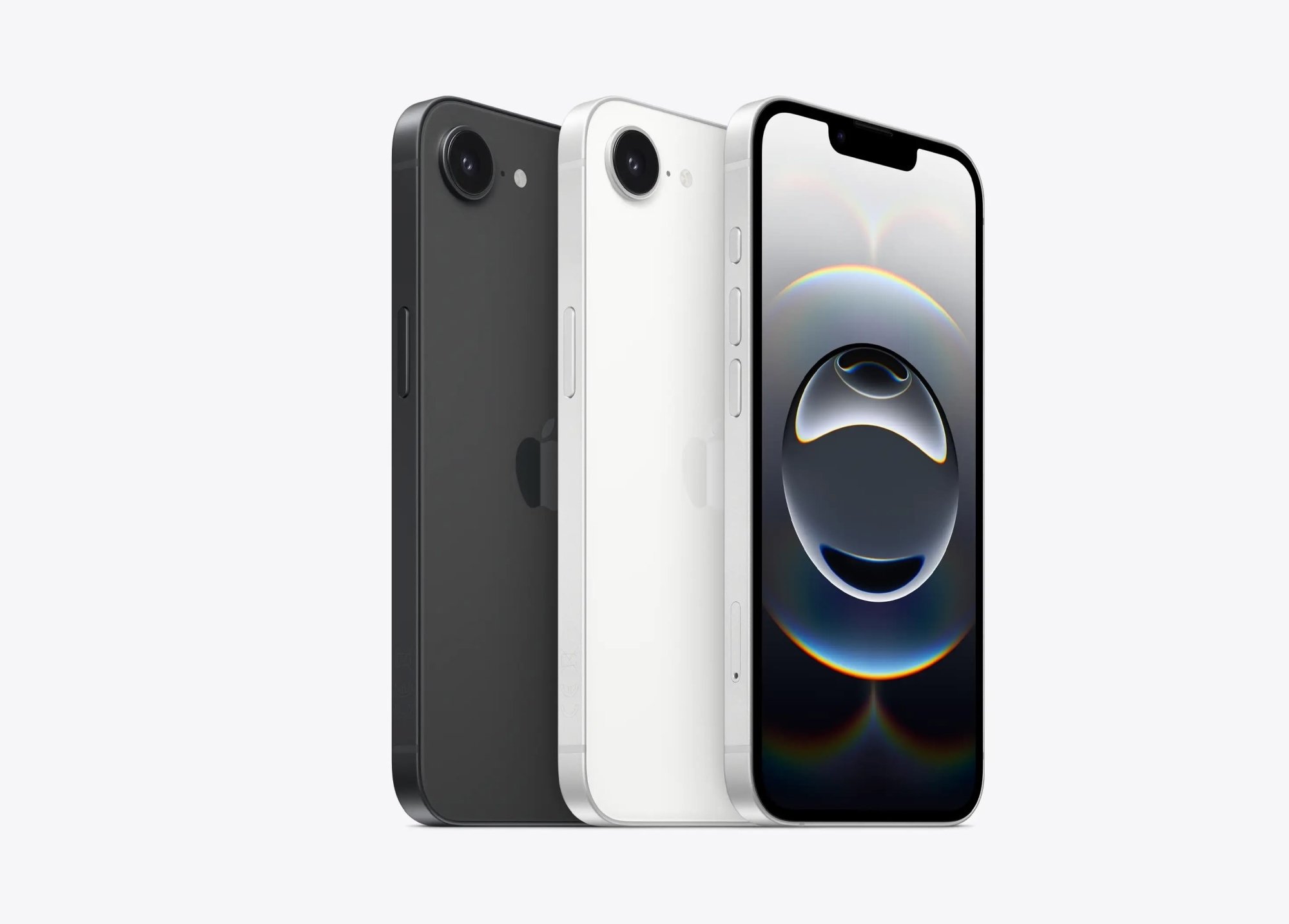
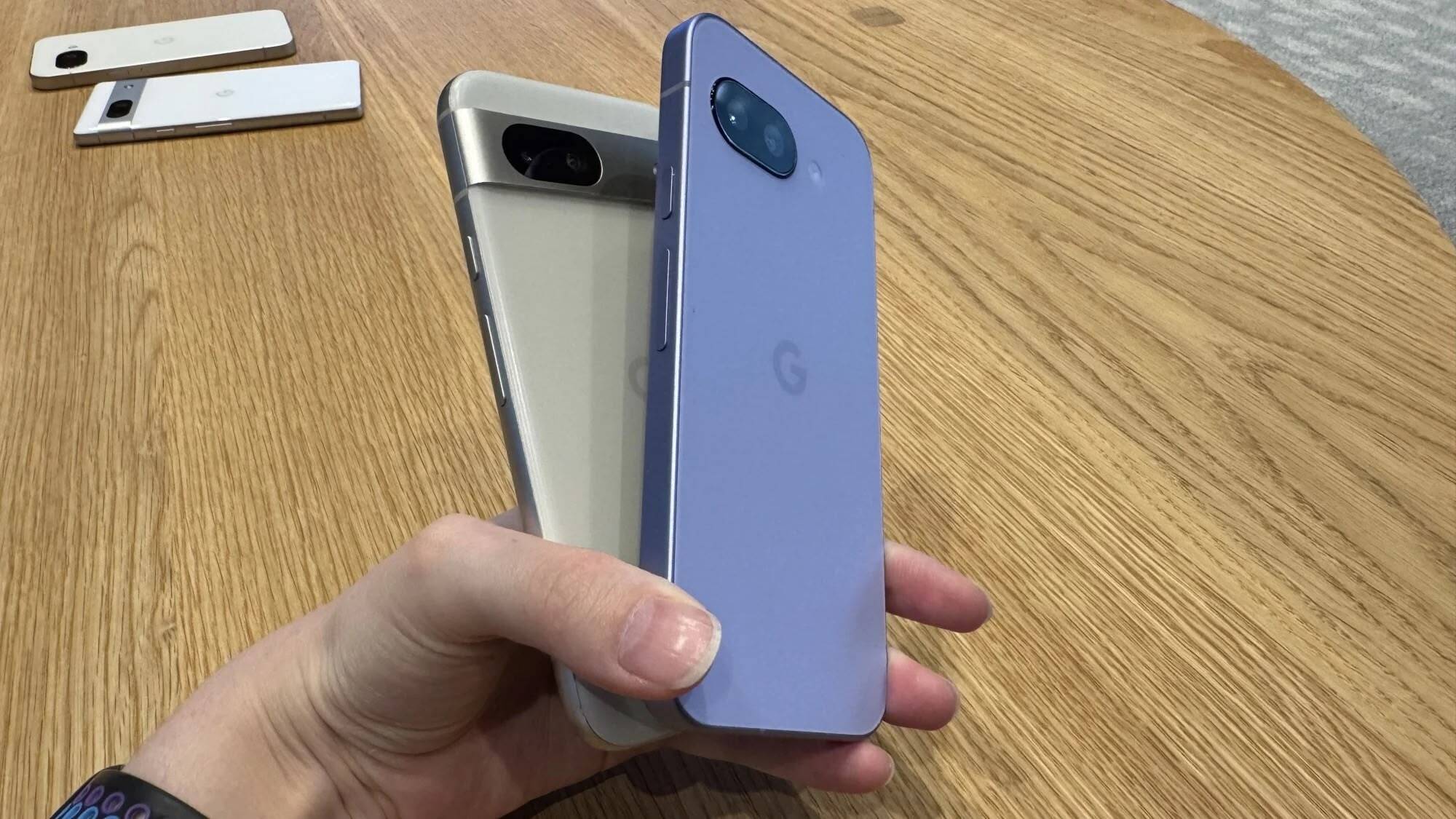
Both the iPhone 16e and the Pixel 9a have a similar design language. They have flat sides, flat fronts, and rounded edges. And unlike its flagship counterpart, the Pixel 9a does not feature a camera bump. This is a big departure for the Pixel line, but it does make it look more like an iPhone.
Pixel 8a (left) vs Pixel 9a (right). Credit: Michelle Ehrhardt
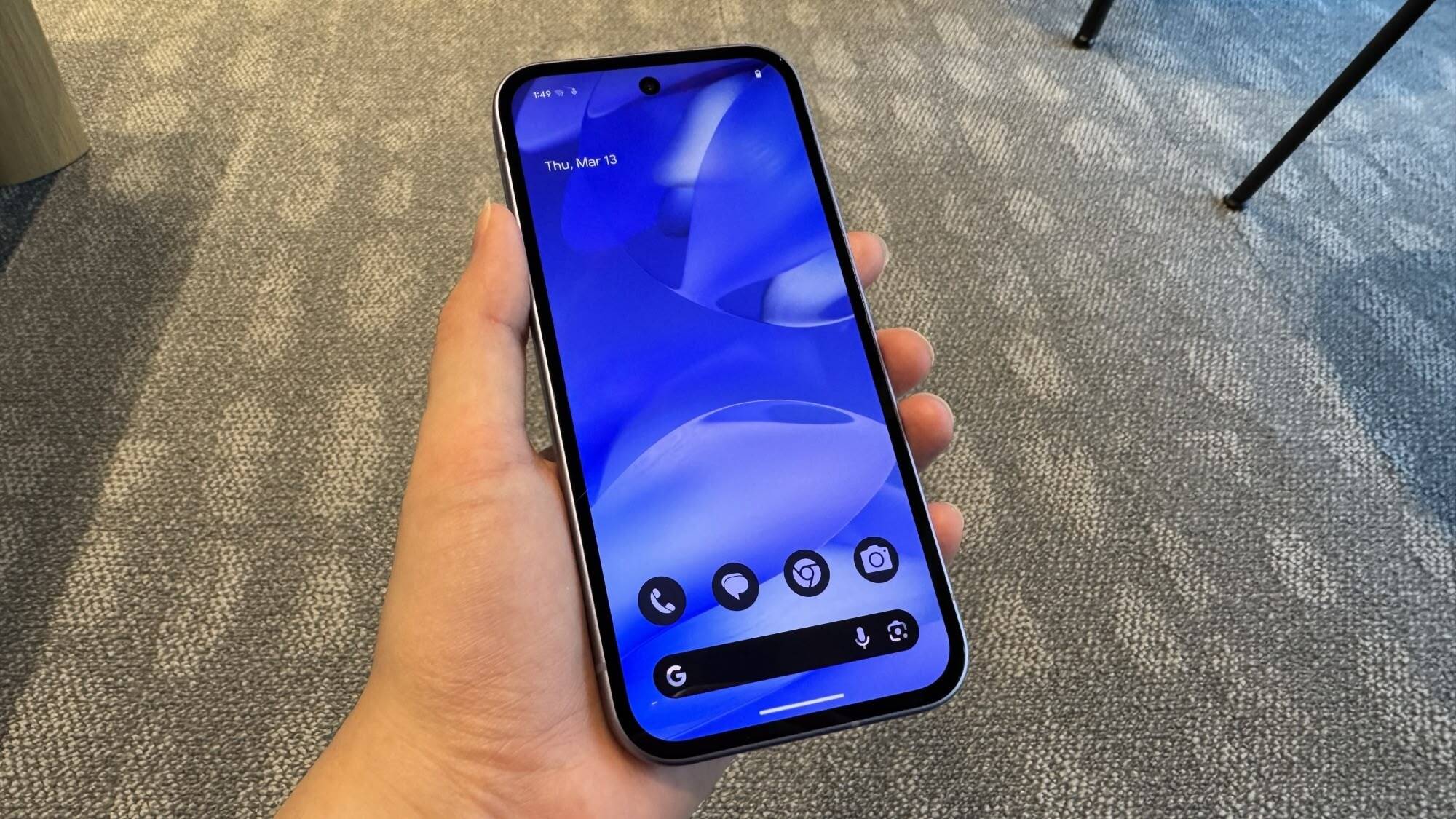
On the front, the iPhone features a notch-style display instead of the Dynamic Island found on the flagship iPhones. The Pixel 9a, comparatively, has a circular cutout at the top for the front-facing camera.
The Pixel 9a weighs 6.6 ounces, while the iPhone 16e is ever so slightly lighter at 5.9 ounces.
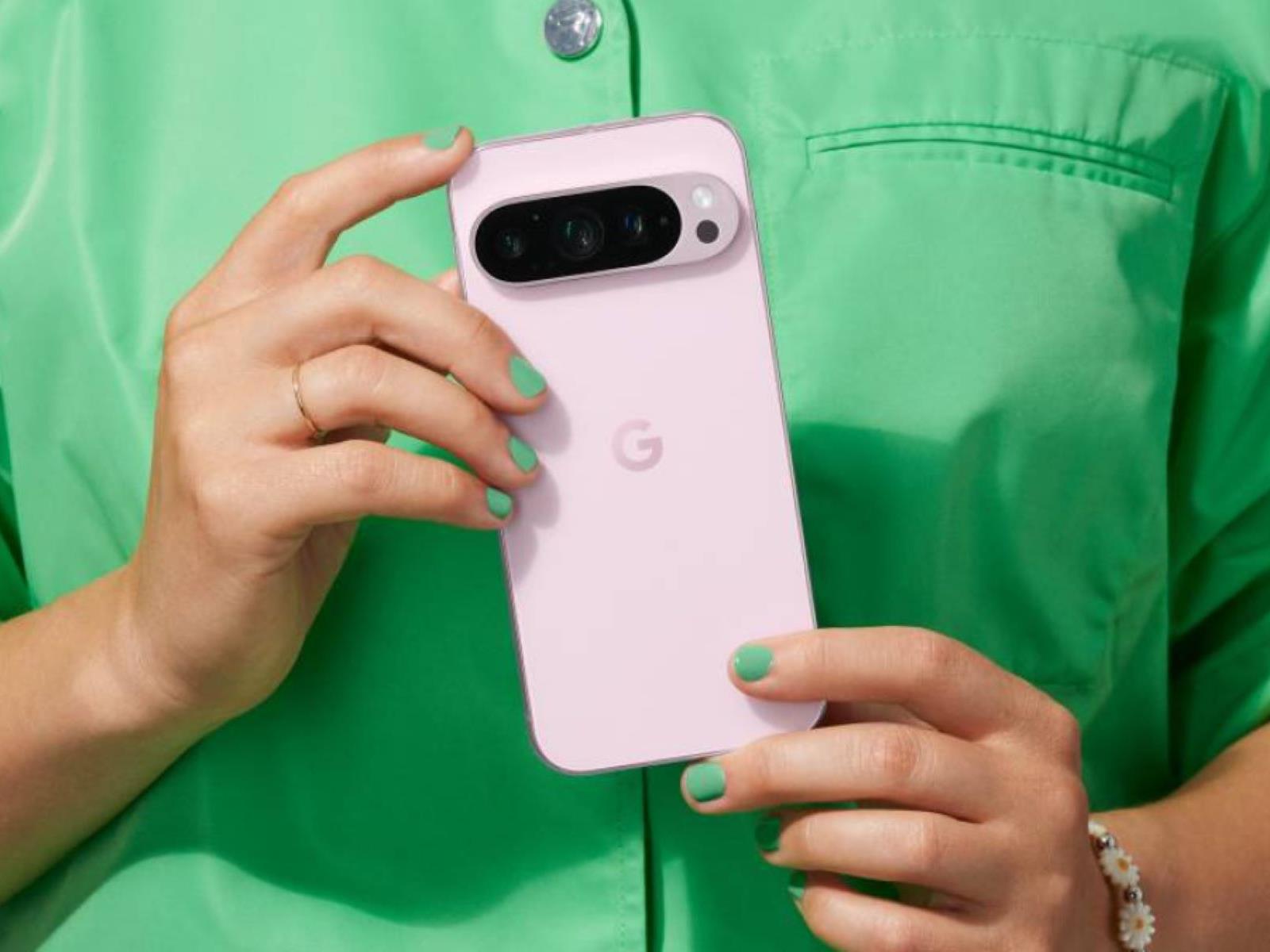
The iPhone 16e only comes in Black or White, but the Pixel 9a comes in four different color options: Porcelain, Obsidian, Peony, and Iris. The Peony color is the light-pink option, while the Iris color looks like a mix of purple and lavender.
Display
Credit: Michelle Ehrhardt
The Pixel 9a has a 6.3-inch OLED screen (2,424 by 1,080 pixels), supports variable refresh rate (between 60-120Hz), and has a max brightness of 2700 nits (1800 nits typical brightness).
The iPhone 16e on the other hand a smaller 6.1-inch OLED display with a nearly identical resolution (2,532 by 1,170 pixels), and offers a fixed 60Hz refresh rate and a maximum brightness of 1200 nits (800 nits typical brightness).
On paper, it seems like the Pixel is out in the lead here, offering a high-refresh rate display that’s slightly bigger, sharper, and much brighter than the iPhone.
Performance
Both the iPhone 16e and Pixel 9a run on chips made by the same company, and are featured in their flagship counterparts. The iPhone 16e features an Apple A18 chip (minus one GPU core) that’s found in the iPhone 16 series, while the Pixel 9a uses Google’s Tensor G4 chip, same as the Pixel 9. Both devices feature 8GB RAM, which is a downgrade from the flagship.
While the Pixel 9a benchmark scores aren’t out yet, we can use the Pixel 9 as a comparison, as both devices share the same chip. In Geekbench, Pixel 9 scored 1,657 in single-core performance and 4,060 in multi-core performance.
The iPhone 16e, on the other hand, score 2,706 in single-core testing and 7,942 in multi-core testing.
Based on raw numbers, it looks like the iPhone 16e’s performance is far better than Pixel 9a’s. Both devices should be plenty fast for day-to-day use, but the extra headroom from the A18 processor bodes well for iPhone 16e’s longevity.
Cameras
The iPhone 16e famously has a single camera setup with a single 48MP lens at the rear, while the Pixel 9a has a 48MP ( f/1.7) wide-angle lens and an additional 13MP ( f/2.2) ultra-wide sensor. Apple’s sensor lets in more light, however, which should make low-light photography better.
Both devices capture 4K video at 30 or 60 frames per second. The iPhone also has options for 24 and 25 frames per second.
iPhone and Pixels are generally good at photography, and each have their own slightly different look that largely comes down to computational postprocessing. Both devices also come with their own AI photo editing features, although it’s uncertain which will be more useful until the Pixel 9a releases.
Battery Life
Both phones go big on battery life. Google has put in a massive 5,100 mAh battery in the Pixel 9a and is promising over 30 hours of battery life.
The iPhone 16e, meanwhile, features a 4,004 mAh battery, and Apple says it has the largest battery life of any iPhone, promising 26 hours of offline video, or 21 hours of streaming video. In real life testing, PCMag found that the iPhone 16e lasted 21 hours and 39 minutes in a battery benchmark test, although Pixel 9a tests are still a question mark.
Price
With the Pixel 9a, you clearly get more for less. Google’s budget phone starts at $499 for 128GB storage, and the upgrade to 256GB only costs $559.
On the other hand, the iPhone 16e starts at $599 for 128GB, and goes up to $699 for 256GB, or $899 for 512GB.
Although, it’s worth reiterating that the iPhone 16e is available to purchase right now, while the Pixel 9a will start shipping sometime in April 2025.
Which One Is Right For You?
Your choice starts with the ecosystem. If you want a smartphone to work well with your Mac, the iPhone 16e might be the default choice for you. The same goes for Pixel 9a if you really want an Android phone.
If you want the best AI features, the Pixel 9a might have an edge. It comes with Gemini Nano built-in, and the Gemini app adds support for AI features like Gemini Live, AI photo editing, and more. Apple Intelligence on the iPhone 16e also supports AI features like Writing Tools, photo Clean Up, and more, but the AI-enhanced Siri largely isn’t out yet.
As for hardware, if you want a phone that will last for a longer time, the iPhone 16e’s slightly stronger chip is a better bet. However, the Pixel 9a is the value for money pick. Not only is the base model $100 cheaper, the 256GB version is $140 cheaper than the iPhone 16e.
This is a video included in the extras of a Blu-Ray copy of Back To The Future featuring actors (Billy Zane, C. Thomas Howell, Jon Cryer, and Ben Stiller) in 1984 auditioning for the role of Marty McFly. There’s also clips of Peter DeLuise auditioning for Biff Tannen and Kyra Sedgwick for Jennifer Parker. What might have been! I think they nailed the casting though. Apparently (but not shown in the video) Jeff Goldblum, John Lithgow, Dudley Moore, Ron Silver, Robin Williams, John Cleese, Mandy Patinkin, Gene Hackman, James Woods, and Mark Mothersbaugh were all considered for Doc Brown’s role. Are you thinking what I’m thinking? “Does it involve building a time machine and repeatedly traveling back to the casting and meddling so each actor gets the part just to see how that version of the movie turns out?” Oh what, you’ve got something better to do?
In today’s high-tech world, some toll roads keep the traffic moving by using transponders and cameras, rather than requiring that every driver come to a full stop to shove money into a machine (or into the hands of a gatekeeper). Mistakes can happen, though, and the FBI issued a warning to hundreds of millions of commuters to be on the lookout
No, pigs aren’t flying, hell hasn’t frozen over and you (probably) haven’t won the Powerball jackpot, but something else nearly as unexpected is happening. Over four years after it debuted AirPods Max, Apple is set to update them with long-overdue features. The company is bringing lossless audio and ultra-low latency audio to the overear headphones when it rolls out iOS 18.4, iPadOS 18.4 and macOS Sequoia 15.4 in April.
It’s the first (and only major) update Apple has given the AirPods Max outside of starting to offer a model with a USB-C charging port back in September. And that’s the kicker: based on the wording in Apple’s press release, it seems the update will only be for the USB-C version of the AirPods Max, not the original version with the Lightning port. What’s more, it appears that lossless audio and ultra-low latency audio may only be available when you connect the headphones to an audio source via a USB-C cable. Engadget has asked Apple for confirmation.
As luck would have it, Apple is starting to sell a USB-C to 3.5mm cable today. It’ll run you $39. There will also be the option to connect your iOS or iPadOS device to speakers or car stereos that have 3.5mm audio ports with the cable.
Still, you’ll at last be able to listen to 24-bit, 48 kHz lossless audio with AirPods Max. Lossless audio will also be compatible with Personalized Spatial Audio, Apple says. Apple Music subscribers can listen to more than 100 million songs in lossless audio.
The company notes that, following the firmware update, “AirPods Max will become the only headphones that enable musicians to both create and mix in Personalized Spatial Audio with head tracking.” It adds that the ultra-low latency audio feature will allow for no response delay on par with the speakers built into Mac, iPad and iPhone devices. It suggests this feature could be a boon for gamers and livestreamers.
This article originally appeared on Engadget at https://www.engadget.com/audio/headphones/apple-is-finally-updating-airpods-max-with-lossless-and-ultra-low-latency-audio-140142271.html?src=rss
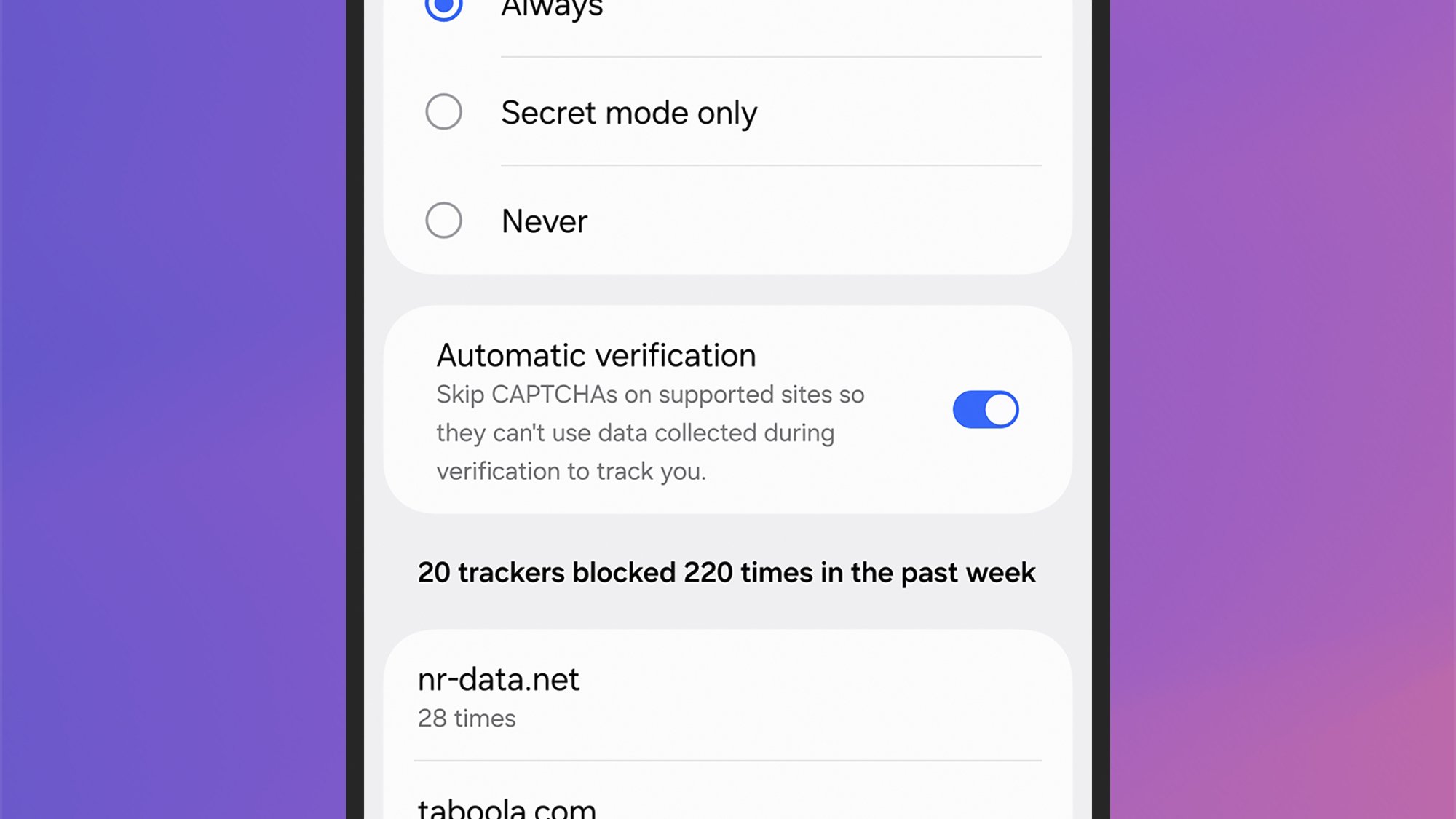
Filling out CAPTCHAs to prove you’re a human is one of the regular annoyances of the internet—but maybe it doesn’t need to be. A new feature in the latest version of One UI 7 for Samsung devices promises to solve CAPTCHAs (or Completely Automated Public Turing tests, to name them in full), but it’s not yet clear how effective it will be.
Why sites use CAPTCHAs
CAPTCHAs pop up on numerous websites, often when you’re trying to log in, and their purpose is to prove you’re not a bot. The idea is that websites don’t want to be overwhelmed with bot spam or come under attack from a swarm of bots, and CAPTCHAs are one way to prevent those problems.
The challenge that you’re met with is typically something that’s relatively straightforward for a person to do, but tricky for a web bot. You may have to identify a group of misshapen letters that are put on top of a distracting background, or you might have to click all the pictures in a grid that have motorcycles in them.
While it is necessary to put up defenses against bots, these CAPTCHAs can be a frustrating hurdle for users to get over, and they can often take up a minute or two to complete in full. What’s more, some versions of these bot checkers also look at your behavior and actions in the browser to determine whether or not you’re human—which isn’t great from a privacy point of view.
With all that in mind, Samsung is aiming to make your life online a little easier with a new feature called Automatic Verification, which essentially solves CAPTCHAs for you. As spotted by SammyGuru, it’s available in the latest version of the Samsung Internet browser on One UI 7, so you can try it now on Galaxy S25 phones, and it’s coming soon to older devices.
How to turn on Automatic Verification
Enabling the Automatic Verification feature. Credit: Lifehacker
Open up Samsung Internet on your phone, then tap the menu button (three horizontal lines, bottom right) and Settings. Choose Privacy dashboard, then Smart anti-tracking, and you’ll get to the Automatic Verification toggle switch—if it’s not already enabled, you can turn it on here.
The feature “prevents websites from using data collected during the user authentication process to track your activities” according to the notes accompanying the latest app update. “You can use Automatic Verification to skip the CAPTCHA step on websites.”
There are a few caveats to keep in mind. First, this is a feature that’s restricted to the Samsung Internet browser, so you can’t use it with other web browsers you might have installed on your device. Also, websites have to support the feature, Samsung says—it’s not clear what that means, but it sounds like it won’t work with every CAPTCHA you come across.
Does Automatic Verification work?
I tested the feature out on several websites, including the demos available at NopeCHA, and they all appeared as normal—it didn’t appear that Automatic Verification made any difference. This could be a case of a feature that’s great in theory but which doesn’t actually work when put to the test. Alternately, it might be too soon to expect results, as Samsung has only just introduced the feature, so it’s perhaps no surprise that it’s not playing nicely with every website yet.
If Automatic Verification is eventually supported more widely across the most popular websites, it could be another reason to stick to Samsung’s built-in mobile browser. At this point, that’s a big if.
DNA-testing company 23andMe has filed for Chapter 11 bankruptcy protection [non-paywalled source] in Missouri and announced CEO Anne Wojcicki’s immediate resignation, weeks after rejecting her proposal to buy back the business she co-founded. The bankruptcy filing represents “the best path forward to maximize the value of the business,” said Mark Jensen, board member and special committee chair.
If you want to get started on doing your own home improvements, repairs, and maintenance, but you’re not sure where to begin, there are a few projects that can help you sharpen your DIY skills. Learning how to use your tools and getting the hang of techniques that you can apply when tackling larger jobs is a good way to cut your teeth on DIY home improvement.
Hang some shelves
If you haven’t ever tried it before, hanging shelves is a good way to get used to using a tape measure, a level, a stud finder, and a drill.
For this project, you’ll use your tape measure to set the height of your shelves and make sure your shelf will fit in the area you want to hang it, your level to make sure it’s parallel to the ground, and your stud finder to find where the appropriate attachment points are. The drill can be used to drill holes for your shelf brackets and drive your screws into the wall. You can probably complete this project in about an hour and it should cost between $150 and $200 for all of the tools and materials you need.
Patch a hole in your drywall
If hanging shelves didn’t go as planned, or you just need to patch a hole from an accident or an old set of brackets, a drywall patch is a good project for a DIY beginner. You’ll use a drywall patch kit that comes with sandpaper, a small putty knife, some spackle, a small patch, and some gloves. To perform your repair, you’ll use your patch to cover the affected area, the putty knife to apply the spackle, and the sanding block or sandpaper to even out the surface to prepare it for paint. This repair takes between 30 minutes and an hour of work time and takes a full 24 hours to cure. The materials for this can cost as little as $20, including all the materials you need.
Clean out your dryer duct
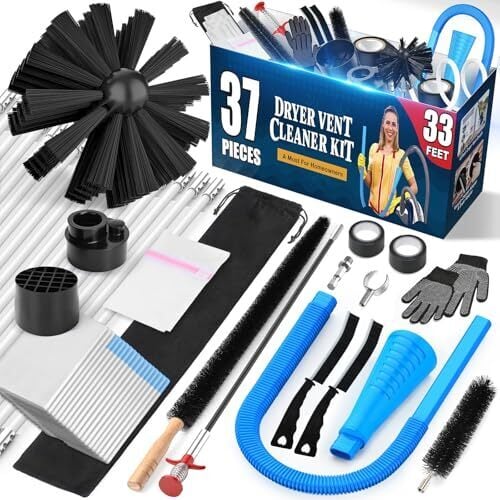
Cleaning out your dryer vent is a chore you should do at least once per year, and it’s simple enough for even the most novice DIYer to tackle. You’ll need either a dryer vent cleaning kit or a shop vac with a long nozzle attachment as well as some gloves and a screwdriver to detach the duct from the dryer.
You’ll use your screwdriver to remove the hose clamp that holds your dryer duct onto the back of your dryer and the cleaning kit with your home vacuum or shop vac with a long nozzle to clear any lint buildup from inside the duct. This project takes about 30 minutes and only costs between $35 and $55.
Replace a broken fence board
Fixing a fence board will give you a chance to practice using your drill, a tape measure, your chop saw or hand saw, and some screws along with your fence board. You will use your tape measure to measure the height of your fence board, your chop saw or hand saw to cut it to length, and your drill to drive your new screws into your board to attach it to the fence. This project will cost between $150 and $300 for everything you need, depending mostly on whether you decide to go with a hand saw or a chop saw. If you only have one board to replace, a hand saw is likely sufficient, while cutting several boards will be much simpler with a chop saw. You can likely complete this project in about an hour including measuring and cutting as well as attaching your board.
Regrade the gravel on a walkway
If you have a gravel path, chances are at some point the gravel will be scattered from footfalls or from weather. To regrade your path and keep it from eroding, you’ll need some fresh gravel, a piece of string, a pair of stakes, tape measure and a rake. You’ll use your gravel to patch any bare spots on your path and your rake to spread it evenly along the path, using your stakes, string, and tape measure to ensure that the center of your path is one to two inches above the edges to allow for drainage. This project can take between one hour to an afternoon depending on how long of a path you have. The materials for this can cost between $30 and $100, depending on how much gravel you need.
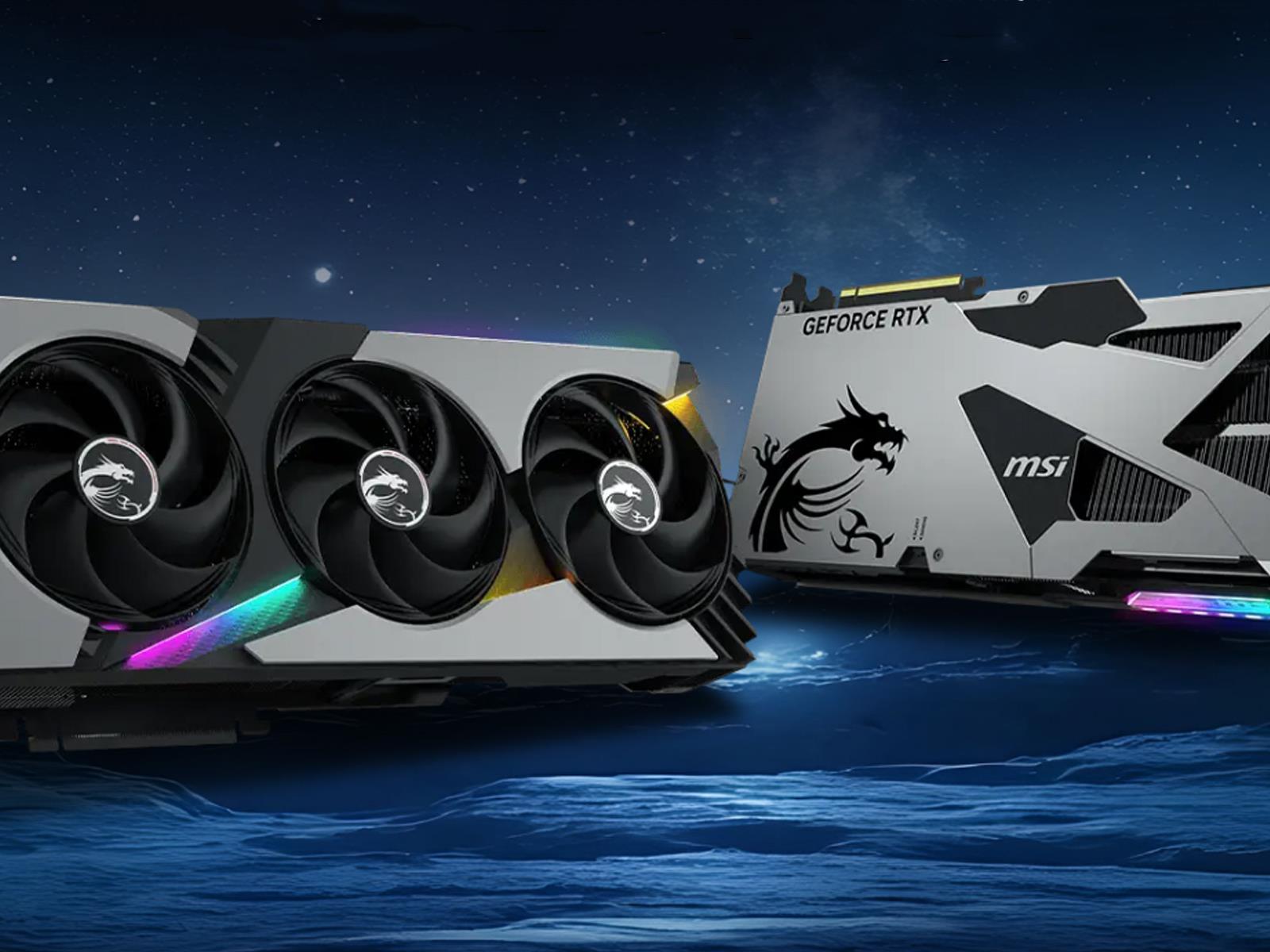
Perhaps at one point NVIDIA may have considered equipping its GeForce RTX 5080 with 24GB of VRAM. More than likely, however, MSI’s repeated reference to the non-existent SKU is a recurring typo. If so, it raises the question as to why MSI keeps making the same mistake, with the latest reference to 24GB spotted in the GPU compatibility section
We may earn a commission from links on this page. Deal pricing and availability subject to change after time of publication.
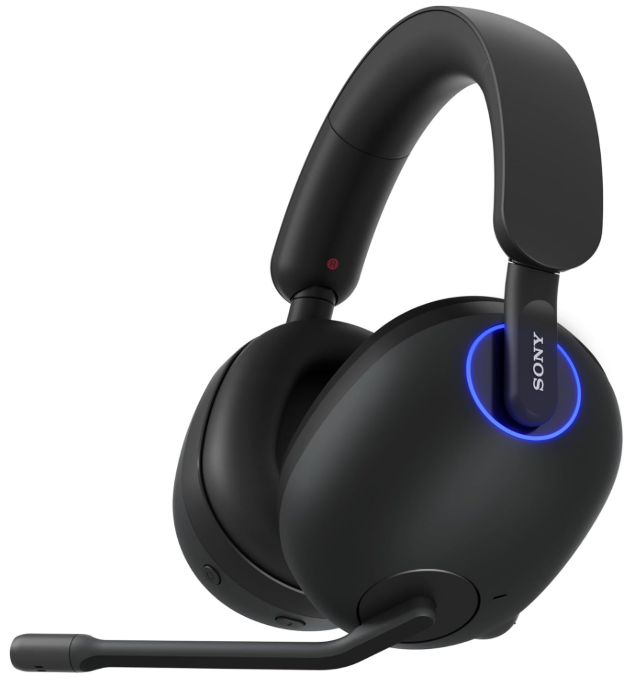
The Sony Inzone H9 is currently on sale for $198—that’s $100 off its regular price of $299.99 and the lowest it’s ever been, according to price trackers.
With a clean black-and-white build, RGB status rings, and enough angular flair to match the console’s vibe, this gaming headset is designed with PS5 users in mind. The headband has a nice amount of give without pressing too hard, and its earpads are soft enough for marathon sessions without ear fatigue. As for the controls, on the left earcup, you’ll find a permanently attached boom mic (which mutes when you flip it up), along with the ANC toggle, volume wheel, and USB-C charging port. On the right, you get power, Bluetooth pairing, and a rocker for balancing game and chat audio. It’s simple to use—even mid-match, notes this PCMag review.
Performance-wise, the Inzone H9 brings active noise cancellation, decent bass, and surround sound simulation through Sony’s Inzone Hub on Windows. The ANC isn’t jaw-dropping, but it quiets low rumbles like fans or an air conditioner well enough. That said, high-pitched stuff still leaks in. The mic works fine for casual voice chat, but if you’re planning to stream or record, it won’t cut it—the voice quality feels more “Zoom call” than “studio-ready.” Still, for gaming and Discord, it gets the job done. You can adjust sound profiles with the 10-band EQ on PC and enable spatial audio, but if you’re on PS5, that customization’s off the table. Sony’s built-in 3D audio does kick in on the console though, so you’re not totally missing out. A relative downside is the complete lack of a wired connection. The H9 operates solely over wireless—either via the 2.4GHz USB dongle or Bluetooth—so you’ll have to manage battery life.
Speaking of battery, Sony promises up to 32 hours per charge depending on how you use it. That’s not bad, especially for a headset with ANC and Bluetooth running. You can pair it to your phone too, which adds flexibility. However, the Bluetooth audio quality won’t match the lower-latency, higher-quality signal from the dongle, especially if you’re gaming. If you’re looking for booming, theater-like bass, this headset won’t blow you away—but it holds its own in the low end without distortion, even at higher volumes.
There are few tech products I would recommend to anyone, but Sony’s M5 headphones are one of them. I’ve raved so much about them that my parents and brother all bought a pair (while my partner uses mine about as often as I do). One of the biggest things for me, as someone who gets headaches easily, is that they’re so comfortable. I’ve worn them on quite a few overnight flights now and can easily keep them on the whole time.
Speaking of flights, the active noise cancellation is another reason they’re a treat for those overnight hauls. The M5s have double the processors and and microphones for ANC as their predecessor. I once slept two rows away from a crying baby and, with music on, I couldn’t hear a thing. Plus, the 30 hours of battery life means I don’t have to worry about them dying half way through my travels (my AirPods always need to recharge in their case before I arrive).
Their excellence on flights isn’t the only reason we gave Sony’s M5 headphones a 95 in our review. They’re also great for listening to music while working or out for a walk. The M5s have 30mm carbon fiber drivers and DSEE Extreme, together boosting the sound’s quality and depth. My only complaint is that the M5s don’t fold up, but especially at this price, they’re still such a great buy.
This article originally appeared on Engadget at https://www.engadget.com/deals/the-sony-wh-1000xm5-headphones-drop-to-a-record-low-price-for-the-amazon-spring-sale-123340453.html?src=rss
Badging on the rear of the new Cadillac Optiq may confuse some American buyers. This crossover is fully electric, so the alphanumeric nomenclature can’t refer to engine displacement—and not horsepower, either. Instead, 500E4 refers to 500 Newton-meters of torque, the metric units for more familiar pound-feet, plus dual-motor all-wheel drive. Rating the Optiq’s output in kilowatts might have at least rendered something at least somewhat more comprehensible, but the designation hints at the Optiq’s intended global market, which in turn reveals just how important this crossover EV is for Cadillac’s future.
The Optiq slots in as an upmarket variant of the Chevrolet Equinox EV, featuring a suite of enhancements unveiled at a Downtown Los Angeles preview last spring. With the exterior design, interior materials, and tech features all known quantities, I arrived to a drive program held in the San Francisco Bay Area—concurrently with the Escalade IQ—more curious to experience how much the Optiq’s additional power and refinement can possibly improve on the already solid Equinox.
On paper, the Caddy bests its Chevy counterpart despite using much of the same hardware. In this case, an 85-kilowatt-hour battery allows for an EPA-estimated range of 302 miles (486 km) despite output from dual motors matching the AWD Equinox at 300 hp (223 kW), just with a bit more in the torque department at 354 lb-ft (almost, but not quite, that 500Nm figure).
The Nothing Phone 2a was one of the most memorable smartphones of 2024. It offered a fast display, big battery and personality, all for just $349. For a follow-up, Nothing could have simply refreshed the 2a and the result would have probably been worth recommending. But the company didn’t do that. Instead, it decided to update the 2a and release an entirely new handset alongside it.
That new device, the Phone 3a Pro, has something you don’t find on many midrange smartphones: a periscope telephoto camera. If you can live with some added weight and a slightly silly design, the 3a Pro offers a nearly flagship camera experience for $459. As for the 3a, it’s a great device on its own, and a smart alternative if you have even less to spend on a new phone.
Carrier compatibility
Igor Bonifacic for Engadget
There are a couple of important details I need to mention before I get too far into this review. In the US, Nothing is selling the 3a and 3a Pro through a “beta” program where the company only offers 14 days of after-sale support. If there’s something wrong with your new phone and it’s outside the extremely short warranty period, you could easily be out of luck. This is separate from Nothing’s software support policy, which promises three years of Android upgrades and six years of security patches for the 3a and 3a Pro, in addition to “corrective and functionality updates.”
Additionally, the phones don’t support all of AT&T, T-Mobile and Verizon’s 5G bands. You’ll get basic connectivity, but mmWave speeds are off the table. Lastly, Nothing notes AT&T and Verizon customers will need to contact their carrier to enroll their new phone’s IMEI for 5G access. I mention these things upfront because I think the 3a and 3a Pro are great phones worthy of your consideration, but it’s also understandable if Nothing’s limited customer and carrier support put you off.
Design
Igor Bonifacic for Engadget
The 3a and 3a Pro don’t feel like two sub-$500 handsets, and a big part of that is a new glass backing. Compared to my iPhone 12, the 3a and 3a Pro feel very Apple-like in their construction. I especially like the coating Nothing used for the outer casing of the two phones, which makes the frame feel like it’s made from ceramic. Both are big handsets, and the texture made for a secure grip anytime I took one of them out of my pocket. Nothing has also added better waterproofing, with both the 3a and 3a Pro offering IP64-certified protection against moisture and dust. That’s up from the IP54 rating on the 2a. If you spend a lot of time around water, plenty of other midrange phones come with better protection, including the new $499 Pixel 9a.
Another new feature is a button called the Essential Key. On both phones, it’s located on the right side, right below the power button. I’ll have more to say on what it does later, but for now I’ll mention it feels less solid than all the other buttons on the two phones. It’s a shame because everything else is so well-made.
The Phone 3a is available in three colors (black, white and blue) and the 3a Pro in two (gray and black). Unfortunately, you can’t buy the blue 3a in North America, otherwise I would get one for myself. Nearly three years after the release of the Phone 1, Nothing’s devices continue to have unique designs, though I imagine some people might not be thrilled about the look of the 3a Pro.
Igor Bonifacic for Engadget
I mean, look at it. The 3a Pro is a modern-day Lumia 1020, and is sure to attract confused looks. Not only does the camera housing make an already thick phone thicker, but the extra hardware makes the 3a Pro a whole 10 grams heavier than the 3a. And at 201 grams, the 3a already feels substantial.
It’s hard to see in photos but there’s a gap between bottom of the 3a Pro’s camera module and the top of the back casing. In the short time I’ve had the phone, it has already started collecting dust and debris there. The outer ring of the module also has a finish that doesn’t match with any of the other materials used on the phone. Ultimately, it feels like the 3a Pro sacrifices some of the 3a’s cool factor for camera performance. That tradeoff is ultimately worth it and its design grew on me, but I wouldn’t judge you if you found the 3a Pro too much.
Display
Igor Bonifacic for Engadget
The 3a and 3a Pro have the same display. At 6.77 inches, it offers slightly more real estate than the 2a’s 6.7-inch screen. This time around, Nothing has also gone with Panda Glass to protect the AMOLED panel from scratches. On paper, that’s a downgrade from the Gorilla Glass Nothing used for the 2a and what you’ll find on the Pixel 9a and Galaxy S24 FE, but short of conducting a drop test, it’s hard for me to say if there’s any difference in durability.
What I can say is the display looks great. It’s still an FHD panel with a variable refresh rate that goes up to 120Hz. However, it offers improved visibility in direct sunlight with the ability to hit a peak brightness of 1,300 nits automatically. I never struggled to see the screen, even on a sunny day when I wore polarized glasses.
For the price, Nothing picked the perfect screen. It’s fast, vibrant and, thanks to a new 480Hz sampling rate, highly responsive. One aspect of the display that may annoy some is that Nothing went with an optical in-display fingerprint sensor instead of ultrasonic. Ultrasonic sensors tend to be faster and more accurate, but they also cost more to make, so they’re typically only found on flagship devices like the Galaxy S25. Don’t let that scare you away from the 3a and 3a Pro though. Outside of a bit of pokiness during setup, I haven’t had any issues with the fingerprint sensor.
Cameras
Igor Bonifacic for Engadget
The cameras on the 3a and 3a Pro are the complete package. Starting with the 3a, Nothing has made a few tweaks. For a main camera, you still get a 50-megapixel Samsung GN9 sensor paired with an f/1.88 lens and optical image stabilization (OIS). Instead of the 50MP ultrawide camera on the 2a, the 3a has an 8MP sensor from Sony and a slightly wider 120-degree field of view. Most notably, the phone now comes with a 50-megapixel telephoto camera with 2x optical zoom.
While more manufacturers are beginning to include telephoto cameras with their midrange phones, it’s still not a feature you find on every device. For $379, the 3a’s telephoto has no right being as good as it is, and I was constantly surprised by the detail in the shots I took. Across the entire package, Nothing has really pleasing image processing. The contrast that the software adds to photos might be too much for some, but it otherwise does a great job of producing warm and inviting natural colors. Like a lot of phones in its price range, the 3a’s cameras can struggle in low light or when it has to contend with harsh sunlight.
One idiosyncrasy of Nothing’s image processing is that photos will often look unusable before you press the shutter. For example, bright scenes will frequently have blown out highlights. However, once the phone has had a second to apply HDR, those same images will often turn out great. I didn’t know this when I first started using the phone, so sometimes I gave up on a shot before taking it. This is true of the 3a Pro too, so keep that in mind if you decide to buy one of them.
As for the 3a Pro, it offers a near flagship experience and the highlight is the phone’s periscope camera. It has a 50MP Sony sensor with an f/2.55 lens and built-in OIS. The telephoto gives a 3x optical zoom, but you can also push it to 6x with a lossless crop. Either way, the images produced by this lens can look sharp and detailed, as long as the subject you’re trying to shoot is relatively still.
As you can see from the sample gallery, some of the cats I tried to photograph around my neighborhood came out a bit blurry. That’s because the 3a Pro attempted to get away with using a relatively slow shutter speed. However, for less challenging scenes, the periscope camera consistently felt like cheating, and I had to keep reminding myself this is a phone that costs less than $500.
The telephoto also has a macro mode, allowing it to focus on subjects as close as 5.9 inches away. It can be tricky to judge how close you need to be to the subject, but when I was able to nail focus, the 3a Pro produced detailed shots.
Igor Bonifacic for Engadget
The main camera on the 3a Pro is similarly great. Like on the 3a, you get a 50MP sensor with an f/1.88 lens. However, it comes with a different Samsung sensor that has dual-pixel autofocus, which helps the 3a Pro lock in faster and more accurately. Here, Nothing’s image processing goes a long way to deliver photos that look pleasant. Colors are vibrant without being overbaked and there’s just enough detail to satisfy anyone who’s looking for it.
I didn’t take too many selfies. The 3a Pro has a slight edge in that department thanks to a higher resolution 50MP sensor, but the 3a is no slouch either with its 32MP sensor. Neither phone has a front-facing camera with autofocus, but that’s often the first feature manufacturers cut to make a more affordable device.
In the US, the 3a Pro has no counterpart. There are phones like the Motorola Edge 50 Pro that offer a great telephoto at a comparable price, but it’s not sold in North America. If a camera with reach is important to you, the 3a Pro’s closest stateside competitor is the Galaxy S24 FE, but it normally costs $650. And for that reason, I think it’s well-worth considering over dual rear camera phones like the Pixel 9a.
Performance
Igor Bonifacic for Engadget
On top of updated camera hardware, the 3a and 3a Pro feature a new Qualcomm Snapdragon 7s Gen 3 chipset. Relative to the 2a’s MediaTek Dimensity 7200 Pro, Nothing says the new Snapdragon SoC has a 33 percent faster CPU and 11 percent faster GPU. When I ran the 3a Pro through Geekbench 6, the Snapdragon 7s Gen 3 earned a single-core score of 1,115 and a multicore score of 3,082. For context, the Dimensity processor scored 1,123 and 2,603 when my colleague Sam Rutherford reviewed the 2a last year. For another point of comparison, the Exynos 2400e in the Galaxy S24 FE easily beats both the Qualcomm and MediaTek chips with scores of 2,140 and 6,690, respectively.
I know that’s a lot of numbers all at once, but I put them upfront to set expectations: think of the Snapdragon 7s Gen 3 more as a budget chip than a flagship one. For everyday use, I found it was more than enough for my needs. With 12GB of RAM, the 3a and 3a Pro offer plenty of headroom for scrolling through social media, multi-tasking and AI applications like Gemini.
However, the phones are less ideal for gaming. When I tried to play games like Diablo Immortal and League of Legends: Wild Rift, I found it was possible to run them at 60 frames per second, but the 3a and 3a Pro would occasionally drop frames and I couldn’t play either game with all their graphics settings maxed out.
Battery
Igor Bonifacic for Engadget
Like the 2a, the 3a and 3a Pro feature a 5,000mAh battery. Looping a YouTube video until the battery died, the 3a went 19 and a half hours on a single charge. If you want to spend a day gaming, the 3a Pro is good for about eight hours before it needs charging. For more average use involving a mix of social media use and web browsing, I was able to get close to 14 hours of screen time.
Once the battery is empty, the 3a and 3a Pro support 50W fast charging, up from 45W on the 2a. Neither phone comes with a power adapter inside the box, and Nothing didn’t provide me with one for testing, but the company claims the 3a and 3a Pro can go from zero to 100 percent battery in less than an hour using its new charger. Most people probably have a 20W power adapter lying around, and based on my observations, you can expect to charge the phones from 10 percent to full in about an hour and a half.
If your budget allows for it, it’s definitely worth spending extra to buy Nothing’s new charger since few phones in this price range offer charging as fast as the 3a and 3a Pro. The tradeoff is neither the 3a or 3a Pro support wireless charging, but if you ask me, I would take faster wired charging over Qi compatibility every time.
Software
Igor Bonifacic for Engadget
The 3a and 3a Pro arrive with Android 15 and the latest version of Nothing OS out of the box. As I mentioned at the start, Nothing has promised to support these phones with three years of Android updates, so if you buy one now, you can expect to get at least Android 18 before you might need to consider upgrading phones. Google and Samsung offer longer support, but relative to the rest of the Android ecosystem, Nothing’s policy is pretty good.
This was my first time using Nothing OS and I have to say I’m a big fan. Nothing hasn’t gone overboard customizing stock Android, and there’s really no bloatware to speak of. Both the system and quick settings menus mostly follow the format established by Google, so navigating the interface is easy. One nice touch is that Nothing includes its own monochromatic icon pack, with many popular third-party apps covered. There are 18 custom widgets that come standard with Nothing OS and they all look great.
The one major new software feature included with the 3a and 3a Pro is tied to the Essential Key I mentioned. A single tap of the button allows you to take a screenshot, which you can immediately annotate. If you long press instead, the 3a and 3a Pro will start recording a voice memo. Finally, a double tap opens the Essential Space, the new app where all of those screenshots and notes are stored. An algorithm will automatically transcribe any voice memos and do its best to categorize all your clippings into categories, though you can also create your own. Nothing plans to do more with Essential Space in the future, but for now it’s limited in its functionality, and you can’t rebind the Essential Key to do something else if you don’t find the app helpful.
If you’re the type of person who uses Apple Notes religiously, I can see the Essential Key and Essential Space being a great way to keep your digital life tidy. I found it less useful, mostly because I’ve never been much of a notetaker. I will say I do think it’s a good idea, and, with a bit more iteration, Nothing could create something that feels, well, more essential.
Wrap-up
Igor Bonifacic for Engadget
The Nothing Phone 3a and 3a Pro offer tremendous value for $379 and $459. It’s really hard to criticize Nothing for any of the component choices, and if you’re willing to take a risk on the company’s limited US warranty and want something unique, these are the phones to buy.
For everyone else, it’s safer to buy something like the Pixel 9a or Galaxy S24 FE directly from your carrier. You won’t have to worry about calling your carrier about your phone, and you’ll get a longer one-year warranty. Additionally, both Google and Samsung offer up to seven years of software support with their latest devices.
This article originally appeared on Engadget at https://www.engadget.com/mobile/smartphones/nothing-phone-3a-and-3a-pro-review-rising-above-the-boring-competition-120014496.html?src=rss
This week’s trip into the minds of people who aren’t old enough to rent a car is like a potpourri of unrelated trends and memes that present a picture of the variety of ways young people are relating to the world. Some TikTokers are memorializing peak moments in their lives with a “Hozier yell,” while others are spending their precious time on Earth creating brain-rot “juggtok” videos, or getting really, really angry about chess and chubbiness. It’s a big world.
What is a Hozier yell?
A “Hozier yell” is used in TikTok videos to refer to a peak, climactic, awe-inspiring moment. Literary types might substitute “barbaric yamp.”
The end result is videos like these:
The reference and the audio that goes with it is to the song “Northern Attitude,” a 2024 collab between Hozier and Noah Kahan, in which Hozier hits a particularly climactic note just as the song climaxes. Hozier, by the way, is an Irish singer-songwriter whose songs are heavily influenced by folk music who is best known for his 2013 song “Take Me to Church.”
The slang term “jugg” (sometime “juug”) means to grab quickly or to steal. Like most modern slang, it is derived from AAVE, specifically from the South.
“Jugg” has been around for awhile—the word is used in a number of rap songs from the 2010s—but it has come into wider usage lately as part of a TikTok meme format called “juggtok,” a convoluted brain-rot-centric subculture in which specific slang words and acronyms are paired with a set of unrelated images and video clips in such a way as to render it all meaningless. If my reading is correct, juggtok and its offshoots and adversaries like slimetok and jollytok defy explanation on purpose. They are meant to be meaningless and self-referential. Here are a couple examples:
The cultural argument over “fat acceptance” has been going on for a long time, but artificial intelligence is adding an exciting new wrinkle. This month, a video filter called “Chubby AI” allowed Tiktokers to visualize what it would look like if they (gasp!) gained weight, and videos like these started going viral:
There was, as you’d probably expect, an instant backlash, as illustrated by this X post from writer Bec Shaw:
If you had hope that younger people might be more accepting of people being overweight, since so many of them are, you’d be mistaken. But on the plus side, I’m confident that many skinny young people who look down on fat people will eventually grow fat themselves.
Is chess.com trying to rename the bishop?
Since we’re doing controversy, a way dumber foofaraw was kicked off last week by chess.com that proves how everyone must pick a side of the culture wars, even websites about chess.
The row began when chess.com’s X account posted this seemingly innocuous piece of engagement-bait:
Apparently some X users assumed that Chess.com wants to rename the diagonally moving piece because of religious connotation of the name “bishop,” so the comments section quickly filled with responses like this, from a ” friendly neighborhood Christian Nationalist:”
And no one freaked out. The seething outrage over a meaningless shitpost illustrates that X is worst website ever and no one should use it. I feel like I need a shower after even a few minutes there.
Viral videos of the the week: Can You Fool A Self Driving Car?
As the great Criswell intones in Plan 9 From Outer Space, the future is where you and I are going to spend the rest of our lives; no doubt a lot of that time will be spent driving, and driving will be very different in the future. Cutting-edge technology is rapidly taking over driver’s decisions, whether it’s emergency braking or full-on auto-driving so I can take a nap and go to Hardees.
Computer-assisted driving is generally a good idea, but the technology has limits, and the future holds auto-related dangers that Henry Ford never dreamed of. For instance, how would an auto-driving car handle a brick wall painted to look like the road? That’s the question at the center of this week’s viral video of the week, in which YouTube legend Mark Rober pits the two leading self-driving car technologies against obstacles like thick fog, heavy rain, and a wall painted to look like the road.
Rober’s experiments features a car from Luminar with a self-driving system that uses a LiDAR (Light Detection and Ranging) to navigate, and a Tesla that uses cameras. Rober’s tests are unscientific—this is an entertainment YouTube channel after all—but they are, as Elon Musk might post, “concerning.” Few drivers will ever encounter a brick wall painted like the road (unless they’re driving through a Warner Brothers cartoon) but whether a car on auto-pilot will brake for an obstacle in a heavy fog seems pretty relevant. And the results don’t look promising for the Tesla.