Framework Laptop 16 (2025 upgrade) review: The RTX 5070 is the star

Plenty of companies have promised to produce a gaming laptop that could be upgraded over time. If we’re honest, nobody has managed to properly deliver on that pledge until now, as Framework launches a meaningful CPU and GPU upgrade for the Laptop 16. Almost two years after the machine first went on sale, you can now swap out its discrete Radeon RX 7700S for NVIDIA’s GeForce RTX 5070. If the company deserves a standing ovation for that feat, then it gets an extra prize for bringing an NVIDIA GPU to AMD’s hinterland. 

Hardware

Framework’s late-2025 upgrade for the laptop is arguably more important than every product it’s released since its very first. It’s the first chance for users (of any laptop, really) to swap out or add a discrete GPU to an existing machine. If you bought the first-generation model, you could have relied on the integrated graphics, or equipped it with a discrete Radeon RX 7700S. Now, you get the option to buy NVIDIA’s GeForce RTX 5070 with 8GB DDR7 RAM which you can add to the chassis yourself. The company has also repackaged the existing Radeon RX 7700S with the promise of less fan noise and better thermal performance than the previous model. 

The new GPU pulls some of the focus away from the new mainboards, which are equipped with a choice of AMD’s Ryzen AI 7 350 or Ryzen AI 9 HZ 370, both of which promise to deliver 45W TDP. As before, you can equip the board with up to 86GB RAM, one or two SSDs, and your pick of ports via the six expansion card slots housed in the chassis. 

If you’re buying the laptop new, you’ll get a raft of smaller upgrades, starting with a new 165Hz, 2,560 x 1,600 panel which supports NVIDIA G-Sync. Plus, a new top cover, improved keyboard, number pad, webcam, Wi-Fi 7 support and an upgraded 240W power adapter. Sadly, I can’t talk about these as I was testing the upgrade from the 2024 model which just included the new mainboard and GPU module. 

Framework did listen to gripes about that rear-slung USB-C port which previously didn’t support charging. It was an omission that severely vexed my colleague Devindra Hardawar in his review of the original machine. But now, if you splurge for the RTX 5070, you can now use the rear port in the way that most people would intend. (If you’re unfamiliar, the Laptop 16’s discrete GPUs are packaged in self-contained  “Expansion Modules” that go into the back of the chassis. The Radeon version could only be used for accessories and/or connecting additional displays.) 

Rounding out the changes is Framework’s continual promise that it’s improved the cooling situation. The thermal paste has been switched out for Honeywell PTM, there’s a new, redesigned fan geometry and tweaked pipes for better airflow. And, look, I don’t want to ding Framework for failing to deliver on one promise when it’s kept so many others. But if you’ve followed the company for any length of time, you already know what I’m gonna say in the In-use section.

The obligatory AMD port compromise
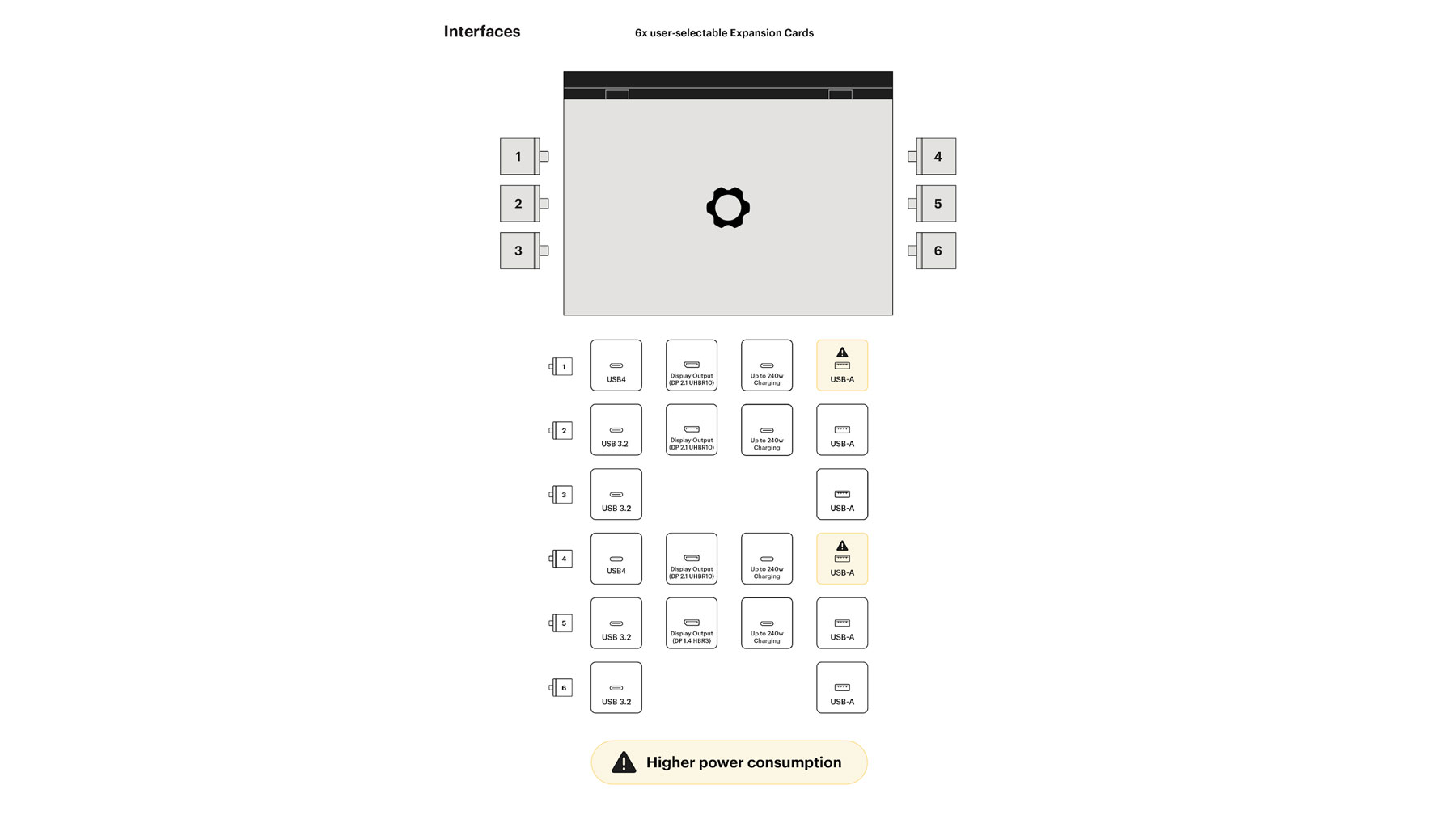
Graphic showing which ports work with which cards with an AMD mainboard.
Framework

As is custom whenever discussing an AMD-toting Framework machine, you’ll need to memorize the diagram of which expansion card slots will work with which devices. We’re not going to ding Framework for an issue present in all AMD hardware, and the only reason it’s noticeable here is that you have the choice of which ports to use for what. You don’t have the sort of universal port flexibility that you might otherwise be expecting.

Installation

Laptop 16 is bigger and more complex than its smaller siblings, but that doesn’t mean it’s any harder to maintain. The company’s iFixit-style guides hold your hand so well that popping the mid plate off should feel as natural as breathing. And you get a real sense of how well the components are laid out when you’re asked to take them all apart and put them back together. The company says replacing the mainboard and graphics module should take you an hour, which is far too generous. It took me about 22 minutes to get everything swapped in and set up, to the point where I think installing the new drivers was more laborious than this.

I can’t stress enough how much of a feat it is to have a modular, upgradeable gaming laptop that offers you the chance to leap a generation. Being able to pull out a two-year-old Radeon to swap in a fresh RTX is the stuff of dreams (for some people, at least). Imagine how long it’ll be possible to keep this machine going if this type of bi-annual upgrade cycle continues. This isn’t a particularly difficult process, making it easy enough for those folks who would otherwise blanch at the idea. 

In-use
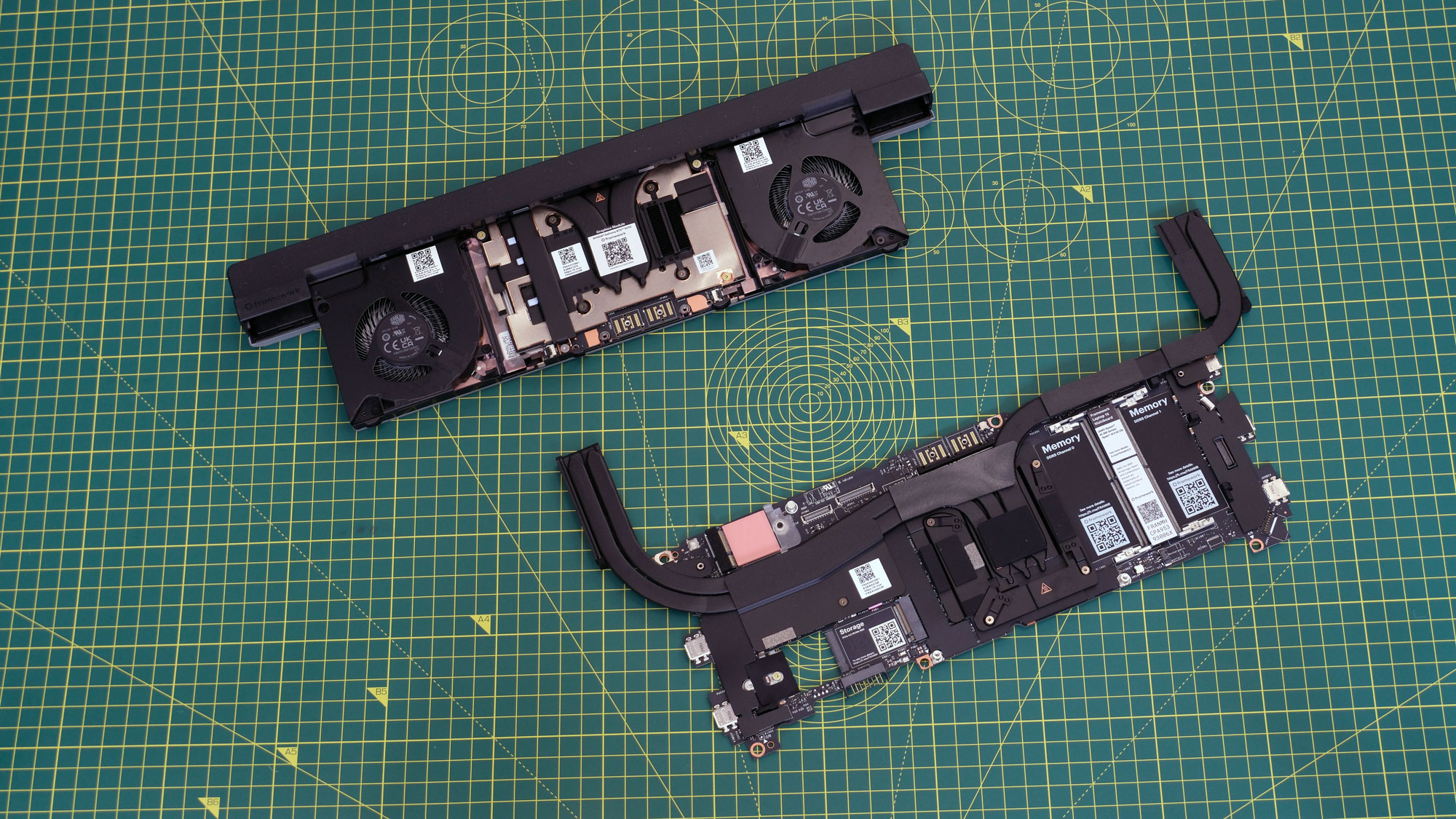
Image of the 2025 mainboard and expansion modules for the Framework Laptop 16.
Daniel Cooper for Engadget

Of course, strapping such a powerful chip and graphics [INAUDIBLE DUE TO FAN NOISE] lead to issues. As discrete components, both the mainboard and expansion module need their own self-contained cooling. That’s never going to be as efficient as a holistically designed laptop. When you’re not taxing the machine, it’s not an issue at all, it’s only when you use it for its intended purpose that it becomes a serious problem. If you want to play games with this thing, get headphones or put the subtitles on, and don’t even think about using this in public. Did… did you hear that? CAN YOU HEAR ME? I SAID… AS DISCRETE COMPONENTS…

And that’s before we get to the heat that this thing kicks out. I’ve got my unit on a stand with about four inches of clearance from the desk. I put my hand underneath the chassis to feel how warm it was getting and it was enough to make me never want to put this on my lap, ever.

It’s a shame the noise and heat is such a bear as it’s a machine with sufficient grunt to impress many a jaded enthusiast. I set Cyberpunk 2077 to the highest settings I could (Ray Tracing: Overdrive) on 1080p, and it was able to comfortably produce 140 fps. Setting it to the defaults (Ray Tracing: Low, but the resolution set to the display’s maximum) it was able to crank out 182 fps. 

You’ll find similarly-impressive performance if you use the Laptop 16 more for productivity than gaming. It compressed a 38GB 4K video file down to an 8GB HD mp4 in 28 minutes and 29 seconds. Using LM Studio, I was able to run Google’s Gemma 3 27B model with what I’d call fairly decent performance. Certainly, the chatbot wasn’t responding as quickly as Gemini would online, but it was hardly stuttering. I’d say that the performance here is more or less what you’d expect from the specs, with the one downside being that godawful fan noise.

Pricing

If you buy a new Laptop 16 pre-built from Framework, the Ryzen AI 7 configuration starts at $1,500, the AI 9 at $1,800. Add in the RTX 5070 and you can add another $699 to that price, which is the same cost as if you buy the GPU standalone as an upgrade. Or, if money’s tight, you could buy the new machine now and then add in the 5070 whenever you’d like — that’s the benefit of modularity.

It should be obvious you can get laptops with these sorts of components for less if you look elsewhere. In the run-up to the holiday season, I’ve seen machines — such as HP’s Omen Max — offer a Ryzen AI 7 and an RTX 5070 Ti for under $2,000. But here you’re not just buying a laptop, you’re buying into Framework’s broader ethos. You’ll get the fastest machine it can sell you right now, plus the ability to cheaply swap out to the next big thing in a couple years’ time without the cost of buying a new machine. 

As I said back when reviewing the Ryzen AI 300 upgrades for the Laptop 13 earlier this year, Framework is well placed to take advantage of the world’s political situation. If the price of a whole new laptop skyrockets, then you can at least make a saving by just replacing what you need.

Wrap-up

I wonder if “Should you get one?” is the best question to ask and answer given the singular furrow Framework is ploughing. If you want a powerful laptop where every part can be replaced or upgraded, you don’t really have a serious alternative. Laptop 16’s natural target market is professionals and enthusiasts who value modularity and longevity over everything else. These new components give you enough power to play games, run AI models locally and whatever other demanding tasks you’ll throw at it.

As for everyone else, it’s a question of how willing you are to accept the heat, the noise and the slightly agricultural aesthetics. After all, this machine isn’t the sort of gadget you’ll be looking to move on in a few years’ time, it’ll be one you’re committing to for a long while. 

This article originally appeared on Engadget at https://www.engadget.com/computing/laptops/framework-laptop-16-2025-upgrade-review-the-rtx-5070-is-the-star-160000464.html?src=rss
Black Friday Deal: AMD Ryzen Mini PC With 32GB RAM Drops To $264

Black Friday Deal: AMD Ryzen Mini PC With 32GB RAM Drops To $264
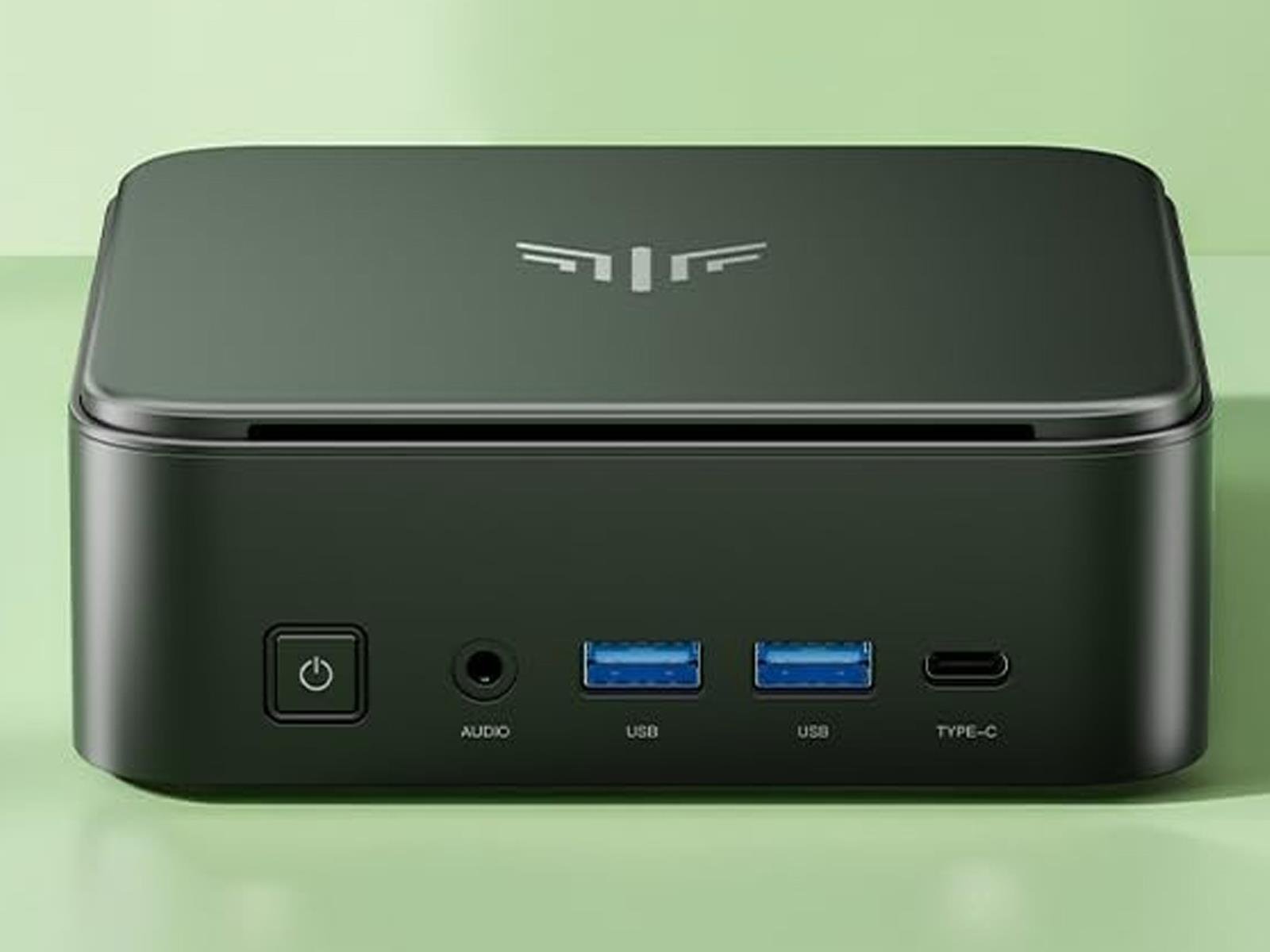
There is a lot of buzz around Apple’s Mac mini devices (deservedly so), but if you’re if you’re a Windows person and are in the market for a potent mini PC, there is a heck of a good deal available on an AMD Ryzen-powered system right now. Combining the sale price with a coupon code, you can knock $136 off the MSRP. Just as importantly, the

[$] The intersection of unstable pages and direct I/O

Longtime LWN readers will have encountered the concept of “stable pages”
before; it was first covered here nearly
15 years ago. For the most part, the problem that stable pages were
meant to solve — preventing errors when user space modifies a buffer that
is under I/O — has been dealt with. But
recent discussions show that there is one area where problems remain:
direct I/O. There is some disagreement,
though, over whether those problems are the result of user-space bugs and
how much of a performance price should be paid to address them.

This Amazon Fire Max 11 Tablet Is $75 Off Right Now

We may earn a commission from links on this page. Deal pricing and availability subject to change after time of publication.

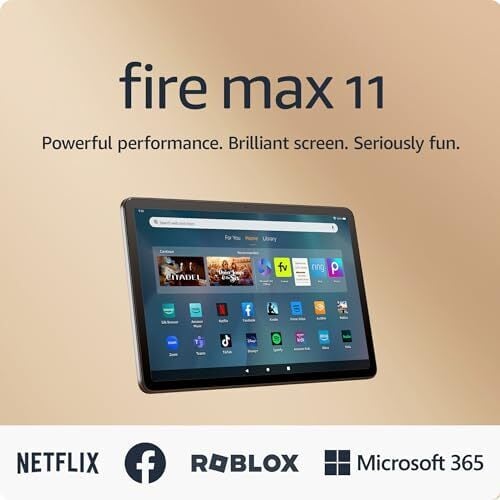
Fire tablets have always been about stretching value, and the Amazon Fire Max 11 takes that idea further. It’s the biggest and most powerful tablet Amazon has made so far, but it stays well under the typical premium tablet price tag. Right now, a refurbished, like-new 64GB model with ads is down to $124.99 from $199.99 as an early Black Friday deal. Meaning, you’re basically getting a refreshed unit that looks new, works flawlessly, and costs a lot less. (For $65 more, you can get the 128GB version brand new and ad-free.) It came out last summer and earned PCMag’s Best Budget Tablet of the Year 2024—a solid endorsement for a device that’s meant to balance everyday use, streaming, and light work.

The 11-inch LCD is the largest in Amazon’s Fire lineup, offering a 2,000 x 1,200 resolution and 213 pixels per inch, making it sharp enough for reading, streaming, and casual sketching with the optional $29.99 stylus. It’s not as vibrant as an iPad, but it’s bright and crisp for the price, notes this PCMag review. The aluminum body gives it a sturdier, more polished feel than the plastic Fire models of the past, and the stereo speakers hold up surprisingly well for music and movies. There’s no headphone jack, which feels like an oversight, but Bluetooth 5.3 makes up for it with a stable connection for wireless headsets. Performance-wise, the octa-core processor, 4GB RAM, and the 64GB of internal storage (expandable up to 1TB via a microSD card) handle browsing, multitasking, and light gaming without much slowdown. 

Still, there are trade-offs. It runs FireOS 8, Amazon’s custom version of Android, which prioritizes Kindle, Prime Video, and Alexa over Google’s suite of services. It’s perfect if you’re already deep in Amazon’s ecosystem, but if you depend on Gmail, Maps, or Play Store apps, you’ll need to manually sideload them. The dual 8MP cameras perform fine for video calls and scanning, but that’s about it. Battery life realistically lasts around nine to 10 hours of typical use, and it charges over USB-C, though the included 9W charger feels slow compared to the 15W it supports.


Our Best Editor-Vetted Tech Deals Right Now


Apple AirPods 4 Wireless Earbuds


—
$84.99

(List Price $129.00)


Apple Watch Series 10


—
$309.99

(List Price $429.00)


Amazon Fire HD 10 (2023)


—
$69.99

(List Price $139.99)


Sony WH-1000XM5


—
$328.00

(List Price $399.99)

Deals are selected by our commerce team

Airbnb Rival Sonder Abruptly Shuts Down, Orders Guests To Leave

Sonder, a short-term rental company and former Airbnb rival, abruptly went out of business after Marriott ended its licensing deal on Nov. 9 — leaving guests scrambling as they were told to vacate their rooms immediately. From a report: Paul Strack, 63, visiting Boston from Little Rock, Arkansas, told CBS News he received an email from Marriott on Sunday about his Sonder stay, but he initially mistook it for a scam. The email said that Marriott’s agreement with Sonder had ended, and that “we are unable to continue your reservation beyond today.”

“[W]e are kindly requesting that you check out of the property as soon as you are able,” the email read, according to a copy obtained by CBS News. Because he had mistaken it for spam, he ignored it. But on Monday, after exploring Boston and returning to the family’s accommodation at the end of the day, Strack found his room’s door wide open and his family’s belongings packed up and left in a hallway.

[…] Sonder on Monday said it would wind down operations immediately, and that it expects to file for Chapter 7 bankruptcy to liquidate its U.S. assets. The company describes itself as a global operator of “premium, design-forward apartments and intimate boutique hotels serving the modern traveler” that has faced financial challenges related to its agreement with Marriott, which the hotel chain terminated on Sunday.


Read more of this story at Slashdot.

Analogue’s 4K remake of the N64 will, at long last, ship on November 18

The Analogue 3D is finally set to ship to buyers. After several delays, Analogue is set to start sending out its 4K remake of the Nintendo 64 on November 18, as spotted by — appropriately enough — Wario64. If you haven’t already locked in a pre-order, however, you face a longer wait, as both the black and white variants of the $250 system are out of stock.

Unless there’s a last-minute hitch, the company behind the Analogue Pocket will stick to the promise it made in August to ship the 3D in the last quarter of 2025. Analogue previously delayed the 3D in March and then again in July.

As with other Analogue systems, the console uses an FPGA (field programmable gate array) chip to emulate Nintendo’s original hardware. FPGA-based systems are more accurate than software emulation options and tend to have lower input lag.

Analogue claims the 3D will support every N64 cartridge — both PAL and NTSC variants — without any inaccuracies or slowdowns. I’m interested to see how well that promise will hold up in a four-player round of Perfect Dark.

The 3D delivers 4K output and supports variable refresh rate. You’ll be able to use “original display mode” filters to replicate the look of playing on a CRT or PVM. There’s still always the option of picking up an N64, but Analogue’s approach to scaling might make the 3D the best way to play N64 games (using original cartridges) on modern TVs.

The 3D has four ports into which you can plug original N64 controllers. It also has a USB-C power port, two USB ports for accessories (such as third-party controllers) and an HDMI port. In addition, the console has a Wi-Fi chip that can be used for operating system updates. The Analogue 3D only officially runs games from N64 cartridges. I’m 100 percent sure that no one will jailbreak the system to boot ROMs from the SD card slot. Nope, no way.

This article originally appeared on Engadget at https://www.engadget.com/gaming/nintendo/analogues-4k-remake-of-the-n64-will-at-long-last-ship-on-november-18-151854397.html?src=rss

Even Realities’ G2 smart glasses can be controlled with a smart ring

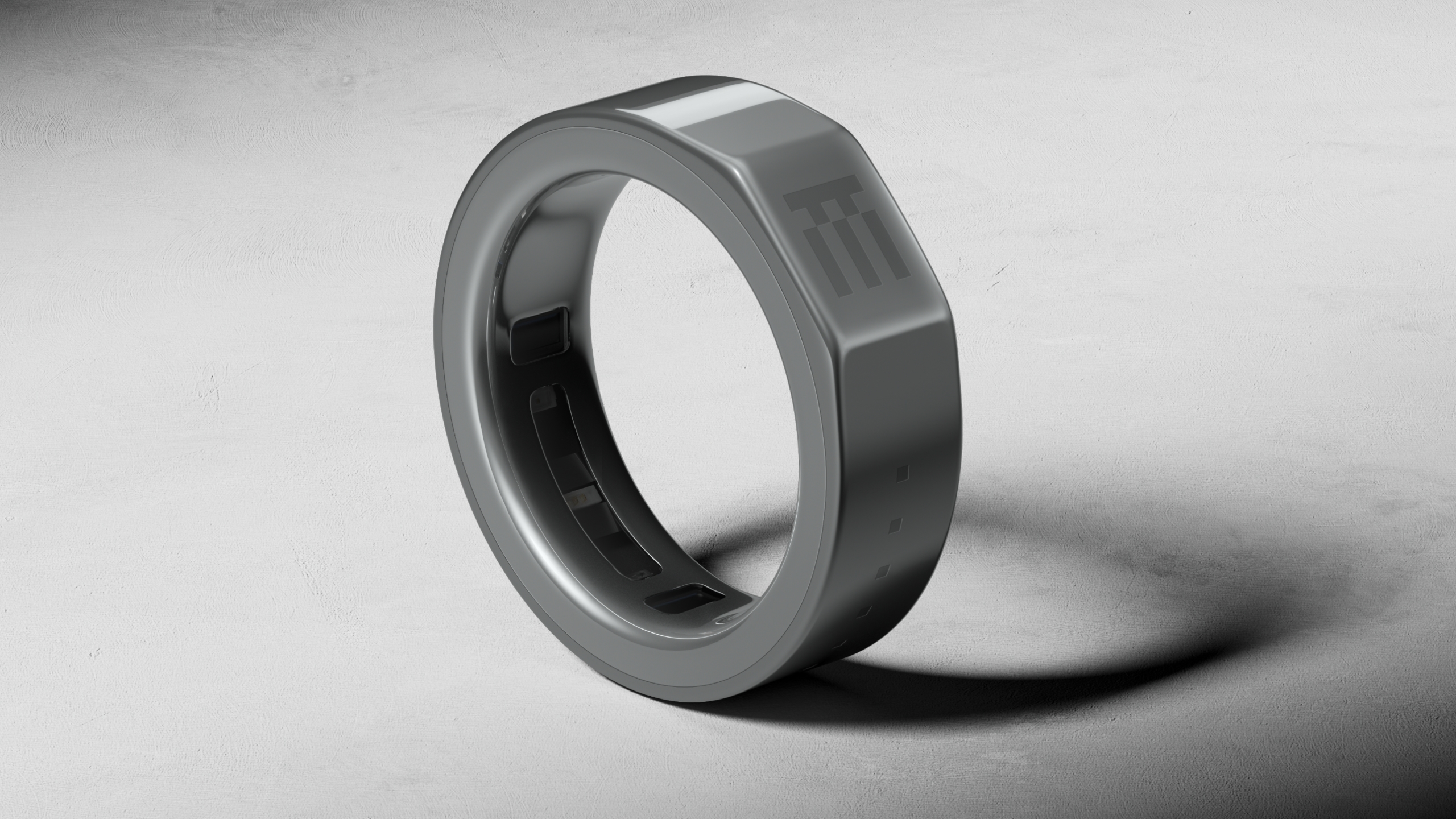
Even Realities is releasing the next version of its lightweight smart glasses, and this time it’s pairing them with an entirely new device that will act as both a controller and health tracker. The Even G2 Display Smart Glasses are a more refined version of the G1 smart glasses, and you’ll be able to interact with them without having to touch the frames or uses voice commands thanks to the new Even R1 Smart Ring.

The G2 features an updated version of the Even Realities’ HAO optical engine (a combination of micro-LED projectors, waveguides and digitally surfaced lenses), that still displays text in bright green, but now with added depth and sharpness. For example, Even Realities says the new glasses can display pop-ups like AI prompts and notifications at a different depth from the glasses’ normal interface, so you don’t lose the context of whatever you’re reading. The G2 also supports a wider range of prescription lenses (from -12 to +12 diopters), making them more accessible to people who already wear glasses.

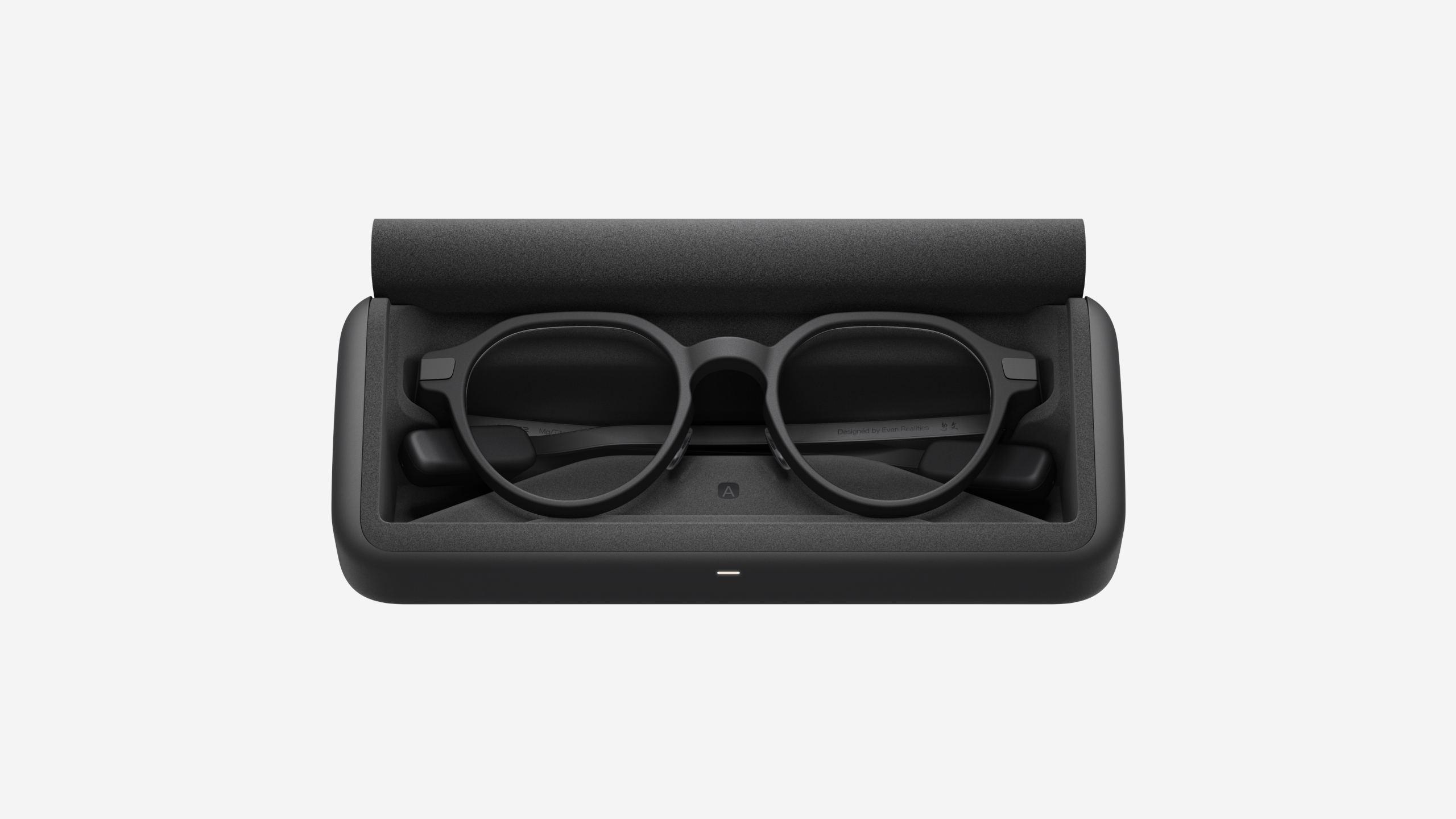
In comparison to the G1, Even Realities says the G2 has 54 percent slimmer temples and, in a first for the company, is IP67-rated for dust and water resistance. The G2 also gets two days of battery life in comparison to the G1’s one and a half days, and its charging case can provide up to seven full charges.

A ceramic and titanium R1 smart ring with a flat side.
The R1 looks a lot like a third-generation Oura Ring.
Even Realities

While the G2 glasses can still be controlled by tapping a built-in touchpad or using voice commands, the R1 Smart Ring will let you interact with the smart glasses without moving your arm. The R1 is made from ceramic and medical-grade stainless steel, and features a flat touchpad surface for activating the G2’s interface. Besides a touch sensor for navigation, the R1 also includes an optical heart rate sensor and accelerometer for tracking your heart rate and steps, which can be viewed on the G2. While less technically advanced than the Neural Band Meta included with the Meta Ray-Ban Display Glasses, Even Realities ring seems like it can make controlling its glasses similarly discrete, while being useful in its own right as a health tracker.

Even Realities is also adding a new AI skill alongside its glasses and ring. The G2 supports the same translation, notifications and teleprompter features as the company’s last model, but this time includes a feature called “Conversate” that attempts to offer AI-generated information during conversations. Even Realities says Conversate can provide explanations, context and follow-up questions during a conversation, and then generate a summary and key points once you’re finished talking. The whole thing sounds a bit distracting, but might be something you have to demo to understand.

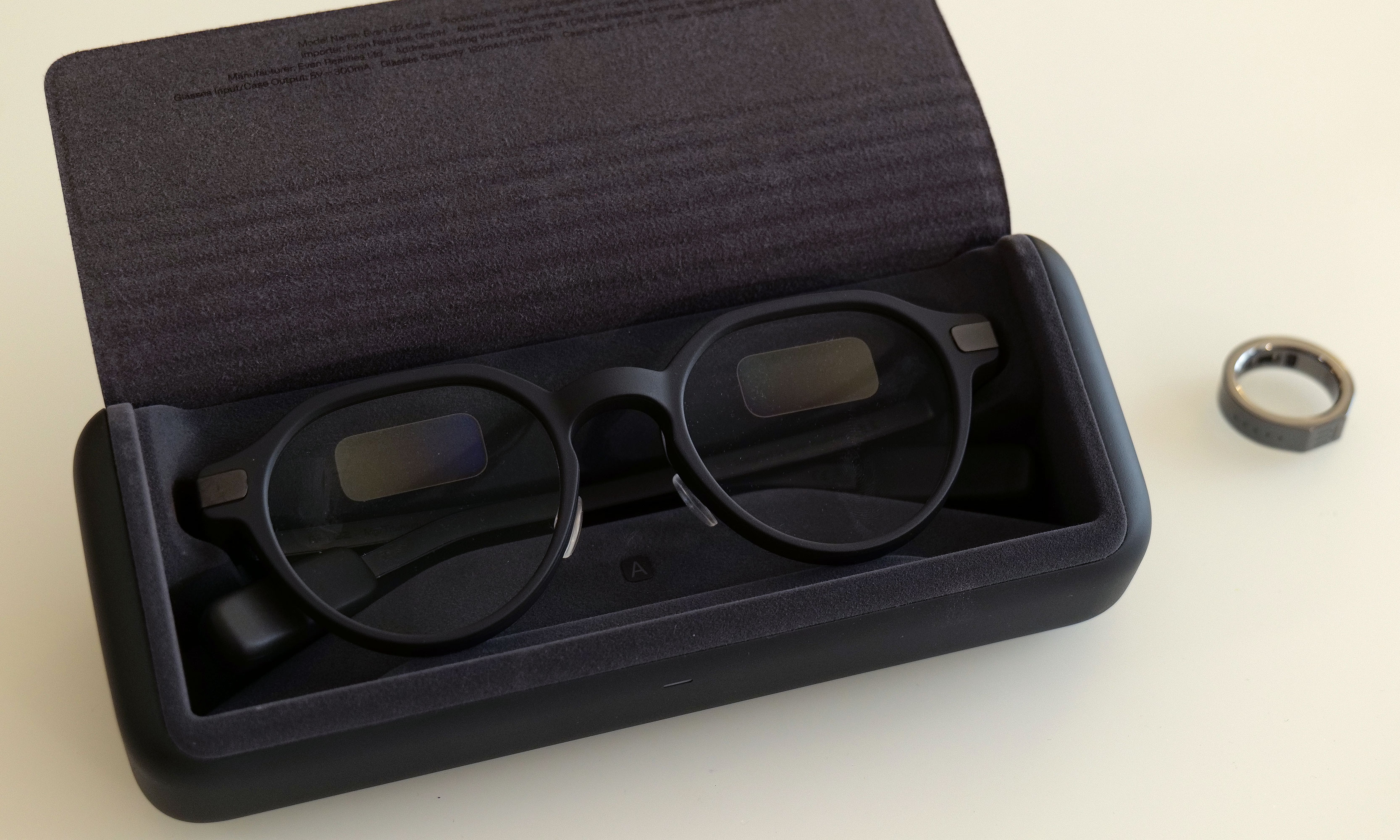
A pair of Even G2 Display Smart Glasses in a charging case.
The G2 glasses also charge in a travel case.
Even Realities

That extra layer of complication seems inherent to the pitch for both the G2 glasses and the R1 ring. While Even Realities has made its smart glasses more convenient, and they’re definitely not trying to be a phone replacement in the same way Meta’s glasses are, they do seem like they’ll have more of a learning curve than the last generation.

The Even G2 Display Smart Glasses and Even R1 Smart Ring are available to order today, November 12, for $599 and $249, respectively. Even Realities says that anyone who purchases the G2 will be able to receive the R1 and other accessories for 50 percent off for a limited time.

This article originally appeared on Engadget at https://www.engadget.com/wearables/even-realities-g2-smart-glasses-can-be-controlled-with-a-smart-ring-151500125.html?src=rss

Even Realities G2 first look: This year’s best-looking new smart glasses still need work

A lot of people think the original Google Glass failed because of subpar tech. But the larger issue was that they were so ugly that people simply didn’t want to wear them. And when it’s a device that sits on your face, that’s kind of important. Thankfully, that’s a lesson Even Realities seemingly took to heart when it made the G1, which combined the stylishness of proper eyewear with built-in waveguide displays. Now the company is back with its second-gen smart glasses  — the G2 — which offer even better optics, an updated UI and a companion ring (the R1) to their expanded list of features. 

While the design of the Even G2 hasn’t changed a ton from its predecessor, that’s not a bad thing as there wasn’t much to fix. Compared to every other pair of smart glasses on sale today, these look the most like normal eyewear. Meanwhile, thanks to a titanium and magnesium alloy design and the company’s very intentional decision not to include onboard cameras or speakers, the new model only weighs 36 grams, so they’re also super comfortable. You even get two styles to choose from (panto or rectangular) along with a few different finishes (gray, brown and green), so chances are there’s a combination that will work with your wardrobe. The Even G2 also features an IP67 rating for dust and water resistance, so you don’t need to worry about wearing them in adverse conditions. 

The G2's battery life can last up to two days, while its case has juice for up to seven additional charges.
The G2’s battery life can last up to two days, while its case has juice for up to seven additional charges.
Sam Rutherford for Engadget

The G2’s optics are based on the company’s new Even HAO 2.0 (Holistic Adaptive Optics) that use custom-designed dual waveguides to produce a green heads-up display. It’s not only brighter and sharper than before but also features a wider field of view. Now admittedly, that’s not quite as impressive as the single RGB display in something like the Ray-Ban Meta Display. But considering that the Even G2 is way less chunky and sports significantly longer battery life (up to two days plus seven full recharges from its included case), that feels like a worthy trade-off to deliver increased usability.

However, the biggest upgrade for the G2 is an expanded roster of smart features. In addition to showing notifications, turn-by-turn directions and the teleprompter functionality available on the previous model, Even has developed a much more robust UI that lets you read the news, track stock prices and create lists using your voice. There is now an onboard AI assistant and LLM that can translate speech on the fly or pick out key words during a conversation to give more background and context about unfamiliar terms. This means the glasses can handle a lot of tasks you’d normally need your phone for, which is great if you’re walking around, or similarly indisposed, and would rather keep your hands free. 

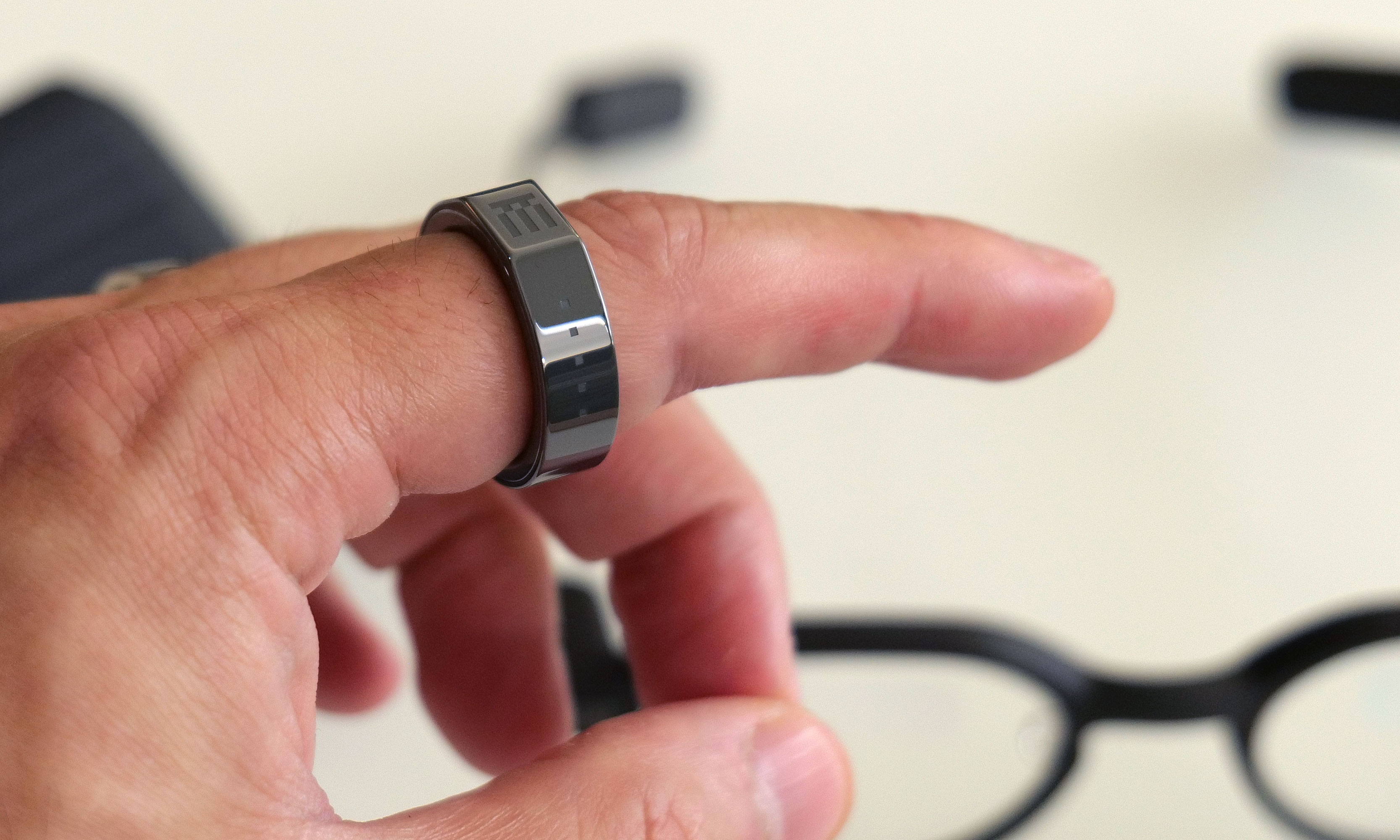
In addition to basic health and fitness tracking, the R1 ring also has a tiny built-in touchpad (denoted by the four dots) to make it easier to navigate the G2's new UI and menus.
In addition to basic health and fitness tracking, the R1 ring also has a tiny built-in touchpad (denoted by the four dots) to make it easier to navigate the G2’s new UI and menus.
Sam Rutherford for Engadget

While you can access most of these features using voice controls, the icing on the cake is the R1 companion ring that makes better use of the new UI. Not only does it track some basic health and fitness data (steps, heart rate, sleep, SpO2 and more), it also serves as a tiny touchpad so you can check notifications, revisit your notes and more without anyone nearby knowing what you’re up to. All told, the G2 glasses and the R1 ring create a very stylish and discreet package that allows you to stay connected and keep your phone in your pocket. 

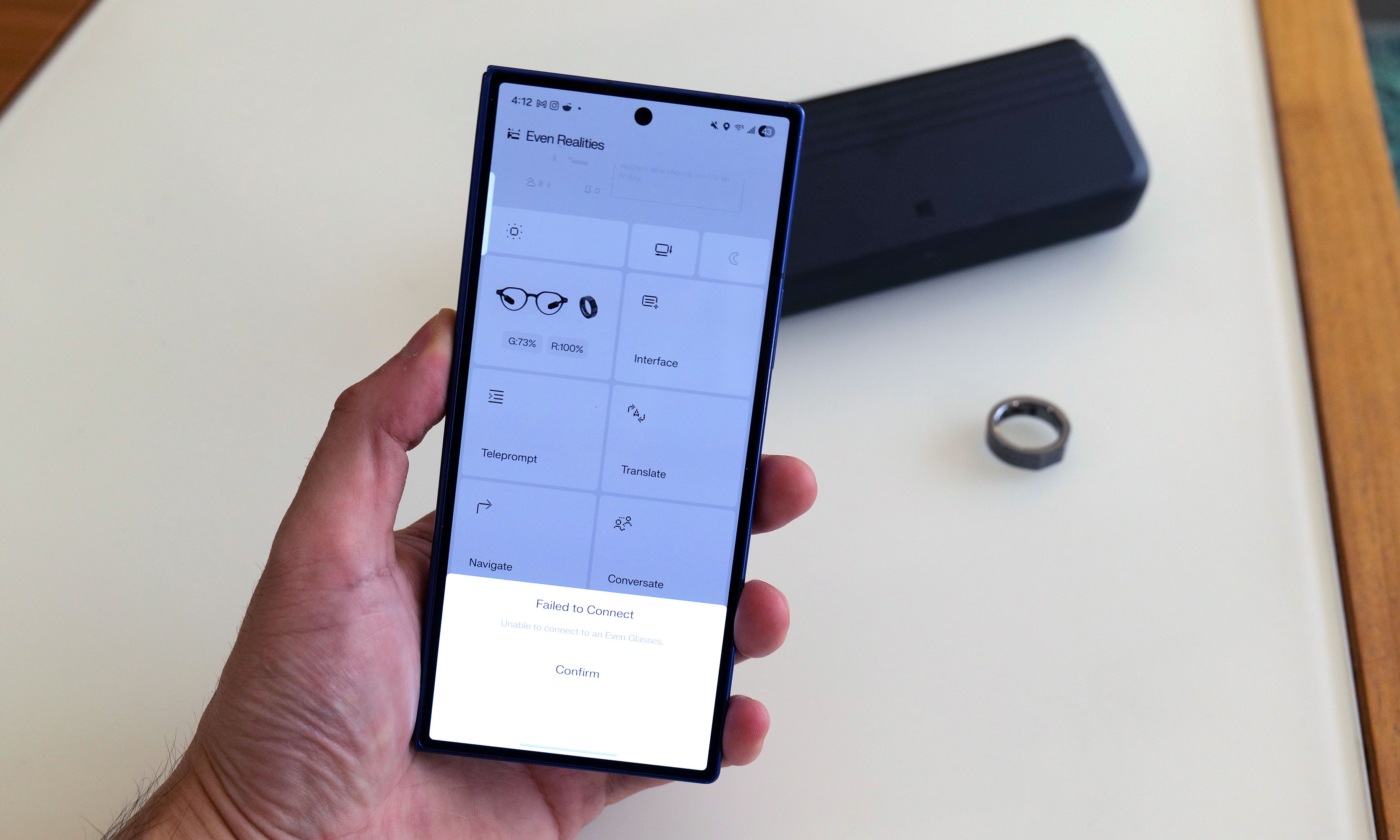
That said, you might want to wait before throwing money down on these. I’ve been testing the G2 and R1 over the past few days, and even though I really like the hardware, the company’s software just isn’t ready yet. It’s important to note that I’ve been using a beta version of the Even Realties app, so encountering some bugs was not entirely unexpected. But even so, the touch controls on the ring feel imprecise and occasionally erratic. Many of the fitness metrics aren’t being properly recorded and both devices have had a difficult time staying paired to the app. Even little things, like the auto brightness settings (which don’t work at the moment) or ability to add more sources to the glasses’ news feed, feel janky. The only outlet I’ve been able to successfully use is ABC. 

While the tech and features of the G2 are very interesting, I've run into a number of software issues while using a beta version of the app.
While the tech and features of the G2 are very interesting, I’ve run into a number of software issues while using a beta version of the app.
Sam Rutherford for Engadget

Granted, some of the G2 and R1’s issues that I’ve run into, like wonky touch input and the unfinished health tracking, are known problems that are currently being worked on by Even Realities. Still, this feels like a situation where the launch of these devices should have been delayed until the company could smooth out these hiccups.

But if you are undeterred, the Even G2 Display Smart Glasses and Even R1 Smart Ring go on sale today for $599 and $249, respectively. For everyone else, I’m hoping to check back in on these devices after the company pushes out some software updates. I’m eager to see if they can eventually live up to their potential as an interesting alternative to bigger, chunkier and more intrusive smartglass alternatives like the Ray-Ban Meta Displays.

This article originally appeared on Engadget at https://www.engadget.com/mobile/even-realities-g2-first-look-this-years-best-looking-new-smart-glasses-still-need-work-151500132.html?src=rss

Valve’s Open-Source Radeon Linux Driver “Love Song For Gamers With Old GPUs”

As covered recently on Phoronix there has been several exciting improvements for aging AMD Radeon GCN 1.0 and GCN 1.1 era graphics cards for the open-source AMD Linux graphics driver stack. This work has been led by Timur Kristóf of Valve’s Linux Open-Source Graphics Driver Group with an ultimate goal of shifting the GCN 1.0/1.1 open-source Linux driver hardware support from the aging “Radeon” kernel graphics driver over to the “AMDGPU” kernel driver already used by default for all AMD GPUs/accelerators from GCN 1.2 and newer…

Five Ways to Share Your Mouse and Keyboard Between Multiple Computers

We may earn a commission from links on this page.

If you’ve got the funds and the need for more than one computer on your desk, then you may well want to use the same mouse and keyboard for both of them. It’s more convenient if you’re switching between systems, and it means you can find a keyboard and mouse combination you love and stick to it throughout.

This is particularly helpful if you’re working on a laptop and a desktop in tandem. Even the best laptops tend to have cramped keyboards, just through the limitations of the form factor, and a mouse is often preferable to a trackpad for several tasks (such as detailed image or video editing).

Sharing your mouse and keyboard between computers is actually easier than you might think—and certainly a lot easier than it was several years ago. You’ve got different options available depending on the different platforms you’re dealing with, and these are the tools for the job I’d recommend right now.

If you’re on Windows, use Mouse Without Borders

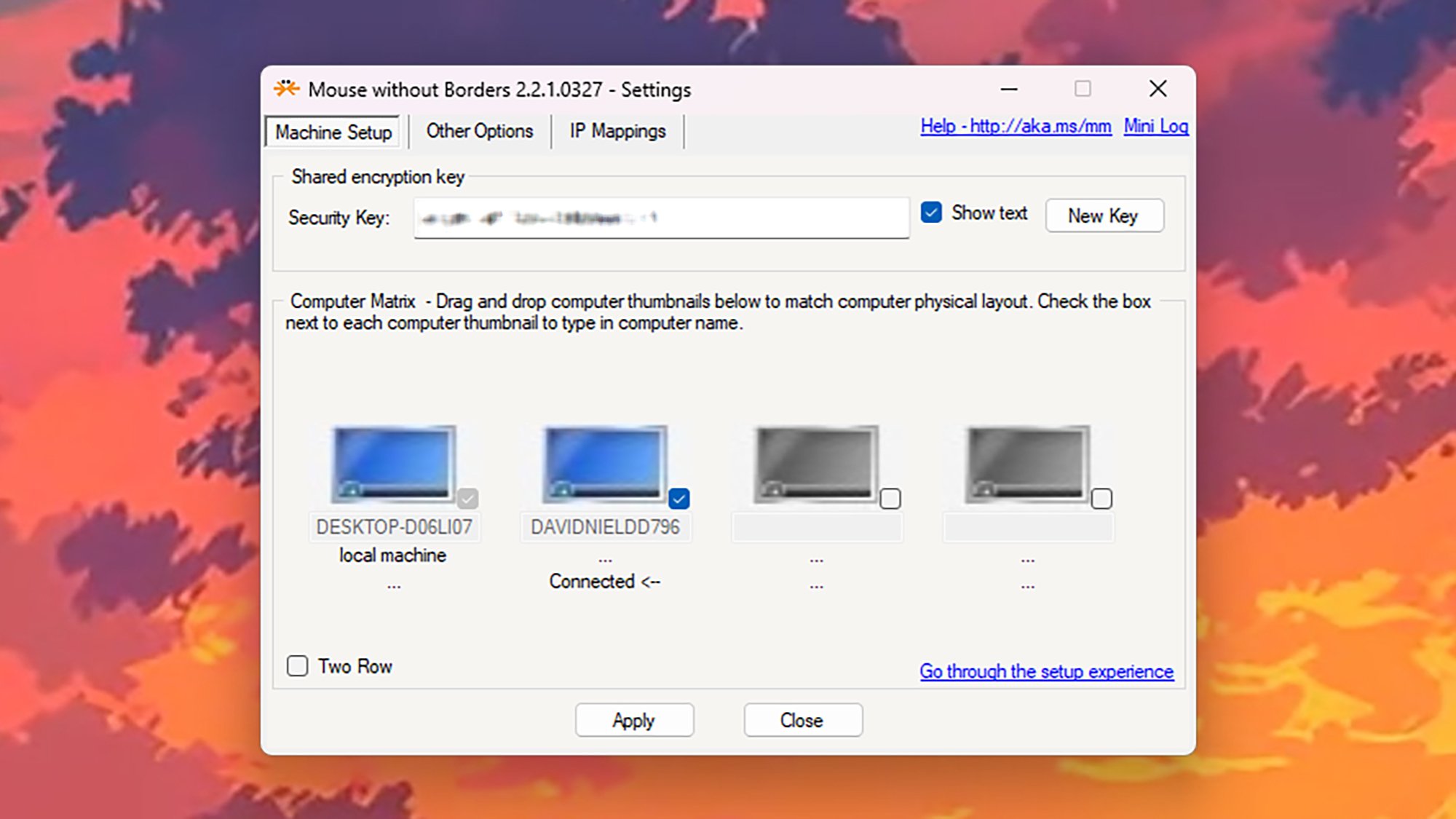
Mouse Without Borders is an official Microsoft program, but one of those official Microsoft programs that’s more like a side project. It lets you control up to four computers using the same mouse and keyboard, as long as they’re all running Windows.

You don’t need any complicated cabling or software setup: You just need the application installed on all the Windows computers you want to connect, and a mouse and keyboard plugged into one of them. On the first computer you set up the tool on, you’ll be able to generate a code you can use to connect other computers.

Mouse Without Borders
Mouse Without Borders on Windows.
Credit: Lifehacker

The main configuration screen lets you set the layout for your various Windows machines, which is important—to move from one system to another, you just drag the mouse cursor off the edge of one screen and on to another. The mouse and keyboard will interact with whatever computer the mouse cursor is currently active on.

Mouse Without Borders also lets you create a universal, shared clipboard across every computer it’s installed on, for easy transfer of files, text, and images. Note that Mouse Without Borders is also available as part of Microsoft PowerToys, a bundle of utilities that gives you a plethora of additional features and tweaks for Microsoft’s operating system.

If you’re on macOS, use Universal Control

If you’re using two or more Macs together, Universal Control is the way to go for your keyboard- and mouse-sharing needs. The functionality is built right into macOS (and iPadOS), and works pretty seamlessly out of the box. Plus, it includes a lot more than the sharing of input devices.

All you need is the latest version of macOS installed across your computers, the same Apple account linked to them all, and the mouse and keyboard you want to use as your main controllers. All your devices must have wifi and Bluetooth turned on, and your computers have to be fairly close together (as in, in the same room).

macOS Universal Control
Universal Control on macOS.
Credit: Lifehacker

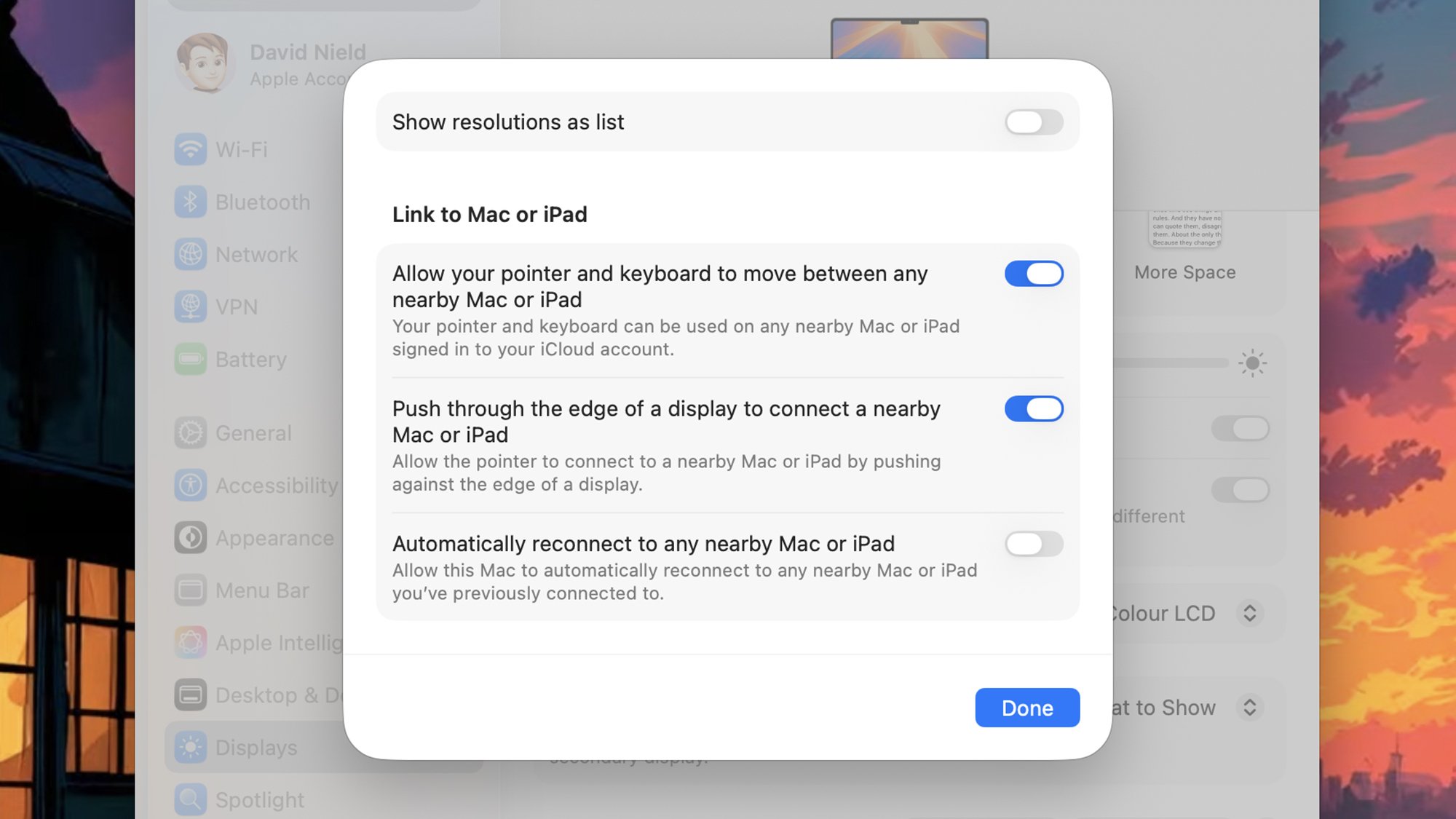
You can find the relevant settings for this part of Universal Control by opening the Apple menu (top left), then choosing System Settings > Displays > Advanced—for best results, make sure every option here is enabled. With this done on every Mac, all that you need to do is push the mouse cursor through the left or right edge of the screen on your current Mac to switch control to the other one, depending on how they’re positioned.

This positioning can be tweaked via System Settings > Displays > Arrange, if needed. Universal Control goes beyond peripheral sharing, too—you can drag files across the screen edge border to transfer them between computers. You’ll also find there’s a shared clipboard available across your linked devices—so you can copy on one computer, and paste on the other.

If you’re on both Windows and macOS, use Synergy

For those bold enough to try and use both Windows and macOS machines on a regular basis, Synergy is the most comprehensive mouse and keyboard sharing software that I’ve come across. Once you’ve got it installed on every computer you want to connect, you can share a mouse and keyboard between all of them.

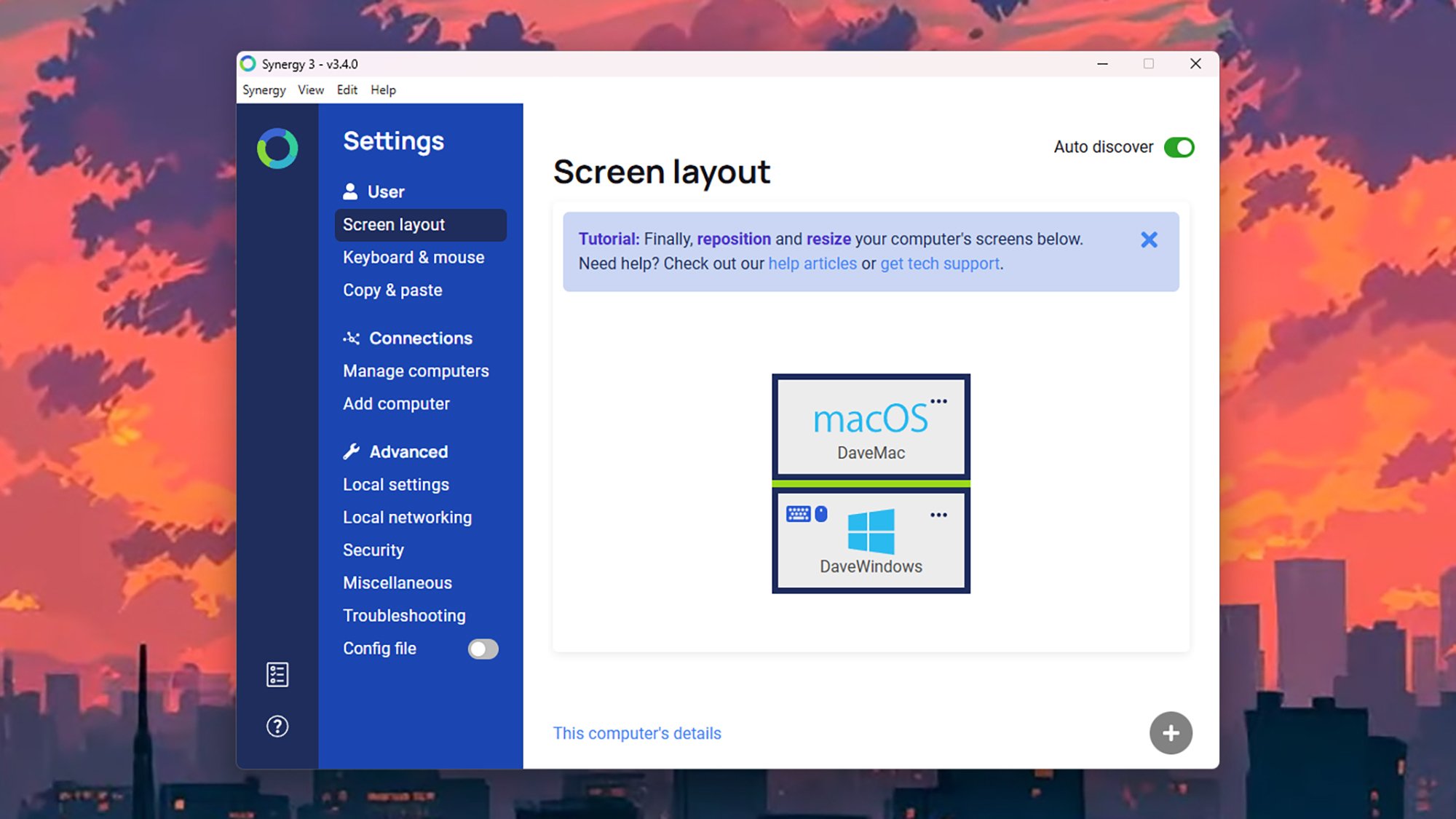
When you’ve got the desktop client up and running, you’re greeted with a straightforward interface that lets you manage all of the various options the program offers: You can set up how your computers are positioned in relation to each other, for example, and configure how the shared clipboard will work across different systems.

Synergy for Windows
Synergy on Windows.
Credit: Lifehacker

The Synergy app should be able to automatically add other computers with Synergy installed that are on your network, but you can do this manually too. Via the Screen layout tab you can customize how your screens are positioned, and designate the primary computer (connected to the keyboard and mouse you want to use). You can then just move the mouse cursor across your screens to switch between systems.

Synergy will cost you (though there is a free trial available): It’s a one-off fee of $29 for the standard software, which supports up to three computers. You can also pay a one-off fee of $49 for the Ultimate edition of Synergy, which works across as many as 15 different machines, and gives you other bonus extras such as custom hotkeys.

If you prefer, use a keyboard-video-mouse (KVM) switch

There’s one more option here, which is to use a traditional keyboard-video-mouse (KVM) switch. It’s a device you plug your keyboard and mouse into, and then connect to both your computers. As the name suggests, it lets you share a single monitor between two systems as well, if you need to.

Nowadays you’ll sometimes see this described as a hub, which is a more modern term for it. These hubs often come built into high-end monitors, so you plug your keyboard and mouse into the monitor, and then the monitor connects to your various computers through its multiple display ports—and you use controls on the monitor to jump between your systems as needed.

KVM Switch
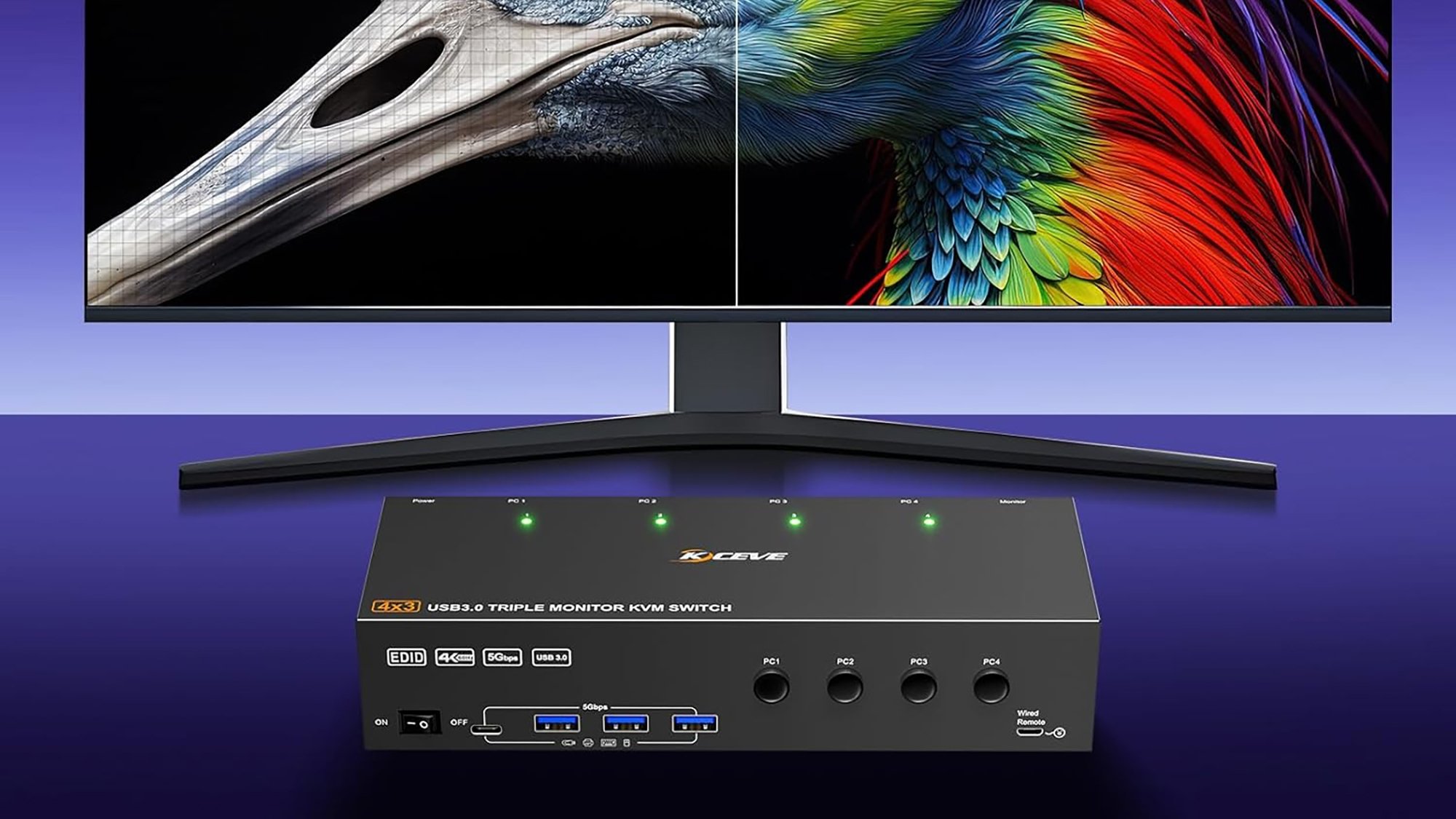
A 4K KVM switch
Credit: Mleeda

More advanced KVM switches or hubs have support for multiple monitors, and other accessories and peripherals on top, but the more features you want the more money you’re going to have to spend. A basic one for two computers will set you back around $30, while a more advanced one with support for four computers and its own remote is going to be more like $105.

A Bluetooth keyboard/mouse combo

The $35 Logitech K480 will work with just about anything that supports Bluetooth, including computers, smartphones, and tablets. With this, switching among devices is as easy as turning a dial on the side of the keyboard.

Massive Hyundai Hack Leaks Up To 2.7 Million SSNs & Driver Licenses

Massive Hyundai Hack Leaks Up To 2.7 Million SSNs & Driver Licenses
Hyundai is sending out letters to potentially millions of drivers affected by a newly disclosed data breach that happened earlier this year. According to the letter, a “cyber incident” at Hyundai AutoEver America (HAEA), an IT solutions provider for the automotive industry, resulted in unauthorized access to systems starting on February 22

AI Bubble Is Ignoring Michael Burry’s Fears

An anonymous reader shares a report: Costing tens of thousands of dollars each, Nvidia’s pioneering AI chips make up a hefty chunk of the $400 billion that Big Tech plans to invest this year — a bill expected to hit $3 trillion by 2029. But unlike 19th-century railroads, or the Dotcom boom’s fiber-optic cables, the GPUs fueling today’s AI mania are short-lived assets with a shelf life of perhaps five years.

As with your iPhone, this stuff tends to lose value and may need upgrading soon because Nvidia and its rivals aim to keep launching better models. Customers like OpenAI will have to deploy them to stay competitive. So while it’s comforting that the companies spending most wildly have mountains of cash to throw around (OpenAI aside), the brief useful life of the chips and the generous accounting assumptions underpinning all of this investment are less consoling.

Michael Burry, who made his name betting against US housing and who’s recently turned to the AI boom, waded in this week, warning on X that hyperscalers — industry jargon for the giant companies building gargantuan data centers — are underestimating depreciation. Far from being a one-off outlay, there’s a danger of AI capex becoming a huge recurring expense. That’s great for Nvidia and co., but not necessarily for hyperscalers such as Google and Microsoft. Some face a depreciation tsunami that’s forcing them to be extra vigilant about controlling other costs. Amazon has plans to eliminate roughly 14,000 jobs.

And while Wall Street is used to financing fast-depreciating assets such as aircraft and autos, it’s worrying that private credit funds are increasingly using GPUs as collateral to finance loans. This includes lending to more speculative startups known as neoclouds, who offer GPUs for rent. Microsoft alone has signed more than $60 billion of neocloud deals.


Read more of this story at Slashdot.

Seven Sisters Pleiades Star Cluster Stuns Astronomers With A Hidden Secret

Seven Sisters Pleiades Star Cluster Stuns Astronomers With A Hidden Secret
The shimmering Pleiades star cluster has just shed its millennia-old reputation as a collection of Seven Sisters. Thanks to new data gleaned from the TESS and Gaia star-tracking spacecrafts, astronomers have revealed that this iconic group is part of a diaspora up to 20 times larger than previously imagined. Published this week in The Astrophysical

Alien: Earth has been renewed for a second season

The Alien franchise has been decidedly hit and miss since the near-universally beloved first two movies, but it’s in a very good place at the moment. 2024’s Alien: Romulus was a magnificent return to form, and this year that good run of form continued in the series’ first TV show, Alien: Earth, which has been renewed for a second season.

The first season wrapped up in September and ended on a pretty dramatic cliffhanger, so while it seemed pretty obvious that more episodes would be coming, it’s good to have it confirmed. Noah Hawley is once again heading up the project, and according to The Hollywood Reporter the Fargo creator has signed a multi-year deal with Disney that will see him work on the ever-expanding entertainment empire’s other channels and services, including ABC and Hulu Originals, as well as continuing to produce shows for FX.

Variety reports that season two of Alien: Earth will start production in London in 2026, a pretty significant change from the debut season, which was shot in Thailand. Presumably that means we’ll be heading to some new locations in the show too, but we’ll have to wait for a trailer to find that out.

Set two years before the original Alien, Alien: Earth sees a retro-futuristic shipping vessel carrying some ominously familiar-looking extra-terrestrial cargo crash-land on Earth, where we meet a terminally ill girl who becomes the first human-synthetic hybrid. The season one cast includes Sydney Chandler, Alex Lawther, Timothy Olyphant, Essie Davis, Samuel Blenkin, Babou Ceesay, David Rysdahl, Adrian Edmondson, Adarsh Gourav, Jonathan Ajayi, Erana James, Lily Newmark, Diem Camille, and Moe Bar-El.

This article originally appeared on Engadget at https://www.engadget.com/entertainment/alien-earth-has-been-renewed-for-a-second-season-144124743.html?src=rss

The Super Mario Galaxy Movie trailer confirms Rosalina and Bowser Jr. are in the sequel

Following a teaser in September that confirmed the movie’s title, Nintendo and animation studio Illumination unleashed the first proper trailer for The Super Mario Galaxy Movie in a dedicated Nintendo Direct. The sequel to The Super Mario Bros. Movie, the highest-grossing movie based on video games, will hit theaters in the US on April 3.

The trailer opens with Bowser engaging in a little art therapy, which, honestly, could be really great for him. Mario can’t help put put down Bowser’s artwork, though. What a jerk. From there, the action riffs on Super Mario Galaxy as Peach and Toad use launch stars to travel to a different planet. I don’t want to give away everything that happens, so just watch the trailer. The visuals, as you’d expect from Illumination, look terrific.

The trailer also confirms the addition of two fan-favorite characters this time around: Rosalina (who takes out a giant robot with her abilities) and Bowser Jr, who is taking his father’s place as the sequel’s villain. Rosalina is played by Brie Larson, while Benny Safdie voice Bowser Jr.

An extra clip after the trailer shows Rosalina reading a story about Princess Peach to a group of Lumas. Another features Bowser Jr. promising that “the Bowser name shall be feared once more.” Ominous!

However, the Direct didn’t include any indication of Yoshi appearing in the film. An Easter egg at the end of the first movie showed Yoshi’s egg cracking. Plus, a Pillsbury cookie box — of all things — all but confirmed Yoshi would be in the movie, while hinting at the inclusion of Princess Rosalina and Bowser Jr. We’ll perhaps have to wait until the next trailer to get a glimpse of Mario’s dino pal, who’ll probably be green even though everyone knows in their heart blue Yoshi is the best Yoshi.

This article originally appeared on Engadget at https://www.engadget.com/entertainment/tv-movies/the-super-mario-galaxy-movie-trailer-confirms-rosalina-and-bowser-jr-are-in-the-sequel-142815627.html?src=rss

Sony Unveils A 240Hz PlayStation Monitor With A DualSense Charging Hook

Sony Unveils A 240Hz PlayStation Monitor With A DualSense Charging Hook
During its State of Play event, Sony announced a PlayStation-branded gaming monitor that is coming to market next year. The display’s specs are rather underwhelming compared to a litany of existing options on the market, though it does sport a clever feature that PS5 owners will appreciate—a built in charging hook for DualSense and DualSense

Microsoft (Sort of) Made a Ninite Alternative

Ninite has long been a godsend for anyone setting up a new computer. With it, you can install a number of applications in just a couple of clicks, as opposed to downloading a bunch of individual installers. Ninite is well known for simplicity, too. There’s no package manager to learn or commands to type; just visit the website and pick the apps you want to install, then download and run the installer. Installations all run in the background, with no prompts. It’s magical, and I’ve long wondered why Microsoft hasn’t built anything similar—something powerful, yet easy to use.

Well, it seems like someone at the company finally got around to it. A new Microsoft site called App Pack is exactly this. It allows you to visit a page on the Microsoft Store website, check from a selection of applications, and then install those applications by downloading and running a single installer. That’s exactly how Ninite works, though there are a few differences between these two options.

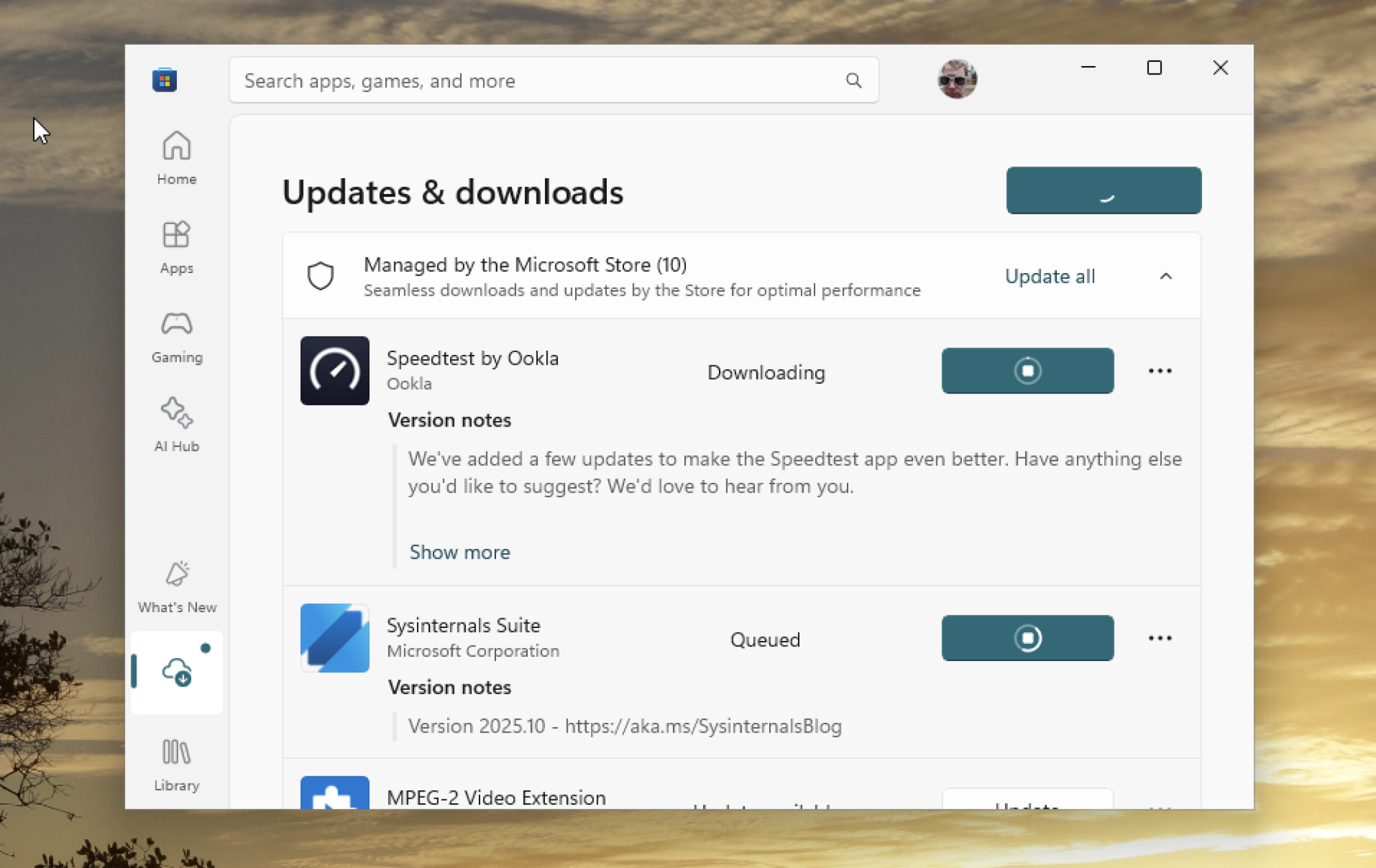
A screenshot of the Microsoft Store installing Speedtest and Sysinternals.

Credit: Justin Pot

The main difference is that Microsoft’s App Pack uses the Microsoft Store to install the applications, and the installer you download instructs the store to make the downloads. This means updates will also be handled by the store, which is a real benefit, but it also means the supported applications are limited to those offered in the store. That’s part of why Ninite offers a lot more software. App Pack offers 32 applications in four categories; Ninite offers over 90 distinct applications in all sorts of categories.

But there’s also the Microsoft of it all. You cannot use App Pack to install Chrome, which isn’t in the Microsoft Store. But you also can’t use it to install Firefox, which is. Given that one of the first things many Windows users do is replace Edge, that’s a real shortcoming; given that Microsoft seems to really want Windows users not to replace Edge, it’s not surprising. Meanwhile, Ninite lets you install Chrome and Firefox, as well as other browsers like Opera, Brave, and, ironically, Edge.

But it’s not as though App Pack only offers Microsoft software. Zoom is offered, as are several apps from Apple (iCloud, Music, and TV). There are desktop apps for all the big social media networks (TikTok, Facebook, Instagram, Discord, and LinkedIn). And there are a few customization tools, including TranslucentTB for customizing the taskbar and F.lux for adjusting the color temperature of your display. There are also multiple apps for working in media, including Photoshop, Audacity, and OBS Studio. It’s just that Ninite offers more, including power user staples like VLC, WinDirStat, 7-Zip, and Handbrake.

If you don’t need these additional apps, however, App Pack is a diverse set of tools, and I could imagine the one-click install saving a lot of time for many Windows users. You can find it here or by clicking the “Multi-app install” button in the top-right corner of the web version of the Microsoft Store.

Google sues group running massive SMS scam operation

Google has filed a lawsuit against a group of Chinese hackers running a platform called “Lighthouse” that sells phishing services for a monthly fee. The group offers clients its services to launch massive phishing and smishing (SMS phishing) campaigns. Google says the bad actors typically send out emails or text messages that link to fake websites pretending to be legitimate pages of established brands like USPS and E-Z Pass, in order to trick people into keying in their log-ins and other sensitive details. The company found at least 107 sign-in screen templates with Google branding, designed to steal people’s log-in information.

In its announcement, Google said that one million people from 121 countries have fallen victim to the online scams that used Lighthouse and that the bad actors have already stolen $1 billion. In the US alone, they’ve gotten their hands on between 12.7 million and 115 million credit card numbers. The most popular scheme involves pretending to be the USPS and telling victims that they’d have to pay for the redelivery of a package stuck at the post office.

As The Financial Times reports, Google cited data from cybersecurity company Silent Push in its lawsuit as an example, stating that Chinese criminal group “Smishing Triad” used Lighthouse earlier this year to create 200,000 fake websites. Those websites apparently received 50,000 visits a day and compromised millions of US credit cards within a 20-day period. The company is bringing claims under the US Racketeer Influenced and Corrupt Organizations Act, the Lanham Act, and the Computer Fraud and Abuse Act. If the company wins, it would allow Google to work with carriers and website hosts to take down the operation’s domain and servers.

In addition to filing the lawsuit, Google is also backing bipartisan bills in Congress that take aim at foreign cybercriminals. One bill would enable state and local law enforcement to use federal grant funding to investigate financial fraud targeting retirees. Another aims to establish a task force to block foreign robocalls in the US. The last one targets scam compounds, or centers that serve as bases for scam operations, and intends to provide support to the survivors who were trafficked and forced to work for those centers.

This article originally appeared on Engadget at https://www.engadget.com/big-tech/google-sues-group-running-massive-sms-scam-operation-133000168.html?src=rss