How the Race Was Lost: Rising Empire VO2 Session (ZRL Race 2)

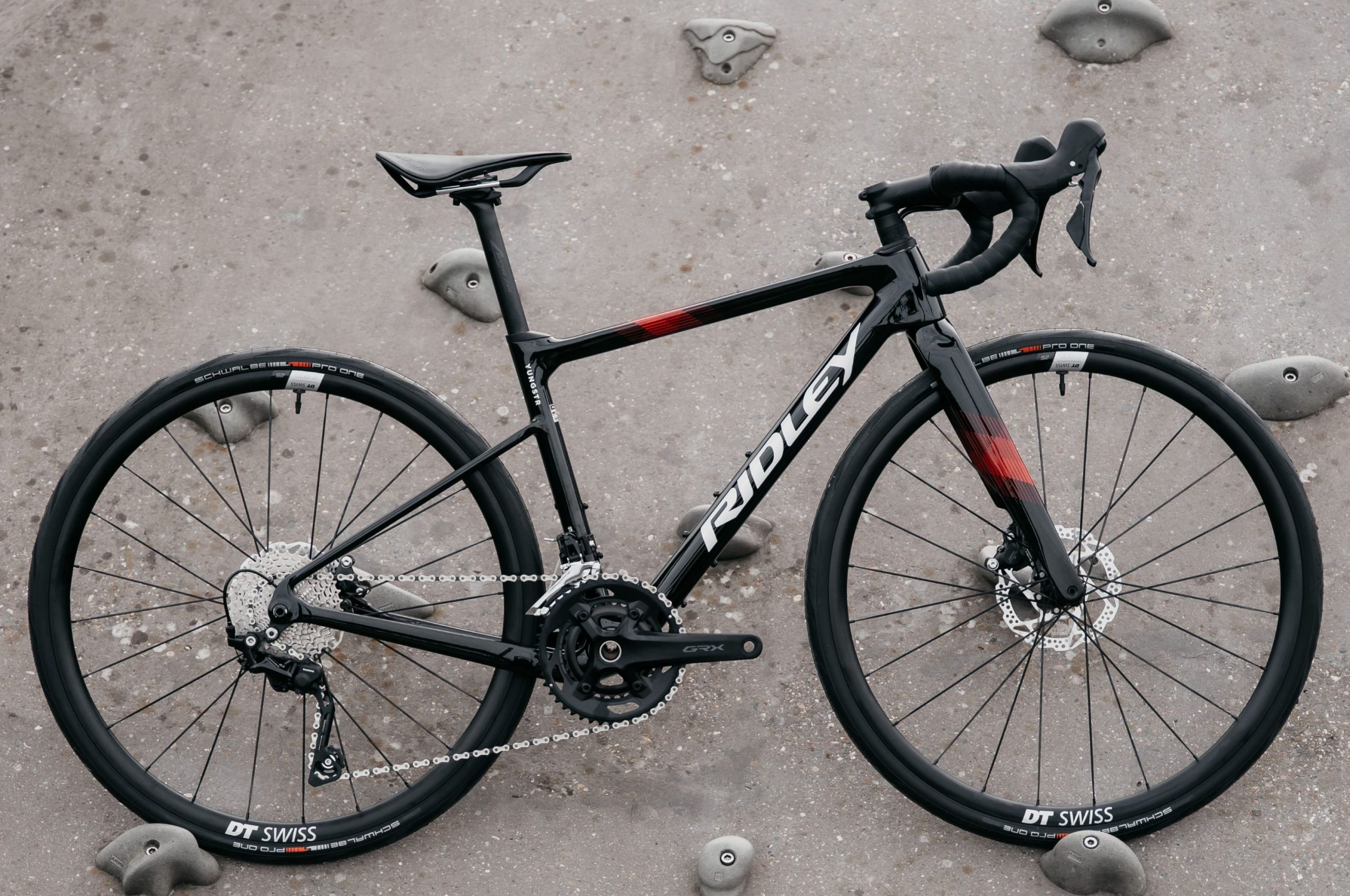
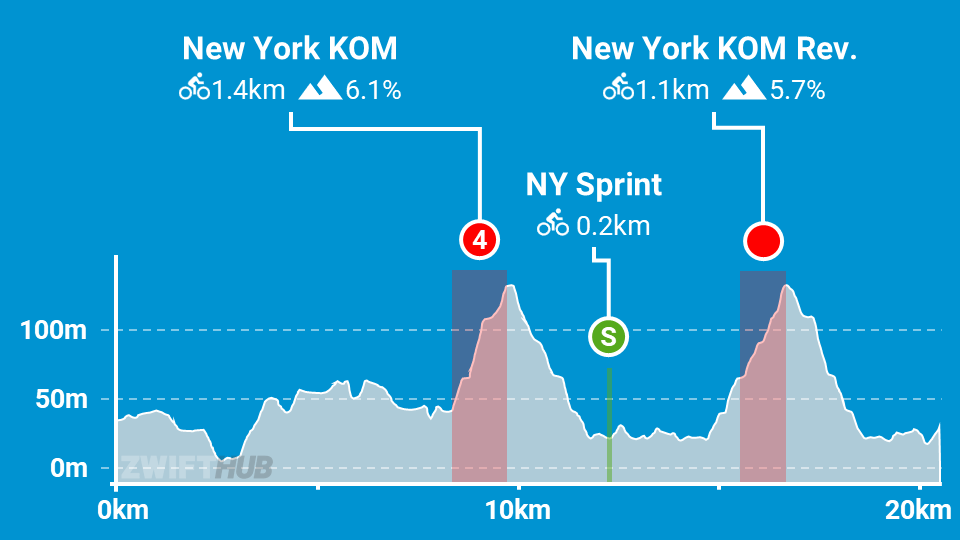
The second race of ZRL Round 2 was on two laps of New York’s Rising Empire for A and B teams. This course features the New York KOM in both directions, which meant a total of 4x hard climbs, and nightmares for me in the days leading up to the race…
Warmup and Planning

Leading up to the race, my Delusion teammates had been chatting on Discord. The consensus was that most of us were dreading it, a couple of weirdos were looking forward to it, and team captain Neil was clearly dodging it by trotting out the old chestnut of “I just crashed my bike, haven’t ridden since, and can’t put bibs on over all the road rash.” Likely excuse, Neil!

We basically decided everyone would race their own race, battling to stay in the furthest forward group possible, because ZRL’s points structure is such that everyone has an incentive to get across the line ahead of others on every points segment.

Knowing this race would require everything I had (and likely a bit more), I tried every trick in the book when it came to preparation. PR Lotion to my legs, 300mg of caffeine thanks to MEG gum, and even a Nomio shot (broccoli, yuck).

Having learned my lesson last week, I was on the bike with plenty of time for a good warmup. I spun up the legs, which felt less fresh than they should. Still, I put in a few good efforts to wake up my heart, then joined the pens in New York on my full-upgraded Pinarello Dogma F 2024 with ENVE 4.5 PRO wheels – the best climbing rig at my disposal.

Lap 1

Everyone knew the first real fireworks would explode the first time up the NY KOM. With the way this route is laid out and the way segment points work, there just isn’t enough incentive to do anything except sit in until that KOM.

I proposed a helpful neutral lead-in, and got some yes votes:
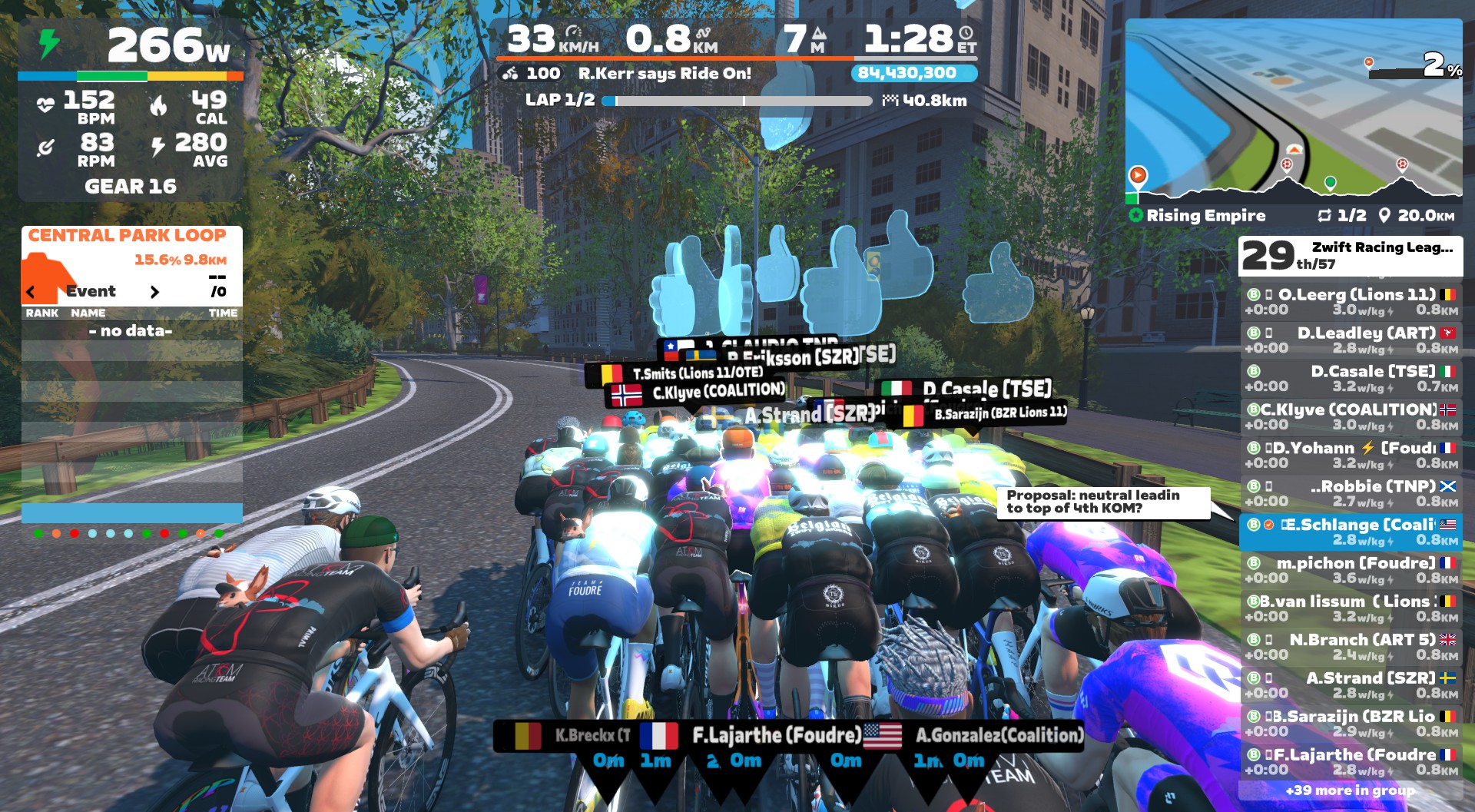
Unfortunately, we clearly didn’t have the supermajority agreement required for such a measure to pass. The glass road ramp was our first effort after averaging just 237W in the first 5 minutes, and while the watts jumped up significantly, it wasn’t enough to drop anyone.

After several rolling kilometers on the glass, we hit our first KOM segment. Up to this point, I had done my best to convince myself that I might just be able to hang with the front group over this first KOM, unlike every other race I’ve ever done on here.

Unfortunately, it quickly became evident that I was living in a fantasy world. You know that terrible feeling when the peloton flows past, and you’re dropping back with no ability to move up? That was the feeling. From a pack of 50, I saw myself quickly drop into the 40’s. No front group for me today. I came through the KOM banner in 39th, and the Zwift gods rewarded my efforts with a feather powerup:
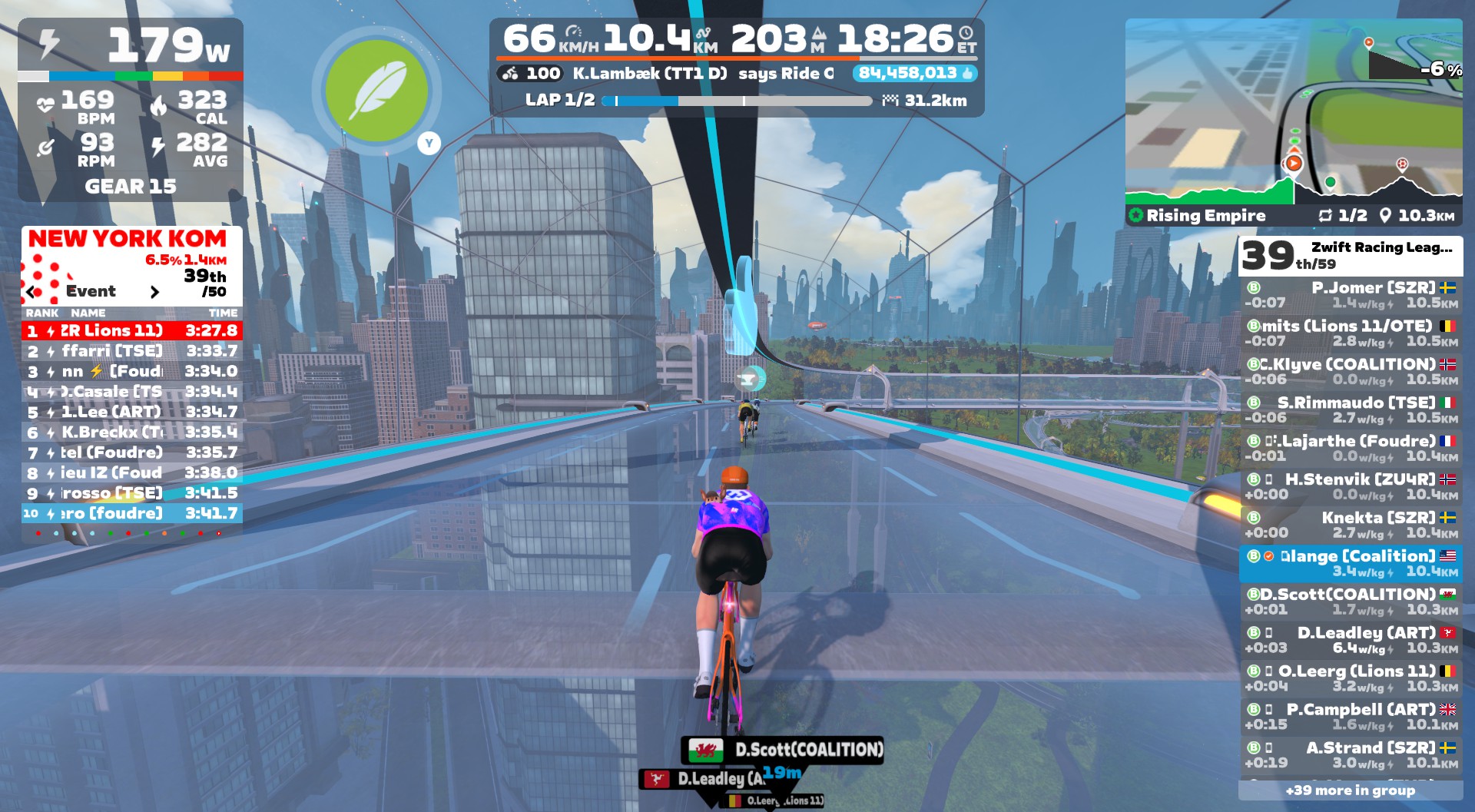
This was the first of four feathers I would earn on the day. One atop each KOM. You can’t make this stuff up.

After the first KOM, Andy and Rob had made the front group. Fabian and Chris were up the road from me chasing, and Dylan was behind.

We descended to ground level and quickly hit the NY Sprint Reverse. I put in a quick dig to pip an opponent at the line (every point counts!) and earn an atta boy from Captain Neil. I also grabbed an aero powerup at the banner, which I put to good use just up the road, bridging up to Chris and Fabian’s group.
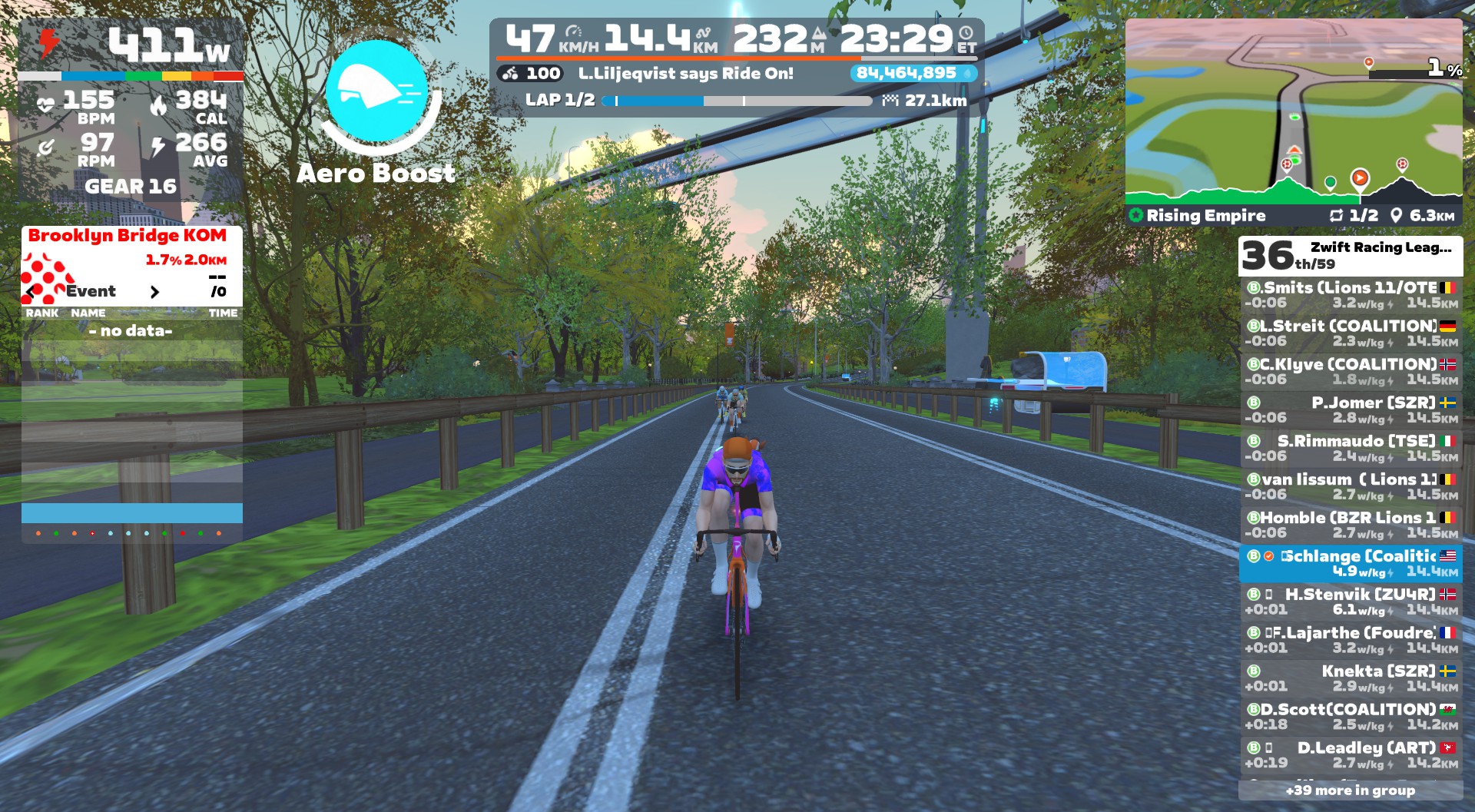
Sauce for Zwift was earning its monthly subscription cost in this race, giving me a helpful and clear view of time gaps between groups.

Then it was straight onto the glass for the “pre-climb” to the start line of the NY KOM Reverse. The group’s pace seemed much more manageable now, but as the actual KOM segment stretched out, I found myself near the back again, with Chris and Fabian several seconds ahead as we hit the top.

An aero or an anvil would have been handy on the descent to follow, but unfortunately, all I got was another feather as I rode through the KOM arch in 37th. So I put in some well-timed digs on the descent, supertucking as much as possible, catching a handful of riders so I was in a group starting at 31st place as we hit the tarmac again.

My group caught up to Fabian and Chris, and I used my feather to ease the effort up to the lap banner in a pack of 9 riders as lap 2 began.

Lap 2 + Finish

My pack of 9 constituted 29th-37th place, and we now chugged along on the flat first portion of the route. The effort felt quite easy, but hard enough that pushing to bridge to the next group didn’t seem like the right move.

Sauce showed 22 riders in front (1:24 ahead), 6 riders chasing (39s ahead), my group of 9, and Dylan’s group of 8 40s back. Andy and Rob were still in the front group.

The second lap was, in many ways, similar to the first. Quite chill on the flats, hard VO2 efforts on the climbs, and some well-timed supertucks to catch riders on the longer descents. My pack of 9 had definitely calmed down, as evidenced by me being on the front near the top of the climb!

Another feather granted at the top, another slight sprint dig to grab some extra points, then it was back onto the glass roads for our final go at the KOM. The three Delusion riders lead the charge for part of it:
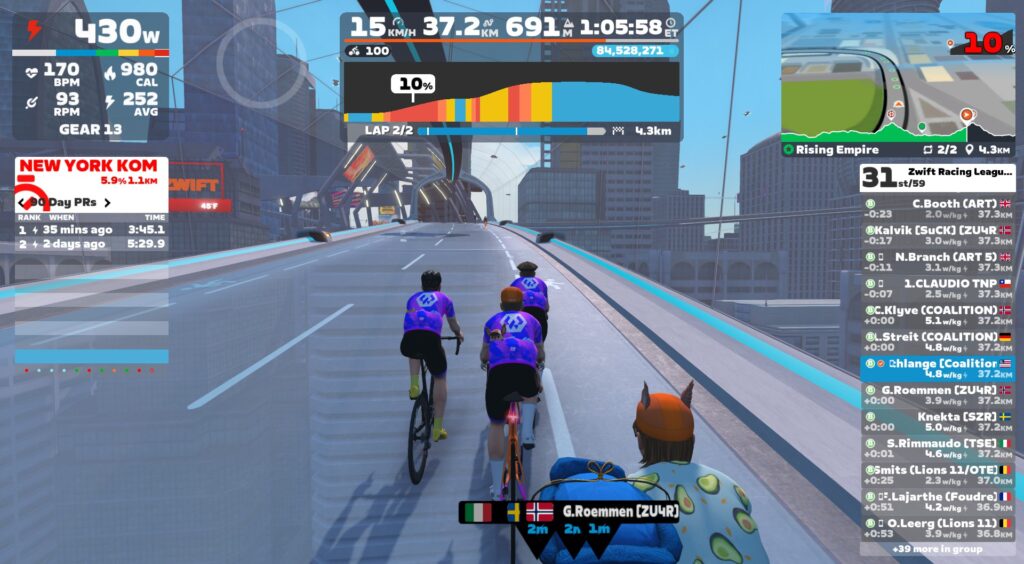
Once again, I got distanced over the top, and the Zwift gods handed me another feather as punishment. I supertucked to catch a rider up the road, then Chris put in a good dig to bridge up to me, and the two of us pushed to stay away from chasers just behind and finish in 30th and 31st place.

Whew. It was over. Good riddance.

See my ride on Strava >

Watch the Video

Results + Takeaways

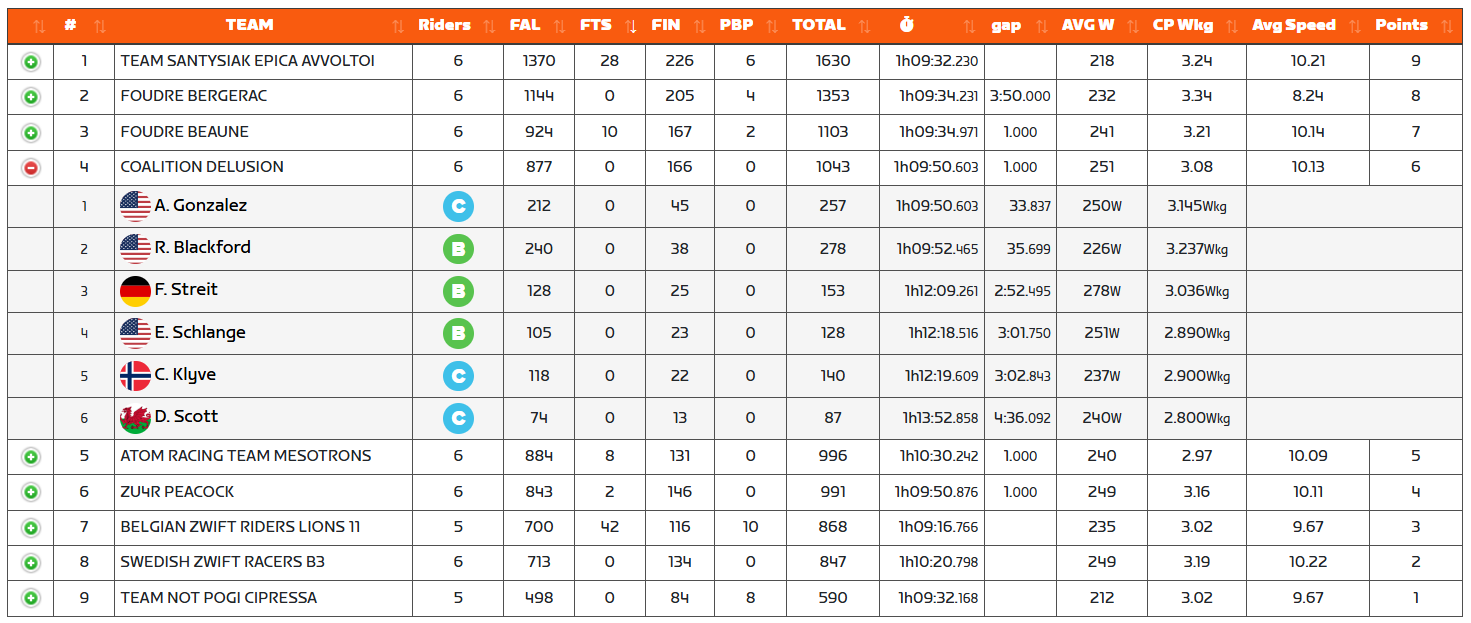
Andy had our team’s best finish on the day, in 8th. Not bad for a C rider, eh? Rob was 15th, Fabian 28th, me 30th, Chris 31st, and Dylan 40th. Delusion would finish 4th overall, with the win going to Team Santysiak Epica Avvoltoi (that’s a mouthful). Nice work, SEA!
Interestingly, there’s now a 3-way tie for 1st place in our division (B1 Development, Lime):
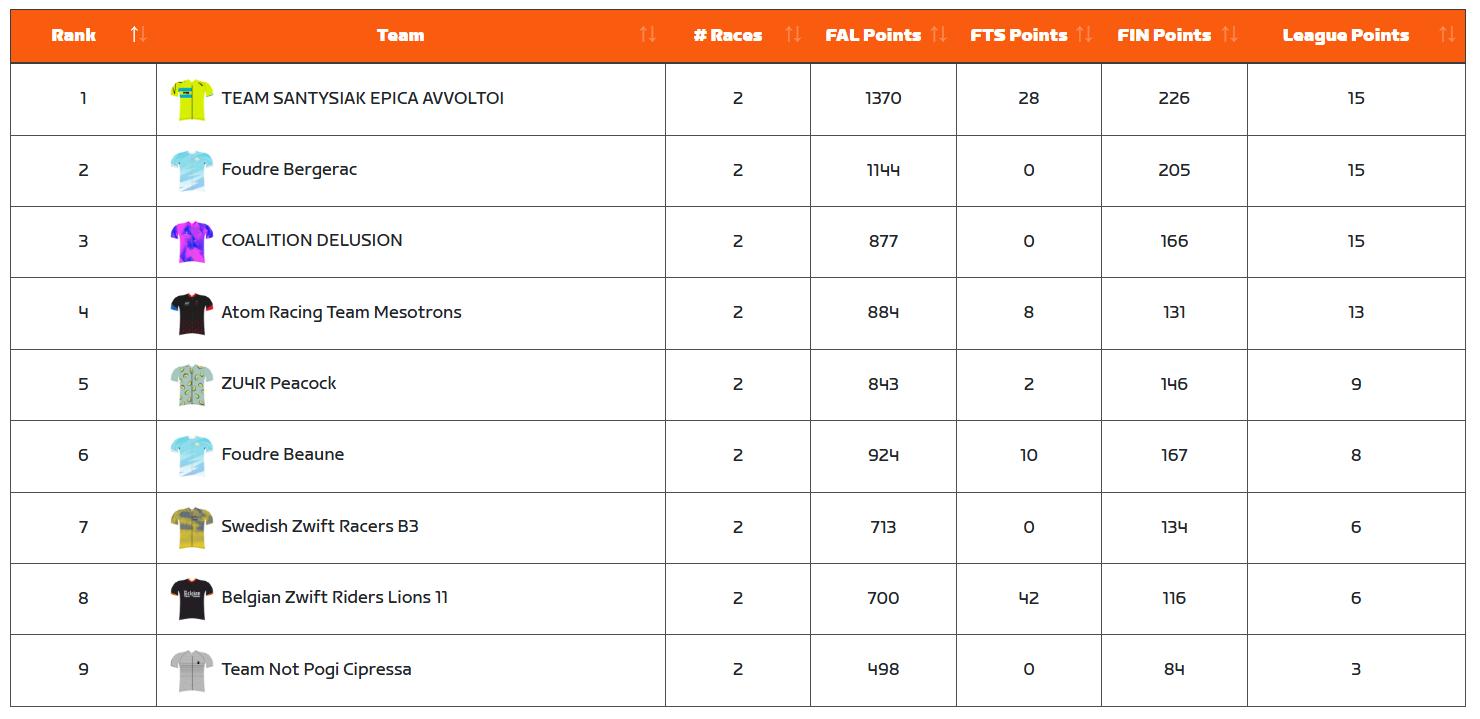
It may be too early to say, but it looks like there are clearly 4 leading teams in this division. While we won last round, this round will be much more difficult, with three races featuring significant key climbs.

I think we can win the TTTs, and do decently well in Glasgow on the punchy points race. But those three hilly races? Those will be a real challenge. We’ll have to push hard to do our best in races that don’t particularly suit us, to keep our overall points high enough to have a shot at the title.

Personally, I was disappointed in my performance in this race. I’ve never done well on the NY KOMs, but I’ve done better than this! Looking at my power numbers up those climbs, I just didn’t have the power I have on better days. Instead of holding 350-370W for 4 minutes, I was doing 320-330W. Not sure what the problem was, not sure if a few more watts would have helped at all, but I’ll try to be better prepared next week when we tackle the Fox Hill 3x.

I’m not sure you could design a better Zwift course than this for a race-based VO2 workout. We had 4 VO2-length efforts, with easy riding in between to recover. So if nothing else, I got in a helpful VO2 workout, which is always a good thing. (I’ve been doing a lot of endurance work lately, but I fear that has come at a cost to my 2-5 minute power. Time for more targeted workouts.)

What About You?

How was your race #2? Share below!

Iceland Deems Possible Atlantic Current Collapse A Security Risk

Iceland has formally classified the potential collapse of a major Atlantic Ocean current system a national security threat, warning that a disruption could trigger a modern-day ice age in Northern Europe and destabilize global weather systems. The move elevates the risk across government and enables it to strategize for worst-case scenarios. Reuters reports: The Atlantic Meridional Overturning Circulation, or AMOC, current brings warm water from the tropics northward toward the Arctic, and the flow of warm water helps keep Europe’s winters mild. But as warming temperatures speed the thaw of Arctic ice and cause meltwater from Greenland’s ice sheet to pour into the ocean, scientists warn the cold freshwater could disrupt the current’s flow.

A potential collapse of AMOC could trigger a modern-day ice age, with winter temperatures across Northern Europe plummeting to new cold extremes, bringing far more snow and ice. The AMOC has collapsed in the past – notably before the last Ice Age that ended about 12,000 years ago. “It is a direct threat to our national resilience and security,” Iceland Climate Minister Johann Pall Johannsson said by email. “(This) is the first time a specific climate-related phenomenon has been formally brought before the National Security Council as a potential existential threat.”

Elevation of the issue means Iceland’s ministries will be on alert and coordinating a response, Johannsson said. The government is assessing what further research and policies are needed, with work underway on a disaster preparedness policy. Risks being evaluated span a range of areas, from energy and food security to infrastructure and international transportation. “Sea ice could affect marine transport; extreme weather could severely affect our capabilities to maintain any agriculture and fisheries, which are central to our economy and food systems,” Johannsson said. “We cannot afford to wait for definitive, long-term research before acting.”


Read more of this story at Slashdot.

Google will allow ‘experienced users’ to sideload unverified Android apps

In August, Google announced that it will implement a new safety feature that would require developers to verify their identities if they want Android users to be able to sideload their apps. Now, the company has started inviting developers that distribute exclusively outside of the Play Store to the early access of the identity verification feature in Android Developer Console. Google has also revealed in the same announcement that despite its new rule, it will give experienced users the option to sideload even unverified apps on their Android devices.

The company said it received feedback from developers and power users who want to retain the ability to download unverified apps. That is why it’s now building “a new advanced flow that allows experienced users to accept the risks of installing software that isn’t verified.” Google didn’t delve into how it designed the feature and how it will determine if someone is a “power user,” but it’s already gathering feedback about it and will share more details in the coming months. It did say that it designed the flow to ensure users aren’t duped into bypassing safety checks by scammers, including showing them clear warnings about the risks involved.

As Google explained in its announcement, one common attack in Asia involves scammers calling victims and making them download malware disguised as legitimate applications. They pretend to be employees from a bank, warning victims that their account has been compromised and instructing them to sideload an app to secure their funds. The scammers would also pressure their targets to ignore security warnings while they’re sideloading the application. The malware in the bad actors’ app will then steal the victim’s login and intercept two-factor codes needed to access their bank account.

“While we have advanced safeguards and protections to detect and take down bad apps, without verification, bad actors can spin up new harmful apps instantly,” Google said. “It becomes an endless game of whack-a-mole. Verification changes the math by forcing them to use a real identity to distribute malware, making attacks significantly harder and more costly to scale.” It’s still early days for Google’s developer verification requirement, however, and it won’t be rolling out widely until late 2026.

This article originally appeared on Engadget at https://www.engadget.com/apps/google-will-allow-experienced-users-to-sideload-unverified-android-apps-130000130.html?src=rss

Uber’s ‘Send a Ride’ feature makes it easier to pay someone else’s fare

In anticipation of what’s expected to be a more hectic than usual season of holiday travel, Uber is adding a collection of new gifting and ridesharing features to its app. The most convenient of the new features is “Send a Ride,” a way to purchase Uber rides for someone else.

Send a Ride lets you cover the cost of a ride directly from the Uber app, making it possible to pay for something like an airport pickup in advance. Uber says you’ll be able to set a number of rides and a spending limit in the app (like two rides for up to $50 each) and then the app will generate a link that you can share with whomever you want to receive the rides. When they click the link, credit will automatically be added to their account and applied to their next trip.

For anyone whose winter travel includes skiing and snowboarding, Uber Ski is a new seasonal ride option Uber is adding that lets you book a ride to and from “nearly 40 of the top mountains across North America and Europe.” When you select Uber Ski in the app, you can reserve an UberXL for up to two guests with gear or an UberXXL for up to four guests with gear. Uber also says it will sell the Epic Pass, a ticket that gets you access to Vail Resorts, directly through the Uber app. 

If you’re figuring out your own ride home from the airport, Uber is also expanding its Uber Share for Airports option that lets you split a ride home with people heading in the same general direction. Uber Share is now available at over 50 airports worldwide, including new additions John F. Kennedy International Airport, LaGuardia AirPort and Orlando International Airport.

Finally, starting in December, Uber will let you add a free video message from stars like Megan Thee Stallion, the Jonas Brothers or Tracee Ellis Ross to any Uber Eats order you send as a gift. The videos don’t sound like they’ll be personalized like a video from Cameo, but whoever you send the gift to will be able to choose their own delivery time so they’re available when their gift arrives.

This article originally appeared on Engadget at https://www.engadget.com/transportation/ubers-send-a-ride-feature-makes-it-easier-to-pay-someone-elses-fare-130000110.html?src=rss

Here’s When SMART Goals Aren’t a Good Idea (and What to Use Instead)

SMART goals are a helpful way to turn your ideas and to-dos into actionable plans for the near and far future, but they’re not always the best approach. If you work on a larger team or need to track highly ambitious, long-term goals, for example, SMART might not be the best method to turn to. Other goal-tracking methods, like FAST and PACT, may be a better fit. You’ll need to start by familiarizing yourself with these alternate methods, but once you do, you’ll see that they are more tailored to specific needs and might just be your best bet.

When should you use SMART goals?

SMART goals are specific, measurable, achievable, relevant, and time-bound—that’s what the acronym spells out. When you make them, you make sure your goal sticks to all five of those requirements, usually writing it out in a sentence like this: “By the end of the month, I will have aced three practice quizzes to prepare for my chemistry test.” It’s specific because it says what you’re going to do and why, measurable because you’re setting an amount of quizzes and expected grade on each, achievable because it can reasonably be done, relevant because it has to do with a pressing need, and time-bound because it’s related to a forthcoming deadline.

Because they’re so customizable, SMART goals are used by students, workers, and anyone who needs to break down their to-do list into manageable action items, but they can be limiting for the same reasons they work so well on an individual level. For example, they can be too specific to be broadly applicable, so if you have to do the same sort of task at work every month, you’ll redo the SMART goal every time instead of creating a process to follow. They’re also not ideal for collaboration because while you can share a SMART goal with others, it doesn’t leave much room to be concise and authoritative about who needs to do what to reach the goal. 

When FAST goals make sense

The first helpful SMART goal alternative is the FAST goal, which is especially useful if you’re in a position to lead or delegate, but is generally good for teams overall. FAST stands for the following: 

  • Frequent discussions

  • Ambitious scope

  • Specific measurements

  • Transparent

When using SMART goals, you analyze your desired end result through the lens of how achievable it is and when you’ll have it done. With a FAST goal, you’re looking less at the elements that define the final product and more at how you will collaborate to get there. FAST goals enable teams to adapt and evolve as the project goes on because they require frequent discussions and transparency about what the ambitious goal is and how its success will be defined. Still, you need to have a plan in place to follow the FAST goal, since it is a little vague. What are “frequent” discussions, for instance? You need to hammer that out with the team and set a goal dictating what frequent means and how you’ll conduct those meetings.

Say your team at work has to build a report for the end of the quarter. You already know when it’s due, so you don’t need to incorporate timeliness, like you would with a SMART goal. Instead, consider the task through the FAST lens, setting up regular times to meet and discuss it and creating clear communication channels so everyone can stay on the same page. The success of the project might be measured by manager feedback, client response, the enhancement of processes, or increases in sales; you need to define early on what “success” will look like, but staying communicative and transparent will help—and will enable you to make the end goal ambitious. 

Here, I’d recommend incorporating a single source of truth, or SSOT. That’s essentially a folder everyone has access to that includes every resource anyone might need. For the hypothetical project of the end-of-quarter report, your SSOT might include monthly reports, a template for the bigger report, contact information for clients whose data will appear on the report, and so on. The first document in the SSOT should be one outlining the FAST goal by setting requirements for the frequent discussions, detailing the scope, defining the specific measurements of success, and, by its nature, being transparent.

When to use PACT goals

PACT goals, like FAST goals, focus more on the process of achieving a desired result than the measurements of the result itself. Here’s what PACT stands for: 

  • Purposeful

  • Actionable

  • Continuous

  • Trackable

Like a SMART goal, PACT works well if you’re tackling something on your own, but it is more process-driven. Let’s say your goal is to get in shape. With a SMART goal, you might have to define it like, “By the first day of summer, I will have worked out for five hours per week, lost 20 pounds, and increased my muscle mass by 5%.” It’s specific, measurable, achievable, relevant, and time-bound, but once you write that down, you’re on your own fighting your way to the finish line. A PACT goal might look more like, “To get in better shape and improve my health, I will work out five times a week and monitor my weight loss and muscle gain using my smart scale.” Instead of being time-bound, this approach takes the process itself into consideration—but also incorporates purposefulness, reminding you why you’re doing what you’re doing. You still take actions and track metrics, but the goal is rooted in purpose and relies on continuity, not a defined end result. 

Keeping the purpose front and center is important, as it helps you stay motivated and reminds you of what you’re really working toward. If you’re building a report at work, you can get caught up in the absolutism of knowing this is your assigned task and you have to do it, which can lead to losing sight of why you’re actually toiling. If you bear in mind that you’re building the report so your company can bring in more clients or enhance internal operations, you remember that this could lead to more business, accolades, or even a raise for you. Tracking your progress is also key to staying motivated and moving toward an end goal, even if it isn’t as rigidly defined as a SMART goal might be. 

Again, you’ll need a document that outlines all this. Think of it like a mission statement and stick it in the SSOT. Here, it might be like, “Our team will compile the report by each dedicating one hour of time to it a day for the next month, inputting our work hours and achievements into the attached spreadsheet, and meeting every Friday to discuss progress.”

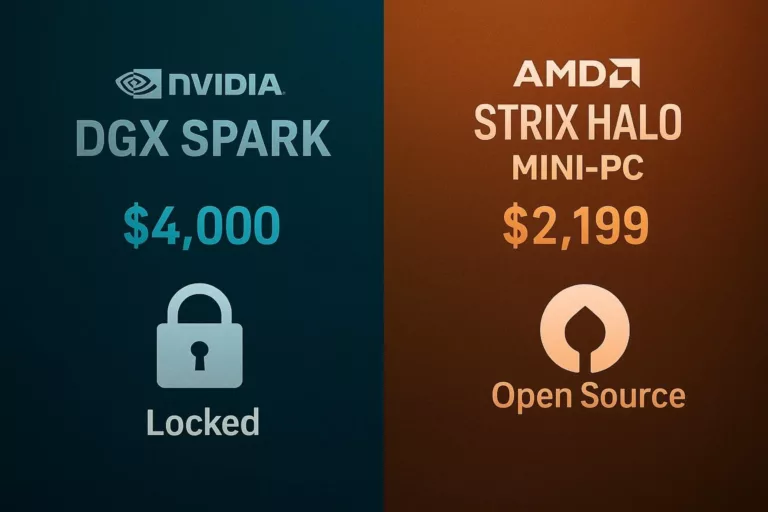
NVIDIA’s $4,000 “AI Supercomputer” vs. AMD’s $2,200 Mini-PC: The Strix Halo Value Proposition Has Arrived

Here in Bend, where we appreciate both cutting-edge tech and practical value, the AI hardware market is producing some fascinating matchups. The entire industry has been defined by NVIDIA’s “shock and awe” approach: massive GPUs and eye-watering performance claims with price tags to match. NVIDIA’s DGX Spark, a desk-side “mini-supercomputer,” is a prime example. Priced at a hefty $4,000, it’s marketed as the essential tool for serious AI developers. But a new challenger has emerged, not from a server rack, but from the compact world of mini-PCs, and it’s showcasing how AMD is delivering staggering AI performance for a fraction of the cost.

Recent benchmarks have pitted the $4,000 DGX Spark against a new $2,199 mini-PC from GMKtec, the EVO-X2, powered by AMD’s monster APU, the Strix Halo (also known as the Ryzen AI Max+ 395). The results are nothing short of a market disruption. While the DGX Spark holds its own in raw, high-throughput processing, the AMD Strix Halo system demonstrated better real-time performance, with faster token generation and lower startup latency in several key large language model (LLM) tests. This isn’t just a minor win; it’s a profound shift in the value equation for AI development.

The Power of the APU: Why Strix Halo is a Game-Changer

The NVIDIA DGX Spark is a specialized tool, a $4,000 dev kit designed to perfectly mirror NVIDIA’s enterprise-grade data center environment, right down to its proprietary CUDA software stack and advanced networking. Its value is in the entire ecosystem, not just the chip, allowing a developer to test code that will later be scaled up on massive, multi-million-dollar NVIDIA servers.

But AMD’s Strix Halo, the heart of the new mini-PCs, plays a different game. It’s an APU (Accelerated Processing Unit) that integrates a powerful CPU (Zen 5), a high-performance integrated GPU (RDNA 3.5) and a dedicated NPU (Neural Processing Unit) with 50 TOPS of AI performance all on one chip. This is all connected via a unified memory architecture, that, in the GMKtec EVO-X2, can be configured with up to 128GB of shared LPDDR5x RAM.

For a developer running models locally, this unified memory is a massive advantage. It allows them to load and run enormous 70B+ parameter models directly in memory, a feat that would normally require a much more expensive discrete GPU with a limited VRAM pool. The Strix Halo isn’t just “competing” with the DGX Spark in real-time inference; in many common developer scenarios, it’s proving to be faster and more responsive, and costs nearly half as much.

The Target Audience: Who Needs What?

This comparison highlights a critical divergence in the market. These two products, despite similar AI capabilities, are for two very different users.

  • The NVIDIA DGX Spark User: This is the Enterprise Developer. Their company is already committed to a multi-million dollar NVIDIA DGX infrastructure in its data center. Their primary goal is not raw performance-per-dollar; it’s ecosystem continuity. They need a desktop-sized box that runs the exact same CUDA-based software stack as the production servers, allowing them to prototype and validate code locally before pushing it to the cloud. For them, $4,000 is the price of admission to that seamless, proprietary workflow.
  • The AMD Strix Halo User: This is the Mainstream Developer, Power User or Startup. This user wants the absolute best performance for the money. They are likely using open-source tools like AMD’s ROCm, which are rapidly gaining traction. They need a machine that can both run a massive 70B parameter LLM for development and function as a high-performance workstation for video editing or even AAA gaming. The Strix Halo-based mini-PC isn’t just an AI dev kit; it’s their entire computer, offering a level of versatility the DGX Spark (which runs on an ARM processor and can’t game) simply cannot touch.

The Rise of the Compact AI Workstation

The battle between the Strix Halo and the DGX Spark is the perfect showcase for one of the most exciting trends in computing: the rise of the compact AI workstation. For the past year, AI development has been largely centralized in the cloud, costing companies a fortune. Now, hardware has advanced to the point where powerful, billion-parameter models can be run locally.This shift is democratizing AI. Small businesses, startups and individual developers can now experiment and build complex AI applications without renting expensive cloud instances. This is fueling a boom in the mini-PC market, with manufacturers like GMKtec, Minisforum, and Framework all racing to put these powerful APUs into tiny, desk-friendly boxes. These devices are the “AI PCs” that professionals actually want, offering massive memory and performance in a quiet, efficient, affordable package.

NVIDIA: Ill-Prepared for a Value-Driven Market

This new market dynamic leaves NVIDIA looking surprisingly ill-prepared. NVIDIA’s entire business model is built on selling high-margin, proprietary hardware and a locked-in software (CUDA) ecosystem. At $4,000, the DGX Spark feels like an extension of that high-margin strategy, aimed at protecting NVIDIA’s data center dominance.

NVIDIA doesn’t seem to have a good answer for the developer who doesn’t want to pay $4,000 for a dev kit, especially when a $2,200 AMD machine offers better real-time performance and plays Cyberpunk 2077 at 1080p (Strix Halo gaming benchmarks). AMD is winning the value proposition, and as the AI software world continues to embrace open-source alternatives, NVIDIA’s “CUDA-only” moat looks less like a fortress and more like a liability.

Wrapping Up

The competition between AMD’s Strix Halo and NVIDIA’s DGX Spark represents more than just a battle of specs—it’s a philosophical divide in the future of AI computing. In Bend and beyond, where performance, efficiency and practicality matter in equal measure, this face-off captures a turning point. NVIDIA’s long-standing dominance has been built on a closed, high-margin model that rewards those already inside its ecosystem. But AMD’s emergence with the Strix Halo—and the GMKtec EVO-X2 that showcases it—signals a shift toward openness, affordability and local empowerment. When a sub-$2,200 system can deliver performance on par with, or even exceeding, a $4,000 proprietary rig, it’s clear the market is evolving toward accessibility and versatility.

AMD’s approach is democratizing the AI landscape. The Strix Halo isn’t just another high-performance chip; it’s a platform that brings real AI development into the hands of students, startups and everyday creators without needing to lease cloud GPUs or buy into a locked software stack. As AI hardware becomes more compact, efficient and affordable, developers are realizing they can do more with less and own the entire process from idea to implementation. For those looking to give the gift of power and possibility this season, whether to a young coder, a small business innovator or a creative dreamer, AMD’s open-architecture advantage makes the Strix Halo platform not just a product but a statement that the future of AI belongs to everyone willing to build it.

DJI Neo 2 review: The best budget drone is now even better

Even with its US future in limbo, DJI keeps releasing impressive drones. Its latest is the Neo 2, an inexpensive, lightweight model aimed at creators and hobbyists. It’s an upgraded version of the Neo, an immensely popular drone both in the US and elsewhere. The new model is equally safe and easy to fly thanks to the shrouded props, palm takeoff and voice control.

DJI didn’t just tack on a number and call it a day, though. The Neo 2 is loaded with new features like LiDAR obstacle detection, improved video quality and longer battery life — all at only a slightly higher price. In fact, a couple of the new features can’t even be found on high-end DJI drones.

The original Neo wasn’t perfect; the propellers on that model emitted a banshee-like scream. The lack of obstacle detection and short battery life also wasn’t ideal. Has the company solved these problems on the new model? Mostly, yes — and it’s now a nearly perfect personal drone.

Design

Though the Neo 2 has the same 6.5-inch square size and friendly appearance as before, there are some important differences. A new LiDAR sensor beside the camera is designed to detect forward obstacles, and is a surprising inclusion for such an affordable drone. On the left front is a small display — a first for a DJI drone — that shows the current shot mode (follow, dronie, etc.).

The gimbal has also been upgraded and can now rotate instead of just tilt. That means the camera will stay level when the drone banks, with no ugly cropping or reduced resolution that I occasionally saw when doing extreme maneuvers with the Neo.

The Neo 2 has three buttons on the side (rather than just one on top as before), along with two new omnidirectional sensors. On top of helping the Neo 2 avoid obstacles, these improve stability in featureless or non-GPS environments like indoors and over water.

Finally, if you buy a Neo 2 with the optional RC-2 or RC-N3 controller, it includes a removable Digital Transceiver with a pair of antennae. Those components give it a butterfly-like appearance and could affect long term durability. However, making them an add-on gave DJI a way to make the basic (non-controller) version as inexpensive as possible.

With all those changes, the Neo 2 is a bit heavier at 5.6 ounces (160 grams) with the Digital Transceiver, compared to 4.8 ounces (135 grams) for the Neo. That’s still easily small enough to slide in a bag and light enough (under 250 grams) that you won’t need to register your drone with the authorities.

Features

Gesture control is a major new Neo 2 feature not found on other DJI drones. It lets you fly with surprising precision, if you don’t mind looking a little silly. To do so, wave a hand up, down or sideways to climb and bank, move two hands apart or together to make it approach or move away (think pinch-to-zoom in the air), clench a fist to stop it and hold out your palm to land. Gestures can be used in combination with other fly modes so you get the exact shot you want.

DJI Neo drone gesture control
Steve Dent for Engadget

Along with the ability to wave your hands, the Neo 2 offers other ways to fly like palm takeoff. After selecting the flight mode (shown on the new display and audibly announced), you can launch the Neo 2 from your hand by pressing the takeoff button or using voice control. It will then execute the chosen mode, fly back to you and land on your outstretched palm.

Smartphone control (not seen on other DJI drones) is available for manual flight. Wi-Fi range has been extended by ten times to 546 yards, compared to 55 yards for the Neo. However, for that range you need a clear signal path with no obstacles between you and the drone. For more precise flight and longer range (up to 6 miles), the Neo 2 supports RC-N2, RC-N3 or RC-2 controllers. And FPV (first person) flying is still an option when using DJI’s Goggles N3 or Goggles 3, paired with the RC Motion 3 or FPV Remote Controller 3.

The Neo 3’s Quickshots repertoire has also been updated. A fun new mode is the “Hitchcock zoom.” When activated, the drone backs away while zooming in at the same time, creating a trippy perspective effect you might’ve seen in Vertigo and Jaws. Again, this feature is unique to the Neo 2 in DJI’s lineup.

Other key functions include compatibility with DJI’s microphones, including the Mic 2, Mic 3 and Mic Mini. Since the Neo 2 is quieter than the Neo (more on that shortly), noise cancelling requirements are reduced so audio quality is improved. Onboard storage has also been upgraded to 49GB (up from 22GB), letting you record up to 175 minutes of 4K video. At the same time, DJI more than doubled the Wi-Fi transfer speed to 80MB/s.

Performance

DJI has added impressive tech to the Neo 2 that makes it the best personal drone on the market.
The Neo 2 now has omni sensors and LiDAR for obstacle protectoin
Steve Dent for Engadget

The Neo 2 retains the Neo’s toughness and protection, but it can now fly around obstacles instead of just plowing through them thanks to the LiDAR and sensors. To test that, I used it to follow subjects around trees, buildings and other obstacles. The aim was to see not only how well it avoided crashes in all directions, but to observe how smoothly it tracked while doing so.

To start, I engaged the ActiveTrack follow feature and used the Trace mode “steering wheel’ to follow subjects from the front, sides and back. When flying forward, the Neo 2 avoided most obstacles using its LiDAR, while swooping cinematically around trees and branches. It occasionally failed to detect small twigs and leaves, but unlike open-prop DJI drones, it usually flew through them without incident. With just two omni sensors, the Neo 2 is less adept at avoiding obstacles to the sides and rear, however. So if you’re using it to vlog while walking or biking, it’s best to make sure there’s nothing in the way.

With a top speed of just 18 mph, the original Neo was so slow that it could barely track a bike. Luckily, the Neo 2 is much faster with speeds up to 27 mph in follow mode and even has a special “Bicycle Tracking” mode. I tested that on an e-bike and the drone easily kept up with me while easily avoiding obstacles in the forward direction. Again, you need to be extra careful when it’s flying backwards or sideways.

The Neo 2 is as agile as ever, so the extra velocity makes it a better FPV drone as well. While wearing the Goggles N3, I was able to enjoy that sensation of extra speed as it swooped around obstacles. That, plus the low price, makes it a good first drone for anyone looking to get into FPV flying.

I likened the Neo’s prop noise to a banshee howl, but the Neo 2 is maybe a… banshee purr. Both the decibel level and pitch are now tolerable, even indoors. I flew it around at a fairly loud party and hardly anyone noticed; it also didn’t draw much attention in a public park. The only negative is it’s a high-pitched sound, a noise that carries even across high altitudes.

Video quality

The DJI Neo 2 now offers 4K video at up to 100 fps
DJI’s Neo 2 now offers 4K at up to 100 fps
Steve Dent for Engadget

With a new 12MP, 1/2-inch sensor camera, video quality is excellent for this price range. The Neo 2 now supports 4K at up to 60 fps or 100 fps in slo-mo mode. On the previous model, it was just 30 fps. The Neo 2 also has an f/2.0 iris to let in more light compared to the previous f/2.8. With those updates, the drone offers sharper and more color-accurate video and photos than the Neo.

There are of course some sacrifices at this price. The small sensor means the Neo 2 has mediocre low-light capability, with pronounced grain at the maximum ISO 12,800 rating that’s even noticeable at ISO 3,200. Unlike the $400 Flip, the Neo 2 has no 10-bit D-LogM capability, so over- or underexposed video is hard to correct.

With those issues, video and photos from the Neo 2 aren’t quite good enough for professional work. However, it’s excellent for social media users, hobbyists and content creators, delivering smartphone-quality aerial shots.

Wrap-up

DJI has yet to reveal availability or pricing of the Neo 2 in the US (or whether it will come here at all) due to a looming December 23 ban. If it does arrive, it will effectively have no competition at its price point, which I expect to be around $250. The HoverAir X1 is the only name brand alternative, but costs twice as much. That model offers solid follow-me capabilities for activities like biking and hiking. Feature-wise, though, it pales in comparison to the Neo 2, with inferior video quality, battery life, range and obstacle detection.

DJI’s Neo 2 is not just the best personal drone; it’s the best tech product I’ve seen in a while, period. It retains everything I liked about the Neo, especially the ease of use and safety features. On top of that, it adds a host of useful functions like obstacle protection and, thank goodness, lower noise levels. With all that, the Neo 2 performs that rare trick of doing much more than I expected — for a lot less money.

This article originally appeared on Engadget at https://www.engadget.com/cameras/dji-neo-2-review-the-best-budget-drone-is-now-even-better-120026045.html?src=rss

Withings has received FDA clearance for medical ‘multiscope’ BeamO

Withings announced that its multi-function medical device BeamO has received clearance from the FDA. BeamO contains sensors to perform an electrocardiogram, a stethoscope and a thermometer. The company claims all three tests can be completed in less than a minute.  It is now available for purchase and will retail for $250. 

The company unveiled BeamO at CES 2024. It’s being positioned as a tool for telehealth, with a companion app that can send results to medical professionals. Withings is also offering a Cardio Check-Up service as part of its health subscription, where results from BeamO can be reviewed remotely by cardiologists who will deliver a cardiac health assessment to the device owner within 24 hours.

Withings is the name behind several intriguing (and occasionally strange) home health and smart tech items, including a smartwatch, a highly futuristic bathroom scale and a toilet-mounted computer for urine analysis.

This article originally appeared on Engadget at https://www.engadget.com/home/smart-home/withings-has-received-fda-clearance-for-medical-multiscopebeamo-110000186.html?src=rss

“Taxpayers shouldn’t be footing the bill for luxury leisure” – will Cycle to Work purchases be capped in the budget?

The days of funding your next Pinarello Dogma purchase via Cycle to Work may be over.

According to the Financial Times, Chancellor Rachel Reeves is planning to introduce a cap on the value of Cycle to Work purchases in the UK budget at the end of this month.

The FT quotes a government figure as saying: “Cycle to Work should be about helping ordinary commuters switch to greener travel, not giving tax breaks to high earners buying £4,000 ebikes for weekend rides in the Surrey Hills. Taxpayers shouldn’t be footing the bill for luxury leisure.”

The FT quotes an estimate by HM Revenue and Customs that Cycle to Work cost £130m in lost Treasury revenue in 2024-25, due to the income tax not collected on purchases made via salary sacrifice, an increase from £55m in 2019-20. 

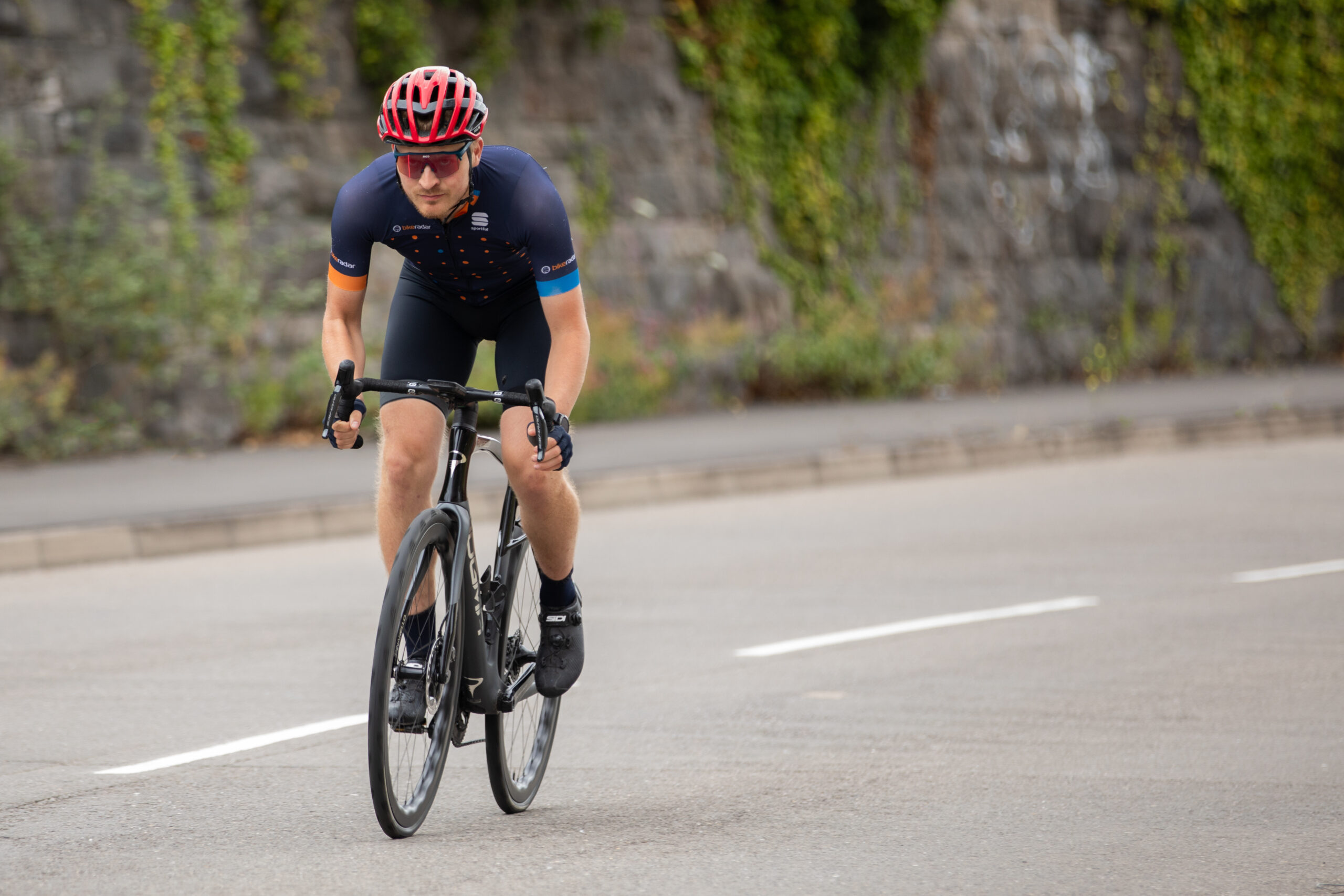
Oscar Huckle riding Pinarello Dogma X
The Treasury wants to clamp down on purchases of high-end bikes under the Cycle to Work scheme. Scott Windsor / Our Media

In contrast, a study by Cycle to Work scheme providers earlier this year found a net annual benefit to the UK economy of £573m from factors such as cost savings to the user, productivity increases and retail income. There’s £43.8m collected by the Treasury in VAT on Cycle to Work purchases, too.

The study found that almost 200,000 employees used Cycle to Work in 2023-24 and more than 2 million since the scheme started. It stated 38% were new cycle commuters.

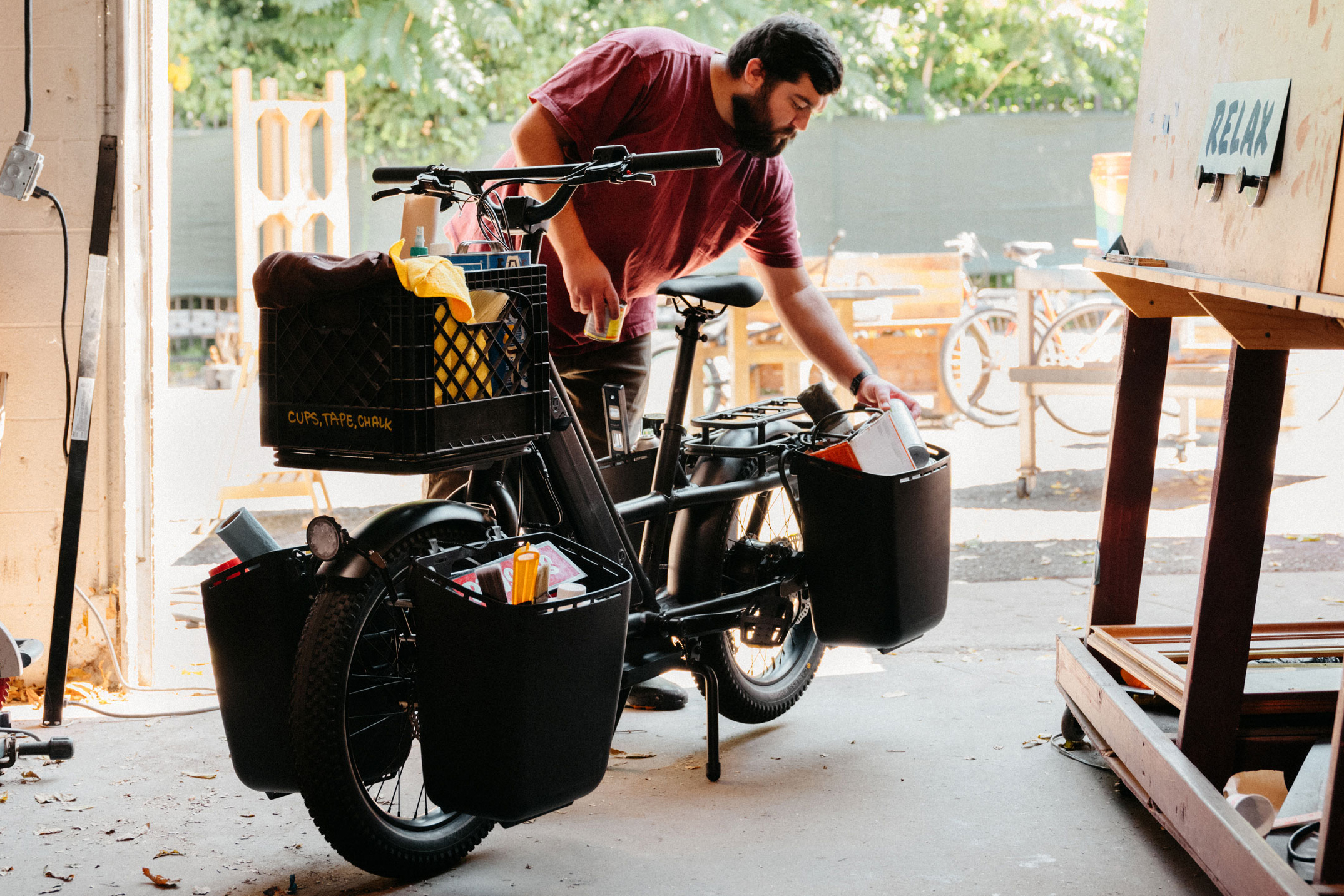
Man loading up panniers on Globe Haul LT electric cargo bike
Cargo bikes are increasingly popular and many include electric assistance to haul loads. Specialized

The previous cap of £1,000 on Cycle to Work purchases stood from the scheme’s inception in 1999 until 2019. The rapid bike price inflation over the period of the Covid pandemic and the inclusion of electric bikes in the scheme, along with the rising use of cargo bikes (many of which are also electric), put many bikes and ebikes beyond the £1,000 level. An electric cargo bike can cost in the range of £5,000. 

Since 2019, there’s been no cap on the cost of bikes or ebikes, along with accessories and clothing, that can be bought under the Cycle to Work scheme.

It’s acknowledged that some higher-rate taxpayers have been exploiting the scheme, though, to fund purchases of top-spec bikes that almost certainly never see the inside of their employers’ bike sheds.

The FT quotes Will Pearson of Pearson Cycles, however, who points out that a reliable bike for commuting is likely to cost more and that any cap needs to be set at a sensible level. 

The likely cap on the value of Cycle to Work purchases would be part of a more general cap on salary sacrifice by the Treasury, likely to include pension schemes.

Alien: Earth Renewed For Second Season

FX has renewed Alien: Earth for a second season and signed creator Noah Hawley to a massive nine-figure overall deal with Disney Entertainment Television. Deadline reports: Inspired by Ridley Scott’s sci-fi thriller film Alien, Hawley adapted the film franchise for television with the strong support of Scott Free and its president, David W. Zucker, who is an executive producer of the series. It earned a positive reaction from fans, posting a 94% Certified Fresh rating from Rotten Tomatoes and a Metacritic Must-Watch score of 85. “It has been our great privilege to work with Noah for more than a decade on some of FX’s best and biggest shows, and we are thrilled to extend our partnership well into the future,” said FX Chairman John Landgraf. “Noah never stops surprising us with truly original stories — and his unique ability to bring them to vibrant life as a director and producer as well as writer makes him extraordinary. We can’t wait to get to work on the next season of Alien: Earth, as well as some equally exciting future projects in advanced development.”


Read more of this story at Slashdot.

New Ridley Yungstr carbon road bike can give your kids their first taste of racing – for €2,699 

Just in time for Christmas, Ridley has launched the new Yungstr carbon kids’ bike, race-ready for the next Remco Evenepoel, sized for riders between 8 and 12 years old and priced at €2,699. 

Although other brands, including Frog and Boardman, also sell drop-bar bikes for kids, Ridley claims the Yungstr is the first full-fledged drop-bar kids’ bike.

Kids’ bikes are usually made of cheaper aluminium, rather than the carbon fibre used by Ridley, which has also specced a Shimano GRX groupset and 700c DT Swiss wheels, maybe helping to justify this claim.

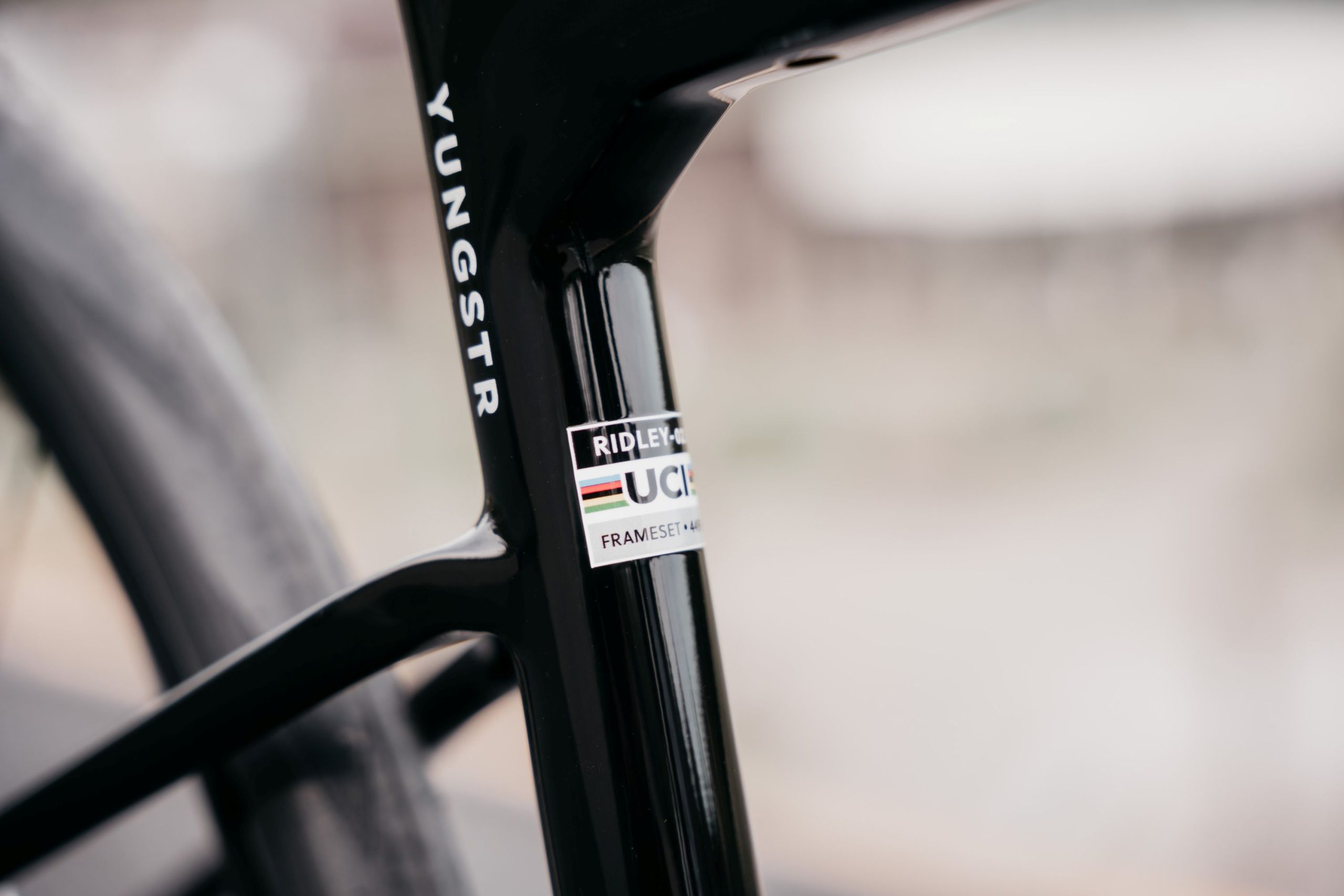
The frame is UCI approved – we’re not sure what they’ll think of the handlebar width though.

Ridley says the Yungstr is designed for road, gravel and cyclocross duties. It even has a UCI approval sticker, so it can be ridden in UCI-sanctioned races.

It has clearance for tyres up to 32mm on 700c rims or 42mm on 650b, so the bike can put plenty of rubber on the trail for off-road riding.

The Yungstr is equipped with a full Shimano GRX RX400 groupset and 700c DT Swiss wheels.

Ridley says that, rather than shrinking an adult bike frame, it has designed the Yungstr’s frame from the ground up to mix reactivity with the stability needed for gravel riding or tricky cyclocross courses. It comes in a single size, with a 970mm wheelbase and 410mm chainstay length, while the head tube angle is 71 degrees and the seat tube angle a steep 75 degrees. 

The frame stack is 485mm and the reach 370mm; Ridley says you can quickly swap out the stem as your kid grows, so the bike should last them longer. The sloping top tube results in a 400mm seat tube length and you can set the saddle as high as 690mm.

Ridley says the bike’s frame weighs 929g and the complete bike, which features a Shimano GRX RX400 10-speed gravel groupset, weighs 8.9kg. 

The Yungstr is designed to give pre-teens their first taste of cyclocross, gravel or road racing.

While drop-bar bikes for younger riders are a little niche in the UK, they’re popular in Ridley’s Belgian home market. A few years ago, when we rode the Scheldecross cyclocross course in Antwerp at a launch a couple of days before the pro races, we shared it with a large group of younger kids, almost all riding Ridley kids’ cyclocross bikes.

Kids can be tough on bikes, but Ridley offers a lifetime warranty on the Yungstr, which is transferable if you resell the bike once your kid graduates to a full-size road, gravel or cyclocross bike.