10 Hacks Every Mac User Should Know

The term ‘Mac power user’ is a bit vague and almost sounds exclusionary, but I’m here to tell you that if you regularly use your Mac, you absolutely are a power user. You don’t need to exclusively be using command line tools or keyboard shortcuts to be a power user. Even though I use my Mac all day, every single day, I keep discovering new shortcuts, awesome apps I’d never heard of, or just general tips that I hadn’t come across until now.

So, if that sounds like you, you absolutely are a Mac power user, and I’m here to share some tips that have helped me optimize my workflow over the past few years. From setting up automation routines to save time, to a faster way to launch apps, there’s something in this guide for everyone who uses a Mac.

Spotlight Search is your best friend

Spotlight Search is one of the most underrated tools on the Mac. Even though I’ve had a fair share of complaints with its occasional sluggishness, it’s still my go-to for so many things. You can fire it up by pressing Command-Space on the keyboard, and use it for everything from launching apps to converting currencies. Just open Spotlight and type 100GBP (or any other currency), and you’ll see it convert that to your local currency automatically. You can also use it to convert imperial units to metric, create calendar events, search for files, or create shortcut actions.

And if it still doesn’t suit your workflow, you can always replace Spotlight with a better alternative such as Alfred or Raycast.

Try advanced Spotlight features
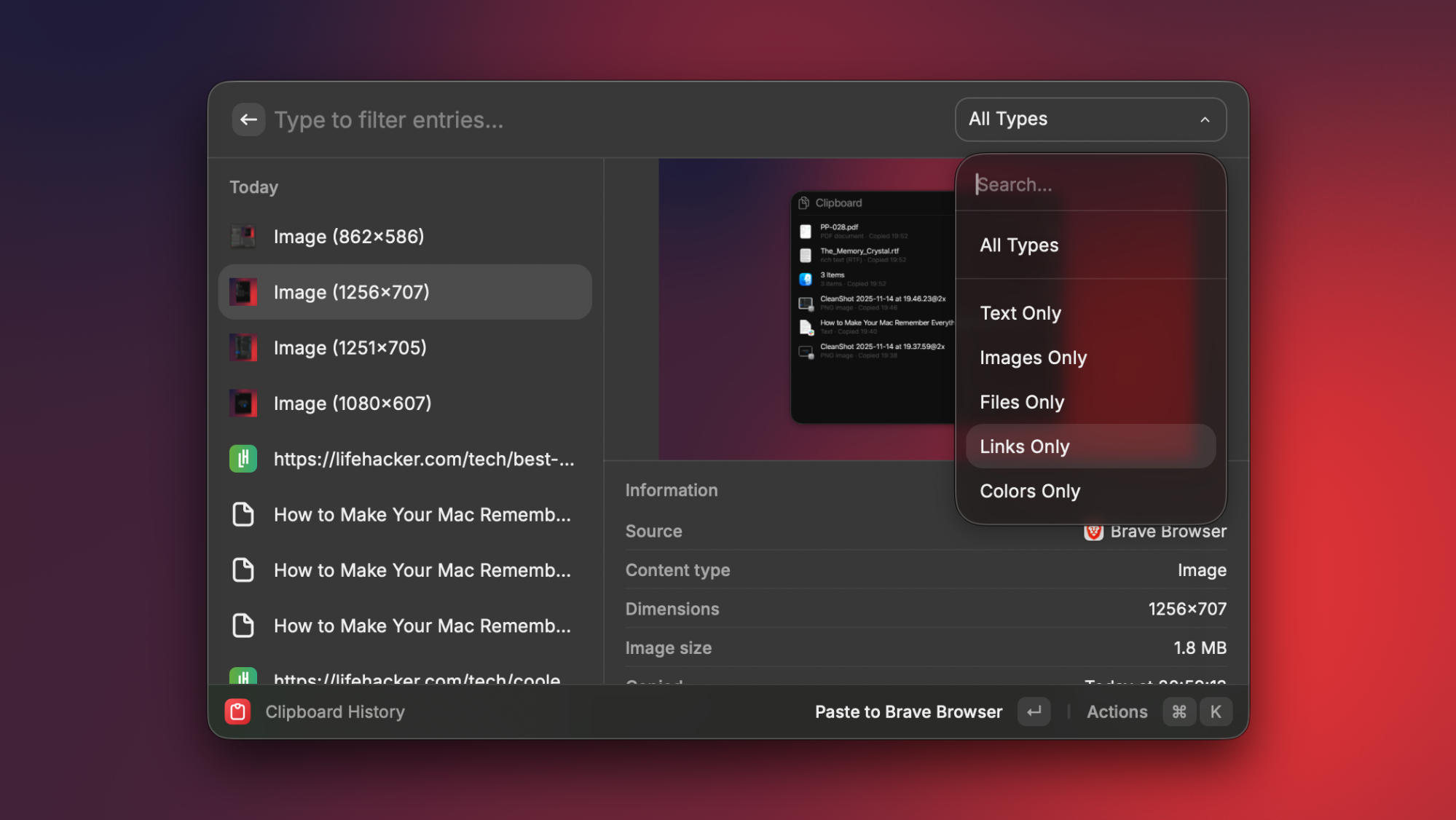
Clipboard history in Spotlight on Mac.

Credit: Pranay Parab

If you’ve upgraded to macOS 26 Tahoe, you’ll notice that Spotlight is slightly better than before. It now allows you to do two things it didn’t before—check your clipboard history, and create shortcuts to execute common actions. You can enable clipboard history by going to System Settings > Spotlight > Results from Clipboard, and access it by using the keyboard shortcut Command-Space-4.

As for automation, Spotlight has a new feature that lets you add quick keys to speed up common actions. You can press Command-Space-3 to open the Actions tab in Spotlight, and you’ll see a list of supported actions. Next to some, you’ll see a button called Add quick keys. Press this button and you can set up a keyboard shortcut to execute it. As an example, I’ve set up “sm” as the keyboard shortcut to send a message. The moment I type it and select the action via Spotlight, it allows me to type a message and send it to anyone from my contacts without opening the Messages app. Feel free to set up as many quick keys as you want and use Spotlight as your gateway to different actions within apps.

Use an app to control per-app volume

One of the most common annoyances with the Mac is that it doesn’t easily let you set a different volume level for each app. If you find that app notifications are too loud and getting in the way of your video viewing experience, the easiest workaround is to use an app to set a custom volume level for different apps. The free Background Music app does a decent job with this, and if you’re willing to pay for a much more polished experience, you should get SoundSource ($45).

Optimize your window tiling setups

macOS didn’t have any useful window management features for very long, but now it has some good basic options. You can try pressing fn-ctrl-left arrow or right arrow to move windows around, or just drag an app’s window to the left or right edge of the screen to see tiling options. You also have the option of hovering your mouse pointer over the green button to the top-left of any app’s window, where you’ll see lots of options to arrange windows. There are some window tiling settings available under System Settings > Desktop & Dock > Windows, too, so be sure to check them out.

While macOS’ built-in window tiling features work just fine, the implementation isn’t as polished as that on third-party apps, which also offer lots of advanced features that Apple does not. Free window management apps such as Loop and Rectangle offer many more window positioning and layout options. If you’re willing to pay, apps such as Moom ($15) and Rectangle Pro ($10) are even better, as they have support for precise custom layouts, and handling multi-display setups, too.

Make the most of your Mac’s display notch
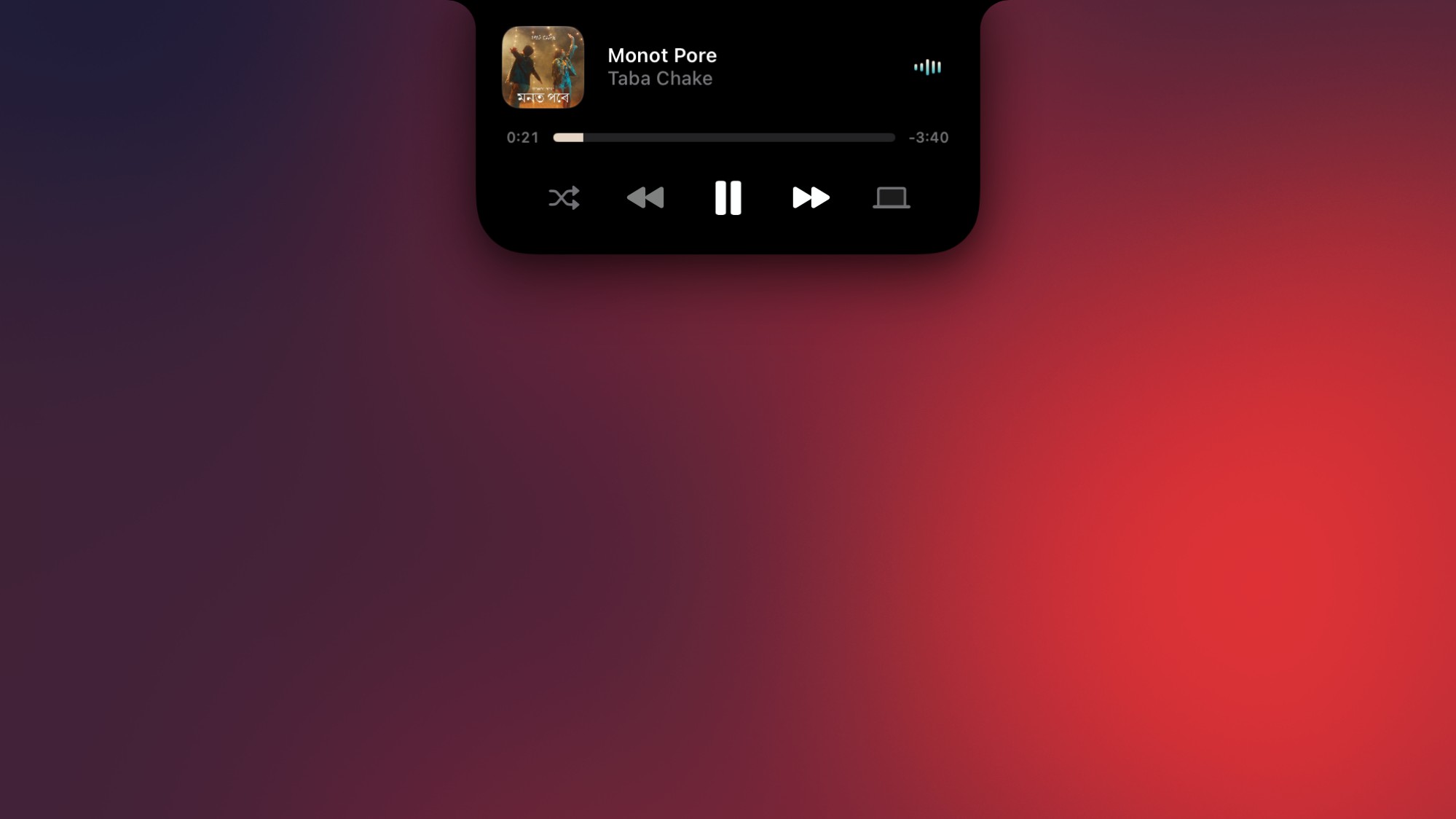
Alcove running in the notch of the MacBook.

Credit: Pranay Parab

Newer MacBooks have a notch in the display, which is a design choice Apple made to give you a larger screen without increasing the size of the MacBook. The notch looks like dead space on your MacBook, but some apps add a ton of useful features to this space. You can have things like music controls, calendars, battery status indicators, AirPods connectivity indicators, and more sitting right in your Mac’s display notch. Alcove ($15) is my favorite app for this, as it brings the iPhone’s Dynamic Island to your Mac. It shows you when your Mac enters a Focus mode, highlights volume and brightness changes, and when AirPods are connected. It also has gesture-based music playback controls, and much more. But if you just want music controls, you can get Tuneful ($5), which does that job quite well and costs a lot less.

The Option key hides a treasure trove of features

The humble Option key on your Mac’s keyboard holds the secret to many hidden features. Hold the Option key and click the clock icon in your Mac’s menu bar. You’ll notice that this toggles Do Not Disturb mode on your Mac. It also reveals advanced wifi network information, shows more export formats in Preview, and has several more tricks that only appear when you press the Option key while opening menus from the menu bar.

You can customize the dock

Your Mac’s dock is a great place to keep the apps that you use the most, so that you can launch them quickly. However, there are lots of fun ways to customize the Mac’s dock to make it even more useful. Once you’ve cleaned up the dock by removing apps you don’t use and replacing them with ones you do, you can also add spacers to organize the dock and use folders to group multiple apps in one icon. All these options are built into macOS, but third-party apps let you access even more options. The free TinkerTool app makes it easier to add spacers and has extra dock customization options, while uBar ($30) gives you the freedom to completely change the look and feel of the dock. If you’re really missing Windows, uBar lets you replace the dock with something that looks like the Windows 11 taskbar, too.

The screenshot tools are great
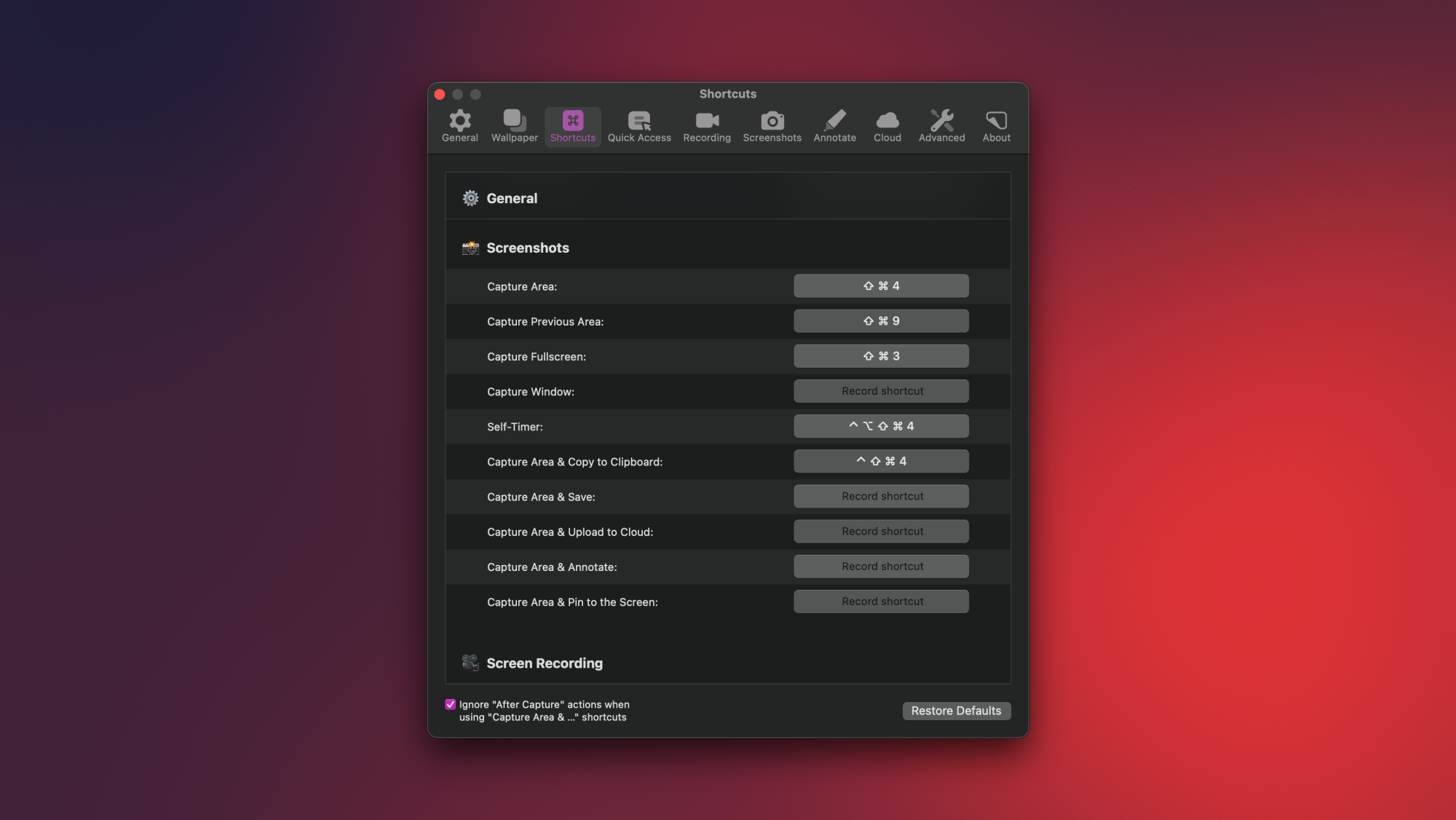
CleanShot settings on a Mac.

Credit: Pranay Parab

Your Mac has some amazing built-in screenshot tools, and you should absolutely make the most of these. Press Command-Shift-5 to see the breadth of the screenshot and screen recording tools you get for free. These tools are great, and have been designed with a lot of thought and care, but for some people, they aren’t going to be enough. If you want some neat features like taking scrolling screenshots of entire webpages, repeatedly capturing a specific part of the screen, or showing the keyboard buttons you’re pressing during a screen recording, then you should consider replacing your Mac’s screenshot tool with something better. My favorite app is CleanShot X ($29) and I’ve used it for over six years now. It has every screenshot feature you could ask for, and its screen recording tools are quite good, too.

There are easy ways to free up your Mac’s storage

If your Mac’s storage is full, it’ll slow down a lot, and eventually you may experience a system crash. That’s why it’s important to keep some free space at all times. Your Mac has an easy built-in way to free up storage space now. Go to System Settings > General > Storage to get started. If you just pay attention to the recommendations on this page, you’ll find it easy to clear out lots of storage space in just a few clicks. Beyond that, don’t hesitate to enable automatically deleting files in Trash on your Mac.

These tools are all really good, but I highly recommend DaisyDisk ($10) for those who want to free up even more space. This app is faster than macOS’ built-in methods, has a prettier interface, and lets you see exactly which apps or folders are taking up too much space. Cleaning up also takes just a couple of clicks.

Back up your photos to local storage

Everyone knows about iCloud and uses it to back up photos to the cloud. My only issue with this approach is that iCloud is a sync service and not a true backup option. If you delete iCloud photos from your iPhone, they’ll be deleted from all other Apple devices, too. To safeguard against accidental photo deletion or losing your precious memories, I recommend backing up your photos to a second location. Parachute Backup ($5) is an excellent Mac app that backs up your iCloud photos to an external drive . I recently used Parachute Backup to back up over 12,000 photos to a hard drive on my home network, and it did the job flawlessly in around 2 hours.

Skyrim arrives on the Switch 2

You can add the Switch 2 to the (long) list of platforms where you can play The Elder Scrolls V: Skyrim. The bad news: It costs $60 to play the 2011 game optimized for Nintendo’s 2025 hardware. The good news: It costs less (or nothing) if you own one of the versions for the original Switch.

The (digital-only) Switch 2 port is the Anniversary Edition of Skyrim, released in 2021. That includes the base game and three expansions (Dawnguard, Dragonborn and Hearthfire). You’ll also find hundreds of Creation Club items, like quests, weapons, armor, spells and dungeons. The Anniversary Edition’s Zelda crossover content (Master Sword, Hylian Shield and Champion’s Tunic) is also there. So, at least there’s plenty of content.

The game also offers technical upgrades for the Switch 2 hardware. It has enhanced resolution, DLSS anti-aliasing, faster load times and general performance optimizations. There’s also mouse support, motion controls and Amiibo support. The trailer below gives you an idea of what to expect.

In an interview with Nintendo Life, Bethesda Creative Director Matt Carofano said the Switch 2 port was “an easy development process and actually pretty quick” to make. He described the team’s motivation for porting it as bringing back “one of our most beloved games to the Switch 2 and see how we can improve it and make it the best experience for that console.”

Okay, cool, but I’m gonna go on a limb and say money was also a factor. That’s because, if you don’t already own Skyrim for the OG Switch, you’ll have to fork over a whopping $60 in the Nintendo Store for the 14-year-old game. Meanwhile, if you own the standard version of Skyrim for the original Switch, you’ll pay $20 to upgrade. Finally, if you have the Skyrim Anniversary Edition on the OG Switch, you can install the new version for free.

If you own the Switch 1 version, first install that on Switch 2 and start the game. When you see the eShop banner advertising the new version, press Y to access the store and upgrade. You can do that with both digital and physical versions of Skyrim for Switch 1.

This article originally appeared on Engadget at https://www.engadget.com/gaming/nintendo/skyrim-arrives-on-the-switch-2-175200223.html?src=rss

Court: “Because Trump said to” may not be a legally valid defense

On Monday, US District Court Judge Patti Saris vacated a Trump executive order that brought a halt to all offshore wind power development, as well as some projects on land. That order had called for the suspension of all permitting for wind power on federal land and waters pending a review of current practices. This led states and an organization representing wind power companies to sue, claiming among other things that the suspension was arbitrary and capricious.

Over 10 months since the relevant government agencies were ordered to start a re-evaluation of the permitting process, testimony revealed that they had barely begun to develop the concept of a review. As such, the only reason they could offer in defense of the suspension consisted of Trump’s executive order and a Department of the Interior memo implementing it. “Whatever level of explanation is required when deviating from longstanding agency practice,” Judge Saris wrote, “this is not it.”

Lifting Trump’s suspension does not require the immediate approval of any wind projects. Instead, the relevant agencies are likely to continue following Trump’s wishes and slow-walking any leasing and licensing processes, which may force states and project owners to sue individually. But it does provide a legal backdrop for any suits that ultimately occur, one in which the government’s actions have little justification beyond Trump’s personal animosity toward wind power.

Read full article

Comments

Microsoft Flight Sim 2024 now has a Stranger Things expansion

Microsoft Flight Simulator 2024 just got a fairly bizarre expansion inspired by the Netflix show Stranger Things. If you’ve ever wanted to fly over a fictional Indiana town in the 1980s, this is the update for you.

That’s right. The game now lets folks fly over Hawkins, Indiana and check out more than 40 iconic locations from the series, including Starcourt Mall, the junkyard, the government lab and, of course, the upside down.

Microsoft Flight Simulator 2024 introduces Netflix’s Stranger Things expansion, out Dec 9

� Recreation of Hawkins with more than 40 iconic locations
� Five exhilarating missions

Full details: https://t.co/JyB4LkMSzO pic.twitter.com/XsmGzt52Mb

— PlayStation (@PlayStation) December 9, 2025

Inexplicably, this isn’t just a joyride. There’s an actual game here, with five helicopter-based missions that have players arranging supply drops, rescuing characters and chasing bad guys. Murray Bauman, portrayed by Brett Gelman, is on hand to assign missions and engage in banter.

This is a free update and it’s available right now, so get out there and blast that one Kate Bush song over and over (and over.) As for Stranger Things, the second part of season five drops on December 25, followed by the series finale on January 1. Microsoft Flight Simulator 2024, which first came out last year, recently launched for PS5.

This article originally appeared on Engadget at https://www.engadget.com/gaming/microsoft-flight-sim-2024-now-has-a-stranger-things-expansion-173944325.html?src=rss

What Happens When an ‘Infinite-Money Machine’ Unravels

Michael Saylor’s software company Strategy, formerly known as MicroStrategy, built a financial model that some observers called an “infinite-money machine” by stockpiling hundreds of thousands of bitcoins and issuing stock and debt to buy more, but that machine appears to be breaking down. The company’s stock peaked above $450 in mid-July and ended November at $177.18, a 60% decline. Bitcoin fell only 25% over the same period. The gap between Strategy’s market cap and the value of its bitcoin holdings has nearly vanished.

At one point last week, the company’s market value dipped below the value of its bitcoins after accounting for debt. Strategy announced it had built a $1.4 billion dollar reserve by selling more stock to cover required dividend payments to preferred shareholders over the next twelve months. The company also disclosed it might sell some of its coins if its value continues to fall, a reversal from Saylor’s February tweet declaring “Never sell your Bitcoin.” Professional short seller Jim Chanos, who had questioned the strategy’s sustainability, told Sherwood he made money by shorting the stock and buying bitcoins.


Read more of this story at Slashdot.

Meta is trying to make Facebook suck less by simplifying things a bit

Somewhere along its never-ending quest to increase engagement, Meta realized that giving Facebook users more of what they want would make it more likely that they’ll stick around. The company has announced a bunch of updates designed to help improve the feed and the broader Facebook experience by making it easier to find, create and share interesting things. (Because primarily showing updates from your friends with the occasional ad or meme post is maybe just too complicated.)

Simplification is a big focus of this overhaul. First, the Facebook feed will be a bit more streamlined. Whenever you post multiple photos, Facebook will arrange them into a standardized grid. When you click into anything on the feed, you’ll be able to see it in a full screen view. And there’s a very welcome change in that you’ll be able to like a photo by double-tapping it. Just be careful with that when you’re swiping through an ex’s or a crush’s photos.

Simplified Facebook feed.
Meta

Search results are now said to “show more content in a more immersive grid layout that supports all content types,” according to Meta. The company is trying out a new full-screen viewer for Facebook that “lets you explore different photo and video results without losing your place in search,” which it plans to expand to “more content and post types in the coming months.”

In addition, the company says you’ll be able to provide feedback on a Facebook post or Reel to help make future recommendations more relevant. More ways for you to “shape your feed” and offer feedback on what the algorithm serves up are coming soon.

The Facebook feed sucks, and it’s good that Meta knows it sucks. There have been numerous occasions over the last couple of years where I’ve had to scroll through a couple dozen uninteresting posts from pages and creators I’ve never heard of before seeing something from a friend. The glut of spam and AI slop isn’t helping (things are pretty grim for creators who have been dealing with content thieves too).

There was a spell of several months last year when, every single time I opened Facebook, I would see an utterly garbage AI-generated image of a “tiny house,” a supposedly cozy domicile where not much actually made sense (three TVs in a living room, stairs and railings that had the telltale signs of AI warping). I’d always provide feedback that I didn’t want to see any posts from that page again. But the next day there’d be another rotten “tiny house” image from a different page in my feed.

Here’s hoping Meta will actually take feedback related to recommendations on board and act on it. If the company does, it might actually make the feed more interesting to scroll through again.

Elsewhere, Facebook will place the most-used tab bar features — such as Reels, Friends, Marketplace and Profile — front and center on the tab bar for easier and faster access. Meta is also promising a refreshed look for the menu and “cleaner” tab notifications.

Facebook Story creation screen
Meta

Facebook is making it easier to access more popular Story and Feed post creation tools like music and friend tagging by giving them more prominent placement. Advanced options like text background colors will be an extra tap or two away. The post and Story composer feature audience and cross-post settings prominently, so that you have ease of control over who can see what you’re sharing. Meta has updated how comments work across the feed, Groups and Reels as well to make things more streamlined and easier to follow. 

On top of all of that, when you make changes to your profile, you might start seeing suggestions for friends with shared interests. Meta suggested that, “if you update your profile to show you’re into sourdough bread baking or planning a trip to Nashville, Facebook will show you friends who can give you sourdough starter tips or offer suggestions on the best local spots.” As always, though, you can decide who sees what on your profile or simply opt to share none of this personal info with Facebook at all, especially if you feel that Meta already knows too much about you.

This article originally appeared on Engadget at https://www.engadget.com/social-media/meta-is-trying-to-make-facebook-suck-less-by-simplifying-things-a-bit-171910771.html?src=rss

Google is reviving wearable gesture controls, but only for the Pixel Watch 4

Long ago, Google’s Android-powered wearables had hands-free navigation gestures. Those fell by the wayside as Google shredded its wearable strategy over and over, but gestures are back, baby. The Pixel Watch 4 is getting an update that adds several gestures, one of which is straight out of the Apple playbook.

When the update hits devices, the Pixel Watch 4 will gain a double pinch gesture like the Apple Watch has. By tapping your thumb and forefinger together, you can answer or end calls, pause timers, and more. The watch will also prompt you at times when you can use the tap gesture to control things.

In previous incarnations of Google-powered watches, a quick wrist turn gesture would scroll through lists. In the new gesture system, that motion dismisses what’s on the screen. For example, you can clear a notification from the screen or dismiss an incoming call. Pixel Watch 4 owners will also enjoy this one when the update arrives.

Read full article

Comments

Google Pixel Watch 4 gets double pinch and wrist turn features

It has been two months since Google released the Pixel Watch 4 and now the company is introducing new updates to the wearable. In our review, Engadget managing editor Cherlynn Low was impressed enough with the watch to give it an 86, but called out the lack of gesture-based interactions. The new one-handed gesture features, like double pinch and wrist turn, should make up for that. 

In an industry that involves constant borrowing of ideas, it should come as no surprise that these features are very similar to those available on the Apple Watch. Double pinch works much the same to the Apple Watch’s double tap. Pixel Watch 4 users should be able to pinch their fingers together twice on the same hand to do things like answer or end a call and pause timers. The Pixel Watch will also offer “context hints” on its screen about when a person should consider using double pinch. 

Then there’s wrist turn, Google’s answer to Apple’s wrist flick. It should allow Pixel Watch 4 users to take actions like dismissing incoming calls by turning their wrist. 

Currently, users can rotate their wrist to scroll through notifications. They can also summon Gemini by bringing their wrist to their mouth, but it’s a bit finicky, requiring them to start at the homepage and be extremely accurate in their movements. Google is rolling out a new step-by-step tutorial for this raise to talk feature, so hopefully it becomes a bit easier to use moving forward. 

This article originally appeared on Engadget at https://www.engadget.com/wearables/google-pixel-watch-4-gets-double-pinch-and-wrist-turn-features-170024210.html?src=rss

Google Will Fix Your Pixel’s Broken Display for Free (If It Qualifies)

Smartphone display issues are nothing new. Most of us have dropped our phones the wrong way one time or another, and had to deal with the pain (and cost) of getting them fixed. But when your smartphone’s screen starts acting up for no particular reason, it’s pretty frustrating—especially if the manufacturer still holds you accountable for the repair fees.

If that sounds like your experience with your Pixel 9 Pro, Pixel 9 Pro XL, or Pixel 9 Pro Fold, there’s good news: Google is now launching an Extended Repair Program for the Pixel 9 Pro line. According to Google’s announcement on Monday, the company has identified a “limited number” of Pixel 9 Pro and Pixel 9 Pro XL units that might exhibit display issues that impact the user’s experience with the device. Should your Pixel 9 Pro’s display show these symptoms, Google will fix the display at no cost to you.

What it takes for your Pixel 9 Pro to qualify

That doesn’t mean any and all display issues on your Pixel 9 Pro device qualify here. Google has identified two specific problems that this Extended Repair Program actually covers. The first is a vertical line present on the display. The line has to run from the bottom of the screen to the top, so partial lines won’t quality. The second is display flicker. If you notice your Pixel 9 Pro’s display quickly getting brighter and darker, as if someone was flicking a switch back and forth, you qualify for the repair program.

The Pixel 9 Fold is another story altogether. Like the 9 Pro and 9 Pro XL, Google is offering a free repair program for the 9 Pro Fold. However, unlike the other devices, there are no specific issues identified here. The problems may be display-related, but since the company won’t specify, you could bring your 9 Pro Fold in for just about anything that’s going wrong with it—as long as you didn’t cause the issue yourself. In addition, Google won’t actually fix your foldable, but will instead replace it entirely.

The company is also being strict regarding the quality of the display outside of these issues across all Pixel 9 Pro devices. If your Pixel’s display or cover-glass is cracked, that may disqualify you from the free repair. If Google finds liquid damage in your device, same story. In any of these cases, the company will still fix the display issues mentioned above, but they might charge you for it.

How to get your Pixel 9 Pro fixed

Affected Pixel 9 Pro, 9 Pro XL, and 9 Pro Fold units qualify for repair as of Dec. 8, and coverage will last for three years after the original purchase date of the device. You will need to have your device inspected at a Google walk-in center, Google-authorized center, or an online repair store before the company can confirm eligibility. You can get started on your claim from Google’s official repair site.

This is good news for any Pixel 9 Pro users who have these specific issues—or any issues at all for Pixel 9 Pro Fold users. It joins a host of other Extended Repair Programs for Pixel devices, including the Pixel 4a battery program, the Pixel 6a battery program, the Pixel 7a repair program, and the Pixel 8 repair program,

6 of the best cheap or free winter cycling hacks (that work)

Winter can be a time that tests the will of most cyclists, as cold and wet conditions make us yearn for sunny days on dry roads or trails.

New winter clothing can sometimes seem like the only option to make riding possible in the cold months, but this isn’t always the case.

Here are some of our favourite cheap or free hacks to keep you warm when cycling through the winter – including some slightly off-the-wall ideas, but hear us out.

1. Layers, layers, layers

Having a range of layers at your disposal is key to keeping comfortable in winter. Dave Caudery / Our Media

Most of us are guilty of holding onto more cycling kit than we really need, but this can work to your advantage in winter.

As a general rule, the more layers you have, the more versatile your winter wardrobe.

Using a variety of layers will enable you to easily regulate your temperature out on the bike as you remove and add layers to suit your internal temperature.

A single toasty layer may feel right at the beginning of the ride, but as you warm up through riding, you’ll probably end up too hot with no ability to strip off layers.

A good starting setup is a baselayer, jersey and winter jacket combo, then adding a gilet and waterproof jacket if it gets colder or rains. This setup may leave you wanting at the start of the ride, but as soon as you start riding you’ll soon warm up – and if you’re still cold, you have layers to add.

Donning a waterproof will also act as the last layer in the coldest of conditions, trapping in as much heat as possible.

A proper insulated jacket will do a better job of keeping you warm than pretty much anything else. Oliver Woodman

If you don’t own any cycling-specific warm layers, consider buying a used insulated jacket to act as your main layer. A tight aero-friendly cut is less important in the winter, where speeds (and ambitions!) are likely to be curtailed. We recommend going for a jacket with synthetic insulation because down is less effective when wet.

Mountain bikers should consider waterproof trousers, because these will keep you dry and provide warmth – they also leave you with clean legs at the end of your ride, saving those car seats.

2. Wax your cleats

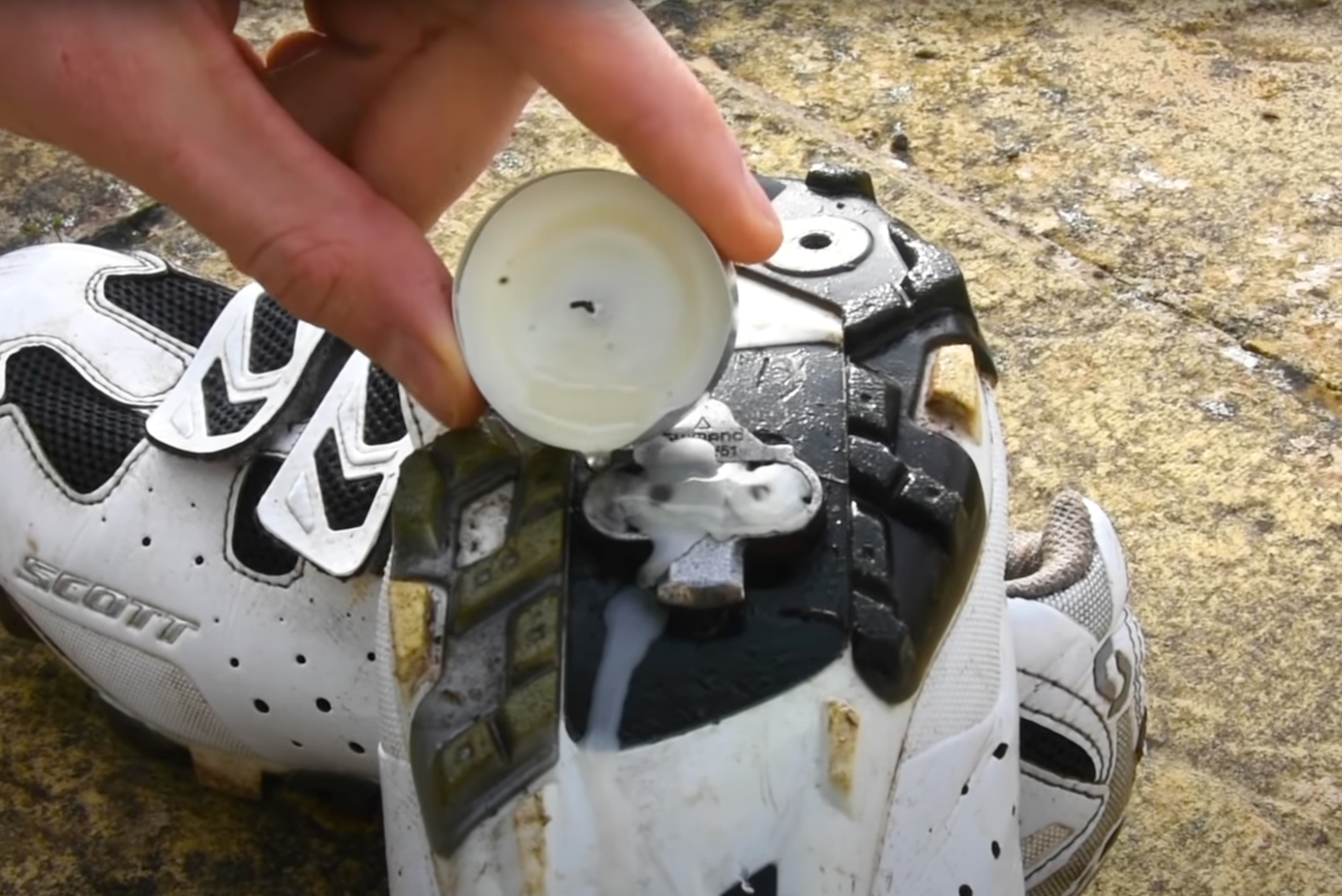
Waxing your cleats can cut down on infuriating squeaks. Our Media

Ever had an insufferable squeaking from your pedals? If so, this old skateboarding trick might just keep you sane on future rides.

In the winter, grit can get into the mechanism of your clipless pedals and cause a horrible squeaking noise as your cleat floats on the pedal’s surface.

Pouring hot candle wax onto the cleat and letting it set can help abate this. This adds a layer of lubricant to the cleat separating the two metals, eradicating any noise. Unlike wet lube or grease, wax won’t pick up any contaminants.

3. Keep warm with repurposed plastic

The sworn enemy of the sea turtle can protect you from the worst part of winter riding – cold water.

Feet

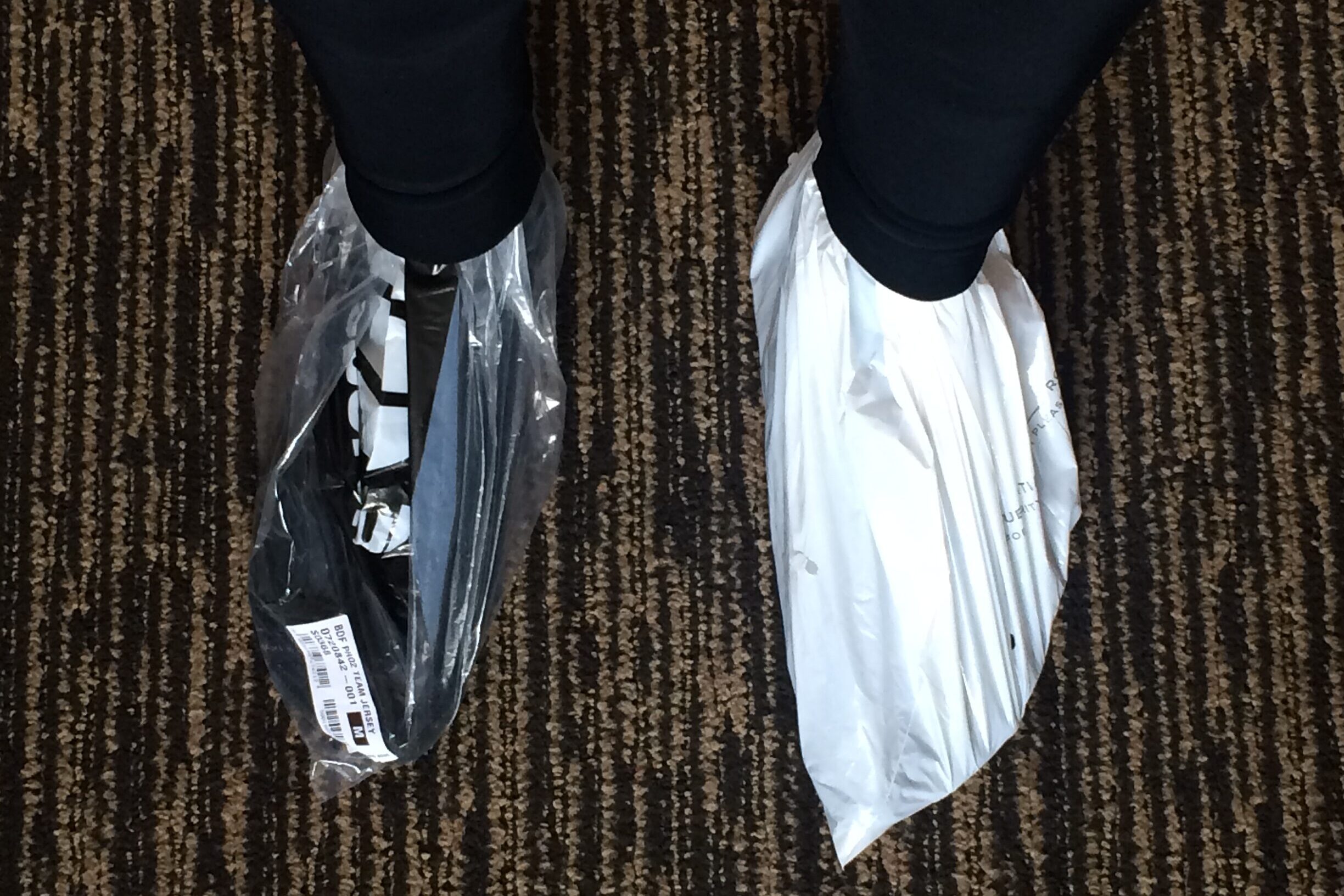
Using the same colour bag can add to a cleaner aesthetic – but this isn’t essential. Jack Luke / Our Media

Cold feet can’t be ignored – especially wet ones.

Placing your foot in a plastic bag before wearing shoes can immediately create a waterproof layer, keeping your feet dry and warm.

For best results, consider wearing the plastic bag next to your skin because this creates a vapour barrier, preventing outside moisture and perspiration from saturating the insulating layers – although breathability is a trade-off to consider in warmer conditions.

Some riders suggest wrapping tin foil around their toes to achieve a similar effect.

Hands

On a similar note, using latex or vinyl gloves – the ones found in workshops and surgeries – can add a waterproof lining to any glove you own, mimicking the likes of Sealskinz.

Like plastic bags on the feet, this creates a vapour barrier preventing outside moisture and sweat from infiltrating the layers. The downside is in breathability – because if moisture can’t enter, it also can’t escape.

If breathability becomes is an issue, you may want to consider looking at the best winter cycling gloves.

Chest

The plastic bag can be easily folded up and stored in a rear pocket. Our Media

A well-known audax hack is to simply wear a plastic bag between your jersey and outer layer. This acts as a windbreaker and a waterproof layer.

The plastic bag is a modern take on the classic newspaper trick used by pros of the past, except you’ll find supermarket names imprinted on your clothing instead of headlines.

4. Plug holes with Blu Tack

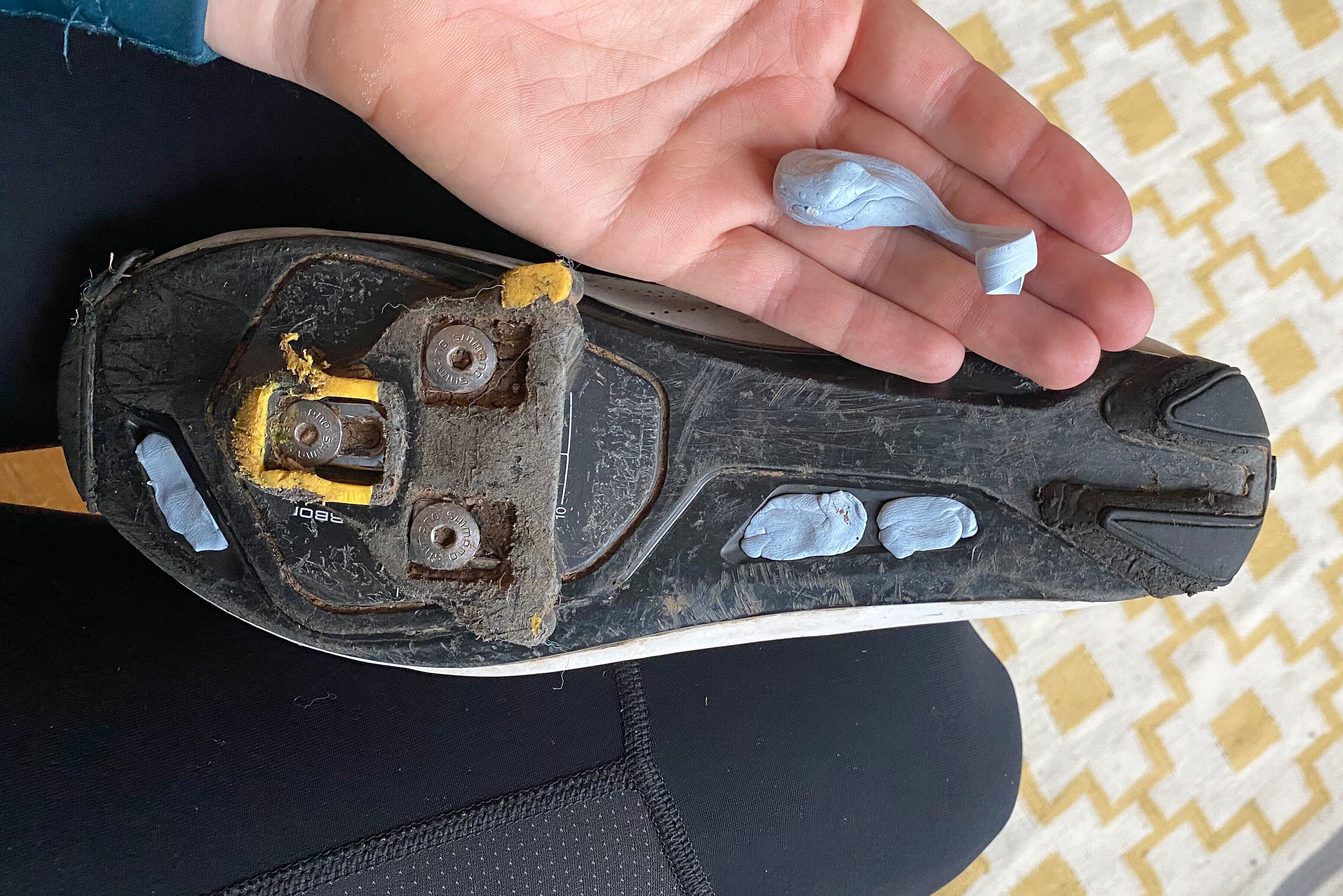
The Blu Tack can be reused for hanging posters or postcards.

The soles of most cycling shoes feature ventilation holes to enable your feet to breathe and not overheat. This is great in the summer, but on winter days the vent lets cold air and water through, which is a recipe for cold feet.

A nib of Blu Tack pushed into these holes creates a seal, keeping cold air and water at bay. We don’t recommend standing in puddles, but you won’t be disappointed by the sealing qualities of this sticky putty.

When brighter, warmer days reappear, you can quickly remove the tack and be left with the ventilation you desire. It may take a little longer to remove if your shoes feature a mesh over the ventilation holes.

5. Keep your bike looking dishy

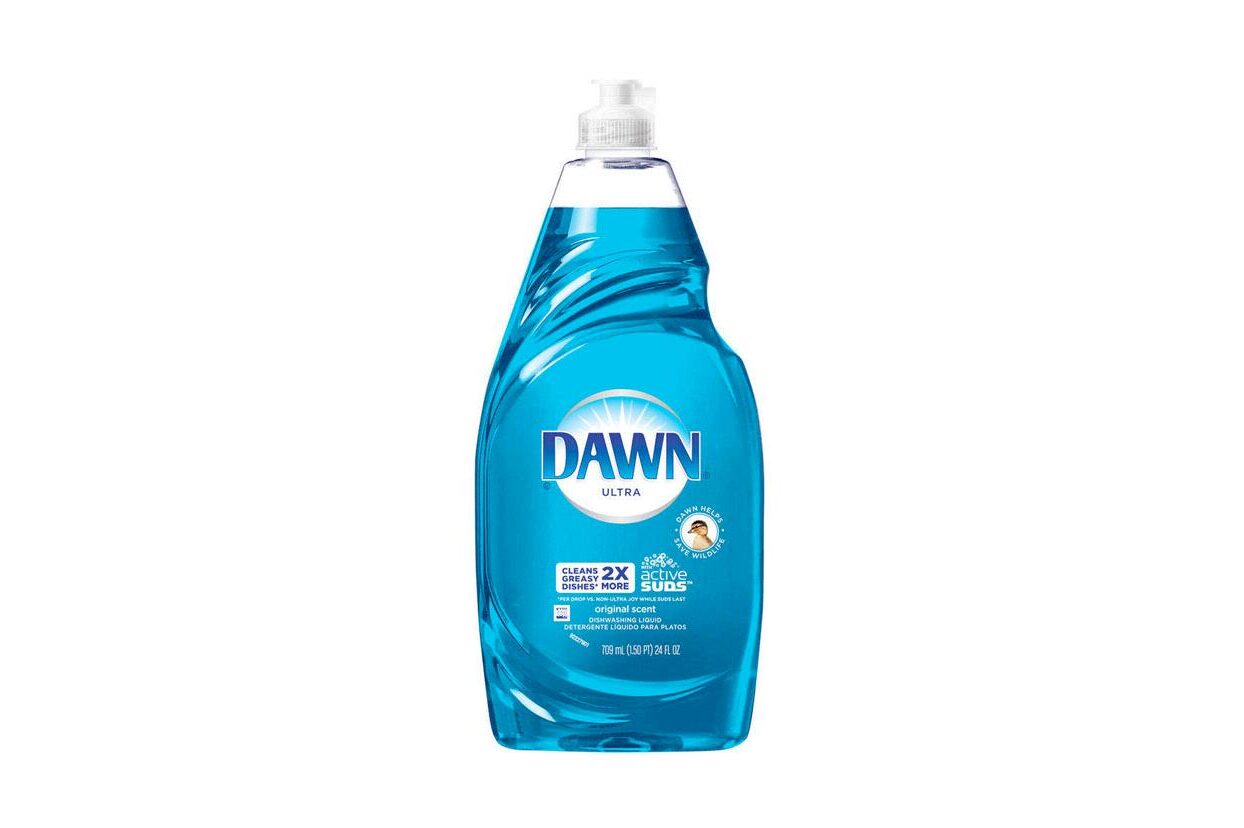
Washing-up liquid is a fantastic degreaser Courtesy

Through the winter, grit and mud make their way into your bike’s components, shortening their life span. Therefore, it’s necessary to keep your bike clean.

If you ride regularly, keeping topped up on cleaning products can become an expensive habit.

While bike-specific cleaning products are usually designed and tested to keep your pride and joy running and looking its best, there are other options that will clean your bike just as well.

Cleaning your bike in winter is a must. Will Jones / Immediate Media

Washing-up liquid works well as a bike cleaner when diluted, and can leave your bike looking good enough to eat your dinner off.

Old toothbrushes can have a second life, working the washing-up liquid into your drivetrain to degrease cassettes, chains and chainrings.

Our guide on how to clean a bike chain outlines the best technique to degrease your chain.

Some might argue that the salt in washing-up liquid can cause damage to your bike, however you will be rinsing the bike off quickly after applying it.

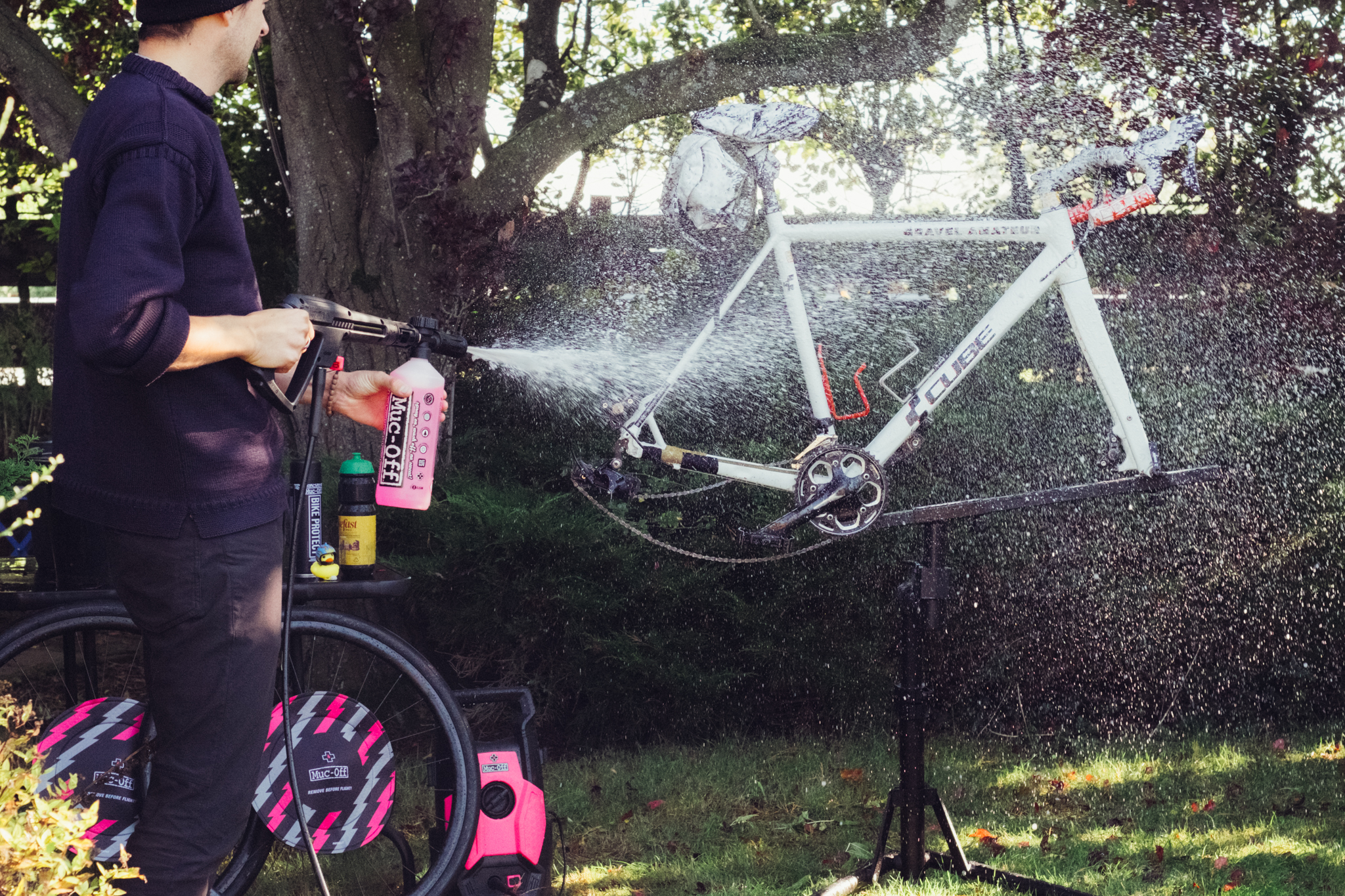
Pressure washing can speed up your bike cleaning, and save you from spending more time out in the cold.

If you are still loyal to big bike cleaner, then it is worth investing in a concentrated solution that can be diluted because this usually presents better value for money.

6. Food buys friends

You will not regret bringing extra food with you on a winter ride. Joseph Branston / Our Media

Even the most experienced rider can fall foul of the comically named the ‘bonk’. The bonk refers to the feeling when there’s nothing left in the tank and your legs have turned to jelly.

Bonking in the winter has an added level of discomfort that will have you fantasising about anything that can fill the hole in your stomach.

Carrying extra food is always a good precaution and can save you, or a fellow rider, from an agonising ride back home or to the next cafe stop.

You also use more calories in colder weather, so be aware that your consumption might rise through the winter months.

Study shows that Instacart was charging different amounts for the same items

A collaborative report from Consumer Reports, Groundwork Collaborative and More Perfect Union has uncovered pricing experiments within the Instacart app that yielded higher or lower prices for different users on the exact same items from the same store location.

The organizations partnered to enroll 437 shoppers in an experiment across four cities, where each shopper added the same items to their carts within Instacart from the exact same store. Almost 75 percent of grocery items were shown to shoppers at multiple price points, with as many as five different prices shown for the same item. The average difference between the highest and lowest price shown was 13 percent, while the highest delta on an individual item was a whopping 23 percent.

Engadget reached out to Instacart and received the following response. It reads in part: “Just as retailers have long tested prices in their physical stores to better understand consumer preferences, a subset of only 10 retail partners — ones that already apply markups — do the same online via Instacart. These limited, short-term, and randomized tests help retail partners learn what matters most to consumers and how to keep essential items affordable.” An Instacart spokesperson added that this is not dynamic pricing (insofar as it is not based on supply and demand), that no personal demographic data is used in the process and that these experiments are random.

The bulk of the tests were conducted at Safeway and Target stores, which both yielded similar results. A Target spokesperson told the New York Times that the company “is not affiliated with Instacart and is not responsible for prices on the Instacart platform.” Instacart told the Times that they were “evaluating different approaches” to cover the platform’s costs at the time of the study, but have since discontinued pricing tests on Target orders.

Instacart published a blog post today attempting to explain how these tests that showed higher prices are actually meant to help retailers invest in lower prices. It also waxes poetic about Instacart’s commitments to affordable groceries for consumers.

This article originally appeared on Engadget at https://www.engadget.com/big-tech/study-shows-that-instacart-was-charging-different-amounts-for-the-same-items-165108224.html?src=rss

Xbox Is Bleeding Out

Microsoft’s Xbox consoles were conspicuously absent from Black Friday’s winners, failing to crack the top three in U.S. sales during one of the retail calendar’s most important weeks. According to Circana analyst Mat Piscatella, the PlayStation 5 captured 47% of Black Friday week console sales ending November 29, followed by the Nintendo Switch 2 at 24% and — somewhat remarkably — the NEX Playground, a Kinect-like Android device aimed at children, at 14%.

Microsoft ran no promotions on its consoles during the period. The Xbox Series X currently retails for $650 following this year’s price increase, up from its $500 launch price in 2020. Sony, by contrast, discounted the PS5 by roughly 40% at some retailers. Piscatella noted on Bluesky that products without price promotions typically see no seasonal lift. Costco has removed Xbox consoles from its U.S. and UK websites.


Read more of this story at Slashdot.

Garmin’s ‘Year in Review’ Is Perplexing, Like the Rest of Its Subscription Service

We may earn a commission from links on this page.

Garmin has released an end-of-year summary of users’ stats, Spotify Wrapped-style. But it’s only available to people who pay for Garmin Connect+, the new paid subscription that Garmin has offered since March of this year. I’ll show you what’s inside the Year in Review, and give you my thoughts on how the subscription service has weathered its first almost-year. Spoiler: The more things Garmin adds, the less they seem to know what they’re doing.

What’s in the Year in Review? 

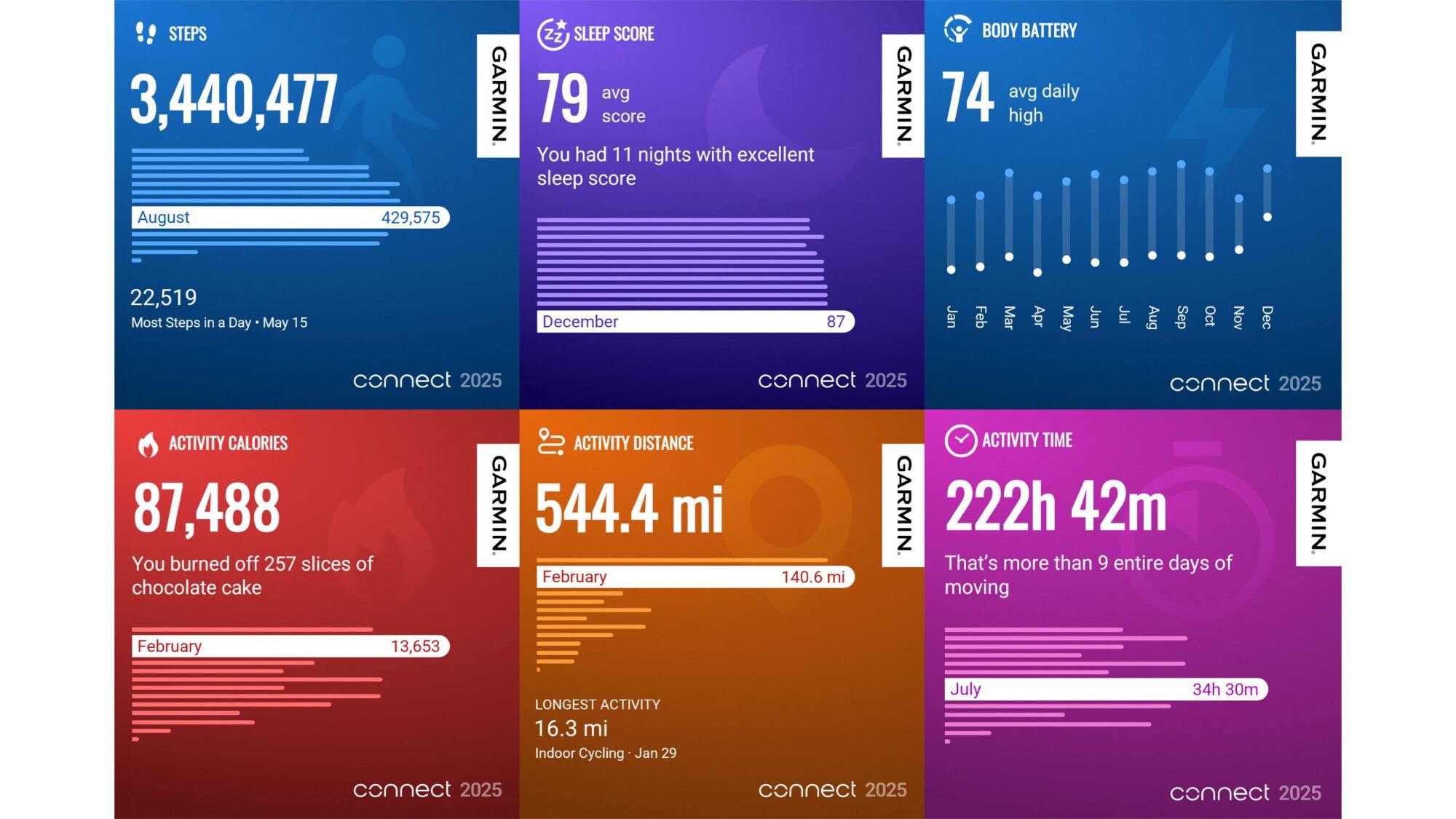
6 screenshots of Garmin Year in Review cards

Credit: Beth Skwarecki/Garmin

Garmin’s Year in Review feature shows you a bunch of cute visuals of your activity throughout the year. For each metric, there is usually a summary or a total, followed by a graph showing that metric for each calendar month (January through December) with the “best” month for that metric highlighted. Sometimes a particular workout was called out for that metric, such as your longest run. The metrics included:

  • Total steps

  • Sleep score average

  • Body Battery average daily high

  • Number of activities, and your most common types

  • Total activity time

  • Total activity distance

  • Total activity ascent

  • Total activity calories (put in terms of “slices of chocolate cake” for some reason)

  • Badges earned

  • Personal records earned

There are shareable cards for each, so it’s certainly fulfilling the function of a yearly recap, but it’s a bit boring to page through. I’m not sure why I’m supposed to care about my average Body Battery, and it’s not exactly a revelation that I did more gym workouts than bike rides. Perhaps this will get more polished in future years.

Your Year in Review says more about Garmin than about you

More companies than ever are offering an annual summary this year, and it seems like each of them is having a little identity crisis. Is the summary meant to provide free marketing when you share the screenshots with your friends? Engage you more deeply with the algorithm, to encourage you to consume more content? Or is it just a reward for being a loyal customer? 

Garmin, by making theirs a premium feature, doesn’t seem to be prioritizing any of the above. I see two things going on here: They’re competing with Strava, and grappling with what it means to exist as a hardware company in a subscription-based world. 

The Strava part is easiest to understand. Strava offers a premium subscription, and the main draw is that it comes with mapping tools and training analytics. People may gripe about having to pay to see their spot on a leaderboard or build a running route, but this model fundamentally works because people like and want those features. Strava’s “Year in Sport” is a premium feature as well, but people don’t subscribe just to get Year in Sport. It’s a little perk, not the whole point. 

Comparing Garmin’s recap to Strava’s, Strava’s feels more cohesive. There are fewer cards in the carousel, and they’re more relevant to things I care about. I get my activities and distance in the same card, find out how long I’ve kept my weekly streak (over a year!), see the days I was active, get reminded of one highlight run (definitely a memorable one), see my PRs for all the major distances, and get a shout-out on the one QOM and couple of Local Legend titles I earned. It’s easier for Strava to do this well because their platform is tailored to people with specific goals: to run or bike more and faster. Garmin tries harder to be everything to everybody. 

And then there’s the question of what Garmin is doing here. It’s always been a hardware company, starting out with GPS devices (back when “GPS device” was a standalone product category) and eventually becoming a maker of sports watches as well as gadgets like bike computers and boat navigation systems. The company seems to be having trouble finding its place in today’s subscription-based world. I appreciate that it isn’t removing features from existing products, but that makes me wonder what the point of Connect+ is supposed to be.

Garmin’s Connect+ subscription doesn’t seem to be the paywall people are afraid of (or the cash cow Garmin is probably hoping for)

Garmin has always been a hardware company at heart, but that model has been harder and harder to fit with the modern wearables market. Now that we all have smartphones, many of the features we expect from a Garmin watch are really features of a phone app. So to keep selling watches in different pricing tiers, Garmin ties specific features to the hardware you’ve bought. You’ll only get a “training status” in the app if you’ve paired a training status-capable watch, for example. (The Forerunner 265 counts, but not the 165.)

I have to imagine Garmin execs wish they could start over, make just a few physical devices, and sell software features as subscription tiers. Everything in 2025 seems to be sold on a subscription basis or with some features paywalled behind a premium tier. So of course Garmin tried to move into that space.

Garmin has long sold subscriptions for some devices, but those were always specific things like satellite messaging or high-definition marine charts, where the purpose and the cost made sense. Garmin Connect+, which launched this year, is basically a subscription for software features of the phone app, not a device. 

That’s good for Garmin users—no actual features of the watches get paywalled this way. Whatever features your Forerunner 265 had when you bought it, you get to keep those. New watches don’t seem to be missing any features (yet)—if anything, new releases like the Forerunner 570 and the Venu 4 seem to be adding features to justify their higher prices. 

But that leaves the Connect+ subscription without anything vital to offer. I’ve gone through and listed all the features you get, and I think the only one that’s really worthwhile is mirroring data to your phone, which both Apple and Coros will give you for free. The rest are all “huh?” features, like unlocking special badges or gaining access to an AI feature that is surely the least useful of all fitness apps’ AI features (and that’s really saying something). 

Garmin seems to be hoping that people will upgrade to the subscription because of its cool amazing attractive features, while carefully avoiding putting anything useful or essential in the subscription. That doesn’t seem to be a tightrope they can actually walk, unless they come up with new app features that don’t fit into their hardware models, but are actually useful and interesting. Features worth paying for are expensive to build, which explains why Garmin Trails is a dud so far—it’s just an empty shell of a service that users are supposed to fill with data, eventually, I guess. 

Year in Review must have been easy to build, but it doesn’t give us anything worth paying for. Garmin has been advertising the Year in Review to non-subscribers, suggesting that we pay for a subscription to access it. I just don’t think it’s working, Garmin.

Pebble is making a weird little smart ring for recording thoughts

Pebble just announced the Index 01, a smart ring for recording thoughts. It’s a little ring with a built-in microphone and that’s about it. The Index 01 is almost anti-tech in its simplicity. There’s no needless AI component shoehorned in, aside from speech-to-text. It’s a ring with a microphone that you whisper ideas into and I want one.

Here’s how it works. You get an idea while walking down the street, so you quietly whisper it into the ring. The ring sends the idea to a notes app or saves it for later review. Pebble founder Eric Migicovsky calls this an “external memory” for the brain, but I call it a nice way to avoid having to dig the phone out of a pocket or bag just to utter something like “pizza, but for cats.”

The ring doesn’t record unless a button is pushed, so it won’t be listening in on private conversations, and it doesn’t require a paid subscription of any kind. It’s on the smaller side, about the size of a wedding band, and is water-resistant.

The battery also lasts for “years” and never needs to be charged. The ring is designed to be worn at all times, so users develop the muscle memory of holding down the little button when they have something to share. See what I mean? I want one, and I’ve quite literally never worn a ring in my life.

A ring.
Pebble

Migicovsky says this is an open source product and that Pebble is “leaving the side door open for folks to customize.” He envisions people will integrate AI voice agents and that the ring will eventually work with stuff like ChatGPT, Beeper, Google and other services.

The Pebble Index 01 works with iPhone and Android and is available for preorder right now. It costs $75 during this preorder period, but the price jacks up to $99 when shipments start going out in March.

This is just the latest product by Migicovsky and Pebble. The company unveiled the Core 2 Duo and the Core Time 2 smartwatches earlier this year.

This article originally appeared on Engadget at https://www.engadget.com/wearables/pebble-is-making-a-weird-little-smart-ring-for-recording-thoughts-161723645.html?src=rss

The Rarest of All Diseases Are Becoming Treatable

In February, a six-month-old baby named KJ Muldoon became the first person ever to receive a CRISPR gene-editing treatment customized specifically for his unique genetic mutation, a milestone that researchers say marks a turning point in how medicine might approach the thousands of rare diseases that collectively affect 30 million Americans. Muldoon was born with a type of urea-cycle disorder that gives patients roughly a 50% chance of surviving infancy and typically requires a liver transplant; he is now a healthy 1-year-old who recently took his first steps.

The treatment’s significance extends beyond one child. Scientists at UC Berkeley’s Innovative Genomics Institute and the Children’s Hospital of Philadelphia are now planning clinical trials that would use Muldoon’s therapy as a template, tweaking the molecular “address” in the CRISPR system to target different mutations in other children with urea-cycle disorders. Last month, FDA officials Marty Makary and Vinay Prasad announced a new drug pathway designed to accelerate approvals for such personalized treatments — a framework inspired in large part by Muldoon’s case. Current gene-editing delivery mechanisms limit treatments to disorders in the blood and liver. Many families will still go without bespoke therapies.


Read more of this story at Slashdot.

Brazil weakens Amazon protections days after COP30

Despite claims of environmental leadership and promises to preserve the Amazon rainforest ahead of COP30, Brazil is stripping away protections for the region’s vital ecosystems faster than workers dismantled the tents that housed the recent global climate summit in Belém.

On Nov. 27, less than a week after COP30 ended, a powerful political bloc in Brazil’s National Congress, representing agribusiness, and development interests, weakened safeguards for the Amazon’s rivers, forests, and Indigenous communities.

The rollback centered on provisions in an environmental licensing bill passed by the government a few months before COP30. The law began to take shape well before, during the Jair Bolsonaro presidency from 2019 to 2023. It reflected the deregulatory agenda of the rural caucus, the Frente Parlamentar da Agropecuária, which wielded significant power during his term and remains influential today.

Read full article

Comments