
Ruby 4.0 is now available, introducing the experimental Ruby Box isolation feature, the new ZJIT compiler, and performance and concurrency improvements.
Category Archives: Unfiltered RSS
Post-Christmas Indoor Deals! Zwift’s Big New Year Sale + Wahoo’s Boxing Day Sale
Zwift just launched what they’re calling a “Big New Year Sale” running through January 5, while Wahoo has launched Boxing Day discounts.
Some of these sale prices match what we recently saw for Cyber Weekend, but we’re also seeing the lowest price ever in the UK for the Zwift Ride with KICKR CORE 2, and the lowest price ever on the Wahoo KICKR V6. See below for details!
Note: shopping links in this post are affiliate links to Zwift and Wahoo. Your purchase through these links helps support Zwift Insider, so thank you in advance!
Zwift Ride with KICKR CORE 2
This weekend Zwift repeats their big discounts on the Zwift Ride with KICKR CORE 2 from Cyber Weekend, except they’re lowering the price even more in the UK, to the lowest price I’ve ever seen.
- US: $999 (Regularly $1,299)
- UK: £899.99 (Lowest Price Ever, Regularly £1,099)
- EU: €999.99 (Regularly €1,199)



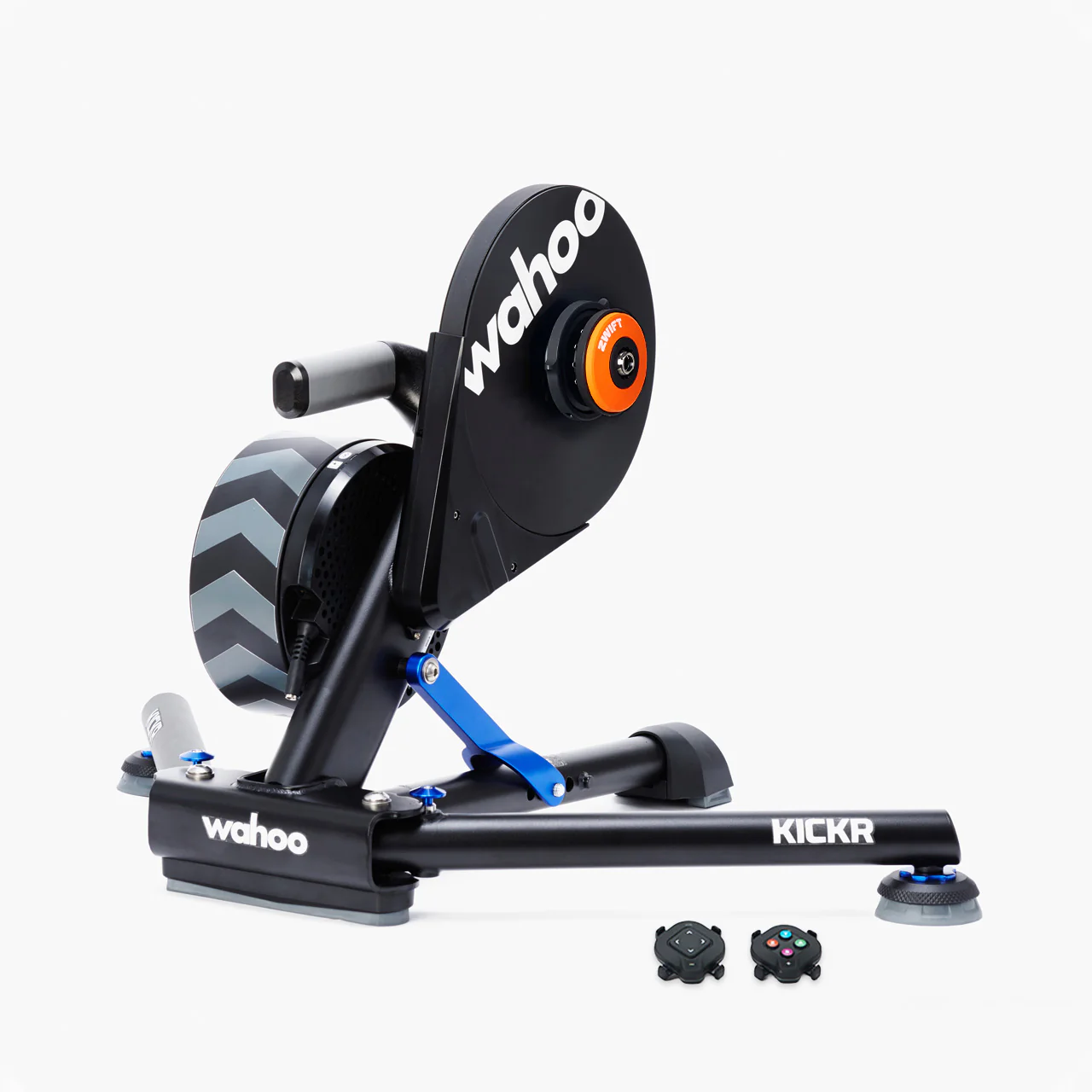
KICKR V6: $599 (Regularly $1049)
This is Wahoo’s flagship trainer, and my go-to for personal Zwifting sessions when I’m not testing other trainers. It does everything the KICKR CORE 2 can do, only better, including strong +/-1% power accuracy, a beefy flywheel for a realistic ride feel, WiFi connectivity, Zwift virtual shifting capability, and much more.
I’ve never seen it on sale for such a low price (42.9% off)… get it while you can!
Note: Zwift’s sale applies to the KICKR with Zwift Cog & Click, while Wahoo is offering the same pricing for the KICKR with a standard cassette.


KICKR CORE 2 with Zwift Cog & Click
Wahoo’s newest trainer is on sale in the UK and EU. The KICKR CORE 2 builds on the strong reputation of the original KICKR CORE by adding WiFi, Race Mode, Bluetooth Bridging of other sensors, and more.
- UK: £399.99 (Regularly £499.99)
- EU: €399.99 (Regularly €549.99)
- US: $549.99 (No Discount)



Price includes 1 free month of Zwift ($20 value) for new subscribers only.
KICKR BIKE SHIFT: $2,039 (Regularly $2,549)
Wahoo’s “budget” smartbike shares many features with the fully-loaded Pro model, including virtually silent operation, customizable electronic shifting, easy adjustability, and WiFi connectivity. (It only lacks the Climb gradient simulator, which many riders turn off anyway.) Available this weekend at a strong discount.



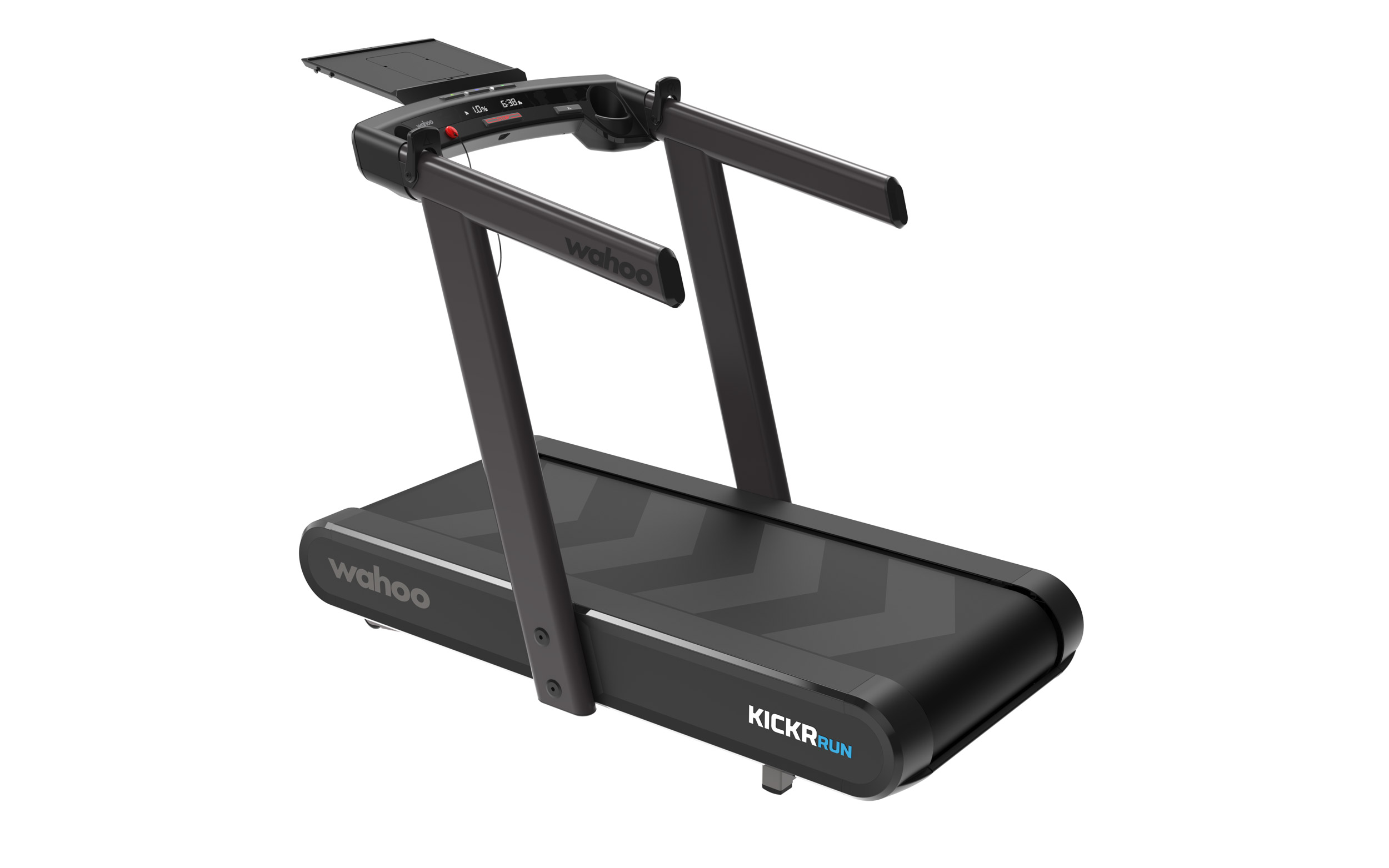
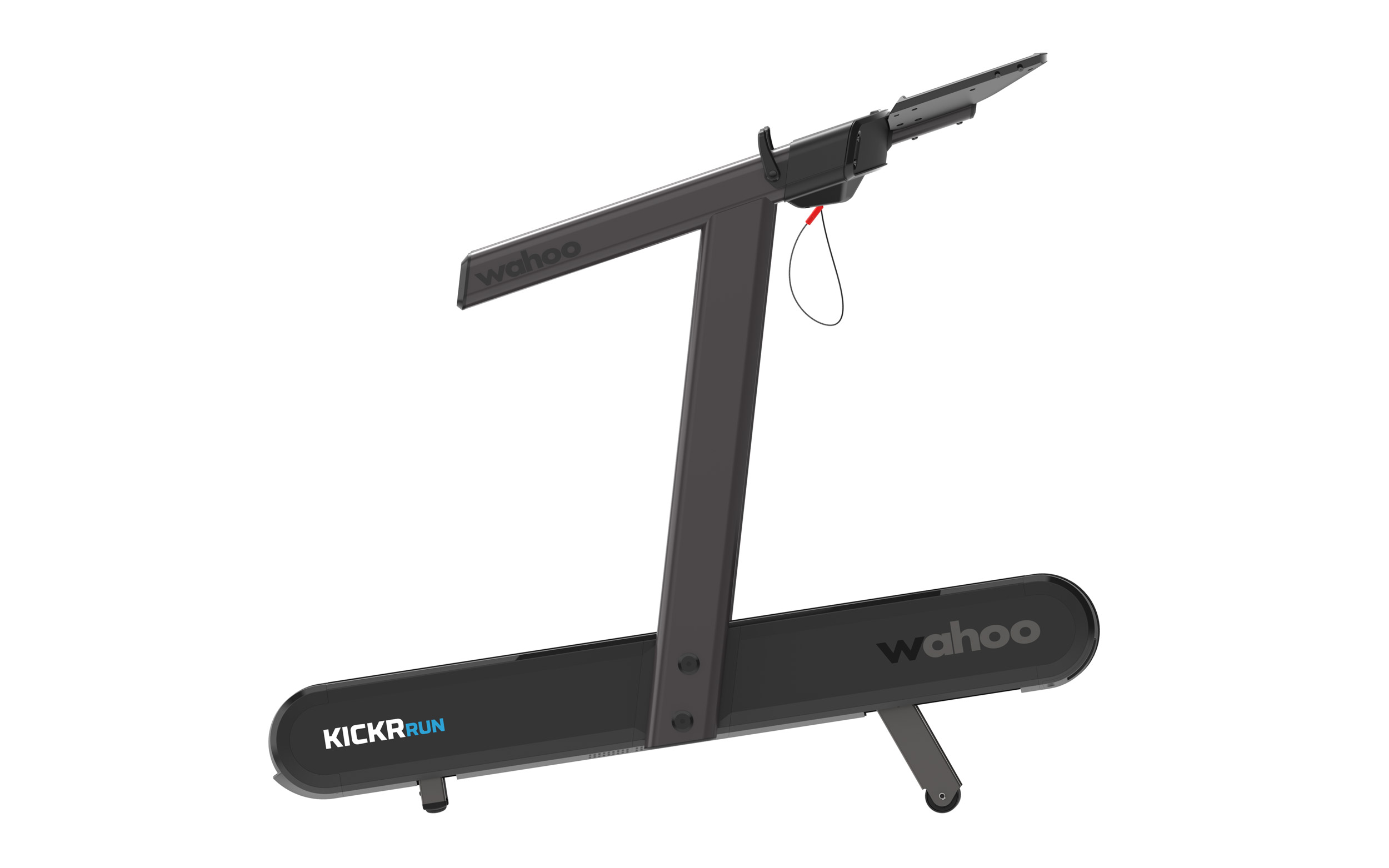
KICKR RUN: $5,249 (Regularly $6,999)
Wahoo’s cutting-edge smart treadmill has taken the industry by storm with its RunFree Mode, which uses advanced sensors to automatically adjust the belt speed to match your pace, eliminating the need for manual controls. The responsive surface, grade simulation, and lateral tilt all mimic outdoor running conditions, challenging stabilizer muscles while providing dynamic movement.

GStreamer 1.26.10 Brings Fixes for FLAC Opus and Matroska Handling
GStreamer 1.26.10 multimedia framework resolves multichannel FLAC and Opus issues and improves Matroska demuxing for 4K uncompressed video streams.
Fake MAS Windows Activation Domain Used To Spread PowerShell Malware
An anonymous reader shares a report: A typosquatted domain impersonating the Microsoft Activation Scripts (MAS) tool was used to distribute malicious PowerShell scripts that infect Windows systems with the ‘Cosmali Loader’. BleepingComputer has found that multiple MAS users began reporting on Reddit yesterday that they received pop-up warnings on their systems about a Cosmali Loader infection.
Based on the reports, attackers have set up a look-alike domain, “get[dot]activate[dot]win,” which closely resembles the legitimate one listed in the official MAS activation instructions, “get[dot]activated[dot]win.” Given that the difference between the two is a single character (“d”), the attackers bet on users mistyping the domain.


Read more of this story at Slashdot.
Arch Linux Powered CachyOS To Develop A Server Edition
The Arch Linux based CachyOS has been quite popular with Linux gamers and enthusiasts for offering leading out-of-the-box performance, especially following the shutdown of Intel’s Clear Linux. CachyOS has developed quite a following on the Linux desktop while looking ahead to 2026 they will be working on a server edition…
NVIDIA CUDA Tile IR Open-Sourced
As a wonderful Christmas gift to open-source fans, NVIDIA dropped their proprietary license on the CUDA Tile intermediate representation and has now made the IR open-source software…
Wayback 0.3 Preview Arrives With Fedora and Alpine Availability
Wayback 0.3, a X11 compatibility layer that allows running X11 desktop environments using Wayland, is now available in Fedora 42/43 and Alpine Linux stable repositories.
Wall Street Has Stopped Rewarding ‘Strategic’ Layoffs
Goldman Sachs analysts have identified a notable shift in how investors respond to corporate layoff announcements, finding that even job cuts attributed to automation and AI-driven restructuring are now causing stock prices to fall rather than rise. The investment bank linked recent layoff announcements to public companies’ earnings reports and stock market data, concluding that stocks dropped by an average of 2% following such announcements, and companies citing restructurings faced even harsher punishment.
The traditional Wall Street playbook held that layoffs tied to strategic restructuring would boost stock prices, while cuts driven by declining sales would hurt them. That distinction appears to have collapsed.
Goldman’s analysts suggest investors simply don’t believe what companies are saying — firms announcing layoffs have experienced higher capex, debt and interest expense growth alongside lower profit growth compared to industry peers this year. The real driver, analysts suspect, may be cost reduction to offset rising interest expenses and declining profitability rather than any forward-looking efficiency play.
Goldman expects layoffs to keep rising, motivated in part by companies’ stated desire to use AI to reduce labor costs.


Read more of this story at Slashdot.
Snadragon X Elite Laptop Performance On Linux Ends 2025 Disappointing
As part of my various end-of-year benchmarking comparison articles for looking at the performance evolution of Linux is a fresh look at the Qualcomm Snapdragon X Elite laptop experience when using Ubuntu 25.10 with the latest X1E Concept packages, which includes taking the X1 Elite optimized kernel to the latest Linux 6.18 stable series. Unfortunately, there are significant performance regressions observed compared to a few months ago that just make AMD Ryzen AI and Intel Core Ultra laptops a better choice for Linux laptop users.
Chinese Social Media Users Criticize Authorities in Rare Sign of Dissent
An anonymous reader shares a report: Chinese social media users criticized two key government policies, rare signs of public dissent in the country where the internet is heavily censored. The death of the former head of China’s one-child policy agency — which for decades forced women to carry out abortions and sterilizations — sparked criticism of the demographic effort, with one netizen lamenting the “children who were lost.”
Others, meanwhile, criticized Beijing’s leadership over its ongoing row with Tokyo, sparked by Japanese Prime Minister Sanae Takaichi saying her country could intervene to defend Taiwan in a potential Chinese attack on the self-ruled island, which Beijing claims as its own.


Read more of this story at Slashdot.
A partial ruling in the Vizio GPL suit
The judge in the Vizio GPL-compliance lawsuit has ruled, in a
summary judgment, that the GNU General Public License, version 2,
does not require the provision of signing keys needed to install modified
software on a device.
Read as a whole, the Agreements require Vizio to make the source
code available in such a manner that the source code can be readily
obtained and modified by Plaintiff or other third parties. While
source code is defined to include “the scripts used to control
compilation and installation,” this does not mean that Vizio must
allow users to reinstall the software, modified or otherwise, back
onto its smart TVs in a manner that preserves all features of the
original program and/or ensures the smart TVs continue to function
properly. Rather, in the context of the Agreements, the disputed
language means that Vizio must provide the source code in a manner
that allows the source code to be obtained and revised by Plaintiff
or others for use in other applications.
As the Software Freedom Conservancy, the plaintiff in the case, has pointed
out, the judge has ruled against a claim that was never actually made.
SFC has never held the position, nor do we today hold the position,
that any version of the GPL (even including GPLv3!) require “that
the device continues to function properly” after a user installs
their modified version of the copyleft components.
Linus Torvalds, meanwhile, has posted his own take
on the ruling that has, as one might imagine, sparked an extended
discussion as well.
Framework Raises Memory Prices Again, Suggests Customers Bring Their Own RAM
Framework has announced yet another price increase for memory modules, the second in roughly a month, and the company is now actively encouraging customers to source their own RAM elsewhere if they can find better deals. The laptop maker cited “extreme memory shortages and price volatility” as the reason for the hike, noting that 32GB modules and smaller currently cost around $10 per gigabyte while 48GB modules run approximately $13 per gigabyte.
Framework said it expects to raise prices again by January as its suppliers continue increasing costs, a trend analysts predict will persist through 2026. Framework plans to add a direct link to PCPartPicker in its configurators so DIY Edition buyers can compare prices and find cheaper alternatives. The company said its pricing still compares favorably to Apple’s roughly $25 per gigabyte and pledged to stay as close as possible to acquisition costs. Storage price increases are also on the horizon, Framework warned.


Read more of this story at Slashdot.
Keeping Windows and macOS alive past their sell-by date
Practical steps to make an aging operating system usable into 2026Part 1 You can switch to running mostly FOSS without switching to Linux. First, though, give your OS a bit of TLC. We’ll come back to what to do next in part two.…
Waymo Pays Workers $22 To Close Doors on Stranded Robotaxis
Waymo’s fleet of autonomous robotaxis can navigate city streets and compete with human taxi drivers, but they become stranded when a passenger leaves a door ajar — prompting the company to pay tow truck operators around $20 to $24 through an app called Honk just to push a door shut. The owner of a towing company in Inglewood, California, completes up to three such jobs a week for Waymo, sometimes freeing vehicles by removing seat belts caught in doors. Another Los Angeles tow operator said locating stuck robotaxis can take 10 minutes to an hour because the precise location isn’t always provided, forcing workers to search on foot through narrow streets too narrow for flatbed rigs.
Tow operators also retrieve Waymos that run out of battery before reaching charging stations, earning $60 to $80 per tow — rates that aren’t always profitable after factoring in fuel and labor. During a San Francisco power outage last weekend, multiple operators received a flurry of retrieval requests as robotaxis blocked intersections across the city. One San Francisco tow company manager declined because Waymo’s offered rate fell below his standard $250 flatbed fee.
Waymo said in a blog post that the outage caused a “backlog” in requests to remote human workers who help vehicles navigate defunct traffic signals. San Francisco Supervisor Bilal Mahmood called for a hearing into Waymo’s operations, saying the traffic disruptions were “dangerous and unacceptable.” A retired Carnegie Mellon engineering professor who studied autonomous vehicles for nearly 30 years said paying humans to close doors and retrieve stalled cars is expensive and will need to be minimized as Waymo scales up. The company is testing next-generation Zeekr vehicles in San Francisco that feature automatic sliding doors.


Read more of this story at Slashdot.
How to set up a PS5 for a child
Setting up a PS5 for a child means you can offer an age-appropriate and safe platform for them to play. Sony made its parental control tools more comprehensive in recent years and they allow families to manage screen time, block unsuitable content, guide online interactions and approve purchases. The process is straightforward once the right menus are in view, but it helps to understand how each feature works before handing over the controller.
The system uses individual accounts for each family member, and these accounts determine what a child can access. A parent or guardian assigns restrictions to the child’s profile and the console enforces them more consistently than earlier PlayStation systems. The process begins with creating a child account, then linking it to the Family Management section of the adult account, and finally adjusting controls on the console itself.
Create a child account through Family Management
A child account is required before you can use any parental controls. This account is linked to the family manager’s PlayStation account and cannot be converted into an adult account until the child reaches the appropriate age under local regulations.
From the PS5 Home screen, navigate to Settings, Family and Parental Controls then choose Family Management. The system will request the family manager’s password before any changes can be made. Select Add Family Member and choose Add a Child. The console generates a QR code that opens a secure PlayStation webpage on a phone or browser. This page guides the setup process and ties the new account to the family group.
The form asks for the child’s date of birth first. Sony uses this to assign default age restrictions and to determine which features are allowed. A small credit card charge may be requested to verify the adult’s identity. The next steps involve entering an email address for the child, creating a password and selecting basic settings for content access, communication and spending. The child account must then be verified through a link sent to the provided email address. This ensures the account can use PlayStation Network features including any future purchases through the PlayStation Store.
Once complete, the new profile appears in the Family Management list on the PS5. This profile is now ready for fine-tuning.
Manage parental controls on the console
The PS5 keeps all parental controls in Family and Parental Controls within the main Settings menu. This section is organized into Playtime Settings, Content Restrictions, Communication and User-Generated Content and Spending controls. Each area can be adjusted separately for every child account in the family group.
How to set limits on playtime
Playtime controls help set boundaries for gaming sessions. Select the child’s profile, then open Playtime Settings. Limits can be set by total daily hours or by specific time windows. The console can be configured to notify the child when time is nearly up, or to log them out automatically once the limit is reached. These settings apply across the child’s account, so they remain active even if the child switches between PS5 consoles in the same household.
Parents can choose how strictly the system enforces these rules. For example, the console can continue to display warnings without blocking gameplay or it can stop activity when the allotted time ends. Playtime reports can also be viewed through the family manager’s PlayStation account or the PS App.
How to restrict content based on age ratings
Sony’s content filters are based on age ratings from the ESRB in the United States and equivalent regional boards in other countries. In Family Management, select the child’s profile and then select Parental Controls. Here, parents can set an age level for games. Titles above this level will not launch without approval from the family manager.
Blu-ray and DVD content can also be restricted and the system browser can be disabled entirely. If the family uses services that stream movies or TV shows through the console, those apps often apply their own content filters, but the PS5 can serve as a first line of control.
Engadget
How to manage communication and online interactions
Online communication can be limited to prevent unwanted contact. In Parental Controls, select Communication and User-Generated Content. This area controls messaging, voice chat, profile sharing and the ability to see or share player-created media such as screenshots and video clips.
Online play can also be adjusted. For younger kids, it may be helpful to block online multiplayer entirely until they better understand online etiquette and safety. For older children, communication can be limited to friends only. The PS5 respects these limits across all supported games.
How to set spending limits for purchases
A child account cannot use payment cards directly, but it can spend funds from the family manager’s wallet. Spending limits can be set in the child’s profile under Family Management. Parents can choose a monthly spending cap or block purchases altogether. Any attempt to exceed the limit requires approval from the family manager.
This feature covers games, add-ons, subscriptions and in-game currency. It ensures surprises on the credit card are less likely, especially in titles that promote quick digital purchases.
How to sign your child into the PS5
Once controls are set, the child can be added as a user on the console. Return to the home screen and select the user icon to switch users. Choose Add User, then select Get Started. Sign in using the child account’s email address and password.
The console guides the profile setup process and prompts for an online ID, avatar and privacy preferences. These steps help personalise the child’s space on the PS5. The system may request a locally created passcode that prevents access to parental controls without the family manager’s approval. This passcode should be unique and not shared with the child.
After setup is complete, the child will see a version of the PS5 tailored to the restrictions applied. Games that exceed the assigned age rating will appear with a lock icon and the console will block any actions that the family manager has limited.
Use the PS App and PlayStation’s online tools for ongoing management
Playtime and permissions can be managed remotely through Sony’s PS App or the PlayStation website. This makes it easier to adjust rules without taking over the TV. The app also provides notifications when playtime is running low or when the child attempts to access restricted content.
Sony’s Family Management tools synchronise across devices. Changes made from a phone appear on the PS5 within seconds. This helps maintain consistent rules, especially in homes with more than one console.
A child-ready PS5 is more than a restriction tool. It creates a safer environment for learning how to navigate digital spaces, interact with friends and handle screen time. Sony’s updated controls take much of the pressure off parents by enforcing rules in predictable ways that are difficult to bypass. Once everything is configured, the child can enjoy the console’s library while staying within the boundaries that support healthy gaming habits.
This article originally appeared on Engadget at https://www.engadget.com/gaming/playstation/how-to-set-up-a-ps5-for-a-child-160039866.html?src=rss
Final Benchmarks Of AMDVLK vs. RADV AMD Radeon Vulkan Drivers
One of the pleasant surprises this year was AMD ending the AMDVLK driver development with AMD dropping their proprietary OpenGL and Vulkan driver components on Linux at long last for their Radeon Software for Linux packages. This was arguably long overdue with enthusiasts and Linux gamers long preferring the RadeonSI+RADV Mesa drivers and those drivers even doing very well in recent years for workstation graphics workloads. One of the areas where AMDVLK formerly delivered better performance than RADV was with Vulkan ray-tracing. But RADV ray-tracing improved a lot in 2025 as shown in recent benchmarks. So for this Christmas 2025 benchmarking is a final look at how RADV is going up against the now-defunct AMDVLK driver.
Nvidia Buying Groq’s Assets For $20 Billion in Its Largest Deal on Record
Nvidia has agreed to buy assets from Groq, a designer of high-performance artificial intelligence accelerator chips, for $20 billion in cash, according to Alex Davis, CEO of Disruptive, which led the startup’s latest financing round in September. From a report: Davis, whose firm has invested more than half a billion dollars in Groq since the company was founded in 2016, said the deal came together quickly.
Groq raised $750 million at a valuation of about $6.9 billion three months ago. Investors in the round included Blackrock and Neuberger Berman, as well as Samsung, Cisco, Altimeter and 1789 Capital, where Donald Trump Jr. is a partner. Groq said in a blog post on Wednesday that it’s “entered into a non-exclusive licensing agreement with Nvidia for Groq’s inference technology,” without disclosing a price. With the deal, Groq founder and CEO Jonathan Ross along with Sunny Madra, the company’s president, and other senior leaders “will join Nvidia to help advance and scale the licensed technology,” the post said.


Read more of this story at Slashdot.
Clouds Are Weirder at the Top Than We Thought
A new type of lidar is allowing physicists to study cloud tops at a resolution 100 to 1,000 times higher than before.
Fix On The Way For One Of The Linux 6.19 Regressions: 52.4% Scheduler Regression
The Linux 6.19 kernel has been a bit bumpy in the scheduler department but at least one fix is on the way for addressing fallout…
Phoenix: A New X Server Written From Scratch With Zig
For X11/X.Org fans there is a new Christmas surprise: Phoenix as an in-development X Server written from scratch using the Zig programming language…