Microsoft Ends This Decades-Old Offline Activation Method For Windows

Microsoft Ends This Decades-Old Offline Activation Method For Windows
Microsoft has officially retired the traditional phone-based activation system for Windows and Office that served as a reliable fallback for users for over two decades.

Indeed, the “slui 4” command has up until now been served PC builders, privacy advocates, and IT administrators well since the days of XP. It allowed users to activate a

Apple Partners With Google on Siri Upgrade, Declares Gemini ‘Most Capable Foundation’

Apple has struck a multi-year partnership with Google to power a more capable version of Siri using Gemini AI models, ending months of speculation about which company would help the iPhone maker catch up in the generative AI race. In a statement, Apple said it had determined after “careful evaluation” that “Google’s technology provides the most capable foundation for Apple Foundation Models.”

The deal comes after Apple delayed its planned Siri AI upgrade last March, acknowledging that the project was taking “longer than we thought.” Bloomberg had reported in August that Apple was in early talks with Google about using a custom Gemini model. Apple also explored potential partnerships with OpenAI, Anthropic and Perplexity, and CEO Tim Cook has said the company plans to integrate with more AI companies over time. The upgraded Siri is expected to perform actions on users’ behalf and understand personal context.


Read more of this story at Slashdot.

The Chevrolet Bolt is back… but for how long?

The new Chevrolet Equinox EV is a solid entry into the compact crossover market, and with a (just) sub-$35,000 starting price, it also counts as affordable by the standards of 2026. But if you think that’s too rich for your blood, or that the Equinox is still too large for your needs, take heart—the Chevrolet Bolt is back in dealerships now as well.

The Bolt was GM’s first modern electric vehicle, following on from the hand-built, pre-lithium ion EV1 and the compliance car that was the Spark EV. We’re big fans of the Bolt here at Ars Technica. It offered well more than 200 miles of range in a mass-produced EV at a reasonable price well before Tesla’s Model 3 started clogging up our roads, it got more efficient over time, and it managed to be fun to drive in the process.

General Motors (which owns Chevrolet) probably feels less well-disposed toward the Bolt. It lost thousands of dollars on each car it sold, even before the entire fleet had to be recalled for a costly battery replacement. The issue was due to improperly folded tabs on some cells that could cause a battery fire, giving GM (and its battery partner LG) plenty of bad press in the process. That recall alone cost $1.8 billion.

Read full article

Comments

New research shows how shunning ultraprocessed foods helps with aging

Older adults can dramatically reduce the amount of ultraprocessed foods they eat while keeping a familiar, balanced diet—and this shift leads to improvements across several key markers related to how the body regulates appetite and metabolism. That’s the main finding of a new study my colleagues and I published in the journal Clinical Nutrition.

Ultraprocessed foods are made using industrial techniques and ingredients that aren’t typically used in home cooking. They often contain additives such as emulsifiers, flavorings, colors, and preservatives. Common examples include packaged snacks, ready-to-eat meals, and some processed meats. Studies have linked diets high in ultraprocessed foods to poorer health outcomes.

My team and I enrolled Americans ages 65 and older in our study, many of whom were overweight or had metabolic risk factors such as insulin resistance or high cholesterol. Participants followed two diets low in ultraprocessed foods for eight weeks each. One included lean red meat (pork); the other was vegetarian with milk and eggs. For two weeks in between, participants returned to their usual diets.

Read full article

Comments

India is proposing another far-reaching security rule for smartphones

India is considering new smartphone security rules that would require device makers to allow government access to source code for “vulnerability analysis.” It would also require companies to notify the government of major software updates and security patches before rollout, according to Reuters.

This is the latest in a raft of unprecedented proposals by the Indian government under the guise of security, as it weighs making a package of 83 security standards drafted in 2023 legally binding in the world’s second-largest smartphone market with nearly 750 million smartphones.

Under the proposals, any source code review would be analyzed and potentially tested at designated labs in India. Major phone manufacturers have reportedly warned the Indian government that such a move risks revealing proprietary information.

The source code proposal comes alongside a series of additional recommendations such as restrictions on background permissions for apps and the option to remove all preinstalled apps. Reuters also reports the package would mandate periodic malware scanning and require phones to store system logs for at least 12 months, requirements that industry groups told the publication would drain battery life, run into storage limits and slow the rollout of necessary security updates.

The nation’s IT ministry told Reuters it “refutes the statement” that it is proposing manufacturers hand over their source code. This was despite a review of internal government and industry documents as part of the reporting. Government officials and industry executives are reportedly due to meet Tuesday for more discussions.

Last month, India was set to require a state-owned cybersecurity app be preinstalled on every smartphone in the nation before backpedaling after intense backlash. Just two days later, there was reportedly a proposal to require that smartphones keep location services on at all times with no way to turn them off.

This article originally appeared on Engadget at https://www.engadget.com/cybersecurity/india-is-proposing-another-far-reaching-security-rule-for-smartphones-155204829.html?src=rss

Apple’s Siri AI will be powered by Gemini

Apple has confirmed reports that it will use Google Gemini’s models to help it power the new version of Siri and other generative AI features. “After careful evaluation, we determined that Google’s technology provides the most capable foundation for Apple Foundation Models and we’re excited about the innovative new experiences it will unlock for our users,” Apple said, according to CNBC. The outlet reported that Apple and Google have a multi-year agreement in place.

This story is developing; please refresh for updates…

This article originally appeared on Engadget at https://www.engadget.com/ai/apples-siri-ai-will-be-powered-by-gemini-153636649.html?src=rss

Lenovo Leads PC Market Boom As Shipments Rebound But Will 2026 Be A Bust?

Lenovo Leads PC Market Boom As Shipments Rebound But Will 2026 Be A Bust?
Panic over soaring memory costs in the second half of last year didn’t stop the PC market from rebounding in a big way, with global shipments of desktops, laptops, and workstations surging 10.1% to 59 75 million units in the fourth quarter of 2025, according to Omdia. The last-quarter surge propelled the full-year tally to 279.5 million units

10 Hacks Every Apple TV User Should Know

Like many Apple devices, your Apple TV works pretty well right out of the box. You plug it in, download your favorite streaming services, and you’re off—while much of your data stays put. But while this is a perfectly fine way to watch shows and movies, there are things you can (and should) change to make your Apple TV work even better. Here are 10 such hacks every Apple TV owner should consider using:

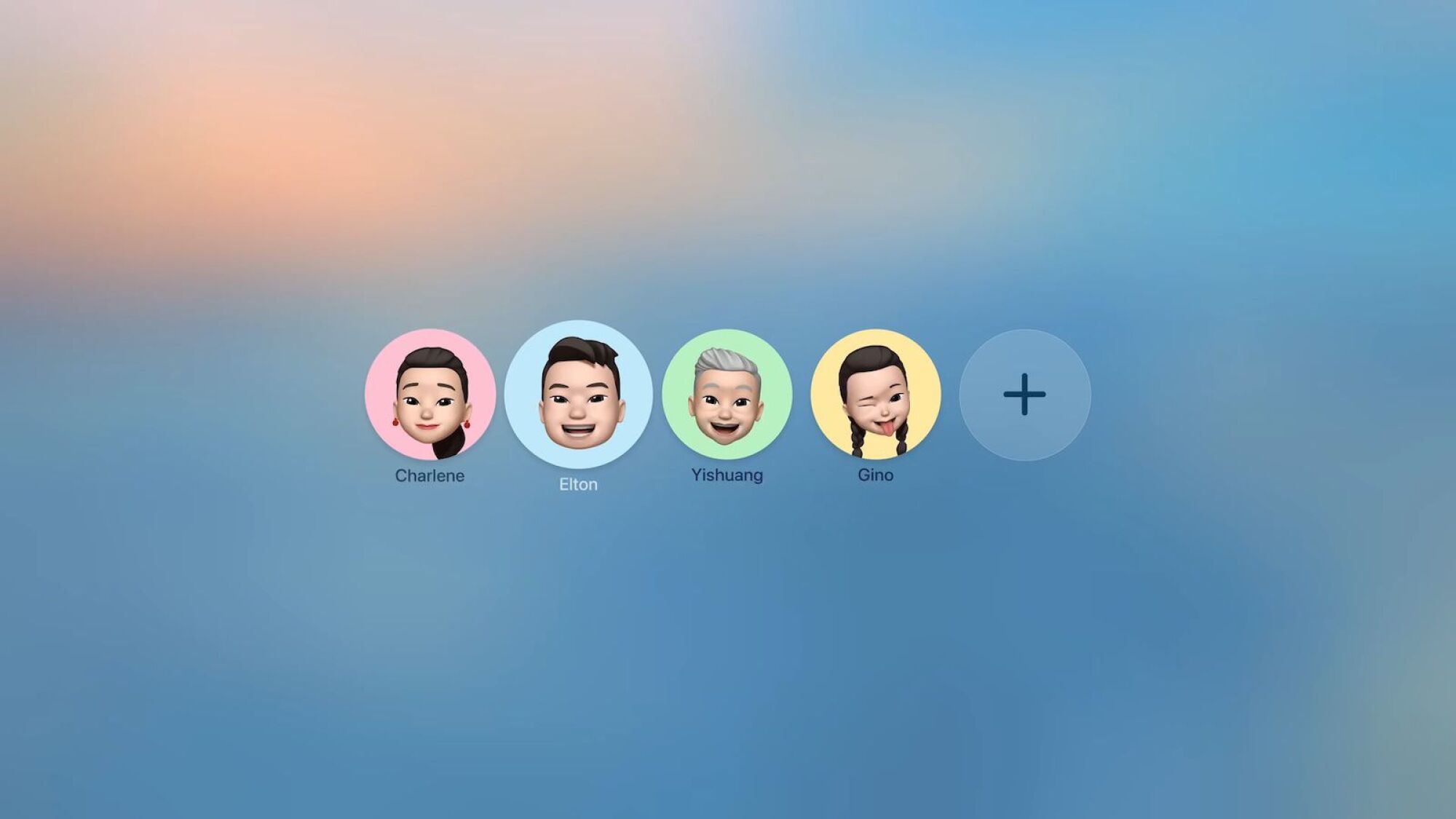
Disable the fullscreen profile selector

New profile selector for Apple TV.

Credit: Apple

The first time I booted up my Apple TV after updating to tvOS 26, I was greeted with a full-screen profile selector. I soon found out I have to deal with this screen every time I turn on my Apple TV. For a large household that wants separate recommendations and history, that might make sense. But for my TV, choosing my profile instead my wife’s every single time is more of an annoyance.

If you’re in the same boat, you can disable this screen from Settings > Profile and Accounts. Here, disable the Choose Profile on Wake option. Disabling this feature doesn’t delete the profiles: You can still switch between them using the Power button.

Remap the TV button back to Home

Any time I set up a new Apple TV (or end up resetting mine), this is the setting I change first. For a couple of years, pressing the TV button on the Apple TV remote opens the TV app, instead of taking you back home. To go back to the Home screen, you have to press and hold the TV button instead. Annoying. Thankfully, there is a setting to change this. Go to Settings > Remotes and Devices > TV Button, and switch to Home Screen. Now, pressing the TV button will take you home instead.

Disable auto-playing videos in all your apps

If the Apple TV app is your go-to for TV and movies, there’s an easy way to disable autoplaying videos. Go to Settings > Accessibility > Motion > Auto-Play Video Previews > Off.

While this is the only app that has this setting built into your Apple TV, you can disable autoplaying videos for your other apps too, such as for Netflix and Prime. While each service has its own way of disabling auto-playing videos, you’ll likely find similar solutions for each. To change this setting for Netflix and Prime Video, for example, you’ll have to use their respective websites. Open the Netflix website, click on the Profile icon, go to Manage Profiles, choose a profile, and then click Playback Settings. Next, disable Autoplay previews. Then, log out of your account on Apple TV and log in again to see the update. For Prime video, click the Profile Icon, go to Account & Settings > Player and turn the Autoplay video and live events feature Off.

Make the Apple TV remote easy for everyone

I like the touchpad gesture on the Apple TV. Swiping on it is second nature to me. But whenever my parents use the Apple TV remote they always struggle with it. They prefer the D-pad buttons for moving around, but always send up swiping on the touchpad accidentally. If you have kids or elderly using the Apple TV remote often, you might want to disable the gesture altogether.

Go to Settings > Remote and Devices > Clickpad, and switch to Click Only. Now, the center button will operate as a regular Click or “OK” button, but you won’t be able to use it as a touchpad, which should cut down on some confusion.

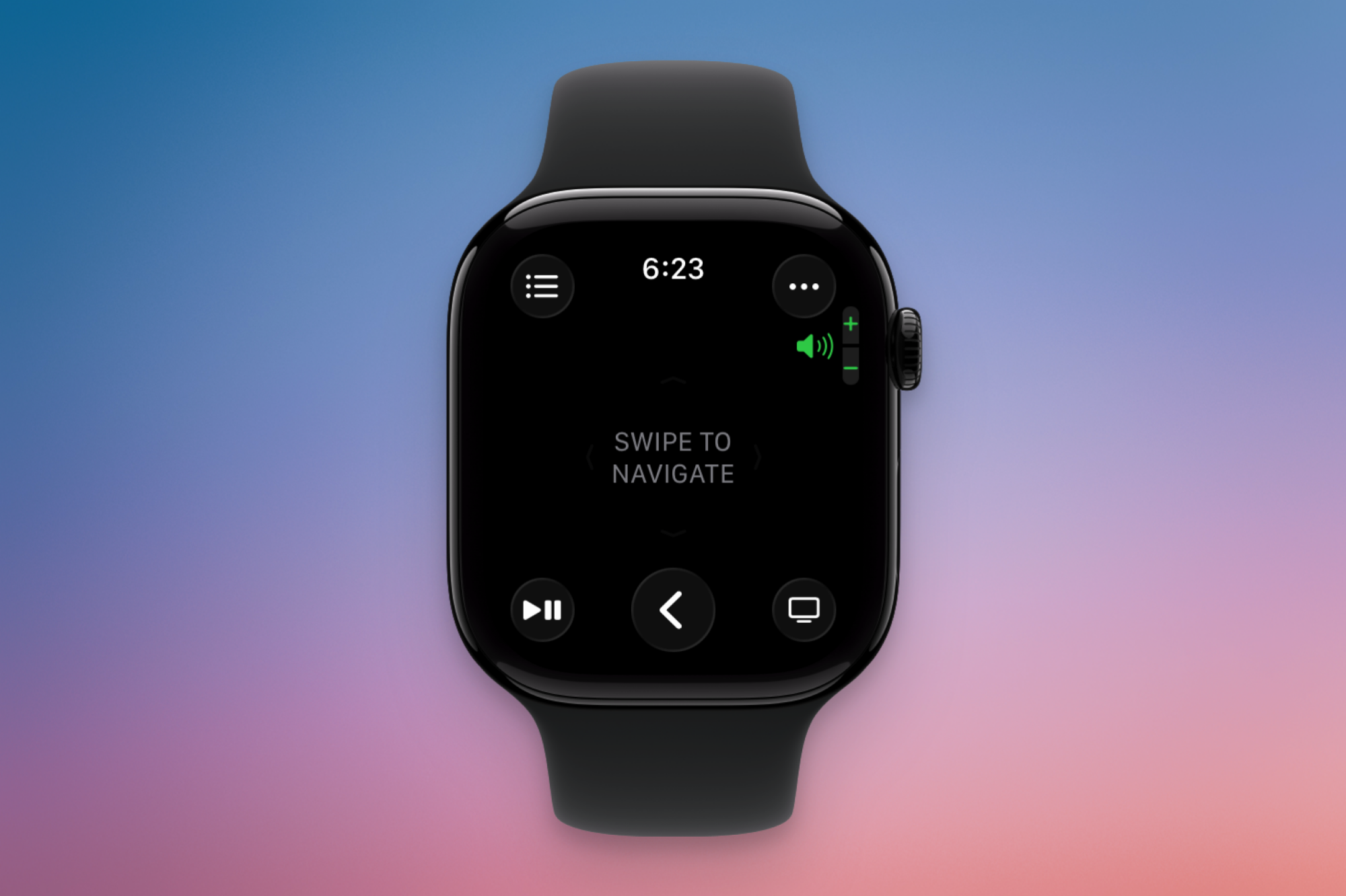
Control Apple TV from your iPhone or Apple Watch

Controlling Apple TV from Apple Watch.

Credit: Khamosh Pathak

It’s way too easy to lose your Apple TV remote, but, luckily, you don’t actually need it. If you have your iPhone nearby, or if you’re wearing your Apple Watch, you can control your Apple TV directly from your Apple devices. On your iPhone, open Control Center, then tap the Apple TV remote button. If you don’t see it, tap and hold the empty part of Control Center to edit the layout. Here, search for and add the Apple TV control. If you’re on the same network, you will see your Apple TV listed here. The first time you connect, you might need to authenticate with a code. Once enabled, you can control playback and navigate the device from your iPhone.

It’s the same story on the Apple Watch too, but here, it’s a dedicated app. Open the Remote app from your Apple Watch, select the Apple TV around you, and start controlling it.

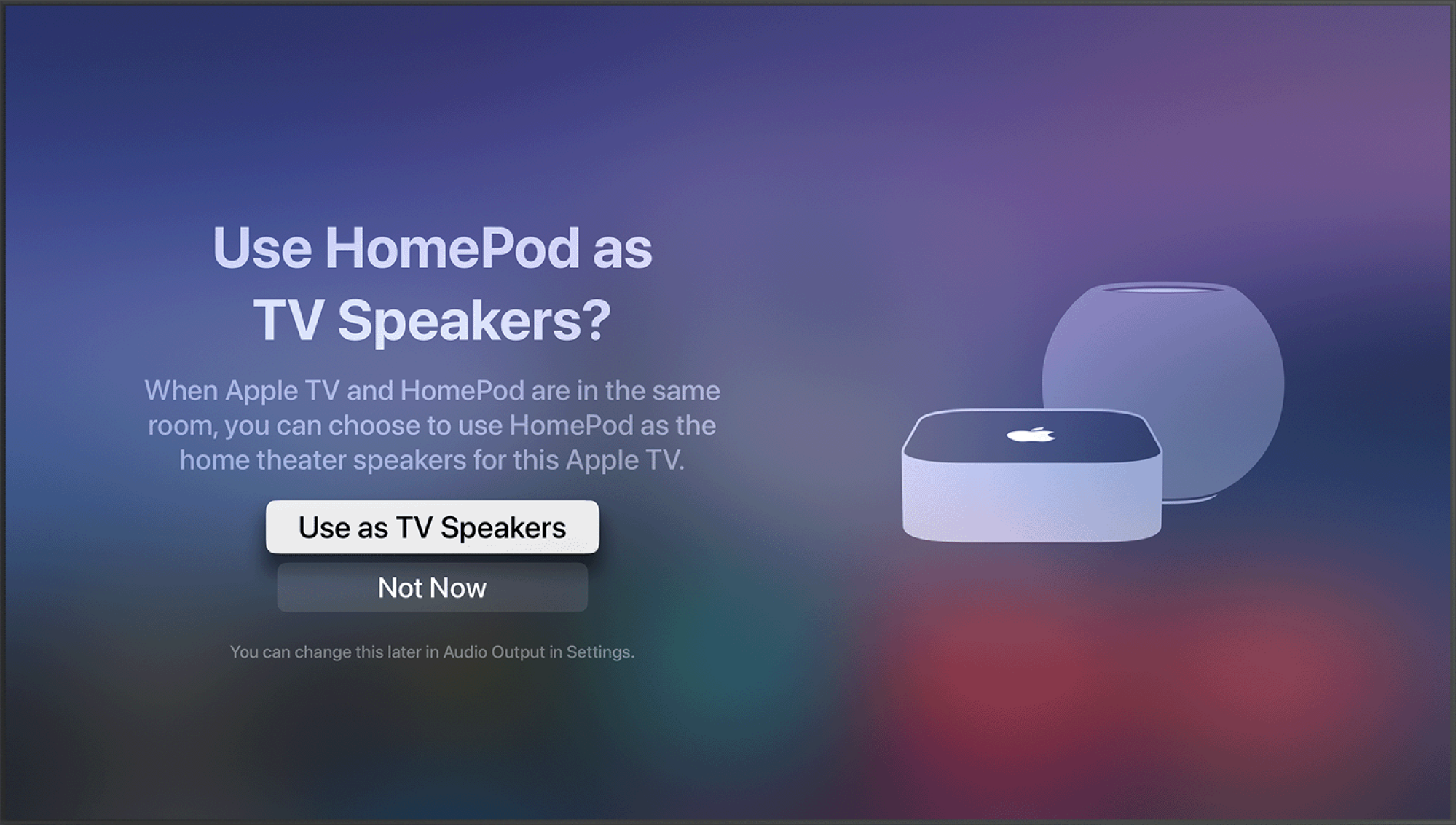
Use HomePods or any AirPlay speakers as the default output

AirPods as default speakers for Apple TV.

Credit: Apple

Did you know you can use a HomePod or any AirPlay-enabled speakers as the default media output for your Apple TV? If you have two wireless speakers, they can even default as a stereo pair. And since HomePods are always paired to your Apple TV, you won’t have to change the sound output every single time you start watching something.

To set this up on your Apple TV, go to Settings > Video and Audio > Audio Output and then choose the HomePod or the stereo pair as the default output. If you have two HomePods, you’ll first need to set them up a stereo pair from the Home app on your iPhone (follow Apple’s instructions here).

Use AirPods with your Apple TV

AirPods on Apple TV

Credit: Apple

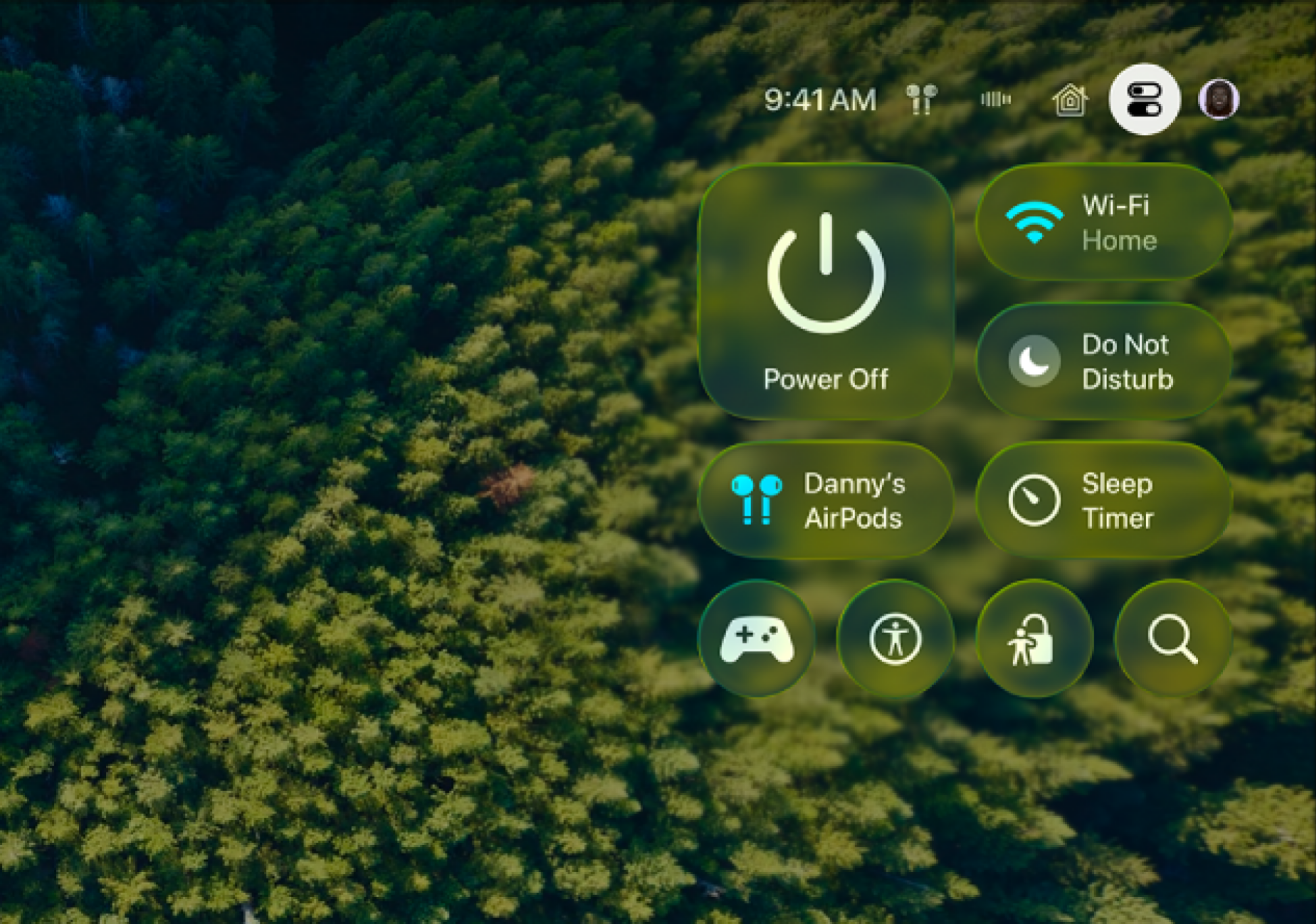
If you want to watch something at night without waking up your entire family, you should use your AirPods with your Apple TV. As with other Apple devices, AirPods are tightly integrated with Apple TV software. You’ll just need to connect them from Settings > Remotes and Devices > Bluetooth first.

The next time you put them on, you’ll see a suggestion from Apple TV to connect to your AirPods automatically. From here, press and hold the TV/Home button, and they’ll connect. You can also use Control Center to quickly switch audio output to AirPods or any Bluetooth audio source. Open Control Center using the Power button, then select the audio output button.

Force quit apps that are bothering you

App switcher on Apple TV

Credit: Apple

Apple TV is like any other device you own. As such, there are times when a tvOS app misbehaves or gets stuck. For me, it’s usually Netflix. Instead of waiting around to fix the mess, you can force-quit an app just like you can on the iPhone. Double-press the TV button to open the app switcher. Then, swipe up on an app to close it. Relaunch the app to fix common issues like audio lag, buffering, and playback issues.

Speed up animations on older Apple TVs

Apple TV is a powerful piece of hardware, but if you’re using an older one, sometimes it can start to lag. Go to Settings > Accessibility > Notion and enable the Reduce Motion feature to speed up animations. This way, at least the Apple TV will feel snappier, as you won’t have to wait for elaborate animations.

Disable annoying notifications when you’re watching something

Disabling FaceTime calls on Apple TV.

Credit: Khamosh Pathak

As far as I’m concerned, your TV shouldn’t notify you about anything. Apple TV, however, notifies you about things like incoming phone and FaceTime calls, Home app updates from your webcam setup, and workout notifications from the Fitness app. To disable them, head to Settings > Notifications, then disable alerts for any and all apps. If you don’t want to turn off notifications entirely, you can always press the Power button once to open Control Center and flip on Do Not Disturb.

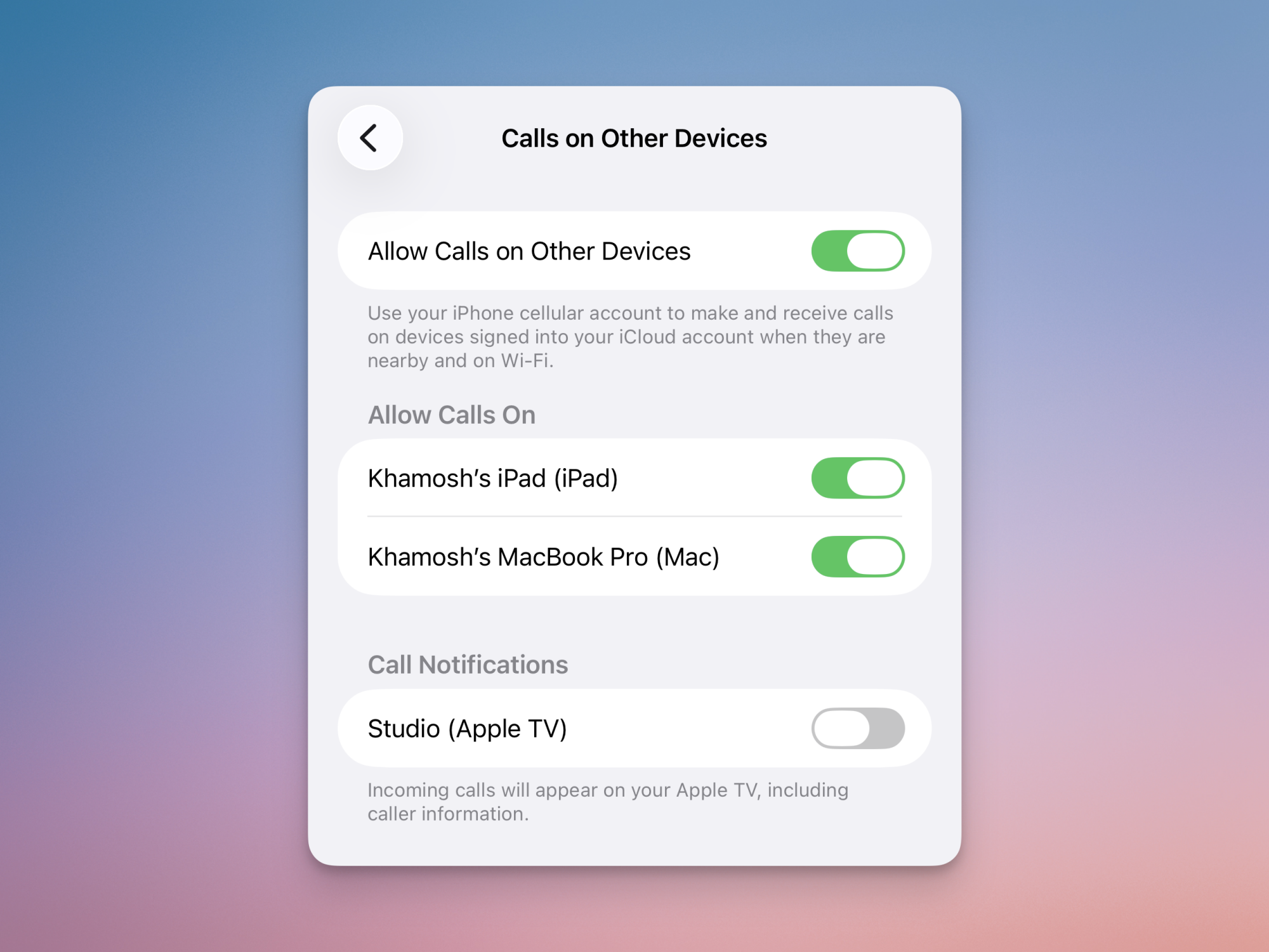
Additionally, you can disable call notifications from your iPhone itself. Go to Settings > Phone > Calls on Other Devices and disable the Apple TV option.


US President Calls for 10% Credit Card Interest Cap, Banks Push Back

President Donald Trump revived a campaign pledge Friday night by calling for a one-year, 10% cap on credit card interest rates, a proposal that banking groups immediately opposed despite the industry’s heavy donations to his 2024 campaign and support for his second-term agenda.

Trump posted on Truth Social that he hoped the cap would be in place by January 20, one year after he took office, though he did not specify whether it would come through executive action or legislation.

Americans currently pay between 19.65% and 21.5% interest on credit cards on average and carry roughly $1.23 trillion in credit card debt, according to the New York Federal Reserve. Researchers found that a 10% cap would save Americans roughly $100 billion in interest annually. The American Bankers Association warned that such a cap “would only drive consumers toward less regulated, more costly alternatives.”


Read more of this story at Slashdot.

NASA topples towers used to test Saturn rockets, space shuttle

Two historic NASA test facilities used in the development of the Saturn V and space shuttle launch vehicles have been demolished after towering over the Marshall Space Flight Center in Alabama since the start of the Space Age.

The Propulsion and Structural Test Facility, which was erected in 1957—the same year the first artificial satellite entered Earth orbit—and the Dynamic Test Facility, which has stood since 1964, were brought down by a coordinated series of implosions on Saturday (Jan. 10). Located in Marshall’s East Test Area on the US Army’s Redstone Arsenal in Huntsville, the two structures were no longer in use and, according to NASA, had a backlog of $25 million in needed repairs.

“This work reflects smart stewardship of taxpayer resources,” said Jared Isaacman, NASA administrator, in a statement. “Clearing outdated infrastructure allows NASA to safely modernize, streamline operations and fully leverage the infrastructure investments signed into law by President Trump to keep Marshall positioned at the forefront of aerospace innovation.”

Read full article

Comments

Instagram Denies Breach After 17 Million Account Leak Sparks Panic

Instagram Denies Breach After 17 Million Account Leak Sparks Panic
A massive database purportedly containing the personal information of over 17 million Instagram users has surfaced on a popular hacking forum, sparking widespread concern over the security of the social media giant’s infrastructure. Meta denies this “leak” is anything to be concerned about and says it’s merely from a compilation of older data.

Forum

Meta appoints ex-Trump and Bush official as its new president and vice chairman

Meta has appointed Dina Powell McCormick, a banking executive and former Republican White House official, as its new president and vice-chairman. The company said McCormick will help guide its overall strategy and execution as a part of the management team.

“Dina’s experience at the highest levels of global finance, combined with her deep relationships around the world, makes her uniquely suited to help Meta manage this next phase of growth as the company’s president and vice chairman,” said Meta Founder and CEO Mark Zuckerberg.

McCormick was a partner at Goldman Sachs and ran its Global Sovereign investment banking business. She was most recently vice chair, president and head of global client services at merchant bank BDT & MSD Partners. McCormick was also deputy national security advisor to President Donald Trump during his first term and held several roles during the George W. Bush administration, including assistant secretary of state for Secretary of State Condoleezza Rice. She is married to Sen. Dave McCormick (R-PA).

Meta’s new president joined the company’s board last April, but she resigned in December. Just a few weeks later, McCormick has taken on a higher-profile role at Meta. 

McCormick is the second former Trump official that Meta has appointed to a prominent role this month. Last week, the company hired Curtis Joseph Mahoney, who was most recently a corporate vice president and general counsel at Microsoft, as its chief legal officer. Mahoney was a deputy US trade representative during the first Trump administration.

This article originally appeared on Engadget at https://www.engadget.com/big-tech/meta-appoints-ex-trump-and-bush-official-as-its-new-president-and-vice-chairman-151048263.html?src=rss

Cloudflare Threatens Italy Exit After $16.3M Fine For Refusing Piracy Blocks

Cloudflare CEO Matthew Prince has threatened to withdraw free cybersecurity services from Italy’s Milano-Cortina Winter Olympics and potentially exit the country after Italy’s telecommunications regulator fined the company approximately 14 million euros for failing to comply with anti-piracy blocking orders. The penalty equals 1% of Cloudflare’s global annual revenue but exceeds twice what the company earned from Italy in 2024.

Prince called Italy’s Autorita per le Garanzie nelle Comunicazioni a “quasi-judicial body” administering a “scheme to censor the Internet” on behalf of “a shadowy cabal of European media elites.” The fine stems from Cloudflare’s refusal to comply with Italy’s Piracy Shield law, which requires internet service providers and DNS operators to block sites within 30 minutes of receiving blocking requests from copyright holders. Prince said Cloudflare may discontinue free services for Italian users, remove servers from Italian cities and cancel plans to build an Italian office.


Read more of this story at Slashdot.

Nintendo’s First Colorful Joy-Con Refresh For Switch 2 Is Up For Preorder

Nintendo's First Colorful Joy-Con Refresh For Switch 2 Is Up For Preorder
Switch 2 owners now have access to Nintendo’s first alternate color scheme for its Joy-Con 2 controllers. For those looking to change things up, Nintendo and its retail partners are now offering a set of Joy-Con 2 controllers in light purple (left Joy-Con 2) and light green (right Joy-Con 2). However, like the original red and blue Joy-Con

Samsung’s Flagship 4K QD-OLED Gaming Monitor Is $540 Off Right Now

We may earn a commission from links on this page. Deal pricing and availability subject to change after time of publication.

Among OLED gaming monitors, the Odyssey G8 is in the top tier, offering a 32-inch 4K QD-OLED panel with 3840 x 2160 resolution, a blistering 240Hz refresh rate, and near-instant 0.03 ms (GtG) response time. But previous models were held back because of its Tizen OS—while marketed as a monitor, Odyssey was really a TV in disguise. With the new G81SF model, Samsung has finally fixed it, returning the G8 to a proper monitor setup. And Woot is currently offering the 32-inch model at a deep discount: $769.99, $540 off the $1299.99 retail price.

The removal of the Tizen OS means no software bloat, and no waiting for the TV menu to boot up before shifting to your desktop. You do lose out on the built-in speakers, but it’s a worthy sacrifice.

The monitor features an RGB ring at the back, with its CoreSync feature creating an ambient lighting effect by projecting the on-screen colors onto the wall behind the monitor. There’s also fan-less cooling via a pulsating heat pump, which allows it to run completely silently and without a fan, while reducing burn-in risk. These are critical features in high-end QD-OLED displays. (You also get a large array of ports. Two HDMI 2.1 ports, one DisplayPort 1.4 port, USB-A hub, and a headphone jack.)

In its review of the earlier model with the Tizen OS, PCMag gave it a 4-star “Excellent” rating, and the display panel and specs remain the same in the model currently on sale. According to PCMag’s expert review, “Rocking a full 4K resolution (3,840 by 2,160 pixels) at a maximum 240Hz refresh rate, the monitor looks fantastic and plays even better… [It] excels for gaming and does everything else to a very high standard too.” It’s a good buy, especially at this price.

The JBL Endurance Peak 3 Earphones Are 40% Off Right Now

We may earn a commission from links on this page. Deal pricing and availability subject to change after time of publication.

When you’re working out or running, finding secure-fitting earbuds is a challenge. JBL has a solution in the form of their JBL Endurance Peak 3 earbuds, and Amazon is discounting them to $59.95 (down from $99.99), the lowest price we’ve seen.

The JBL Endurance Peak 3 is the antithesis to the AirPods. They feature a “Powerhook” design that loops over your ear to keep them in place, no matter how intense your movements are. The earbuds also have a long battery life. You get 50 hours of total playtime, and the buds themselves last 10 hours each charge cycle. And being a fitness focused earbud, they aren’t just sweat-resistant; they are fully waterproof. Thanks to the IP68 rating, they can survive submersion in salt or fresh water up to 1.5 meters for 30 minutes, making them durable enough for surfing or rinsing off in the sink.

The JBL sound is also tuned for workouts. The 10mm delivers, rich, bass-heavy sound to keep your adrenaline up. And they are a lot safer to wear while running outdoors. JBL has an Ambient Aware feature that lets background noises in, and you can speak with people without taking them off.

PCMag gave the Endurance Peak 3 a 4-star “Excellent” rating and an Editor’s Choice award, praising them specifically for their rugged utility. According to PCMag, “JBL’s Endurance Peak 3 earphones are a fantastic option for fitness fanatics. Their bass-forward sound signature makes them ideal for motivating your workouts, their in-ear fit is exceptionally secure, and a best-in-class IP68 rating means you don’t have to worry about dust and water exposure.”

Deals are selected by our commerce team

Micron Defends AI Pivot And Rejects Claim It Abandoned Consumer Market

Micron Defends AI Pivot And Rejects Claim It Abandoned Consumer Market
As far as Micron is concerned, the prevailing narrative about its recent strategy shift to focus more heavily on AI customers gets one *ahem* Crucial detail wrong. Actually more than one, though the biggest misconception from Micron’s vantage point is that it’s abandoning the consumer market in favor of AI, when in reality it’s simply serving