Gemini is adding a feature that’s designed to feel more tailored to individual users. Once enabled, “Personal Intelligence” can pull context from across your Google ecosystem, including Gmail, Google Photos, Search and YouTube History, to gain specific insight that will shape its answers and recommendations. Personal Intelligence is available starting today in the US for Google AI Pro and Ultra subscribers. The feature is opt-in only and is off by default.
Google
Google says users will have the ability to control what apps Gemini pulls from and, in the future, which chats it uses Personal Intelligence for. The company says this new feature might still make some mistakes, such as “over-personalization” where it draws connections between unrelated things.
According to Google, Gemini will not train directly on the data it pulls for personalization like your photos and emails, but will instead train on your prompts and its responses. Users can also prompt Gemini to “try again” without personalization and will have the option to delete chat histories.
For now, Personal Intelligence works in the Gemini app across web, Android and iOS for personal Google accounts. Google says it’s coming to Search’s AI Mode soon, with plans to expand to more countries and the free tier down the line.
Google has been on a tear integrating Gemini into everything, including Gmail, TVs and Chrome on mobile. This week, Apple announced that Siri AI will be powered by Gemini as part of a multi-year collaboration. AI remains an imperfect tool, and Google’s AI has a long history of malfunctions like explaining made-up idioms, calling itself a “failure” in a depressing doom loop and generating images of the Founding Fathers as people of color.
This article originally appeared on Engadget at https://www.engadget.com/ai/gemini-can-now-pull-context-the-rest-of-your-google-apps-if-you-let-it-160039468.html?src=rss
Since the days when Google Gemini was still called Bard, it’s been able to connect with the company’s other productivity apps to help pull context from them to answer your questions—but you still had to connect those apps to the AI manually using extensions. And even after bringing your apps together, you usually had to tell Gemini where to look for your data to get much use out of its abilities. For Instance, if you wanted it to pull information from your emails, you might have started a prompt with “Search my email.”
Now, Google is making it easier to connect Gemini to its various services, and adding “reasoning” when pulling context from across your Google Workspace. It’s calling the feature “Personal Intelligence.”
Rolling out in beta for paid subscribers in the U.S. today (and coming to other countries and free users “soon”), Personal Intelligence is an opt-in feature that currently works with Gmail, Photos, YouTube, and Search, all of which you can connect in one tap while setting up the feature.
That alone makes it more convenient than a collection of extensions, but there are supposedly a few upgrades to general usability as well. The biggest is that Gemini will apparently be able to “learn” about you from a grab bag of sources all at once, without you having to specify where to look, and use that information to answer your questions.
Credit: Google
In an example, Google has a user say “I need to replace the tires for my car. Which ones would you suggest for me?” The bot then runs through multiple reasoning steps, pulling from all the data available to it, to find out what car the prompter drives and which tires would be best for it. This can take a while, which is why there’s an “Answer now” button next to the reasoning progress bar to stop the bot from getting stuck. In the example, it took about 10 seconds for the AI to generate a response.
Google is promising its typical Workspace privacy guarantees with Personal Intelligence, saying “because this data already lives at Google securely, you don’t have to send sensitive data elsewhere to start personalizing your experience.” In other words, it’s not going to move the needle on how much data about you Google can access, but at least it’ll prevent you from having to connect your Workspace to third parties.
Google also says, “Gemini will try to reference or explain the information it used from your connected sources so you can verify it,” although we don’t have any examples of that in action yet. It’s worth keeping an eye out, though, if you’re worried about hallucinations. To that end, the company does suggest asking Gemini for more information about what it used to come to its answers if you’re unsatisfied, and to correct it “if a response feels off,” perhaps by saying something like “Remember, I prefer window seats.” Theoretically, Gemini will then remember this for next time, using its existing chat history feature. If you’re continually unsatisfied, you can hit the thumbs down button on responses to provide feedback.
How to turn on Personal Intelligence in Google Gemini
Google says that eligible users should see an invitation to try Personal Intelligence on the Gemini home screen as soon as it’s rolled out to them, but if you don’t, you can turn it on manually by following these steps:
Open Gemini and click or tap Settings.
Click or Tap Personal Intelligence.
Under Connected Apps, select which apps you would like Personal Intelligence to take information from.
And that’s it! Remember, Personal Intelligence is off by default and is only available for paid subscribers for now, so it may be some time until you can actually use it. Google also stresses the Gemini might not personalize every response, as that will save time on more simple requests. The company also said Personal Intelligence for AI Mode in Google Search is currently planned, but does not have a set release date.
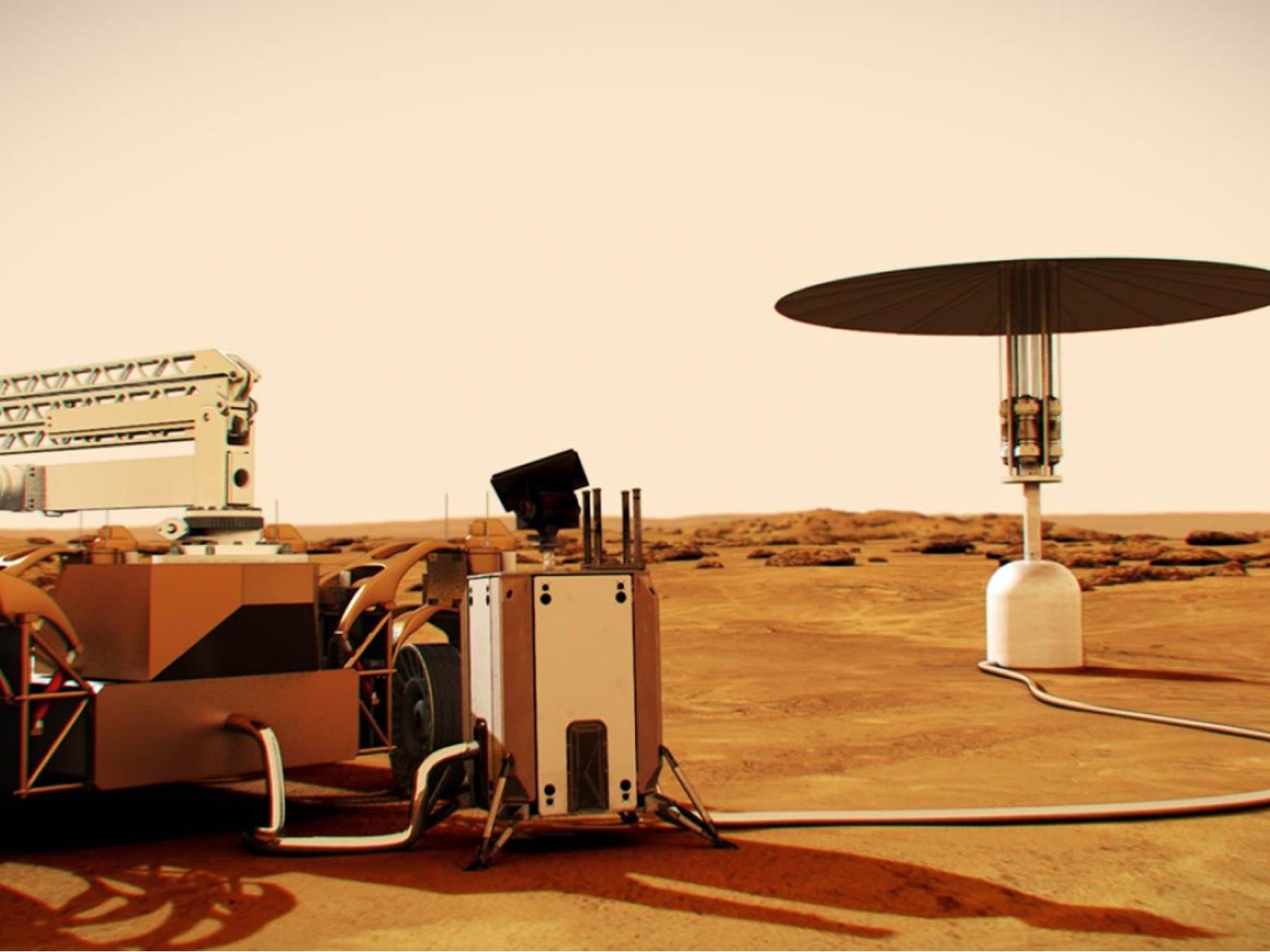
NASA and the Department of Energy have officially embarked on an ambitious goal to plant a nuclear reactor on the Moon’s surface by 2030, which when completed, will have enough output to power multiple lunar households for up to 10 years.
U.S. Secretary of Energy Chris Wright (left) and NASA Administrator Jared Isaacman (right) meet at
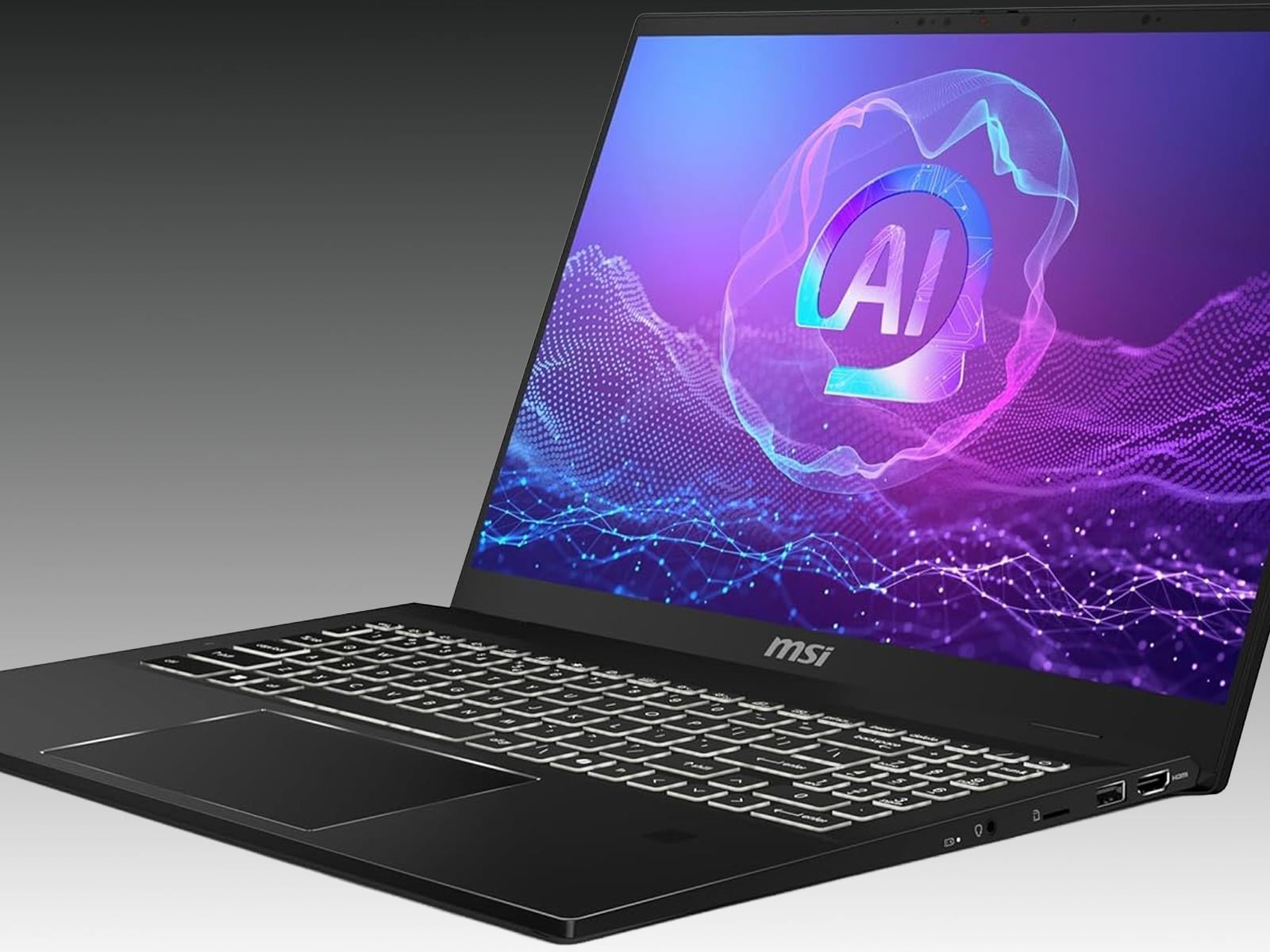
Recent auditing by the folks at market research firm Omdia indicates that the PC market rebounded last year and finished the last quarter of 2025 especially strong. A likely reason for the strong finish is a rush to get ahead of looming price increases caused an AI-driven shortage of memory chips. There’s still time to get ahead, though, with
The chief constable of one of Britain’s largest police forces has admitted that Microsoft’s Copilot AI assistant made a mistake in a football (soccer) intelligence report. From a report: The report, which led to Israeli football fans being banned from a match last year, included a nonexistent match between West Ham and Maccabi Tel Aviv.
Copilot hallucinated the game and West Midlands Police included the error in its intelligence report without fact checking it. “On Friday afternoon I became aware that the erroneous result concerning the West Ham v Maccabi Tel Aviv match arose as result of a use of Microsoft Co Pilot [sic],” says Craig Guildford, chief constable of West Midlands Police, in a letter to the Home Affairs Committee earlier this week. Guildford previously denied in December that the West Midlands Police had used AI to prepare the report, blaming “social media scraping” for the error.
Going back many years Imagination PowerVR graphics were widely despised by open-source enthusiasts and Linux desktop users for their lack of an open-source GPU driver. But over the past few years the Imagination PowerVR driver focused on their Rogue graphics IP has matured nicely within the Linux kernel and the PowerVR Vulkan driver in Mesa taking shape too. Paired with Zink for OpenGL over Vulkan, there’s a robust open-source PowerVR graphics experience now possible. For those interested in trying out said open-source driver stack, the TI AM62-powered BeaglePlay is an affordable way of doing so for that $99 USD single board computer…
YouTube is rolling out some additional parental controls, including a way to set time limits for viewing Shorts on teen accounts. In the near future, parents and guardians will be able to set the Shorts timer to zero on supervised accounts. “This is an industry-first feature that puts parents firmly in control of the amount of short-form content their kids watch,” Jennifer Flannery O’Connor, YouTube’s vice president of product management, wrote in a blog post. Along with that, take-a-break and bedtime reminders are now enabled by default for users aged 13-17.
The platform is also bringing in new principles, under which it will recommend more age-appropriate and “enriching” videos to teens. For instance, YouTube will suggest videos from the likes of Khan Academy, CrashCourse and TED-Ed to them more often. It said it developed these principles (and a guide for creators to make teen-friendly videos) with help from its youth advisory committee, the Center for Scholars and Storytellers at UCLA, the American Psychological Association, the Digital Wellness Lab at Boston Children’s Hospital and other organizations.
Moreover, an updated sign-up process for kid accounts will be available in the coming weeks. Kid accounts are tied to parental ones, and don’t have their own associated email address or a password. YouTube says users will be able to switch between accounts in the mobile app with just a few taps. “This makes it easier to ensure that everyone in the family is in the right viewing experience with the content settings and recommendations of age-appropriate content they actually want to watch,” O’Connor wrote.
This article originally appeared on Engadget at https://www.engadget.com/entertainment/youtube/youtube-adds-more-parental-controls-including-a-way-to-block-teens-from-watching-shorts-151329673.html?src=rss
Google is accelerating its hardware timeline once again, according to new reports suggesting the mid-range Pixel 10a could arrive on retail shelves as early as mid-February 2026.
According to retail leaks, the Pixel 10a will be dropping on February 17, pushing the launch forward by a full month compared to the Pixel 9a, which debuted in
As someone who regularly switches between the Mac and PC, I really can’t live without the PowerToys app on Windows. It adds little missing features that I really like on the Mac, like a Spotlight Search alternative, auto dark mode, screen awake, on-screen OCR (which lets you pull text from images), and more.
But the reverse is also true. When I’m on MacOS, I start to miss the little features and commands that I’ve been used to Windows having for decades now (I started using Windows in school, but was only exposed to macOS when I was in college).
It’s the little things, like not being able to cut and paste files in Finder. And why must I accidentally open the Music app every time I press the play button? This is just the beginning.
Enter Supercharge, a utility from prolific indie developer Sindre Sorhus. Think of it not as a single app, but as a Swiss army knife for your menu bar—a collection of micro-utilities designed to patch the specific usability holes that Apple has left open, many of which Microsoft has already plugged. The app offers an unlimited free trial (with a prompt to upgrade every 12 hours), or you can buy it outright for $18. It’s also available as part of a Setapp subscription.
Credit: Supercharge
The best Supercharge tweaks that you should enable
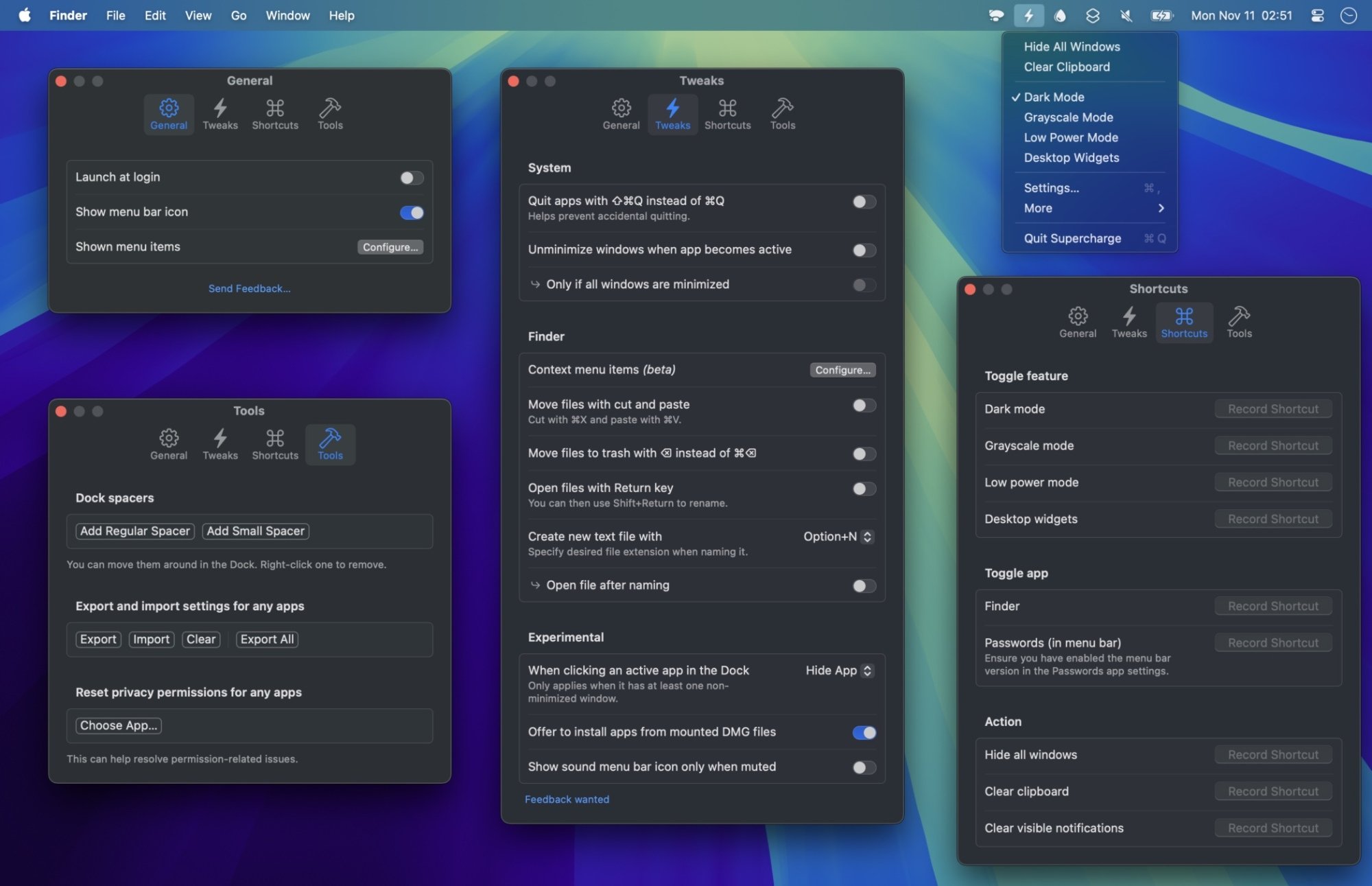
The Supercharge app works in two ways. The first is by giving you a set-and-forget settings menu. Secondly, it adds a menu bar app where you can quickly access small features on the fly.
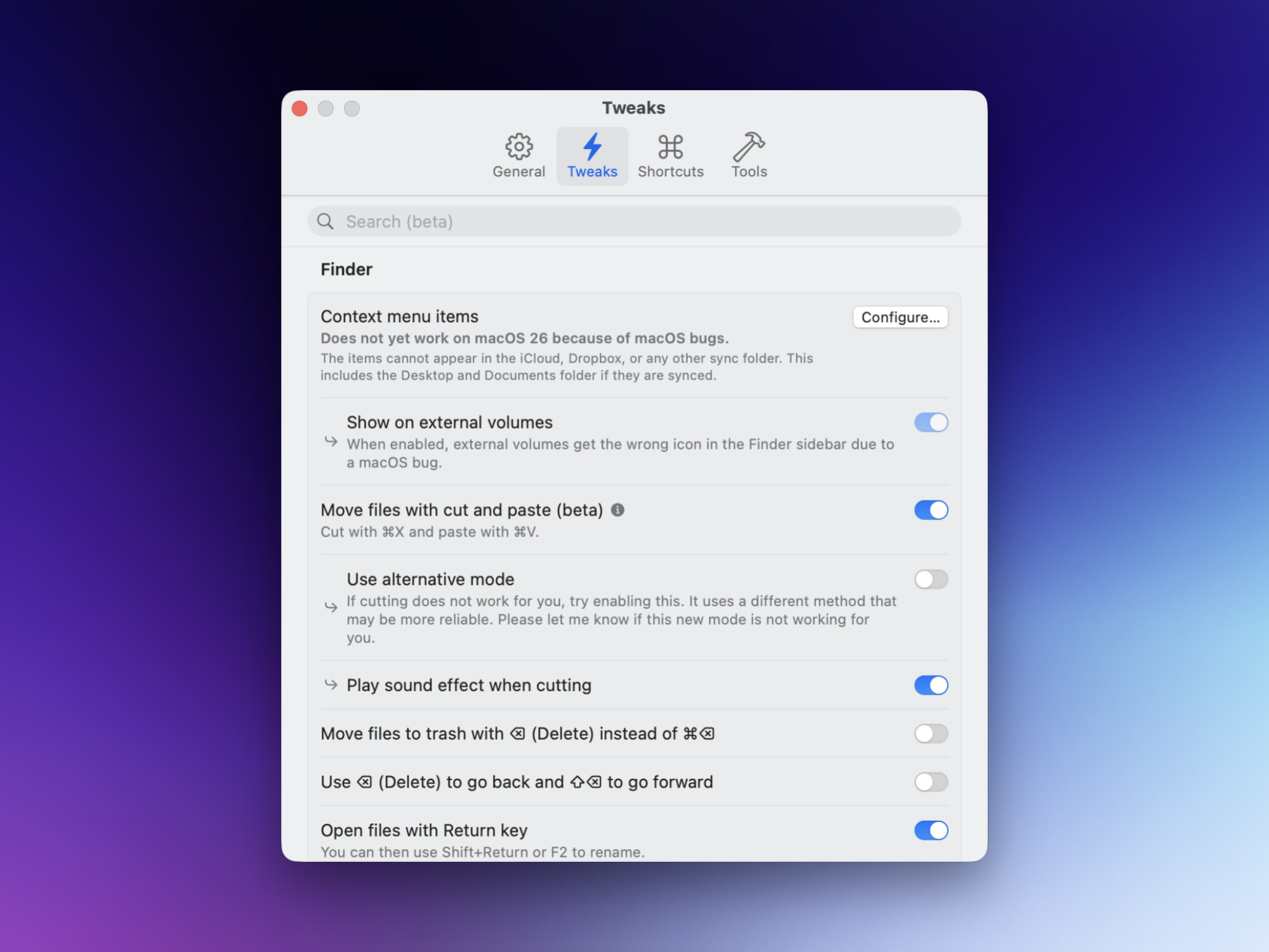
The tweaks part, to me, is a lot more interesting. Once the app is installed, open the menu bar app and go to Settings. Go to the Tweaks tab and take some time to customize your Mac’s behavior.
Make Finder work more like Windows File Explorer
Credit: Khamosh Pathak
The Finder is where Supercharge shines, fixing legacy behaviors that have frustrated Windows switchers for years. The first thing I enabled was the “Cut and Paste” functionality. Finally, you can use Cmd+X to cut a file and Cmd+V to move it, eliminating the awkward Cmd+C followed by Cmd+Option+V dance required by default.
Beyond moving files, the app allows you to enable the Option+N shortcut to instantly create a new text file in your current folder—another Windows muscle memory I’ve had for decades. Additional tweaks include toggling the Enter key to open a file instead of renaming it, and an option to show hidden files by default.
Mission Control features
Apple’s Mission Control provides a bird’s-eye view of all your windows, but it’s hardly interactive. Supercharge changes that by adding window management buttons directly to the overlay. You can now add dedicated Close, Minimize, and Quit buttons for every window inside Mission Control, helping you clear cluttered app windows in seconds, and in a fairly visual way.
Dock enhancements
Supercharge also brings much-needed flexibility to the Dock, making it more like the taskbar on Windows or Linux. Enable the Click-to-Hide feature, and you can minimize or hide an app simply by clicking on the app icon. My favorite, though, is the option to open folders directly in the Finder from the Dock. You can also set Supercharge to add spacers to the Dock, and quit apps using the middle-click mouse button.
The Apple Music app fix
Perhaps the most useful fix in the entire suite is the ability to stop Apple Music from launching automatically. This feature stops the app from popping up when you press Play on your keyboard or Bluetooth headphones. If you are a dedicated Spotify user or simply dislike it when your headphones accidentally wake up Apple Music, this feature alone makes a Supercharge installation worth it.
Other useful features
The Supercharge app includes several other quality-of-life improvements. The Notification Nuke feature allows you to set a global hotkey to instantly clear all notifications from Notification Center, acting as a panic button for focus. To prevent accidents, you can also enable Accidental Quit Prevention, which requires a double-press or a Shift + Cmd + Q combo to actually quit an application.
Add these features to the Supercharge menu bar app
Credit: Khamosh Pathak
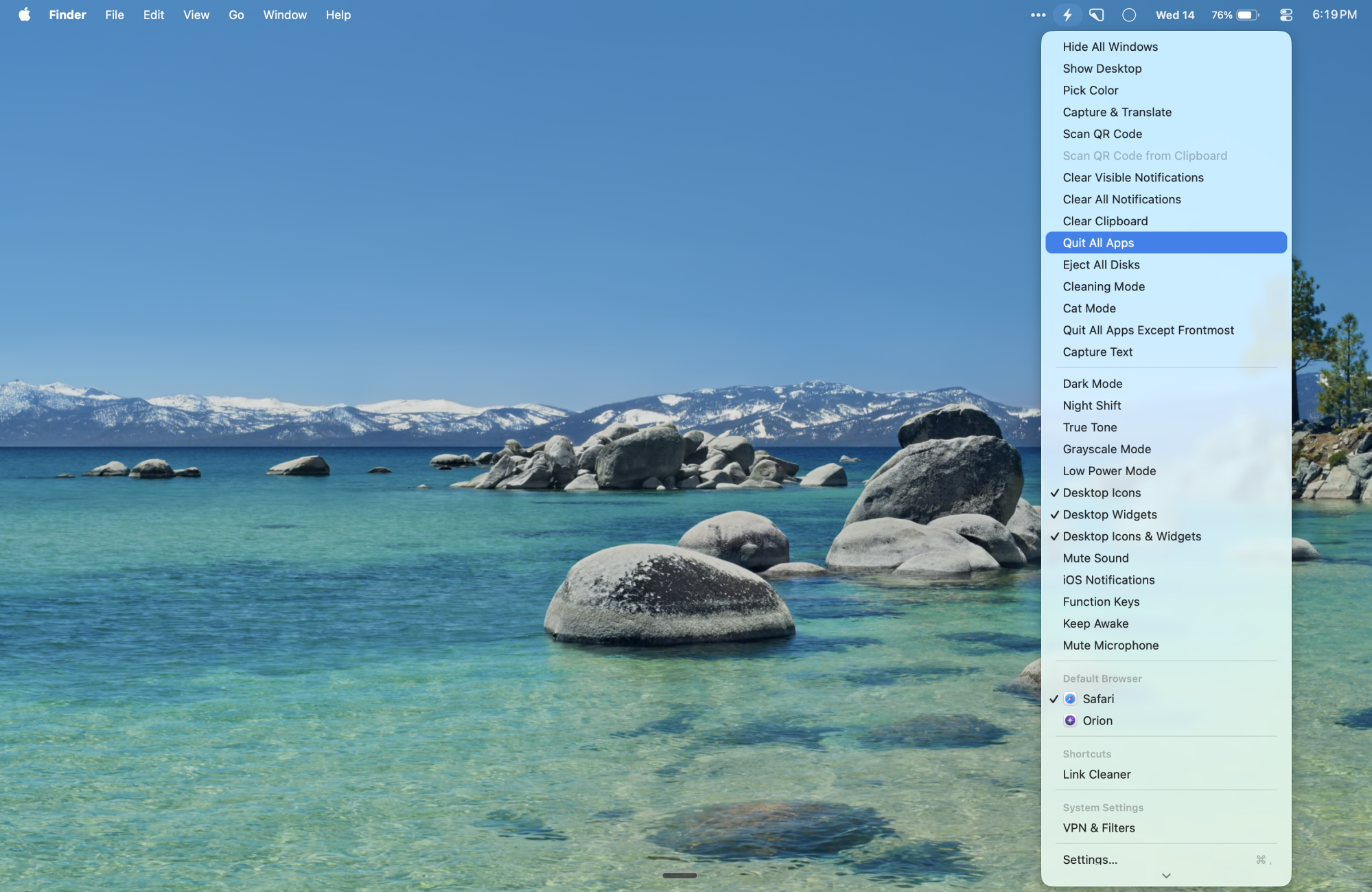
The second part of the equation here is the menu bar app. Here, you can add small missing features that usually require downloading separate apps. There are more than two dozen options. Go to Settings > General > Show Menu Items to see the whole list.
Here, you can add options to quickly capture and copy any text from an image (or translate it). There are one-click options for hiding all windows, showing the desktop, quitting all apps except the current one, clearing all notifications, and more. There’s also a simple Keep Awake feature that will keep your Mac active even when the screen is off.
We’re almost exactly halfway through January, but Nintendo has clearly taken a better-late-than-never approach to its 2025 year in review feature, which finally went live this week for Switch and Switch 2 users. All you need to do is head here and sign into your Nintendo account to see your 2025 breakdown.
Like most annual gaming wrap-ups, Nintendo’s shows how many games you played over the calendar year, as well as your total playtime. It also shows you your most-played titles for each month, your preferred genres by percentage, and if you scroll all the way to the bottom you can choose your favorite game of the year. You can also download a shareable image that shows off your taste, but there’s no way to directly share your results on social media through the website.
2025 was a massive year for Nintendo, with the Switch 2 launching in early June. If you bought one, the year in review site will naturally congratulate you for doing so, but it doesn’t separate your results by games you played on the original Switch versus its successor.
Nintendo’s rivals went live with their own 2025 recap features in December. First came Sony’s, which is unfortunately no longer live, and Steam followed shortly after. That one is still available to view if you want to see how your Switch 2 playtime stacks up against your Steam Deck hours. Microsoft decided to skip a 2025 wrap-up altogether, which Windows Central’s Jez Corden previously suggested could be due to a reallocation of marketing budget towards a number of significant anniversaries happening this year, including the 25th anniversary of Xbox.
This article originally appeared on Engadget at https://www.engadget.com/gaming/nintendo/the-nintendo-switch-2025-year-in-review-is-finally-here-145810913.html?src=rss
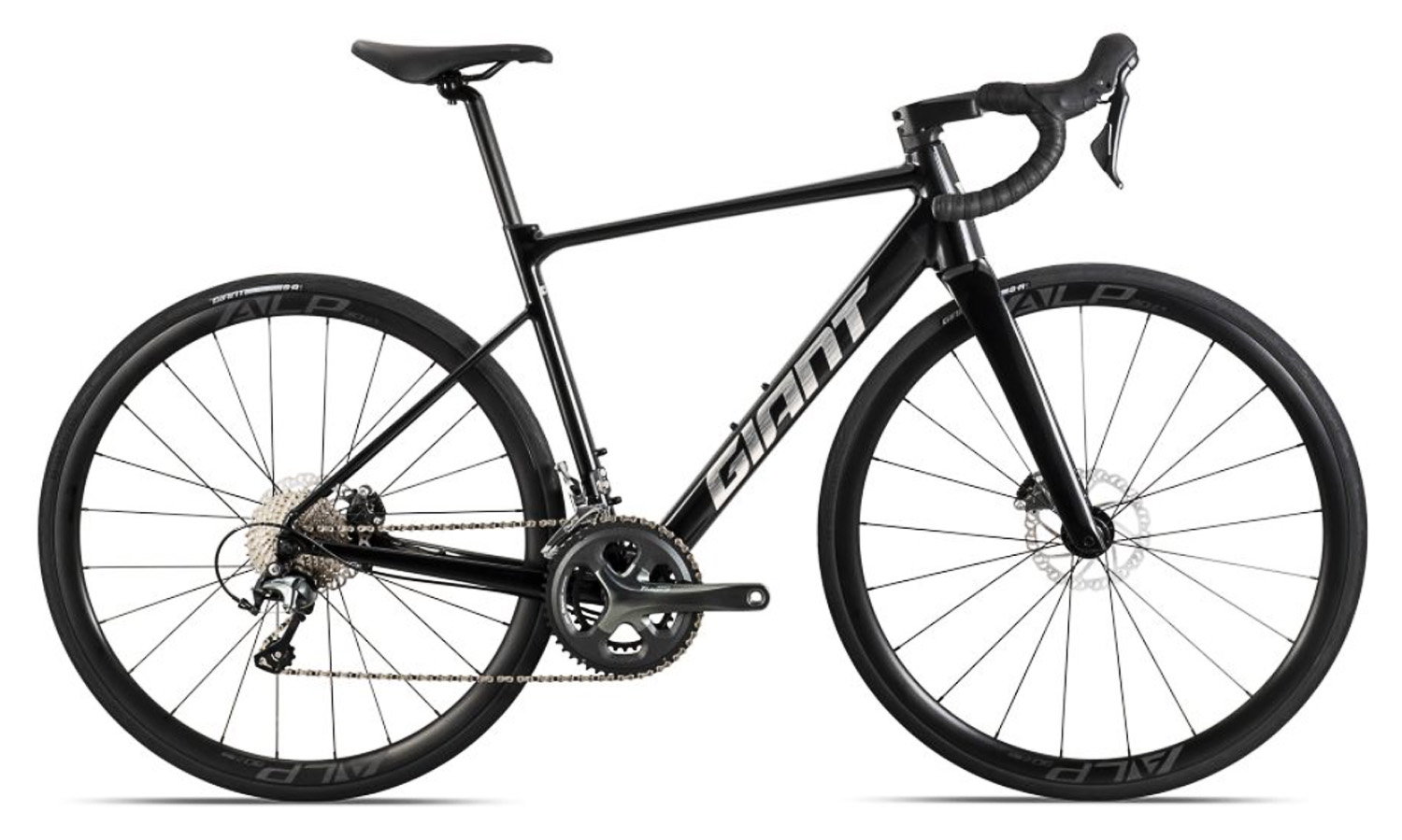
Good-value bikes never go out of fashion here at BikeRadar, and we’ve just discovered a hidden gem tucked away on Giant’s Chinese website.
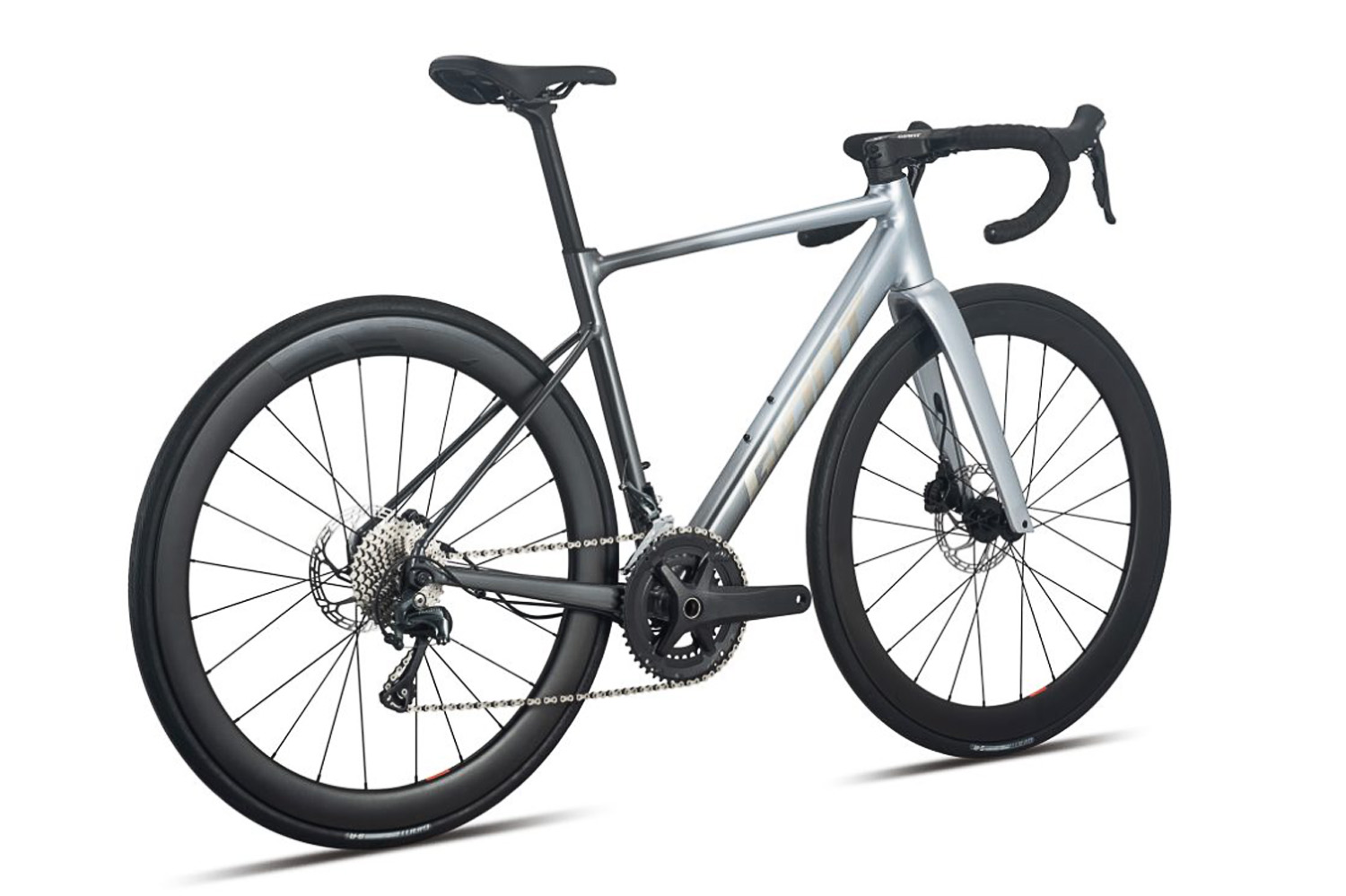
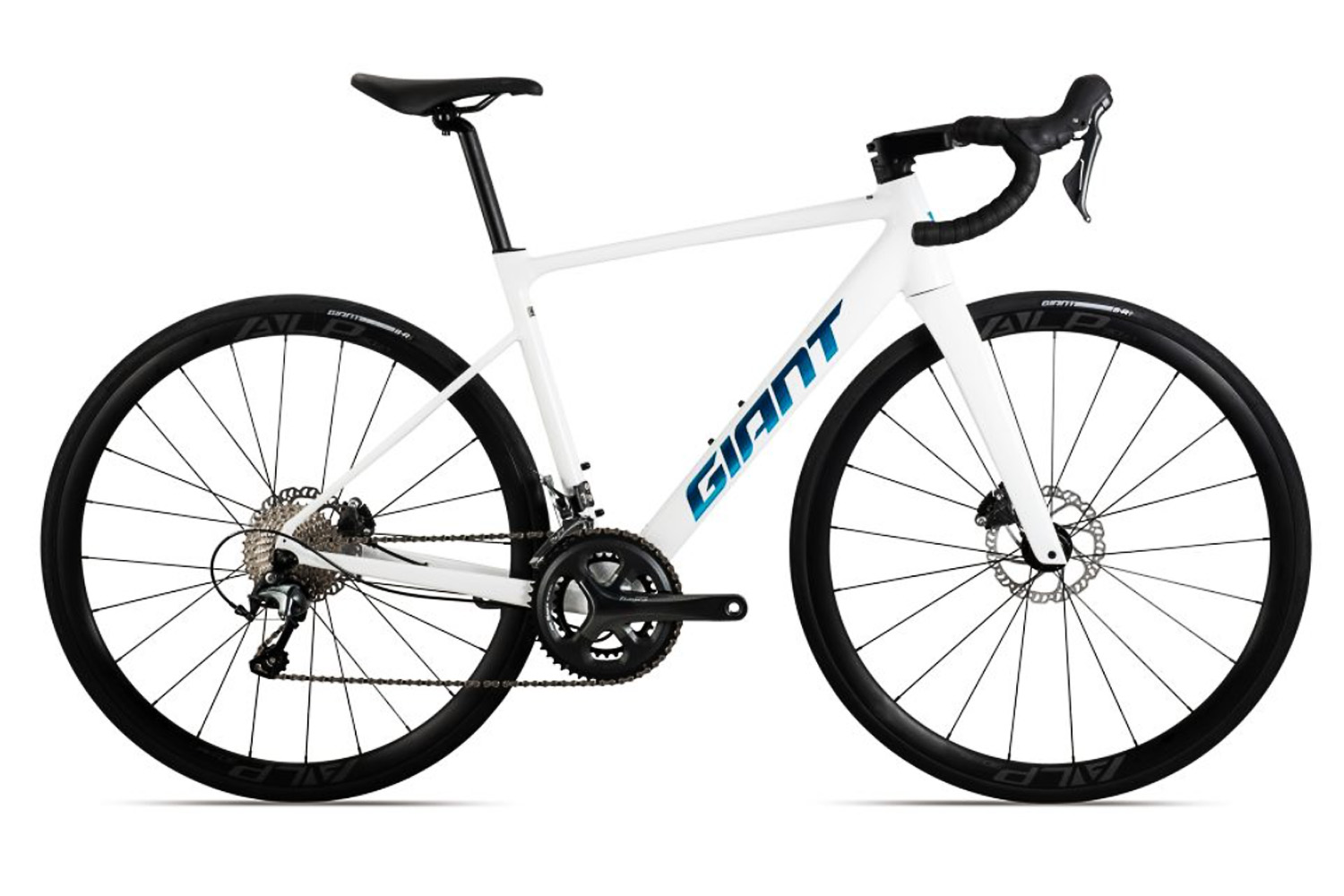
Brought to our attention by a viewer on our YouTube channel (thanks @Jaco_ocaJ), the Giant PCR LTD is an aluminium mash-up of the Taiwanese brand’s best road bikes.
Up front, for example, is the fork and integrated front end from the Propel, while we also see the lightweight rear end from the TCR and the slim, flexible seatpost from the Defy.
Best of all, a build featuring carbon wheels, a fully integrated carbon cockpit and a Shimano Tiagra groupset is available for only CN¥6,998 – around £750, according to current conversion rates.
The catch? We likely won’t ever see it outside of Asia.
PCR, not TCR
The PCR doesn’t look to be a ‘new’ bike, but it was news to us.
The PCR LTD, Giant says, “integrates the simple and efficient ACE concepts” – these stand for Aero, Climbing and Endurance.
According to Google Translate, it’s “an all-around motorcycle designed specifically for riders”.
In terms of specifics, the frame is aluminium and made using Giant’s Aluxx SL technology.
The PCR is an all-rounder road bike. Giant It combines characteristics from Giant’s range of premium carbon road bikes. Giant
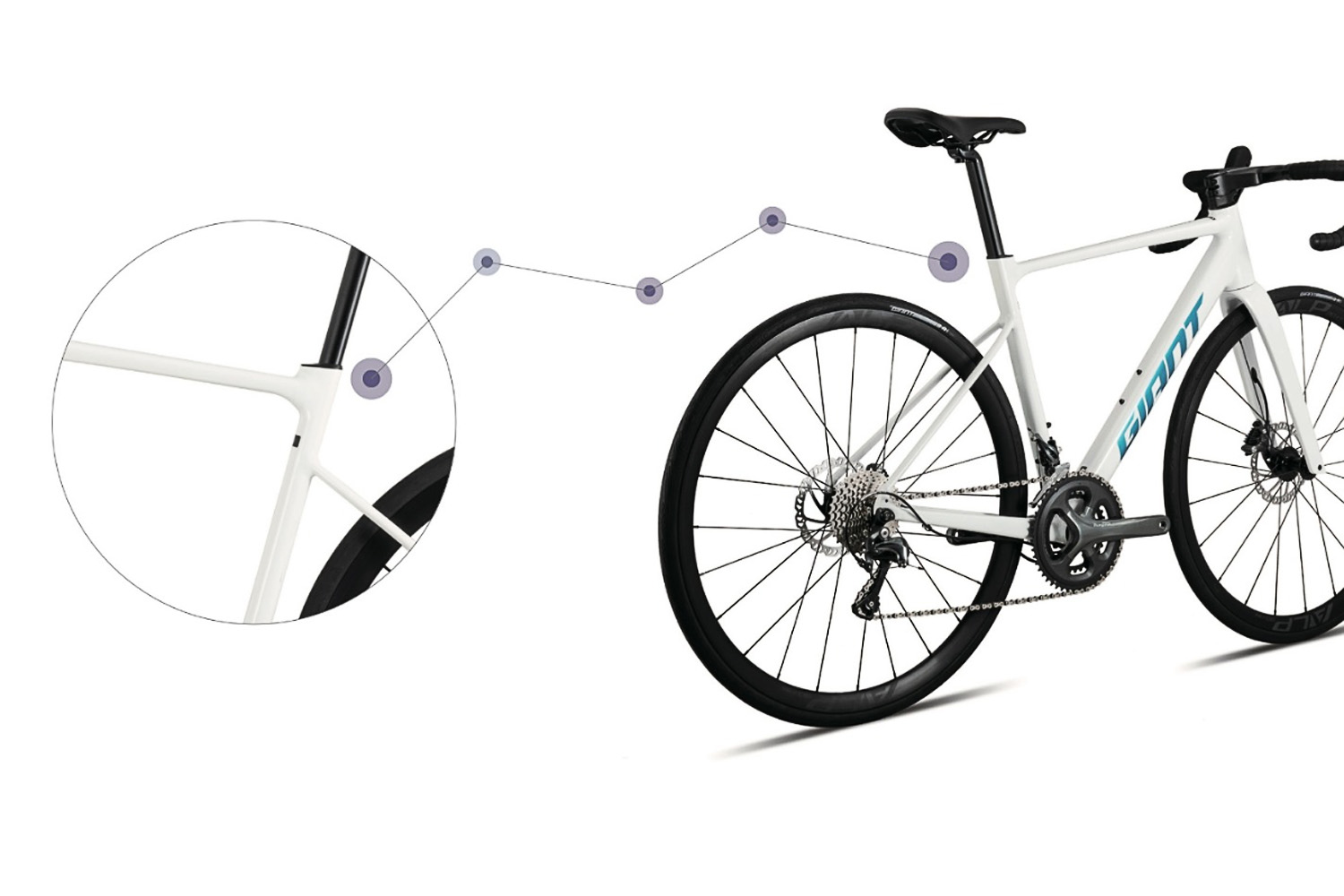
The down tube looks to be subtly aero-optimised, while the rear is borrowed from the Contend SL Disc, with slim alloy tubes, dropped seatstays and a distinctive bulge at the bottom of the seatpost for the frame’s integrated seatpost clamp.
The fork is a full-carbon affair, made using Advanced-grade fibres and a tapered steerer tube.
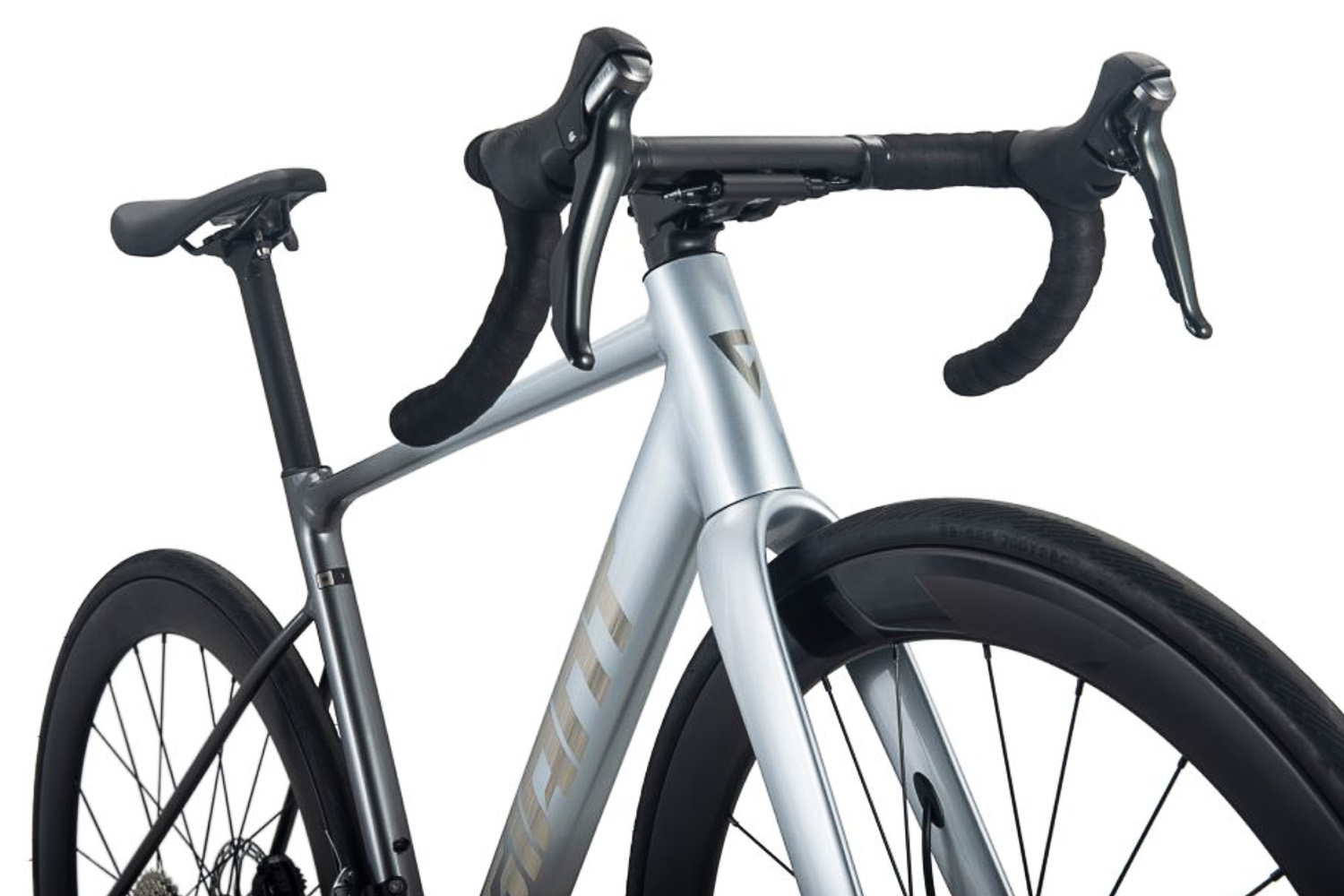
To my eye, it looks almost identical to that found on the Propel Advanced, save for a little less sculpting at the rear of the crown and a bump up in tyre clearance to 32mm (according to the spec sheet).
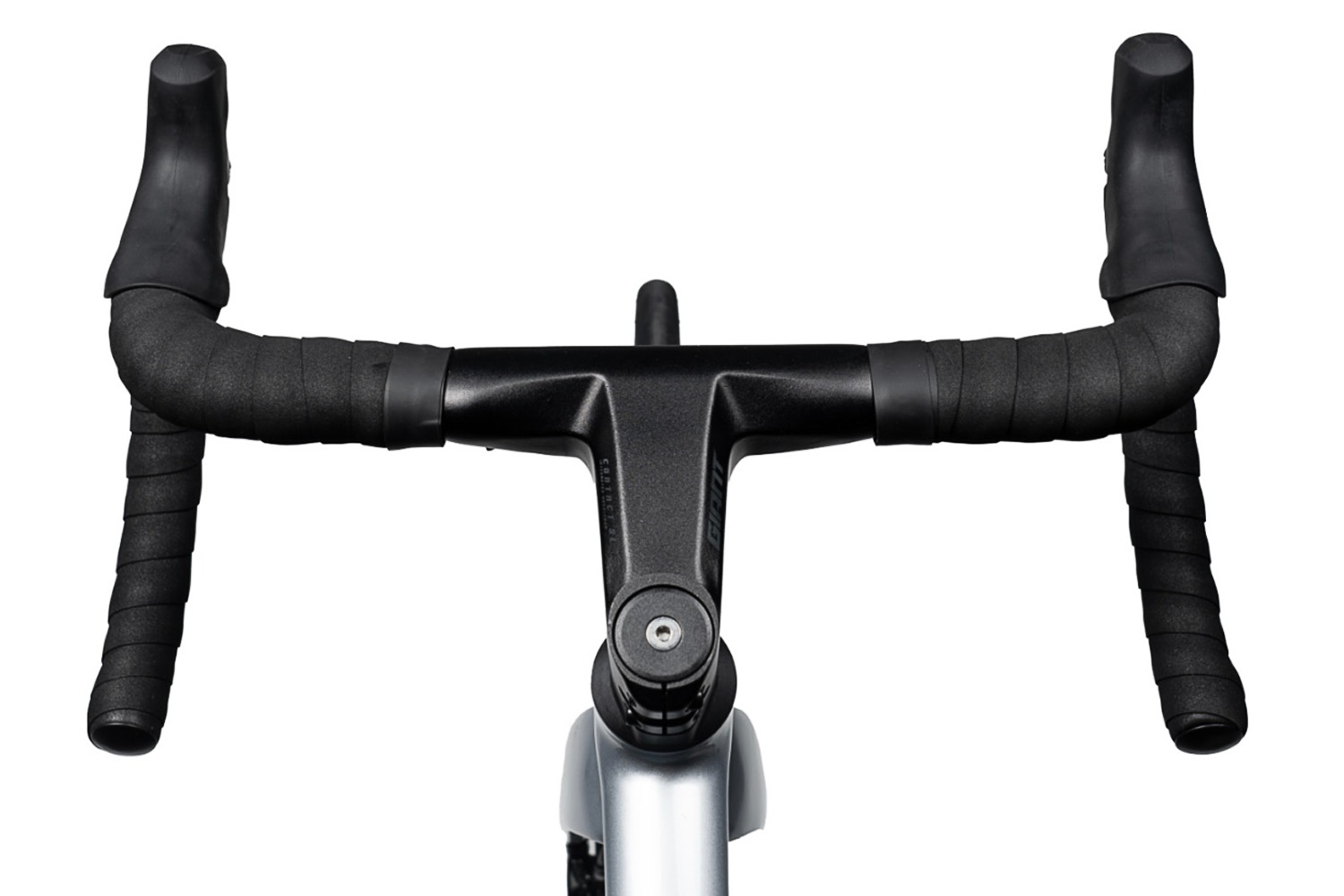
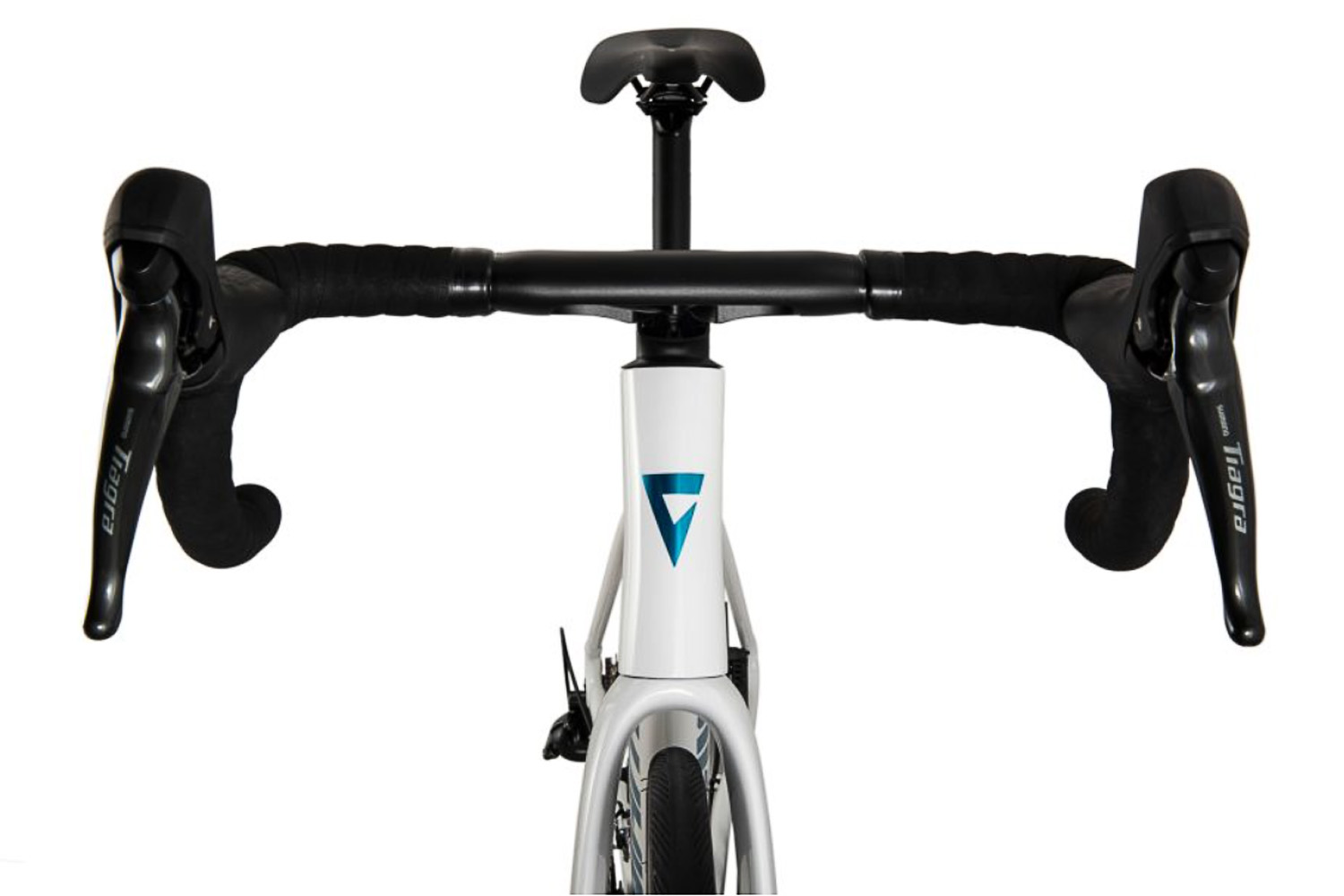
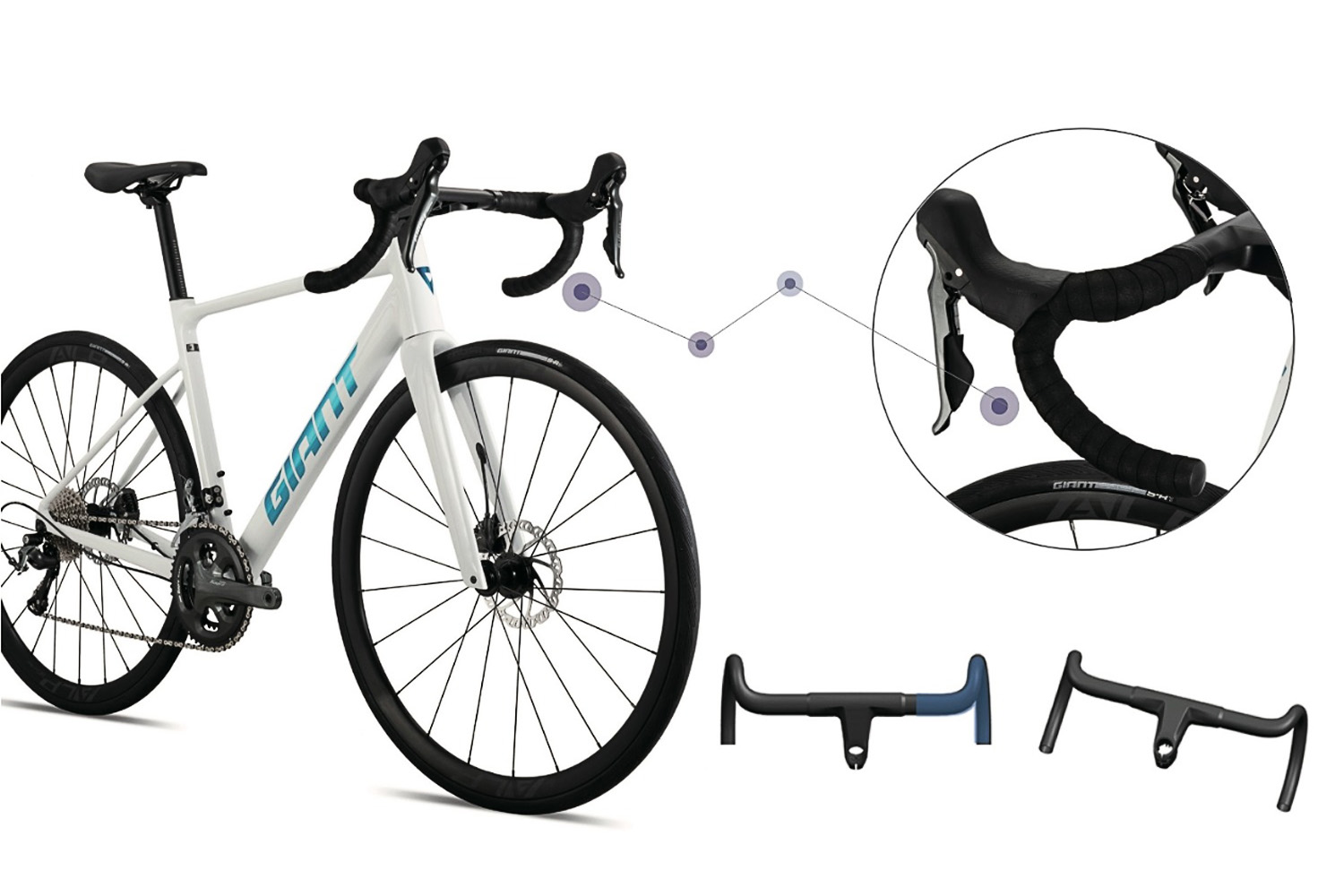
A one-piece aluminium cockpit is a rare sight in 2025, but presumably helps keep costs down. Giant The underside of the handlebar can hide a cable-to-hydraulic junction box for the disc brakes. Giant
The PCR LTD features fully integrated cable routing and even a one-piece handlebar – the latter of which is an aftermarket upgrade for even the top-spec Propel Advanced SL.
Notably, though, rather than being made from carbon fibre, the one-piece bar is made from aluminium, and is slotted to allow for easier cable routing or the integration of a cable-to-hydraulic converter junction box (on certain models).
The bike is finished with a Giant D-Fuse seatpost (carbon or aluminium, depending on the model) and a Shimano Tiagra 4700 groupset.
The PCR LTD 2+ features alloy wheels with proper hydraulic brake levers. Giant
Opting for the PCR LTD 2+ (CN¥5,698 / ~£600) nets you a build featuring proper, conversion-free hydraulic disc brakes and alloy wheels.
The slightly pricier PCR LTD 1 (CN¥6,998 / ~£750) features 50mm-deep carbon rims and cable-actuated brake levers, plus a hydraulic converter box that nestles into the integrated bar.
Why you can’t have one
The PCR doesn’t look like a cheap bike from the front end, but it’s remarkably good value. Giant
All things considered, it’s an enticing package – especially at the bargain prices quoted on Giant’s Chinese website.
In comparison, the closest equivalent model available in the UK is the Contend AR 2. A much more endurance-focused bike, it has an RRP of £1,449 – almost twice the price of the PCR LTD 1.
So why the discrepancy, and will riders ever see the PCR LTD reach Western markets?
Giant is keen to point out the PCR’s slickly integrated front end… Giant As well as its slight rear. Giant
We suspect the likely answer is that Giant – the largest bicycle manufacturer in the world – is simply so big that it can afford to make market-specific bikes and price them accordingly.
Beyond that, though, there are also increased costs involved in selling in places such as the UK, US and EU, including import duties, distribution costs, wages for local staff, local taxes and so on. These things exist in Asia, of course, but we’d imagine Giant faces higher costs for these factors in Western markets.
Will we ever see the PCR in Western markets? We hope so, but we won’t hold our breath. Giant
There may be an element of market segmentation, too. Perhaps Giant is worried that having a bike such as the PCR available in the West could eat into sales of its higher-value bikes, such as the TCR, Propel and Defy.
Of course, we put these questions to Giant and will update this article if we receive a response.
Either way, it’s a useful reminder that the UK and EU aren’t always at the centre of the bicycling world despite what the Mercator projection might suggest.
Acer has filed individual lawsuits against all three major wireless carriers in the United States, including AT&T, T-Mobile, and Verizon. According to Acer, the three carriers collectively infringed on half a dozen U.S. patents “covering key advancements in cellular networking,” and now it’s taken them to court after failing to reach a licensing
In preparing for the GNOME 50 Alpha release, the “50.alpha” tags just occurred for the Mutter compositor and GNOME Shell. Most notable with GNOME Mutter 50 Alpha is the X11 back-end indeed being removed to focus exclusively on the Wayland session…
After spending years pushing digital payments to combat tax evasion and money laundering, European Union ministers decided in December to ban businesses from refusing cash. The reversal comes as 12% of European businesses flatly refused cash in 2024, up from 4% three years earlier.
Over one in three cinemas in the Netherlands no longer accept notes and coins. Cash usage across the euro area dropped from 79% of in-person transactions in 2016 to just 52% in 2024. Sweden leads the digital shift where 90% of purchases now happen digitally and cash represents under 1% of GDP compared to 22% in Japan.
The policy change stems from concerns about financial inclusion for elderly and poor populations who struggle with digital systems. Resilience worries also drove the decision after Spaniards facing nationwide power cuts last spring found themselves unable to buy food. European officials worry about dependence on American payment giants Visa and MasterCard. The EU now recommends citizens store enough cash to survive a week without electricity or internet access.
DirtySixer has unveiled the MonsterEnduro, a full-suspension enduro bike built around 32in wheels and designed specifically for tall riders – but it’s not a looker, with kinked top and down tubes that are sure to divide opinion.
The current trend seems centred on XC bikes, with the MonsterEnduro being one of the first production enduro models to feature 140mm of rear-suspension travel.
The new mountain bike takes inspiration from the brand’s 36in DH prototype shown at Eurobike and raced at Megavalanche last year.
The MonsterEnduro is for tall riders. DirtySixer
The new bike comes in five sizes, with the smallest a size L, which is said to fit riders who are over 170cm, and the largest 4XL.
The MonsterEnduro is available at one build level, priced at $8,999, or around €7,708, plus shipping, as well as in rolling chassis form, complete with headset, fork and wheelset for $3,599.
While the travel figure may seem small for a conventional enduro bike, it’s one of the longest-travel 32in-wheel bikes on the market.
The brand says: “Conventional travel categories don’t really apply to bigger wheels, as they don’t need that much travel to overcome bigger bumps.”
Up front, DirtySixer is running a modified Manitou Dorado fork, complete with custom CNC-machined crowns, with the rear shock yet to be confirmed.
The geometry is yet to be confirmed. DirtySixer
The brand hasn’t listed any finalised geometry figures, but says it is targeting a 65-degree head angle, 75-degree seat tube angle and 490mm chainstays.
As with DirtySixer’s other bikes, chainstay length and crank length will increase with frame size to maintain rider proportions.
The bike uses a T47 bottom bracket with inboard bearings, paired with a narrow 186mm Q-factor, despite the use of fat-bike derived standards.
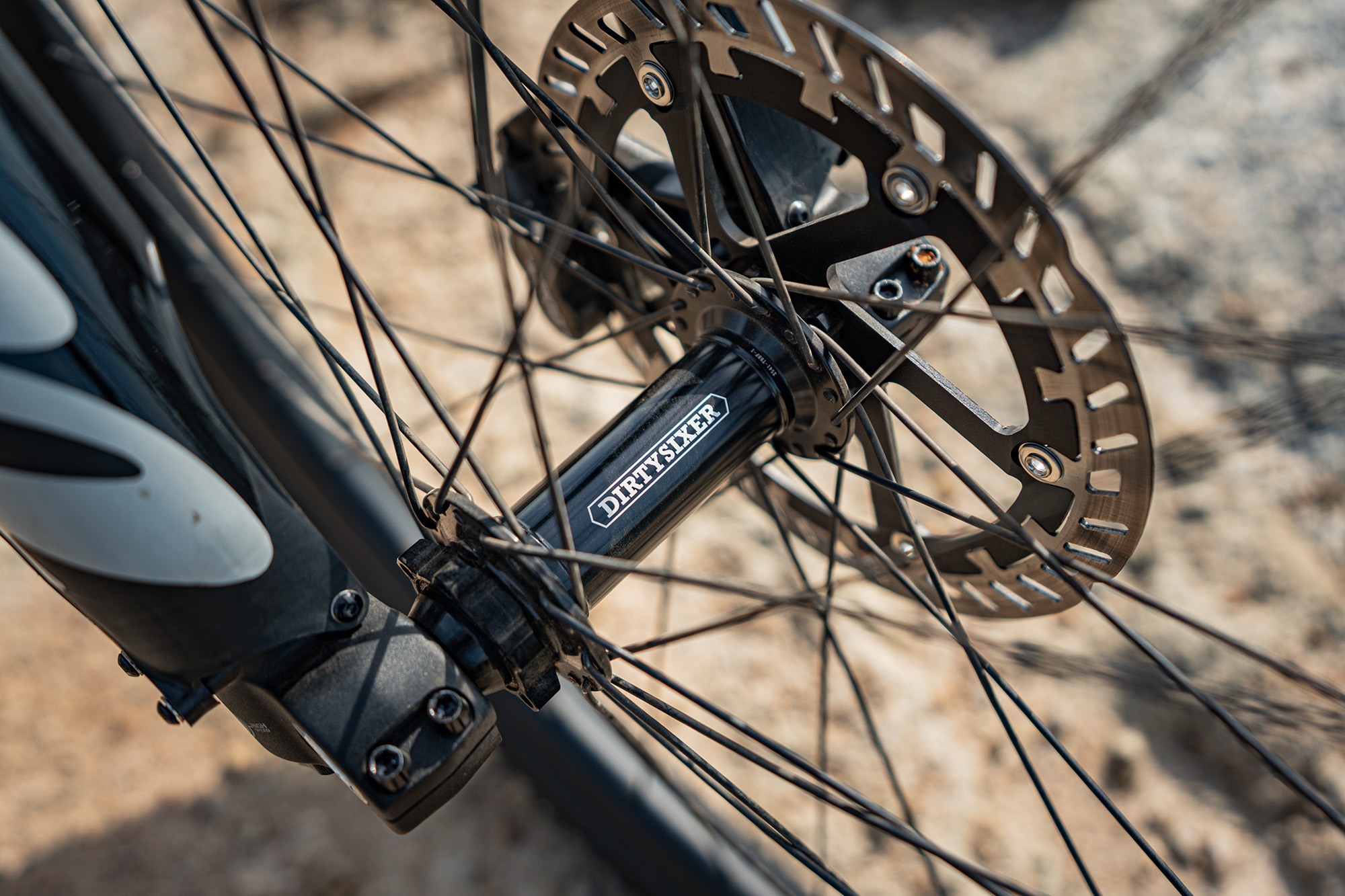
Hub spacing is 150mm front and 197mm rear. DirtySixer
A SRAM Eagle 90 drivetrain is used for shifting, while braking comes courtesy of Magura’s new four-piston Louise brakes with 200mm rotors front and rear.
The frame uses a 34.9mm seatpost and accepts dropper posts exceeding 200mm of travel.
DirtySixer has been testing several carbon rims, but says it might ultimately use its own wheels that it developed for ebikes.
The expected release of glasses from huge players like Apple and Google has industry analysts predicting sales of smart glasses will rise from six million units in 2025 to 20 million in 2026. In other words, this year is looking like an inflection point, where tech-enabled spectacles make the transformation from tech wear for early adopters to everyday gear for regular folks. Whether you’re looking for a pair of audio-first glasses, display glasses, or full augmented reality, here’s what to expect from the major players and smaller operators in the smart-glasses space.
CES’s major smart glasses announcements
This year’s Consumer Electronics Show saw a ton of companies introducing new smart glasses, including “been in the space forever” firms like XReal and “these are the first smart glasses for us” companies like XGimi. Below are four of the most notable new smart glasses announced at CES.
XReal 1S
Credit: XReal
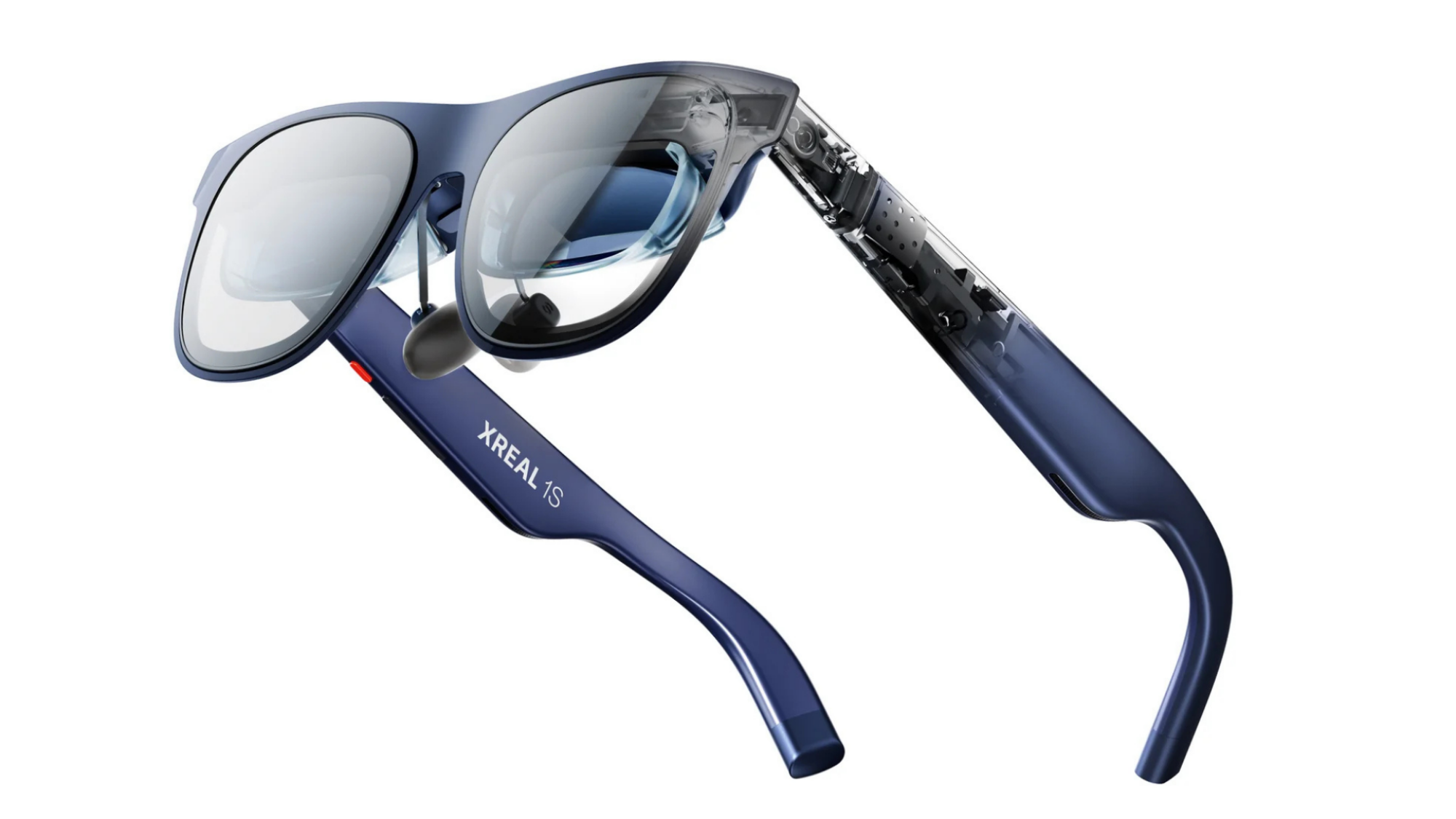
XReal was an early player in the smart glasses space. They’ve been releasing high-end, display-first glasses like the Xreal One Pro since 2019. They’re the go-to if you want specs that put a high-def display in your pocket. At CES, the company unveiled the 1S: Glasses that promise a massive virtual display as large as 500″, 3Dof augmented reality capability, and a smooth as silk refresh rate of 120Hz, all powered by an onboard X1 chip. XReal 1S is available now for $449.
Even Reality G2
Credit: Even Reality
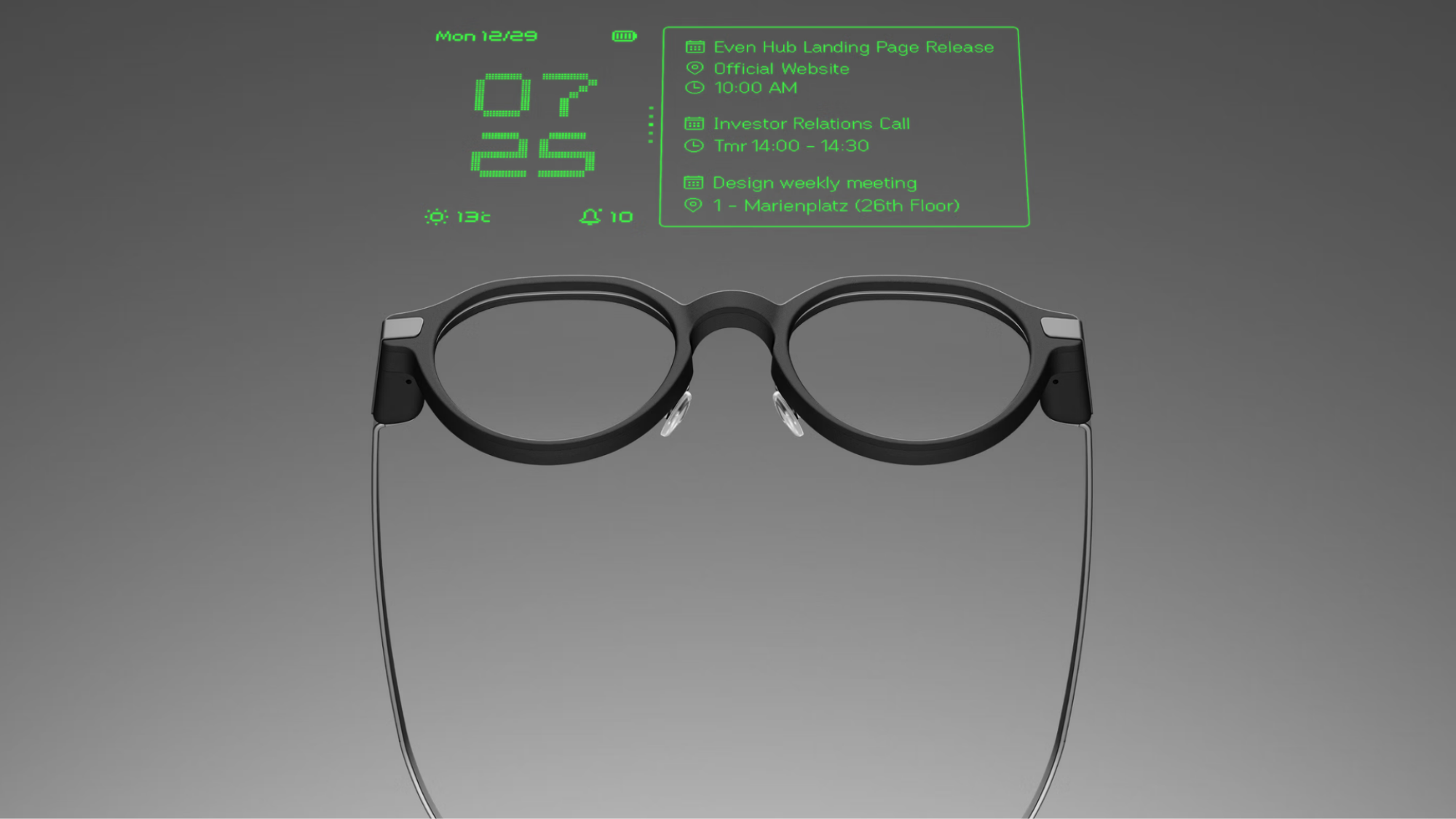
Even Reality is aiming for people who wanted fashionable glasses that do extraordinary things. The company followed its excellent G1 smart glasses with the G2, a new model with a bigger, sharper monochrome display, “contextual AI” that can flash helpful conversation suggestions to users, and an integrated smart ring to make all of it easier to control. They also don’t look dorky, so no one needs to know you’re wearing smart glasses. Even Reality G2 glasses are available now for $599 and up.
RayNeo Air 4 Pro
Credit: Stephen Johnson
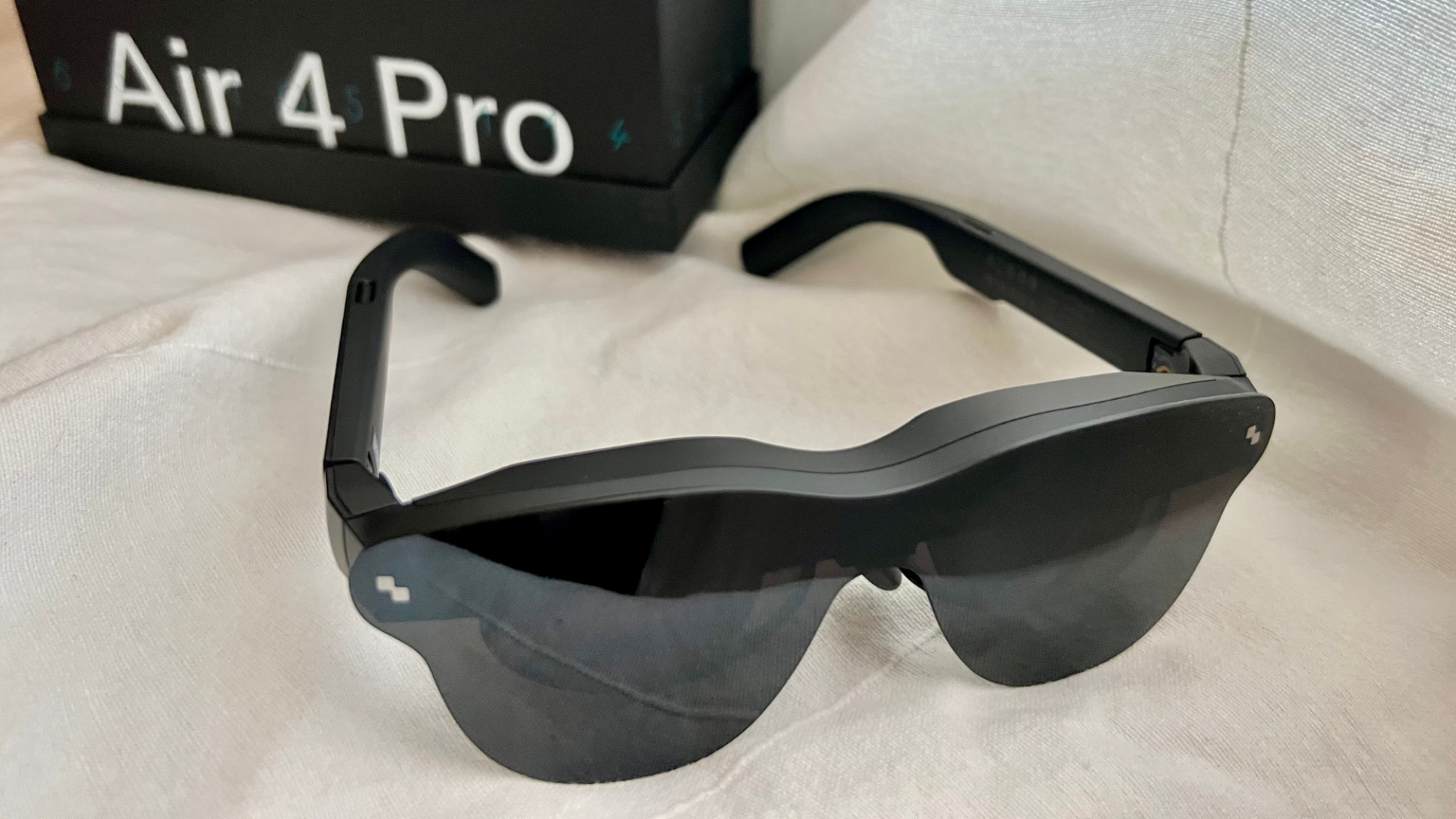
Released in 2025, RayNeo’s impressive X3 glasses provided a glimpse into the future, where we’ll have instantly available HUDs. The Air 4 Pro, on the other hand, is more about the present. Display glasses that are for streaming games and movies instead of wearing all the time, Air 4 Pros feature dual Micro-OLEDs creating a virtual 200-inch screen, HDR10 support for high dynamic range video, a Vision 4000 custom processor for upscaling, and Bang & Olufsen-tuned audio. They’re aggressively priced at $299 and set to be released on Jan. 25.
XGimi Memomind Air Display
Credit: XGimi
XGimi is known for projectors, but its first line of smart glasses, dubbed Memomind Air Display, made waves at CES for their lightweight, stylish frames, monochrome display integrated with AI, and a battery that lasts all day. Memomind glasses are available with a dual lens display, single lens display, and audio-only. There’s no set release date for these, but the company is expecting them to hit the market around March.
Upcoming smart glasses releases
As the year rolls on, we’ll be seeing new models of smart glasses dropping from huge companies like Google and Snap, not to mention smaller companies that are likely to surprise us with something unexpected.
Google and Samsung
Google was the first company on the smart glasses scene with the release of Google Glass, and in 2026, it’s getting back in the game. Google is collaborating with Samsung, Gentle Monster, and Warby Parker to release two different Android-powered smart glasses: an audio-first pair that will allow users to access Gemini AI, and glasses with an in-lens display that displays things like directions and language translations.
Apple
After the relatively lukewarm response to Apple’s VR gear, the company is rumored to be shifting its resources into smart glasses. The company hasn’t officially announced anything, but the rumor mill says Apple’s glasses will include camera, microphone, and AI capabilities, and could be released this year.
Snap
The company behind Snapchat is planning to release some high-powered augmented reality smart glasses sometime in 2026. Snap’s Spectacles are designed to allow you to “interact with digital objects the same way you interact with the physical world, using voice, gesture, and touch.”
Amazon
If you were hoping for a consumer release of Amazon smart glasses in 2026, it’s not happening, but the company is planning to equip its army of nearly 400,000 delivery drivers with smart delivery glasses designed to help them “identify hazards, seamlessly navigate to customers’ doorsteps, and improve customer deliveries.”
Meta
All the companies above are essentially gunning for Meta, whose smart glasses make up about 73% of the total market in 2025, a dominant position it earned by making smart glasses feel normal and futuristic. Meta hasn’t announced any plans for 2026, as its Meta Display glasses and second generation of Ray-Bans and Oakleys came out in late 2025.
The end goal for smart glasses: replacing your phone
If you combined the best features from each kind of smart glasses, you’d have a wearable that essentially does everything your phone does and corrects your vision. Replacing phones is the game behind the game, and it explains the number of companies fighting for the same real estate.
Maybe a pair of smart glasses will eventually come out that’s so easy to use, cool-looking, and powerful that everyone ditches their smart phone, but probably not in 2026—the tech is not quite there and neither is the public acceptance. Still, a lot more people will be using smart glasses this year.
A Linux scheduler patch queued up into a TIP branch this past week further restrict is the preemption modes that will be advertised. With it hitting the “sched/core” branch, it will likely be submitted for the upcoming Linux 7.0 (or alternatively, what could be known as Linux 6.20 instead)…