Do Markets Make Us Moral?

A new study [PDF] examining the United States between 1850 and 1920 found that expanded market access — driven largely by railroad expansion — made Americans more trusting of strangers and more outward-looking, but weakened family-based care for the vulnerable.

Researchers Max Posch of the University of Exeter and Itzchak Tzachi Raz of Hebrew University compared places and people gaining different levels of commercial connectivity. In better-connected regions, Americans became more likely to marry outside their local communities, and parents more likely to pick nationally common names for children. Trust toward others rose, as measured through language in local newspapers.

The researchers used multiple tests to rule out the possibility that these shifts simply reflected places getting richer. The cultural changes were concentrated among migrants in trade-exposed industries; workers in construction and entertainment showed no effect. But market access also meant orphans, the disabled, and the elderly became less likely to be cared for by relatives at home.


Read more of this story at Slashdot.

The best cheap VPN in 2026

When talking about the best VPNs, I frequently warn about the dangers of trusting free VPNs without verifying them. Although there are a few free VPNs worth recommending, many other free providers are ineffective, malicious or looking to profit off their users (or sometimes all three). Even the best free VPNs work a lot better once you subscribe and access their full service.

This can be frustrating if you want to enjoy the benefits of a VPN but don’t have the budget for yet another subscription. To help you out, I put together a list of the best paid VPN services you can get cheaply. Every name on the list comes with my full recommendation — I’ll never recommend a VPN that doesn’t protect you, no matter how affordable.

Before I get started, I want to define “cheap,” since VPNs often bamboozle the customer with muddled pricing schemes. Most providers have long-term subscription plans with big discounts, and many of them compensate by making their monthly plans more expensive. On this list, I’ll recommend services with cheap subscriptions for both the short and long term, plus one favorite that balances both.

Best cheap VPNs for 2026

Other VPNs we tested with good deals

A couple of VPNs have decent pricing options attached to worthy services but weren’t quite strong enough to make the list. Both these services get my hearty recommendation; they’re just hard to justify as “cheap.”

ExpressVPN

ExpressVPN recently switched to a multi-tier pricing model. The Basic pricing tier gets you complete VPN service but doesn’t include the full set of features. The best price on that is $78.18 for 28 months, which works out to $2.79 per month. Although that sounds great, it’s more expensive than both Surfshark and CyberGhost at the same duration and renews at the even higher price of $99.95 per year ($8.33 per month).

Still, as I wrote in my full ExpressVPN review, it’s an outstanding service overall. Thanks to its sensible app layouts and focus on doing simple tasks well, I find it especially good for introducing beginners to what a VPN can do.

NordVPN

NordVPN is another provider that I gave a relatively positive review. I really like its boundary-pushing features, especially the various types of highly specialized servers. Its pricing isn’t bad, exactly, but even the Basic level is more expensive than just about everyone else at every duration. NordVPN’s fast download speeds and wide server network make it worthwhile for lots of users, but it’s hard to recommend to people on a budget.

What to look for in a good cheap VPN

Looking for an affordable VPN is the same as looking for any kind of VPN; it just requires more care. The worst VPNs usually present themselves as free, but there’s also a fair number of mediocre options that think low prices have to mean a mediocre service. If you want to use a VPN but don’t have much extra cash, take some additional care in a few areas of your search.

First, don’t subscribe to a VPN — or even download any of its apps — if you haven’t verified its security. To do that, start by checking what experts have to say about it. If a VPN is truly unsafe, chances are high that somebody has already sounded the alarm. You can also check the list of protocols the VPN offers. If it’s anything other than OpenVPN, WireGuard or IKEv2, do a deep dive to make sure it’s using worthwhile encryption.

If you’ve verified that the VPN isn’t a virus, check to see if it has a free trial or a guaranteed money-back period. This will give you some risk-free time to do hands-on tests. Our article on how we test VPNs includes several tests you can run on your own computer, phone or tablet. Check the VPN’s speed, make sure it has the server locations you need and look for anything that might be leaking your real IP address.

Read the VPN’s privacy policy and make sure you’re comfortable with how much information it saves. Some VPNs emphasize privacy more than others. Finally, before your free trial or refund period expires, make sure to double-check on the pricing structure of the VPN you’re choosing — it’s possible that it will only be cheap for the first subscription period.

This article originally appeared on Engadget at https://www.engadget.com/cybersecurity/vpn/best-cheap-vpn-170000957.html?src=rss

‘Call Screening is Aggravating the Rich and Powerful’

Apple’s call-screening feature, introduced in iOS 26 last year, was designed to combat the more than 2 billion robocalls placed to Americans every month, but as WSJ is reporting, it is now creating friction for the rich and powerful who find themselves subjected to automated interrogation when dialing from unrecognized numbers.

The feature uses an automated voice to ask unknown callers for their names and reasons for calling, transcribes the responses, and lets recipients decide whether to answer — essentially giving everyone a pocket-sized executive assistant.

Venture capitalist Bradley Tusk said his first reaction when encountering call screening is irritation, though he understands the necessity given the spam problem. Ben Schaechter, who runs cloud-cost management company Vantage, said the feature “dramatically changed my life” after his personal number ended up in founding paperwork and attracted endless sales calls.


Read more of this story at Slashdot.

Titanium’s renaissance continues with Passoni’s glorious new Omni OT-01

Over recent years, we’ve seen a resurgence in stunning new titanium bikes, with the likes of Reilly’s Fusion, Bastion’s hybrid creations, Sturdy’s SC-R and SC-G, Moots’ rugged Scrambler and J.Laverack’s Speedform.

Even affordable options such as Ribble’s Allroad Ti, Sonder’s Camino, the Kinesis Tripster ATR and Dolan’s ADX are incorporating new manufacturing techniques and processes.

That’s not to mention new bikes incoming from the likes of Enigma, embracing cutting-edge manufacturing techniques.

Now Milanese titanium expert Passoni has launched the new Omni OT-01 with a lightweight tubeset, machined head tube and enclosed 3D-printed dropouts.

The titanium frame evolves

Passoni Omni OT-01 headtube
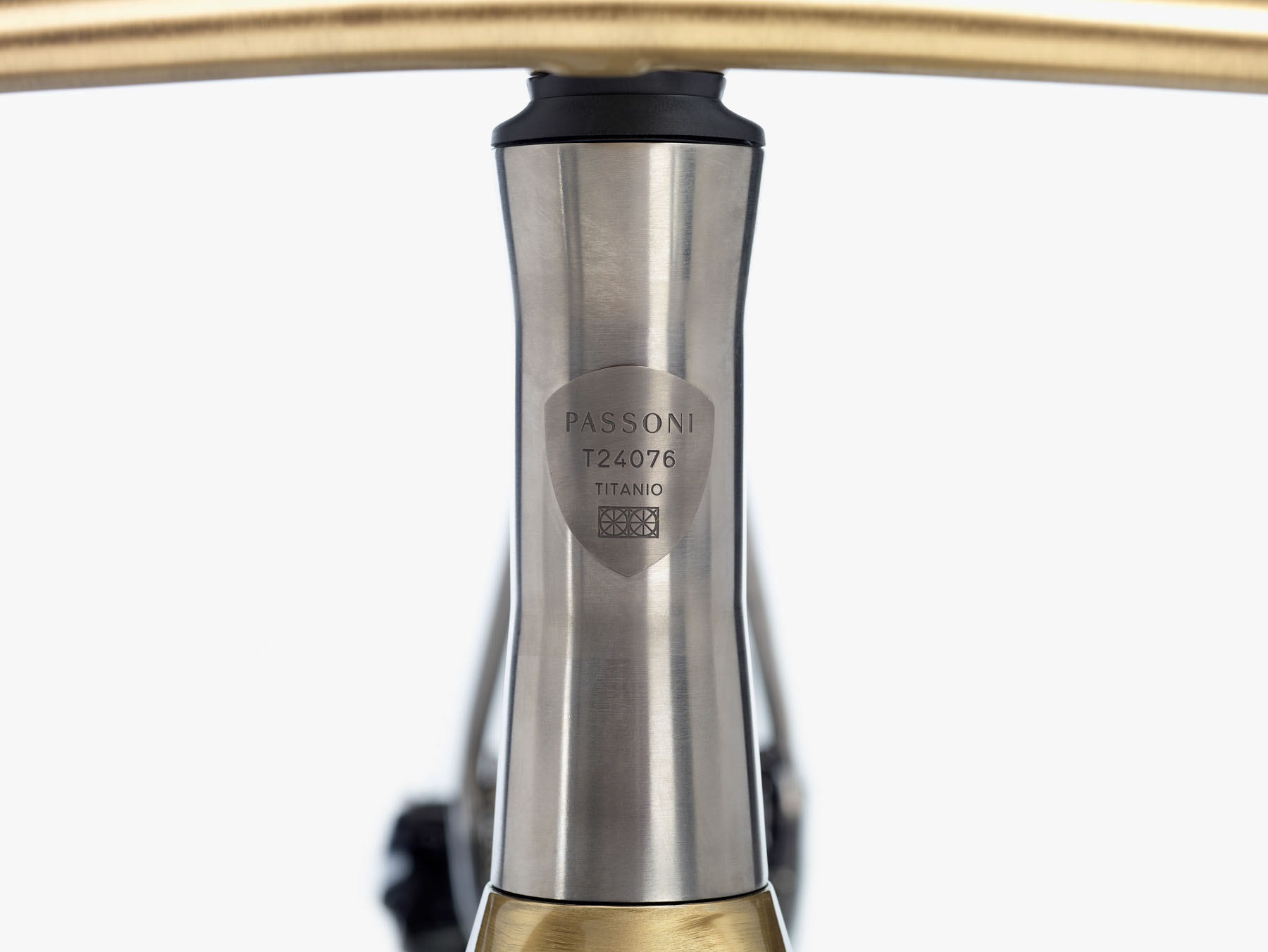
The Passoni Omni OT-01 head tube is machined from Grade 5 titanium billets. Passoni

Passoni’s current flagship disc road bike, the Titanio Disco, provides the basis for the new Omni OT-01. Passoni has reengineered key elements of the frame, while maintaining their geometry and ride quality.

Up front, a new 1.5-inch head tube is machined in three parts from a solid billet of Grade 5 titanium.

The frame has been completely re-engineered, which has resulted in a claimed 120g weight reduction over the Titanio Disco in a size medium.

Omni OT-01 dropout
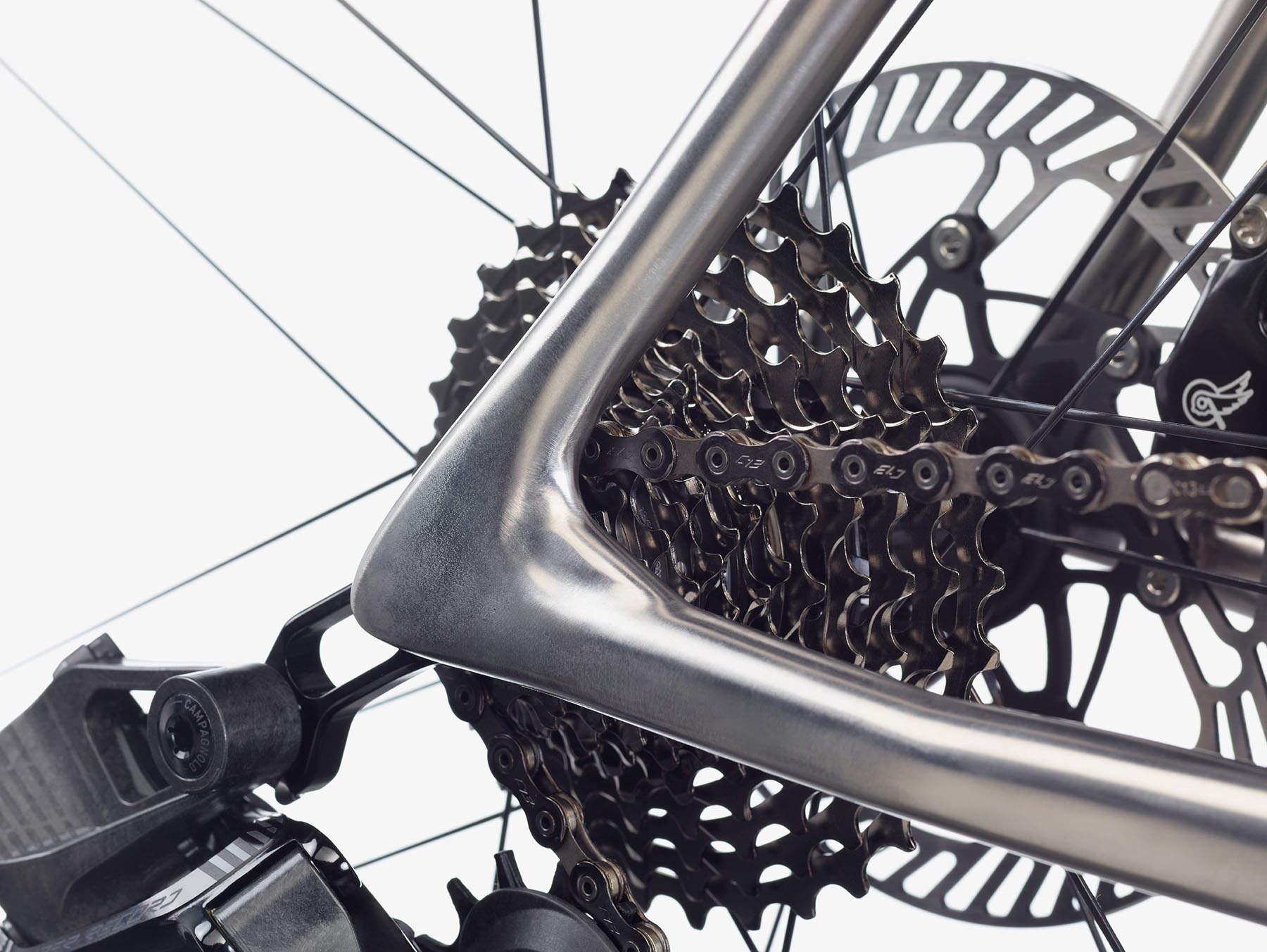
The Omni OT-01 rear dropout is completely enclosed. Passoni

The rear triangle has new-shaped chainstays, increasing tyre clearance to 32mm. These are capped with new 3D-printed dropouts. The driveside dropout is now fully enclosed, giving “a visual cleanliness and a more integrated look to the frame”, according to Passoni.

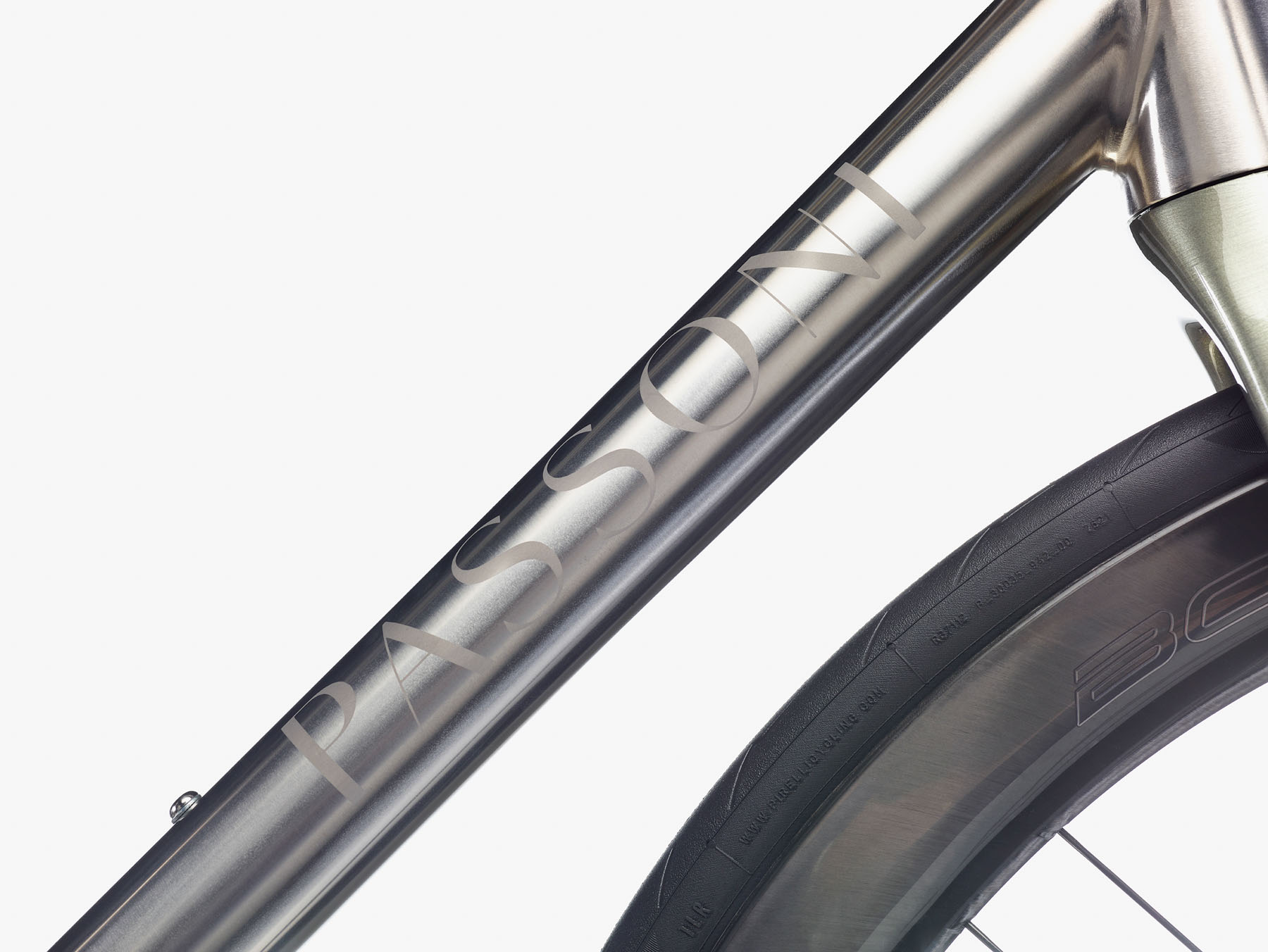
The front triangle’s two main tubes are new. The down tube has reduced in diameter, dropping 90g in weight, and like the top tube, it’s triple-butted for an “optimal-stiffness-to-weight-ratio”.

Omni OT-01 down tube
The Omni down tube is smaller in diameter and triple-butted, saving 90g over the previous generation. Passoni

Up front, a new carbon fork (the FP01) has an oversized 1.5in steerer tube and is optimised to run with 160mm disc rotors.

The OT-01 can be bought fully made-to-measure, custom, or off the peg in standard sizes.

 48 50 52 54 56 58 60
Stack 519 526 559 559 583 604 617
Reach 356 368 383 383 389 395 405
Head Tube length (mm) 115 120 152 152 175 195 207
Seat angle (deg) 75 75 74 74 73,8 73,5 73
Head tube angle (deg) 69 70 71,5 71,5 72 72,5 73
BB drop (mm) 74 72 70 70 70 70 70
Trail (mm) 83 77 71 67 63 60 57
Fork rake (mm) 45 45 45 45 45 45 45
Chain stay length (mm) 410 410 410 410 412 412 412
Wheel base (mm) 978 985 988 998 1009 1017 1025
Length Seat tube c.c. (mm) 440 447 472 472 522 533 534
Length Top tube virt (mm) 500 513 545 545 560 575 594
Standover (mm) 738 747 777 777 810 825 832
Front centre 580 586 589 598 607 615 623


Edit Table

Like all of Passoni’s titanium bikes, the OT-01 is handmade at Passoni’s Milan Atelier. All bikes are made to order, with deliveries scheduled for 16-20 weeks.

Pricing details

Passoni Omni OT-01
The Omni OT-01 can be ordered as a complete bike with Campagnolo Super Record 13. Passoni

As you’d imagine, a custom handmade titanium frameset such as this doesn’t come cheap, with the frameset (frame, fork and headset) priced at €7,020 plus VAT.

A frame kit (frame, fork, headset, CP-01+ cockpit, Selle Italia SLR custom saddle, titanium seatpost and leather bar tape) costs €8,550 plus VAT.

Complete builds with Campagnolo Super Record 13 and Bora Ultra WTO 45 wheels cost €15,230 plus VAT.

The first season of Amazon’s Fallout show is now free on Youtube

Fallout’s second season is coming to a close, and it’s been well worth the wait. But if a reluctance to add yet another subscription to your streaming rotation means you haven’t watched Amazon’s surprisingly excellent adaptation yet, you might be interested to know that the company is currently releasing season one for free on the Prime Video YouTube channel.

Whether driven by Amazon wanting even more people to watch what has become one of its biggest TV success stories, or a move that speaks to how few people are actually signed up for Prime Video, it’s good news for anyone who hasn’t seen the show yet. Fallout’s first season did a great job of taking everything that’s great about the long-running post-apocalyptic RPG series and weaving it into a wildly entertaining live-action show, elevated by excellent performances from Ella Purnell as a hopelessly naive but endearingly optimistic vault-dweller, and Walton Goggins as the Ghoul.

Amazon is currently adding a new episode each day ahead of next week’s season two finale, presumably hoping a whole new set of fans hop straight into that once they’re done. But here’s the catch: you only have until February 11 to watch the whole lot. After that, the show will be for Prime Video subscribers only once again.

And that isn’t the the only Fallout freebie up for grabs right now. Between now and February 5, Bethesda’s MMORPG, Fallout 76, is free-to-play on Xbox and PC, while PlayStation players have until February 4. Fallout 76 first launched in 2018, and as a fully multiplayer-focused game it represented a new direction for the series. It was, to put it bluntly, a bit of a mess for quite a while, but Bethesda has never abandoned the title or its player-base, and if you have Fallout on the brain, this is the perfect opportunity to see how it’s looking in 2026.

This article originally appeared on Engadget at https://www.engadget.com/entertainment/streaming/the-first-season-of-amazons-fallout-show-is-now-free-on-youtube-162920615.html?src=rss

Shield TV Hits A Decade Of Android Updates As NVIDIA Reveals Future Plans

Shield TV Hits A Decade Of Android Updates As NVIDIA Reveals Future Plans
In just a matter of weeks, NVIDIA’s original Shield TV console will turn 10 years old. What makes the milestone particularly remarkable is that even after a full decade of service, NVIDIA continues to dish out Android updates, and it has no plans of stopping. It’s true that device makers have gotten better about longer term support for Android

The UK Paid $5.65 Million For a Bookmarks Site

The UK government paid consulting firm PwC $5.65 million to build its new AI Skills Hub, a site meant to help 10 million workers gain AI skills by 2030 that functions largely as a bookmarking service, directing users to external training courses that already existed before the contract was awarded.

The hub links to platforms like Salesforce’s free Trailhead learning system rather than offering original educational content. PwC has acknowledged the site does not fully meet accessibility standards. The platform also contains factual errors in its course on AI and intellectual property, which references “fair use” — a legal doctrine specific to the U.S. — rather than the UK’s “fair dealing” framework.


Read more of this story at Slashdot.

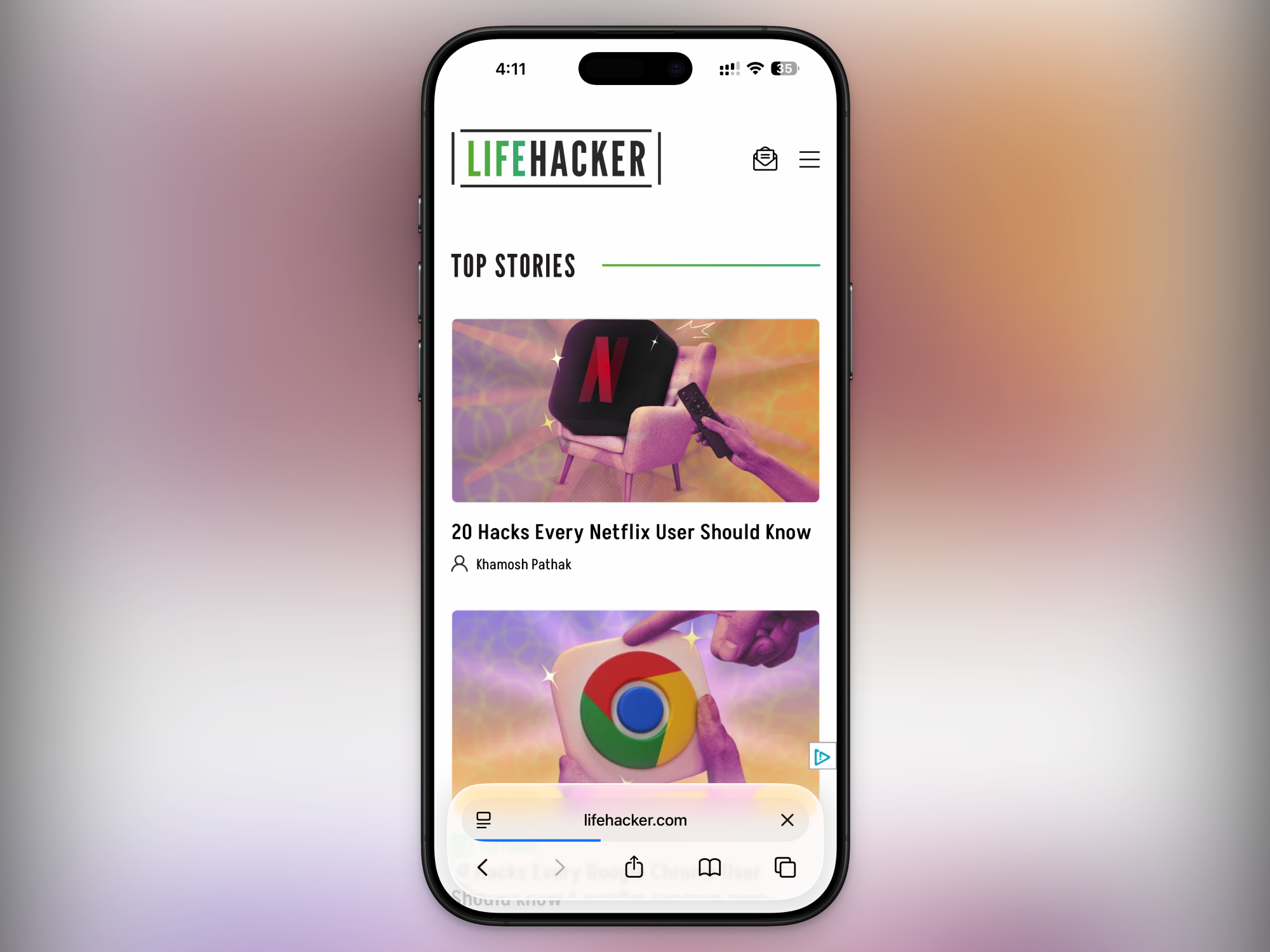
10 Hacks Every Safari User Should Know

If you’re the kind of person who only uses Safari to download Chrome, you need to think again. For a Mac user, Safari might be the best browser there is (yes, even better than Chrome). It’s fast, secure, doesn’t buckle under most loads, sips RAM instead of munching through it, and it’ll help your battery last longer as well. And yes, there are even extensions and ad blockers that work natively in Safari.

It’s time to take another look at Safari, and use all its hidden features and smarts to make your browsing better.

Blast away ads and other distracting items

Hide distracting items in Safari

Credit: Khamosh Pathak

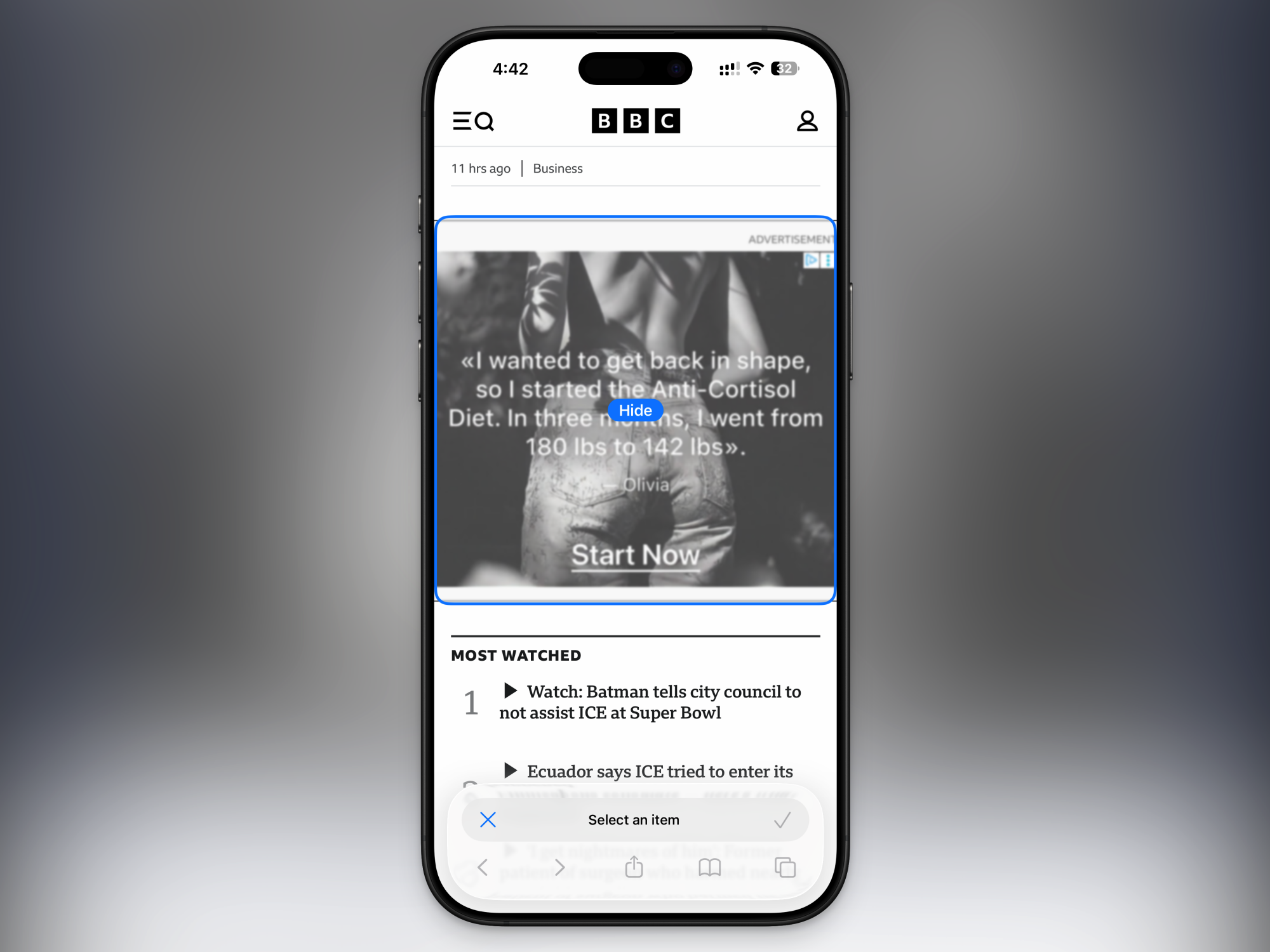
When this feature came out, it became a bit of a meme on TikTok. In case you haven’t heard, Safari has a new Hide Distracting Items feature that can zap pretty much anything on a webpage out of existence. You’ll find in the page options menu (the – icon to the left of the address bar). After activating it, try clicking on a popup menu, autoplaying video, newsletter box or pretty much anything else. It’ll be banished from your screen, and there will even be a little animation showing it disappearing like it’s just been snapped by Thanos. And Safari will remember your snap, so it won’t show up the next time you visit that site on your Mac, or even your iPhone or iPad. And if you’re feeling more like Iron Man, yes, you can cancel your snaps.

Give Safari a decent ad blocker

wBlock ad blocking

Credit: Justin Pot

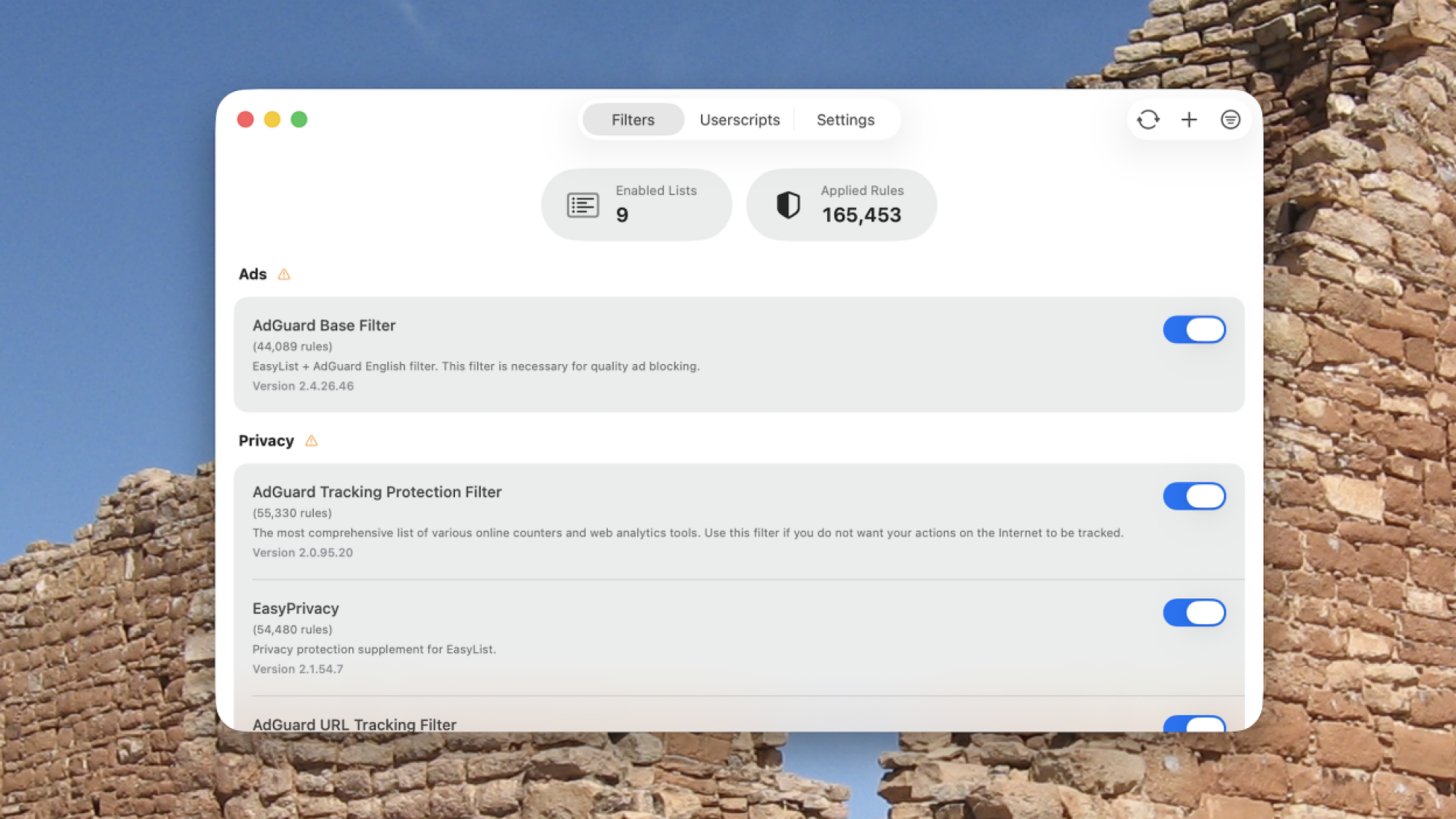
For ad blocking, Firefox and Chrome have the uBlock Origin extension. Then there are browsers like Brave and Opera, which come with ad-blocking built-in. Safari has always suffered in this regard. There was never really a true alternative to uBlock available for Safari. There is a version of uBlock Origin for Safari, but it doesn’t use Safari’s own framework for ad-blocking, so it suffers when it comes to performance and blocking capabilities.

But now it seems like there’s finally a decent alternative, called wBlock. I’ve been using it ever since my colleague, Justin Pot, wrote about it, and I am happy to say that it finally makes Safari’s ad-blocking experience on par with some of the bigger browsers. And the best part? wBlock is free and open-source.

Embrace tab groups and the sidebar

Tab Groups and Vertical Tabs in Safari

Credit: Khamosh Pathak

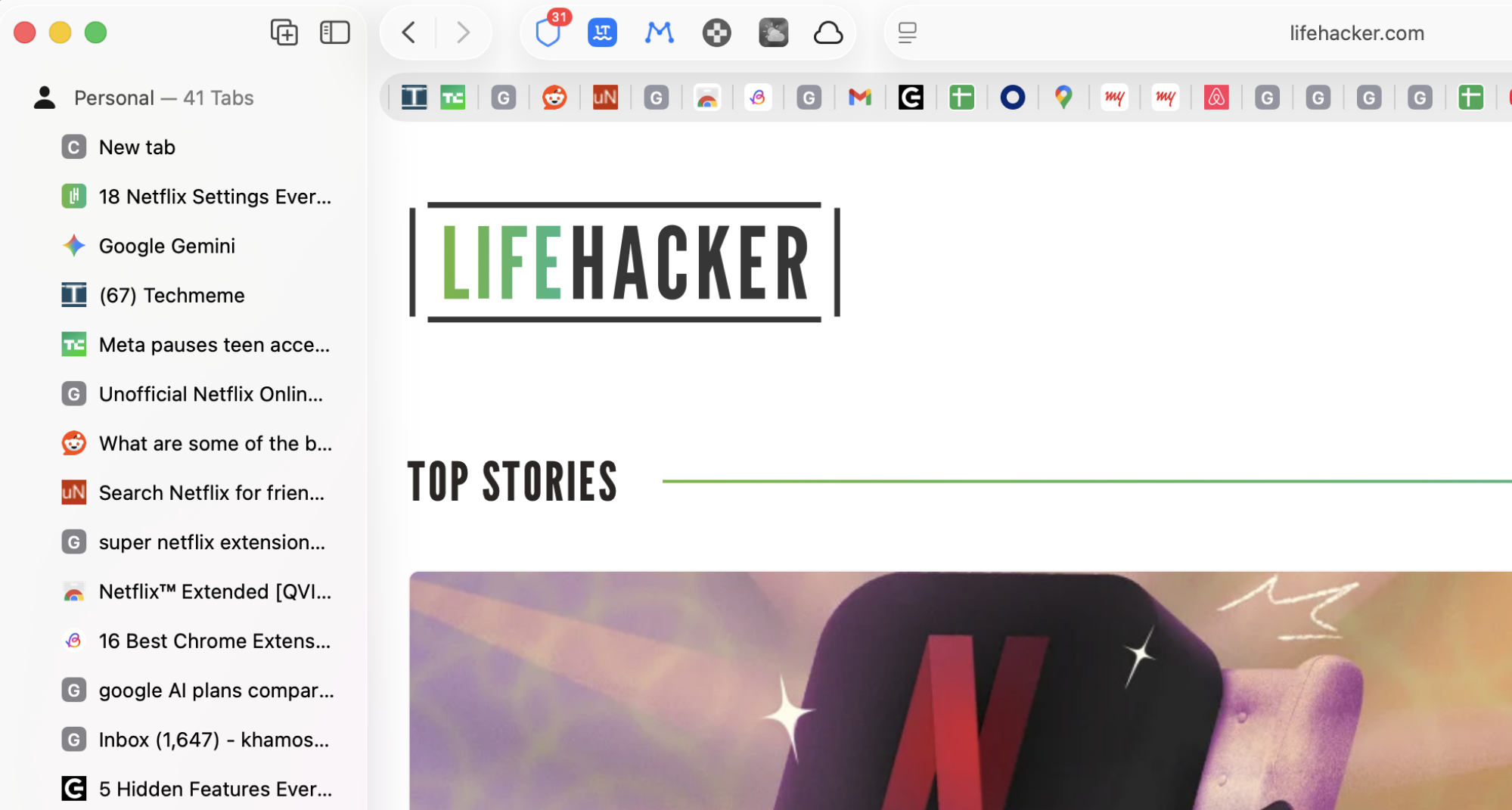
Before development was suspended, I loved the Arc browser. But ever since the company shut it down, I have become jaded, and I haven’t really started using alternatives like the Zen Browser. The biggest features I miss from Arc are the workspaces and vertical tabs. But now, Safari has those too. In Safari, you can now create Tab Groups, which can contain as many tabs as you want. I use these as my workspaces. One group for reading long articles, another for travel research, and so on.

And while I’m in a tab group, I also like to do it with the sidebar open (click the Sidebar button next to the Back and Forward buttons), which gives me a vertical-tabs experience similar to Arc’s. It isn’t exactly like Arc, because the horizontal tab bar up top doesn’t disappear. But having a vertical list of tabs still helps. So does the fact that Tab Groups sync with my iPhone and iPad, so I can pick up my research there as well.

To create a new tab group, click the New Tab Group button at the top of the sidebar. Or you can select multiple tabs, right-click, and choose the Move to Tab Group > New Tab Group option. On the iPhone, open the tab switcher, tap the Menu button from the top, and choose New Empty Tab Group to get started.

Master Safari’s new design for iPhone

Long press menu in Safari

Credit: Khamosh Pathak

Safari was one of the few apps that saw a major design update in iOS 26, with a redesigned bottom bar. Lifehacker has a detailed guide on all the new hidden gestures and features in Safari’s iOS 26 redesign, but I’ll highlight some of my favorites here.

  • Swipe to switch tabs: To quickly switch between tabs, just swipe left or right on the address bar.

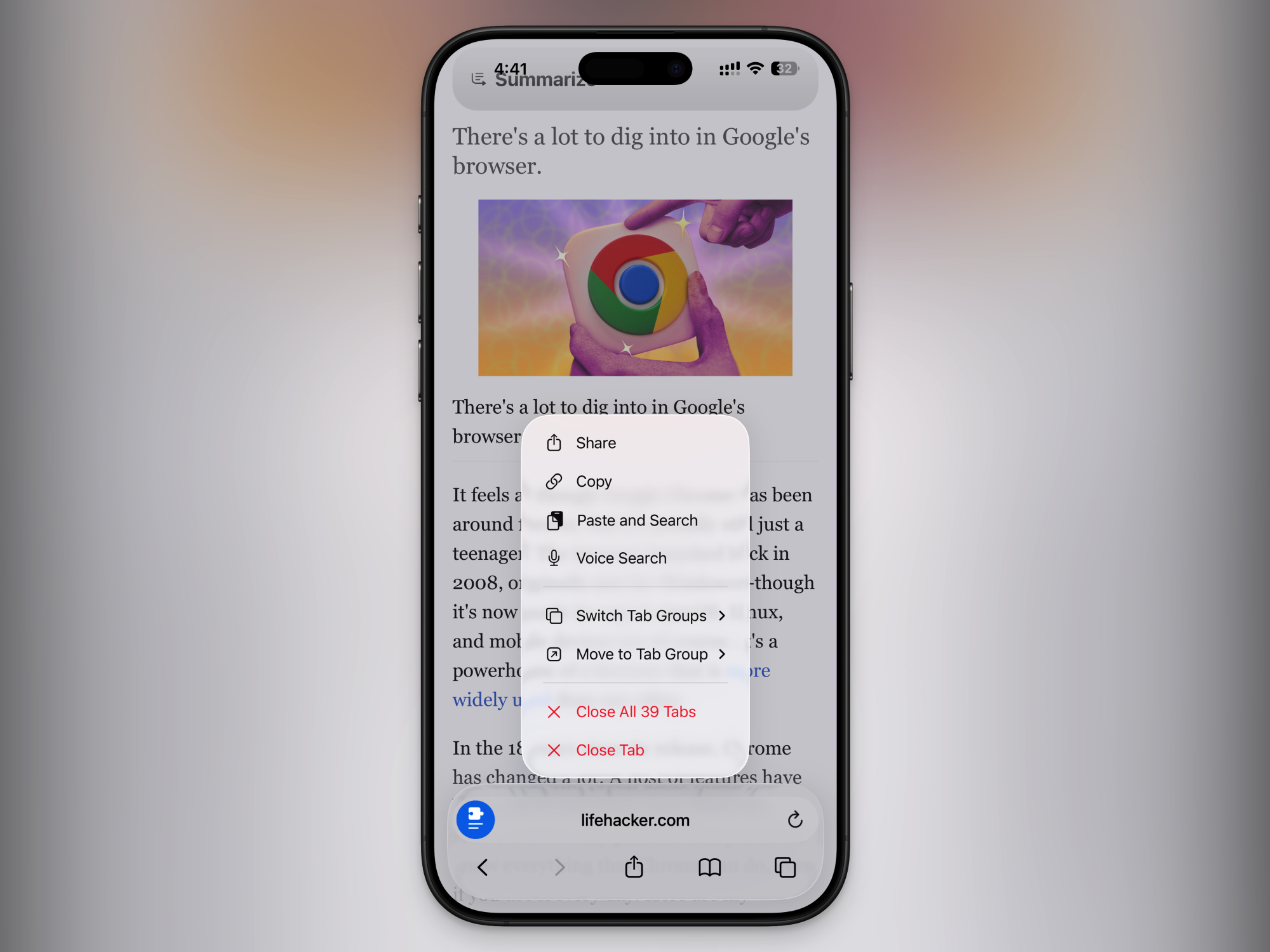
  • Press and hold the address bar: A lot is hidden here. You can copy a link, paste from your clipboard, switch to another tab group, close tabs, or close all tabs.

  • Swipe up on the address bar: Swipe up on the address bar to reveal all open tabs. From here, you can swipe left or right to switch between tab groups. From the top menu, you can copy links for all open tabs with ease.

  • Pin tabs: Tap and hold a website from the tabs screen, and choose the Pin Tab option to pin the website to the top of your browser.

Bring back the iPhone’s old tab bar

Old toolbar in Safari

Credit: Khamosh Pathak

If you don’t like the iPhone’s new compact tab bar or its gestures, you can still go back to the way things used to be. Go to Settings > Apps > Safari > Tabs. Switch to the Bottom option to bring back the expanded bottom toolbar, or to go further back in time, go with the Top option.

Lead separate browsing lives using Profiles

Start page for a new Profile in Safari

Credit: Khamosh Pathak

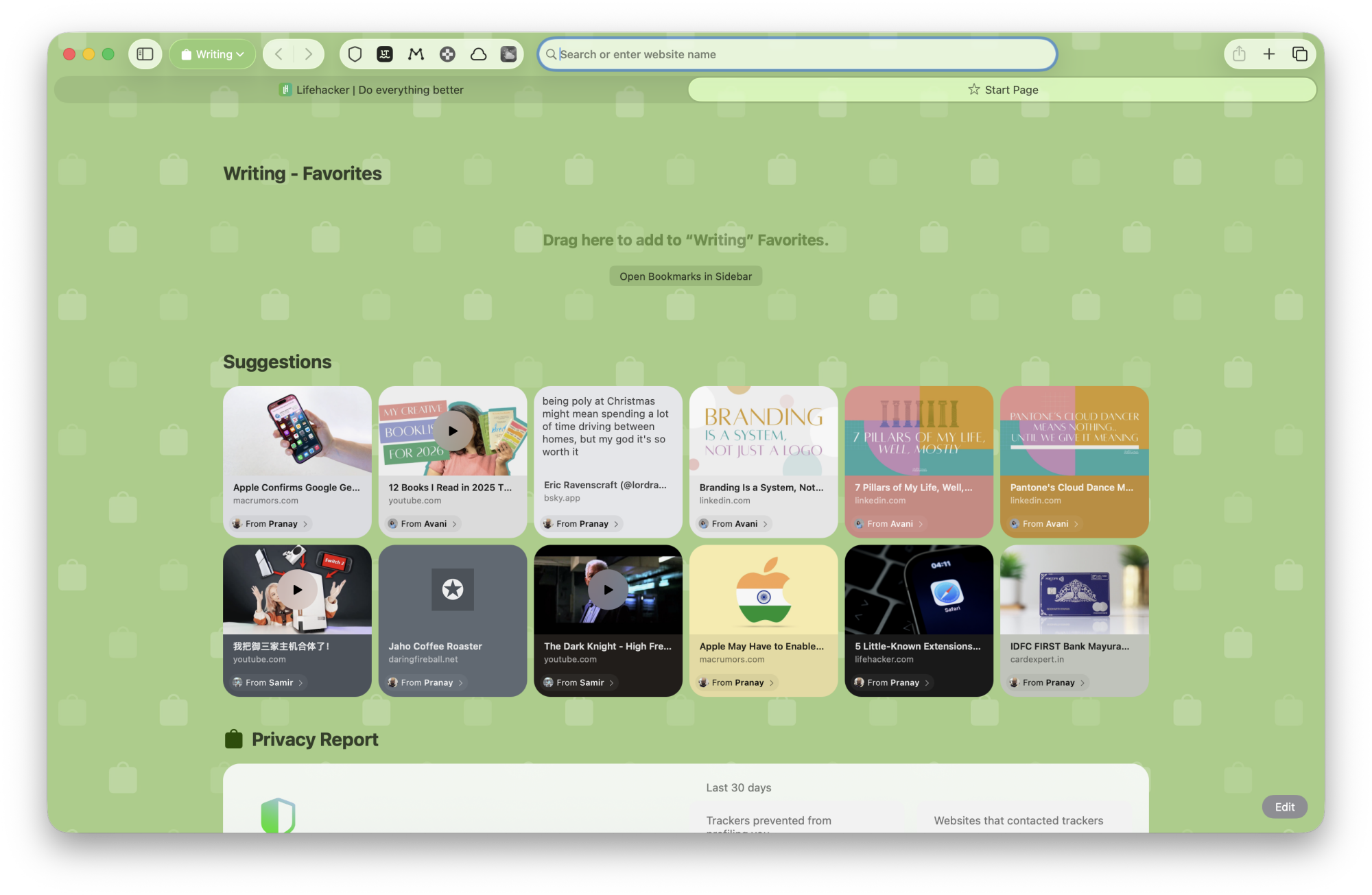
It’s not as obvious as in Chrome, but Safari also has profiles that sync between iPhone, iPad, and Mac. You can use Profiles to keep your work and personal lives separate. This can also be useful if you and your spouse use the same Mac.

Profiles will fully separate your browsing from other users, including logins, cookies, browsing history, tab groups, favorites, and even extensions.

To set one up for Safari on Mac, go to Settings > Profiles. On the iPhone, go to Settings > Apps > Safari > Profiles and tap New Profile. Give it a name, and make sure to pick an icon and color. This will tint the background of the start page, so it’ll find it easier to know which profile you’re in.

Turn your favorite sites into apps

Spotify website running as a Safari app

Credit: Khamosh Pathak

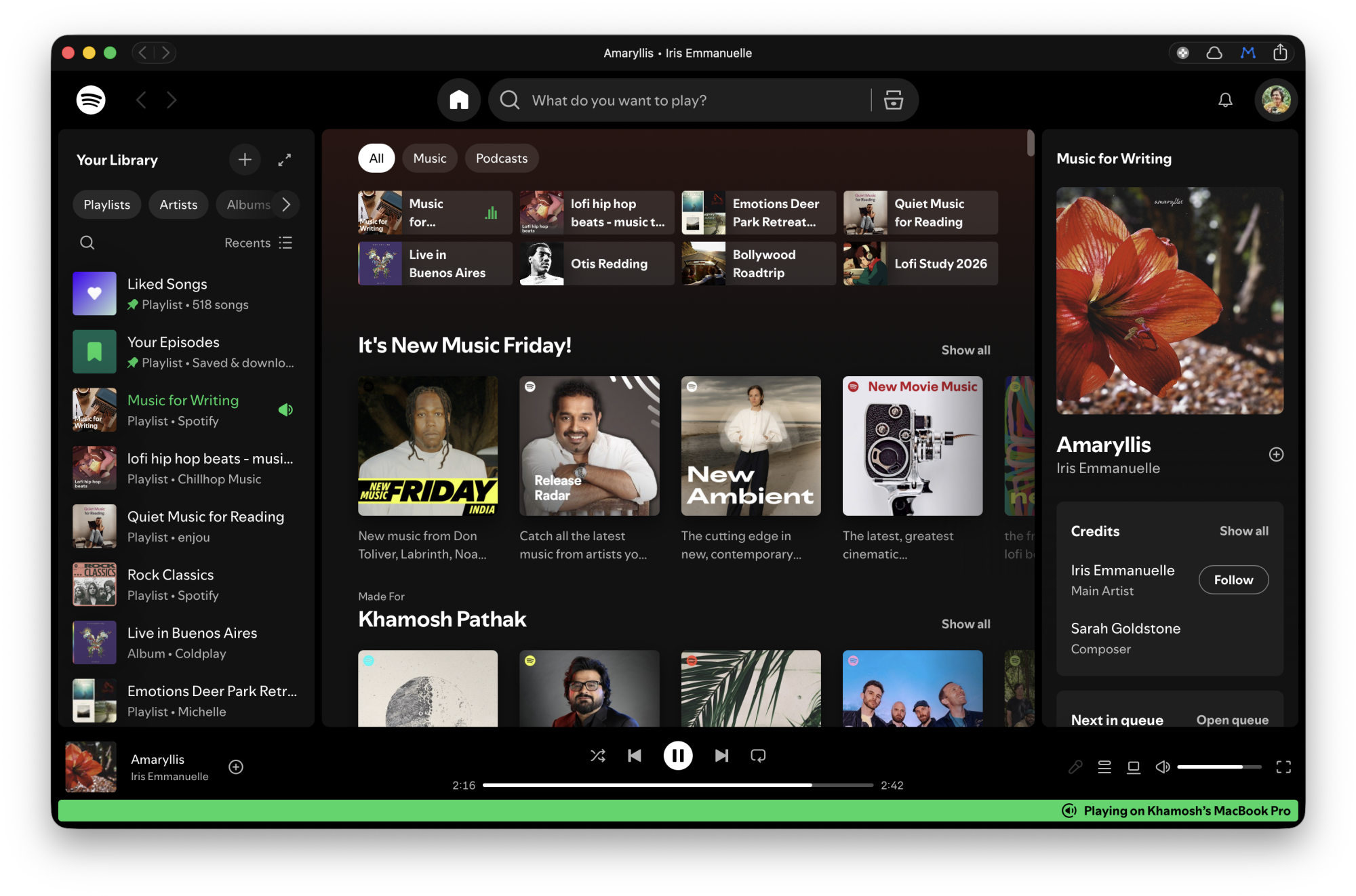
On Mac, you can use Safari to turn any frequently used website into an app of its own. It will show up in the Dock and the app-switcher. It’s still the same website, but it will have its own shortcut on your Mac’s interface, making it easier to use. If you use your Mac for retail, or any kind of specialized work that happens via a website, this can be really handy.

To do this, visit a website, click the Share button, and click Add to Dock. Your logins will sync automatically, and so will your extensions. The toolbar will be colored based on the website colors as well.

You can also do this on iPhone, by navigating to a site, tapping the Share button, tapping More, and tapping Add to Home Screen. The website’s logo will show up as an “app” on your home screen, and it’ll act as a shortcut to the site.

Automatically close open tabs

Automatically close tab in Safari

Credit: Khamosh Pathak

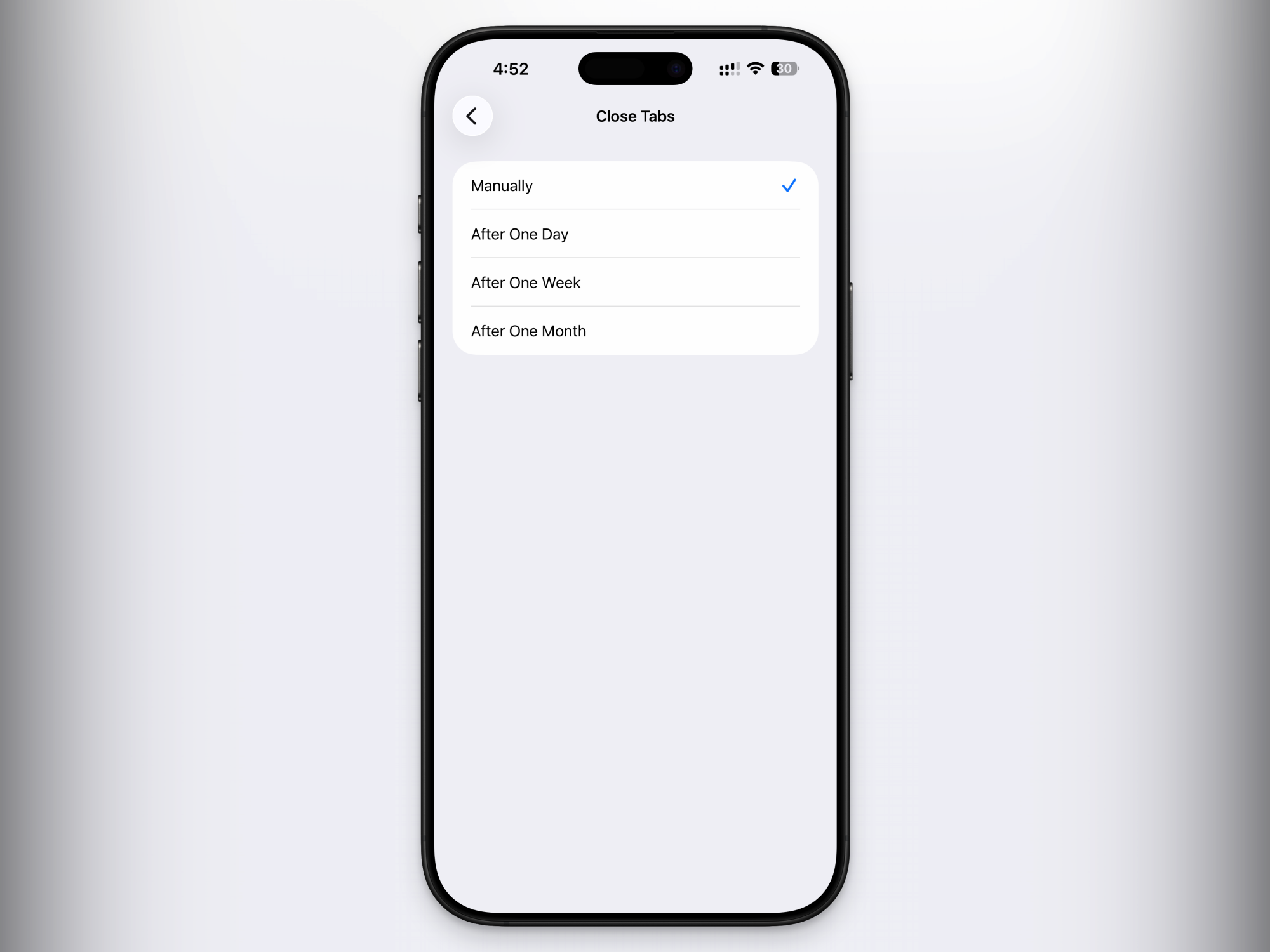
I love opening tabs, but I hate closing them. That means it’s easy for me to hit the 500 tab limit in Safari. So I enabled the option that automatically closes tabs that are older than 30 days. You can do this by going to Settings > Apps > Safari > Close Tabs. You can choose between one day, one week, or one month.

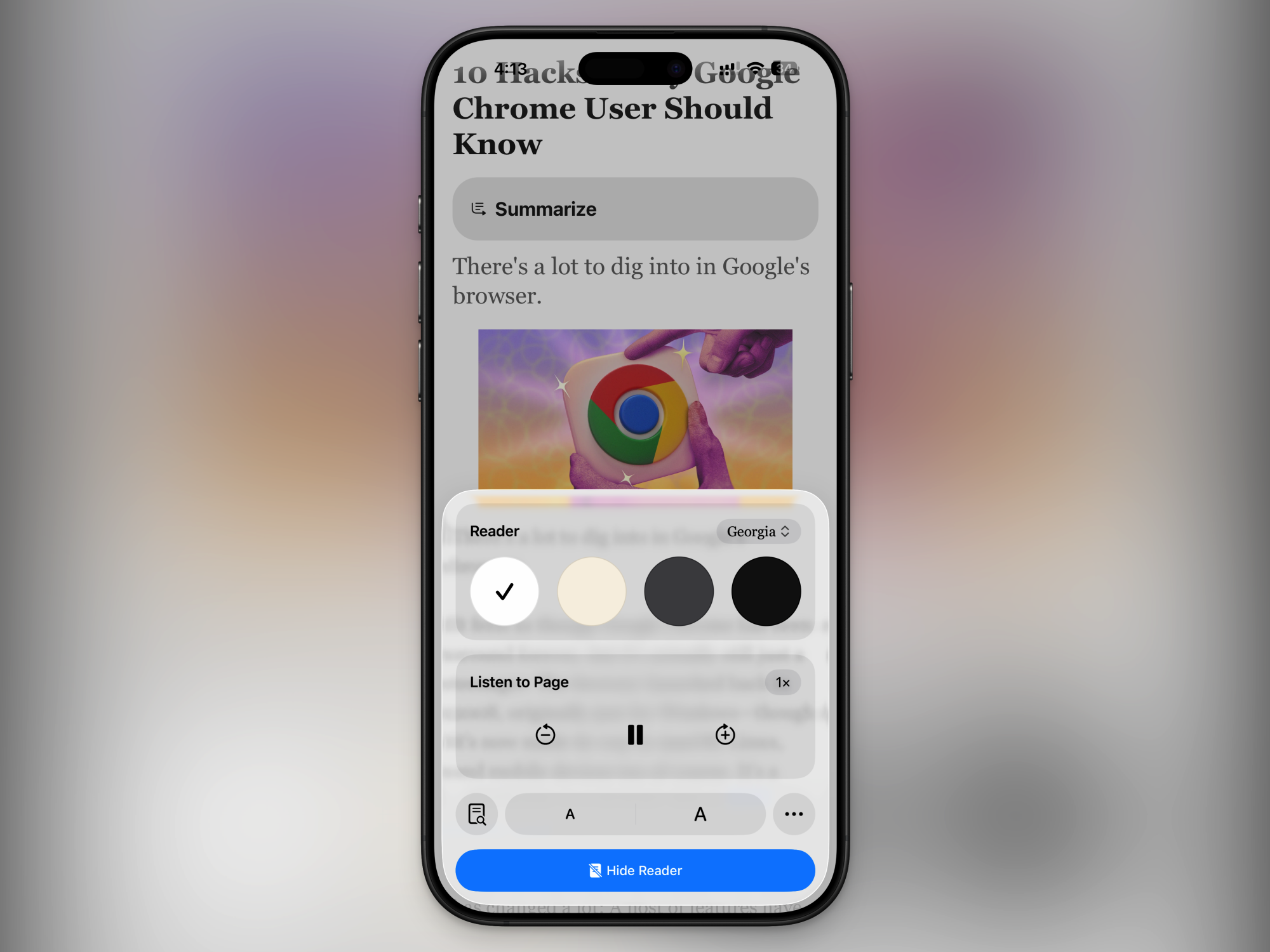
Listen to a page out loud

Listen to Page in Safari

Credit: Khamosh Pathak

You might be familiar with Safari’s Reader Mode, which is perhaps the best in the business. But there’s another feature hidden in the Page Settings option. Tap the Listen to Page button, and Safari will instantly start reading the site you’re on out loud. Before doing this, though, I would recommend you switch to Reader Mode first, so the text-to-speech doesn’t get caught on ads or other distractions.

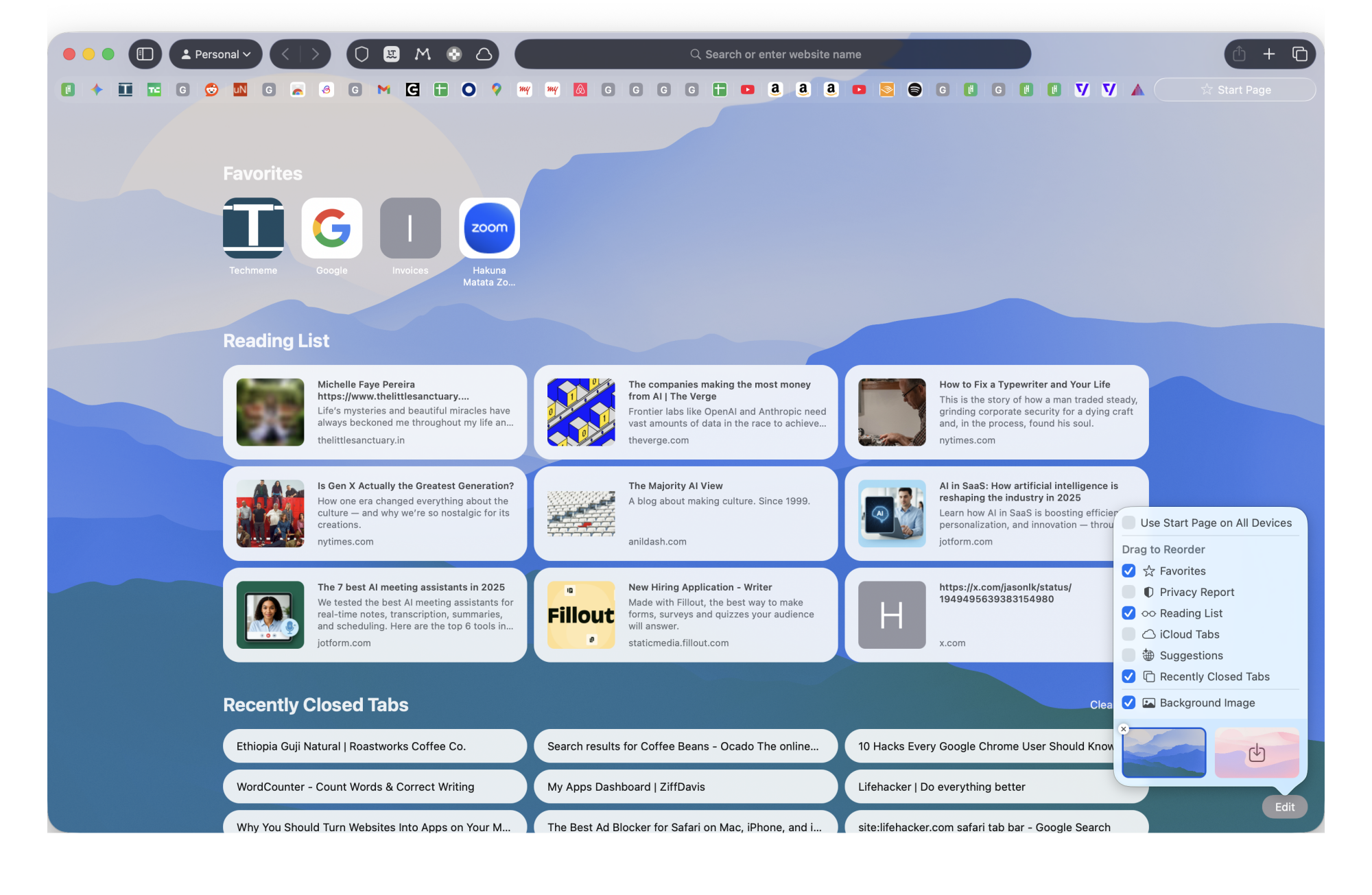
Customize or change the Safari start page

Customizing the start page in Safari

Credit: Khamosh Pathak

Every time you open Safari, or a new tab, you see the browser’s default start page. Let’s take some time to customize just how it looks and works. First, open the start page, then click the Edit button in the bottom-right corner to enable or disable which sections you want to see. I suggest adding sections for your Favorites, Reading List, iCloud Tabs, and Recently Closed Tabs. You can also change the background to any color that you like.

If you don’t like an overloaded start page, you can also try out the Bonjourr Safari extension. It’s a start-page replacement that I’ve used for months now. It automatically cycles between serene backgrounds while showing the time and weather. You can add quick shortcuts for your frequently visited sites, too. It’s also fully customizable, and looks great on iPhone as well as Mac.

Asteroid Has A 4% Chance Of Slamming Into The Moon, Here’s What Will Happen If It Does

Asteroid Has A 4% Chance Of Slamming Into The Moon, Here's What Will Happen If It Does
Early last year, there was talk that the newly-discovered Asteroid 2024 YR4 had a really small, but probable chance of striking the Moon in 2032. Now, scientists are revealing what might occur if such as an event took place and the implications it could have on Earth.

Orbital path of YR4 (Credit: ESA Orbit Visualization Tool)
Currently,

How far does $5,000 go when you want an electric car?

I’ve been thinking about used electric vehicles lately. It’s not news that EVs depreciate faster than gasoline-powered cars. All the incentives like tax credits and OEM rebates that entice the first owner to sign the paperwork are factored in by whoever wants to be the second owner. There are widespread—if mostly ill-founded—worries about battery longevity and having to shell out for expensive replacement packs. Technology keeps improving, which means older models will date faster. Plus, there are the usual concerns about EVs, like charging infrastructure and winter performance.

So depreciate they do, and that’s good news for the three-quarters of US car buyers who buy used vehicles. It means that some very expensive EVs can now be had for quite little, but we’ll explore that more at a later date. Today, I want to focus on what you can get for peanuts. What if you wanted to only spend $5,000—or less—on an EV?

As it turns out, there are options even at this end of the market. Just don’t expect that much in the way of range: We’re still a while away from a $5,000 EV also being an EV a sane person would want to road trip. At the same time, most of us don’t drive more than 40 miles a day, and EVs are great at sitting in traffic because there’s no engine to idle. If you’re not commuting long distances and don’t live an hour from the nearest town, a cheap EV could make sense as a runabout. Especially as they’re cheaper to run than a gas-powered car.

Read full article

Comments

NASA faces a crucial choice on a Mars spacecraft—and it must decide soon

A consequential debate that has been simmering behind closed doors at NASA Headquarters in Washington, DC, must soon come to a head. It concerns the selection of the next spacecraft the agency will fly to Mars, and it could set the tone for the next decade of exploration of the red planet.

What everyone agrees on is that NASA needs a new spacecraft capable of relaying communications from Mars to Earth. This issue has become especially acute with the recent loss of NASA’s MAVEN spacecraft. NASA’s best communications relay remains the Mars Reconnaissance Orbiter, which has now been there for 20 years.

Congress cared enough about this issue to add $700 million in funding for a “Mars Telecommunications Orbiter” in the supplemental funding for NASA provided by the “One Big Beautiful Bill” passed by the US Congress last year.

Read full article

Comments

The Award for Excellence in Open Source goes to Greg Kroah-Hartman

Daniel Stenberg, the recipient of last year’s Award for Excellence in Open
Source from the European Open Source Academy, presented
that award to this year’s recipient
: Greg Kroah-Hartman.

It’s impossible to overstate the importance of the work Greg has
done on Linux. In software, innovation grabs headlines, but
stability saves lives and livelihoods. Every Android phone, every
web server, every critical system running Linux depends on Greg’s
meticulous work. He ensures that when hospitals, banks,
governments, and individuals rely on Linux, it doesn’t fail
them. His work represents the highest form of service: unglamorous,
relentless, and essential.

Amazon in Talks To Invest Up To $50 Billion in OpenAI

An anonymous reader shares a report: Amazon is in talks to invest up to $50 billion in OpenAI, according to people familiar with the matter, in what would be a giant bet on the hot AI startup. The ChatGPT maker is seeking up to $100 billion in new capital from investors, a round that could value it at as much as $830 billion, The Wall Street Journal previously reported.

Andy Jassy, Amazon’s chief executive, is leading the negotiations with OpenAI CEO Sam Altman, according to some of the people. The exact shape of a deal, should one be reached, could still change, the people said. Investing tens of billions of dollars in OpenAI could make Amazon the biggest contributor in the AI company’s ongoing fundraising round. SoftBank is in talks to invest up to $30 billion more in OpenAI as part of the round, adding to the Japanese conglomerate’s already large stake in the startup.


Read more of this story at Slashdot.

Rogbid Fusion Debuts As An Ultra-Affordable Smartwatch You Wear Like A Ring

Rogbid Fusion Debuts As An Ultra-Affordable Smartwatch You Wear Like A Ring
For those of you who find smartwatches bulky or too much of a hassle to wear and fitness rings too limited, Rogbid’s Fusion might be your jam. The Fusion takes the middle ground by being a smartring with a display that can also be worn as a smartwatch. 

The Rogbid Fusion is basically a 2-in-1 hybrid. On one hand (or rather, finger), it

NVIDIA Reportedly Shifted 75% Of GPU Supply To These Three RTX 50 Models

NVIDIA Reportedly Shifted 75% Of GPU Supply To These Three RTX 50 Models
Not to beat a dead horse (too late), but a memory chip shortage is wreaking havoc on consumer device availability and pricing. That includes graphics cards, the all-important component for a gaming PC, which employ varying amounts onboard video RAM (VRAM). According to a fresh rumor, the situation has caused NVIDIA and its hardware partners

How to watch the 2026 Grammy Awards: TV channel, start time, where to stream, nominations list and more

LOS ANGELES, CALIFORNIA - FEBRUARY 05: (FOR EDITORIAL USE ONLY) Bad Bunny accepts the Best Música Urbana Album for “Un Verano Sin Ti” during the 65th GRAMMY Awards at Crypto.com Arena on February 05, 2023 in Los Angeles, California. (Photo by Timothy Norris/FilmMagic)
Grammy winner Bad Bunny, seen here accepting his award for Best Música Urbana Album for “Un Verano Sin Ti” in 2023, is nominated again this year. (Timothy Norris/FilmMagic)
Timothy Norris via Getty Images

The 2026 Grammy Awards honor music’s biggest achievements of the year, and some of the biggest stars on the planet are nominated this year. Kendrick Lamar leads the way with nine nominations, including for Record and Song of the Year for “luther,” his collaboration with SZA. Other top nominees this year include Lady Gaga, Jack Antonoff, and Cirkut with seven nominations apiece, and Bad Bunny, Sabrina Carpenter, and Leon Thomas, who have six. The 2026 Grammy Awards will be hosted by comedian Trevor Noah, who also happens to be a nominee this year in the Best Audio Book, Narration & Storytelling category. 

The 2026 Grammys will take place at Crypto.com Arena in Los Angeles, and the broadcast will air this Sunday, Feb. 1, at 8PM ET/5PM PT on CBS, streaming live on Paramount+ (for Premium subscribers only). The 2026 Grammy Awards Premiere Ceremony — where the majority of the Grammys are actually awarded — will take place earlier that same day, from 3:30PM ET/12:30PM PT, and streams live free on YouTube.

Here’s how to watch the 2026 Grammy Awards live this Sunday.

When are the 2026 Grammy Awards?

The 68th Grammy Awards will be held this Sunday, Feb. 1, 2026.

Grammys start time

The Grammy Awards live TV broadcast begins at 8PM ET/5PM PT. It’s scheduled to run until 11:30PM ET.

Prior to the main broadcast, the 2026 Grammy Awards Premiere Ceremony (this is where you can watch the awards for categories like Musical Theater, Americana, Reggae, Metal, Gospel and more) will take place from 3:30PM ET/12:30PM PT. The Grammys Premiere Ceremony will stream live for free at live.GRAMMY.com and on YouTube.

Grammy Awards TV channel

The 68th Grammy Awards will air on CBS and stream live on Paramount+ for Premium subscribers. The awards show will also be available the following day on demand for Paramount+ Essential subscribers.

How to watch the Grammys without cable

How to watch the 2026 Grammys free

Who is performing at the 2026 Grammy Awards?

Among this year’s Grammy’s performers are Justin Bieber, Sabrina Carpenter, Album of the Year nominees Clipse and Pharrell Williams, and every Best New Artist nominee, including Addison Rae, Alex Warren, KATSEYE, Leon Thomas, Lola Young, Olivia Dean, SOMBR, and The Marías.

This year’s In Memorium honoring artists we’ve lost this year will include a musical tribute from Reba McEntire, Brandy Clark and Lukas Nelson, a performance from Ms. Lauryn Hill in honor of D’Angelo and Roberta Flack, and an Ozzy Osbourne tribute from artists like Post Malone, Andrew Watt, Chad Smith, Duff McKagan, and Slash.

Who is hosting the Grammys this year?

Trevor Noah will return to host the Grammys for the sixth and final year.

Who is presenting at the 2026 Grammys?

While the full list of Grammys presenters has yet to be released, we do know that Harry Styles and Doechii will be presenting.

Grammy Awards new categories

This year’s Grammys will see the return of the award for Best Album Cover (after 53 years!). This year, the category of Best Country Album will now be split into two awards: Best Contemporary Country Album and Best Traditional Country Album.

Grammys eligibility window

The 2026 Grammy Awards will recognize music released from August 31, 2024 to August 30, 2025.

2026 Grammy nominations

Here are the nominees for the 68th Grammy Awards.

Album of the Year

  • Bad Bunny — Debí Tirar Más Fotos

  • Justin Bieber — Swag

  • Sabrina Carpenter — Man’s Best Friend

  • Clipse, Pusha T & Malice — Let God Sort Em Out

  • Lady Gaga — Mayhem

  • Kendrick Lamar — GNX

  • Leon Thomas — Mutt

  • Tyler, the Creator — Chromakopia

Record of the Year

  • Bad Bunny — “DtMF”

  • Sabrina Carpenter — “Manchild”

  • Doechii — “Anxiety”

  • Billie Eilish — “Wildflower”

  • Lady Gaga — “Abracadabra”

  • Kendrick Lamar feat. SZA — “Luther”

  • Chappell Roan — “The Subway”

Song of the Year

  • Lady Gaga — “Abracadabra”

  • Doechii — “Anxiety”

  • ROSÉ & Bruno Mars — “APT.”

  • Bad Bunny — “DtMF”

  • HUNTR/X (EJAE, Audrey Nuna, REI AMI) — “Golden”

  • Kendrick Lamar feat. SZA — “Luther”

  • Sabrina Carpenter — “Manchild”

  • Billie Eilish — “Wildflower”

Best New Artist

  • Olivia Dean

  • KATSEYE

  • The Marías

  • Addison Rae

  • sombr

  • Leon Thomas

  • Alex Warren

  • Lola Young

Best Pop Solo Performance

  • Justin Bieber — “Daisies”

  • Sabrina Carpenter — “Manchild”

  • Lady Gaga — “Disease”

  • Chappell Roan — “The Subway”

  • Lola Young — “Messy”

Best Pop Vocal Album

  • Justin Bieber — Swag

  • Sabrina Carpenter — Man’s Best Friend

  • Miley Cyrus — Something Beautiful

  • Lady Gaga — Mayhem

  • Teddy Swims — I’ve Tried Everything But Therapy (Part 2)

Best Alternative Music Album

  • Bon Iver — Sable, Fable

  • The Cure — Songs of a Lost World

  • Tyler, the Creator — Don’t Tap the Glass

  • Wet Leg — Moisturizer

  • Hayley Williams — Ego Death at a Bachelorette Party

Best Rock Album

  • Deftones — Private Music

  • HAIM — I Quit

  • Linkin Park — From Zero

  • Turnstile — Never Enough

  • YUNGBLUD — Idols

Best Rap Album

  • Clipse, Pusha T & Malice — Let God Sort Em Out

  • GloRilla — Glorious

  • JID — God Does Like Ugly

  • Kendrick Lamar — GNX

  • Tyler, the Creator — Chromakopia

Best R&B Album

  • GIVĒON — Beloved

  • Coco Jones — Why Not More?

  • Ledisi — The Crown

  • Teyana Taylor — Escape Room

  • Leon Thomas — Mutt

Best Contemporary Country Album

  • Kelsea Ballerini — Patterns

  • Tyler Childers — Snipe Hunter

  • Eric Church — Evangeline vs. The Machine

  • Jelly Roll — Beautifully Broken

  • Miranda Lambert — Postcards From Texas

Best Traditional Country Album

  • Charley Crockett — Dollar a Day

  • Lukas Nelson — American Romance

  • Willie Nelson — Oh What a Beautiful World

  • Margo Price — Hard Headed Woman

  • Zach Top — Ain’t In It for My Health

Producer of the Year, Non-Classical

  • Dan Auerbach

  • Cirkut

  • Dijon

  • Blake Mills

  • Sounwave

Songwriter of the Year, Non-Classical

  • Amy Allen

  • Edgar Barrera

  • Jessie Jo Dillon

  • Tobias Jesso Jr.

See the full list at Grammy.com.

This article originally appeared on Engadget at https://www.engadget.com/entertainment/streaming/how-to-watch-the-2026-grammy-awards-tv-channel-start-time-where-to-stream-nominations-list-and-more-150015179.html?src=rss

These Sweat-Proof JBL Earbuds Are 25% Off Right Now

We may earn a commission from links on this page. Deal pricing and availability subject to change after time of publication.

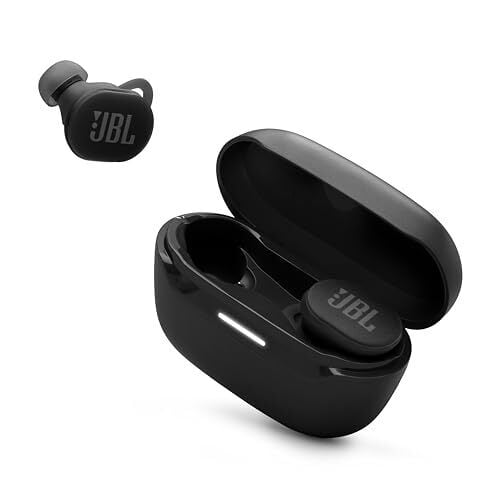
The JBL Endurance Race 2 is built with a specific user in mind, and it does not pretend otherwise. These are sports earbuds first, and that focus shows in the design and the trade-offs. Right now, they’re $59.95 on Amazon, down from $89.95, which makes them easier to consider if you want something tough without paying premium prices.

The earbuds themselves are large and stick out more than most, but the silicone wing design works. You twist them into place, and they lock in. During runs, strength training, and high-sweat workouts, they stay put in a way many smaller earbuds do not. If fit security has been your frustration with workout earbuds, this alone may be enough to justify a look.

The earbuds carry an IP68 rating, which means they’re dustproof and can handle heavy sweat and rain without concern. They are not designed for swimming, but they are tougher than almost anything else near this price. The charging case is less impressive. It’s light at about 1.4 ounces but bulky, and the IPX2 rating means it’s fine inside a gym bag but not something you want exposed to bad weather.

Battery life, however, is a strong point. You get up to 12 hours with noise cancelling off, around 10 hours with it on, and up to 48 hours total with the case. That’s enough for a full week of workouts without needing to think about charging.

These aren’t high-end earbuds, and it shows in the lack of crispness in higher frequencies. Bass is solid and punchy enough for workout playlists, but detail takes a backseat. As for its ANC, it works fine indoors, like in a gym or while commuting, but it reportedly doesn’t hold up well outside, where traffic and footfalls still break through. Ambient mode also falls short. It doesn’t let in enough sound for confidence near busy roads, and wind noise can become distracting. Controls are touch-based and can be customized in the app, but they don’t always respond well to sweaty fingers or gloves.

These earbuds are not for people chasing refined sound or top-tier noise cancelling. They are for people who want a secure fit, long battery life, and gear that can take a beating.

Deals are selected by our commerce team