Intel Aims To Hire A Unified Core Engineer, What Does This Mean For Hybrid Designs?

Intel Aims To Hire A Unified Core Engineer, What Does This Mean For Hybrid Designs?
Enthusiast and frequent leak-spotter Gray (@Olrak29_ on Xwitter) spied a fresh job posting from Intel that’s got the tight-knit community of hardware nerds buzzing with speculation on Chipzilla’s plans. Intel’s on the lookout for a Senior CPU Verification Engineer to join the team in Austin, Texas. Base pay kicks off at around $142K (the national

Ball x Pit will land on iOS and Android on March 12

Ball x Pit, a delightful roguelite that was one of our favorite games of last year, is on the way to mobile devices. The chaotic brick-breaking action is coming to iOS and Android on March 12. There will be a free trial with no ads, and you can unlock the full game with an in-app purchase. This is Ball x Pit “for your pants pocket,” according to the latest trailer.

For the uninitiated, Ball x Pit is sort of a mix of Breakout and Vampire Survivors with some base building (and elements of many other genres) blended in. It’s all about finding powerful synergies between the character(s) you select, passive abilities and the balls you use to take out enemies before they get too close to damage you. These balls are regular ones that deal damage on impact (aka baby balls) or special balls that are infused with a range of effects and powers, such as Lightning, Ghost and Poison. These special balls can be fused to combine their effects or evolved into more powerful versions.

BALL x PIT is going MOBILE! ��

�️ Launching on iOS & Android March 12

� Try-before-you-buy: try it for free, no ads! Love it? Unlock the full game with a single in-app purchase and keep BALLing forever!

Pre-order now on the App Store and Google Play! pic.twitter.com/3MmJ6dGNzp

— BALL x PIT � REGAL UPDATE OUT NOW (@BALLxPIT) February 23, 2026

On each run, you’ll collect blueprints and resources that you’ll use to reconstruct a fallen town. Buildings unlock new characters and abilities that can aid you on your next run. Everything synergizes beautifully in Ball x Pit.

Ball x Pit should work well with touch controls on mobile. You can set the balls to fire automatically, so all you really need to worry about is moving your character and aiming, as well as choosing your next upgrade when you earn enough experience gems.

The first of three planned updates for this year arrived in January. I’m still waiting for developer Kenny Sun to add cross-progression since I’ve already plowed dozens of hours into this game on PS5, PC and Xbox — it’s available on Nintendo Switch and Switch 2 as well. Ball x Pit is also currently on Game Pass Ultimate and PC Game Pass.

This article originally appeared on Engadget at https://www.engadget.com/gaming/ball-x-pit-will-land-on-ios-and-android-on-march-12-175159137.html?src=rss

New Microsoft gaming chief has “no tolerance for bad AI”

Last week’s surprise departure of Phil Spencer from Microsoft led to the promotion of Asha Sharma, who comes to head Microsoft’s gaming division after two years as president of the company’s CoreAI Product group. Despite that recent history, Sharma says in a new interview that she has “no tolerance for bad AI” in game development.

Speaking with Variety, Sharma noted that “AI has long been part of gaming and will continue to be,” before adding that “great stories are created by humans.” The interview comes after Sharma promised in an introductory memo: “We will not chase short-term efficiency or flood our ecosystem with soulless AI slop. Games are and always will be art, crafted by humans, and created with the most innovative technology provided by us.”

Those statements seem like a clear line in the sand from Sharma against the use of AI tools in Microsoft’s first-party game development, at the very least. But what separates “bad AI” and “soulless AI slop” from “innovative technology” that humans can use to create artful games is a matter of some significant debate in the gaming world.

Read full article

Comments

Lamborghini ditches plans for its all-electric supercar due to ‘close to zero’ buyer interest

Looks like we won’t get to hear the powerful hum of an all-electric Lamborghini on the streets anytime soon. According to a report from The Sunday Times, Lamborghini has abandoned making a production version of the Lanzador EV concept, which was expected to hit the market in 2029.

Stephen Winkelmann, chairman and CEO of Lamborghini, told The Sunday Times that there was “close to zero” interest from its customer base for battery-powered EVs. Winkelmann also revealed that the verdict to kill off the Lanzador was made late last year, but this is the first public confirmation of the decision after Lamborghini’s grand reveal of the EV concept in August 2023. The automaker’s CEO told The Sunday Times that “EVs, in their current form, struggle to deliver this specific emotional connection,” adding that the lack of noise could have played a part in failing to attract customers.

Instead, Lamborghini will replace the Lanzador with another plug-in hybrid electric vehicle, like its Reveulto and Urus. With this change, Lamborghini’s entire lineup will be hybrid EVs by 2030, with Winkelmann confirming that the company would continue making internal combustion engines “for as long as possible.” Still, the CEO hinted to The Sunday Times that Lamborghini could pursue another all-electric car in the future, but “only when the time is right.”

This article originally appeared on Engadget at https://www.engadget.com/transportation/evs/lamborghini-ditches-plans-for-its-all-electric-supercar-due-to-close-to-zero-buyer-interest-173441263.html?src=rss

Say Goodbye to the Undersea Cable That Made the Global Internet Possible

The first fiber-optic cable ever laid across an ocean — TAT-8, a nearly 6,000-kilometer line between the United States, United Kingdom, and France that carried its first traffic on December 14, 1988 — is now being pulled off the Atlantic seabed after more than two decades of sitting dormant, bound for recycling in South Africa.

Subsea Environmental Services, one of only three companies in the world whose entire business is cable recovery and recycling, began the operation last year using its new diesel-electric vessel, the MV Maasvliet, and had already brought 1,012 kilometers of the cable to the Portuguese port of Leixoes by August.

TAT-8, short for Trans-Atlantic Telephone 8, was built by AT&T, British Telecom, and France Telecom, and hit full capacity within just 18 months of going live. A fault too expensive to repair took it out of service in 2002. The recovered cable is being shipped to Mertech Marine in South Africa, where it will be broken down into steel, copper, and two types of polyethylene — all commercially valuable, especially the high-quality copper at a time when the International Energy Agency projects global shortages within a decade.


Read more of this story at Slashdot.

A new Evangelion series is coming from Studio Khara and Yoko Taro, creator of NieR

Anime fans rejoice, as there’s a new Neon Genesis Evangelion series on the horizon. This was announced during a 30th anniversary event held in Japan. The bad news? Franchise creator Hideaki Anno won’t be writing the scripts.

However, his replacement will be Yoko Taro, the guy who created the video game NieR. He also wears a giant and rather unsettling moon mask for some reason. The NieR franchise is known for rich and complex lore, with a story spanning thousands of years that occasionally dips into a parallel universe.

It's him in a moon mask.
Wikimedia Commons

Evangelion veteran Kazuya Tsurumaki will be on hand to direct episodes, which is nice for long-time fans. He directed the Rebuild of Evangelion films and the recent Mobile Suit Gundam GQuuuuuuX anime. Composer Keiichi Okabe, from the NieR franchise, is scoring the new show. The new series will be produced by Studio Khara and Cloverworks.

While we know a fair bit about who’s behind the scenes of the upcoming show, we don’t know anything about the plot. We don’t know if it’s yet another remake of the original story, a sequel or some kind of spin-off like the chibi-inspired Petit Eva: Evangelion@School. There’s a trailer, but it’s light on details.

New “Neon Genesis Evangelion” ANIME SERIES NEW TRAILER

Written by Yoko Taro
Directors: Kazuya Tsurumaki & Toko Yatabe
Music: Keiichi Okabe
Animation Production: CloverWorks x Khara pic.twitter.com/jnJZ12XSRb

— Captain Melvin Seahorse⚘️ (@sshiroux19) February 23, 2026

With Taro on board, it could really go in any direction. It’s worth remembering, after all, that NieR is actually a spin-off of a PS2 game called Drakengard. In one of the multiple endings of that game, a final boss is transported from a fantasy realm to modern-day Tokyo. Slaying this beast releases a virus that plagues humankind, which is what eventually leads to the post-apocalyptic setting of NieR. This is sort of like if the events of a Dragon Quest game somehow led to the world of Resident Evil.

If there’s anyone who can breathe fresh life into the Evangelion franchise, it’s Taro. Did I mention he wears a gigantic moon mask? Also, this isn’t his first time penning TV scripts. He co-wrote the NieR: Automata anime spinoff.

This article originally appeared on Engadget at https://www.engadget.com/entertainment/tv-movies/a-new-evangelion-series-is-coming-from-studio-khara-and-yoko-taro-creator-of-nier-170916543.html?src=rss

The 2026 Mazda CX-5, driven: It got bigger; plus, radical tech upgrade

ENCINITAS, Calif.—Its sales may have been buoyed of late by the big CX-90 and CX-70 SUVs, but for Mazda, the CX-5 is still where most of the action is. Unlike the similar-sized, similar-priced CX-50, which was designed just for North America, the all-new CX-5 is a global car, and it’s also Mazda’s standard-bearer for a range of new technologies. Gone is the basic but effective infotainment system, replaced by an all-new Google-based experience as Mazda starts its journey toward software-defined vehicles. There’s even an in-house hybrid on the way, albeit not until next year. And it starts at a competitive $29,990.

The new CX-5 is bigger than the car it replaces, 4.5 inches (114.5 mm) longer and half an inch (13 mm) wider than before, at 184.6 inches (4,689 mm) long, 73.2 inches (1,859 mm) wide, and 66.7 inches (1,694 mm) tall. Much of that extra space is between the axles—the wheelbase is now 110 inches (2,794 mm) long, which translates to more interior space. From the outside, there’s a new light signature, and the way the bodywork curves around the front and wraps down the fenders gives me strong Range Rover vibes, even if I could never adequately capture what I’m talking about with a camera. As ever, Mazda’s arresting Soul Red Crystal metallic paint (a $595 option) sparkles, even on a day when the sun remained hidden from view.

The last time that Mazda evolved this compact crossover, it did so with a new upmarket interior. Since then, the brand has staked out that space across its model lineup, with cabins that punch well above their price tags. Happily, the company’s designers haven’t lost much mojo since then, with a restrained approach that looks good across the five different trim levels, each of which is a $2,000 step up from the one that precedes it. But if you’re a current CX-5 driver, you’ll find much has changed, perhaps not entirely for the better.

Read full article

Comments

10 Hacks Every WhatsApp User Should Know

WhatsApp is the most popular messaging app in most parts of the world, and in my decade or so of using it, I’ve learned a few important tips that make it a much more convenient and secure experience. I use the following WhatsApp hacks to keep my account safe, stop the app from overloading my notifications and storage, and save myself a lot of time. If you’re like me, and your entire social circle is on WhatsApp, then you’re absolutely going to need tips like these to stop from feeling overwhelmed.

Use advanced chat privacy to block exports and Meta AI

WhatsApp has end-to-end encryption, which means that the company itself cannot read the contents of your messages, but that doesn’t stop recipients from easily exporting your conversations. If you don’t want anyone to export your message history, make sure to enable Advanced Chat Privacy in WhatsApp. This feature needs to be enabled individually for each chat (including group chats).

With Advanced Chat Privacy enabled, photos won’t be automatically saved to recipients’ phones, AI features will be disabled, and no one will be able to export that chat’s history to their devices. Note that people can still forward your messages and take screenshots or screen recordings of them, but every little bit helps. You can enable Advanced Chat Privacy by opening any chat in WhatsApp, tapping the name of the contact or group, and going to Advanced Chat Privacy.

You can lock individual chats, too

Everyone knows that you can put an app lock on WhatsApp, which means that you’ll need a passcode (or biometric authentication) to view your messages whenever you open the app. A lesser known feature is that you can lock individual chats, too. This allows you to put chats with certain people or groups into a hidden folder. These hidden chats won’t show up in your list of WhatsApp conversations and can only be found by searching for the name of the contact or group. Even if someone else gains access to your WhatsApp, they also won’t be able to open these chats without an additional passcode or biometric authentication.

To use this, open any chat in WhatsApp, tap the name of the contact or group, and enable Lock chat.

Make your WhatsApp account more secure

WhatsApp's account security page.

Credit: Pranay Parab

There are a few easy steps you can take in the WhatsApp settings to reduce the chances of unauthorized access to your WhatsApp account. Get started by going to WhatsApp Settings > Account. First, tap on Two-step verification and enable it. WhatsApp will ask you to create a 6-digit PIN, and the next time you log in to the app on a different device, you’ll be prompted to enter this PIN in addition to your other credentials.

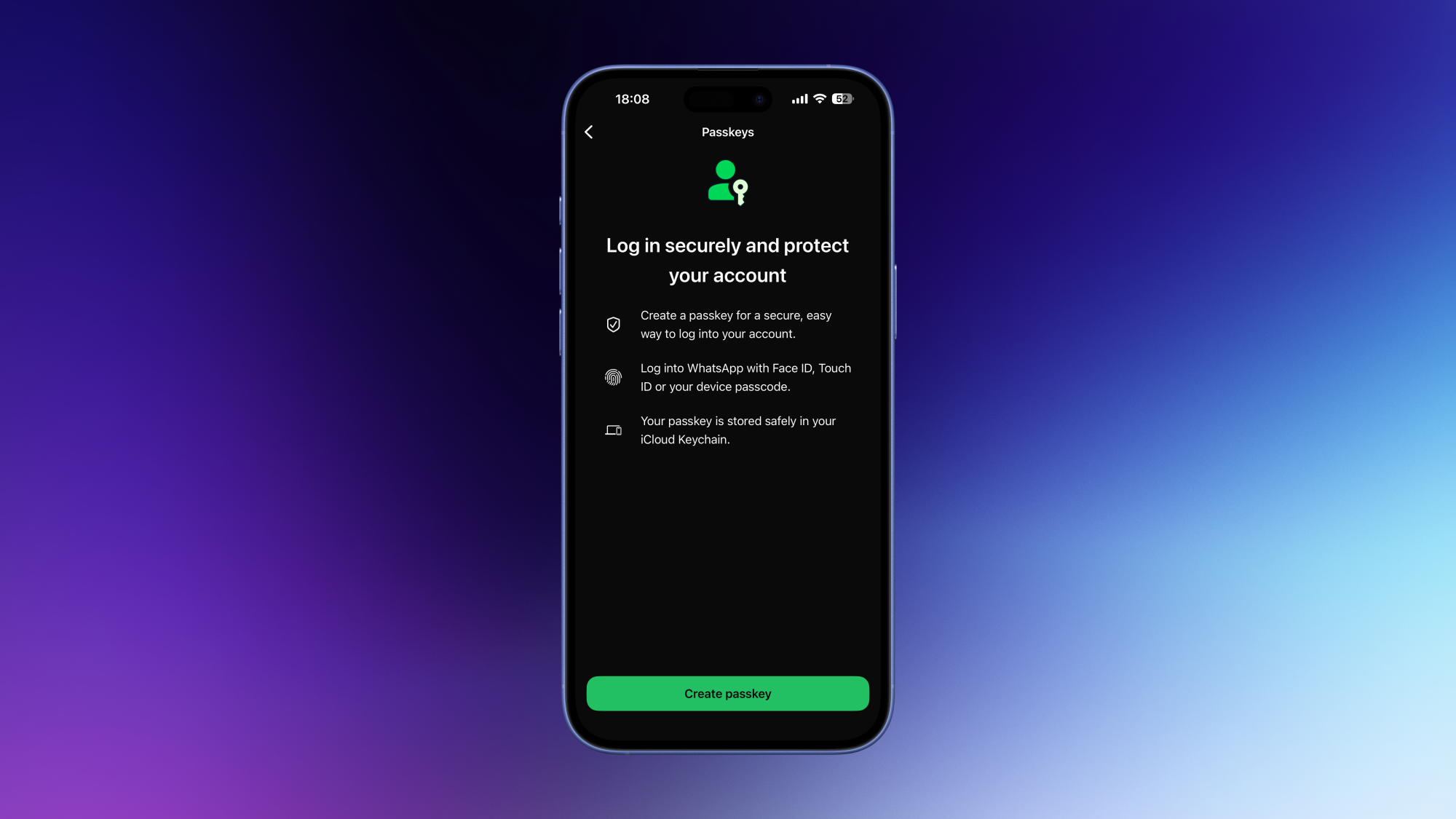
When you set up two-step verification, the app will also ask you to add an email address to help recover the PIN in case you forget it. Once you’ve done that, feel free to add a passkey via the same account settings page, if you wish. The final step in securing your WhatsApp account involves locking your SIM card. Go to your phone’s cellular service settings and set up a SIM PIN there. This locks your SIM card or eSIM, and means that if someone tries to add your number to another device, they’ll need this PIN to get in. Since WhatsApp requires your phone number for activation, this step could prevent unauthorized access to your account.

Optionally, you can also add a password to your WhatsApp backups. Go to WhatsApp Settings > Chats > Chat backup > End-to-end encryption. You can either set up a passkey or a password to encrypt your backups. No one will be able to access your WhatsApp backups without this password, which will help keep your extra copies of important messages secure.

Stop unknown people from adding you to groups

As a heavy WhatsApp user, one of the biggest annoyances I used to face was people adding me to WhatsApp groups without my permission. I wasn’t too bothered when my friends did this, but eventually I started getting added to random spam groups by strangers, which is when I decided to put an end to it. You can keep strangers from adding you to WhatsApp groups by going to WhatsApp Settings > Privacy > Groups and selecting My contacts. This allows only saved contacts to add you to groups. Feel free to choose My contacts except… if you want to block specific people from adding you to groups.

The best WhatsApp hack for sending voice notes

If you like sending voice notes on WhatsApp, then I’ve got a few quick tips for you that will make your life easier. You might know that you can open any chat and hold the microphone icon to send a voice note. But did you know that if you slide this icon upwards towards the lock icon, you can let go of it and keep recording? This way, you don’t have to keep holding the mic icon while recording long voice notes. You can also hit the pause button to pause the recording and come back to it later, in case there’s an interruption while you’re recording a voice note. Once you’re done recording, you can also press the 1 button if you want your voice note to be deleted after the recipient hears it once.

I’ll admit, though, that I sometimes tend to ignore long voice notes. Instead, I use transcripts to quickly skim through them, and decide if they need an immediate response. Voice note transcripts are disabled by default, but you can enable them by going to WhatsApp Settings > Chats > Voice message transcripts > Manually. While you’re here, also tap Transcript language and select the language that you want to see your transcripts in.

Archive unwanted chats and groups

If you’re getting too many messages from certain WhatsApp chats or groups, they’ll always show up at the top in the list of your chats. To get these off the main window, head to the chat list and press and hold on the chats you want to banish. Then tap Mute. To ensure that these archived chats don’t reappear in the main window when you receive a new message from them, go to WhatsApp Settings > Chats and enable Keep chats archived.

Reduce notification spam

WhatsApp's notification settings page

Credit: Pranay Parab

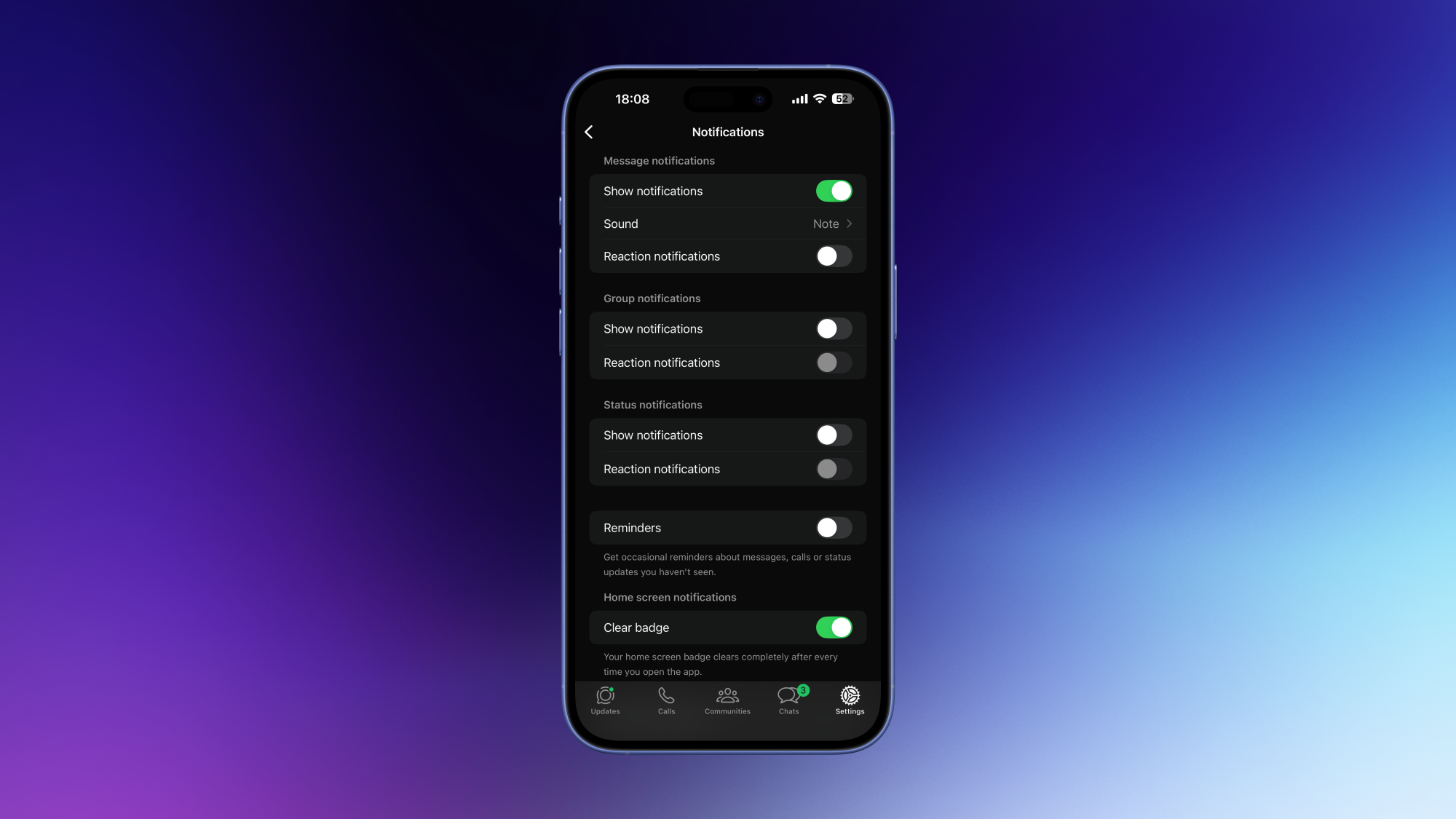
It’s really easy to get overwhelmed by notifications in WhatsApp. If you’re an even moderately social person, you’ll quickly find yourself receiving way more messages than you can reasonably be expected to handle. I’ve found that disabling WhatsApp notifications entirely works best to counter the problem, but that’s not the best solution for everyone.

Instead, you can try a few things to seriously reduce the amount of pings you get from WhatsApp. Go to WhatsApp Settings > Notifications and review every setting on this page. Personally, I’ve disabled all notifications for emoji reactions, group messages, and reminders. This way, I only get notified when individuals message me.

Create chat folders to manage message overload

WhatsApp’s chat folders are a great way to triage your conversations. In your chat list, press and hold on any conversation. From there, you can select either Add to Favorites or Add to list to get started. The first option adds these messages to the Favorites folder, and the second one lets you choose a custom folder name. These chat folders will appear above all your conversations, and you can quickly tap any of them to focus on specific conversations.

The real hack is to reorder these folders to your liking. You can do that by holding the name on any of these chat folders and selecting Reorder lists. I’ve used this to prioritize messages from loved ones, my meditation group, running friends, and so on.

How to stop “WhatsApp storage full” errors

Unfortunately, I know too many people whose phone storage is almost full because of WhatsApp. If you’re in this situation, go to WhatsApp Settings > Storage and data > Manage storage to start the cleanup. Tap Larger than 5 MB and you’ll be able to review everything that takes up a lot of storage space on your device. In the bottom-left corner, there’s a button that lets you sort these files by recency or storage size. I’ve used this to identify lots of duplicate files and delete all but one copy of such items. You can also see a list of the chats occupying the most storage space on your device. Tap each item to manually review your files.

It’s pretty easy to set up a few preventative measures to stop this error, too. You can go to WhatsApp Settings > Storage and data and turn off everything under Media auto-download.

Double check settings and privacy

It’s important to note that if you use WhatsApp’s apps on both your desktop and your phone, any settings changes you’ve made on one device might not sync to the other. You should review all settings to see if everything is syncing correctly.

While you’re double checking account details, you should also review your WhatsApp privacy settings. Go to WhatsApp Settings > Privacy, scroll to the bottom and select Privacy checkup for a quick overview. This is a step-by-step guide to enabling the most important privacy settings in WhatsApp, and is much faster than doing it manually.


PayPal Attracts Takeover Interest After Stock Slump

An anonymous reader shares a report: PayPal, the digital payments pioneer, is attracting takeover interest from potential buyers after a stock slide wiped out almost half of its value, according to people familiar with the matter.

The San Jose, California-based company has fielded meetings with banks amid unsolicited interest from suitors, the people said. At least one large rival is looking at the whole company, while some other suitors are only interested in certain PayPal assets, the people said, asking not to be identified because the information is private.

Buyer interest in PayPal is still at a preliminary stage and may not lead to a transaction, the people cautioned. Founded in the late 1990s, PayPal was an early mover in the world of digital payments. But the company now finds itself in a rut with its customers increasingly turning to alternative ways to pay for things. PayPal’s shares have fallen around 46% in New York trading over the last 12 months, giving the company a market value of about $38.4 billion.


Read more of this story at Slashdot.

Climate Physicists Face the Ghosts in Their Machines: Clouds

Climate scientists trying to predict how much hotter the planet will get have long grappled with a surprisingly stubborn problem — clouds, which both reflect sunlight and trap heat, account for more than half the variation between climate predictions and are the main reason warming projections for the next 50 years range from 2 to 6 degrees Celsius.

Two research groups are now racing to close that gap using AI, though they disagree sharply on method. Tapio Schneider at Caltech built CLIMA, a model that uses machine learning to optimize cloud parameters within traditional physics equations; it will be unveiled at a conference in Japan in March. Chris Bretherton at the Allen Institute for AI took a different path — his ACE2 neural network, released in 2024, learns from 50 years of atmospheric data and largely bypasses physics equations altogether.


Read more of this story at Slashdot.

All the Ways You Can Customize Notifications on Android Auto

If you’re an Android Auto user, you may already know that setting up phone notifications while you’re driving isn’t as straightforward as it could be—though Google has recently made a settings tweak that should simplify things. On the one hand, you don’t want to miss important messages or calls, but on the other you definitely don’t want to put yourself and other road users at risk by getting distracted while driving. A careful balance is needed, and it’s important to know what options are available on your phone.

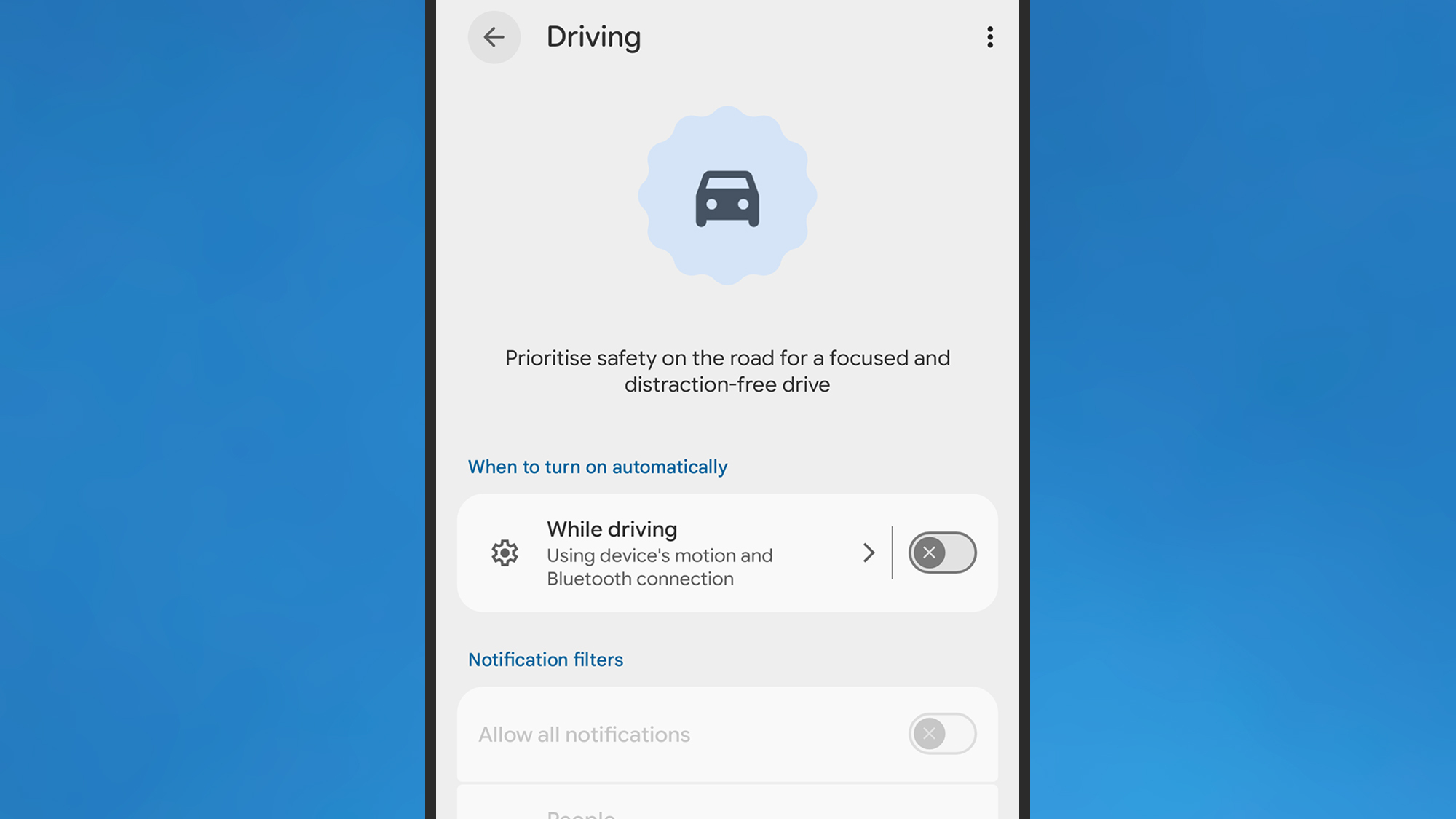
If you’re a Pixel user, Do Not Disturb is handled by Modes, which you can find by tapping Modes in Settings. Pick Driving, and if you enable the While driving toggle switch, this mode is automatically enabled when you’re in your car.

Android Auto
You can mute some or all of your phone’s notifications when driving.
Credit: Lifehacker

Tap the While driving text (not the toggle switch), and you can tell Android how it should determine whether or not you’re driving. This is the setting that Google recently tweaked: You can now choose Use Bluetooth (so the mode is enabled when a car dashboard is detected), or Use motion and Bluetooth (which also takes readings from your phone’s accelerometer into consideration). Previously, you had to rely solely on motion, which led to problems with automatic activation for both drivers and passengers—the addition of Bluetooth should mean a more reliable experience.

It’s slightly different on Samsung Galaxy phones: You need to tap Modes and Routines from Settings, then you can access the Driving mode. Here, you can specifically set a connection to an Android Auto dashboard as the trigger for enabling the mode, rather than just any Bluetooth device—something Google should really add to standard Android.

On both Pixel and Galaxy phones, you can tweak the driving mode to allow notifications from certain apps or from certain people, but again be wary of making your vehicle too distracting with pop-ups and pings.

Other Android Auto notification settings

As well as setting which apps and contacts can trigger phone notifications while you’re driving, you can customize these modes further. From the Driving mode screen on a Pixel, tap Display settings to control whether or not the phone lights up when you get a notification. You can also dim the wallpaper, and switch to a grayscale look.

When you’re editing your Driving mode on a Galaxy phone, you’ll see you can tap either Lock screen or Home screen to change the wallpaper and color palette specifically for this mode. Again, the idea is that your phone is a little less distracting visually.

There are more notification options on the main Android Auto settings page: From Android Settings, tap Connected devices > Connection preferences > Android Auto (Pixel) or Connected devices > Android Auto (Galaxy).

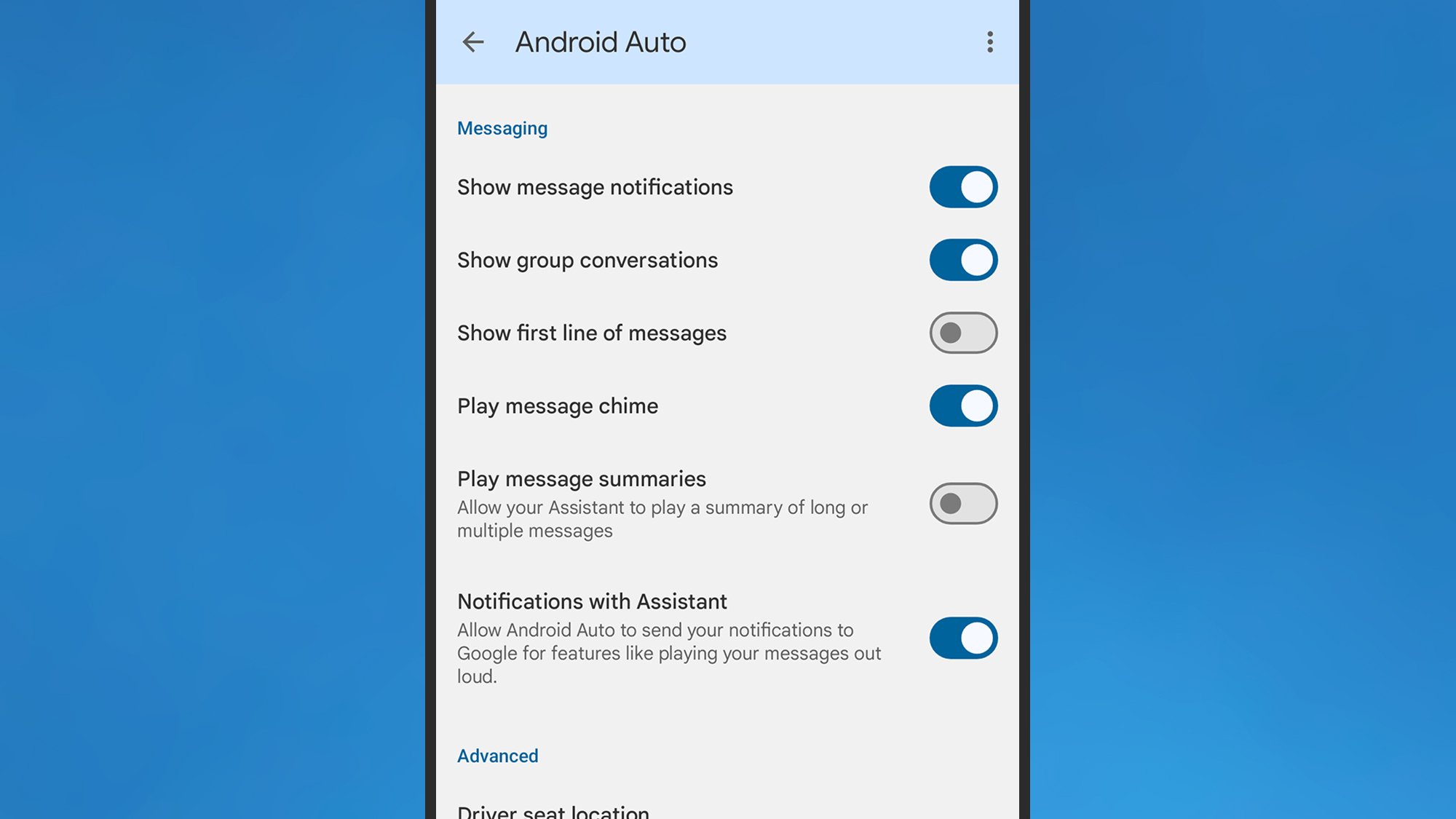
Under the Messaging header, you can turn off alerts for group conversations, or for messaging apps entirely. There’s also a toggle switch here for showing or hiding the first line of the incoming message—you probably want to disable this if you want to spend more time with your eyes on the road.

Android Auto
You can control how messages appear on your dashboard.
Credit: Lifehacker

Finally, there’s the option for having your incoming messages read out loud to you, which is another way you can reduce the temptation to stare at your vehicle’s dashboard for an extended period of time, or to pick up and unlock your phone.

It’s worth reviewing all the other Android Auto settings here as well, to make sure your driving experience is set up exactly the way you want: You can reduce the number of apps available in Android Auto, for example, and enable taskbar widgets for easier app control, which can also make a difference to how distracted you are on the road.

You should end up with an Android Auto notification system that’s not going to overwhelm you with alerts while you’re driving, but which also won’t hide important messages from you by automatically enabling notification filters without you being aware.

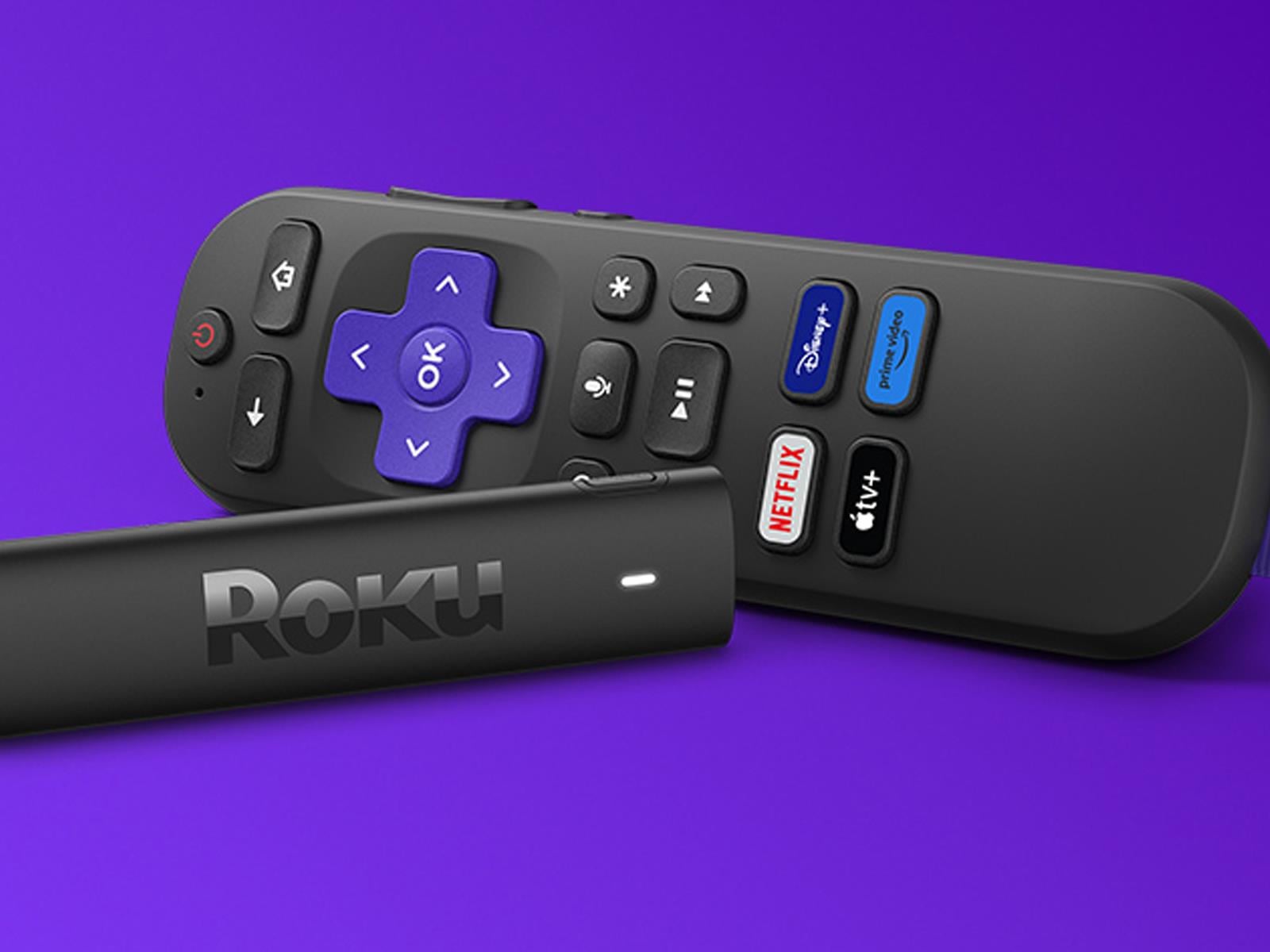
Roku Streaming Stick Deals Up To 47% Off As Netflix Abandons PS3 And Legacy TVs

Roku Streaming Stick Deals Up To 47% Off As Netflix Abandons PS3 And Legacy TVs
In case you have not heard, Netflix is planning to the pull the plug on streaming support for PlayStation 3 consoles. Same goes for legions of legacy TVs and older set-top boxes. Now, we’re not here to drag Netflix over the coals for abandoning a 20-year-old console and other aging hardware, but with Sony estimated to have sold nearly 90 million

The creators of Dark Sky have a new weather app

The team behind the beloved Dark Sky weather app has announced a new iPhone app called Acme Weather. The release comes after Apple’s 2020 acquisition of Dark Sky, which it ultimately shut down in 2022 after integrating much of its tech into the native iOS Weather app.

Acme Weather is primarily designed to address the uncertainty inherent in most forecasts, as different models yield disparate results and no two weather apps seem to report the same thing. Acme’s answer to this issue is “Alternate Predictions,” which shows users a range of possible outcomes alongside the app’s core forecast line throughout the day. If the lines are arranged together tightly, it means the app has high confidence in the forecast at that time. When those lines start to diverge, the app is signaling lower confidence while showing users alternate predictions for that time of day.

The app also supports community reporting, seeking to do for weather what Waymo did for traffic. Users can share real-time conditions in their area using icons or emojis, helping increase accuracy when conditions are changing quickly. Like most weather apps, there is also a map component with layers for radar, lightning, rain and snow totals, wind and more.

Acme leverages notifications to help make sure you don’t miss important changes to the forecast or weather alerts. Grossman says they are comprehensive and should help you avoid getting caught in the rain unawares. Notifications also include community reports, government weather alerts and even experimental tools from “Acme Labs” like rainbow and beautiful sunset alerts.

Acme offers a two-week free trial, then costs $25 a year. The iOS version is available now and an Android is forthcoming.

This article originally appeared on Engadget at https://www.engadget.com/apps/the-creators-of-dark-sky-have-a-new-weather-app-155426063.html?src=rss

AIs can generate near-verbatim copies of novels from training data

The world’s top AI models can be prompted to generate near-verbatim copies of bestselling novels, raising fresh questions about the industry’s claim that its systems do not store copyrighted works.

A series of recent studies has shown that large language models from OpenAI, Google, Meta, Anthropic, and xAI memorize far more of their training data than previously thought.

AI and legal experts told the FT this “memorization” ability could have serious ramifications on AI groups’ battle against dozens of copyright lawsuits around the world, as it undermines their core defense that LLMs “learn” from copyrighted works but do not store copies.

Read full article

Comments

Apple Reportedly Plans Multi-Day Product Blitz In Major Shift To Past Events

Apple Reportedly Plans Multi-Day Product Blitz In Major Shift To Past Events
Apple confirmed its first big product event of this year as the company sent invites to press for a “special Apple Experience” taking place in New York, London, and Shanghai. However, this slate of product launches will be different from past ones, according to Bloomberg’s Apple insider Mark Gurman, who’s expecting a slew of new additions

10 Hacks Every YouTube User Should Know

For all its faults as a platform, YouTube’s video player functionality is easily among the best online. It streams reliably to almost every device you can think of, in your choice of both video quality and playback speed. But it’s the array of hidden features and interface tricks that push it over the edge for me. (Other video players, take note.) Here are 10 of my favorite hacks that make YouTube easier to use.

Search YouTube video transcripts with Ctrl-F

Almost every video on YouTube either has an official or auto-generated subtitled track. While these are mainly used for captioning, you can also pull up this transcript on the web and use Ctrl-F (or Cmd-F on Macs) to search for keywords in a video and jump straight to the part you want to see.

This feature has been around for a while, but YouTube has shuffled around where to find the transcript from time to time. As of this writing, the most reliable way to find it is to open the video’s description, scroll to the bottom, and click Show transcript to open it up in a side bar.

Set a sleep timer for long videos

Four hour video essays and ASMR streams can be great background noise to help you fall asleep. However, if you want to avoid getting jolted awake by that one really loud joke you forgot about, you can set a sleep timer to pause any video after a certain amount of time.

On web or mobile, click the Settings icon on any given video and choose Sleep timer (on mobile, it may be under Settings > More). You can choose a timer ranging from 10 to 60 minutes. You can also automatically pause once the current video is over, which is helpful if you usually have auto-play enabled.

Link to specific timestamps in a video

One of YouTube’s handiest features is the ability to deep-link to a specific second of any video, like I did in the last section. There are several ways to get a precise timestamp link. If you’re on the web, you can right click a video and choose “Copy video URL at current time.” And on mobile, when you click the Share icon, you can tap the toggle next to the timestamp to add the precise link.

If none of those are options, you can even create your own timestamp link. At the end of any video URL, add “&t=01h05m47s”, replacing the numbers with the specific time you want to link to. You can use any combination of hours, minutes, and seconds to specify the point in the video you want.

Use arrow keys or double-taps for quick navigation

Most video players at this point have some kind of “Hang on, what did they just say?” button that lets you skip 5-10 seconds backward or forward. YouTube has several. The most straightforward, on mobile, is the double-tap. Tap twice on the left side of the screen to go backwards 10 seconds, and on the right to go forward. Keep tapping to move forward or back by further increments of 10 seconds.

On the web, you have even finer grain control. You can use the left and right arrow keys to move 5 seconds back and forth. Alternatively, you can use the J-K-L keys to move in 10 second increments (with K being used to pause the video). This latter method is borrowed from video editors, making it a handy way to keep your muscle memory consistent if you do a lot of editing.

Move frame-by-frame with keyboard shortcuts

YouTubers love putting walls of text in a single frame of a video that you have to pause to be able to read. On mobile, the only way to read these–or examine any specific frame–is to back up and try to time your pause perfectly. On the web, however, there’s a better way. While paused on a video, you can press the , (comma) or . (period) keys to move back or forward exactly one frame at a time. You can hold these keys down to slowly move through frames as well.

Quickly fast-forward with a long-press

It’s pretty common knowledge at this point that you can play YouTube videos at 2x (or higher) speed, but what if you only want to rush through a small part of a video, like an ad read? On the mobile version of YouTube, there’s a handy gesture to do just that, without changing your default playback speed.

Simply long-press and hold anywhere on the video while it’s playing. This will temporarily cause the video to play back at 2x speed, until you lift your finger. If you’re already watching at 2x or higher, it won’t play any faster (or slower) than your current speed, though.

Set your video quality defaults

YouTube generally does a pretty good job of automatically deciding what video quality to stream at, balancing fidelity with bandwidth demands. You can manually override this on a per-video basis, but on mobile, you have a few more options to get broader control.

In the YouTube mobile app, head to Settings > Quality. Here, you can set separate quality defaults for video when you’re streaming over mobile networks or wifi, as well as audio quality. The latter is particularly helpful if you use YouTube for listening to music or podcasts. If your wifi is reliably fast, it can be worth it to set higher quality defaults, rather than manually change each video’s resolution whenever you notice the quality looks degraded. 

Use incognito mode to preserve your suggestions

YouTube can get overly eager to show you videos even vaguely similar to one you watched before. If you’d rather not get a feed full of videos on how to fix a door, you can use an incognito tab to browse without contributing to your algorithm’s history. It’s a little tougher on mobile, but fortunately the YouTube app has an option for that.

In the mobile YouTube app, navigate to the You tab. Along the top of the screen, tap “Turn on incognito.” This will let you search and browse without any algorithmic recommendations or contributing to your history. You can manually turn off incognito mode, or it will automatically turn off after 90 minutes of inactivity. Note, if you’re a YouTube Premium subscriber, none of your benefits will apply while you’re browsing incognito.

Remove unwanted videos from your history

If you forget to turn on incognito mode, you can still remove videos from your browsing history so they won’t muck up your recommendations. To do this, head to your YouTube history on mobile or the web, tap the three-dot menu next to the video in question, and choose “Remove from watch history.”

This is usually enough to prevent a video from becoming the algorithm’s latest fixation, but it also means you won’t be able to find the video in your history again. If you want provide any kind of direct feedback, like a thumbs down or a report, make sure to do that first. Otherwise, if you navigate to the video again, it will be re-added to your history.

Master even more keyboard shortcuts

Beyond basic navigation, YouTube on the web has a plethora of helpful keyboard shortcuts that you might never encounter that are worth knowing about. Some of them are pretty niche, but you never know when they can come in handy:

  • Up and Down arrows: Turn the volume on a video up or down in 5% increments.

  • Shift+> and Shift+<:> Speed up or slow down the current video playback speed

  • M: Mute the current video.

  • F: Enter/exit fullscreen mode.

  • T: Enter/exit Theater mode

  • Shift+N: Play the next video in your queue or playlist.

  • Shift+P: Play the previous video in your queue or playlist.

  • Ctrl/Cmd+Left or Right arrow keys: Navigate to the next or previous chapter in a video.

Stressful People in Your Life Could Be Adding Months To Your Biological Age

A study published last week in PNAS found that people who regularly cause problems or make life difficult — whom the researchers call “hasslers” — are associated with measurably faster biological aging in those around them, at a rate of roughly 1.5% per additional hassler and about nine months of additional biological age relative to same-age peers.

The research drew on DNA methylation-based epigenetic clocks and ego-centric network data from a state-representative probability sample of 2,345 adults in Indiana, aged 18 to 103. Nearly 29% of respondents reported at least one hassler in their close network. The biological toll varied by relationship type: hasslers who were family members showed the strongest and most consistent associations with accelerated aging, while spouse hasslers showed no significant effect on either epigenetic measure.

The damage also went beyond aging clocks — each additional hassler was associated with greater depression and anxiety severity, higher BMI, increased inflammation, and higher multimorbidity. When benchmarked against smoking, a major behavioral risk factor for aging, the hassler effect corresponded to roughly 13 to 17% of smoking’s estimated impact on the same aging clocks.


Read more of this story at Slashdot.