I Air Fried Some Cheap Doughnuts and They Were Sensational

Weeks ago, my partner suggested I develop a recipe for doughnuts made in the air fryer. I tried to explain to him how deep fried doughnuts are always better than baked ones, adding, “unless you wanna throw some Entenmann’s in there.” I laughed, and then shook my head, because I had sealed my own fate.

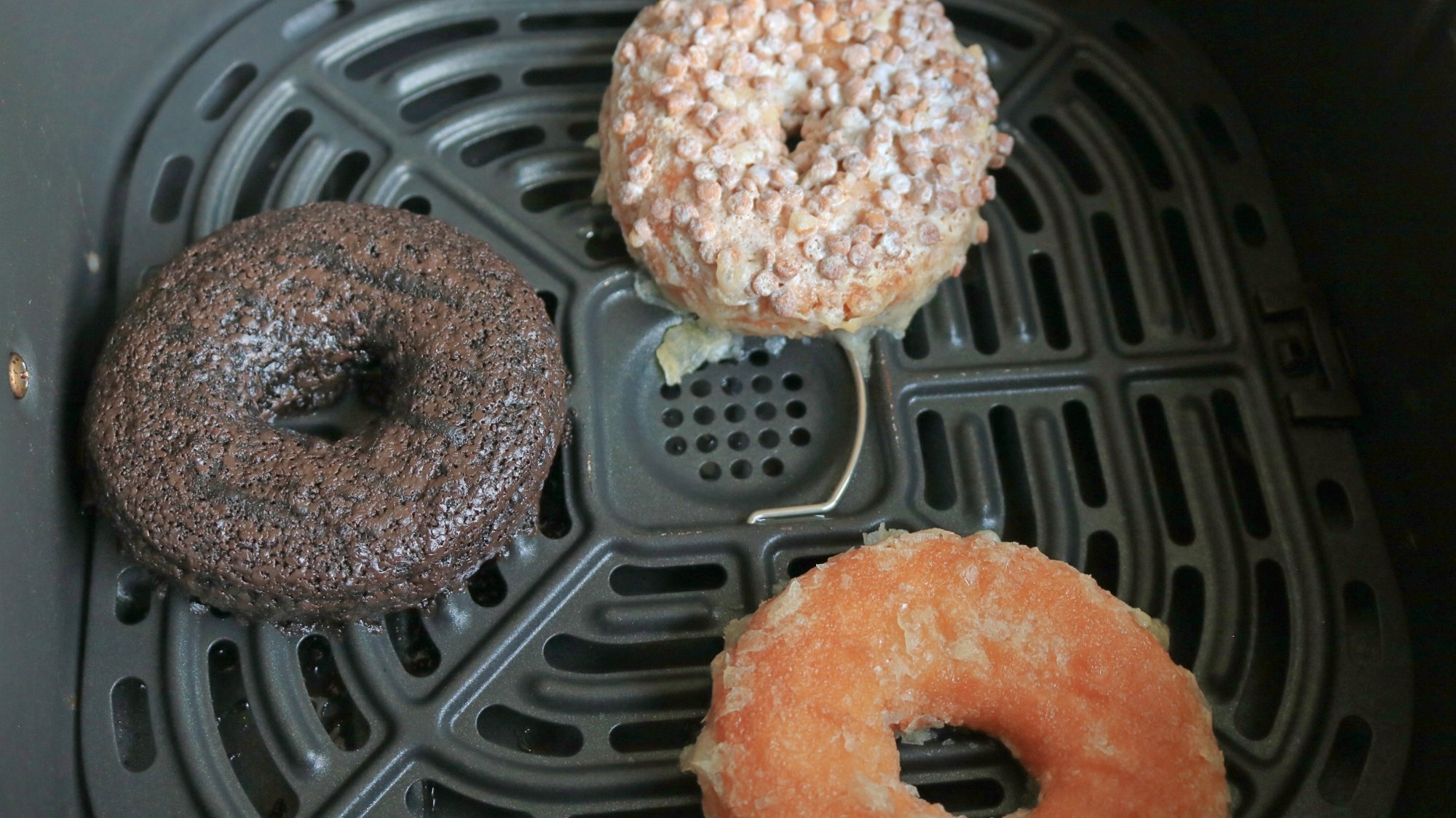
Once it occurred to me, I absolutely needed to test the idea. I bought a variety pack of Entenmann’s doughnuts (including chocolate glazed, powdery crumb nubbins, and classic glazed). I fearfully placed one of each into the basket of my air fryer and pressed Start.

I experienced a range of emotions during the next seven minutes, pinging from worry, to hope, to, finally, disbelief: Yes, I’m happy to report that air-fried cheap doughnuts are absolutely sensational.

Three doughnuts in an air fryer basket.

Credit: Allie Chanthorn Reinmann

The process changes the doughnuts appearance, especially the glazed ones. The sugar coating partially melts, exposing the crumb texture of the doughnut beneath. Everything else is uphill from there: Each air fried doughnut was a textural delight—their dry, homogeneous, bread-y consistency transformed into a crunchy exterior with a chewy, caramelized crust. The interior crumb changed too: Instead of a dense, cake-y texture, the crumb opens up a bit (presumably from expanding in the heat) and has an airy feel.

The flavor is also improved. All of the existing elements you enjoy in packaged doughnuts are concentrated and enhanced. Normally these doughnuts are one-note sweets, but after air frying, you’ll notice how buttery they are, taste notes of vanilla, and even detect hints of salt. 

Two Entenmann's doughnuts, one air-fried, side by side on a plate.

Credit: Allie Chanthorn Reinmann

It makes logical sense—the heat melts and caramelizes some of the sugars, moisture evaporates, and the doughnut’s surface browns a bit due to the Maillard reaction, creating new, complex flavors. But some flavors, I can’t explain. Why does an air-fried chocolate glazed doughnut taste completely like Fruity Pebbles? You must air fry a chocolate glazed, if only to experience this unexpected transformation.

How to air fry cheap doughnuts

I wouldn’t air fry specialty bakery doughnuts that cost $5 a pop, because that’s silly. Focus on improving the factory-made doughnuts. To air fry your own cheap doughnuts at home, simply pop the treats into an air fryer set to 350°F on the “air fry” setting for five to seven minutes. Make sure you air fry them on the included metal grate, as some of the sugars from the glaze will drip off and you don’t want them to get too moist.

When they’re done heating, use metal tongs or a fish spatula to remove them from the grate and place them to cool on a wire rack for about five minutes. Feel free to give them a light sprinkle of flaky salt. They’ll feel really soft and breakable at first, but after cooling, the sugars will recrystallize and the doughnuts will be crispy…and incredible. 

Qualcomm and Google team up to offer 8 years of Android updates

Qualcomm and Google have joined forces to extend software updates on Android devices. With Google’s assistance, the chipmaker has committed to providing extended vendor support to any OEM building on its most powerful chips, pushing the theoretical lifespan of Android devices to eight years. There are plenty of caveats, but this move could make your next phone more useful for longer.

The extended support window only applies to Android devices with the latest Qualcomm chipsets. To start, the eight-year support timeline will be extended to devices running the new Snapdragon 8 Elite mobile platform, which has powered devices like the OnePlus 13 and Galaxy S25. Later this year, the same policy will be applied to the company’s new Snapdragon 8 and Snapdragon 7-series chips, and you can expect the same deal for at least the next five generations of Qualcomm silicon.

“Through this collaboration, OEMs can more seamlessly update the software and security on their devices, ensuring a more secure and long-lasting Android experience for our users,” said Google’s Android Platform manager Seang Chau.

Read full article

Comments

Wyden Asks For Rules About Whether You Own Your Digital Purchases

Sen. Ron Wyden (D-OR) has sent a letter to Federal Trade Commission (FTC) chair Andrew Ferguson urging the FTC to require that companies admit when you’re not really buying an ebook or video game. From a report: Wyden’s letter, shared with The Verge, requests guidance to “ensure that consumers who purchase or license digital goods can make informed decisions and understand what ownership rights they are obtaining.”

Wyden wants the guidance to include how long a license lasts, what circumstances might expire or revoke the license, and if a consumer can transfer or resell the license. The letter also calls for the information “before and at the point of sale” in a way that’s easily understandable. “To put it simply, prior to agreeing to any transaction, consumers should understand what they are paying for and what is guaranteed after the sale,” Wyden says.

Read more of this story at Slashdot.

Brewing tea removes lead from water

That comforting hot cup of tea—or refreshing glass of iced tea on a hot summer day—could help reduce the amount of toxic metals in drinking water, according to a new paper published in the journal ACS Food & Science Technology.

“We’re not suggesting that everyone starts using tea leaves as a water filter,” said co-author Vinayak Dravid, who studies sorbent materials at Northwestern University. “Our goal was to measure tea’s ability to adsorb heavy metals. By quantifying this effect, our work highlights the unrecognized potential for tea consumption to passively contribute to reduced heavy metal exposure in populations worldwide.”

Some 2 billion people drink tea on a daily basis worldwide, and numerous studies have suggested various health benefits from regular tea consumption. Most nutrition studies focus on things like polyphenols, caffeine, or other chemicals released during brewing, but such research overlooks a unique aspect of tea: unlike most food and drink, tea leaves are not directly consumed, and the brewing process allows tea leaves to adsorb chemicals as well as release them—most notably heavy metal toxins like lead, arsenic, or cadmium. (Adsorption is when a substance adheres to the surface of something; absorption is when a material takes in a substance.)

Read full article

Comments

The Insane Winning Run Of The 2025 Red Bull Hardline Mountain Bike Race

The Red Bull Hardline is considered one of the most difficult downhill mountain bike races in the world. And, after watching this video (three and a half minutes of near certain death), I can see why. This is the helmetcam footage of Canadian mountain biker Jackson Goldstone’s winning run at the 2025 race in Tasmania, less than a year after he suffered a crash requiring knee surgery. What a testament to the human spirit! Or the healing powers of Red Bull. Doc, enough with the electrolytes — fill my IV with Red Bull. “I only have Monster Energy.” Oh hell no, bro, you’re not turning me into a demon.

This Keyboard Case Is Finally Available for Android

Clicks, the iPhone keyboard accessory that went viral during CES 2024, is now coming to multiple Android phones—Google Pixel 9, Pixel 9 Pro, Samsung Galaxy S25, and the Moto Razr+ (2024). Clicks adds a physical QWERTY keyboard to your smartphone, and also functions as a case for your device. Up until now, Clicks was available exclusively for all iPhone 15 and 16 devices, as well as the iPhone 14 Pro and 14 Pro Max.

When the first iPhone launched, it sounded a death knell for smartphones with physical keyboards, as the world moved to bar-shaped phones with big screens. Touchscreen typing is good enough for most people, but Clicks is betting on the fact that content creators, vloggers, and people who value productivity may find it easier to type on a physical keyboard. I know for a fact that I make far fewer typos on my MacBook than I do on my iPhone, but the downside with Clicks is that it adds a lot of heft to your phone. It changes the weight distribution of your phone, and some people may find it harder to use their phones since it will feel more top-heavy.

Clicks says Android users can customize typing settings on their device using a companion app, such as changing the function of shortcut buttons. Each Clicks case has a few shortcut buttons that vary by device, but a search button appears on all variants of the keyboard. The company says the keys have metal dome switches that provide tactile feedback and that the keys are backlit, so you don’t need to switch back to the on-screen keyboard whenever you lose light.

Since the keyboard is below the screen, you can use your phone’s entire display all the time. That’s a perk, especially for apps that benefit from added screen real estate, but it does make your phone bulky enough that it may not easily fit in your pocket or purse. That said, you don’t need to remove the case to charge your phone, since Clicks supports USB-C passthrough charging. For Pixel 9 and 9 Pro, Clicks supports wireless charging, too.

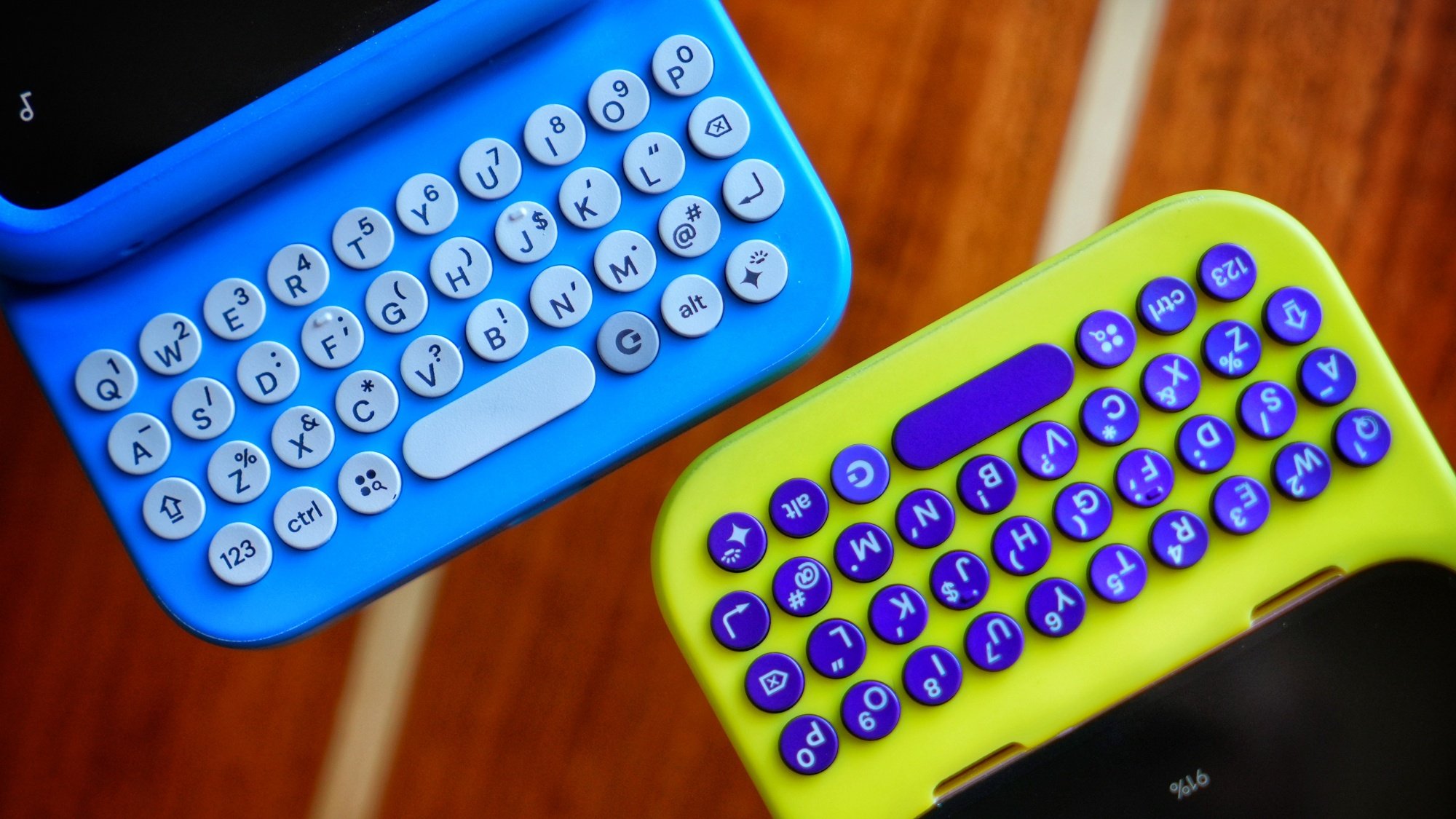
A close-up view of two keyboards by Clicks. One is blue and the other is yellow.

Credit: Clicks

On Pixel 9 and 9 Pro, Click is available in two colors: Surge (yellow) and Onyx (black). The company says it expects to start shipping these cases by late April. For the Motorola Razr+ (2024), the color options are Electric (blue) and Onyx, and the case is expected to ship late May. Finally, for the Galaxy S25, the color variants are Pinot (a reddish brown) and Onyx, and shipping is expected in June. Pre-orders for all Android variants of the keyboard accessory open today on the company’s website at an introductory price of $99. That price is valid until March 21. If you order after that, the final price is $139.

Studio Behind Acclaimed Silent Hill 2 Remake Reveals It’s Working On A New Mystery Game

In addition to getting generally great reviews from critics, Bloober Team’s remake of Silent Hill 2 also went on to sell over 2 million copies across PlayStation 5 and PC. Based on that success, Konami is now letting the Polish horror studio work on a brand-new game based on one of the Japanese publisher’s existing…

Read more…

Google Makes Gemini Code Assist Free

Google has launched a free version of Gemini Code Assist, offering developers substantially higher usage limits than competing services. From a report: The AI coding assistant, powered by the fine-tuned Gemini 2.0 model, allows up to 180,000 code completions monthly — 90 times more than GitHub Copilot’s free tier limit of 2,000. The release comes just one day after Anthropic introduced Claude Code, underscoring intensifying competition in AI-powered development tools.

Gemini Code Assist integrates with popular environments including Visual Studio Code, JetBrains IDEs, and GitHub, where it performs code reviews on both public and private repositories. Google’s offering features a 128,000-token context window, enabling developers to work with larger codebases. The service supports all public domain programming languages and requires only a Gmail account to register, with no credit card needed.

According to Ryan Salva, Google Cloud’s senior director of product management, more than 75% of developers now rely on AI in their daily work, with over 25% of new code at Google being AI-generated. For developers wanting advanced features like private repository integration or Google Cloud service connections, premium tiers remain available.

Read more of this story at Slashdot.

Razer’s Bodacious Blade 18 Gaming Laptop With RTX 5090 Is Up For Preorder

Razer's Bodacious Blade 18 Gaming Laptop With RTX 5090 Is Up For Preorder
Razer today unveiled the latest iteration of its big and beastly Blade 18 gaming laptop (an upgraded version of the one we reviewed last year), which it’s pitching as its most powerful Blade to date. According to Razer, the sharpened Blade 18 delivers a “premium desktop experience” in a mobile package with high-end hardware that creators and

Five Ways to Warm Up Before You Lift Weights

Lifting is about as simple as an exercise gets: You pick the thing up, and you put the thing down. But that doesn’t mean you’re going to walk into the gym and just pick the thing up. A proper warmup can help you to be ready for your lifting, so let’s talk about how to build your best lifting warmup routine.

Why a warmup is important (and when it may not be)

First, let’s talk about why we warm up. People often talk about warmups as if they will magically prevent injury, or that skipping one will result in some other disaster. That’s not necessarily true. They also won’t really do much for your chances of suffering from soreness (or not) after the workout, either. If you feel comfortable walking straight from the front door to the squat rack, you don’t need to add a warmup.

You will probably benefit from a warmup if any of these are true of your lifting workouts:

  • You feel achy or creaky at the beginning of workouts.

  • The first few sets always feel heavier than they should.

  • You have trouble getting into positions that you need for the workout (like the bottom of a squat).

  • You do exercises that get you breathing hard, like circuit training or anything where you’re rushing to complete reps to a timer.

A warmup can address one or all of those concerns, preparing you for the job of lifting. Your muscles will work better when they’re warm (like, literally at a higher temperature). You’ll also want to be ready to move in all of the ways that the lift requires. If your ankles are stiff, for example, getting them moving will help them to be able to flex more during your squat.

If you’re worried about your warmup taking forever, good news—you only need to include the parts of the warmup that you, personally need to benefit from. Two people might warm up in completely different ways for the same workout. So let’s talk about the different components of a warmup, and how to know which ones you need.

Cardio warms you up and gets you ready for work

Before lifting, a lot of folks like to hop on the treadmill or rower for five to 10 minutes, or perhaps do some jumping jacks. A cardio warmup like one of these offers a few benefits:

  • It physically warms up your muscles,

  • It gets at least some of your muscles and joints moving.

  • It gets your energy systems (enzymes, etc) into the groove of supplying extra power to your muscles.

Remember how, when you run, the first mile (or the first 10 minutes or so) feels sluggish? That’s because your body is ramping up those energy systems so you can use them more efficiently during the rest of your workout. If your lifting workout keeps your heart rate high—like a Crossfit-style WOD—this cardio warmup is essential for making the rest of the workout not suck.

If you’re just going to be lifting at your own pace, cardio isn’t essential, but the warmth and movement may still help you feel better and serve as a mental and physical introduction to the work you’re about to do.

Mobility work gets you ready to reach specific positions

We’re not (just) talking about stretching here. If you want to work on your flexibility by doing long, deep static stretches, that’s best saved for after the workout. As you’re getting ready to lift, you may want to instead do some mobility work.

Mobility, in this context, means being able to move in the ways that your workout requires. If you’re going to do some squats, and your calves and ankles tend to be stiff, and this stiffness prevents you from getting as deep into the squat as you’d like, then you should spend some time before doing your squats working on your ankle mobility. (We have some specific suggestions for that here.)

Apply this same principle to whatever exercise you’re planning. If you have a hard time arching your back in the bench press, do some upper back mobility work first (I like to lie on my back on top of a foam roller). If you’re going to do snatches or overhead squats, you may want to do some shoulder stretches. Stretching before a workout can give you a temporary boost to your flexibility that lasts through the workout.

This stage is where foam rolling and dynamic stretching can come in. Foam rolling can help loosen up a muscle, like a little massage. And dynamic stretches are warmup movements that take your joints through whatever range of motion you will be asking them to do later. Google “mobility work for ___” and you’ll get plenty of ideas.

Ultimately, what you use in this section of the warmup should be whatever will best help you to be successful later in the workout. Experiment with adding moves in or taking them out.

“Activation” exercises prepare your muscles

Sometimes it’s nice to do an exercise that uses whatever muscles you’ll be using in the main workout, but with lighter weights or even via a totally different movement. For example, banded glute bridges could help you get ready for a workout where the focus is squats or hip thrusts.

To be totally clear, you don’t need to “activate” muscles to be able to use them later, even though purveyors of booty bands will try to convince you this is an essential step. These exercises just give your muscles a preview of what they’ll be doing in the main event, and can help you get through your warmup sets of the main lift (see below) a bit more quickly. For more on what activation exercises are really doing, see my explainer.

Technique drills help you perfect your skills

If you’re doing a lift that requires precise technique, you may want to practice drills that help with that specific lift. For example, before I do snatches, I like to do drills with just the bar: maybe some hang snatches, or overhead squats, or tall snatches. Again, select exercises for this stage based on what technique work you need to practice. Goblet squats may be a good primer for barbell squats, for example.

Your warmup sets with the empty bar or lighter weights

This step is essential if you’re doing a heavy lift. Let’s say you’re going to do squats at 200 pounds today. Just because you’ve warmed up with cardio or mobility doesn’t mean you’re ready to load 200 pounds on the bar and go for it. Instead, you’ll do some squats with the empty bar, and then maybe with 95 pounds, 135 pounds, 155 pounds, and 185 pounds.

While the other warmup components we discussed are negotiable, most lifting coaches would agree that these warmup sets with the bar are mandatory. They can often even replace most of the above steps, because if you do enough warmup sets, you’ll be getting your body warm, moving through the necessary motions, activating your muscles, and practicing the technique of the lift you’re about to do.

Start by doing a set of the same number of reps you will do for your working sets, or more. So if you’re going to do five reps at 200 pounds, start with a set of 5–10 reps with only a bar. Then add some weight, and then add some more, and then some more, until you get to the target weight for your first working set of the day. The exact jumps in weight aren’t important so long as you have several stops on your way to the working set for the day.

How to customize your warmup

I like to think about warming up for lifting as combining my warmup sets (as described in the section above) plus whatever I need that my warmup sets don’t adequately cover.

So if you feel like you need more mobility work than warmup sets alone will give you, you might walk in the gym, do five minutes on the treadmill to warm up your legs, and then do some foam rolling and ankle stretches before you start squatting. You haven’t done any technique or activation work, but that’s fine if you don’t feel you need it.

Or if your mobility is fine but you’re planning on doing a circuit-style workout and you hate that you’re always getting out of breath between lifts, you might benefit from a more thorough cardio warmup to make sure you’re ready for the fast pace of the workout.

It’s fine for your warmup to be different for each workout, or for it to change over time. Older athletes often find they need more warmup time than they did when they were younger, and we all might need more of a warmup in cold weather than when it’s hot out. Figure out what makes sense for you, and build your warmup accordingly.

Philips Hue Sync now available on LG smart TVs, eliminating the need for a control box

The Philips Hue Sync app is now available for many LG televisions, allowing synchronization between smart lights and TV screens. This eliminates the need for one of those dedicated sync boxes, as everything gets handled through the app.

For the uninitiated, Philips Hue smart lights dynamically adjust color and brightness to match the content playing on-screen. The app, along with an associated Hue lighting system, works with content from set-top boxes, streaming sticks, platforms like Netflix and, of course, gaming consoles. You haven’t really played Balatro until you’ve played it with matching lighting effects.

The Philips Hue Sync TV app supports multiple image formats, including 8K, 4K, HDR 10 and Dolby Vision. It uses a “proprietary syncing algorithm” to create “the ultimate surround lighting experience.” It’s available worldwide for compatible LG smart TVs right now. Just make sure the TV is running webOS 24 or later.

There’s a major caveat here. This is one expensive app. It costs around $130 (depending on where you live) and that only covers a single TV. However, folks can opt for a monthly subscription of $3 that can handle up to three televisions. That’s a bit more palatable.

This article originally appeared on Engadget at https://www.engadget.com/entertainment/philips-hue-sync-now-available-on-lg-smart-tvs-eliminating-the-need-for-a-control-box-162004241.html?src=rss