OpenAI Plots Charging $20,000 a Month For PhD-Level Agents

OpenAI is preparing to launch a tiered pricing structure for its AI agent products, with high-end research assistants potentially costing $20,000 per month, according to The Information. The AI startup, which already generates approximately $4 billion in annualized revenue from ChatGPT, plans three service levels: $2,000 monthly agents for “high-income knowledge workers,” $10,000 monthly agents for software development, and $20,000 monthly PhD-level research agents. OpenAI has told some investors that agent products could eventually constitute 20-25% of company revenue, the report added.

Read more of this story at Slashdot.

When to See the Lunar Eclipse (and More Space Events) in March

March isn’t the most exciting time of the year for casual skywatching, though there are two notable events: a total lunar eclipse in the middle of the month and the partial solar eclipse at the end. There are other reasons to head outside and look up too. Here’s what you’re looking for.

March 13–14: Total lunar eclipse (Blood Moon)

Late on the night of March 13, the entire moon will fall into the darkest part of Earth’s shadow, creating a total lunar eclipse throughout the Western Hemisphere. Because of the alignment of the Sun, Earth, and moon—and the filtering of the Sun’s light through Earth’s atmosphere in between—the moon will appear red or orange, which is why it is also known as a Blood Moon.

The partial eclipse starts just after 1 a.m. ET on March 14 when the moon begins to enter Earth’s shadow, with totality expected between 2:26 a.m. and 3:31 a.m. ET.

NASA notes that Jupiter and Mars will also be visible in the western sky that night, and constellations may appear brighter as the moon dims throughout the event. For ideal viewing, head somewhere with dark skies.

March 29: Partial solar eclipse

Eclipses come in pairs, and this pair is rounded out with a partial solar eclipse on March 29 that can be seen from northeastern North America, northwestern Africa, and much of Europe. Most viewers in the U.S. will miss this one, as only a small portion of the sun will be obscured in New England, and maximum coverage will occur over the northernmost parts of Canada and Greenland.

That said, early risers on the East Coast will be able to see the moon take a bite out of the Sun around sunrise, as the partial eclipse will already be underway. The event is expected to begin around 3:50 a.m. ET and end at 7:43 a.m. ET.

Planet visibility

Planet visibility is pretty good in March following February’s impressive planet parade. Venus will be low in the western sky right after sunset for the first two weeks, while Mercury can be seen just below that for about a half hour. Mars will be in the east after sunset until around 3 a.m., and Jupiter can be viewed nightly in the west before 1 a.m.

Zodiacal light

Finally, while there aren’t any meteors to speak of until the Lyrids arrive in April, early spring is a great time to view zodiacal light. What looks like lingering twilight is actually believed to be sunlight reflecting off dust in the solar system. The phenomenon, which looks like hazy light emanating up from the horizon, is easiest to see around the equinox (March 20) but will be visible all spring whenever the moon is dark.

Apple Unveils MacBook Air With M4 Starting At $999 And A Big Mac Studio Upgrade

Apple Unveils MacBook Air With M4 Starting At $999 And A Big Mac Studio Upgrade
When Apple released a slew of MacBook Pros and some of the neglected Mac desktop line on the M4 generation of silicon last fall, one odd exclusion was the MacBook Air. It’s Cupertino’s most popular notebook, by the company’s own metrics, and its continued existence with M2 and M3 versions was a head-scratcher. Well, the itch is finally gone

How to Take Photos on Android Without All the Post-Processing Junk

Your phone’s camera does so much filtering, processing, and AI adjustments, it can make you question reality itself. In a world where Google can put you into photos you take, what’s even real? If you’d rather avoid letting your phone decide what your photos look like, here’s how to take control back from your camera app.

Since Android is an open platform, the default apps on your phone may be different from someone else’s. The various settings and apps I reference may be different on some phones, and some apps might not be compatible with all devices, but there are usually options that will work for you.

Switch to RAW photos (where available)

Much like higher-end cameras, many smartphones can now take RAW photos. These are specially encoded versions of photos that store all of the data your camera’s sensor captures, uncompressed, in an easy-to-edit format. Some phones, like the Google Pixel phones, will take a RAW photo and a processed JPEG at the same time, allowing you to get the best of both worlds. 

On Google Pixel devices, you can swap to this mode by tapping the Settings icon on the bottom left of the camera app, selecting the Pro tab, and toggle on RAW/JPEG. The setting may be different on some phones, so poke around in your camera’s app to see what you can find.

Once you have a RAW photo, you can use apps like Adobe’s Lightroom to edit photos how you prefer. You can adjust exposure levels, tweak highlights and shadows, or alter color tint to get a more realistic—or a more stylized—look.

Use ZeroCam for one-button simplicity

If your phone doesn’t support RAW photos—or if you prefer a simpler camera experience—ZeroCam is a handy alternative. This app has exactly one feature: It takes photos without any filtering or post processing. There are no sliders or adjustments, just a shutter button to take a photo. If your phone has multiple lenses, you can tap to swap between them, but there’s not much else to the app.

The one major downside of this app is that it’s only free on a trial basis (one week if you go for the annual plan, three days if you choose monthly), after which you’ll need to pay for a subscription. The good news is the service is dirt cheap at $1/month or $7.49 for a year, so it’s not a huge expense, especially if the simplicity helps you focus more on the moment than what you’re using to capture it.

Get more control with Camera FV-5

I’ll let you in on a little secret: Even when you shoot RAW photos, your phone’s manufacturer is still making some decisions about what your photos are going to look like. That’s because your camera has to automatically make decisions about things like ISO level, shutter speed, focus, or even which lens to use. If you want to get maximum control, you’ll want an app like the Camera FV-5 Lite.

This app gives you controls to adjust ISO, shutter speed, white balance, and other settings to get the exact shot you want. It also has some nice advanced features like burst photo mode, and automatic exposure bracketing. Some features—including capturing photos in RAW format—are only available in the paid version, which costs a one-time fee of $5.

Pro controls for video with Blackmagic Camera

Blackmagic is best known for its suite of excellent cinema cameras and free Davinci Resolve editing suite. The software that runs on Blackmagic’s cameras is some of the best and most intuitive in the business, and now you can get it on your phone with the Blackmagic Camera app. Well, some phones. It works on most of the recent flagship phones from Samsung, Google, OnePlus, and a few other manufacturers; you can check the full list of supported devices here.

The Blackmagic Camera app technically only supports recording video, so if you primarily want photos, you might want to go with one of the other options on this list. However, this app is peerless for videographers. In addition to pro camera controls, it includes handy features like an RGB histogram and image stabilization to get the perfect shot.

Report: NVIDIA’s Chip Shortage And Tariffs Are Slowing Growth In PC GPU Market

Report: NVIDIA's Chip Shortage And Tariffs Are Slowing Growth In PC GPU Market
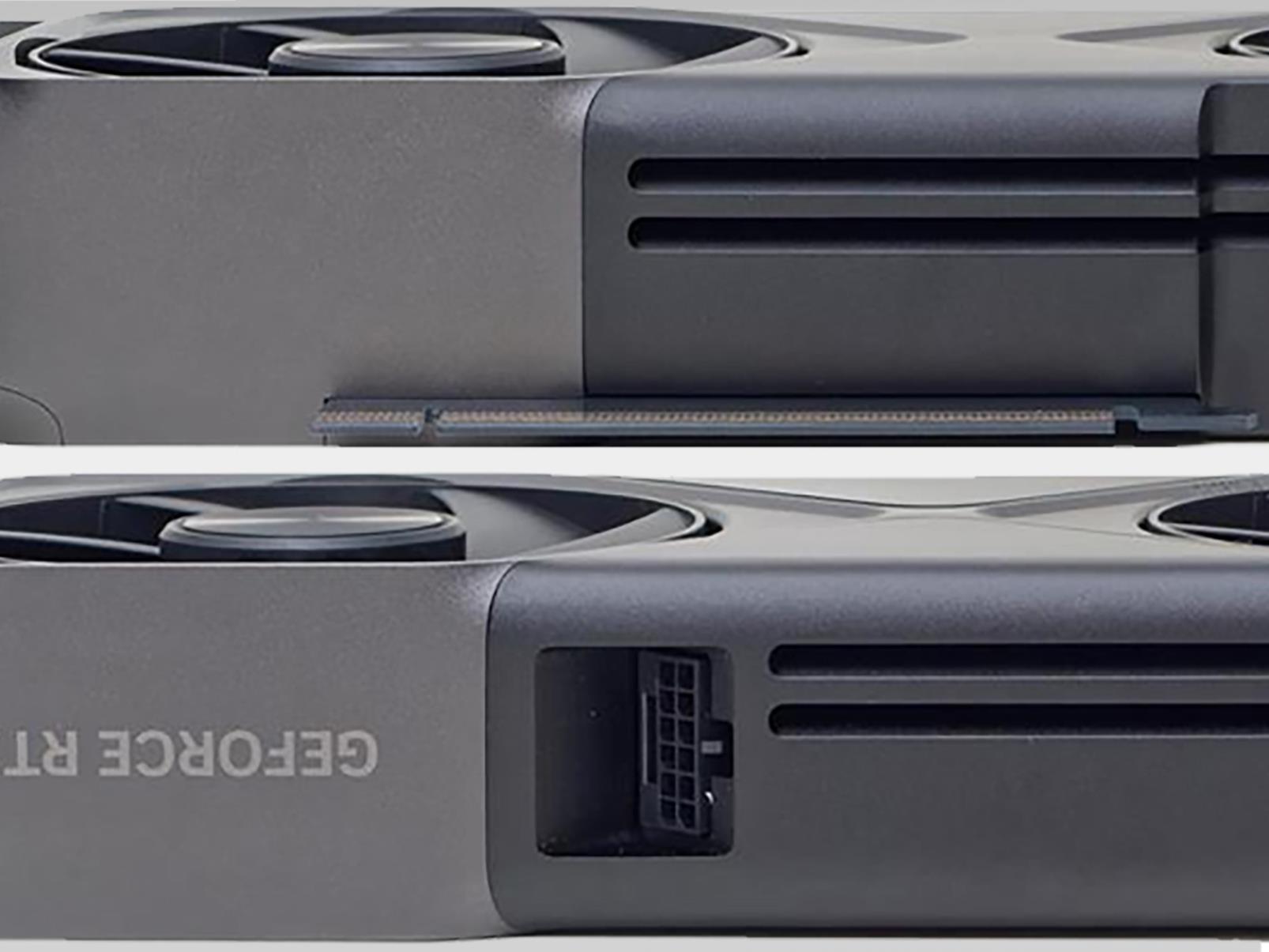
The great graphics card shortage of 2025 (yes, I’m officially dubbing it as such now, at least in reference to NVIDIA’s newest generation GeForce RTX 50 series) is not only frustrating, it’s also stalling growth in the PC GPU market, according to the latest report by the bean counters (or would that be chip counters?) at Jon Peddie Research.

Digging

Digg is getting another revival, this time with an injection of AI

Digg is getting another reboot with two of the most prominent names of the Web 2.0 era leading the charge. Founder Kevin Rose has bought it back for an undisclosed sum. Rose’s partner in this endeavor is a very interesting one. Alexis Ohanian, a co-founder of Reddit — which was at one point the site’s biggest rival — acquired Digg alongside Rose.

They surely have hopes that Digg can go toe-to-toe with Ohanian’s former company once again. According to a press release, Rose and Ohanian “have teamed up to revive the social platform with a fresh vision to restore the spirit of discovery and genuine community that made the early web a fun and exciting place to be.”

The former rivals plan to tap into their knowledge of what did and didn’t work at Digg and Reddit over the years to help make the relaunch a success. Rose and Ohanian, both now venture capitalists, have also been meeting with community leaders from online forums (including Reddit) to try and better understand what gets in their way or frustrates them in order to address those factors in the new Digg. The new Digg will have a mobile-first approach too.

Since this is 2025, of course there’s an AI element here. The plan is to make Digg distinct from other services by “focusing on AI innovations designed to enhance the user experience and build a human-centered alternative.” Rose suggested to The New York Times that AI could help with moderation and allow for fun quirks, like translating a discussion among sci-fi enthusiasts into Klingon.

“At various times over the years I had been approached to repurchase Digg; it never felt right. The technologies to solve our biggest pain points didn’t exist,” Rose said. “Just recently we’ve hit an inflection point where AI can become a helpful co-pilot to users and moderators, not replacing human conversation, but rather augmenting it, allowing users to dig deeper, while at the same time removing a lot of the repetitive burden for community moderators”.

Justin Mezzell, an experienced product design exec and a longtime collaborator of Rose’s, is CEO of Digg. Rose is the company’s board chair and key advisor. Ohanian also sits on Digg’s board and will be an advisor.

Digg has had a long and winding road to get to this point. It was an early darling of the social media era as it went toe-to-toe with Reddit to curate the best of the internet through submissions from users, who would upvote (or Digg) the things they liked to push it further up the homepage — similar to how Reddit works. However, Digg’s early success gave way to attempts to game the system, while a contentious 2010 redesign caused a mass exodus of users to Reddit.

The company was sold off in parts in 2012, with LinkedIn and The Washington Post Company buying some aspects. A startup studio and venture capital company called Betaworks bought the Digg brand and relaunched it as a site where editors curated the content.

That approach continued on until now, even after Digg was sold to an advertising company in 2018. The most recent version of Digg was still pretty solid, as it continued to offer a nice blend of curated material from around the web as well as some original writing from its editors.

There were some hints that Rose was getting back in the Digg mix. After several years away, Rose and co-host Alex Albrecht resumed their Diggnation podcast last year. In December, a post on the Digg X account showed a screenshot of the app’s icon with a bubble indicating that there were 3825 notifications. The same number is in the X account’s header image. Some have taken that as a hint that the relaunch will take place on March 8 (3/8/25). In any case, Rose suggested the plan is to start small and ramp up Digg’s features in the coming months. 

Here’s hoping that, as part of this revival, the company reanimates Digg Reader, a much-missed RSS reader from the Betaworks era. And while we’re bringing new life to staples of the Web 2.0 era, for the love of all that is well and good in this world, can someone please bring back StumbleUpon too?

This article originally appeared on Engadget at https://www.engadget.com/apps/digg-is-getting-another-revival-this-time-with-an-injection-of-ai-161205428.html?src=rss

Pixel Sense Is Google’s New AI Assistant And It’s Headed To The Pixel 10

Pixel Sense Is Google's New AI Assistant And It's Headed To The Pixel 10
In the beginning there was Google Voice Search, followed by Google Assistant, and most recently Gemini. Soon however, there might be a new assistant in town called Pixel Sense, something Mountain View claims to finally merge AI-generated predictions (Gemini) with a smart helper (Google Assistant). The new assistant will reportedly run completely

Apple Refreshes MacBook Air With M4 Chip, Lower Pricing

Apple has refreshed its MacBook Air lineup with the M4 processor, adding a new sky blue color option and reducing prices across the board. The 13-inch model now starts at $999, while the 15-inch begins at $1,199. Both models are available to order immediately and will ship on March 12.

The updated MacBook Airs feature the same thin design as previous generations but now include the 12-megapixel Center Stage webcam found in current MacBook Pro models. Both variants come with the M4 chip, aligning them with Apple’s recent Mac Mini, iMac, and MacBook Pro refreshes.

Base configurations include an M4 with a 10-core CPU and 8-core GPU, 16GB of unified memory, and 256GB of storage. Customers can upgrade to a 10-core GPU (matching the base 14-inch MacBook Pro), 32GB of RAM, and up to 2TB of storage. A significant technical improvement is the support for two external 6K displays while keeping the laptop’s lid open, addressing a limitation of previous Air models.

Read more of this story at Slashdot.

Everything New in Google’s March 2025 Pixel Drop

The first Pixel Drop of 2025 is here—quarterly upgrades coming to Google’s phones, tablets, and watches include improvements to Gemini Live and other AI-powered functionality (like scam detection for calls and texts), health and safety features, and camera and connectivity updates.

Here’s everything in the March drop, rolling out now.

Gemini upgrades

As with the December Pixel Drop, much of what’s new for Pixel this month is powered by Google Gemini. Gemini Live is getting smarter with the ability to automatically switch between 45 languages in conversation without having to change your language settings. Multimodal capabilities for adding images, files, and YouTube videos to conversations are expanding to Pixel 6 (and newer) as well as Pixel Fold devices, and live video and screen sharing are coming to Gemini Advanced.

If you have a Pixel 9 phone with Gemini Nano, you’ll soon get real-time Scam Detection that alerts you to malicious calls. The on-device, AI-powered feature identifies conversation patterns typical of scammers and gives you an on-screen prompt to end the call. Scam Detection is also available in Google Messages for anyone with a Pixel 6 or newer located in the U.S., Canada, or the UK. If the AI suspects a scam text message, you’ll see a warning to report and block the number.

Also in the AI category: Pixel Screenshots is getting a new suggestions feature and integration with work profiles, while Pixel Studio will be able to generate images of people based on a description of the person or scene.

While many Pixel features remain limited to users in the U.S., Pixel Screenshots, Pixel Studio, Pixel AI weather reports, and Pollen tracker in the Weather app are being rolled out for those in Germany and Japan. Recorder App AI summaries will also be available in Japanese (on Pixel 9 only) as well as in English.

New health features for Pixel Watch

Pixel Watch 3 wearers in the U.S. will soon have access to Loss of Pulse Detection. This feature detects if the wearer’s heart stops beating, and then calls emergency services with an automated message if you remain unresponsive (your device must have a cell connection). The feature was recently cleared by the FDA and is expected to roll out toward the end of the month. Pixel Watch 3 is also getting on-device menstrual tracking and more accurate step counting for atypical walking patterns, such as pushing a cart or hiking with poles.

Finally, Auto-bedtime Mode, which turns off your watch face and disables notifications when you fall asleep (and back on when you wake up), is expanding to Pixel Watch 2.

Improved connectivity

Google is releasing several safety-oriented connectivity features, including a Find My Device beta that shares your live location with family and friends. Satellite SOS—which lets you contact emergency services even if you don’t have a cell or wifi connection—is expanding to Pixel 9 users in Hawaii, Alaska, Europe, and Canada, and satellite texting is now available for U.S.-based Verizon and T-Mobile customers.

Camera and video upgrades

A new feature called Connected Cameras lets you link your Pixel 9 to another Pixel phone (6 or newer) or GoPro camera (HERO10 Black or newer) to stream video from multiple angles directly to Facebook, YouTube, Instagram, TikTok, and Snapchat. Dual Screen Preview on Pixel Fold is adding support for video recording as well as Add Me for those on Pixel 9 Pro Fold.

Additional accessibility and quality-of-life upgrades

Pixel’s speech-to-text Recorder app is getting another update: The app will now automatically transcribe audio recordings, such as lectures, transferred from an older device or Pixel Watch to your current phone. And Gboard has a new Voice Toolbar so you can easily access voice-to-type without opening the full keyboard.

A new Modes menu is coming to the Quick Settings panel, allowing you to switch between modes for driving, bedtime, do not disturb, and other customizations simply by swiping down.

Finally, new actions for audio coming to Pixel Watch include fast forward, rewind, and the ability to adjust playback speed and control the playback queue.

How to get new Pixel Drop features on your device

To check if these updates are available on your Pixel phone or tablet, go to Settings > System > Software updates.

Linux from Scratch version 12.3 released

Version
12.3
of Linux From
Scratch
(LFS) has been released, along with Beyond Linux
From Scratch (BLFS) 12.3
. LFS provides step-by-step instructions
on building a customized Linux system entirely from source, and BLFS
helps to extend an LFS installation into a more usable system. Notable
changes in this release include toolchain updates to GNU Binutils
2.44, GNU C Library (glibc) 2.41, and Linux 6.13.2. The Changelog
has a full list of changes since the previous stable release.