The Apollo 17 mission landed on the Moon on December 11, in 1972. From that point on, literally for decades, NASA and the United States did not go back to the surface of our nearest planetary body.
It was not until February 22, 2024, that another American-built spacecraft made a soft landing on the Moon. This was the Nova-C Odysseus lander built by Intuitive Machines. It landed, toppled over, but still completed most of its scientific experiments.
This first successful landing on the Moon by the first privately built spacecraft ended a 51-year gap, or 18,700 days. It was a long freaking time.
Tax season is the perfect time to review your Roth IRA contribution strategy. While Roth IRAs offer incredible tax advantages, they come with specific rules that can trip up even savvy investors. After all, the humble Roth IRA is one of your most powerful retirement savings tools—when used correctly.
You have until the April tax return deadline to set up and fund an IRA for the prior tax year. This means you have until April 15, 2025 to open and contribute to a Roth for 2024. We’re also in the window where you can fund your 2025 IRA at the same time. Additional contributions for 2025 can be made until April 15, 2026, and so on. Keep in mind, filing for an extension to submit your return does not extend the deadline for IRA contributions.
Here key contribution guidelines to know about Roth IRAs right now, so you can maximize your retirement savings and avoid potential penalties.
Rule 1: Earned income
The most fundamental rule for Roth IRA contributions is simple: You can only contribute money you’ve actually earned. This means your contributions must come from:
Wages from a job
Salary
Tips
Commissions
Self-employment income
Bonuses
Alimony
Important nuances to remember:
Investment income, Social Security benefits, and pension payments do not count as earned income
If you’re a stay-at-home spouse, you can still contribute based on your working spouse’s earned income
For students or part-time workers, your contribution is limited to your actual earned income for the year
Rule 2: Annual contribution limits
The IRS sets specific limits on how much you can contribute to a Roth IRA each year. For 2024, these limits are:
Under 50 years old: $7,000 maximum annual contribution
50 and older: $8,000 (includes a $1,000 catch-up contribution)
These limits are aggregate across all your IRAs. So if you have multiple Roth or traditional IRA accounts, the total contributions cannot exceed the annual limit.
Attempting to contribute more than the annual limit will result in a 6% penalty tax on the excess amount unless promptly removed. If you exceed the Roth IRA contribution limits, you have until the tax filing deadline, plus extensions, to withdraw the excess contributions and any income they earned.
Rule 3: You can’t contribute more than you earn
This rule is a direct extension of the earned income requirement. Your Roth IRA contribution cannot exceed your total earned income for the year. For example:
If you earned $5,000 in part-time work, your maximum Roth IRA contribution is $5,000
If you only earned $3,000, you can only contribute up to $3,000
If you earned $0, you cannot make any Roth IRA contributions
Pro tips for Roth IRA contributions
As a rule of thumb, keep detailed records of your earned income. I know I rely on automated contributions to stay within limits, as well as make sure I’m maxing out my fund.
Remember that contribution limits can change annually, so stay informed. Tax season is an excellent time to review your Roth IRA strategy. For me, this means making contributions as early in the calendar year as I can. I highly recommend getting ahead by maxing out 2025 as soon as you can, and then contributing larger lump sum right at the start of 2026. At the end of the day, compound interest is the name of the game, and early investing means more time for compounding to work.
Geoffrey.landis writes: Over the last three months of 2024, more than 800 cases of GPS interference were recorded in Lithuanian airspace. Estonia and Finland have also raised concerns, accusing Russia of deploying technology to jam satellite navigation signals near Nato’s eastern flank.
A group of British scientists — dubbed the “Time Lords” — are working on a solution: to develop portable atomic clocks. By carrying a group of atoms cooled to -273C on the plane itself, rather than relying on an external signal, the technology can’t be interfered with by jamming. But the problem is that the equipment is still too large to be used routinely on planes.
The UK Hub for Quantum Enabled Position Navigation and Timing (QEPNT) was set up last December by the government to shrink the devices on to a chip, making them robust enough for everyday life and affordable for everyone. Henry White, part of the team from BAE Systems that worked on the test flight, told BBC News that he thought the first application could be aboard ships, “where there’s a bit more space”.
The POV footage shows the lander descending toward the Moon and the subsequent landing. It ends with a striking view of Blue Ghost emerging from a cloud of dust as its shadow stretches across the lunar surface. It’s pretty darn cool, with surprisingly-crisp HD visuals.
The touchdown happened Sunday at 3:30 AM ET and Blue Ghost made its home in a region known as Mare Crisium. This isn’t the first commercial lander to make its way to the Moon, but was the first one to land properly. The mission was a joint effort between Firefly and NASA’s Commercial Lunar Payload Services (CLPS) program, an organization that hopes to pave the way for an increased commercial presence on good ‘ole Luna.
Since landing, Blue Ghost has begun its surface operations. These include deploying payloads, sampling local regolith and capturing a bevy of images. The stationary lander will spend around two weeks on the lunar surface as it conducts various tests. It’s packed with ten NASA instruments designed to probe the ground and to test subsurface drilling methods.
This article originally appeared on Engadget at https://www.engadget.com/science/space/aerospace-company-firefly-released-fantastic-pov-footage-of-blue-ghost-landing-on-the-moon-195821368.html?src=rss
It has been nearly four years since the release of Tony Hawk’s Pro Skater 1 + 2, which brought these classic titles into the modern era. Fans have been eagerly awaiting more games in the beloved series to get the same treatment. However, it seemed like a long shot after Blizzard absorbed game studio Vicarious Visions, which worked on THPS
Brother laser printers are popular recommendations for people seeking a printer with none of the nonsense. By nonsense, we mean printers suddenly bricking features, like scanning or printing, if users install third-party cartridges. Some printer firms outright block third-party toner and ink, despite customer blowback and lawsuits. Brother’s laser printers have historically worked fine with non-Brother accessories. A YouTube video posted this week, though, as well as older social media posts, claim that Brother has gone to the dark side and degraded laser printer functionality with third-party cartridges. Brother tells Ars that this isn’t true.
On March 3, YouTuber Louis Rossman posted a video saying that “Brother turns heel & becomes anti-consumer printer company.” The video, spotted by Tom’s Hardware, has 163,000 views as of this writing and seems to be based on a Reddit post from 2022. In that post, Reddit user 20Factorial said that firmware update W1.56 caused the automatic color registration feature to stop working on his Brother MFC-3750 when using third-party cartridges.
“With the colors not able to be aligned, the printer is effectively non-functional,” 20Factorial said. The Redditor went on to say that when asked, a Brother customer service agent confirmed that “the printer is non-functional without genuine toner.”
After a few delays and leaks, Ubisoft’s next main entry in the Assassin’s Creed franchise, Assassin’s Creed Shadows, is nearly here. And, in a series first, it comes with a mode that removes many choices, instead adhering to one “canonical” narrative path. Now Ubisoft has explained why this option was added and also…
Nvidia’s untrammeled dominance of the consumer graphics card market should also be an opportunity for AMD. Nvidia’s GeForce RTX 50-series graphics cards have given buyers very little to get excited about, with an unreachably expensive high-end 5090 refresh and modest-at-best gains from 5080 and 5070-series cards that are also pretty expensive by historical standards, when you can buy them at all. Tech YouTubers—both the people making the videos and the people leaving comments underneath them—have been almost uniformly unkind to the 50 series, hinting at consumer frustrations and pent-up demand for competitive products from other companies.
Enter AMD’s Radeon RX 9070 XT and RX 9070 graphics cards. These are aimed right at the middle of the current GPU market at the intersection of high sales volume and decent profit margins. They promise good 1440p and entry-level 4K gaming performance and improved power efficiency compared to previous-generation cards, with fixes for long-time shortcomings (ray-tracing performance, video encoding, and upscaling quality) that should, in theory, make them more tempting for people looking to ditch Nvidia.
There used to be a clear progression in home ownership: You bought a “starter” home when you were young, built equity, then cashed in when prices rose and leveled up to something bigger, newer, or with the features you really want. And if you bought a house that didn’t live up to expectations, or if your situation changed without warning (hello, unexpected third child!), you would list the place and move to a better option.
But increasingly, that seems like an artifact of a bygone age. It’s easy these days to feel “stuck” in your current home—because of that amazing mortgage rate you locked in years ago, the eye-watering cost of a house these days, or some other issue. If that’s you, don’t despair: Maybe you can’t sell and move right now, and an expensive whole-house renovation or addition might not be in the cards, but there’s a lot you can do with your current home to make it work for your family and lifestyle without needing to launch a Kickstarter.
Work with it
If you’re stuck in your current house, your first step is to assess what you have and look for ways to make it work for you. This doesn’t have to involve an expensive major renovation or addition project—there are probably a lot of resources already in your current home that you’re not using to their full potential, such as:
Home offices don’t have to be their own room—aside from that tiny closet, you can fit an office under a lofted bed, in the corner of your bedroom, or under a flight of stairs.
Hallways are often overlooked as usable space, but if yours are wide enough, you can cram seating or library space and even a sleeping area into your hallways.
Second (or third) bathrooms might not be in the cards if your house (and budget) are small, but if you just need a practical solution, you can actually create a usable bathroom just about anywhere in your home without any plumbing whatsoever.
Storage is one of the biggest reasons people feel like they’ve outgrown their homes, but you might be surprised at how much extra storage you can carve out of your house if you put your mind to it.
Laundry facilities in the house are one of the greatest gifts of the modern age. If your current home lacks a washer, a portable washing machine might make things more tolerable for you until you can find a place with laundry hookups.
By using every inch of your home’s potential you can find ways to make it meet your needs—at least for a while.
Start over
Sometimes all you need to make a house work for you is a reset. A cluttered, crowded house can have a negative impact on your mental health in general, which will obviously affect your feelings toward your home. Rooms filled with boxes can’t be used for their intended purpose, and the constant sense of disruption and unfinished business can make a home feel less than comfortable. Decluttering and organizing your home can make it feel almost new.
And this doesn’t have to be a monumental project requiring time off from work and an extra therapy session—start with one room. Clear it out completely, clean and freshen it up (a coat of paint can make a room feel brand-new), then re-imagine it. Even if it remains a storage room, making it neat and tidy will make it usable, which will make you more positive toward it and thus toward the house. Repeat for each room at your own pace, and you’ll slowly gain back that sense of pride, control, and ownership you had when you first bought the place.
Look outward
Maybe you’ve explored the spare square footage and decluttered like a champ, and there are just things your current home can’t give you. Space is finite, after all, and there may be no super creative solutions to give you that space or functionality you need.
If you’re stuck in your home for the time being, you might find contentment by looking elsewhere for what’s missing in your house. No space for a workout? A gym membership’s got you covered. No spot for even a tiny office? A co-working space nearby might work. If your closets are bursting, hauling seasonal stuff to a local storage unit can give you your house back. While the ideal might be to have all these things conveniently in your house, stashing them away temporarily will at least meet your needs until you can make some real estate moves.
Personalize
It’s funny: You go through all the trouble and expense of buying a house, and then you work very hard to keep the place “neutral” for potential resale. You never use the bathtub, but you keep it because it’s “good for resale value.” You choose paint colors and design elements that are broadly in line with what “most people” want in a house.
This can result in a house that never feels like yours—it’s like living in someone else’s house. If you’re going to be in this house for the time being, one way to feel better about it and make it work for you is to go in the opposite direction: Lean into personalizing the space. Choose colors and furniture pieces that make you happy, display your collections and art pieces, DIY whatever you want or need to in order to use the space the way you want to. If part of what’s driving your desire to move is a sense of not being comfortable in your current home, working to make it as comfortable as possible—resale value be damned—might solve the problem.
Disney+ dropped the first action-packed teaser for the second season of Andor just last week. The streaming platform followed up today with a special three-minute featurette on the making of the Star Wars series’ sophomore outing—including a hint that we’ll probably be seeing a major tragic event in the Star Wars canon this season.
(Spoilers for season 1 below.)
As previously reported, the story begins five years before the events of Rogue One, with the Empire’s destruction of Cassian Andor’s (Diego Luna) home world, and follows his transformation from a “revolution-averse” cynic to a major player in the nascent rebellion who is willing to sacrifice himself to save the galaxy. S1 left off with Cassian returning to Ferrix for the funeral of his adoptive mother, Maarva (Fiona Shaw), rescuing a friend from prison, and dodging an assassination attempt. A post-credits scene showed prisoners assembling the firing dish of the now-under-construction Death Star.
In an effort to make movies and TV shows more accessible on Prime Video, Amazon announced that it’s testing an AI dubbing system that will translate select content on the company’s streaming service into other languages.
Amazon says that “AI-aided dubbing” will be available in English and Latin American Spanish on 12 licensed movies and series available through Prime Video, including “El Cid: La Leyenda, Mi Mamá Lora and Long Lost.” That the company describes it as “AI-aided dubbing” rather than just AI dubbing appears to be key here. Amazon says it’s taking a hybrid approach where “localization professionals collaborate with AI.” A safe guess would be that Amazon’s AI system takes a first pass at generating dubs and then professionals edit them for accuracy and fit.
Creating captions, subtitles and dubs is a fairly big business, especially now that streaming has increased the number of films and series that are made every year and licensed to be viewed around the world. It makes sense that streamlining the process of making content more accessible would be of interest to Amazon. The possible problem is, at least for film and television, dubbing is done by professional actors. AI-generated voices have gotten more lifelike over the years, but it remains to be seen whether the average person will be okay with a large portion of their media diet being delivered by something human-adjacent rather than the real deal.
Of course, maybe we’ll be trained to accept it because it will be all over social media first. Amazon isn’t alone in leveraging AI to squeeze more out of the videos on its platform. YouTube released a tool in 2024 that lets creators automatically dub their videos in other languages when they upload them, and more recently, Meta announced plans to automatically dub and lip-sync Reels on Instagram into other languages.
This article originally appeared on Engadget at https://www.engadget.com/entertainment/streaming/prime-video-is-beginning-an-ai-dubbing-pilot-program-for-select-movies-and-series-190252188.html?src=rss
Half of the world’s climate-heating carbon emissions come from the fossil fuels produced by just 36 companies, analysis has revealed. From a report: The researchers said the 2023 data strengthened the case for holding fossil fuel companies to account for their contribution to global heating. Previous versions of the annual report have been used in legal cases against companies and investors.
The report found that the 36 major fossil fuel companies, including Saudi Aramco, Coal India, ExxonMobil, Shell and numerous Chinese companies, produced coal, oil and gas responsible for more than 20bn tonnes of CO2 emissions in 2023. If Saudi Aramco was a country, it would be the fourth biggest polluter in the world after China, the US and India, while ExxonMobil is responsible for about the same emissions as Germany, the world’s ninth biggest polluter, according to the data.
Global emissions must fall by 45% by 2030 if the world is to have a good chance of limiting temperature rise to 1.5C, the internationally agreed target. However, emissions are still rising, supercharging the extreme weather that is taking lives and livelihoods across the planet. The International Energy Agency has said new fossil fuel projects started after 2021 are incompatible with reaching net zero emissions by 2050. Most of the 169 companies in the Carbon Majors database increased their emissions in 2023, which was the hottest year on record at the time.
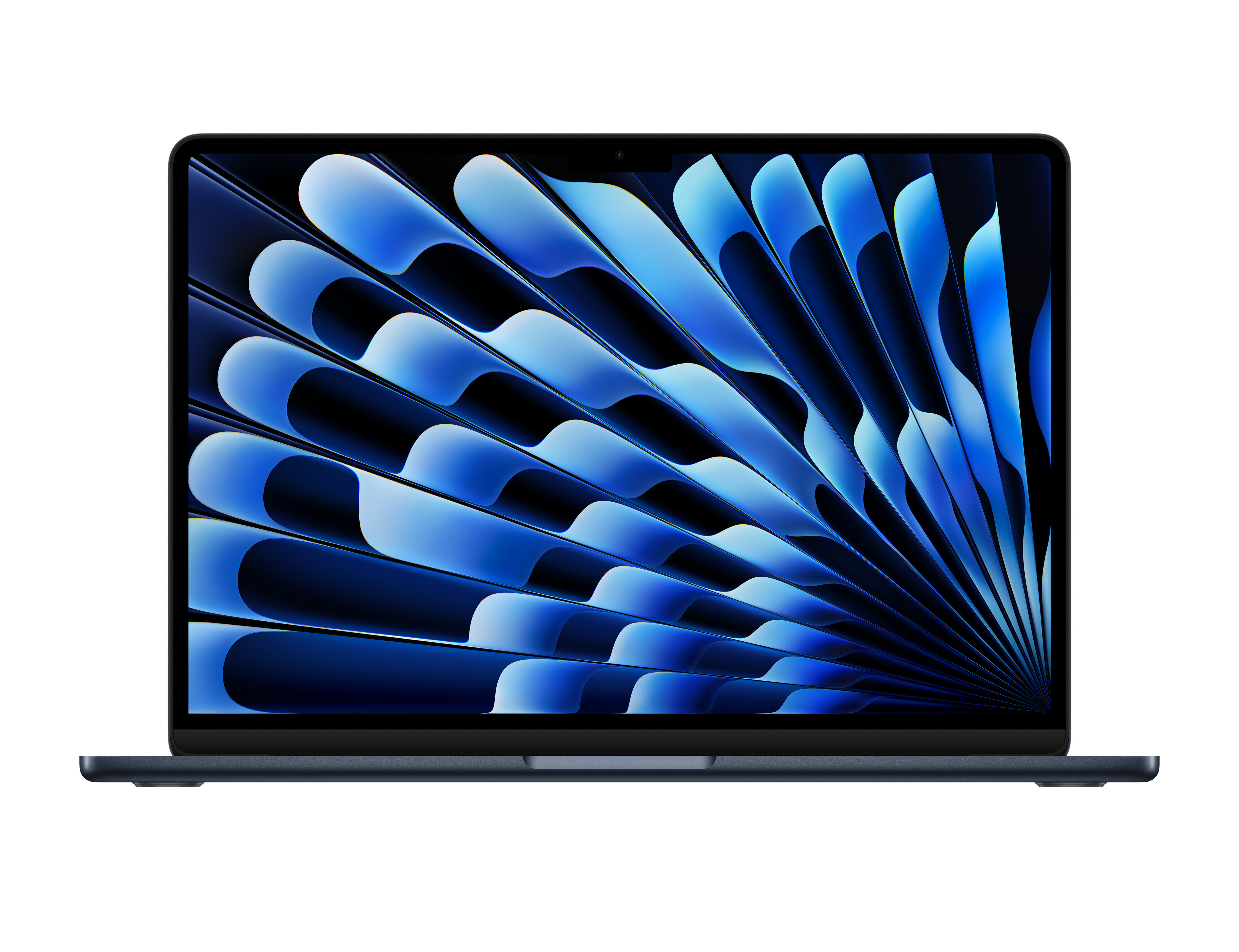
So, you want to buy a MacBook? You have no shortage of options. If you go directly through Apple, you can pick between the Air or the Pro, in two different sizes, across a seemingly endless number of configurations. If you’re shopping from a third party retailer, the issue only compounds. There are a lot of MacBooks out there.
Which machine you should purchase is entirely up to you and your unique needs. However, unless you have demanding or specialized work to do, there is one model that makes more sense than most. Before today, I recommended the M2 MacBook Air to most people. Its combination of price, portability, and power made it not just the best MacBook for most people, but the best laptop overall. (Sorry, PCs.) There were and are cheaper options out there, but that M2 MacBook Air was simply, in my opinion, the best overall value on the market.
Let’s kick things off with what makes the MacBook Air great: the price. The MacBook Air has been Apple’s entry-level machine for a long time, presenting a very clear trade—you spend $999, you get a solid Mac. You could pay more to acquire additional features and a power boost, but you didn’t have to. A cool grand was all you needed.
Apple changed that deal a bit starting with the launch of the M2 MacBook Air. Rather than offer it as the $999 entry-level model, it kept the previous generation M1 in that spot, and priced the newer model a few hundred dollars higher. Now, the “old” MacBook Air was your entry into the Mac line, and if you wanted the latest MacBook Air, you needed to spend more.
Lucky for consumers, the M1 MacBook Air was great. It’s still pretty great, in fact. Despite Apple continuing to release new Macs with new chips, I argued the M1 MacBook Air was the best MacBook for most people up until early 2024. It was only when Apple replaced the M1 with the now “old” M2 MacBook Air, pricing it at $999, that I proclaimed that to be the best option.
The M4 MacBook Air only continues that tradition, but with a bit of a twist. The M4 is brand new, and yet it’s also the entry-level machine in Apple’s lineup. That $999 doesn’t get you the model from last year, or the year before that: This is the freshest MacBook Air you can buy. It doesn’t feel like any kind of compromise, and that makes it easy to recommend to just about anyone looking for a great MacBook for a reasonable price.
The M4 chip
If the argument was just about money, it wouldn’t hold water. Now that Apple has dropped both the M2 and M3 MacBook Airs from its lineup, those machines are likely going to be on sale from other retailers. If the M2 MacBook Air was the best Mac for most people yesterday for $999, shouldn’t it definitely be the best Mac for most people if they can pick it up for? That’s part of my argument against buying the latest iPad Air after all—it’s a great tablet, but so are the older Airs that are now likely going to be less expensive than ever.
Yes, a discounted M2 MacBook Air is a fantastic value, and I wouldn’t stop anyone from buying it. But I feel that $999 is an even better value for the M4 MacBook Air. For that price, you get Apple’s latest chip—the M4—which represents the highest performing chip in Apple’s laptop lineup. The M4 in the MacBook Air has 10 CPU cores, compared to eight in the M2, and its NPU (the chip responsible for running AI tasks) has a 120GB/s memory bandwidth, versus 100GB/s on the M2. The M2 is still a very capable chip, and you won’t notice as big of a difference between the two as you would between the M1 and M4 (Apple says the M4 Air is up to twice as fast as an M1 Air) but there will be gains, as evidenced by independent benchmarking of other M4 chips. We won’t know exactly how well the M4 Air performs until reviewers put it through its paces, but it will undoubtedly run better than a chip that came out in 2022.
Beyond performance, Apple will almost assuredly support the M4 chip longer than the M2. I have no doubts that M2 still has many years of support ahead of it, but when the time does come for Apple to eventually stop issuing updates for these machines, the M4 will likely receive them for at least an extra year or two—if not longer.
Apple is also continuing the trend of starting each MacBook off with at least 16GB of RAM. Previously, Apple’s base MacBooks included 8GB of RAM, which, while enough for simple tasks, wasn’t always enough for more intensive applications—and didn’t bode well for their longevity. You needed to spend an extra $200 to upgrade to 16GB, which completely erased the value aspect of the MacBook Air. Last year, Apple made the decision to bump all Macs up to 16GB of RAM to start, without raising the price. Maybe $999 for a laptop with 8GB of RAM is a tough pill to swallow, but for one with 16GB? It’s an excellent value.
The perks you expect from a MacBook Air
Apple hasn’t broken the mold with the M4 MacBook Air, and that’s a good thing. This design is functionally identical to both the M2 and M3 MacBook Airs—which is to say, it’s excellent.
The base M4 MacBook Air still comes with a 13.6-inch “Liquid Retina” display, with a resolution of 2560×1664, a P3 wide color gamut, and a maximum brightness of 500 nits. It weighs the same 2.7 pounds, comes with the same great speakers and microphones, and ships with an excellent backlit keyboard with Touch ID. (The days of the butterfly keyboard are long gone.) Like the M3 MacBook Air, this M4 comes with Wi-Fi 6E support (one generation newer than the M2’s Wi-Fi 6 support).
You also get MagSafe charging, which is among the best MacBook features. Why Apple ever rid itself of magnetic chargers, I’ll never understand, but at least it has corrected itself in recent years.
Various smaller advantages
What the company did change from previous MacBooks are minor, but notable. First up, the camera. The M4 sports a 12MP camera, which should improve the quality of video calls. However, the bigger perk with this higher megapixel count is the addition of Center Stage. This feature, introduced on iPad and found on the M4 MacBook Pro, follows your face as you move around the frame during calls. That lets you walk and talk in front of your MacBook Air, while still remaining in focus.
The M4 MacBook Air still comes with two USB-C ports, but they’re different than the two found on previous MacBook Airs. These ports are Thunderbolt 4, not USB-4, which means there are higher minimum speed requirements here. That enables the M4 MacBook Air to extend to up to two 6K external monitors.
The colors have shifted a bit this go around, too. Gone is the iconic Space Gray option that many know and love, which isn’t necessarily a “small advantage.” However, the new Sky Blue color looks great. Ever since Apple revamped the iMac line with fun new colors back in 2021, I’ve wanted them to adopt the same with their laptops. This is the closest we’ve come yet, and I hope they keep it up with future models.
Older MacBooks are still an excellent value (with a caveat)
Apple will let you preorder an M4 MacBook Air today, and the machine will go on sale on Wednesday, March 12. But if you have any interest in an older Mac, I’d recommend waiting to buy it if you can: Once this new MacBook is out, the discounts on older machines should follow.
M3 MacBook Air, 16GB RAM (2024)
$1,099.00 at Amazon
$1,299.00 Save $200.00
$1,099.00 at Amazon
$1,299.00 Save $200.00
M2 MacBook Air, 16GB Ram (2022)
$799.00 at Amazon
$999.00 Save $200.00
$799.00 at Amazon
$999.00 Save $200.00
Apple won’t be selling new M2 and M3 MacBook Airs, but outlets like Amazon and Best Buy certainly will. If you’re looking to pick up a new MacBook Air for under $999, that’s the way to do it. I imagine these companies will take $100 or $200 off these models at least, if not more. If Apple is selling new M4s for $999, these stores can’t justify keeping older models at the same price. Apple will likely sell used M2 and M3 models in its refurbished store, too, so keep an eye out there.
Like I said above, the M2 and M3 chips are still excellent, and Apple will likely support them for years. No matter which of these three machines you buy, they’ll feel functionality the same, since the design hasn’t changed, so you’ll snag a modern MacBook experience for a great price.
Check your RAM
My one caveat is to watch out for the RAM: You will likely find deals on MacBooks with 8GB of RAM, which I can’t recommend in 2025. These Macs will generally work well, and may run the tasks you need to run, but you will hit limitations with that amount of memory sooner rather than later. Your Mac won’t work as well as machine with 16GB of RAM, and, in all likelihood, Apple will drop support for it sooner than the models with more memory. These machines aren’t worthless by any means (Apple currently fully supports all M-series Macs with 8GB of RAM) but if you’re looking to buy a new MacBook this year, it’s important to prioritize that 16GB of RAM.