ChatGPT reportedly accused innocent man of murdering his children

It has been over two years since ChatGPT exploded onto the world stage and, while OpenAI has advanced it in many ways, there’s still quite a few hurdles. One of the biggest issues: hallucinations, or stating false information as factual. Now, Austrian advocacy group Noyb has filed its second complaint against OpenAI for such hallucinations, naming a specific instance in which ChatGPT reportedly — and wrongly — stated that a Norwegian man was a murderer. 

To make matters, somehow, even worse, when this man asked ChatGPT what it knew about him, it reportedly stated that he was sentenced to 21 years in prison for killing two of his children and attempting to murder his third. The hallucination was also sprinkled with real information, including the number of children he had, their genders and the name of his home town. 

Noyb claims that this response put OpenAI in violation of GDPR. “The GDPR is clear. Personal data has to be accurate. And if it’s not, users have the right to have it changed to reflect the truth,” Noyb data protection lawyer Joakim Söderberg stated. “Showing ChatGPT users a tiny disclaimer that the chatbot can make mistakes clearly isn’t enough. You can’t just spread false information and in the end add a small disclaimer saying that everything you said may just not be true..” 

Other notable instances of ChatGPT’s hallucinations include accusing one man of fraud and embezzlement, a court reporter of child abuse and a law professor of sexual harassment, as reported by multiple publications. 

Noyb first complaint to OpenAI about hallucinations, in April 2024, focused on a public figure’s inaccurate birthdate (so not murder, but still inaccurate). OpenAI had rebuffed the complainant’s request to erase or update their birthdate, claiming it couldn’t change information already in the system, just block its use on certain prompts. ChatGPT replies on a disclaimer that it “can make mistakes.” 

Yes, there is an adage something like, everyone makes mistakes, that’s why they put erasers on pencils. But, when it comes to an incredibly popular AI-powered chatbot, does that logic really apply? We’ll see if and how OpenAI responds to Noyb’s latest complaint. 

This article originally appeared on Engadget at https://www.engadget.com/ai/chatgpt-reportedly-accused-innocent-man-of-murdering-his-children-120057654.html?src=rss

Nine Ways to Build Financial Intimacy in Your Relationship

On a good first date, you want chat about hobbies, and siblings, and dream jobs. Nobody wants to kill the vibe by inquiring how much student debt the other person has. But as a relationship progresses, you’ll find yourself assessing a lot about your partner: Their values, emotional management, political leanings, and so much more. The subject of money, however, often gets pushed to the side—sometimes, until it’s too late.

We all have different relationships with money. Some of us are cautious-minded savers, others are profligate spenders. Some are always padding their rainy day fund; others can’t resist purchasing new stuff every paycheck. When you’re in a relationship, it’s paramount to find out how your partner operates when it comes to money—because if the relationship continues for the long haul, it will come up. A lot. Here’s how to lay the foundation for ongoing financial intimacy.

Do it early on (and ramp up gradually)

It’s easy to let the subject of money slide due to discomfort. But if you want to avoid a large, emotional misunderstanding down the line, cut to the chase early on. Within your first few weeks or months of dating, start asking questions to uncover their financial situation. It can begin casually with questions like, “Are you more of a saver or a spender?” or “Do you pay attention to the stock market?” or “What’s your favorite thing to splurge on?” to get a glimpse into their general money perceptions, and ramp up to more specific questions about their credit score, salary, and debt as time passes.

Keep in mind, disclosure isn’t a one-way street. Be prepared to share your own behaviors, habits, debts, and financial history in due time.

Give advance notice

While some conversations will arise organically, if they don’t, make it known you want to have a conversation involving money. Rather than ambushing them over sushi with, “So, how much do you contribute to your 401(k) every month?” try something like, “When we have some free time next week, I’d love to touch base on this money goal I’m working towards and get your thoughts.”

Ask about their childhood

We all come with a money “story” or particular set of beliefs and fears around money that we absorbed from our families while growing up. Asking how they were raised is one of the easiest ways to gain insight into their attitudes about money. Some grew up in households where discount shopping reigned, every receipt was saved, and Ziploc bags were washed and re-used. Others were allowed to spend hundreds on trendy clothes for the first day of school and went to a different island every winter break.

To find out more about the money attitudes they absorbed, ask questions like:

  • How was money handled when you were growing up?

  • Were you encouraged to save from a young age?

  • Did your parents give you money when you went to the mall, or did you have to use your own?

  • Did your parents fight about money often?

  • Where did your family take vacations?

Use a personal financial goal to start the conversation

To make it more subtle and less awkward, use one of your own money goals to get the conversation going. Share your desire to get better at budgeting, save enough that you can quit your job to freelance, pay down debt, or buy a new car. Saying something like, “I’m working towards saving enough to make this down payment. Do you have any suggestions?” can open up a candid conversation and lend insight into their money behaviors without putting them on the spot. This can (and should) eventually segue into questions about their short-term and long-term financial goals.

Ask hypothetical “what if” questions

If it’s early on in a new relationship, or you’re not sure where to start, try framing questions as “what if” scenarios to get an idea of where their financial opinions stand. Things like:

  • What if you won the lottery—what would you do with the money?

  • Would you rather spend your life at a job you don’t love but pays really well, or one you’re passionate about, but will never make you rich?

  • If you had to save 50% of your salary in one year, how would you do it?

But also ask real-world questions…

Some conversations will revolve around general opinions and attitudes about money, but others should be designed to reveal answers to specific questions you have. Whether you want to know if they save for retirement, ever gamble, have an emergency fund, how often they invest in the stock market, or simply their daily spending habits, devise those questions beforehand. These specifics will round out the more general picture you’re getting of their overall relationship with money.

Mention an article or statistics

If you want to understand where your partner stands financially but you’re scared to broach the topic, you can take some of the heat off yourself by foisting the attention on a third party. Try something like, “I read this online article about having a money talk with your partner. Why don’t we just play along and try it out?”

Seeing as how money disagreements and “financial incompatibility” are one of the leading causes of divorce, it’s a topic that shouldn’t be ignored.

Discuss future real-life scenarios

While you won’t want to do this in the first month of dating, as you get more serious and begin to broach subjects like marriage and children, don’t leave money talks out. This is the time to get specific on how the two of you would handle money as a long-term team, with questions like:

  • “When you’re married, do you want to keep a joint family account, separate personal accounts, or both?”

  • “If you wanted to make a large purchase, would you consult your spouse beforehand?”

  • “How do you feel about setting joint financial goals?”

  • “If your kids wanted to do an extracurricular or take a trip you couldn’t afford, what would you do?”

  • “What age would you ideally like to retire?”

Have regular money talks

A couple’s discussion about finances should never be a one-off. Once you’ve laid the foundation for open and honest communication about money, make it a habit. If you’re living together, engaged, or married, set up monthly “money dates” to review bills, budgeting, spending and savings, or large purchases. You can use the time to review current expenditures, air any worries, discuss goals, and create long-term financial plans. Here’s how you can take a good, hard look at exactly where your money is going.

All About Zwift’s New Specialized S-Works Tarmac SL8 Frame

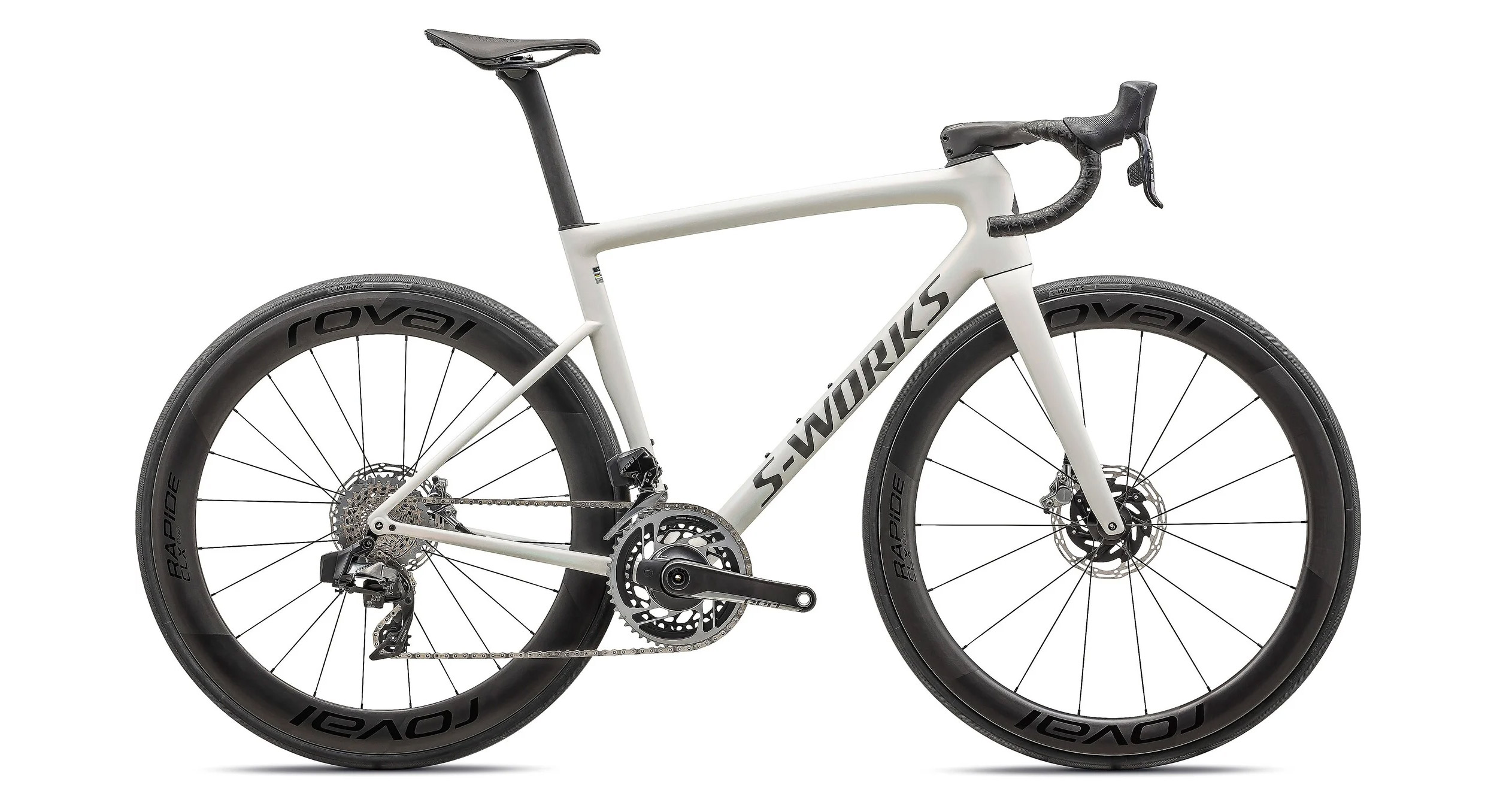
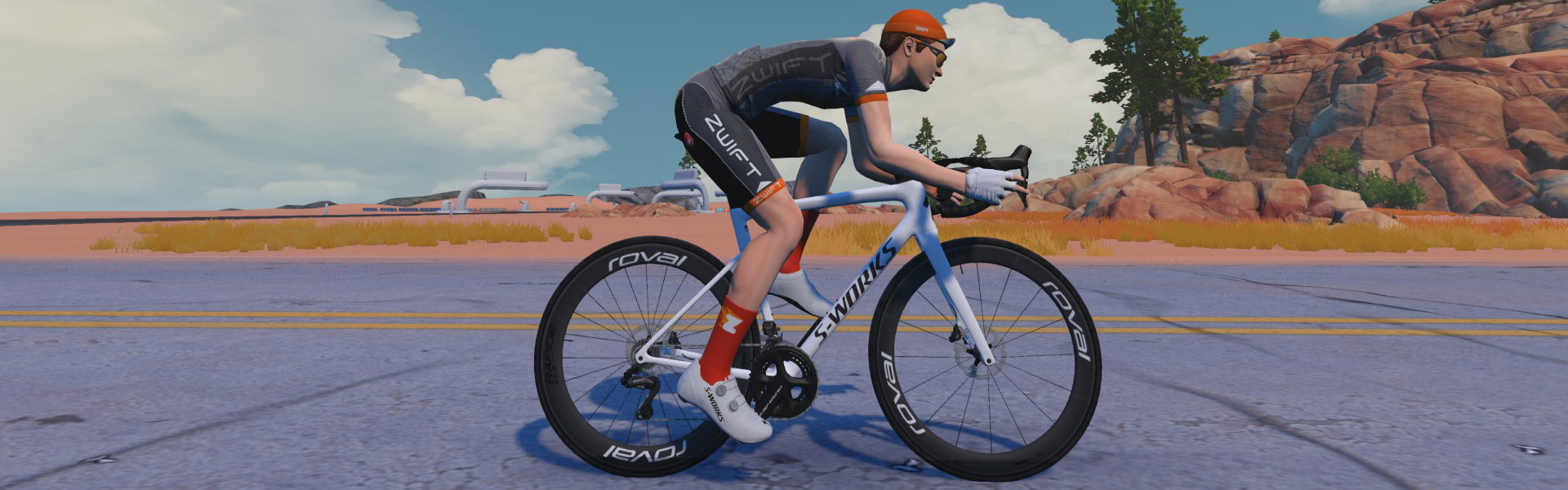
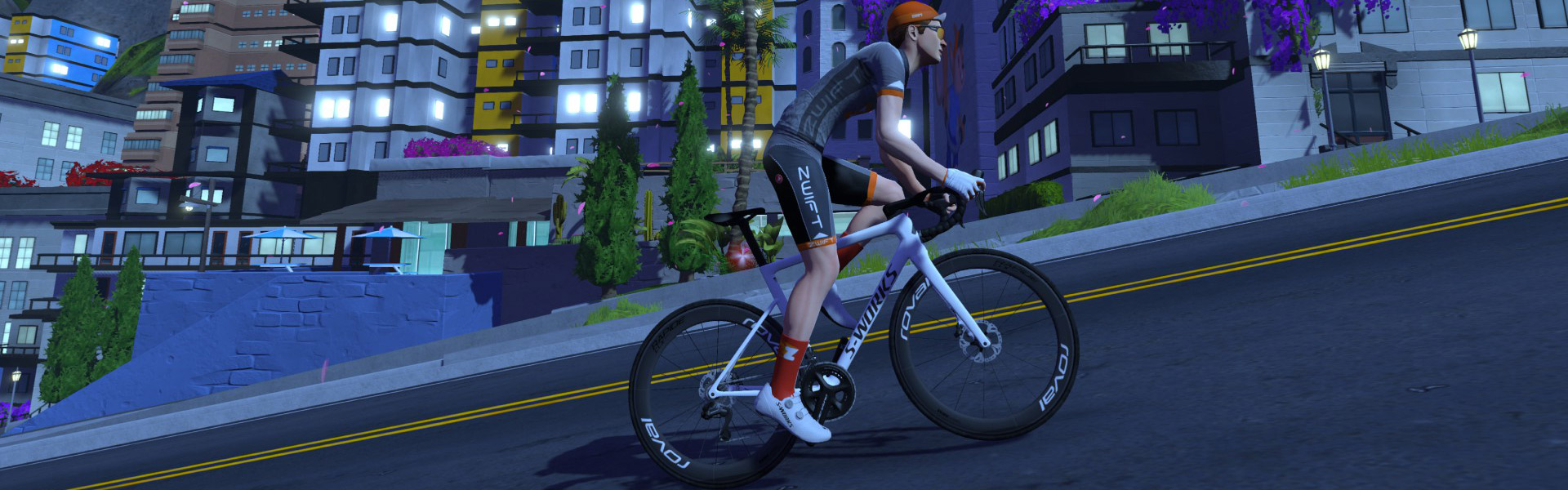
This week’s big Zwift update includes the welcome addition of several new bike frames, including two versions of the highly respected Tarmac SL8 from Specialized. Today we’ll look at the in-game performance of the S-Works Tarmac SL8, since it’s the fastest of the four “production” frames added this week.

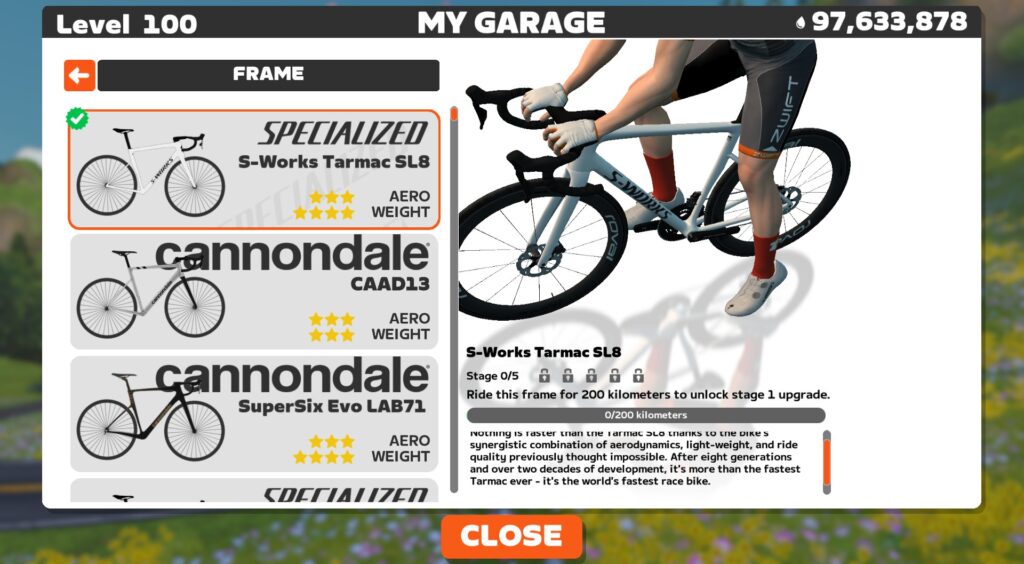
You’ll need to be updated to game version 1.86+ to see the S-Works Tarmac SL8 in Zwift’s Drop Shop. You’ll also need to be at level 40+ with 1,750,000 Drops to buy it. Here’s how it’s described in the Drop Shop:

“Nothing is faster than the Specialized Tarmac SL8 thanks to the bike’s synergistic combination of aerodynamics, light weight, and ride quality previously thought impossible. After eight generations and over two decades of development, it’s more than the fastest Tarmac ever – it’s the world’s fastest race bike.”

Those are big words, and while cyclists doubtless have differing opinions as to their veracity, what we’re concerned about here is in-game performance. Just how fast is this bike in Zwift, and how does it compare to other frames?

See our master list of all frames in Zwift >

It’s rated 3 stars for aero, 4 stars for weight, like a handful of other top newish all-arounders. But a 4-star system isn’t the most granular of performance measurements, so we ran this frame through our precise tests to measure performance at nerd-level detail. Let’s dive in!

Note: test results below are from a 75kg, 183cm rider holding 300W steady using Zwift’s stock 32mm Carbon wheelset.

Aero (Flat/Rolling) Performance

The S-Works Tarmac SL8 is very slippery, trimming 61.9s off our baseline Zwift Carbon frame over an hour of flat riding.

That puts it within 1.1 seconds of the game’s fastest frames, and when you consider that our tests have a 1-second margin of error, one could reasonably lump this frame in with the other fastest frames in terms of performance on flat roads.

Climb Performance

If you thought the S-Works Tarmac SL8 was fast on the flats, wait until you see how it climbs!

This Tarmac shaves 56 seconds off of our baseline Zwift Carbon’s time on an hourlong climb, which means it beats the S-Works Aethos (which was the fastest climbing bike in Zwift until this week) by 1.6 seconds.

That’s right, folks. We have a new top climber, and it’s super aero. There’s a new king in town.

Upgrading Your S-Works Tarmac SL8

Like all frames in Zwift, the S-Works Tarmac SL8 can be upgraded in five stages. As a high-end race bike, each of the five stages results in a performance improvement. The S-Works Tarmac SL8 upgrade stages are as follows:

  1. Ride 200km, pay 100,000 Drops for an aero upgrade
  2. Ride 260km, pay 200,000 Drops for a weight reduction
  3. Ride 320km, pay 350,000 Drops for a drivetrain efficiency improvement
  4. Ride 380km, pay 500,000 Drops for an aero upgrade
  5. Ride 440km, pay 750,000 Drops for a weight reduction

You can expect a fully-upgraded S-Works Tarmac SL8 to be approximately 28 seconds faster on a flat hour and 36 seconds faster on an hourlong climb vs the “stock” S-Works Tarmac SL8.

Conclusions

What we’ve seen in IRL road cycling, we’re seeing on Zwift: the industry moved away from the pure (but heavy) aero bikes and toward all-arounders that are nearly as slippery but weigh much less.

The Scott Addict RC was the first strong all-arounder on Zwift to give the Tron bike a run for its money. But in the past several months, Zwift added the Canyon Aeroad 2024 and Pinarello Dogma F 2024, which both outperform the Addict RC. And now the S-Works SL8 comes along, setting a new benchmark.

These fast all-arounders are within 1 second of the “pure” aero bikes (think S-Works Venge, Felt AR, Cervelo S5 2020) over an hour on flat ground in Zwift, but climb much faster. And that’s why we’re seeing them replacing the pure aero frames in Zwift race pelotons.

Other frames are within a few seconds of the S-Works SL8, so riders have the luxury of picking from a handful of top performers without feeling like they’re on a slow bike that will cost them the race. That said, if you want the frame that turns in the best all-around performance in Zwift, it’s the S-Works SL8.

And no: it doesn’t come with a color slider. (You can have any color frame you want… as long as it’s white.)

Questions or Comments?

To answer one question: no, it doesn’t come with a color slider. (You can have any color S-Works Tarmac SL8 you want, as long as it’s white!) What other questions or comments do you have? Share below…

Important note: this post contains speed test results for Zwift frames or wheels. These results may change over time, and a bike’s performance relative to others may also change. We don’t always revise posts when performance rankings change, but we do keep current, master versions of our speed test results which are always available. See the frame charts, wheel charts, and Tron vs Top Performers for current performance data.

Meta AI is coming to Europe this week

Meta is rolling out its AI assistant across 41 European countries, including to members of the European Union, starting this week. It will also extend its access to 21 overseas European territories. In its announcement, Meta said that it has taken the company longer to bring its AI technology to European users as it continues to “navigate its complex regulatory system.” 

The company was planning to make its AI technology available in the region last year, but it had to put its plans on pause after the Irish Data Protection Commission asked it to delay training its Large Language Models on content posted by adult European users on Facebook and Instagram. A month after the Irish regulator’s request, Meta said that it wasn’t going to release its new multimodal Llama models in the region “due to the unpredictable nature of the European regulatory environment.”

Meta will start its AI rollout in Europe by incorporating the technology into its messaging apps across Facebook, Instagram, WhatsApp and Messenger, which will soon show a blue circle on their interface. It will be available in six languages from the region and will have limited capabilities that revolve around text queries for now, but the company says it hopes to expand its AI’s offering over time until its finds “parity with the US.” 

European users will be able to call Meta AI in group chats by typing @MetaAI followed by their prompt or question. Users will also be able to use the chatbot to surface relevant posts and Reels by typing in queries, such as “show me Vancouver Island content.” They will be able to look up information from all over the web within the chatbot, as well. 

This article originally appeared on Engadget at https://www.engadget.com/ai/meta-ai-is-coming-to-europe-this-week-113019014.html?src=rss

Microsoft Developing Windows 11 Feature To Explain Hardware Performance Issues

Microsoft is developing a new Windows 11 feature that will explain how hardware limitations affect PC performance. The latest preview builds include a hidden FAQ section in system settings that addresses GPU memory, system RAM, and OS version impacts.

The feature, discovered by Windows observer “phantomofearth” in this week’s Dev Channel build, requires manual activation. It provides specific recommendations for configurations like low RAM or GPUs with less than 4GB memory, and flags outdated Windows versions.


Read more of this story at Slashdot.

Fujifilm’s GFX100RF is a 102MP medium format compact camera

Fujifilm has unveiled one of the wilder cameras I’ve seen in awhile, the 102MP medium-format GFX100RF compact camera. Yes, you read that right — this is a carrying-around street camera with a massive sensor and fixed 35mm f4 lens (28mm full-frame equivalent) that can shoot 11,648 x 8,736 photos. If that wasn’t enough, it has features we’ve rarely seen on compact cameras, like a built-in ND filter and dedicated aspect ratio dial. 

The GFX100RF uses the same 102MP CMOS II HS medium format sensor found on the GFX100 II mirrorless camera. As Fujifilm teased last week, it can be thought of as a higher-resolution version of its popular X100 VI APS-C compact. Though smaller than any other GFX camera, it’s heavier than many full-frame mirrorless cameras at 1.62 pounds (735 grams). For a premium feel, the camera is “machined from a single block of aluminum and the lens ring, dials, bottom plate, and other details are all precision-machined from aluminum as well,” Fujifilm wrote in a press release.

Fujifilm's GFX100RF is a 102-megapixel medium format compact camera
Fujifilm

Like the X100 VI, it’s designed as a street camera with the shutter speed, exposure compensation and aperture settings quickly visible and adjustable. However, the GFX100RF has a new dial on the back that lets you choose from nine aspect ratios including 7:6, 1:1, 3:4, 16:9, 17:6 and the 65:24 “XPan” widescreen ratio found on other GFX models. 

It also has a tele-converter selector/lever on the front of the camera to digitally change the focal length from the native 35mm to 45mm, 63mm and 80mm (35mm, 50mm and 65mm full-frame equivalent), with a corresponding loss of resolution. When using those modes, a new “Surround View” function can be selected that displays the area outside the image range as a semi-transparent frame.

Fujifilm says the all-important fixed lens can suppress spherical aberration and field curvature thanks to a 10-element, eight-group configuration that includes two aspherical lenses. It uses a newly developed “nano-GI” coating optimized to suppress internal reflections, even at the edges. Despite the large sensor size, it can focus as close as 7.9 inches, allowing for some interesting high-res macro possibilities. 

Fujifilm's GFX100RF is a 102-megapixel medium format compact camera
Fujilfilm X100VI (top) and GFX100RF
Fujifilm

The shutter itself is a leaf instead of focal plane type to reduce size, and the GFX100RF is Fujifilm’s first GFX model with a built-in four-stop ND filter. That’s a handy feature on a medium format camera for bright light shooting, as it allows for slower shutter speeds to add motion blur or wider apertures for shallower depth of field. 

The GFX100RF has a similar autofocus system to the GFX100 II including an AF prediction function and face/eye AF that can recognize subjects like animals, vehicles, birds, and airplanes. Burst speeds are a fairly decent 6 fps with the mechanical shutter at full resolution, a bit slower than the GFX100S II. It has a 5.76-million-dot offset electronic viewfinder like the one on the X100VI and a 3.1-inch 2-axis tilting 2.1-million-dot rear display. 

Fujifilm's GFX100RF is a 102-megapixel medium format compact camera
Fujifilm

It can even shoot 4K 30fps 4:2:2 10-bit video (likely with some pixel binning), and Fujifilm says it’ll deliver up to 13+ stops of dynamic range when using the FLog-2 setting. Other features include an SDXC UHS-II card slot, 20 built-in film simulations, SSD recording, mic and headphone ports and a microHDMI connector. One feature noticeably lacking compared to the X100VI is in-body stabilization.

The GFX100RF is likely to appeal highly to street and travel photographers considering its capabilities. It’s not cheap at $4,900, but that price is less than its main competition, the $6,660 Leica Q3, while offering a larger sensor and 40 extra megapixels. It’ll be available in black or silver when it arrives in late April 2025. 

This article originally appeared on Engadget at https://www.engadget.com/cameras/fujifilms-gfx100rf-is-a-102mp-medium-format-compact-camera-110044609.html?src=rss

The best portable monitors in 2025

Portable monitors have been around for years, but their importance skyrocketed during the pandemic. And with the continuation of remote and hybrid work positions, they’re going to be staples for the foreseeable future. But picking one isn’t as simple as it seems. At this point, almost every major PC maker has its own take on travel-friendly displays, with prices ranging from as little as $100 to nearly $1,000. So to help sort through the confusion, I tested out a bunch of options to put together a short list of the best portable monitors on sale today.

Table of contents

Best portable monitors for 2025

Things to consider before buying a portable monitor

Before you start looking at specific products, it’s super important to think about how and where you plan on using a second monitor as a portable display. Larger panels are great for home use where you may only need to move it or put it away when you have company over. Meanwhile, smaller screens are great for travel and whipping out at a coffee shop or shared workspace. But if you go too small, you may be adding extra weight to your bag without providing a ton of extra utility, especially if it lacks a good USB-C cable or mini HDMI for connectivity. Screen size and compatibility with your existing devices should be top considerations.

It’s also important to consider your typical workload, as artists may get extra value out of monitors with higher maximum brightness, HDR, wider color accuracy and a higher contrast ratio. Those who spend all day looking at spreadsheets won’t get as much value from more vibrant displays or FHD displays with high refresh rates, but they may still benefit from having a basic plug-and-play second monitor for multitasking.

What to look for in a portable monitor

Aside from price and screen size, some of the most important specs in a portable monitor include panel type, pixels per inch, brightness, refresh rate and connectivity. Most portable monitors use IPS LCD displays, which generally offer good viewing angles, strong brightness and good power efficiency. However, some higher resolution models now feature OLED screens that support wider color gamuts, better color accuracy and contrast ratio, which can be a major benefit for artists and content creators. Some budget models may use TN panels, as that can help cut costs and reduce energy consumption. That said, we generally try to stay away from those as they often have worse image quality compared to IPS screens.

For brightness, 300 nits is the lowest we recommend — anything less can make the monitor hard to use even in some indoor environments. Ideally, we look for screens that are closer to 350 or 400 nits and above for better accuracy and visibility.

Connectivity is also important because if you can’t easily hook your phone, gaming console, or laptop to a monitor, it becomes an oversized paperweight. Most travel displays include an HDMI port or USB-C port(or both), which cover the large majority of devices. It’s rare to find a portable monitor these days with only USB-A, since the majority of devices have moved over to USB-C. However, we also like models that support passthrough power over USB-C connections, which reduces the complexity of your setup and decreases the number of cords and adapters you have to carry around.

Finally, most portable monitors feature 60Hz refresh rates, which is fine for most use cases. However, if you’re looking for a gaming monitor, there are models with 120Hz or even 240Hz refresh rates. These are excellent choices for gamers looking to maintain smooth fps while playing on the go.

This article originally appeared on Engadget at https://www.engadget.com/computing/accessories/best-portable-monitor-120050851.html?src=rss

Government Releases Thousands of Declassified Pages Related To JFK Assassination

The National Archives has released thousands of pages of declassified records related to the assassination of President John F. Kennedy in 1963. From a report: The records were posted to the National Archives’ website, joining recently released records posted in 2023, 2022, 2021 and 2017-2018.

“This release consists of approximately 80,000 pages of previously-classified records that will be published with no redactions,” said the announcement from the Office of the Director of National Intelligence. “Additional documents withheld under court seal or for grand jury secrecy, and records subject to section 6103 of the Internal Revenue Code, must be unsealed before release.”

President Donald Trump signed an executive order on Jan. 23 directing the release of all remaining records related to the assassination, saying it was in the “public interest” to do so. Tuesday’s initial release contained 1,123 records comprising 32,000 pages. A subsequent release on Tuesday night contained 1,059 records comprising 31,400 additional pages.


Read more of this story at Slashdot.