Lenovo Legion Go S with SteamOS will land May 25 for $50 more than expected

Lenovo has the honor of releasing the first SteamOS handhelds not made by Valve, and it looks like you won’t have to wait long to get them. Legion Go S handhelds with SteamOS ship May 25, according to a new Best Buy listing spotted by The Verge, but go for at least $50 more than the original $499.99 price Lenovo promised.

The Legion Go S powered by SteamOS now starts at $549.99, which gets you an 8-inch, 120Hz OLED display, comfortable controls, a fingerprint reader / touchpad, 16GB of RAM and the AMD Ryzen Z2 Go chip. If you’re willing to pay $749.99, you can get the same package, but with the AMD Ryzen Z1 Extreme, which originally appeared on the Legion Go, and 32GB of RAM.

PC-class gaming, now in your hands. Pre-order the new Lenovo Legion Go S with Steam OS at https://t.co/3jqjW1logY pic.twitter.com/5qb5nyzcTn

— Lenovo Legion (@LenovoLegion) March 28, 2025

Perhaps more important than the specs, both handhelds come pre-loaded with SteamOS, which means they should be as easy to setup and use as the Steam Deck, and be able to play the vast majority of games thanks to Valve’s Proton compatibility software.

Lenovo already released its first Windows 11 version of the Legion Go S back in February for $730. We found it expensive and a bit hampered by Windows in our review, but otherwise solid. At the time, a SteamOS version for $500 seemed like a promising alternative. But for $50 extra, some of that shine has come off, particularly when you can get the already excellent Steam Deck OLED for the same price. 

It’ll take a full review to suss out how different SteamOS makes the Legion Go S, whether paired with the Ryzen Z2 Go or the more powerful Ryzen Z1 Extreme. At the very least, it’s nice to have more SteamOS devices in the wild.

The Legion Go S powered by SteamOS is available to pre-order now for $549.99, and will ship on May 25. The Ryzen Z1 Extreme model ships on the same date for $749.99. Lenovo is also offering a version of the Ryzen Z1 Extreme Legion Go S with Windows 11 for $829.99, too.

This article originally appeared on Engadget at https://www.engadget.com/gaming/pc/lenovo-legion-go-s-with-steamos-will-land-may-25-for-50-more-than-expected-213820420.html?src=rss

Report: US scientists lost $3 billion in NIH grants since Trump took office

Since Trump took office on January 20, research funding from the National Institutes of Health has plummeted by more than $3 billion compared with the pace of funding in 2024, according to an analysis by The Washington Post.

By this time in March 2024, the NIH had awarded US researchers a total of $1.027 billion for new grants or competitive grant renewals. This year, the figure currently stands at about $400 million. Likewise, funding for renewals of existing grants without competition reached $4.5 billion by this time last year, but has only hit $2 billion this year. Together, this slowdown amounts to a 60 percent drop in grant support for a wide variety of research—from studies on cancer treatments, diabetes, Alzheimer’s, vaccines, mental health, transgender health, and more.

The NIH is the primary source of funding for biomedical research in the US. NIH grants support more than 300,000 scientists at more than 2,500 universities, medical schools, and other research organizations across all 50 states.

Read full article

Comments

Nearly Half of People in the US Have Toxic PFAS in Their Drinking Water

An anonymous reader shares a report: New data recently released by the Environmental Protection Agency indicate that more than 158 million people across the U.S. have drinking water contaminated by toxic “forever chemicals,” scientifically known as perfluoroalkyl and polyfluoroalkyl substances (PFAS).

“Drinking water is a major source of PFAS exposure. The sheer number of contaminated sites shows that these chemicals are likely present in most of the U.S. water supply,” said David Andrews, deputy director of investigations and a senior scientist at the Environmental Working Group (EWG), a nonprofit advocacy organization, in a recent press release.


Read more of this story at Slashdot.

ASUS Launches Slick A31 PC Cases With Hidden Connector Support And Great Pricing

ASUS Launches Slick A31 PC Cases With Hidden Connector Support And Great Pricing
What’s a ‘budget’ PC case to you, dear reader? If you’re like us, you probably fondly recall a time when you could buy a crappy sheet metal PC case for $35, and it would even come with a really questionable power supply. These days, it’s hard to find anything with a design newer than the last ten years for under $70, which is probably what

Microsoft Makes A Big Security Change Impacting Over 1 Billion Users

Microsoft Makes A Big Security Change Impacting Over 1 Billion Users
We’ve reported a number of sophisticated cyberattacks where threat actors circumvent 2FA restrictions. In response to the increased vulnerability of passwords, Microsoft has announced a major change in its authentication requirements that will affect over a billion users. This change will see a significant shift from passwords to passkeys.

This Powerful, Portable Speaker Is $70 Off During Amazon’s Big Spring Sale

We may earn a commission from links on this page. Deal pricing and availability subject to change after time of publication.

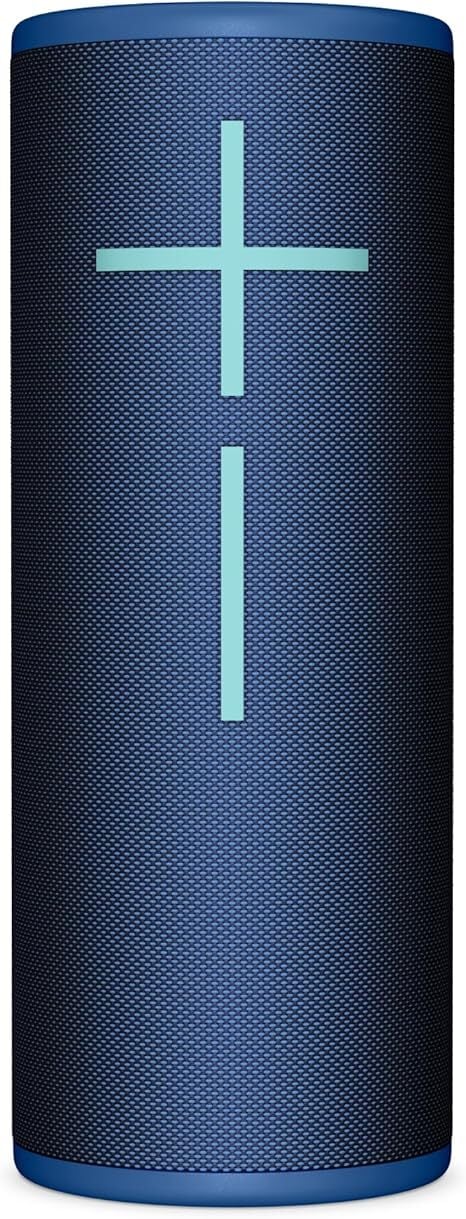
Amazon’s Big Spring Sale is almost over, but there are still deals you can take advantage of, including this comprehensive list of tech deals from Lifehacker’s associate tech editor Michelle Ehrhardt. If you’re looking for a portable speaker, consider this one from Ultimate Ears, the Megaboom 4, currently $129.99 (originally $199.99)—that’s the lowest price it has reached, according to price-tracking tools.

UE is well-known in the portable speaker market for making some of the best outdoor speakers. Its Megaboom series is the brand’s flagship speaker, and the fourth reiteration of the speaker was long overdue. The upgrade brings USB-C fast charging, a longer battery life of up to 20 hours, a skip-back media control on its physical buttons, more sub-bass range, and a better sound with more balance.

Because of the way UE designs its speakers, you get 360-degree sound, which is ideal for outdoor use (but it sounds great indoors as well). This speaker, and like many in its lineup, floats on water and has a water- and dust-proof IP67 rating. The companion app lets you fully customize the EQ, connect your speaker to other UE speakers to create a stereo sound, set up alarms with your music, and control it remotely with the app.

Despite the upgrades, the Megaboom 4 doesn’t get as loud as its predecessor, maxing out around 83 dBs, and the audio quality will sound a bit compressed at those levels, but unless you like to blast your music, this won’t be much of an issue.

If you’re looking for a great portable speaker with modern tech, the Megaboom 4 will not disappoint, especially at this price.

Shopping for tech? Lifehacker can help you make the right decision. Browse our tech reviews and head-to-head comparisons for everything from laptops and smartwatches to e-bikes and home gyms. Subscribe to our deals newsletter, Add to Cart, for the best sales sent to your inbox, or browse our best-of lists directly on Amazon, including:

Smart TVs Are Employing Screen Monitoring Tech To Harvest User Data

Smart TV platforms are increasingly monitoring what appears on users’ screens through Automatic Content Recognition (ACR) technology, building detailed viewer profiles for targeted advertising.

Roku, which transitioned from a hardware company to an advertising powerhouse, reported $3.5 billion in annual ad revenue for 2024 — representing 85% of its total income. The company has aggressively acquired ACR-related firms, with Roku-owned technology winning an Emmy in 2023 for advancements in the field.

According to market research firm Antenna, 43% of all streaming subscriptions in the United States were ad-supported by late 2024, showing the industry’s shift toward advertising-based models. Most users unknowingly consent to this monitoring when setting up their devices. Though consumers can technically disable ACR in their TV settings, doing so often restricts functionality.


Read more of this story at Slashdot.

YouTube may mute notifications from channels you don’t watch

YouTube is testing turning off notifications from channels viewers don’t engage with in attempt to tame the number of notifications they receive. The video platform says the test will specifically impact viewers who’ve chosen to receive “All” notifications from a channel.

During the experiment, notifications will still appear in the notification inbox, but “viewers who haven’t recently engaged with a channel despite having been sent recent push notifications will not receive push notifications,” YouTube says. The goal is to get viewers to not disable notifications entirely just because they’ve received too many.

Many YouTube creators specifically ask people to subscribe and enable notifications so they know when a new video has been uploaded. The problem is, when you agree to receive “All” notifications, you’ll also get pestered about things that aren’t new uploads. There are ways to manage your notifications, but YouTube claims it’s common for people to disable them at the app-level once they get annoyed (impacting every channel they’re subscribed to), rather than try and tweak things. For a creator who wants to maximize the number of people that watch their videos, not being able to rely on push notifications to grab subscribers’ attention is a problem.

YouTube deciding that some viewers shouldn’t receive notifications from a given channel seems like an extreme solution, though. The company describes this test as “small,” but it certainly feels like there could be a more nuanced way to weed out the push notifications people don’t need.

This article originally appeared on Engadget at https://www.engadget.com/social-media/youtube-may-mute-notifications-from-channels-you-dont-watch-202802028.html?src=rss

Edmundson: a modern Plasma Login Manager

KDE contributor David Edmundson has published
a blog post about improving KDE Plasma’s login experience by
replacing SDDM
with a new Plasma Login Manager.

It’s worth stressing nothing is official or set in stone yet,
whilst it has come up in previous Plasma online meetings and in the
2023 Akademy. I’m posting this whilst starting a more official
discussion on the plasma-devel mailing list.

Oliver Beard and I have made a new mutli-process greeter, that uses
the same startup mechanism as the desktop session. It doesn’t have all
the features that we propose at the start of the blog, but an
architecture where features and services can be slowly and safely
added.

That discussion is here
for those who would like to follow along. The prototype is currently
in two repositories: plasma-login
for the frontend work, and plasma-login-manager,
which is a fork of SDDM.

11 Low-Cost, High-Impact Upgrades You Should Do Immediately After Buying a Home

We may earn a commission from links on this page.

One of the biggest considerations when shopping for a new place to live is whether to buy a new-build home or an older home. Surprisingly, only about 25% of home buyers are looking for new-build homes, and more than half of Generation Z-age homebuyers are more than willing to buy a fixer-upper home.

The cost of buying a house has a lot to do with that, of course. And that means a lot of folks can’t afford to immediately renovate that fixer-upper to their liking and will have to wait until their bank account recovers from the home-buying process. But that doesn’t mean you have to live in a shabby house designed by strangers—there are a lot of small, cheap upgrades you can make to your new house immediately that will make it feel fresh, new, and truly yours.

Painting

It almost goes without saying: The most obvious move is to paint. Paint everything, every room, the exterior, the front door—a fresh coat of paint inside and out will make the place feel brand new and give you the opportunity to put your stamp on it and make it feel like yours. The average cost to paint the exterior of your home is just $500-$600, and the interior will run you just over $1,000 on average, so there’s no reason not to start with a blank slate.

Upgrade the cabinets

If a kitchen or bathroom renovation isn’t in the cards, work with what you have. You can do some cheap, simple upgrades that will make even the oldest cabinets look new:

  • Paint or wrap the cabinets. A fresh coat of paint or a layer of high-quality vinyl wrap can turn tired, old, builder-basic cabinets into real showstoppers for very little money. Painting your cabinets yourself can cost less than $300, and vinyl wrapping the cabinets yourself can be done for about $100.

  • Add soft-close hinges to your cabinet doors and pulls. You can’t overestimate the luxurious feeling these lend to any kitchen, and you can install them throughout a standard-sized kitchen for a hundred bucks or so. If that’s too much money or work, put some cabinet bumpers in to get a similar effect for about $20.

  • New hardware. Changing the pulls on your cabinets will transform their look. If you don’t want to splash out for new hardware, you could just paint them. That would take about an hour and would cost just a can of spray paint.

  • Update interiors. If your kitchen cabinets are just empty boxes, you can make them into sleek, efficient storage units with some affordable additions like a pots and pans organizer, shelf pull-outs, Lazy Susans, and storage baskets.

Switch out the shower fixtures

If the bathroom you just bought has an open shower with curtain rod, swap out the old-style straight curtain with a curved model. It’s a small, inexpensive upgrade that will immediately make your shower feel larger and stop the curtain from wrapping around you like a shawl every time you take a shower.

You can change the showerhead in your bathroom(s) in about five minutes, for less than you think: a high-quality showerhead can be had in a variety of finishes for about $50 a pop). Doing so will improve the showering experience, make the shower look newer, and give you an invigorating start to every day.

Upgrade your lighting

Light has a huge impact on your mood and physical health. While sunlight might be the best, having a bright, well-lit home is a safer and more welcoming space. Swapping in new light fixtures is an easy way to give the place a new look while getting your taste into the picture, but if that adds up to a budget-buster, you can transform the existing features in a variety of easy ways.

Additionally, adding motion-triggered lighting under kitchen cabinets, in closets, and along stairs will brighten the place, make it more functional, and make it safer to walk around at night, contributing to a sense of comfort and security in a new space.

Speaking of light—one way a house can feel cold and uncomfortable is with harsh, single-intensity light. Adding dimmer switches will cost you about $20 to $30 per switch, and should take less than 10 minutes each. The result is a home where you can set the ambiance for each room depending on your mood, the time of day, or your activities, and that sense of control will definitely help you feel more at home in your new house.

Update wall plates

One of the easiest things to do is to replace all the light switch and outlet plates on the walls, especially if they’re the standard cheap plastic kind. Decorative wall plates come in a huge range of colors and styles, so you can really calibrate them to enhance the overall look of the place. This is especially useful if you just painted, as you can choose the color and finish of the plates to complement the fresh wall colors. If you don’t want to spend money on new plates, you can paint them pretty easily.

Get a smart thermostat

If the house has old, faded thermostats that don’t do much aside from trigger the furnace, for less than $400 you can install a smart thermostat that will let you tailor your climate experience while making your HVAC system a lot more efficient. Plus, a new smart thermostat will look nicer than that old hunk of plastic, and give the house a modern touch even if it hasn’t been properly remodeled in decades.

Upgrade the door hardware

Just like kitchen and bathroom cabinets, the doors in your house can be transformed inexpensively with paint and new hardware. Changing the door handles is the easiest and most obvious way to make your doors a design feature instead of just a necessary convenience, but don’t forget the hinges, too—it’s not difficult to pop a door off, swap the hinges, and pop it back up again. Having your hinges match the handles and lock hardware will make the door look new with a cohesive style.

Upgrade the toilet

Want to feel like you’re living in a swanky hotel? Install a soft-close toilet seat. For about $30-$50, you will never have to hear the sound of a toilet seat slamming onto porcelain ever again. If you’ve never had a soft-close lid before you might not realize just how much difference this sort of peace and quiet can make.

While you’re making your toilet experience better, consider adding a bidet. A soft-close toilet seat with a built-in bidet is easy to install but can be a bit pricey. Luckily, there are plenty of seat attachments that will more than get the job done for less than $30. Either way, a bidet will not only make your bathroom feel more luxurious, it’ll make you feel cleaner (and happier, probably).

Floor vent covers

You might not think about the vents in your floor, but you should, because they’re an easy way to bring a modern, clean look to your home even if you can’t redo the flooring right away. New decorative vent covers usually cost less than $20 each and install very easily (usually without any tools). If you don’t want to bother swapping them out, there are a lot of creative ways to upgrade the ones you have to make the place feel more “yours.”

Refresh carpets

If your new home has carpeting and it’s looking a little worn-out, with stains, wrinkles, and loose spots, you can bring them back to something close to new in two steps:

  • Deep clean. You can clean and disinfect your carpets easily and cheaply (and you should—carpets are gross, especially when it’s someone else’s grossness trapped in there). You can use a technique known as Dry Steam Cleaning, which combines powdered cleaning agents, high heat, and low moisture to get your carpets super clean. And you can always rent carpet cleaning machines from a variety of places (my local supermarket rents them) for a classic clean.

  • Stretch. One of the easiest and most affordable ways to get it looking new(er) is to have it stretched. While you can DIY carpet stretching, you’ll definitely get better results hiring someone to do it professionally (at a cost of about $100-$300 depending on the size and state of your carpet). Combined with a thorough cleaning, stretching the carpet will bring it closer to its newly-installed look.

Dress the outdoors

If your new home has an outdoor space that isn’t very fancy, you don’t have to spend a lot of time and money on landscaping and other projects to make a comfy spot for grilling, outdoor gatherings, or warm-weather napping. Adding some simple solar lights, inexpensive outdoor seating options, and a fire pit can turn even the saddest concrete slab into a chill place for outdoor enjoyment.

Don’t even have a patio? You can make one for less than $300. And if your outdoor area is an overgrown mess but you don’t have the time or budget for a landscaping project, don’t forget that cutting everything back is free.

Scientists Propose ‘Bodyoids’ To Address Medical Research and Organ Shortage Challenges

Stanford University researchers have proposed creating “bodyoids” — ethically sourced human bodies grown from stem cells without neural components for consciousness or pain sensation — to revolutionize medical research and address organ shortages. In a new opinion piece published in MIT Technology Review, scientists Carsten T. Charlesworth, Henry T. Greely, and Hiromitsu Nakauchi argue that recent advances in biotechnology make this concept increasingly plausible. The approach would combine pluripotent stem cells, artificial uterus technology, and genetic techniques to inhibit brain development.

The researchers point to persistent shortages of human biological materials as a major bottleneck in medical progress. More than 100,000 patients currently await solid organ transplants in the US alone, while less than 15% of drugs entering clinical trials receive regulatory approval. These lab-grown bodies could potentially generate patient-specific organs that are perfect immunological matches, eliminate the need for lifelong immunosuppression, and provide personalized drug screening models.


Read more of this story at Slashdot.

Oracle has reportedly suffered 2 separate breaches exposing thousands of customers‘ PII

Oracle isn’t commenting on recent reports that it has experienced two separate data breaches that have exposed sensitive personal information belonging to thousands of its customers.

The most recent data breach report, published Friday by Bleeping Computer, said that Oracle Health—a health care software-as-a-service business the company acquired in 2022—had learned in February that a threat actor accessed one of its servers and made off with patient data from US hospitals. Bleeping Computer said Oracle Health customers have received breach notifications that were printed on plain paper rather than official Oracle letterhead and were signed by Seema Verma, the executive vice president & GM of Oracle Health.

The other report of a data breach occurred eight days ago, when an anonymous person using the handle rose87168 published a sampling of what they said were 6 million records of authentication data belonging to Oracle Cloud customers. Rose87168 told Bleeping Computer that they had acquired the data a little more than a month earlier after exploiting a vulnerability that gave access to an Oracle Cloud server.

Read full article

Comments

Google discontinues Nest Protect smoke alarm and Nest x Yale lock

Google acquired Nest in 2014 for a whopping $3.4 billion but seems increasingly uninterested in making smart home hardware. The company has just announced two of its home gadgets will be discontinued, one of which is quite popular. The Nest Protect smoke and carbon monoxide detector is a common fixture in homes, but Google says it has stopped manufacturing it. The less popular Nest x Yale smart lock is also getting the ax. There are replacements coming, but Google won’t be making them.

Nest launched the 2nd gen Protect a year before it became part of Google. Like all smoke detectors, the Nest Protect comes with an expiration date. You’re supposed to swap them out every 10 years, so some Nest users are already there. You will have to hurry if you want a new Protect. While they’re in stock for the moment, Google won’t manufacture any more. It’s on sale for $119 on the Google Store for the time being.


The Nest x Yale lock.
Credit:
Google

Likewise, Google is done with the Nest x Yale smart lock, which it launched in 2018 to complement the Nest Secure home security system. This device requires a Thread-enabled hub, a role the Nest Secure served quite well. Now, you need a $70 Nest Connect to control this lock remotely. If you still want to grab the Nest x Yale smart lock, it’s on sale for $229 while supplies last.

Read full article

Comments

Again and Again, NSO Group’s Customers Keep Getting Their Spyware Operations Caught

An anonymous reader shares a report: Amnesty International published a new report this week detailing attempted hacks against two Serbian journalists, allegedly carried out with NSO Group’s spyware Pegasus. The two journalists, who work for the Serbia-based Balkan Investigative Reporting Network (BIRN), received suspicious text messages including a link — basically a phishing attack, according to the nonprofit. In one case, Amnesty said its researchers were able to click on the link in a safe environment and see that it led to a domain that they had previously identified as belonging to NSO Group’s infrastructure.

“Amnesty International has spent years tracking NSO Group Pegasus spyware and how it has been used to target activists and journalists,” Donncha O Cearbhaill, the head of Amnesty’s Security Lab, told TechCrunch. “This technical research has allowed Amnesty to identify malicious websites used to deliver the Pegasus spyware, including the specific Pegasus domain used in this campaign.”

To his point, security researchers like O Cearbhaill who have been keeping tabs on NSO’s activities for years are now so good at spotting signs of the company’s spyware that sometimes all researchers have to do is quickly look at a domain involved in an attack. In other words, NSO Group and its customers are losing their battle to stay in the shadows. “NSO has a basic problem: They are not as good at hiding as their customers think,” John Scott-Railton, a senior researcher at The Citizen Lab, a human rights organization that has investigated spyware abuses since 2012, told TechCrunch.


Read more of this story at Slashdot.

The Best Fitness Watches for Every Kind of Runner

We may earn a commission from links on this page.

This post is part of Find Your Fit Tech, Lifehacker’s fitness wearables buying guide. I’m asking the tough questions about whether wearables can really improve your health, how to find the right one for you, and how to make the most of the data wearables can offer.

Runners were some of the first people to embrace smartwatches. I remember back when a “running watch” was a brick-like GPS device strapped to your wrist, and it was a game-changer when those bricks started tracking heart rate as well.

These days, every smartwatch can track your heart rate, not to mention your location and potentially a half-dozen other things. For a running watch to be special, it needs tons of extra fitness-centric features—and some critical small details, like physical buttons. Read on for my picks.

What to look for in a running watch

It’s easy to get lost in spec sheets and marketing claims, but at the end of the day, what matters in a watch is whether it can do what you want a watch to do. Think of it like hiring an employee: you don’t want the person who can do the most things, you want the person who can do the job that you need done. 

So here are some things to think about when crafting the “job description” for your running watch. Some might be critical to you; some might be irrelevant. 

Does it have physical buttons? 

For most everyday functions, it may not matter if you’re clicking a physical button or booping an icon on a screen. But when you’re running laps at the track, your shaky, sweaty fingers are going to have a hard time with a touchscreen. For that reason, runners often prefer a watch with real buttons. All of my picks below have physical buttons. 

How good is the GPS? 

All running smartwatches track your location with GPS—that’s the main reason they exist. (To be pedantic about it, GPS is just one type of global navigation satellite system, or GNSS, which is what we really mean when we talk about location tracking.)

But some location systems are more accurate than others. The least accurate watches are the ones that rely on your phone’s GPS rather than having their own built in. (Whoop and some Fitbits, for example.) The most accurate smartwatches use multiple bands of GPS, plus other location systems like GLONASS and Galileo. Pay attention to which systems a watch uses and whether there are settings to know about. Most watches allow you to switch between higher accuracy modes that use more battery and lower accuracy modes that save battery life.

All of my picks below use multiple satellite systems (with one obvious exception, as you’ll see). It’s worth noting that GNSS keeps getting better over the years, so newer models outperform older ones as a general rule.

What is the battery life? 

While phone-based smartwatches like the Apple Watch usually need to be charged every day, running and fitness watches typically have a battery life that will last at least a few days between charges. Many will last a week or more, and some Garmins can make it a whole month.

But if you do very long runs—you’re training for a marathon, perhaps—you’ll also want to know how long you can run. Playing music and tracking your location use more power than just wearing a watch in its regular timekeeping mode, so check how many hours of active use the watch provides. I’ll note battery life for my picks below.

Does it help you navigate, or just track where you’ve been? 

Some running watches contain a full navigation system, with pre-loaded maps and turn-by-turn directions. Others can lay a trail of digital breadcrumbs for you, letting you see the path you’ve taken and retrace your steps, but without any extra information or help about where exactly you are in the world. All running watches can track your route in a way that lets you see a map when you get home. I’ll note which watches include maps.

Does it tell you what to do, or just track what you’ve done?

Fancier running watches can track your fatigue and readiness, suggest workouts for you, and even guide you along a customized training plan. Meanwhile, the more basic watches will trust that you’re planning your own training; their job is just to be a tool to track what you’ve done.

Do you want a running watch, or a general purpose smartwatch? 

Before we get into the specs of the best running watches, an important question to ask yourself is whether you want a running-specific watch with general features, or a general watch that you can bring on a run. 

The models below are for running first, everyday life second. Check out my guide on trackers for general health and fitness if you want something that’s more of a “smartwatch I can run with.”

With those features in mind, I have picks for a variety of budgets and needs. 

The sweet spot: Garmin Forerunner 265

Garmin Forerunner 265

Credit: Beth Skwarecki

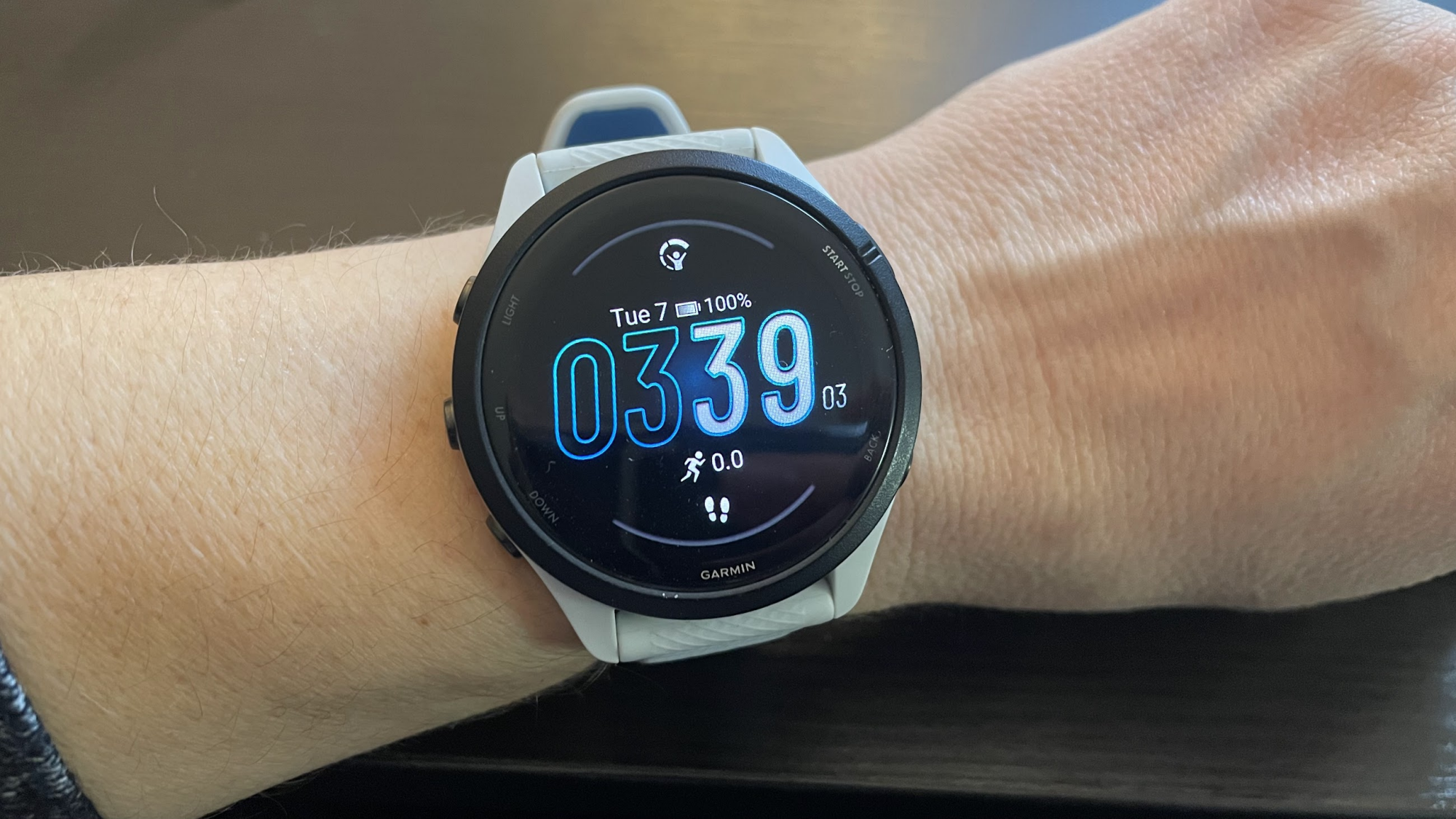
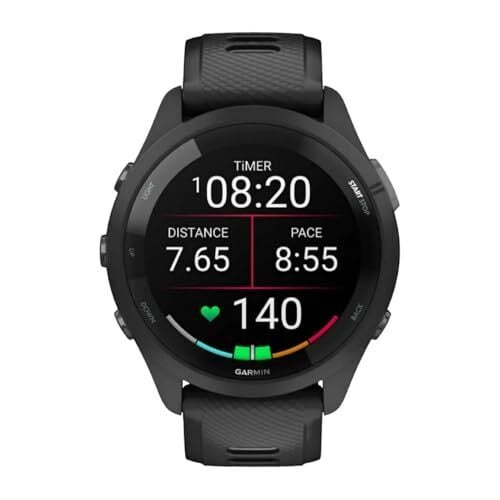
The 2xx line of Forerunner has been the most popular for years. Strava’s end-of-year reports have consistently found four- and five-year-old Forerunners among the most popular devices for serious runners. I personally run with a Forerunner 265S, and I’ve written here about why this is my favorite running watch out there. I don’t need maps, so I didn’t opt for the fancier 965; but I do appreciate the training status and upgraded GPS that the 265 series has and the 165 doesn’t. The “S” at the end indicates that it’s the smaller size; I also have a breakdown here of every difference between the 265 and 265S. (Bottom line: pick the one that fits you better.)

The 265 has a bright, sharp AMOLED screen, where previous generations like the 255 had a MIP screen. I have a breakdown of the differences here; I prefer AMOLED, but MIP also has its die-hard fans. You can often catch a good sale on the older Forerunner 255, so it’s worth considering if you want a good watch on a budget.

Why the Forerunner 265S? 

  • Battery life: 13 to 14 days in smartwatch mode, 16 hours of running with GNSS, and 6 hours with GNSS and music.

  • Provides suggested workouts and Garmin Coach training plans.

  • Has a variety of training and recovery metrics, including VO2max, Body Battery, training load, recovery time, and intensity minutes.

  • Location tracking: includes multi-band GPS, GLONASS, and Galileo.

The best budget pick: Garmin Forerunner 165

I previously called the Forerunner 55 my budget pick, but I’m changing my mind. This past Christmas, I bought a Forerunner 55 for my husband, since he said he wanted a lower-end watch. After spending a week with its low-resolution screen and clunky features, which looked positively archaic next to my 265, I asked him if he might be happier with a 165. We ended up returning the 55 and getting a 165 instead, and he’s so much happier. That said, the 55 is fine. Don’t let me talk you out of it, especially if you’re able to get one on sale. (It’s an aging model, so the price will likely continue to drop). The Forerunner 55 can track your runs just fine and provide some extras like sleep tracking.

But the 165 has a nicer screen, better GPS, an altimeter, compass, Garmin Share (one of the best hidden features, in my opinion), HRV status, more workout modes, more ways to set your heart rate targets—just so much more good stuff, for only $50 more.

Honestly, it may be best to think of the Forerunner 165 as a pared-down version of the 265. For $200 less than my favorite watch, you get most of the same features. It’s only really missing multi-band GPS and a few analytics like training readiness and training status. Do note that it comes in Music and non-Music versions, charging a premium if you want to be able to play music directly from the watch.

The best-kept secret: Coros Pace Pro

Coros Pace Pro

Credit: Beth Skwarecki

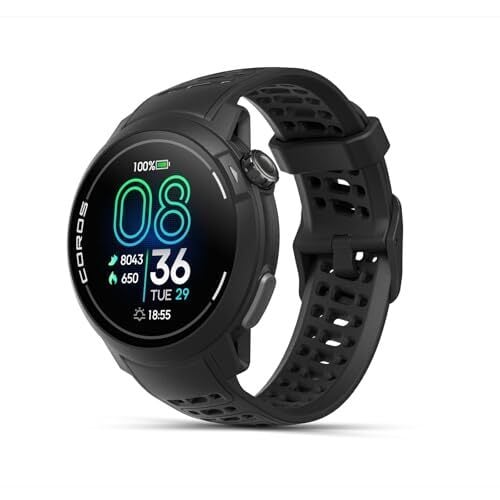
Garmin has long been the unquestionable leader in the running watch biz, but I’m seeing more and more runners move to Coros watches. They may not be as common, but their owners love them, citing the lower price for similar features compared to a Garmin. The Pace 3 model is a lightweight MIP screen device that I found couldn’t quite beat out the Garmin on features, but put up a heck of a fight in my head-to-head comparison.

The watch I’d like to spotlight here, though, is the newer Coros Pace Pro. It has an AMOLED screen and features onboard maps, making it pretty comparable to a Forerunner 965 for hundreds of dollars less. When it comes to personal favorites, I still prefer the Garmin ecosystem and the smaller sizes that are available in Garmin watches (the Pace Pro is only available in a 46 millimeter size). But I can’t deny that, when it comes to features and price, the Coros Pace Pro outperforms the Garmin Forerunner 265.

The fancy watch for fancy runners: Garmin Fenix 8 Solar Sapphire

If you’ve got a generous budget for a running watch and you want the best one out there, it’s hard to go wrong with the Fenix line. This one comes in three sizes and several different feature sets, but I’d like to highlight this one. It has a sapphire screen, meaning it’s literally made of sapphire mineral for scratch resistance. It also features solar charging, so you can extend your battery life outdoors without needing to stop to charge on long outings.

Garmin also introduced an AMOLED screen on the Fenix 8, but AMOLED and solar charging don’t go together, so you’ll have to choose one or the other.

Fenix watches, generally, have all of Garmin’s best bells and whistles, with an incredible battery life. In smartwatch mode you’re looking at a couple of weeks, not days (four weeks with solar charging is the official estimate), and the watch will last 13 hours of active use with all-systems GPS and music playing.

The barebones option that elite runners use: Timex Ironman

Yes, this is a “dumb” watch. No, I’m not including it as a joke. A lot of runners—including, and I might say, especially the pros—find the fancy features of smartwatches to be more of a distraction than a help. 

The Timex Ironman is a watch with physical buttons, a stopwatch, and a backlight that you can turn on when needed, and it retails for $60. It can remember your split times for a whole workout, and your average and best splits for past workouts. 

Latest Webb telescope image shows a cosmic phenomenon called an ‘Einstein ring’

The latest image from NASA’s James Webb Space Telescope, pictured above, also happens to be a stunning illustration of Einstein’s theory of general relativity. So much so that the cosmic phenomenon is called an “Einstein ring.” 

Einstein rings happen when light from one distant object is bent around the mass of another, slightly closer and even larger object. The effect is normally too subtle to observe up close on a local level, “but it sometimes becomes clearly observable when dealing with curvatures of light on enormous, astronomical scales,” NASA writes. In the case of this image, when the light from one distant galaxy is warped around the mass of another.

This “gravitational lensing,” as it’s technically called, is Einstein’s general relativity in practice. Spacetime (the fusion of space and time that makes up the fabric of the universe) curving around an object’s mass, with the curve itself being gravity. Objects like the ones pictured in the image — an elliptical galaxy wrapped in a spiral galaxy — are “the ideal laboratory in which to research galaxies too faint and distant to otherwise see.”

This Einstein ring was captured by the “Strong Lensing and Cluster Evolution (SLICE) survey” conducted at the University of Liège in Belgium. The survey is led by a team of astronomers looking “to trace eight billion years of galaxy cluster evolution,” according to NASA.

This article originally appeared on Engadget at https://www.engadget.com/science/space/latest-webb-telescope-image-shows-a-cosmic-phenomenon-called-an-einstein-ring-185911553.html?src=rss

Ex-FCC chairs from both parties say CBS news distortion investigation is bogus

The Federal Communications Commission’s news distortion investigation into CBS drew a public rebuke from a bipartisan group of five former FCC commissioners, including two former chairmen.

The group criticizing current Chairman Brendan Carr includes Republican Alfred Sikes, the FCC chair from 1989 to 1993, and Democrat Tom Wheeler, the FCC chair from 2013 to 2017. They were joined by Republican Rachelle Chong, Democrat Ervin Duggan, and Democrat Gloria Tristani, all former commissioners.

“These comments are submitted to emphasize the unprecedented nature of this news distortion proceeding, and to express our strong concern that the Federal Communications Commission may be seeking to censor the news media in a manner antithetical to the First Amendment,” the former chairs and commissioners told the FCC in a filing this week.

Read full article

Comments

NASA to put Starliner’s thrusters through an extensive workout before next launch

More than half a year after an empty Starliner spacecraft safely landed in a New Mexico desert, NASA and Boeing still have not decided whether the vehicle’s next flight will carry any astronauts.

In an update this week, the US space agency said it is still working through the process to certify Starliner for human missions. Whether it carries cargo or humans, Starliner’s next flight will not occur until late this year or, more likely, sometime in 2026.

Two things stand out in the new information provided by NASA. First, there remains a lot of work left to do this year before Starliner will fly again, including extensive testing of the vehicle’s propulsion system. And secondly, it is becoming clear that Starliner will only ever fly a handful of missions to the space station, if that, before the orbiting laboratory is retired.

Read full article

Comments