Google’s New AI Tools Turn Your Docs Into Podcasts, Analyze Sheets Data And More

Google's New AI Tools Turn Your Docs Into Podcasts, Analyze Sheets Data And More
Google introduced many new AI features to Google’s Workspace at its recent annual conference, Google Cloud Next. These features include an automation tool, a Google Docs to audio converter, a writing tool, a data analysis tool, and more.

If you ever struggle with repetitive, time-consuming tasks, Google says it has designed a new automation

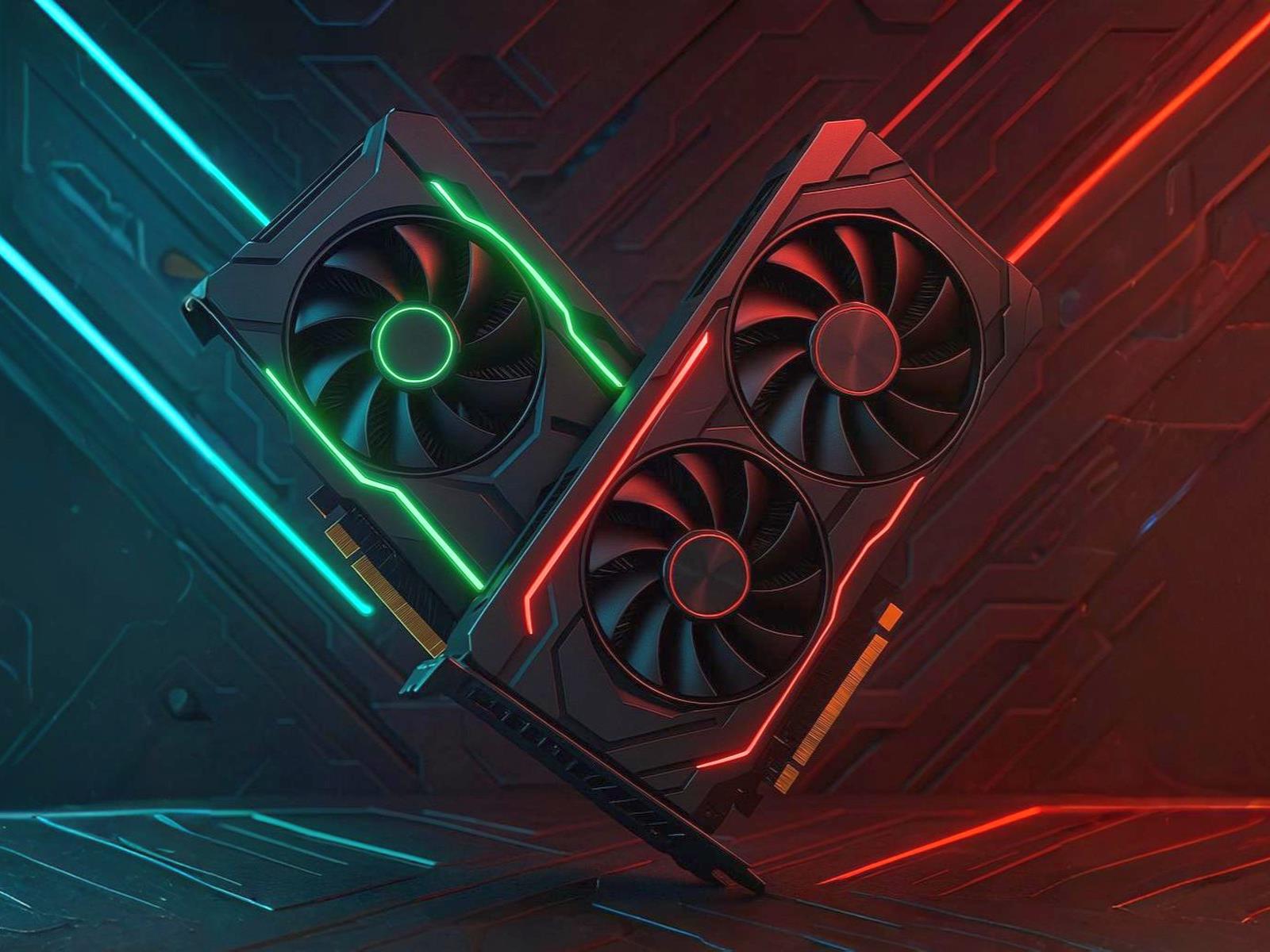
Radeon RX 9060 XT Spotted With A Key Spec Ahead Of RTX 5060 Ti Showdown

Radeon RX 9060 XT Spotted With A Key Spec Ahead Of RTX 5060 Ti Showdown
We were roundly impressed when AMD’s Radeon RX 9070 series managed credible competition against NVIDIA’s GeForce RTX 50 series—especially when compared dollar-for-dollar, where the unicorn-priced $549 RX 9070 XT nips at the mythical $999 RTX 5080’s heels. Can AMD do it again with the Radeon RX 9060 series? We’ll find that out when the new

Data Centres Will Use Twice as Much Energy By 2030

The electricity consumption of data centres is projected to more than double by 2030, according to a report from the International Energy Agency published today. The primary culprit? AI. Nature: The report covers the current energy footprint for data centres and forecasts their future needs, which could help governments, companies, and local communities to plan infrastructure and AI deployment. IEA’s models project that data centres will use 945 terawatt-hours (TWh) in 2030, roughly equivalent to the current annual electricity consumption of Japan. By comparison, data centres consumed 415 TWh in 2024, roughly 1.5% of the world’s total electricity consumption.

The projections largely focus on data centres, which also run computing tasks other than AI. Although the agency estimated the proportion of servers in data centres devoted to AI. They found that servers for AI accounted for 24% of server electricity demand and 15% of total data centre energy demand in 2024.


Read more of this story at Slashdot.

ChatGPT Will Soon Remember Everything You’ve Ever Told It

Be careful what you share with ChatGPT these days: It’ll remember everything you say.

That’s because OpenAI is rolling out a new update to ChatGPT’s memory that allows the bot to access the contents of all of your previous chats. The idea is that by pulling from your past conversations, ChatGPT will be able to offer more relevant results to your questions, queries, and overall discussions. Sam Altman, CEO of OpenAI, announced the changes on X, touting the usefulness of AI systems that know everything about you:


This Tweet is currently unavailable. It might be loading or has been removed.

ChatGPT’s memory feature is a little over a year old at this point, but its function has been much more limited than the update OpenAI is rolling out today. ChatGPT could remember preferences or requests of yours—perhaps you have a favorite formatting style for summaries, or a nickname you want the bot to call you—and carry those memories along from chat to chat. However, it wasn’t perfect, and couldn’t naturally pull from past conversations, as a feature like “memory” might imply.

Previously, the bot stored those data points in a bank of “saved memories.” You could access this memory bank at any time and see what the bot had stored based on your conversations. It’s a bit weird to see these entries when you didn’t specifically ask ChatGPT to remember something for you—as if you found out a new friend was jotting down “useful facts” about you from past conversations. It’s weird.

As this feature is rolling out now, it isn’t clear yet how it will affect these saved memories. In all likelihood, they’ll disappear, as there’s no need for a bank of specific memories when ChatGPT can simply pull from everything you’ve ever said to the bot.

I don’t personally use ChatGPT all that much outside testing new features to cover here, so I can’t say whether I find this feature particularly useful or not. I can imagine how it might be helpful to be able to reference something you told the bot in a past conversation, especially without needing to establish the bot actually remembers that fact first, but I also don’t love the idea of a chatbot “remembering” everything I’ve ever told it. Maybe that’s because I’m not sold on the idea of generative AI as a personal assistant, or maybe it’s because I’m sick of tech companies scooping so much of my data. We’ll just have to see how useful this expanded memory turns out to be as users get their hands on it.

This feature will roll out first to ChatGPT Plus and Pro subscribers, but there’s no word at this time as to when free users can expect to try it out. Users in the U.K., EU, Iceland, Liechtenstein, Norway, and Switzerland will need to wait to use the feature as well, as local laws force extra reviews before it can launch. (Maybe all countries should force AI companies through extra reviews before shipping features.)

How to disable ChatGPT’s memory

If you, like me, have reservations about your chatbot accessing every word of your past conversations, there is a way to disable this memory feature.

I don’t have the new feature yet, so it’s possible this might change slightly. But at the moment, you can head to Settings > Personalization > Memory, then disable the toggle next to Reference saved memories.

If you want to keep the memory feature on, but don’t want ChatGPT to remember one chat in particular, you can launch a “temporary chat” to make sure the conversation is quarantined. (Just know OpenAI may still hold onto the transcript for up to 30 days.)

Malcolm: 6 usability improvements in GCC 15

Over on the Red Hat Developer site, David Malcolm has an article
about improvements in GCC 15
, specifically focusing on the diagnostic
information that the compiler emits. This includes ASCII art with a “⚠️”
warning emoji to display the execution path when it detects a problem (like
an infinite loop in one of his examples), better C++ template errors,
machine-readable diagnostics using Static
Analysis Results Interchange Format
(SARIF), better messages regarding
C23 compatibility since that is the default C version for GCC 15, and more.
Since the changes are focused on messages, there is the inevitable color
scheme update as well:

GCC will use color when emitting its text messages on stderr at a suitably modern terminal, using a few colors that seem to work well in a number of different terminal themes—but the exact rules for choosing which color to use for each aspect of the output have been rather arbitrary.

For GCC 15, I’ve gone through C and C++’s errors, looking for places where two different things in the source are being contrasted, such as type mismatches. These diagnostics now use color to visually highlight and distinguish the differences.

OnePlus releases Watch 3 with inflated $500 price tag, won’t say why

After modest success with its first two smartwatches, OnePlus was poised to release a third-generation smartwatch early this year. Unfortunately, the company had to delay the Watch 3 from February to April, and now the previously announced $330 price tag is nowhere to be seen. Instead, the OnePlus Watch 3 has launched at an eye-watering $500 in the US, and you can probably guess why.

The OnePlus Watch 3 was all set for release a few months ago, but early reviewers spotted an embarrassing typo on the device. Like most smartwatches, OnePlus printed the watch’s key specs on the bottom of the housing. Part of that text was supposed to read “Made in China,” but instead, it said “Meda in China.” Oops.

OnePlus delayed the launch so it could correct the mistake on retail units. However, the US-China trade relationship has deteriorated dramatically in the intervening weeks. Since the watch is meda made in China, it is subject to tariffs—the amount of Trump’s China tariffs is changing on an almost daily basis, but it’s currently 145 percent.

Read full article

Comments

Here’s What ‘Core Sleep’ Really Means, According to Your Apple Watch

We may earn a commission from links on this page.

Let’s talk about one of the most confusing terms you’ll see on your fitness tracker—specifically your Apple Watch. Next to REM sleep, which you’ve probably heard of, and “deep” sleep, which feels self explanatory, there’s “core” sleep. And if you Google what core sleep means, you’ll get a definition that is entirely opposite from how Apple uses the term. So let’s break it down.

On an Apple Watch, “core sleep” is another name for light sleep, which scientists also call stages N1-N2. It is not a type of deep sleep, and has no relation to REM. But in the scientific literature, “core sleep” is not a sleep stage at all. It can refer to a portion of the night that includes both deep and light sleep stages. There are a few other definitions, which I’ll go into below. But first, since you’re probably here because you saw that term in Apple Health, let’s talk about how Apple uses it.

“Core sleep” in the Apple Watch is the same as light sleep

Let me give you a straightforward explanation of what you’re seeing when you look at your Apple sleep data. 

Your Apple Watch tries to guess, mainly through your movements, when you’re in each stage of sleep. (To truly know your sleep stages would require a sleep study with more sophisticated equipment, like an electroencephalogram. The watch is just doing its best with the data it has.) 

Apple says its watch can tell the difference between four different states: 

  • Awake

  • Light (“core”) sleep

  • Deep sleep

  • REM sleep

These categories roughly correspond to the sleep stages that neuroscientists can observe with polysomnography, which involves hooking you up to an electroencephalogram, or EEG. (That’s the thing where they attach wires to your head). Scientists recognize three stages of non-REM sleep, with the third being described as deep sleep. That means stages 1 and 2, which are sometimes called “light” sleep, are being labeled as “core” sleep by your wearable.  

In other words: Apple’s definition of “core sleep” is identical to scientists’ definition of “light sleep.” It is otherwise known as N2 sleep. (More on that in a minute.)

So why didn’t Apple use the same wording as everyone else? The company says in a document on its sleep stage algorithm that it was worried people would misunderstand the term “light sleep” if it called it that.

The label Core was chosen to avoid possible unintended implications of the term light, because the N2 stage is predominant (often making up more than 50 percent of a night’s sleep), normal, and an important aspect of sleep physiology, containing sleep spindles and K-complexes.   

In other words, Apple thought we might assume that “light” sleep is less important than “deep” sleep, so it chose a new, important-sounding name to use in place of “light.”

A chart on the same page lays it out: non-REM stages 1 and 2 fall under the Apple category of “core” sleep, while stage 3 is “deep” sleep. That’s how Apple defined it in testing: If an EEG said a person was in stage 2 when the watch said they were in “core,” that was counted as a success for the algorithm.

What are the known sleep stages, and where does core sleep fit in?

Let’s back up to consider what was known about sleep stages before Apple started renaming them. The current scientific understanding, which is based on brain wave patterns that can be read with an EEG, includes these stages: 

Non-REM stage 1 (N1) 

N1 only lasts a few minutes. You’re breathing normally. Your body is beginning to relax, and your brain waves start to look different than they do when you’re awake. This would be considered part of your “light” sleep. The Apple Watch considers this to be part of your core sleep stage.

Non-REM stage 2 (N2)

Also usually considered “light” sleep, N2 makes up about half of your sleep time. This stage includes spikes of brain activity called sleep spindles, and distinctive brainwave patterns called K complexes. (These are what the Apple document mentioned above.) This stage of sleep is thought to be when we consolidate our memories. Fun fact: if you grind your teeth in your sleep, it will mostly be in this stage. This stage makes up most of what Apple reports as your core sleep.

Non-REM stage 3 (N3) 

N3 is often called “deep” sleep, and this stage accounts for about a quarter of your night. It has the slowest brain waves, so it’s sometimes called “slow wave sleep.” It’s hard to wake someone up from this stage, and if you succeed, they’ll be groggy for a little while afterward. This is the stage where the most body repair tends to happen, including muscle recovery, bone growth in children, and immune system strengthening. As we age, we spend less time in N3 and more time in N2.

(There was an older classification that split off the deepest sleep into its own stage, calling it non-REM stage 4, but currently that deepest portion is just considered part of stage 3.) 

REM sleep

REM sleep is so named because this is where we have Rapid Eye Movement. Your body is temporarily paralyzed, except for the eyes and your breathing muscles. This is the stage best known for dreaming (although dreams can occur in other stages as well).

The brain waves of a person in REM sleep look very similar to those of a person who is awake, which is why some sleep-tracking apps show blocks of REM as occurring near the top of the graph, near wakefulness. We don’t usually enter REM sleep until we’ve been through the other stages, and we cycle through these stages all night. Usually REM sleep is fairly short during the beginning of the night, and gets longer with each cycle. 

How much core sleep do I need?

Using Apple’s definition, in which core sleep is the same as light sleep, it’s normal for almost half of your sleep to be core sleep. Sleep scientists give an approximate breakdown (although the exact numbers may vary from person to person, and your needs aren’t always the same every night):

  • N1 (very light sleep): About 5% of the total (just a few minutes)

  • N2 (light or “core” sleep): About 45%, so just under four hours if you normally sleep for eight hours

  • N3 (deep sleep): About 25%, so about two hours if you normally sleep for eight hours

  • REM: About 25%, so also about two hours.

How to get more core sleep

If your Apple watch says you’re getting less core sleep than what I mentioned above, you might wonder how you can get more core (or light) sleep. Before you take any action, though, you should know that wearables aren’t very good at knowing exactly what stage of sleep you are in. They’re usually (but not always!) pretty good at telling when you are asleep versus awake, so they can be useful for knowing whether you slept six hours or eight. But I wouldn’t make any changes to my routine based on the specific sleep stage numbers. The algorithm can easily miscategorize some of your light sleep as deep sleep, or vice versa.

That said, the best way to get more core sleep is to get more and better sleep in general. Start with this basic sleep hygiene checklist. Among the most important items:

  • Give yourself a bedtime routine with at least 30 minutes of wind-down time where you try to do something relaxing.

  • Have a consistent wake-up time.

  • Don’t look at screens right before bed.

  • Keep your bedroom dark and cool.

  • Don’t have alcohol or caffeine in the evenings.

Improving your sleep overall will improve all your sleep stages, whether your Apple Watch can tell them apart or not.

Other ways people use the term “core sleep”

I really wish Apple had chosen another term, because the phrase “core sleep” has been used in other ways. It either doesn’t refer to a sleep stage at all, or if it is associated with sleep stages, it’s used to refer to deep sleep stages. 

In the 1980s, sleep scientist James Horne proposed that your first few sleep cycles (taking up maybe the first five hours of the night) constitute the “core” sleep we all need to function. The rest of the night is “optional” sleep, which ideally we’d still get every night, but it’s not a big deal to miss out from time to time. He described this idea in a 1988 book called Why We Sleep (no relation to the 2017 book by another author) but you can see his earlier paper on the topic here. He uses the terms “obligatory” and “facultative” sleep in that paper, and switched to the core/optional terminology later. 

You’ll also find people using the phrase “core sleep” to refer to everything but light sleep. For example, this paper on how sleep changes as we age compares their findings in terms of sleep stages with Horne’s definition of core sleep. In doing so, they describe core sleep as mainly consisting of deep sleep stages N3-N4 (in other words, N3 as described above).

From there, somehow the internet has gotten the idea that N3 and REM are considered “core” sleep. I don’t know how that happened, and I don’t see it when I search the scientific literature. I have seen it on “what is core sleep?” junk articles on the websites of companies selling weighted blankets and melatonin gummies. 

For one final, contradictory definition, the phrase “core sleep” is also used by people who are into polyphasic sleep. This is the idea that you can replace a full night’s sleep with several naps during the day, something that biohacker types keep trying to make happen, even though it never pans out. They use the term pretty straightforwardly: If you have a nighttime nap that is longer than your other naps, that’s your “core sleep.” Honestly, that’s a fair use of the word. I’ll allow it.

So, to wrap up: Core sleep, if you’re a napper, is the longest block of sleep you get during a day. Core sleep, to scientists who study sleep deprivation, is a hypothesis about which part of a night’s sleep is the most important. But if you’re just here because you were wondering what Apple Health or your Apple Watch’s sleep app means by “core sleep,” it means stages N1-N2, or light sleep.

Try These Fixes If YouTube TV Stopped Working on Your Roku

The YouTube TV app has been disappearing for some Roku users. Luckily, if you are among those affected, there are a few fixes you can try for this issue.

Starting this week, several users on both Reddit and Roku’s forums have separately reported issues opening the YouTube TV app or even locating it on their Roku devices. Those who tried reinstalling the YouTube TV app were able to see an Open App button, but pressing it simply resulted in an error. What’s worse is that the issues seem isolated to Roku, with users of devices like the Google TV Streamer 4K not issuing the same complaints.

Luckily, this issue only seems to be impacting people with dedicated Roku devices and not smart TVs with Roku streaming built-in. Here’s how you can try to bring back YouTube TV if it’s disappeared from your Roku.

Fix disappearing YouTube TV app on Roku

Roku has acknowledged the problem and provided a temporary solution while it investigates. To restart using the YouTube TV app on your Roku, try manually updating the device. Follow these steps:

  1. Press the Home button on the remote.

  2. Select Settings.

  3. Click System.

  4. Go to Software update.

  5. Hit Check Now to start a manual update.

Once the software update is complete, Roku says you might be able to see the YouTube TV app on your Roku device, but it’s not guaranteed. If you’re still experiencing the problem, some Reddit users have also proposed just accessing YouTube TV from the standard YouTube app instead, which you can find on the very bottom-left of the app’s interface.

This little hiccup comes at a bad time for both Roku and YouTube. Recently, Roku has been in the news for experimenting with a new way to force users to watch ads, while YouTube TV’s pricing has also been going up quite a bit. So maybe the real solution to this issue is to just stop using YouTube TV. OK, we jest, but while the app has gotten a facelift, the service may not always offer value for your money if the content you need isn’t on it.

Five stand-out games revealed at today’s Triple-i Showcase

“No ads, no hosts, no sponsors, just games.” The Triple-i Initiative‘s pitch for its now-annual showcase of games, crafted by studios working somewhere between “Solo dev or very small team” and “Investor-minded conglomerate with international offices,” promises a lot of peeks at games without a lot of chatter, and once again it delivered.

Last year’s showcase debuted titles like Norland, Slay the Spire 2, and The Rogue Prince of Persia, along with updates from Darkest Dungeon 2, Palworld, and Vampire Survivors. This year featured looks at titles from the Deep Rock universe, the cloning-yourself-to-survive curiosity The Alters, an Endless Legend 2 that continues tweaking the 4X formula, and more.

Below are five selected highlights for the Ars crowd, along with some notable other announcements. The full list is not yet up on the Triple-i site, but you can see what jumped out from the full showcase.

Read full article

Comments

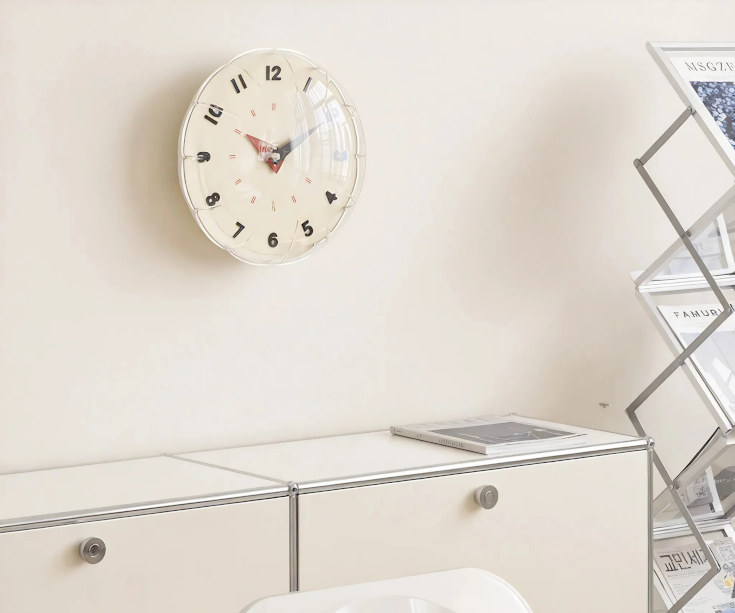
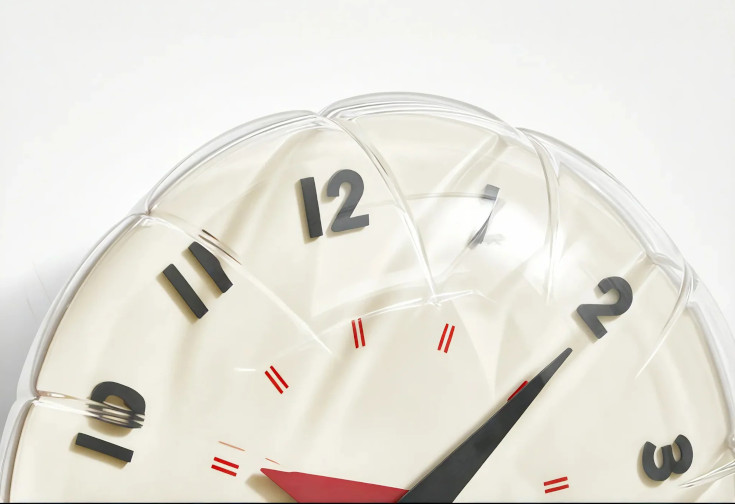
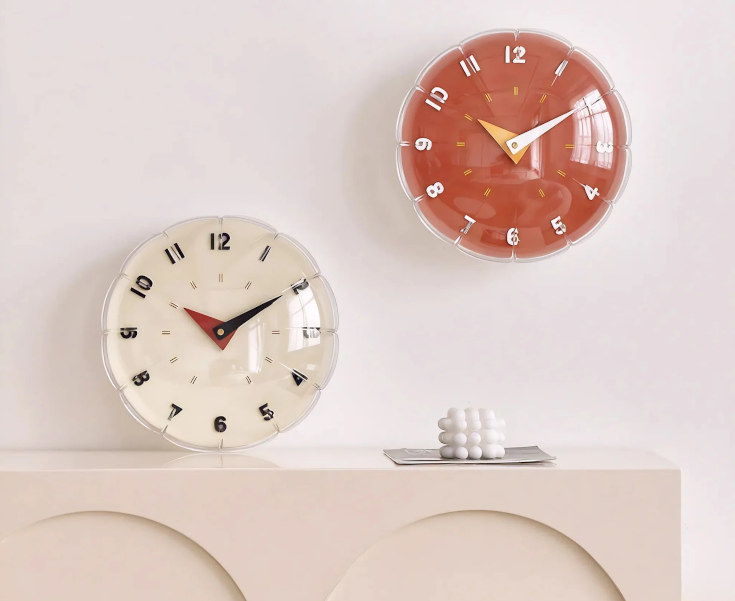
Wall Clocks That Look Like Transparent Mylar Balloons

The Luft Balloon Clock is a wall clock (also includes a desk stand) that looks like a transparent mylar balloon. Available from Lox in orange and beige for $146 apiece, the clocks measure approximately 13″ round and operate on a single AA battery. Me? I operate on veins full of espresso or I don’t operate at all. “Even a broken clock is right twice a day.” Then I am right twice a day while my seconds hand just twitches in place.

Mesa 25.1 Merges Support For Intel EU Stall Sampling As New Xe2 Profiling Feature

Merged to the Intel Xe kernel graphics driver for the current Linux 6.15 kernel cycle is EU Stall Sampling support as a new feature found with Xe2 Lunar Lake and Battlemage graphics. EU Stall Sampling is used for exposing information/reasons why execution units are stalled for helping to debug performance issues. Now that the kernel support is ready to go with Linux 6.15, merged to the Mesa 25.1 development code is the user-space support for this performance debugging feature…

New simulation of Titanic’s sinking confirms historical testimony

Back in 2023, we reported on the unveiling of the first full-size 3D digital scan of the remains of the RMS Titanic—a “digital twin” that captured the wreckage in unprecedented detail. Magellan Ltd, a deep-sea mapping company, and Atlantic Productions conducted the scans over a six-week expedition. That project is the subject of the new National Geographic documentary Titanic: The Digital Resurrection, detailing several fascinating initial findings from experts’ ongoing analysis of that full-size scan.

Titanic met its doom just four days into the Atlantic crossing, roughly 375 miles (600 kilometers) south of Newfoundland. At 11:40 pm ship’s time on April 14, 1912, Titanic hit that infamous iceberg and began taking on water, flooding five of its 16 watertight compartments, thereby sealing its fate. More than 1,500 passengers and crew perished; only around 710 of those on board survived.

Titanic remained undiscovered at the bottom of the Atlantic Ocean until an expedition led by Jean-Louis Michel and Robert Ballard reached the wreck on September 1, 1985. The ship split apart as it sank, with the bow and stern sections lying roughly one-third of a mile apart. The bow proved to be surprisingly intact, while the stern showed severe structural damage, likely flattened from the impact as it hit the ocean floor. There is a debris field spanning a 5×3-mile area, filled with furniture fragments, dinnerware, shoes and boots, and other personal items.

Read full article

Comments

Google takes advantage of federal cost-cutting with steep Workspace discount

Google has long been on the lookout for ways to break Microsoft’s stranglehold on US government office software, and the current drive to cut costs may be it. Google and the federal government have announced an agreement that makes Google Workspace available to all agencies at a significant discount, trimming 71 percent from the service’s subscription price tag.

Since Donald Trump returned to the White House, the government has engaged in a campaign of unbridled staffing reductions and program cancellations, all with the aim of reducing federal spending. It would appear Google recognized this opportunity, negotiating with the General Services Administration (GSA) to offer Workspace at a lower price. Google claims the deal could yield up to $2 billion in savings.

Google has previously offered discounts for federal agencies interested in migrating to Workspace, but it saw little success displacing Microsoft. The Windows maker has enjoyed decades as an entrenched tech giant, leading the 365 productivity tools to proliferate throughout the government. While Google has gotten some agencies on board, Microsoft has traditionally won the lion’s share of contracts, including the $8 billion Defense Enterprise Office Solutions contract that pushed Microsoft 365 to all corners of the Pentagon beginning in 2020.

Read full article

Comments

Hands-on: Handwriting recognition app brings sticky notes into the 21st century

For quick reminders and can’t-miss memos, sticky notes are effective tools, and I’d argue that the simplicity of the sticky note is its best attribute. But the ease behind propping up sticky notes also means that it’s easy for people to find their desks covered in the things, making it difficult to glean critical information quickly.

Rocketbook, a Boston-based company that also makes reusable notebooks, thinks it has a solution for sticky note overload in the form of an app that interprets handwriting and organizes reusable sticky notes. But not everyone has the need—or time—for a dedicated sticky notes app.

Rocketbook’s Reusable Sticky Notes

Like Rocketbook’s flagship notebooks, its Reusable Sticky Notes rely on erasable pens that allow you to use the paper repeatedly. The Reusable Sticky Notes work with the Rocketbook app (available for iOS or Android), which transforms the sticky notes into images that are automatically stored in the app and can be emailed to specified people (as a PDF) or shared with third-party apps.

Read full article

Comments

Ubisoft Insists You Don’t Own Your Games In The Crew Lawsuit Defense

Ubisoft Insists You Don’t Own Your Games In The Crew Lawsuit Defense
As Ubisoft continues to struggle to find its footing in the current gaming market, the company also finds itself embroiled in a legal battle with gamers that started late last year. The lawsuit stems from the decision to shut down the servers for its online racing game, The Crew. And the latest argument the company has presented to the court

FDA backpedals on RTO to stop talent hemorrhage after HHS bloodbath

The Food and Drug Administration is reinstating telework for staff who review drugs, medical devices, and tobacco, according to reporting by the Associated Press. Review staff and supervisors are now allowed to resume telework at least two days a week, according to an internal email obtained by the AP.

The move reverses a jarring return-to-office decree by the Trump administration, which it used to spur resignations from federal employees. Now, after a wave of such resignations and a brutal round of layoffs that targeted about 3,500 staff, the move to restore some telework appears aimed at keeping the remaining talent amid fears that the agency’s review capabilities are at risk of collapse.

The cut of 3,500 staff is a loss of about 19 percent of the agency’s workforce, and staffers told the AP that lower-level employees are “pouring” out of the agency amid the Trump administration’s actions. Entire offices responsible for FDA policies and regulations have been shuttered. Most of the agency’s communication staff have been wiped out, as well as teams that support food inspectors and investigators, the AP reported.

Read full article

Comments

Razer’s PC Remote Play app is now available

On the heels of Razer pausing direct laptop sales in the US (thanks to those on-again, off-again, yet still very much on for China tariffs), the company has officially launched its remote game streaming app. Razer PC Remote Play, which the company rolled out in beta at CES 2025, is now officially available for iOS and Android.

Razer may be a bit late to the party here, and its app is hardly the only way to stream your PC games to other devices. (For example, Steam’s version has offered similar functionality for six years.) But Razer’s app has a neat trick: It automatically adjusts the game’s resolution and frame rate to match your mobile device’s. So, you can avoid the black bars you get with services that only stream games in a fixed aspect ratio.

Closeup of a mobile device with a controller attached, using Razer's Remote Play app.
Razer

The company says it works with all iOS and Android gaming controllers, and the iPad version has keyboard, mouse and trackpad support. It works with titles from multiple storefronts (including Steam, Epic, PC Game Pass and more). The app uses the AV1 video codec, which Razer says boosts quality and lowers latency.

Setup requires the Razer Nexus and PC Remote Play apps on your mobile device and Razer Cortex on the host PC. After signing in with your Razer ID, the two should pair automatically, and you can get down to business. You can download the app now from Google Play and the App Store.

This article originally appeared on Engadget at https://www.engadget.com/gaming/pc/razers-pc-remote-play-app-is-now-available-182533832.html?src=rss

[$] Management of volatile CXL devices

Compute
Express Link (CXL)
memory is not like the ordinary RAM that one might
install into a computer; it can come and go at any time and is often not
present when the kernel is booting. That complicates the management of
this memory. During the memory-management track of the 2025 Linux Storage,
Filesystem, Memory-Management, and BPF Summit, Gregory Price ran a session
on the challenges posed by CXL and how they might be addressed.