Tech companies are teaming up to combat scammers

A coalition of Big Tech companies is working on a more comprehensive solution to combat online scams. As first reported by Axios, Google, Microsoft, LinkedIn, Meta, Amazon, OpenAI, Adobe and Match Group announced the signing of the Online Services Accord Against Scams. The new agreement is meant to put up a united industry-wide front against online fraud and scams, particularly those from sophisticated criminal networks that use multiple platforms.

According to the Axios report, the measures will include adding fraud detection tools, introducing new user security features, and requiring more robust verification for financial transactions. The agreement will also set up best practices for scam detection, prevention and reporting, while encouraging the sharing of information between companies and law enforcement. On the policy side, the coalition will call on the governments to “declare scam prevention a national priority,” according to Axios. While these measures are extensive, the report noted that they’re all voluntary since the accord doesn’t mention any penalties if the companies don’t follow through.

Many of the companies involved in the new accord already have experience in dealing with scams found on their own platforms. Earlier this month, Meta announced several new features across Facebook, Messenger and WhatsApp that would alert users about suspicious friend requests or accounts. Last year, LinkedIn introduced a new verification requirement for company recruiters or executives to address scams targeting job seekers on its platform.

This article originally appeared on Engadget at https://www.engadget.com/cybersecurity/tech-companies-are-teaming-up-to-combat-scammers-144616545.html?src=rss

Android 16 Now Has a Desktop Mode for Your Pixel 8 or Newer

Galaxy phone owners have been able to use Samsung DeX to access a desktop mode for years at this point, and now Google Pixel users have a similar feature to call their own. The latest Android 16 QPR3 release, pushed out at the start of March 2026, lets you plug a Pixel phone into a monitor and access a desktop-like interface.

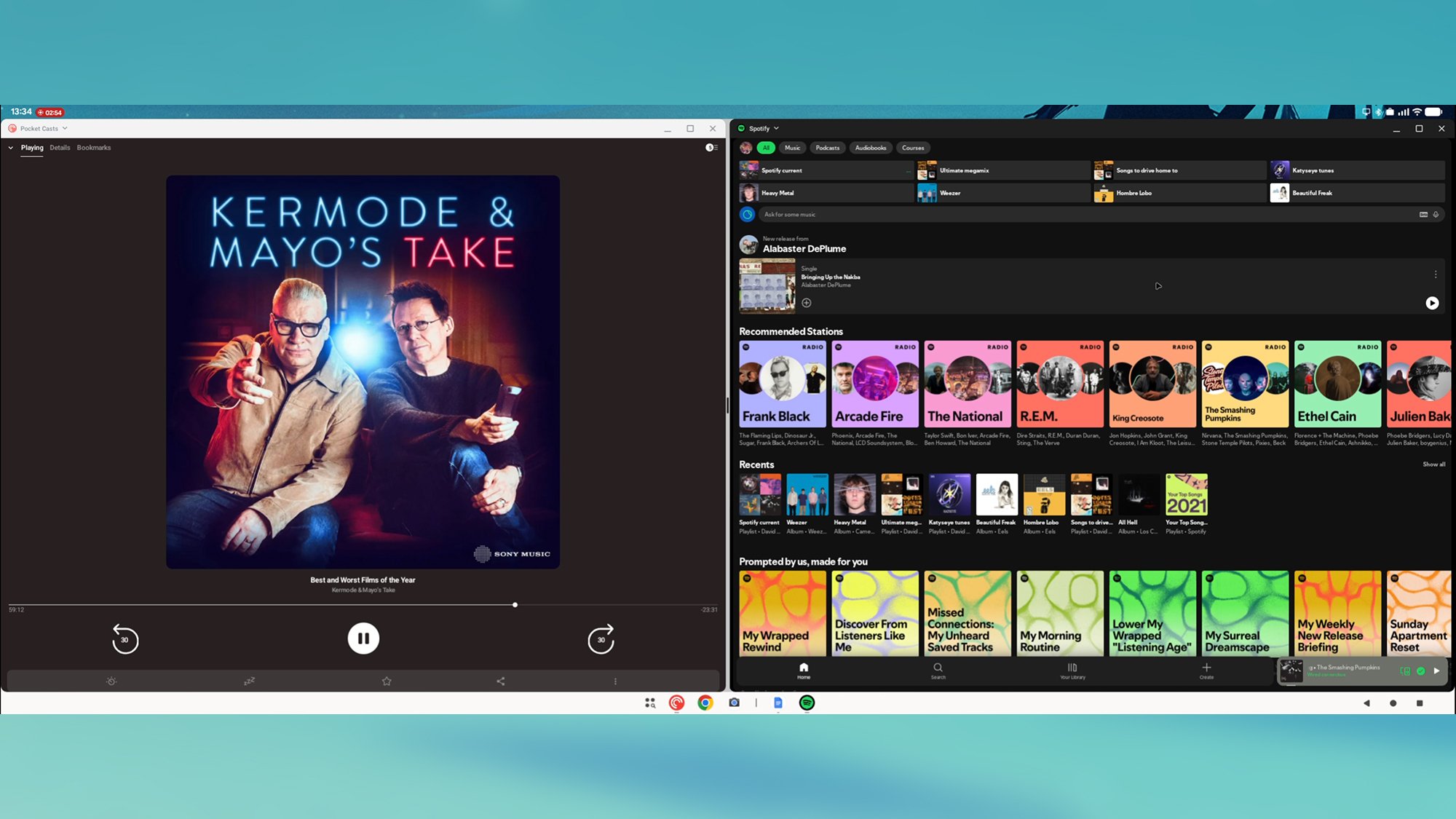
If you’re completely new to these desktop modes, they let you operate your phone as if it’s a Windows or macOS computer (sort of). The Android software and the apps don’t change, but you get a taskbar at the bottom of the display, the ability to run apps in windows alongside each other, and a few other helpful tweaks.

In theory, this can be a real boon to productivity. Sit down at your desk, and you can carry on using all the apps you’re familiar with on your phone, only with the added convenience of a larger display, as well as a mouse and keyboard. Mobile apps like Slack and Google Docs are now capable enough that most features available on the desktop can be used on mobile.

Pixel desktop mode
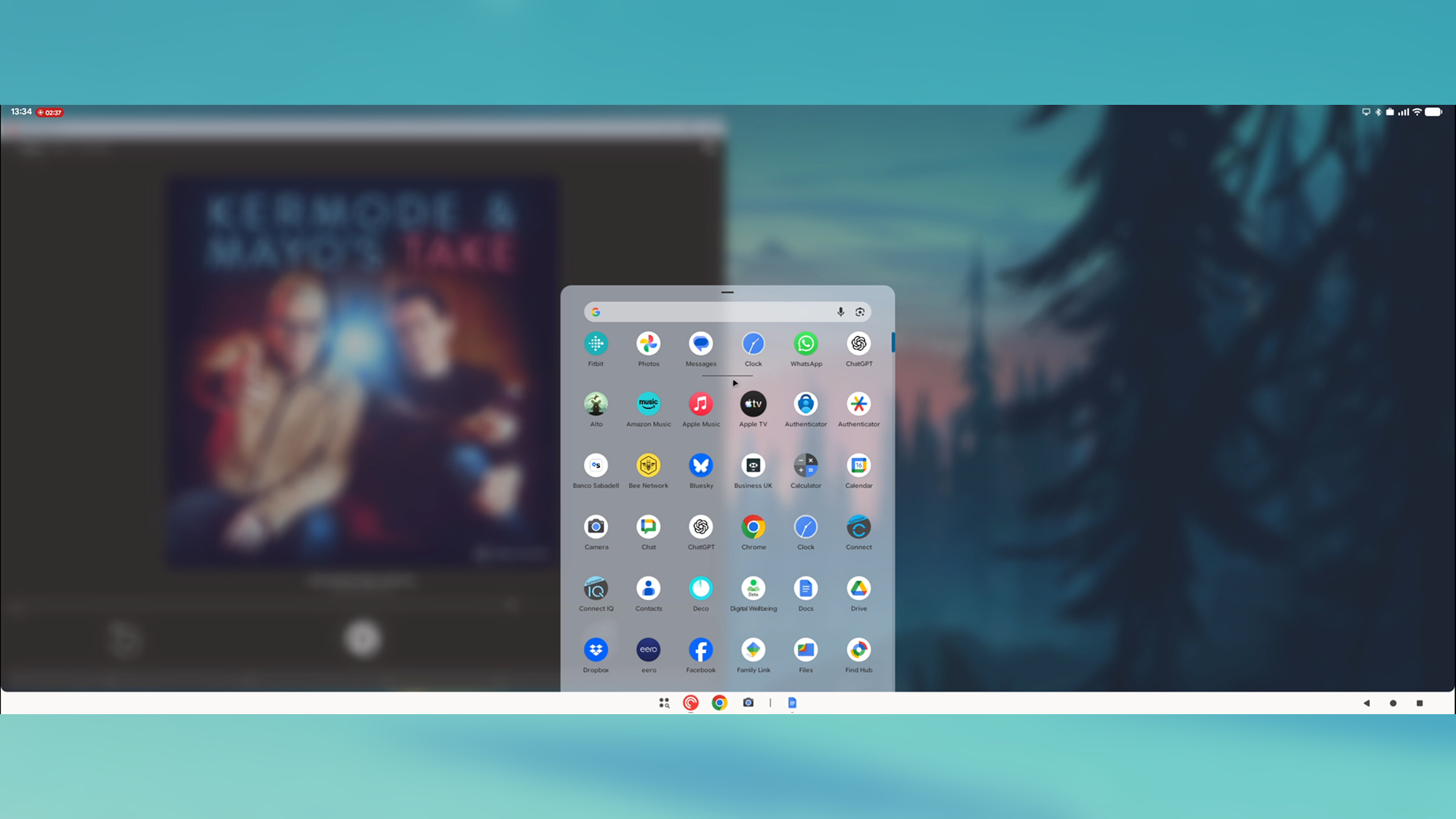
A simple launcher lets you access your apps.
Credit: Lifehacker

There are quite a few caveats, however. You need a Pixel 8 or newer for this to work, as well as a USB-C DisplayPort connection. You’re also going to need a Bluetooth mouse and keyboard connected to your phone to make the most of this: Pixels don’t yet have the use-your-phone-as-a-trackpad functionality of Samsung DeX.

If you do have the necessary hardware in place for this to work, it’s worth giving it a try, even at this early stage. You might find it’s helpful for working on the go and hot desking, or for finding a quiet place to work somewhere at home.

Using the desktop mode on a Pixel

While the desktop mode is now officially part of Android proper, don’t expect a flawless experience just yet. I managed to get my Pixel 9 hooked up to a monitor via a USB-C-to-DisplayPort connection, but this only worked directly—not through a hub. The display resolution maxes out at 1080p.

When you connect a compatible monitor to your Pixel’s USB-C port, you’ll see the choice to Mirror the phone display to the big screen or to open the new Desktop mode; it’s the latter one you want. With that done, you should see the desktop interface, and you can start clicking around with your connected mouse.

Pixel desktop mode
You can pin apps side by side.
Credit: Lifehacker

Everything is pretty easy to understand: You’ve got a taskbar at the bottom where your apps live, navigation buttons in the lower right corner, and a launcher button for opening more apps. Each app launches in a window that can be moved or resized as needed. If you hover over the resize button, you’ll find you can snap two apps side by side, if you want to.

One key benefit is that Chrome runs in desktop mode, so you get the full web experience—it’s great to be able to browse websites properly, rather than having to navigate through mobile versions. That said, when you try to log into sites such as Google Docs or Slack, you’ll get kicked out into the equivalent Android app, so it’s not quite the same as using an actual desktop computer.

It is possible to get stuff done, for sure—I typed out half of this article through Google Docs for Android on an external monitor—and for something in its early stages, it’s definitely usable. I appreciated being able to launch podcast and chat apps on a larger display and not have to worry about whether they were syncing back to my phone properly.

Pixel desktop mode
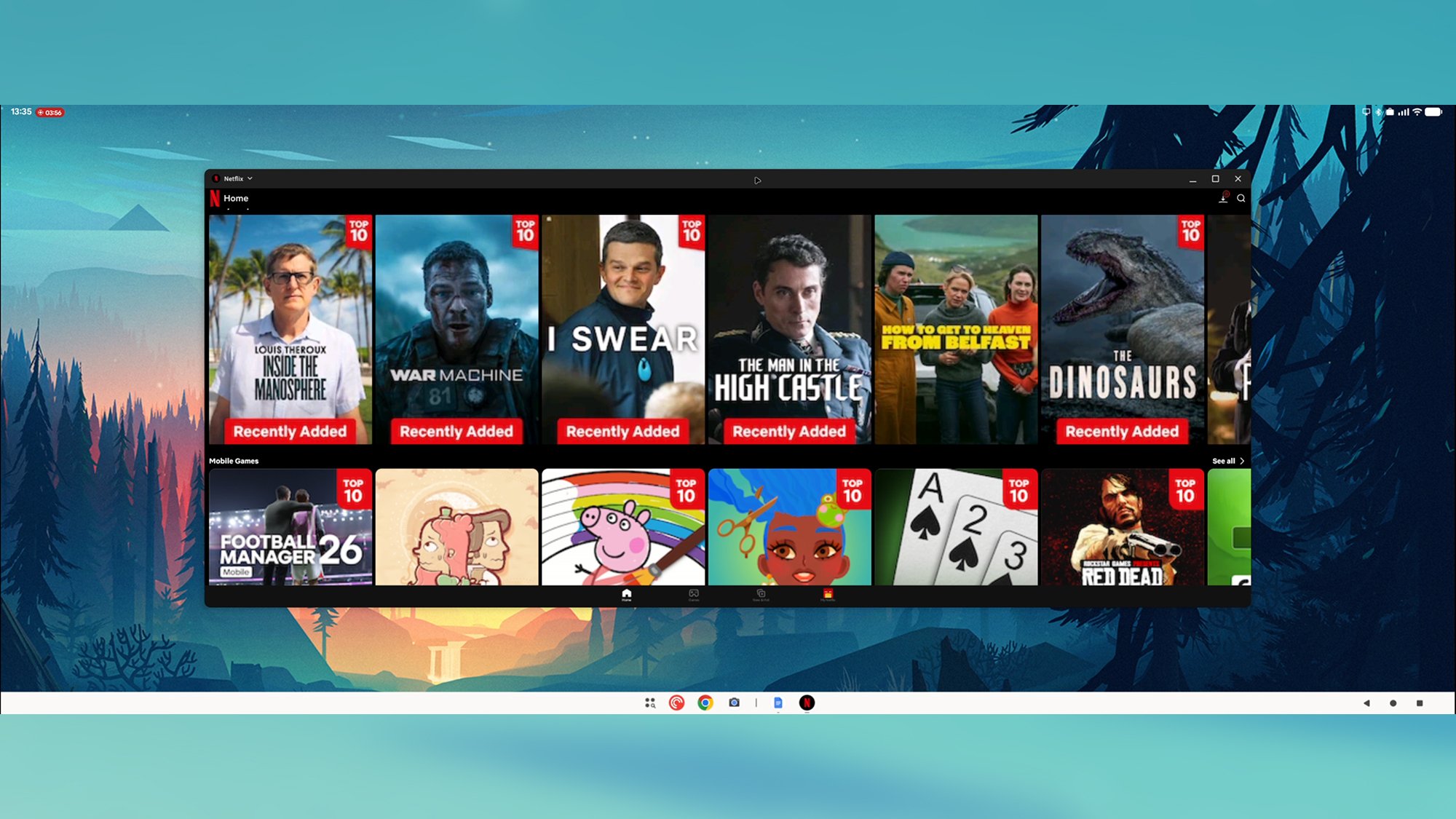
Many apps—including Netflix—don’t take full advantage of the extra space.
Credit: Lifehacker

App developers clearly haven’t caught up to this desktop mode yet. Apps like WhatsApp had misaligned buttons and oversized text in places, while most apps reverted to a standard tablet interface rather than a desktop one. With Netflix, for example, browsing the available titles felt like using a phone but just on a much bigger scale.

These problems will most likely get sorted over time, and it would be nice to see Google continuing to add features as well—such as the ability to use your phone as a trackpad for the desktop interface, once it’s connected, and better native monitor resolution support. With a bit more polish, this could be a seriously useful Android upgrade, and hopefully we’ll hear more about it at Google I/O in May.

NASA Telescope Spots A Temperate Super-Earth And It’s Closer Than Expected

NASA Telescope Spots A Temperate Super-Earth And It's Closer Than Expected
Astronomers have just discovered TOI-1080 b, a rocky super-Earth located approximately 83 light-years away. Spearheaded by a team from the National Autonomous University of Mexico, follow-up monitoring could reveal even more planets around TOI-1080, the inactive M-dwarf star.

The planet was initially flagged by NASA’s Transiting Exoplanet

[$] A safer kmalloc() for 7.0

A pull request that touches over 8,000 files, changing over 20,000 lines of
code in the process, is (fortunately) not something that happens every day.
It did happen at the end of the 7.0 merge window, though, when Linus
Torvalds merged
an extensive set of changes by Kees Cook to the venerable kmalloc() API (and
its users). As a result of that work, though, the kernel has a new set of
type-safe memory-allocation functions, with a last-minute bonus change to
make the API a little easier to use.

Gigabyte’s New BRIX Mini PC Packs Panther Lake Power And 128GB DDR5 Support

Gigabyte’s New BRIX Mini PC Packs Panther Lake Power And 128GB DDR5 Support
Gigabyte is expanding its lineup of Brix mini PCs with a new model built around Intel’s Panther Lake platform. We’ll likely see multiple configurations over time, but the one that’s been added to Gigabyte’s website is Brix model GB-BRU9-386H. If the model name isn’t a big enough clue, the specifications sheet reveals the Panther Lake model

How do I fit Shimano SPD cleats properly?

In our Tech Q&A series, we tackle cycling queries – from trailside bodges to full workshop overhauls – with help from the BikeRadar team and trusted industry experts. This time, it’s a reader wondering how to fit Shimano SPD cleats.

How do I fit Shimano SPD cleats properly, step by step, like a pro bike fit?

Tom from Jakarta, via email

Cleat position is so personal that it’s hard to recommend a specific location for your cleats.

We’re not professional bike fitters, so we can’t give you that level of advice, but from personal experience and conversations over the years with specialists, we can provide a few tips.

First, it’s worth noting that two-bolt SPD cleats, popular with mountain bikers, gravel riders and commuters, have more float (free foot movement) built in than Shimano’s three-bolt SPD-SL road cleats, so they’re more forgiving to set up, and finding the optimum position for them is less crucial.

Cleats for the LOOK X-Track Race Carbon gravel pedals
Always use grease when installing SPD pedals because the bolts can become seized over time. Katherine Moore / Our Media

Make sure to grease the bolts before you install them, and tighten them to the correct torque, because they can seize or come loose over time. Jack Luke’s top tip is to put a dribble of candle wax over the bolts to prevent squeaking.

In terms of position, Simon von Bromley recommends starting with the cleat under the ball of your foot to get a feel for things. You can always move it slightly further back if that feels more comfortable or you want more stability on descents.

Picture showing Fox Union BOA All Weather shoes outsole in full, including the treads and cleat pocket.
The same logic applies to Crankbrothers’ cleats. Scott Windsor / Our Media

In terms of side-to-side position and angle, you’ll want to set the cleat so your foot sits naturally, without your toes being forced in or out.

Be aware of your knees too, and make sure both feet feel balanced and even. Go on a few short rides and test out the position, taking a multi-tool to make small adjustments if needed.

If you can’t get comfortable, Ergon’s TP1 cleat tool might help make fitting easier (be sure to get the Shimano SPD version). Alternatively, get a full bike fit from a professional – this is a great way to ensure you reduce the risk of injury.

Google Workspace’s New AI Features Seem Genuinely Useful

As a tech journalist who uses Google Docs a lot, I’m used to clicking past various AI prompts and offers of assistance whenever I want to write something with my own human brain. Now, I’m going to have to use up even more clicks to hide the AI integrations on a blank page—though, this time, some of them actually seem genuinely useful.

Google is further upgrading Gemini’s capabilities in Google Drive and its online office apps: Docs, Slides, and Sheets. You can now produce entire documents and spreadsheets with a prompt, create text that matches a particular style, and pull in relevant information from your Google Drive files, Gmail, Google Chat, and the web. These changes make Gemini inside Google Workspace “more personal, capable and collaborative” Google says, and they’re rolling out now to Google AI Pro and AI Ultra subscribers with English set as their default language.

Gemini difference in Docs
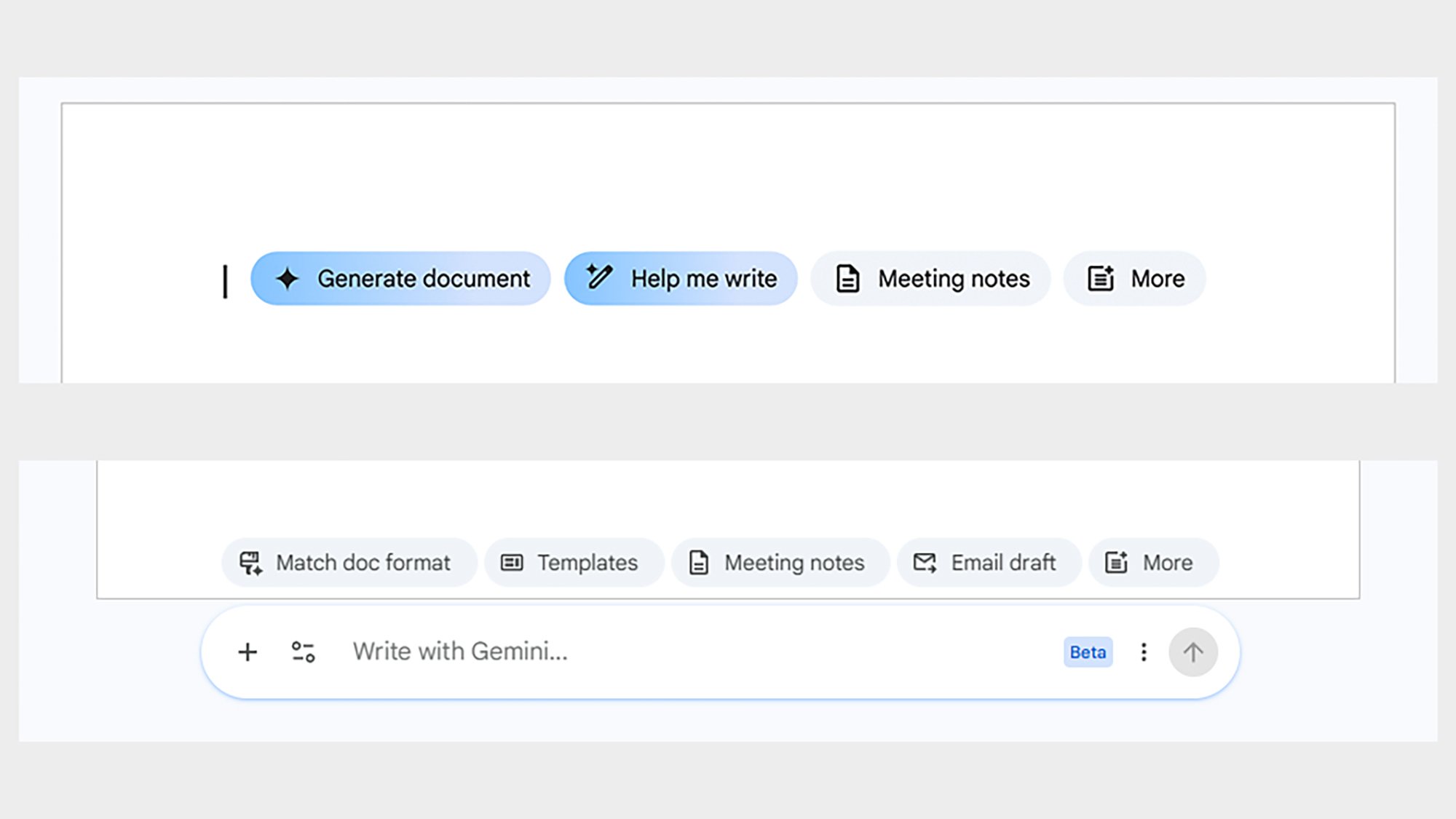
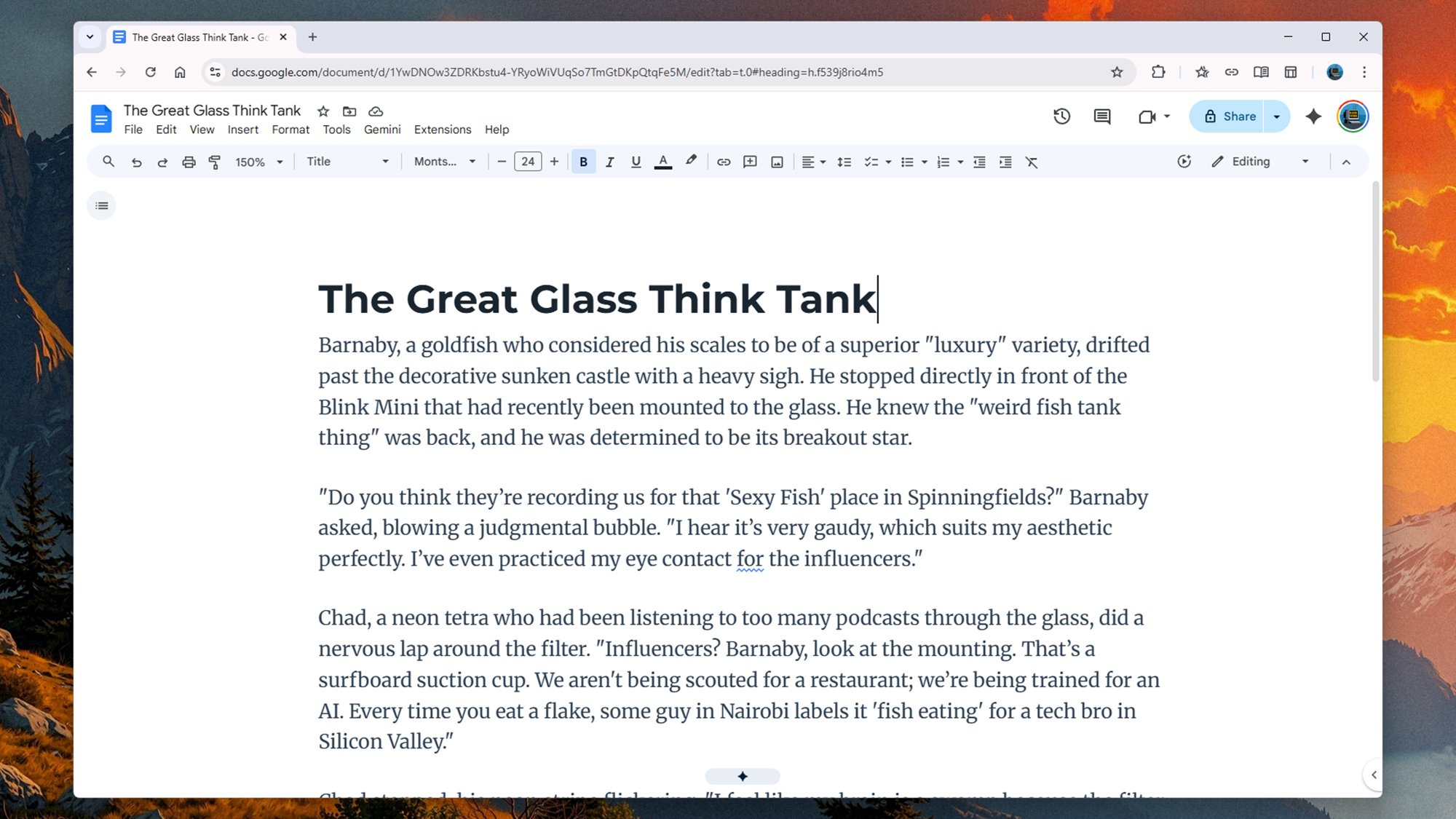
The old (top) and new (bottom) Gemini interfaces in Google Docs.
Credit: Lifehacker

Google Docs gets new Gemini features

The new changes are most evident when you open up a new document: You’ll see a new Gemini bar down at the bottom of the screen, together with various options for matching the style of another document with AI-generated text, and dropping in elements like an email draft or notes from a meeting. You can bring up this bar at any time by clicking the Gemini star icon at the bottom of your document.

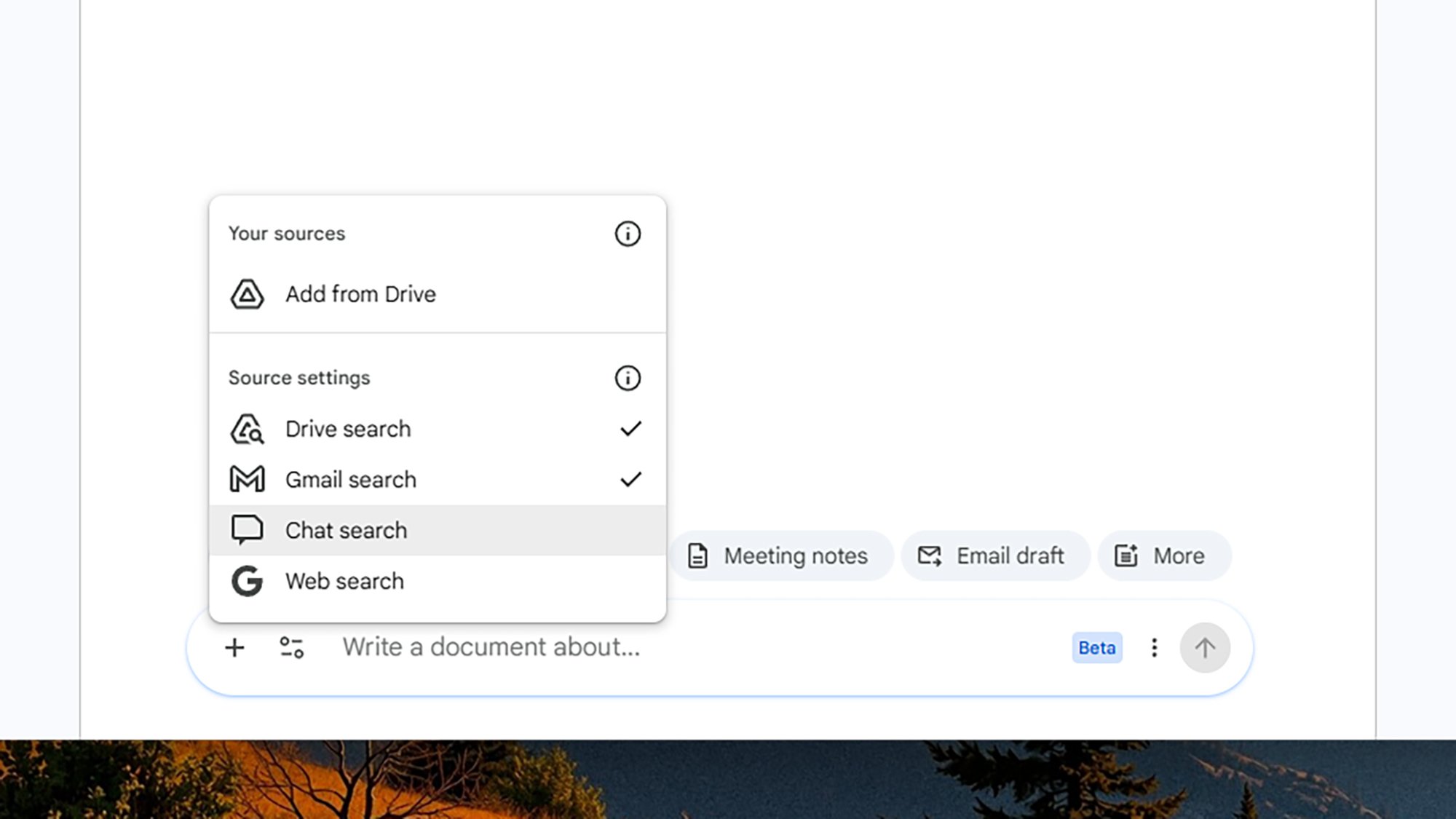
You can type any prompt you like into the Gemini bar. Want a short story about fish? Need to send a stern email about on-street parking to the neighbors? Gemini can help. I actually tried the fish story one, and it wasn’t too bad, in a generic sort of way. If you click the + (plus) button down in the lower left corner, meanwhile, you can choose to import data from Google Drive, Google Chat, Gmail, and the web.

Gemini short story
Gemini wrote me a short story about fish.
Credit: Lifehacker

This gives you a host of options. You can draft an email to your boss, and pull from your previous correspondence with them, for example, or plan a travel itinerary based on the recommendations someone has given you in Google Chat. I got Gemini to produce a table listing all the Oscar 2026 winners and it worked flawlessly. (Thank you to the human writers who published this information online.)

There are more ways to refine existing text, as well as generate new text. Just highlight a part of a document, then use a prompt to describe the changes you’d like. I asked Gemini to make the introduction to this article “more upbeat and jokey” and it suggested dropping in phrases like “hold on to your hats” and “AI bestie.” (I declined to add them.) I also gave the new style matching feature a go. In a blank document, if you click the sliders icon on the Gemini bar, you can choose Match writing style to pick out an existing Google Doc. Your subsequent prompts for text generation will then match the style of the selected documents.

Gemini prompt box
You can choose where Gemini looks for importing data.
Credit: Lifehacker

When I pulled from my own work, Gemini was able to produce text that did read vaguely like I’d written it, but it was still rather stilted and, well, artificial. (That said, I could tell the difference from standard AI text.) For me, it’s the ability to pull in information from elsewhere that makes this most useful, rather than the text generation capabilities. I told Gemini to connect to Google Drive and summarize everything I’d written for Lifehacker this year, and it did a respectable job: The doc was neatly formatted, informative, and (as far as I could tell) accurate.

Gemini also has new features in Sheets, Slides, and Drive

The updates in Sheets and Slides are similar to Docs: You get a much more prominent Gemini prompt box, and the ability to import data from your other files, chats, and emails. I keep a text document of teams for our local five-a-side soccer matches, and tried to get Gemini to create a spreadsheet showing how often each player had shown up. It worked perfectly. Impressive stuff.

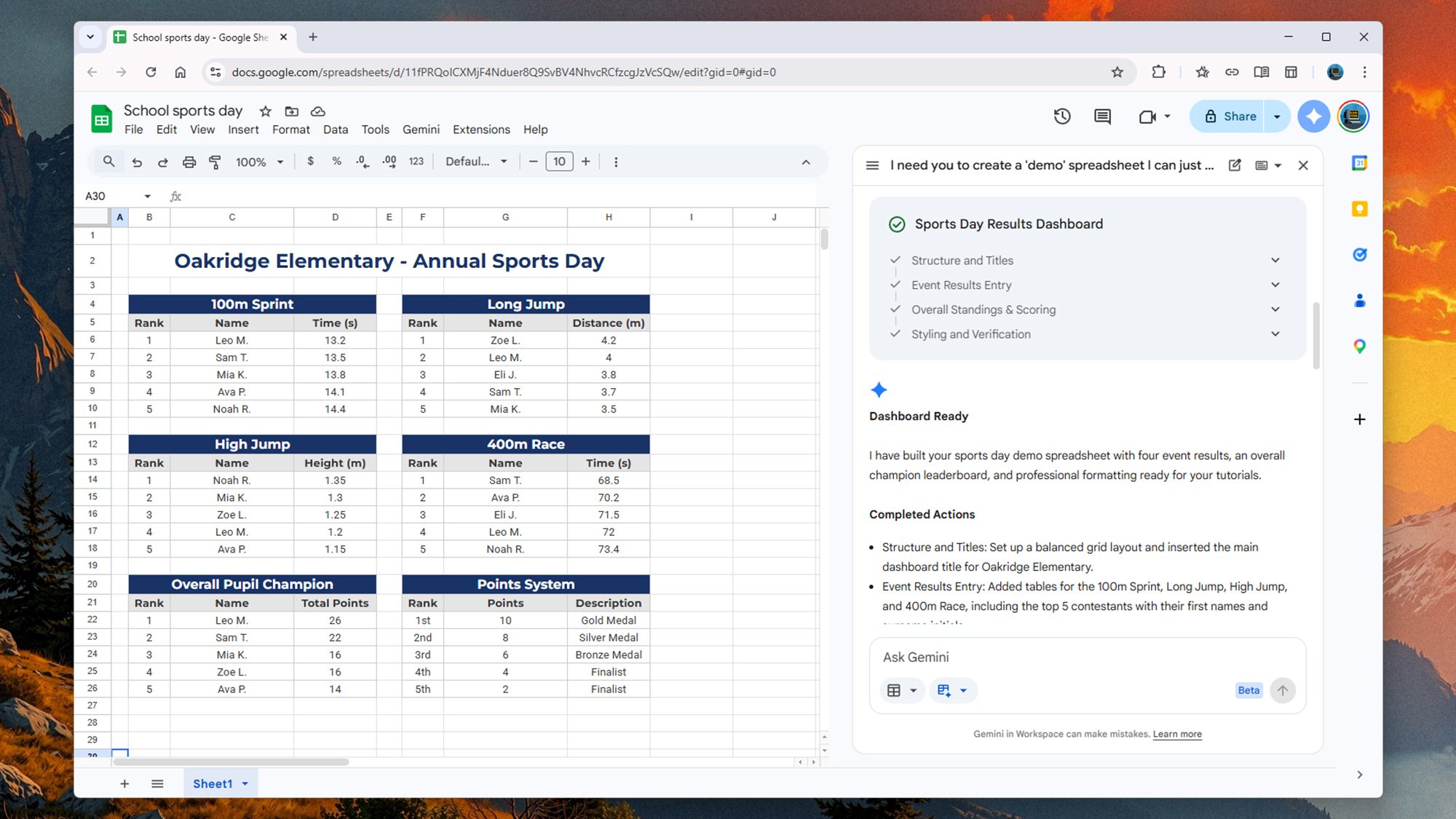
I also tried to get Gemini to produce an entire spreadsheet around a fictional school sports day, and again it came up with results that I couldn’t really fault. I could then apply edits to the demo spreadsheet with further prompts, and didn’t have to bother with editing cells at all. The AI will sometimes ask you to approve a particular action, but it’s mostly a smooth and straightforward process.

Google suggests you could build a spreadsheet organizing a house move, for example, pulling in relevant emails and documents as needed. You can also use web or Google Drive searches to fill in data alongside relevant row and column headings—like the Oscar example mentioned earlier. You can plot the years across the top with an ‘Oscar Best Picture Winner’ heading, and Gemini does the rest. The Gemini integration inside Slides isn’t quite as advanced yet, however. The ability to generate entire decks is still “coming soon” Google says. However, you can already pull in data from other sources and the web, match slideshow styles to an existing deck, and use prompts to tweak all aspects of your presentation. For me, this was still a bit hit or miss, with some odd formatting and text choices.

As a Brit, the only upgrades I haven’t been able to try out myself are the Gemini upgrades for Google Drive interface. Unlike the other updates, these are only available in the U.S. for the time being. Based on Google’s information and the demos I’ve seen, you can think of these upgrades as AI Overviews for your cloud storage rather than the web as a whole.

Gemini spreadsheet
This school sports day never happened: Gemini made it up.
Credit: Lifehacker

That means you can ask natural language questions about whatever’s in your Google Drive, questions like “how many times have I written about Gemini in 2026?” for example. Google’s own example is selecting a bunch of tax documents and asking Gemini for questions you should give your tax advisor about them.

My gripes about AI-generated text and the erosion of our abilities to write aside, these upgrades do seem genuinely useful. They promise to reduce the time you spend on simple and repetitive tasks, and make creating files with information from your other Google apps (or the web at large) much more straightforward.

Apple announces the AirPods Max 2 with improved noise cancelation and H2 chip

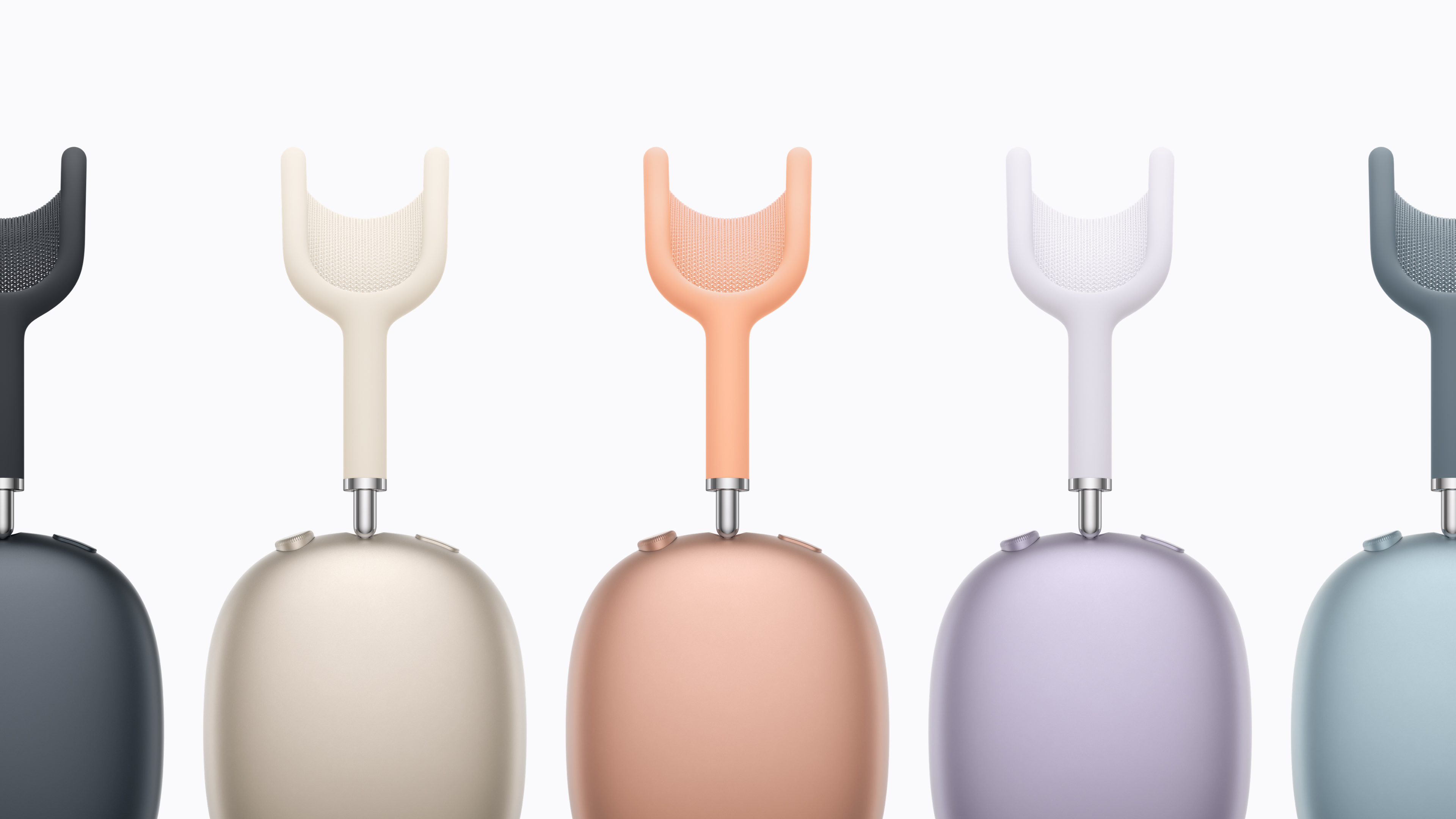
The AirPods Max 2 are almost here. Apple announced this morning that the first true update to its over-hear phones are up for pre-order on March 25 and will be shipping in early April. They look identical to the predecessor, with large, colorful earcups and a matching headband. But inside is the H2 chip that Apple first introduced with the AirPods Pro 2, which enables a host of new features. Chief among those is improved noise cancelation — Apple says with the H2 and improved audio algorithms, the AirPods Max 2 are 1.5 times more effective at reducing noise than the old model.

From an audio perspective, there’s a new amplifier on board here as well for clearer music and improved spatial audio performance. If you want lossless music, you can get that by using the included USB-C cable.

There are also a host of new features for the AirPods Max 2 enabled by the H2. These include an “Adaptive Audio” mode that balances between transparency and ANC modes depending on the environment so you can hear things when you need to while still blocking extraneous noise. Similarly, the conversation awareness features lower the volume of your content and increase transparency when your’e speaking. Live Translation comes to the AirPods Max 2 as well, a feature that uses your AirPods and iPhone to translate incoming speech to and from the language of your choosing.

Apple AirPods Max 2 colors
Apple

Essentially, the AirPods Max 2 now have almost all the features you’ll find in the AirPods Pro 3, just in an over-ear design. What hasn’t changed is the price — AirPods Max 2 still cost $549, notably more than most of the competition. Despite the high price, the first AirPods Max did sound exceptional — they’ve just been hard to recommend for years because of the aging feature set and cost.

Given that the first AirPods Max were released in 2020, these new headphones are long overdue and are probably what we should have got in 2024 when Apple added USB-C but otherwise didn’t change anything besides refreshing the colors.

This article originally appeared on Engadget at https://www.engadget.com/audio/headphones/apple-announces-the-airpods-max-2-with-improved-noise-cancelation-and-h2-chip-133319594.html?src=rss

No accountability: Bills would ban liability lawsuits for climate change

Republican lawmakers in multiple states and Congress are advancing proposals to shield polluters from climate accountability and prevent any type of liability for climate change harms—even as these harms and their associated costs continue to mount.

It’s the latest in a counter-offensive that has unfolded on multiple fronts, from the halls of Congress and the White House to courts and state attorneys general offices across the country.

Dozens of local communities, states, and individuals are suing major oil and gas companies and their trade associations over rising climate costs and for allegedly lying to consumers about climate change risks and solutions. At the same time, some states are enacting or considering laws modeled after the federal Superfund program that would impose retroactive liability on large fossil fuel producers and levy a one-time charge on them to help fund climate adaptation and resiliency measures.

Read full article

Comments

The Out-of-Touch Adults’ Guide to Kid Culture: What Are ‘Frambled’ Eggs?

This week, the young people on TikTok have uncovered a new way to prepare breakfast and an evocative way to describe the feeling that something bad is coming. That’s a pretty good week, but they’ve also taken to LARPing as artificial intelligence, and finding something interesting about Staples stores. Here’s what all of that means.

What are “frambled eggs”?

I can’t believe I never thought of this. “Frambled” is a portmanteau of “fried” and “scrambled.” It’s eggs prepared partly scrambled, but with the yolk intact. The culinary breakthrough seems to have been invented by TikToker @bussyrelate in this video:

Although their commenters are calling it a “sunny scramble,” as if it’s an known egg preparation style. New or not, everyone else on TikTok is giving it a shot.

Judging from the videos I’ve been watching, there are two schools of frambled eggs. One is scrambled egg whites with intact yolk. The other is one egg fully scrambled mixed carefully in the pan with an egg where the yolk isn’t touched. The preferred method seems to be to scramble ’em right in the pan, but you could separate the whites and yolks, scrambled the whites, and then put them in the frying pan. If you want to be fancy.

What does “The saxophones are getting louder” mean?

This meme-speak phrase isn’t used that widely among young people, but it’s such an evocative piece of slang, you should know it anyway. “The saxophones are getting louder” describes a feeling of impending disaster. It’s a reference to the scene in 1991’s Boyz n the Hood where the sound of a screeching saxophones precedes the death of Ricky.

The meme seems to have started with this video:

but has since expanded to include any situation in which doom is imminent.

The saxophones start getting louder when you remember there’s pistachios in the dessert right after your allergic brother gives it a taste:

when the nurses at the hospital start moving quickly:

when there are gunshots at the pool party:

and maybe whenever you start really thinking about what’s happening:

If you like ominous videos as much as I do, check out the collection connected to the sound clip.

“Your AI Slop Bores Me” lets people replace AI

I love a free web game, especially one that comments on AI. Your AI Slop Bores Me cuts the artificial out of artificial intelligence and lets you ask questions or request drawings from an anonymous human instead. Or you can become the AI and answer queries. The answers highlight the difference between fake intelligence and people. You don’t get responses like this from ChatGPT:

Your AI Slop Bores Me

Credit: Stephen Johnson

or like this:

Your AI Slop Bores Me

Credit: Stephen Johnson

Viral video of the week: Staples Baddie

If you’re like me, you think ubiquitous office supply store Staples is boring, if you think of Staples at all. But we are so wrong. To a growing number of young people, Staples is more than a place to get printer paper when you forget to order it from Amazon. Staples is cool, and it’s thanks to one person: TikTok user and Staples employee Kaeden Rowland. Dubbed “Staples Baddie,” Rowland’s TikTok channel is blowing up, with millions of views on videos describing the things you can do at your local Staples. Like make a custom mug:

Or a personalized signature stamp:

You can make stickers, too. Or have a mailing sent out to masses of people. There’s a lot.

While Staples Baddie’s popularity is no doubt making Staples Corporate happy, another supposed Staples wage slave is not happy at all. “I’m a Staples worker and Staples Baddie is ruining my life,” says Aran in a TikTok response video. “Staples was not a busy store. We would maybe have three people in the store at any given time. Now that the Staples Baddie has gone viral, we get hundreds of people every day.”

“I was really loving how my job was just kind of sitting around,” Aran concludes.

On a deeper level, this could all be a corporate advertising. According to CNN’s reporting, Staples Baddie is legitimately a Staples employee, but I saw the story of Aran on People.com, and that publication seemed unaware that Aran doesn’t actually work at Staples: In other videos they’ve posted, Aran has claimed to work at Spirit Halloween, AMC, and has said they are a med student.

Even if he doesn’t work there, according to many Staples employees online, Aran’s point is legit, and Staples Baddie is making things harder for everyone else at the chain store. “If they’re just a regular person and not a marketing ploy, higher up employee or being paid extra, it makes me mad that customers see a fun glimpse instead of what we deal with, how we’re treated and how little we get paid,” posts Reddit’s u/Dear_Ad63.

AMD Zen 6 Medusa Point CPU Spotted With 10 Cores And More L3 Cache

AMD Zen 6 Medusa Point CPU Spotted With 10 Cores And More L3 Cache
Another unreleased processor has found its way to Geekbench’s benchmark database and according to the details in the listing, it is likely an early engineering sample of a Medusa Point APU based on AMD’s next-generation Zen 6 architecture. While it’s premature to draw any real conclusions (particularly performance), there are some interesting

The Samsung Galaxy S26 Ultra Is Up to $720 Off With This Trade-In Deal

We may earn a commission from links on this page. Deal pricing and availability subject to change after time of publication.

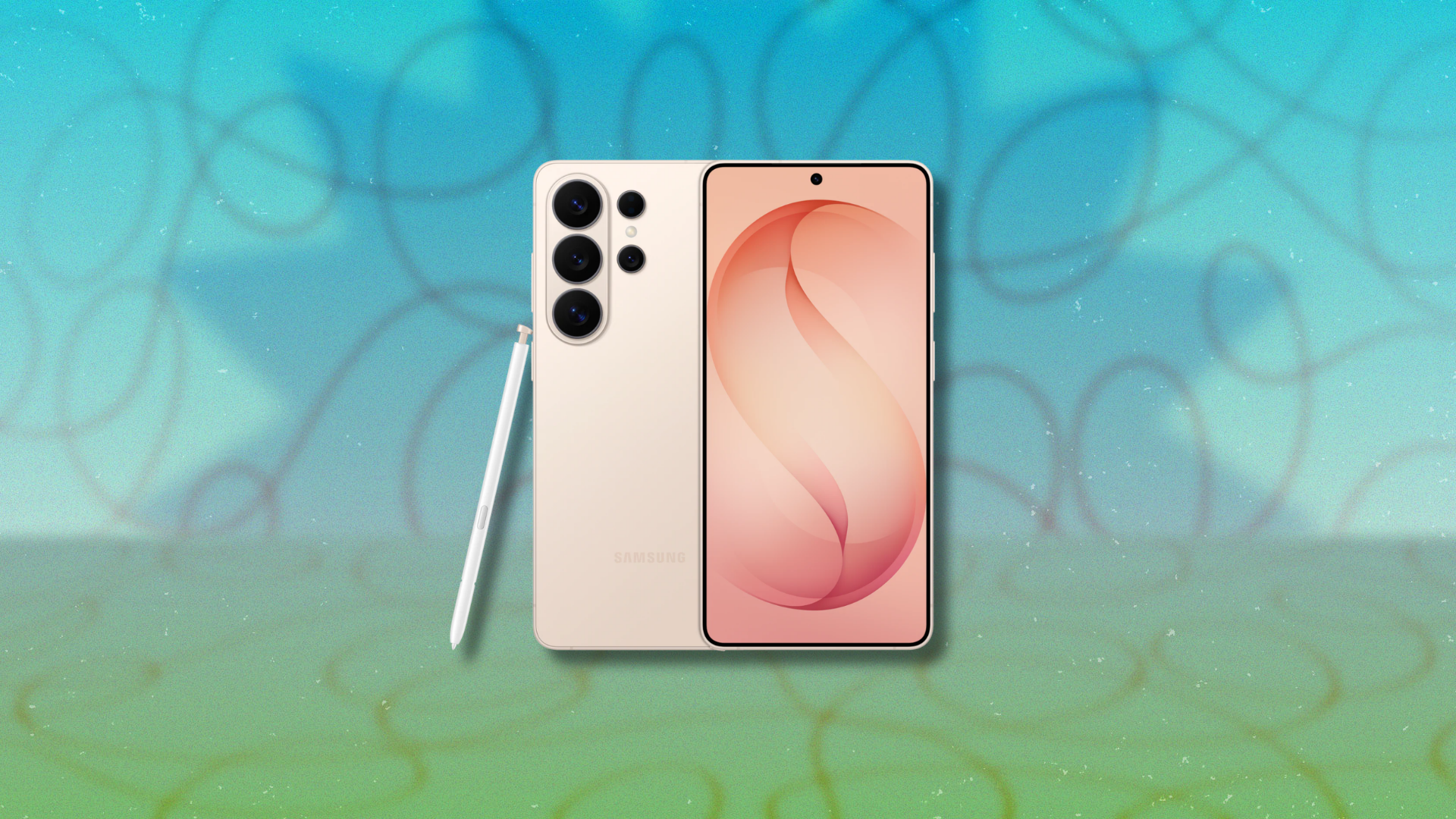
Samsung’s new Galaxy S26 Ultra launches with the usual Ultra series promise: the biggest screen, the most capable cameras, and the most features in the company’s lineup. It also launches with prices that reflects that ambition ($1,299.99 to $1,799.99). That said, Samsung is running an early promotion from March 16 through April 20 that can soften the blow. Buyers can save up to $720 with an eligible instant trade-in credit, or get $150 in credit without a trade-in to use toward other eligible Samsung devices. The deal applies directly through Samsung’s store, where the phone is also available with configuration options for storage and color.

The S26 Ultra builds on the formula Samsung has refined over the past few years. The phone keeps the large Ultra-style display, now using Samsung’s newest OLED panel with a high refresh rate and a peak brightness designed to stay readable in direct sunlight. Samsung also introduced a new privacy display feature that limits viewing angles so people nearby cannot easily see what’s on your screen. That feature was introduced alongside the phone during the company’s 2026 Unpacked event, and it is aimed at commuters or frequent travelers who often use their phone in public places. Samsung is also leaning heavily on the camera system this year. As we covered in our earlier look at the S26 cameras, the company appears confident about improvements to image processing and zoom performance.

The Ultra line still targets people who treat their phone as their primary camera, and the hardware reflects that focus. Samsung built the S26 Ultra around a large multi-sensor camera system paired with its latest computational photography tools, aimed at users who regularly shoot photos, video, or social media content from their phone. But the device remains big and expensive even with discounts. Samsung raised prices across the S26 lineup this year, which we covered in our breakdown of the price increase. That makes the launch promotion more relevant for anyone already planning to upgrade from an older Galaxy device.


Our Best Editor-Vetted Tech Deals Right Now

Deals are selected by our commerce team

These Sony Noise-Canceling Headphones Are Nearly 25% Off Right Now

We may earn a commission from links on this page. Deal pricing and availability subject to change after time of publication.

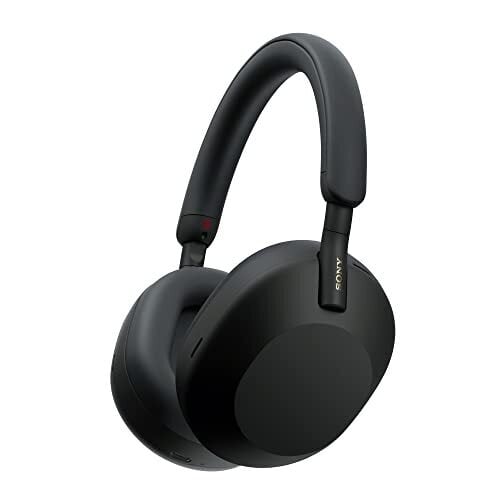
Sony’s WH-1000XM5 headphones are no longer the newest model in the company’s lineup, but they remain one of the easiest recommendations if you want strong noise canceling without paying flagship prices. Right now, a refurbished pair is $209.99 on Amazon, compared with $278 for a new set (and the $399.99 launch price in 2022). These are sold as Amazon Certified Refurbished units, meaning they’ve been tested and certified by the manufacturer to work like new. They also come with the original accessories and a 90-day limited hardware warranty.

PCMag named them the best headphones of 2022 and gave them an “outstanding” review, largely for how well Sony balanced sound quality with noise cancellation. The XM5 uses 30mm carbon-fiber drivers paired with Sony’s Integrated Processor V1, and the combination still holds up in 2025. Music sounds full without becoming muddy. Bass-heavy tracks have weight, but vocals remain clear, and instruments don’t disappear into the background. The active noise cancellation is also effective at blocking out low-frequency sounds like airplane engines, traffic, or the general rumble of public spaces. Audio quality remains consistent with ANC enabled, unlike many cheaper headphones. For wireless listening, Bluetooth 5.2 supports AAC, SBC, and LDAC codecs, and multipoint pairing makes it easy to switch between devices, such as a laptop and a phone, without reconnecting each time.

The XM5 has a lightweight frame and soft synthetic-leather earcups that stay comfortable during long listening sessions. That makes them practical for commuting, long flights, or simply wearing through a full workday. Controls are handled through touch gestures on the earcups—swipe up or down for volume and tap to pause or play. It takes a little time to get used to the gestures, but they work reliably once you learn them. Sony’s Sound Connect app adds more control, letting you tweak the EQ, adjust noise-canceling levels, and change a few listening settings depending on your environment. Battery life is rated at about 30 hours with noise canceling enabled, which is enough for several days of regular use before needing to recharge.


Our Best Editor-Vetted Tech Deals Right Now

Deals are selected by our commerce team

The science of how fireflies stay in sync

Scientists have discovered that male fireflies in a South Carolina swamp follow local interaction rules to synchronize their flashing mating displays. The research is being presented at a meeting of the American Physical Society in Denver. (A preprint is also available on the biorxiv.) Such work could one day lead to insights into how the body’s cells sync to its internal circadian rhythm, or how neurons fire together in the brain, as well as the design of drone swarms communicating through synchronized flashes.

As previously reported, research into swarming and flocking was largely relegated to observational biologists for decades. But in the 1980s, a computer graphics specialist named Craig Reynolds developed the so-called “boids” program, an agent-based computational model that has dominated collective behavior studies ever since. In such a model, each individual unit in a swarm is a dot moving in a straight line at a constant speed. By introducing a few simple rules regarding interactions between dots, a flocking pattern will emerge once the dots get dense enough. Another set of rules will produce a swarming pattern, and so forth.

Fire ants provide a textbook example of this kind of collective behavior. A few ants spaced well apart behave like individual ants. But pack enough of them closely together, and they behave more like a single unit, exhibiting both solid and liquid properties. You can pour them from a teapot like ants, or they can link together to build towers or floating rafts—a handy survival skill when, say, a hurricane floods Houston. They also excel at regulating their own traffic flow. You almost never see an ant traffic jam.

Read full article

Comments

Firefly is getting rebooted as an animated series

Firefly aired for just one season in 2002 before Fox canceled it. In the 24 years since, the sci-fi show has skyrocketed in popularity and now fans are finally getting more. Nathan Fillion has announced that an animated Firefly series is currently in advanced development, Deadline first reported. 

Fillion shared the news at AwesomeCon during a live taping of his podcast Once We Were Spacemen with his Firefly co-stars Gina Torres, Morena Baccarin, Summer Glau, Sean Maher, Jewel Staite and Alan Tudyk. Tudyk co-hosts the podcast, in which the duo look back at their careers and interview past coworkers. Each of the actors present at AwesomeCon are expected to voice the animated versions of their characters.

This isn’t one of those maybe one day it will happen announcements, with many steps already being taken. The animated reboot is under the direction of showrunners Tara Butters (Agent Carter, Reaper) and Marc Guggenheim (DC’s Legends of Tomorrow, Arrow) — original creator Joss Whedon is not involved, but has given his blessing. It has early concept art from ShadowMachine, an Oscar- and Emmy-winning animation studio. Fillion is producing the show through Collision33, his production company, and with 20th Television Animation. There’s even already a script in place. 

According to Fillion, the one thing left is a home for the series. He and his co-stars took to Once We Were Spacemen‘s Instagram to provide more details and implore FireFly fans to show demand for the reboot.

Firefly took place in 2517, centuries after a universal civil war. It followed a group of people living aboard a transport ship, Serenity, flying through the galaxy. In 2005, the show got a sequel in the form of a movie, Serenity. 

This article originally appeared on Engadget at https://www.engadget.com/entertainment/tv-movies/firefly-is-getting-rebooted-as-an-animated-series-120604649.html?src=rss

All About Zwift’s New MX Rider Bike

Zwift’s Big Spin 2026 kicks off today, and with it the much-loved prize spinner! This year’s big prize is the MX Rider, the first-ever “motocross bike” in game.

Digging around online, I found a pic of the exact bike that inspired what we have in game:

(Photo credit MattiThundrrr on this mtbr.com thread)

That said, I can’t find more info about who made these bikes and when, apart from comments saying they believe this is the Canadian version of the Yamaha Moto-Bike, and it was made in the 70’s.

The bike is rated just 1 star for aero and weight, meaning it’s not going to perform particularly well on flat or climbs. And you can’t upgrade the wheels, since there is only one wheelset that fits it in game.

While riders will intuitively know that using the MX Rider in races against road bikes isn’t a good idea, we also know it’s fun to pull a “funny bike” out for the occasional Zwift group ride or recovery spin. So we put it through our typical speed tests, to see just how fast (or slow) it is.

See our master list of all frames in Zwift >

Here’s everything you need to know about the performance of the new MX Rider bike in Zwift.

Aero (Flat/Rolling) Performance

While the MX Rider isn’t the best aero performer, it’s also faster in game than it would be in real life!

It is actually 16.7 seconds faster than the Zwift Steel (with 32mm carbon wheels) across an hour of riding on our flat test course, and you’ll probably agree is a bit optimistic. This isn’t a bad thing, though: it means people can have fun using it without taking a huge performance hit.

Climb Performance

Unsurprisingly, this bike’s performance on our long climb test was dismal. It came in slower than all the road and gravel bikes, but faster than the mountain bikes.

In fact, it loses almost 4 minutes (232.8 seconds, to be precise) across an hour of riding compared to our baseline Zwift Carbon frame + 32mm wheels.

Note: all test results above are from a 75kg, 183cm rider holding 300W steady.

Stuck With the Wheels

It’s hard to give an apples-to-apples comparison of the MX Rider vs other frames, since you can’t modify the wheels on the MX Rider. (Note: There are other bikes in game that behave this way, including the Tron bike, BMX Bandit, Brompton P Line, all mountain bikes, and the handcycle.)

The MX Rider will be beaten by almost any road frame in game, once you upgrade that frame’s wheels to anything faster than the stock 32mm carbon hoops.

Conclusions

The MX Rider performs essentially the same as last year’s Big Spin bike, the BMX Bandit. (In fact, I have a hunch both bikes have the same weight and CdA settings.) It’s not a bike you’d want to race, but if you want something that’s fun to ride on recovery days or in group rides where you don’t mind working a bit harder, it’ll be a welcome addition to your garage.

Oh, and just in case you’re wondering: it does have a color slider!

Questions or Comments?

Share below!

Important note: this post contains speed test results for Zwift frames or wheels. These results may change over time, and a bike’s performance relative to others may also change. We don’t always revise posts when performance rankings change, but we do keep current, master versions of our speed test results which are always available. See the frame charts, wheel charts, and Tron vs Top Performers for current performance data.

MacBook Pro M5 Max 16-inch review: Still the pinnacle

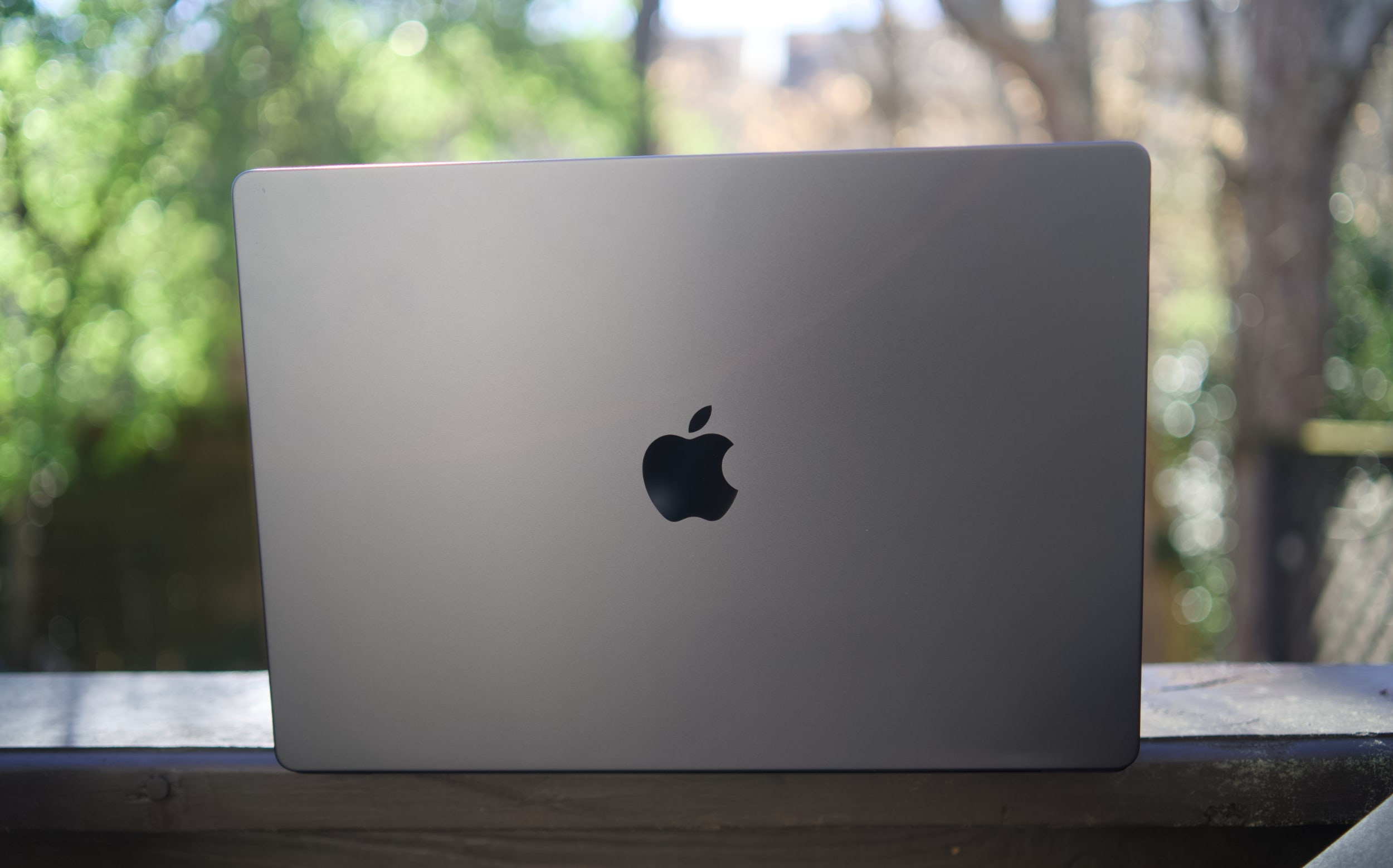
We’ve loved Apple’s 2021-era MacBook Pro design from the start, and the M5 Max edition is once again the professional notebook to beat. But it’s hard to deny that the star of Apple’s recent laptop rollout wasn’t its most powerful Pro systems — all eyes were on the $599 MacBook Neo. The MacBook Pro’s next time to shine is likely this fall, when Apple is expected to finally deliver OLED models and a dynamic touchscreen interface.  (I’ve argued before that, at this point, Apple has no excuse not to give us touchscreen Macs.)

This generation of MacBook Pro might just be the last gasp of the 2021 remodel. It’s still an incredibly powerful machine that’s been honed to near-perfection, but if you’re looking for something that feels truly new, it may be worth waiting several months. 

It’s not too surprising to see the M5 Pro and Max MacBook Pros be relatively low-key efforts. Apple launched the M5 14-inch MacBook last fall with a mere press release. But at least that model delivered a noticeable leap in graphics performance. The new M5 Pro and Max chips are a bit faster than before, but they don’t really have any major features to call out. (Unless you’re super excited about Neural Accelerators for AI work.)

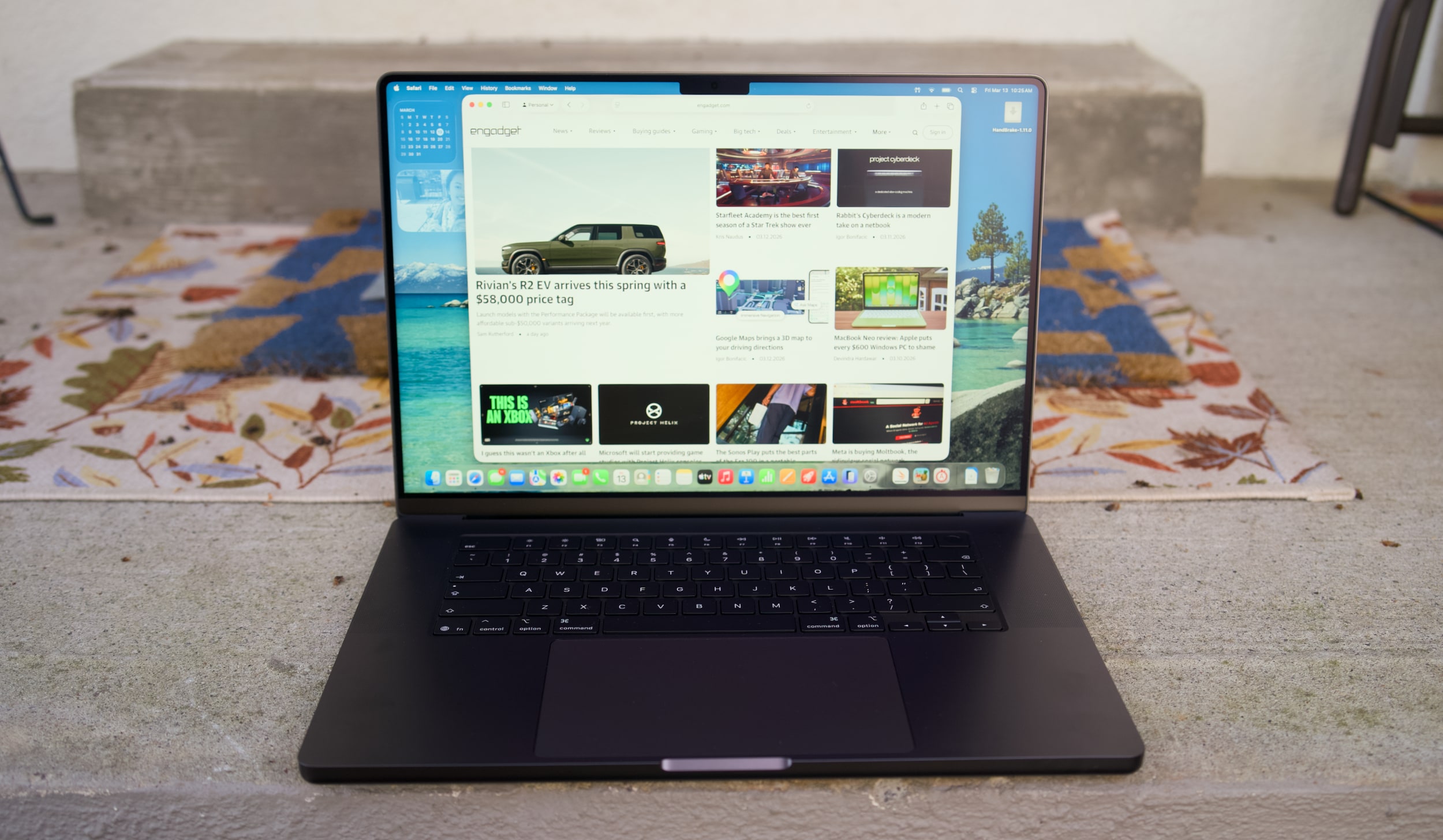
I don’t want to sound like I’m complaining too much, though. The 16-inch M5 Max MacBook Pro I’m reviewing is still a gorgeous laptop, with an overall design that most premium Windows PC makers are still trying to copy. Apple’s unibody metal frame design still feels rock solid. There’s a generous amount of ports, including three Thunderbolt 5 USB-C connections, HDMI, a headphone jack and a SD card reader. Its 16-inch Liquid RetinaXDR screen also looks incredible, thanks to its bright Mini LED backlighting, and there’s once again a nano-texture option to reduce glare. 

What else could you want in a laptop? I suppose there’s the lingering feeling that an OLED screen would look better, with sharper contrast and pure black levels. But you’d be hard pressed to find much else to complain about with the MacBook Pro’s screen. I’m also intrigued to see how Apple implements a touchscreen interface alongside macOS in upcoming MacBook Pros, but I’ll admit, I haven’t really been compelled to touch this laptop’s display much. 

Touchscreens always seemed like a quixotic effort for laptops — they’re nice to have, but Microsoft has been trying to shove them into PCs for 15 years now. The addition of touchscreens really didn’t improve the overall Windows experience much. So I wasn’t surprised to see Apple take its time bringing the technology to macOS — if you really want to swipe around screens, just get an iPad.

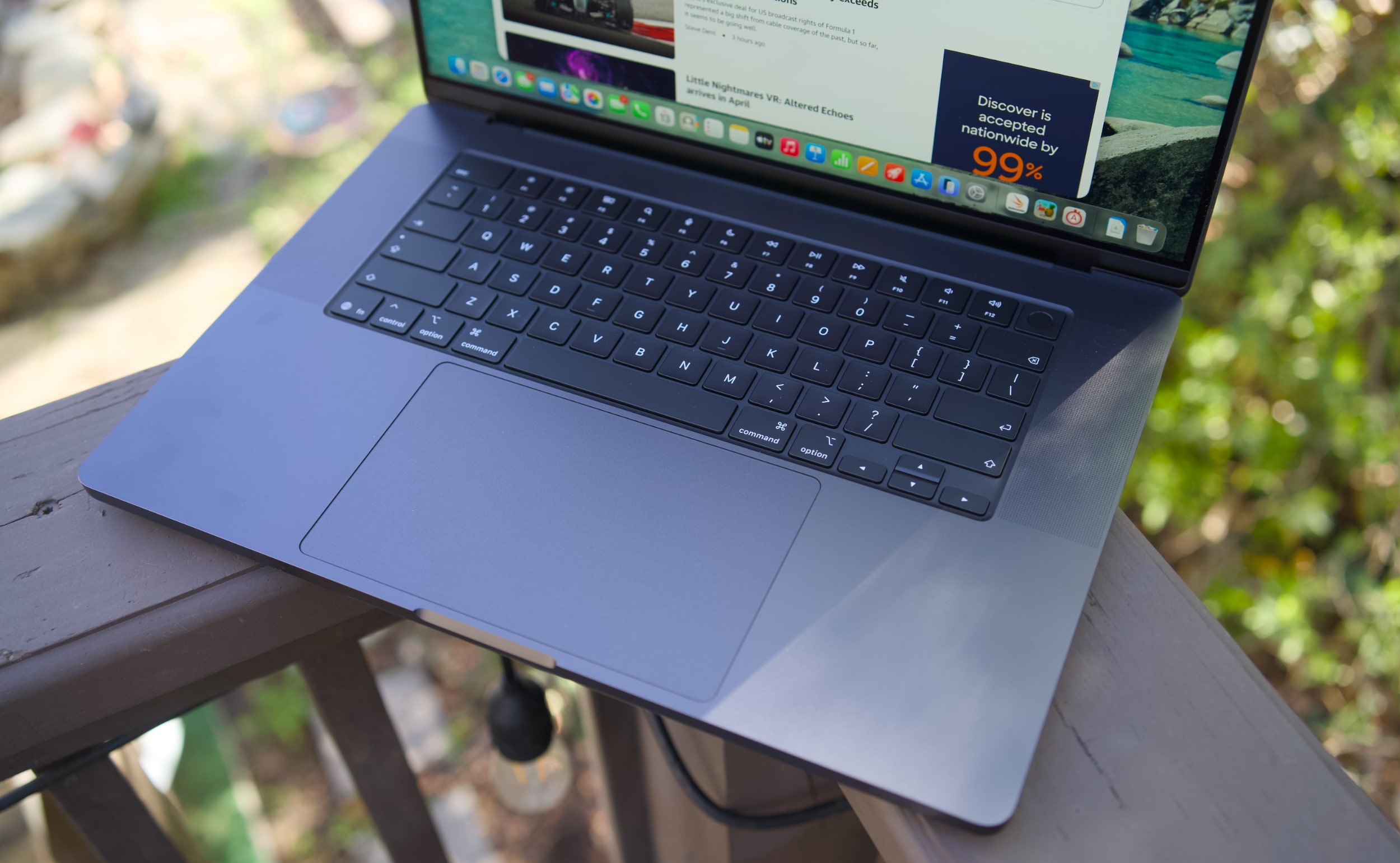
MacBook Pro 16-inch (2026, M5 Max) keyboard and trackpad
Devindra Hardawar for Engadget

But back to this MacBook Pro: I still love everything about Apple’s current design. Sure, the keyboard could have a bit more depth, but it withstood my furious typing like a champ. (Unlike Dell’s XPS 14, which tried so hard to be a MacBook Pro-killer.) And the MacBook Pro’s glass touchpad is still one of the best I’ve ever seen in a laptop.

Our review unit was also equipped with 32GB of RAM, a 4TB SSD, a 40-core GPU and Apple’s $150 nano-texture display upgrade, bringing the total for this M5 Max system to a whopping $6,149. That may seem excessive to most consumers, but for creative professionals who actually need the power of the M5 Max chip, it’s not that unusual. You can also save over $1,000 by opting for the M5 Pro chip instead. 

So what does the M5 Max bring to the party? Obviously, it’s speedier than the M4 Max. Our review unit was 30 percent faster than the M4 Max-equipped MacBook Studio in the Geekbench 6 multi-threaded CPU benchmark. It’s only 10 percent faster in Geekbench’s single-threaded test, but that still gives Apple room to claim that it has the fastest chip core around. If you’ve got an M4 Max machine, you certainly don’t need to dump it for this lineup. But if you’ve been hammering on an M1 Max or M2 Max system for years, you’ll see some meaningful benefits from upgrading now.

Computer

Geekbench 6

Geekbench 6 GPU

Cinebench 2024

Apple MacBook Pro 16-inch (M5 Max, 2026)

4,338/ 29,261

145,309

192/2,150 | GPU: 22,374

Apple MacBook Pro 14-inch (M5, 2025)

4,310/18,003

48,840

197/1,034 | GPU: 6,143

Apple MacBook Pro 16-inch (M4 Pro, 2026)

3,925/22,456

70,197

178/1,689 GPU 9,295

Apple MacBook Pro 16-inch (M3 Max, 2024)

3,202/21,312

92,344

143/1,686 GPU 13,182

Apple says this new line of MacBook Pros also feature its latest SSD technology, which is up to twice as fast as before. Our review unit reached 13.8 GB/s write speeds and 13 GB/s read speeds in the ATTO disk speed test, whereas previous MacBook Pros hovered around 6 GB/s for read/write speeds. If you’re working with huge data files every day, you’ll likely notice the difference. Another benefit to the new hardware? Apple is now equipping every MacBook Pro with 1TB of storage by default. 

All of the M5 chips feature faster GPUs than before, but that’s less noticeable on the M5 Max. I’ve never had trouble running a high-end game like Lies of P on the M2, M3 or M4 Max hardware, and once again it still runs incredibly well with the M5 Max in its native resolution, and with all of the graphics settings cranked up. All I’m looking for is a smooth 60 fps frame rate, and the MacBook Pros have delivered on that for years. macOS isn’t the sort of platform where you’ll be playing many high fps games, but the MacBook Pro’s 120Hz refresh rate is equipped to handle them.

MacBook Pro 16-inch (2026, M5 Max) on a doorstep.
Devindra Hardawar for Engadget

Beyond raw performance, the MacBook Pro continues to be a joy to use. Its screen is gloriously bright, and its smooth refresh rate makes scrolling through documents and websites easy on the eyes. Its six-speaker setup remains the best audio experience I’ve ever heard on a laptop, allowing for crisp, detailed and surprisingly dynamic bass. When I’m too lazy to cast music to my Sonos speakers, I can still have a decent jam session on the MacBook Pro’s built-in setup.

It’s hard to improve much on the 30 hours and 16 minutes of battery life we saw on last year’s 16-inch MacBook Pro, but the M5 Max model managed to beat that by 30 minutes. Realistically, it means you can likely use the MacBook Pro for a few days without needing to recharge, assuming you’re not doing heavy-duty work the entire time.

MacBook Pro 16-inch (2026, M5 Max)
Devindra Hardawar for Engadget

You don’t need me to sell you on the MacBook Pro; all you need to know is that the M5 Max actually delivers. Given how well the standard M5 14-inch MacBook Pro performed, I’d also expect a decent speed bump from the M5 Pro model. The only downside to the M5 systems is that they’ll feel out of date quickly if the rumored OLED and touchscreen models arrive later this year. But if you need the best performance now, it’s hard to go wrong with any MacBook Pro.

This article originally appeared on Engadget at https://www.engadget.com/computing/laptops/macbook-pro-m5-max-16-inch-review-still-the-pinnacle-120000325.html?src=rss

Sodium-Ion Battery Tested for Grid-Scale Storage in Wisconsin

“A new type of battery storage is about to be deployed on the Midwestern grid for the first time,” reports Electrek:

Sodium-ion battery storage manufacturer Peak Energy and global energy company RWE Americas will pilot a passively cooled sodium-ion battery system in eastern Wisconsin on the Midcontinent Independent System Operator network — the first sodium-ion deployment on that grid. Peak Energy says its technology is specifically designed for grid-scale storage and leverages sodium-ion chemistry’s inherent stability. Unlike many lithium-ion systems, sodium-ion batteries don’t require active cooling and can operate over a wide temperature range without losing performance.

That simpler design could make a meaningful dent in the cost of storing electricity. According to Peak Energy, its system cuts the lifetime cost of stored energy by an average of $70 per kilowatt-hour. That’s roughly half the total cost of a typical battery system today. The company says it achieves those savings by removing energy-hungry cooling systems, eliminating routine maintenance requirements, and reducing the need to overbuild storage capacity to account for battery degradation over time…

If the Wisconsin pilot proves successful, it could open the door to wider adoption of sodium-ion batteries for large-scale energy storage across the US.


Read more of this story at Slashdot.

A century after the first rocket launch, Ars staffers pick their favorites

Robert Goddard, a Massachusetts-born physicist, launched the world’s first liquid-fueled rocket on this date 100 years ago.

It was not an overly impressive flight. The rocket, fueled by gasoline and liquid oxygen, rose just 41 feet into the air, and the flight lasted 2.5 seconds before it struck ice and snow.

Nevertheless, this rocket, named “Nell,” represented a historic achievement that would help launch the modern age of spaceflight. Three decades later, the first objects would begin to ride liquid-fueled rockets into space, followed shortly by humans. A little more than 40 years would pass before humans walked on the Moon.

Read full article

Comments