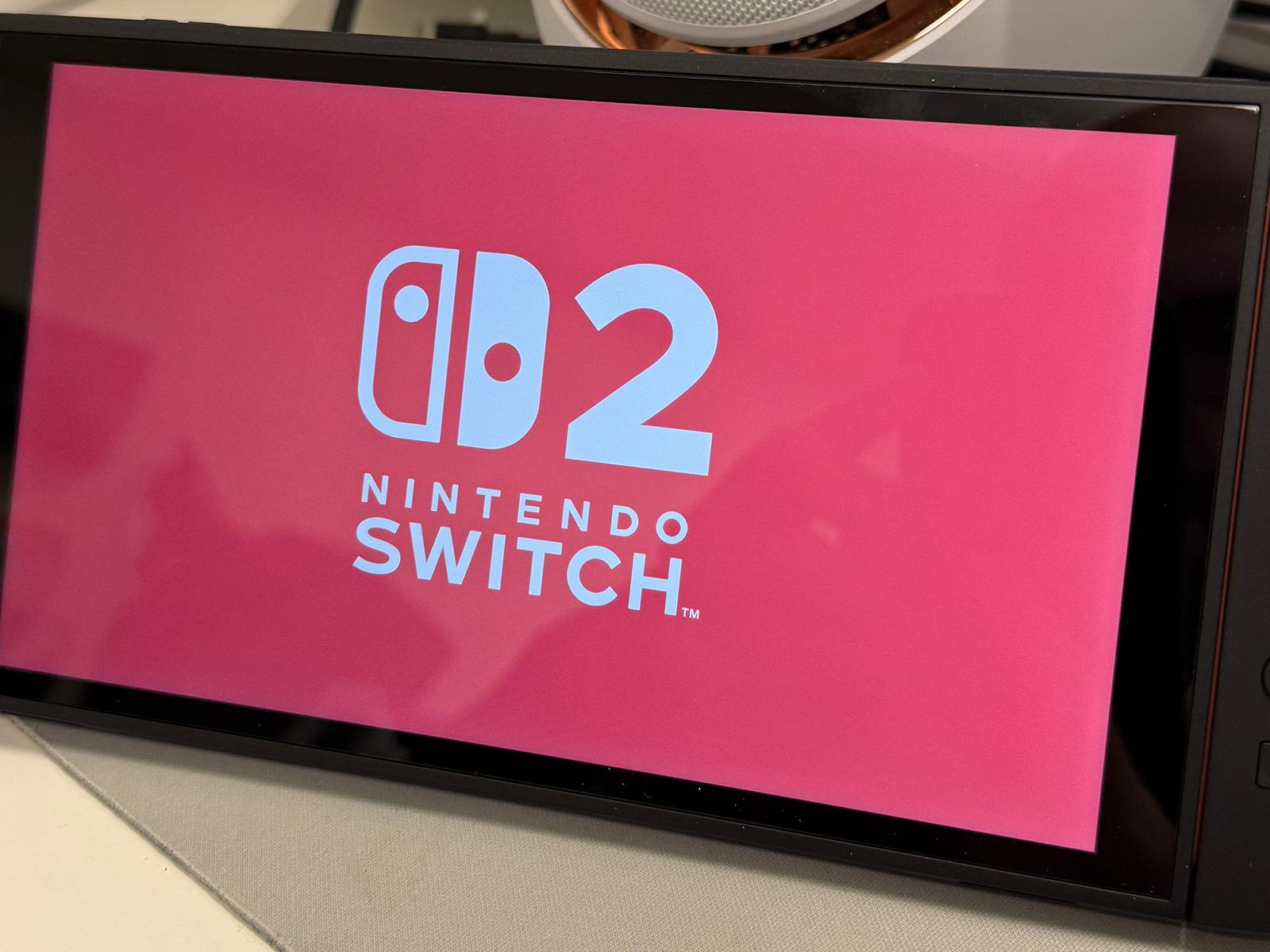
The Switch 2’s best feature is its satisfying Joy-Con 2 “thunk”

The first thing you do after tearing open the Switch 2’s box is snap its Joy-Con 2 controllers to the sides of the console. But unlike the Switch 1, which used flimsy rails to connect its controllers, the Switch 2’s Joy-Con rely on magnets. That leads to a visceral “thunk” whenever you snap them on — it’s as if they leap out of your hands and right onto the Switch, ready for some Mario Kart World action. And every time it happens, I can’t help but smile.

Even before you turn on the Switch 2, it’s clear that Nintendo recognized one of the biggest issues of the original Switch: Those Joy-Con rails stunk. They didn’t hold the controllers in place well, and they wore down over time, which could lead to Joy-Cons slipping out mid-gameplay. In my case, one bad drop just two weeks into owning the original Switch made one of my Joy-Con gamepads loose for the system’s lifetime. The only fix was replacing the controller’s locking buckle, or buying a new an entirely new Joy-Con set for $80.

So, at the very least, it feels nice to have a new Switch console where the controllers feel sturdy. With the Joy-Con 2 attached, the Switch 2 feels almost as solid as the Switch Lite, which doesn’t have removable controllers. To put it another way, the Joy-Con 2’s “thunk” is like the satisfying sound of a luxury car door being slammed shut rather than the sound of a cheap economy car closing. The “thunk” means security. The “thunk” means quality.

We still don’t know if the Joy-Con 2 are completely free of the dreaded drifting problem that plagued the original controllers. One Reddit user claimed their launch system arrived with drifting controllers, and Redditor moshi_yo tore their controller apart and noticed that it uses the same joystick mechanism. But Nintendo producer Kouichi Kawamoto said in an interview that the company “redesigned everything from scratch.” They added, “Compared to the Joy-Con controllers for Switch, the control sticks are larger and more durable, with smoother movement.”

Less immediately noticeable than the Joy-Con 2 “thunk” is the Switch 2’s wider kickstand, which I quickly learned to appreciate. That’s something Nintendo brought over from the Switch OLED model, but it’s still useful this time around. As I was playing Nintendo Switch 2 Welcome Tour, the kickstand easily let me balance the system on my lap in tablet mode while using the Joy-Con 2 to mouse around on my leg. Is that an ideal setup? No. But it’s certainly functional in a pinch. 

While the Switch 2 overall feels like a major refinement of the original, with its larger screen, dramatically faster hardware and more usable eShop, new issues have cropped up for Nintendo. The console’s reliance on expensive microSD Express cards will make it tough for players to deal with increasingly large games, and similarly developers seem to be balking at actually putting games on physical carts. Instead, many titles are taking advantage of Nintendo’s Game-Key Cards, which unlock digital versions of titles and can be resold like a physical used game. Unlike full-fledged carts, though, those Game-Key Cards won’t work down the line when Nintendo eventually moves on from the Switch 2 and shuts down its eShop.

This article originally appeared on Engadget at https://www.engadget.com/gaming/nintendo/the-switch-2s-best-feature-is-its-satisfying-joy-con-2-thunk-150031872.html?src=rss

ASUS Unveils Prime AP202 Case For Slick Micro ATX Gaming Builds

ASUS Unveils Prime AP202 Case For Slick Micro ATX Gaming Builds
ASUS has officially announced its latest PC chassis design, the Prime AP202 micro-ATX computer case. This new offering boasts superior thermal performance along with modern aesthetics—such as a one-piece “panoramic window” that curves around the corner of the case plus a slot-shaped vent for enhanced GPU cooling—to create a showcase for high-performance

YouTube Pulls Tech Creator’s Self-Hosting Tutorial as ‘Harmful Content’

YouTube pulled a popular tutorial video from tech creator Jeff Geerling this week, claiming his guide to installing LibreELEC on a Raspberry Pi 5 violated policies against “harmful content.” The video, which showed viewers how to set up their own home media servers, had been live for over a year and racked up more than 500,000 views. YouTube’s automated systems flagged the content for allegedly teaching people “how to get unauthorized or free access to audio or audiovisual content.”

Geerling says his tutorial covered only legal self-hosting of media people already own — no piracy tools or copyright workarounds. He said he goes out of his way to avoid mentioning popular piracy software in his videos. It’s the second time YouTube has pulled a self-hosting content video from Geerling. Last October, YouTube removed his Jellyfin tutorial, though that decision was quickly reversed after appeal. This time, his appeal was denied.


Read more of this story at Slashdot.

Forget The Switch 2, This Ryzen PC Gaming Handheld Is A Killer Deal At $200 Off

Forget The Switch 2, This Ryzen PC Gaming Handheld Is A Killer Deal At $200 Off
Everybody and their uncle wants a Switch 2 console (see our first impressions), though there are only so many of Nintendo’s new handheld to go around, and they all pretty much disappeared from store shelves on day 1 (yesterday). What’s a gamer to do? Well, if you’re platform agnostic or prefer to game on PC anyway, you’re in luck. One of the

Nintendo Switch 2 First Impressions And A Surprising Purchasing Score

Nintendo Switch 2 First Impressions And A Surprising Purchasing Score
The Nintendo Switch 2 is finally out, and I have some first impressions on the experience of both playing and purchasing the console. I was not lucky enough to secure a preorder ahead of the console’s June 5th release, but I was hopeful I could score one in-store all the same. While I avoided the late night release event at Best Buy the night

Is it wrong the iPhone’s AI battery management is the only WWDC rumor I’m excited about?

Apple’s Worldwide Developer Conference (WWDC) kicks off next week — but if I’m honest with myself, I’m struggling to care. I used to watch the shows with eager anticipation as to what new goodies would be coming to my Mac across the next year. But in recent years, a lot of the features highlighted either fell into the bucket marked “wait, you couldn’t do that already?” or the one marked “well, that’s not a thing I’m going to use.”

It doesn’t help the rumored slate of announcements for this year is mostly stuff I know I’m not going to need to engage with. The loudest rumor is a Vision Pro-inspired UI overhaul to bring the iPhone, iPad and Mac in line with their youngest sibling. Consistency is a fine thing to aim for, but Apple is reportedly justifying this change by saying it’s jarring to switch between platforms. I can’t say I’ve ever had an issue, and my concern is Apple will forget that each of those devices is different, and operates in a different way to its stablemates.

If a promise is made too often, there’s a risk you’ll stop believing it will ever be fulfilled. Apropos of nothing, Apple’s going to make the iPad more useful as a productivity tool. The rumors hint the slates will get better multitasking and app window management to make it more Mac-esque. But unless iPadOS gets the sort of radical changes that’ll make it operate a lot more like macOS, nothing will change. And I’m doubtful Apple would bring true multitasking to the iPad, lest it eat into Mac sales — not to mention the constraints of its form factor.

As someone who is aggressively indifferent toward generative AI and voice assistants, tweaks to Apple Intelligence and Siri leave me similarly cold. I’m not sure I would ever want a gussied up pattern-recognition algorithm writing messages and emails in my voice. Neither am I too into the idea of using generative AI to create images. I’d much rather stay in the real world. Sure, I’m a young man yelling at a cloud, I don’t care.

Image from WWDC 2024
Apple

According to Apple, I’m clearly in the minority since the only time I ever engage with Siri is by accident. I can think, type and operate a phone far faster than I can say out loud “Hey Siri, dim my living room lights by 50 percent,” so the slowness of speech irks me. Of course, I’d love a virtual assistant that was as skilled and imaginative as a flesh-and-blood person who could marshal all of my data, organize it and keep me on track. But I don’t believe we’re close to that point, and Apple has failed to deliver on its promises in this area more than once.

The only rumored feature that excites me is the “AI-powered” battery management mode for iOS 19 (or 26, as the rumors indicate). I say “AI-powered,” since I’m not sure how much we need to oversell an algorithm that tracks your usage patterns to make power-saving adjustments. But it’s the sort of feature that, if it’s able to make meaningful improvements to the iPhone’s longevity, could be transformative.

After all, as a relatively heavy iPhone user, I rarely find my device lasting until the end of the day without a top-up charge. This isn’t a new problem, either, since the iPhone’s battery has been lackluster since the first model was launched in 2007. In a world where most Android handsets boast of multi-day battery life, the iPhone’s battery life remains embarrassing. Yes, you can take that as a not-too-subtle dig at the rumored thin-and-light iPhone Air, which feels to me like the most egregious waste of development resources imaginable.

Maybe this is a sign of my subconscious frustration with Apple that it feels so compelled to push forward rather than tidying up behind it. I groused last year that the company gave so much attention to the addition of multitrack recording to Voice Notes despite the feature already being in Garageband. I would love nothing more than Apple to do what it did in 2009 with Snow Leopard and in 2017 with High Sierra. In both of those instances, the company opted to focus on tidying up the existing code to make it smaller and run faster rather than over-extending itself with new features. That, to me, would seem like a far better use of Apple’s time than repainting the home screen with snazzier icons.

This article originally appeared on Engadget at https://www.engadget.com/general/is-it-wrong-the-iphones-ai-battery-management-is-the-only-wwdc-rumor-im-excited-about-143028037.html?src=rss

You can use an iPhone as a Nintendo Switch 2 camera

Maybe you’ve just picked up a Nintendo Switch 2 and want to try GameChat features with your friends in Mario Kart World, but can’t quite swing $55 for the official camera right now after plopping down $500 for the console and game bundle. The solution might be in your pocket.

The Switch 2 supports third-party USB-C webcams. However, you might be able to use your phone instead. YouTube channel Will It Work? has demonstrated how to use an iPhone as a camera for the console.

Unfortunately, it’s not quite as simple as opening the iPhone’s Camera app, plugging a USB-C cable into both devices and setting up the phone (perhaps on a MagSafe charger) so it points at your mug. I tried that, and nope, no dice. Instead, if you plug the cable into a USB-C to HDMI adapter, and that into an HDMI capture cable and hook the daisy chain into your Switch 2, your new console should recognize your phone as a camera. This process may work for Android devices too.

Since doing this will pipe whatever’s on your phone’s screen into your Switch 2, you might want to use an app that hides all of the on-screen camera controls and only shows what the selfie lens or rear-facing array picks up. There are a few free options in the App Store that can do the trick. You can check that this all works by opening up the Settings on your Switch 2 and going to Controllers & Accessories > Test USB Camera.

Links in the YouTube video that demonstrates this workaround point to Amazon listings where you can pick up the two cables for $31, but you may be able to find cheaper versions. Of course, that’s moot if you already have both cables. A regular capture card and HDMI to USB-C cable might work too. Naturally, if you have a USB-C webcam handy, that’s an easier way to go about all this.

There is one downside to note before you use your iPhone as a Switch 2 camera, as Will It Work? points out. There may be some lag, which could affect lip sync. But if you can live with that, this might be an option for you.

There’s another accessory you might already have on hand that could save you from buying an official Nintendo or third-party one. The Switch 2 fits into the Steam Deck’s case. You might want to add some padding, as the Switch 2 is a smaller device than the Steam Deck and might shift around in the case otherwise, but it’s still perhaps worth considering.

This article originally appeared on Engadget at https://www.engadget.com/gaming/nintendo/you-can-use-an-iphone-as-a-nintendo-switch-2-camera-142622005.html?src=rss

OpenAI is retaining all ChatGPT logs “indefinitely.” Here’s who’s affected.

Late Thursday, OpenAI confronted user panic over a sweeping court order requiring widespread chat log retention—including users’ deleted chats—after moving to appeal the order that allegedly impacts the privacy of hundreds of millions of ChatGPT users globally.

In a statement, OpenAI Chief Operating Officer Brad Lightcap explained that the court order came in a lawsuit with The New York Times and other news organizations, which alleged that deleted chats may contain evidence of users prompting ChatGPT to generate copyrighted news articles.

To comply with the order, OpenAI must “retain all user content indefinitely going forward, based on speculation” that the news plaintiffs “might find something that supports their case,” OpenAI’s statement alleged.

Read full article

Comments

Sorry Humans, Amazon Wants AI-Controlled Robots To Deliver Packages

Sorry Humans, Amazon Wants AI-Controlled Robots To Deliver Packages
The quiet hum of Amazon’s electric Rivian delivery vans may soon be accompanied by the mechanical whir of bipedal robot delivery, uh, folk. New reports indicate that the e-commerce titan is on the verge of trialing humanoid robots for last-mile package delivery, a move that could radically reshape the logistics landscape and bring sci-fi closer

You can now pre-order Pokémon Legends: Z-A for the Switch and Switch 2

Pokémon Legends: Z-A, the much-awaited follow-up to 2022’s Pokémon Legends: Arceus, is now available for pre-order. You can get the digital version for the old Switch for $60 or for the new Switch 2 for $70 from Nintendo’s website. In case you have no plans to get the Switch 2 anytime soon and you do get the game for the first Switch console, you can purchase an upgrade pack for $10 to get access to better graphics and higher frame rate for Nintendo’s new system later on. Pre-ordering lets you pre-load the game so you can play it as soon as it becomes available on October 16. 

The action role-playing game is not just a follow-up to Arceus, but also a sequel to Pokémon X and Y. It’s set in Lumiose City, introduced in X and Y over a decade ago, and features three available starters: Chikorita and Totodile from Gold and Silver, as well as Tepig from Black and White. Its gameplay is a mix of the real-time capture mechanics on Arceus and the old-school turn-based gameplay of traditional Pokémon titles. The game is also bringing back X and Y’s Mega Evolution mechanic, which can temporarily transform a Pokémon into a much stronger monster, boosting its power and sometimes even changing its type. 

The physical version of Pokémon Legends: Z-A is now also available for pre-order from retailers like Walmart (Switch, Switch 2) and Best Buy (Switch, Switch 2.). It’s not clear if pre-ordering the game will get you any bonuses, but the Walmart listing URLs hint at an “exclusive gift with purchase.”

This article originally appeared on Engadget at https://www.engadget.com/gaming/nintendo/you-can-now-pre-order-pokemon-legends-z-a-for-the-switch-and-switch-2-140004626.html?src=rss

Consumers Are Increasingly Turning To Buy-Now-Pay-Later Services For Groceries

Nearly a quarter of consumers using buy-now-pay-later loans now finance their grocery purchases, representing a significant increase from 14% a year ago, according to a recent LendingTree survey. The shift marks a departure from the traditional use of these short-term financing services for big-ticket items like electronics and furniture toward everyday essentials including groceries, utility bills, and streaming services.

The BNPL market has experienced dramatic growth, expanding from $2 billion in consumer purchases in 2019 to more than $116.3 billion by 2023. Morgan Stanley found that 28% of surveyed Americans had used BNPL services with about 30% of those users applying the financing to grocery purchases. Food prices have risen 28% since 2020, creating particular pressure on lower-income households earning less than $50,000 annually, who represent the largest user base for these services.


Read more of this story at Slashdot.

[$] Slowing the flow of core-dump-related CVEs

The 6.16 kernel will include a number of changes to how the kernel handles
the processing of core dumps for crashed processes. Christian Brauner explained
his reasons for doing this work as: “Because I’m a clown and also I had
it with all the CVEs because we provide a **** API for userspace
“. The
handling of core dumps has indeed been a constant source of
vulnerabilities; with luck, the 6.16 work will result in rather fewer of
them in the future.

Black Myth: Wukong is getting an Xbox port on August 20

Black Myth: Wukong is finally coming to the Xbox Series X|S, one year after it was released for the PlayStation 5 and for Windows PCs. Its developer Game Science will roll out the Xbox version of the game on August 20, but you’ll be able to pre-order the game starting on June 17 at 12PM Eastern time. If you place your pre-order before July 10 12PM Eastern, you’ll be able to get the typically $60 title with a 20 percent discount at $48.

The action role-playing game is inspired by the classic Chinese novel Journey to the West, adapting its universe, as well as its characters and their backstories. You’ll take control of a monkey protagonist based on the novel’s main character, Sun Wukong, who uses a staff as a weapon. The staff shrinks and extends in combat and has several possible techniques that provide you a variety of moves to choose from. It’s considered as China’s first true AAA game and broke Steam’s concurrent players record for a single-player title just a few hours after it became available. 

In addition to announcing that the Xbox version of the game is coming out in August, Game Science has also launched a promotion for all platforms. Starting on June 17 at 12PM until July 2 at 12PM Eastern time, the standard and Deluxe PS5 editions of the game will be 20 percent off at $48 and $56, respectively. The PC version will be priced the same, though the sale will begin on June 19, 1PM and end on July 10, 1PM Eastern time on Steam, WeGame and the Epic Games Store.

This article originally appeared on Engadget at https://www.engadget.com/gaming/xbox/black-myth-wukong-is-getting-an-xbox-port-on-august-20-133100514.html?src=rss

Ford Recalls Half A Million Vehicles Over Peculiar Crash Risk To Other Drivers

Ford Recalls Half A Million Vehicles Over Peculiar Crash Risk To Other Drivers
The last thing you want to see when cruising down the highway is a bunch of metal bits being flung in your direction from the vehicle in front of you. It sounds like something straight out of a Final Destination movie, but is actually a risk on around half a million older Ford Explorer models, which prompted Ford and the National Highway Traffic

How to trace a picture’s origin with reverse image search

Reverse image searching is a quick and easy way to trace the origin of an image, identify objects or landmarks, find higher-resolution alternatives or check if a photo has been altered or used elsewhere online. Google’s image search tools work on desktop and mobile devices, allowing users to upload a photo, paste a picture’s URL or use visual search features from the Google app to learn more about an image. Here’s how to perform a reverse image search using Google on a desktop browser, an iPhone or an Android phone.

How to reverse image search on a desktop browser

Google Images on a desktop browser provides the most direct way to perform a reverse image search. You can drag and drop, upload an image file or paste an image’s URL to find visually similar results.

Using Google Images on Chrome, Firefox, Edge or Safari:

  1. Open a browser and go to images.google.com.

  2. Click the camera icon in the search bar. This will take you to Google Lens.

  3. Choose one of the following options:

  • Paste image link: Use this if the image is already online. Paste the URL and click Search.

  • Upload a file: Click Upload a file, select the image from your computer, and click Open.

Google Lens will display search results with visually similar images and web pages where the image appears. It replaces the old “Search by image” function and includes context-based information such as product suggestions, places and can even translate or transcribe text where relevant.

Right-click search (Chrome only):

In Google’s Chrome browser, you can also perform a reverse image search without visiting Google Images. This feature is built into Chrome for faster lookups.

  1. Right-click on any image you see on a website.

  2. Select Search with Google Lens.

  3. A sidebar will open showing visually similar pictures and relevant search results using Google Lens.

How to reverse image search on an iPhone

On iOS, Google offers multiple ways to reverse image search through the Chrome and Google apps. It also supports uploading images directly from your photo library.

Using the Google app:

  1. Download and open the Google app from the App Store.

  2. Tap the camera icon in the search bar to open Google Lens.

  3. Give the app permission to access your camera and photo library if prompted.

  4. Choose an image from your camera roll or take a new photo.

  5. Google Lens will analyze the image and show relevant results, such as related images, pages or products.

This method is ideal for scanning photos, receipts, objects or screenshots.

Using Chrome on iPhone:

You can also reverse search images found on websites using Google’s mobile browser.

In Chrome:

  1. Touch and hold any image on a website.

  2. Tap Search image with Google in the menu that appears.

  3. Chrome will open a new tab or side panel with Google Lens results.

If the “Search image with Google” option isn’t visible, make sure Chrome is updated to the latest version.

How to reverse image search on Android

The process is nearly identical on Android. Whether you use Chrome or the Google app, Android devices are well integrated with Google Lens functionality.

Using the Google app:

  1. Open the Google app (pre-installed on most Android phones).

  2. Tap the camera icon in the search bar to open Google Lens.

  3. Allow permission to access your photos or take a new photo.

  4. Choose the image you want to search.

  5. Google will display results with similar images and related information.

Google Lens can also be launched from the camera app on certain Android devices, including Pixel and Samsung phones, depending on your default settings.

Using Google Photos:

If the image is already saved on your phone, Google Photos offers another method. This is a quick option for scanning photos you’ve saved or screenshots you’ve taken.

  1. Open the Google Photos app.

  2. Tap on the image you want to reverse search.

  3. Tap the Lens icon at the bottom of the screen.

  4. Results will appear directly within the app, showing visual matches and possible sources.

Using Chrome on Android:

  1. Open Chrome and go to any website with the image you want to search.

  2. Tap and hold the image.

  3. Select Search image with Google.

  4. Chrome will launch Google Lens in a new tab and display relevant search results.

This feature works natively in the Chrome browser without needing to switch apps or upload files manually. Some newer Android phones like Galaxy and Pixel flagships also offer a Circle to Search tool that allow you to draw around things on your screen and quickly launch an image search, so you should check to see if your phone supports it. 

Tips for better reverse image search results

  • Crop your image: If you’re looking for a specific object in a larger photo, cropping it to focus on that item can improve accuracy.

  • Use high-resolution images: Low-quality or blurry images may return less accurate matches.

  • Combine keywords with Lens: After searching, you can add a keyword in the search bar to narrow down the results.

  • Try different angles: Searching the same subject from another image or angle may improve results.

Google Lens is designed to recognize faces, landmarks, logos, plants, animals, clothing, furniture and text. For product identification or location searches, the app often returns contextually rich information and shopping links.

Alternative reverse image search tools

While Google’s reverse image search is widely used, there are alternative platforms worth considering, especially if you want different search results or additional features.

  • TinEye (tineye.com) – Offers a dedicated reverse image search with browser plugins and sorting filters.

  • Bing Visual Search – Microsoft’s reverse image tool provides results similar to Google Lens with built-in search options.

These tools work well when Google doesn’t deliver the results you’re looking for or when you’re trying to locate the earliest appearance of an image online.

This article originally appeared on Engadget at https://www.engadget.com/computing/how-to-trace-a-pictures-origin-with-reverse-image-search-130053431.html?src=rss

Five Games to Play Once You’ve Finished ‘Oblivion: Remastered’

The surprise release of Elder Scrolls IV: Oblivion Remastered on April 22 shocked the gaming world, but what’s even more surprising is how many people lined up to play a 20-year-old RPG. It’s been more than a month now, and both the new generation of RPG heads and nostalgic oldsters are wrapping up their return to Cyrodiil. It’s a deep game, but it’s not bottomless—so here are five more RPGs to check out if you’re a fan of Oblivion.

The Elder Scrolls V: Skyrim (2011)

The sequel to Oblivion is the most obvious choice for a follow-up to Oblivion. While Skyrim is a marginally more polished, focused, and serious RPG than Oblivion, the lore, style, and gameplay of these two games are very close. The main missing element in Skyrim is the spellcrafting system, but in place of customizing your own magic, Skyrim has dragon-shouts and dragons, so it’s ultimately a wash. If Oblivion was your intro to The Elder Scrolls universe, you will really like Skyrim, I promise. Fus Ro Dah! You can play The Elder Scrolls V: Skyrim on Xbox systems, PlayStation systems, Nintendo Switch, and PC.

Kingdom Come: Deliverance (2018)

The makers of Kingdom Come: Deliverance (and its sequel, Kingdom Come: Deliverance II) were clearly influenced by the Elder Scrolls game. They are first-person, action role-playing games with open world settings that allows players to develop whatever kind of character they want based on archetypes like warrior, bard, and thief. “Mage” or “wizard” aren’t included, because the Kingdom Come games have no magic. They’re meant to be historically realistic depictions of life in central Europe in the 15th century. But if you like intricate little systems that manage things like weapon wear and hunger, you’ll love Kingdom Come. You can play Kingdom Come: Deliverance on PC, Switch, PlayStation 4, and Xbox One.

Witcher 3: The Wild Hunt (2015)

One of the few RPGs regarded as on par with Skyrim and Oblivion in terms of scope and quality, The Witcher III is a swords-and-magic RPG with a massive open world to explore and a deep universe and fully drawn world that seems alive. But it’s more plot focused than Oblivion. You can only play as main character Geralt of Rivia instead of rolling your own, and Geralt has definite goals, so there’s less of a focus on finding your own reason to exist. Still, in terms of ambition and attention to detail, The Witcher III is a match for Oblivion. You can play The Witcher III on PlayStation systems, Xbox systems, the Nintendo Switch, and PC.

Ultima VII: The Black Gate (1992)

If you’re curious about where the Elder Scrolls games came from, and you can deal with old-school controls and graphics, check out prehistoric RPG Ultima VII: The Black Gate, a landmark release that heavily influenced the Elder Scrolls games and every other RPG that followed it. Like Oblivion, U7 features a real-time open world with tons of NPCs and objects to interact with, and deep lore and story. U7 encouraged players to wander the world just checking things out and progressing at their own pace, too; it’s just not in first-person. Ultima 7 shares a similar mix of ambition and goofiness with Oblivion as well. Just look the video posted above of the game’s opening, in which the fourth wall is fully destroyed. Charming! You can play a port of Ultimate 7 on PC through Good Old Games.

Elden Ring (2022)

If Ultima VII represents past RPGs that inspired Oblivion, Elden Ring is the future of the genre. It’s an immersive, addictive open world game that’s heavy on exploration like Oblivion, but there are no quest-givers or books that explain the world. The lore is just as deep, but Elden Ring shows instead of tells, leaning on sandbox style play instead quest style. Then there’s the combat. Oblivion improved on the “press A to swing sword” style of older RPGs, but Elden Ring turns it up to 11 by featuring intense fighting and magic mechanics that take real skill to master. You can play Elden Ring on Xbox systems, PlayStation systems, and PC.

The Performance Gains Brought By Linux 6.15+ & Mesa 25.2 For AMD Strix Halo

While the AMD Ryzen AI Max+ Strix Halo SoCs have a nice out-of-the-box experience with modern Linux distributions for the Radeon 8050S and Radeon 8060S graphics, if going for the recently-released Linux 6.15 kernel there are some performance gains to enjoy as well as if opting for the latest Mesa 25.2 development code for the latest RadeonSI OpenGL and RADV Vulkan driver support…

Apple’s appeal for an emergency hold on app fees denied by court

A court has denied Apple‘s appeal for an emergency stay on a ruling over purchases made outside the App Store in the US, TechCrunch reported. That means Apple will no longer be able to be able to collect fees when users click on links within an app that takes them to an external site for a purchase. “After reviewing the relevant factors, we are not persuaded that a stay is appropriate,” the judges stated in a filing. 

Earlier this year, Judge Yvonne Gonzalez Rogers ruled that Apple violated her 2021 ruling on Epic’s lawsuit against Apple. The judge originally ordered Apple to allow developers to direct users to other payment systems that would let them bypass the App Store’s usual 30 percent commission fee. However, Apple still took up to a 27 percent cut for external purchases while showing users a “scare screen” warning that paying they’d lost the company’s protection if paying outside the app store.

As part of the ruling, Gonzalez Rogers ordered Apple to stop collecting fees for external payments in the US immediately. She also prohibited Apple from creating rules that would prevent developers from presenting customers with buttons and links for external payments. Apple complied with the order but immediately filed an appeal for an emergency hold on the ruling so it could resume collecting fees on external app purchases — and that appeal has now been denied. 

“The long national nightmare of the Apple tax is ended,” Epic CEO Tim Sweeny wrote on X in response to the ruling. “May next week’s WWDC be the Apple-led celebration of freedom that developers and users have long deserved.” Apple has yet to comment on the matter.

Other companies with a large presence on iOS like Amazon and Spotify have already moved quickly to establish external payment methods for their apps. Epic itself resubmitted Fortnite to the App Store but was denied, calling Apple’s actions “blatant retaliation.” However on May 20th, Fortnite finally returned to the App Store in the US. 

This article originally appeared on Engadget at https://www.engadget.com/apps/apples-appeal-for-an-emergency-hold-on-app-fees-denied-by-court-123017700.html?src=rss