
Some readers of ours sent us private messages to illuminate trolling in comment sections discussing the above. We saw that in Soylent News, someone from Soylent News reported to us the same in other sites, and having surveyed some comments and studied patterns in them, it’s rather clear “WSL” is little/nothing more than a weapon of propaganda against adoption of GNU/Linux.
Category Archives: Unfiltered RSS
FreeBSD laptop support update
The FreeBSD Foundation
has announced
a report
for work completed in April to improve FreeBSD support for
laptops. This includes installer updates, improved suspend/resume
behavior, as well as progress on a
port of Linux 6.7 and 6.8 graphics drivers to drm-kmod. A
roadmap
for the FreeBSD laptop work is also available.
Sea Acidity Has Reached Critical Levels, Threatening Entire Ecosystem
The world’s oceans are in worse health than realised, scientists have said today, as they warn that a key measurement shows we are “running out of time” to protect marine ecosystems. From a report: Ocean acidification, often called the “evil twin” of the climate crisis, is caused when carbon dioxide is rapidly absorbed by the ocean, where it reacts with water molecules leading to a fall in the pH level of the seawater. It damages coral reefs and other ocean habitats and, in extreme cases, can dissolve the shells of marine creatures.
Until now, ocean acidification had not been deemed to have crossed its “planetary boundary.” The planetary boundaries are the natural limits of key global systems — such as climate, water and wildlife diversity — beyond which their ability to maintain a healthy planet is in danger of failing. Six of the nine had been crossed already, scientists said last year. However, a new study by the UK’s Plymouth Marine Laboratory (PML), the Washington-based National Oceanic and Atmospheric Administration and Oregon State University’s Co-operative Institute for Marine Resources Studies found that ocean acidification’s “boundary” was also reached about five years ago.


Read more of this story at Slashdot.
Ratatan demands your attention, rhythmically
Sometimes, you tire of guns, zombies, and sequels; sometimes, you want to lead a bunch of tiny creatures and rhythmically march them into combat, letting the waves of confusion wash over you. That’s what Ratatan is here to do.
It’s the spiritual successor to Japan Studio and Pyramid’s beloved Patapon rhythmic action series. However, you don’t control Patapons, anymore, but Ratatans – which are completely different. These animal(ish) characters bark button-timing orders to their little squad of Cobun characters, who can launch attacks, assemble around the character you control, evade attacks and more. Inputting command sequences promptly also charges up the “Fever” bar, improving the effectiveness of those actions as well.
I haven’t played the Patapon series, which stretched to three (!) games on the PSP, in years, and while the mechanics are similar, Ratatan is more elaborate, evolved and customizable. At its core, though, it’s the same mechanic that demands you maintain the rhythmic input of commands and avoid attacks. It sounds simple enough, but corralling your Cobuns to follow you into battle and balance special attacks with avoiding damage felt like the gaming equivalent of patting your head and rubbing your stomach. Also, it’s 2025, so it’s a roguelike flavor of rhythmic action. Of course.
You can select between several different animals-with-weapons-and-one-eye, and each comes with a different load-out of Cobun warriors. Some are melee fighters, while others are ranged attackers. You can also buy (or craft) more powerful weapons for each Cobun, adding to the sense of progression. I think that’s needed, as Ratatan is a roguelike take on the Patapons that came before it. You’ll dive into a portal and battle multiple waves of enemies, often picking up buffs or treasure at the end of each wave.
Each run is then typically capped off with a boss fight, either against a smarter, smaller enemy (and its underlings) or a more monstrous threat. During my demo, I was mostly getting beaten by a giant hermit crab, despite having picked up a very useful freezing attack buff during that run. I had to learn that lesson: You can pick up all the buffs you want, but you’ll still need to nail the rhythm of attack and defense, while simultaneously keeping an eye on enemy attacks and the placement of both your character and your adorable Cobun fighters. (Ratatan’s character designs are inspired by Nelnal, best known for their work on Pokémon and Deltarune.)
Further fight dynamics include a jump move and guard move that combines the Ratatan and Cobun movements to avoid game-ending damage. Fortunately, the early parts of the game didn’t demand mastery of these.
There’s an early Ratatan demo still available to play on Steam, but the build available at SGF 2025 seems much closer to a finished release. I was able to explore the game’s hub world, filled with shops for upgrades, crafting and organizing your Ratatans’ band of Cobun warriors. These parts felt a little confusing when served alongside the starting levels of the game, but should add longevity and interest when folded into the whole game.
Ratatan will launch later this year on PC, Nintendo Switch, PS4, PS5 and Xbox Series X/S.
This article originally appeared on Engadget at https://www.engadget.com/gaming/ratatan-demands-your-attention-rhythmically-160048067.html?src=rss
Nintendo delays The Legend of Zelda movie
You’ll have to wait a little longer for The Legend of Zelda movie. Nintendo said on Monday that the film’s new release date is May 7, 2027. That’s six weeks later than the slot it announced earlier this year. The company attributed the rescheduling to production delays.
“This is Miyamoto,” Nintendo’s announcement post began. “For production reasons, we are changing the release date of the live-action film of The Legend of Zelda to May 7, 2027. It will be some weeks later than the release timing we originally announced, and we will take the extra time to make the film as good as it can be. Thank you for your patience.”
Reddit
We don’t know much about the movie yet. Its director (Wes Ball) and screenwriter (T.S. Nowlin) are both known for The Maze Runner trilogy. Ball also worked on Kingdom of the Planet of the Apes, the fourth installment in the modern reboots.
In 2023, Ball suggested that the film could have an anime influence. He described it as “this awesome fantasy-adventure movie that isn’t like Lord of the Rings, it’s its own thing. I’ve always said, I would love to see a live-action Miyazaki. That wonder and whimsy that he brings to things, I would love to see something like that.”
This article originally appeared on Engadget at https://www.engadget.com/entertainment/nintendo-delays-the-legend-of-zelda-movie-155753324.html?src=rss
Qualcomm Accelerates AI Data Center Expansion With Huge $2.4B Alphawave Acquisition
In a big move set to significantly bolster its presence in the burgeoning data center and AI infrastructure markets, semiconductor giant Qualcomm announced today its agreement to acquire UK-based Alphawave Semi, a leading provider of high-speed wired connectivity and compute technologies. The deal, valued at approximately $2.4 billion, marks
US air traffic control still runs on Windows 95 and floppy disks
On Wednesday, acting FAA Administrator Chris Rocheleau told the House Appropriations Committee that the Federal Aviation Administration plans to replace its aging air traffic control systems, which still rely on floppy disks and Windows 95 computers, Tom’s Hardware reports. The agency has issued a Request For Information to gather proposals from companies willing to tackle the massive infrastructure overhaul.
“The whole idea is to replace the system. No more floppy disks or paper strips,” Rocheleau said during the committee hearing. Transportation Secretary Sean Duffy called the project “the most important infrastructure project that we’ve had in this country for decades,” describing it as a bipartisan priority.
Most air traffic control towers and facilities across the US currently operate with technology that seems frozen in the 20th century, although that isn’t necessarily a bad thing—when it works. Some controllers currently use paper strips to track aircraft movements and transfer data between systems using floppy disks, while their computers run Microsoft’s Windows 95 operating system, which launched in 1995.
Gigabyte Unveils Beastly Ryzen Threadripper PC With RTX 5090 And 768GB Of RAM

Gigabyte is rolling out an ultra-burly desktop built around AMD’s Ryzen Threadripper Pro processors, though curiously enough, it opted to stick with the previous generation Ryzen Threadripper Pro 7000 series lineup rather than the recently-introduced Ryzen Threadripper 9000 Pro series based on Zen 5. Even so, this is a stout system that is
The Hearth Display Launched Its Meal Planning Feature, and I Use It Every Day Now
One of Hearth Display’s most requested features was recently launched: On May 14, 2025, the Hearth Display finally launched its integrated meal planning feature. I’ve used it for a month now, and it fits in well with the suite of features I regularly use to organize my family.
The Hearth Display is a family management tool that helps parents manage their calendars, routines, and to-do lists. It seemed only natural for the tool’s services to include meal planning, but an official feature didn’t exist for over a year after the product’s launch. When I installed my own Hearth for the first time, I did what many other new Hearth owners did: I googled “Hearth Display meal planning” to see if I missed the feature, only to find comments and forums with other users lamenting the lack of a meal planning option, along with Reddit threads offering various clumsy workarounds. For those considering whether to buy a Hearth Display or a Skylight Calendar to manage their family, an integrated meal planner was a point in favor of Skylight.
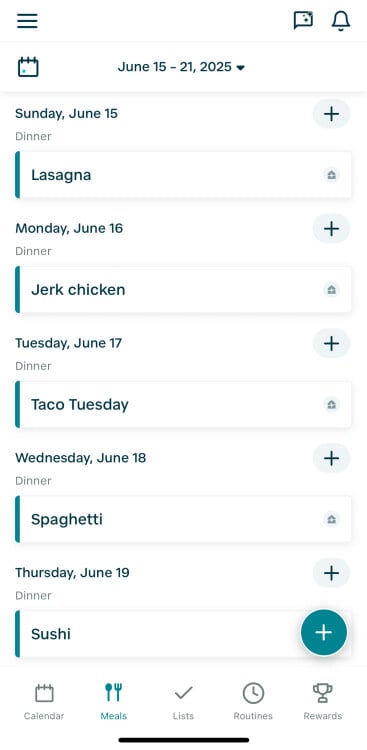
But now, the Hearth Display has a new dedicated tab called Meals (update your app if you don’t see it; your Hearth should update automatically). The Meals tab serves two obvious functions: One, you can organize your family meals for the week and plan your grocery shopping accordingly; and two, everyone can know what to expect for meals by checking the menu on their own. It’s another small step for teaching independence, which is one of my favorite benefits of having a digital family planner. When anyone has a family question—”what time is practice?” or “what’s for dinner?”—they’re empowered to find the answer on their own.
Credit: Lifehacker
How my family uses the Hearth meal planning feature
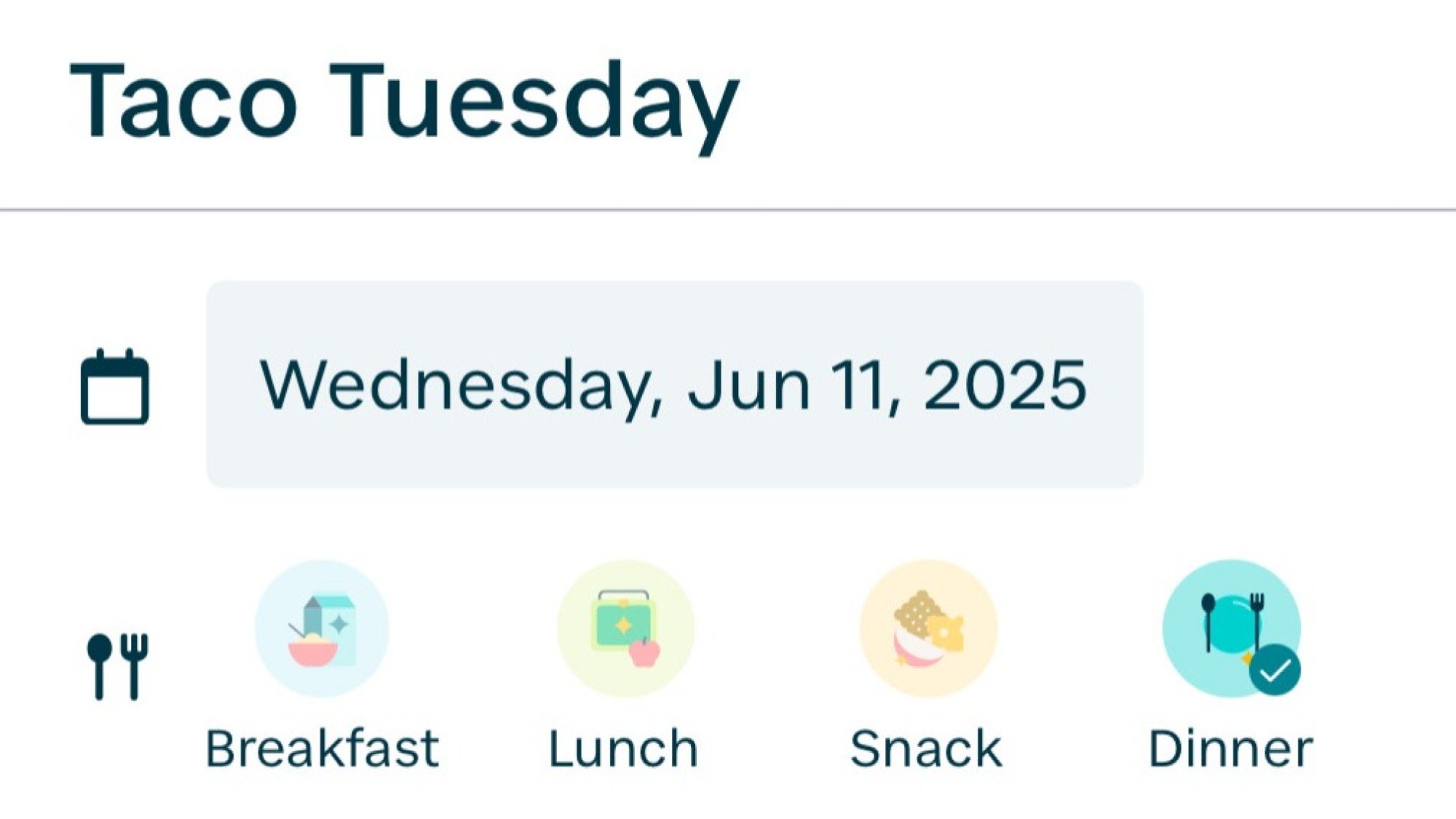
The Hearth meal planning feature has categories for breakfast, lunch, dinner, and snacks, though I only use the dinner category. Logging every meal would be too tedious to be helpful, but my family is getting in the habit of brainstorming their dinner suggestions over the weekend to plan for the week ahead.
Credit: Lifehacker
Similar to the to-do lists and calendar events, the meal planning feature allows users to assign the task to a specific family member’s profile, including labeling the meal with a specific color, if wanted. I generally assign each meal to the broader “Family” label, but I can see a future where I take more care to assign each meal to whoever is meant to cook that day. After planning dinners for the week, I go to the Grocery list and add what I need.
Other meal planning features include adding an optional recipe link and notes for each meal.
A Researcher Figured Out How To Reveal Any Phone Number Linked To a Google Account
A cybersecurity researcher was able to figure out the phone number linked to any Google account, information that is usually not public and is often sensitive, according to the researcher, Google, and 404 Media’s own tests. From a report: The issue has since been fixed but at the time presented a privacy issue in which even hackers with relatively few resources could have brute forced their way to peoples’ personal information. “I think this exploit is pretty bad since it’s basically a gold mine for SIM swappers,” the independent security researcher who found the issue, who goes by the handle brutecat, wrote in an email.
[…] In mid-April, we provided brutecat with one of our personal Gmail addresses in order to test the vulnerability. About six hours later, brutecat replied with the correct and full phone number linked to that account. “Essentially, it’s bruting the number,” brutecat said of their process. Brute forcing is when a hacker rapidly tries different combinations of digits or characters until finding the ones they’re after. Typically that’s in the context of finding someone’s password, but here brutecat is doing something similar to determine a Google user’s phone number.
Brutecat said in an email the brute forcing takes around one hour for a U.S. number, or 8 minutes for a UK one. For other countries, it can take less than a minute, they said. In an accompanying video demonstrating the exploit, brutecat explains an attacker needs the target’s Google display name. They find this by first transferring ownership of a document from Google’s Looker Studio product to the target, the video says. They say they modified the document’s name to be millions of characters, which ends up with the target not being notified of the ownership switch. Using some custom code, which they detailed in their write up, brutecat then barrages Google with guesses of the phone number until getting a hit.


Read more of this story at Slashdot.
Full-screen Xbox handheld UI is coming to all Windows PCs “starting next year”
One weakness of Valve’s Steam Deck gaming handheld and SteamOS is that, by default, they will only run Windows games from Steam that are supported by the platform’s Proton compatibility layer (plus the subset of games that run natively on Linux). It’s possible to install alternative game stores, and Proton’s compatibility is generally impressive, but SteamOS still isn’t a true drop-in replacement for Windows.
Microsoft and Asus’ co-developed ROG Xbox Ally is trying to offer PC gamers a more comprehensive compatibility solution that also preserves a SteamOS-like handheld UI by putting a new Xbox-branded user interface on top of traditional Windows. And while this interface will roll out to the ROG Xbox Ally first, Microsoft told The Verge that the interface would come to other Ally handhelds next and that something “similar” would be “rolling out to other Windows handhelds starting next year.”
Bringing a Steam Deck-style handheld-optimized user interface to Windows is something Microsoft has been experimenting with internally since at least 2022, when employees at an internal hackathon identified most of Windows’ handheld deficiencies in a slide deck about a proposed “Windows Handheld Mode.”
AMD EPYC 4345P 8-Core CPU Performance
Last month with the launch of the AMD EPYC 4005 “Grado” series for entry-level Zen 5 servers we ran benchmarks of the AMD EPYC 4565P and EPYC 4585PX processors as the top-tier 16-core CPUs. They delivered an excellent combination of performance, power efficiency, and most of all value for those looking to assemble an AM5-based budget-oriented server in 2025 and beyond. Those processors destroyed the Intel Xeon 6300 series competition’s flagship, the Xeon 6369P that is simply 8 cores / 16 threads in 2025… Being curious about the core-for-core performance between the AMD EPYC 4005 series and Intel Xeon 6300 series, I got my hands on an AMD EPYC 4345P as the Grado 8-core processor to see how it performs against that Xeon E-2400 series replacement as well as how the performance compares to the prior generation 8-core EPYC 4344P.
NIH scientists publish “Bethesda Declaration” rebuking Trump admin
Over 300 researchers from the National Institutes of Health have published a letter rebuking its director and the Trump administration for deep, politically motivated cuts to research funding, as well as disrupting global collaboration, undermining scientific review processes, and laying off critical NIH staff.
“We are compelled to speak up when our leadership prioritizes political momentum over human safety and faithful stewardship of public resources,” the letter states, linking to independent news reports on the harms of NIH trials being halted and that the administration’s cuts to the agency have cost, rather than saved, taxpayer money. Since January, the Trump administration has terminated 2,100 NIH research grants totaling around $9.5 billion and $2.6 billion in contracts, the letter notes. The researchers also accuse the administration of creating “a culture of fear and suppression” among federal researchers.
The letter describes the researchers’ action as “dissent” from the administration’s policies, quoting NIH Director Jay Bhattacharya in his congressional confirmation hearing as saying, “Dissent is the very essence of science.”
AMD’s New Ryzen AI Z2 Extreme Brings NPU Horsepower To Gaming Handhelds
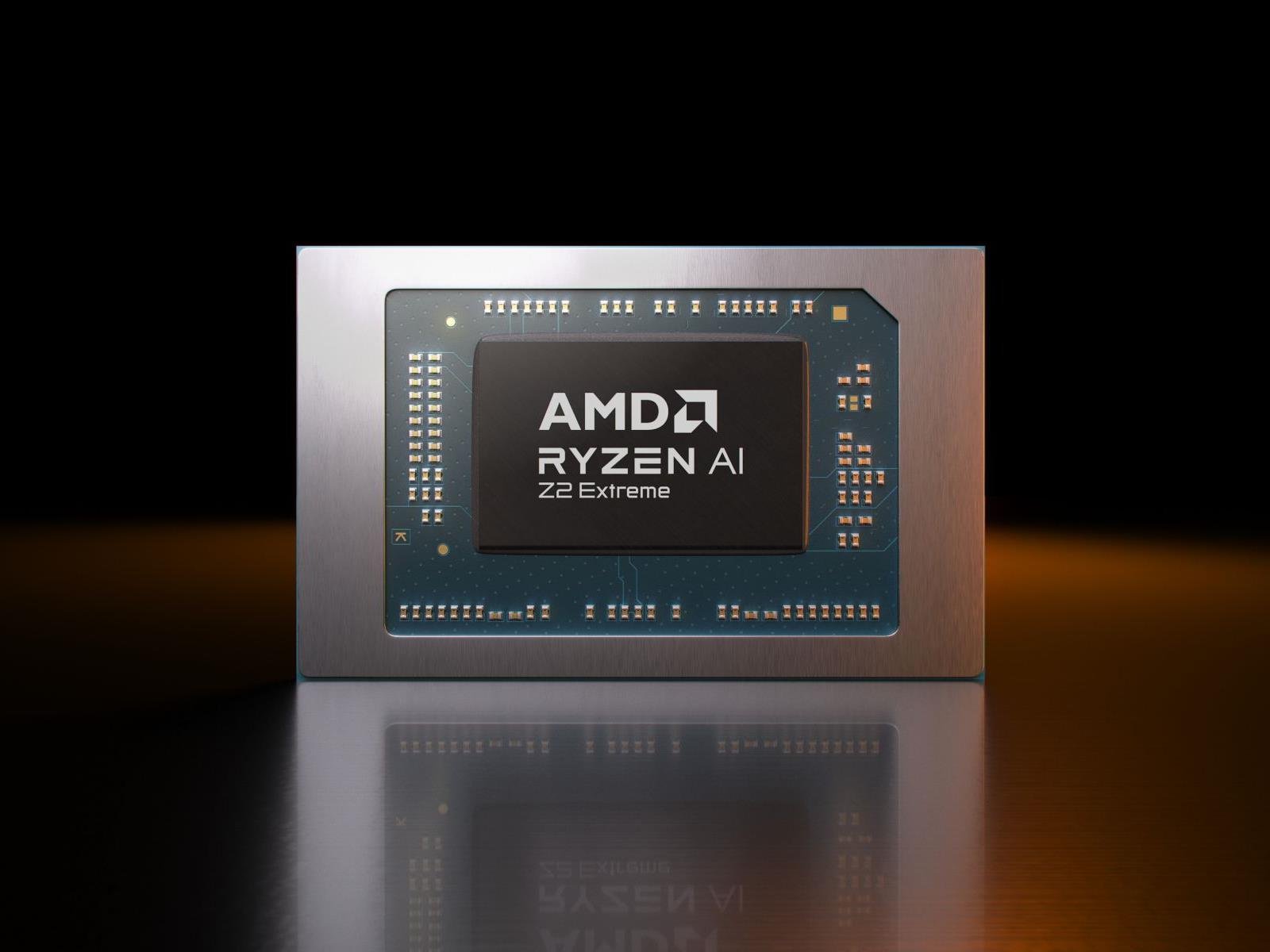
AMD has just unveiled a couple of new additions to its next-gen Ryzen Z2 series of processors, namely the entry-level Ryzen Z2 A and a top-spec’d Ryzen AI Z2 Extreme. Along with the rest of the Z2 lineup, these new AMD sytem-on-chips (SoCs) are built specifically with handheld gaming in mind, promising to deliver elite performance for AAA
Warner Bros. Discovery will split into two media giants
Warner Bros. Discovery (WBD) has announced that it will be splitting up into two separate media companies. The new structure will see one entity retain Warner Bros. film, television and game studios, along with New Line Cinema, DC Studios, HBO and HBO Max, while the other will hold the company’s full portfolio of live cable channels, which includes many household names like CNN, HGTV, Cartoon Network, Discovery, TCL and others.
In a shareholder deck, WBD refers to these two entities as “WBD Global Networks” and “WBD Streaming & Studios,” and highlights the strengths of each portfolio. The company points out that the newly minted entities would each produce healthy free cash flow and intends for each to be listed as publicly traded companies. This comes just three years after the original merger between WarnerMedia and Discovery.
David Zaslav, the current CEO and president of WBD, will serve as president and CEO of Streaming & Studios. Gunnar Wiedenfels, currently CFO of WBD, will serve as president and CEO of Global Networks. Both remain in their current roles until the separation is complete.
“The cultural significance of this great company and the impactful stories it has brought to life for more than a century have touched countless people all over the world. It’s a treasured legacy we will proudly continue in this next chapter of our celebrated history,” said Zaslav in a statement. “By operating as two distinct and optimized companies in the future, we are empowering these iconic brands with the sharper focus and strategic flexibility they need to compete most effectively in today’s evolving media landscape.”
In an investor presentation, WBD announced it will be taking a $17.5 billion loan from J.P. Morgan to assist in a cash tender and consent solicitation for all of its approximately$35.5 billion in outstanding bonds. This means it will be buying back some of the bonds while also asking bondholders to loosen their terms, and will offer cash incentives to those who agree to sell or restructure. According to The Hollywood Reporter, the majority of the total debt will be held by Global Networks, while “a not-insignificant portion” will remain with Streaming & Studios. The exact breakdown of the debt at each entity remains to be seen, pending the outcome of the companies’ debt restructuring.
This article originally appeared on Engadget at https://www.engadget.com/entertainment/warner-bros-discovery-will-split-into-two-media-giants-144553585.html?src=rss
Meta in Talks for Scale AI Investment That Could Top $10 Billion
An anonymous reader shares a report: Meta is in talks to make a multibillion-dollar investment into AI startup Scale AI, according to people familiar with the matter. The financing could exceed $10 billion in value, some of the people said, making it one of the largest private company funding events of all time.
[…] Scale AI, whose customers include Microsoft and OpenAI, provides data labeling services to help companies train machine-learning models and has become a key beneficiary of the generative AI boom. The startup was last valued at about $14 billion in 2024, in a funding round that included backing from Meta and Microsoft.


Read more of this story at Slashdot.
This OLED Gaming Monitor With An LG Panel Hits An Insane 720Hz Refresh

Your monitor might be fast, even exceptionally speedy with a crazy-high refresh rate. But can it hit 720Hz? The answer is no, because no monitor on the market can achieve such a blistering refresh rate. Not yet, anyway, but perhaps soon—a Chinese display maker called Super Display Company (SDC) has lifted the wraps on not only the world’s
Protesters summon, burn Waymo robotaxis in Los Angeles after ICE raids
The robotaxi company Waymo has suspended service in some parts of Los Angeles after some of its vehicles were summoned and then vandalized by protesters angry with ongoing raids by US Immigration and Customs Enforcement. Five of Waymo’s autonomous Jaguar I-Pace electric vehicles were summoned downtown to the site of anti-ICE protests, at which point they were vandalized with slashed tires and spray-painted messages. Three were set on fire.
The Los Angeles Police Department warned people to avoid the area due to risks from toxic gases given off by burning EVs. And Waymo told Ars that it is “in touch with law enforcement” regarding the matter.
The protesters in Los Angeles were outraged after ICE, using brutal tactics, began detaining people in raids across the city. Thousands of Angelenos took to the streets over the weekend to confront the masked federal enforcers and, in some cases, forced them away.
Customize Your Android With One of These Five Launchers
In recent years, iOS has caught up to Android to some extent when it comes to customization, but Android is still in the lead. That’s partly because it supports launchers, which take the place of the default software interface to completely revamp the look of home screens, menus, icons, and dialogs.
With a launcher, you can take pixel-by-pixel control over the visuals of Android. If that sounds like too much time and effort, you can take advantage of one of the many preset templates available to you as well. Here’s what you need to know about launchers, and some of the best ones you can currently install.
How Android launchers work
When you go “home” on Android—with a swipe up on the gesture bar or a tap on the actual home button—that’s when a third-party launcher springs into action. Rather than seeing the default look determined by the Google Pixel or the Samsung Galaxy software, you see whatever the launcher has put in place.
Typically, these launchers give you more customization controls than Google, Samsung, and the other Android phone makers do. Depending on the launcher, you might be able to cram more shortcuts on to the home screen, or apply the same color scheme to all the home screen icons, or hide elements (like the Google search bar) from view.
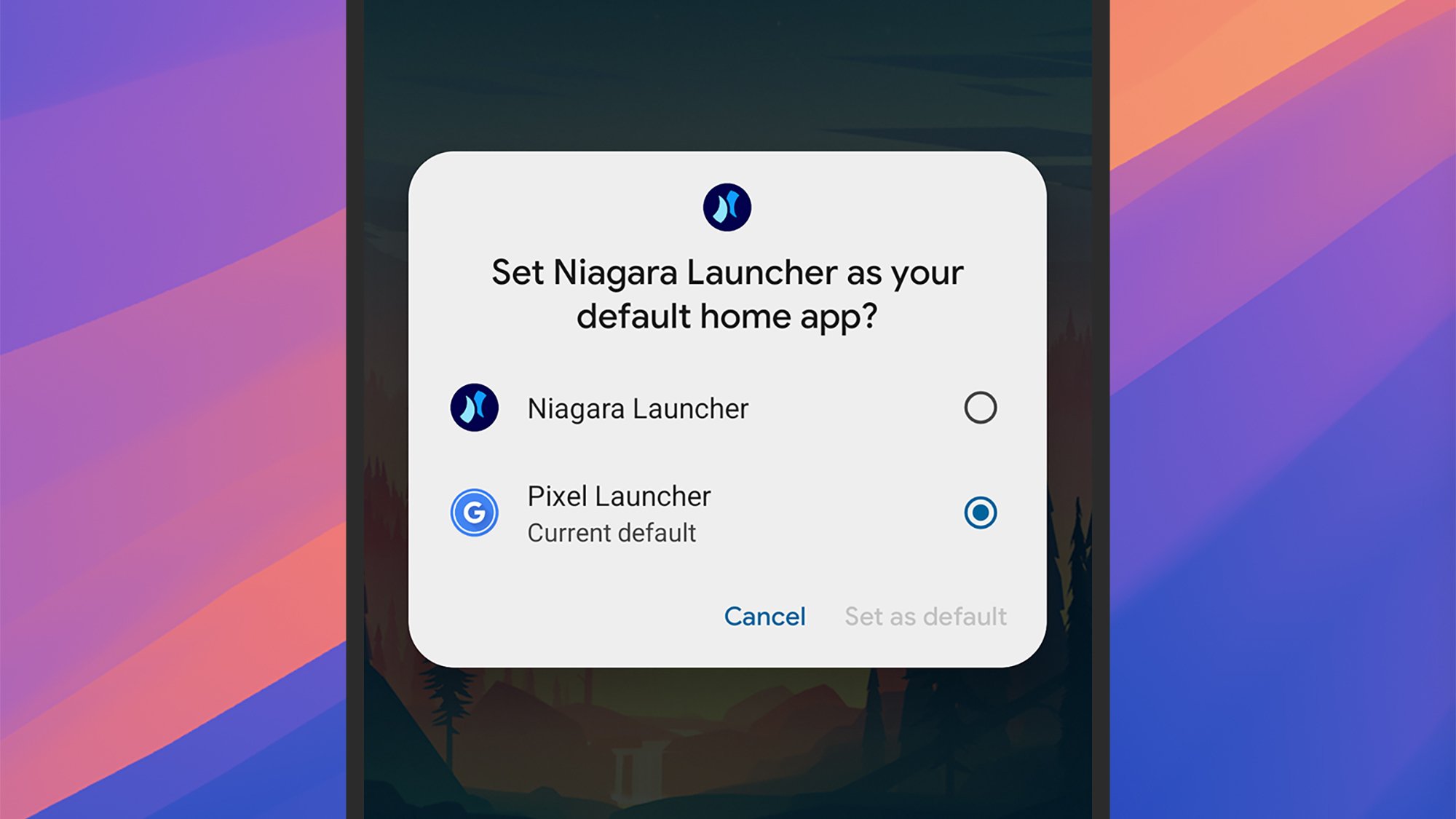
You can switch launchers with a couple of taps.
Credit: Lifehacker
Credit: Lifehacker
Each launcher will come with a host of different configuration settings that determine how elements appear on screen—not just the home screen, lock screen, and the app shortcuts on them, but also notifications, quick settings panels, media players, and menus. They give you the opportunity to fully revamp the look of the software.
Launchers can be managed on Pixel phones by heading to Settings then choosing Apps > Default apps > Home app. On Samsung devices, it’s Settings then Apps > Choose default apps > Home app. You’re able to switch between different launchers, or cancel all of your changes and go back to the normal look, in seconds.
What you can do with Android launchers
The capabilities of these apps vary by launcher, but just about every kind of customization option is offered somewhere. If you want to give your Android software a light and airy touch, a dark and foreboding theme, or anything in between, you can. You’re able to go all-in with your sports team’s colors, or switch to a minimal monochrome look instead.
Speaking of minimalism, many launchers give you the opportunity to declutter the look of your smartphone. Launchers can get access to notifications and on-screen messages as well as everything else, if you give them the necessary permissions, and that means alerts can be pushed to the background. You can control what actually appears on screen, as well as how everything looks.
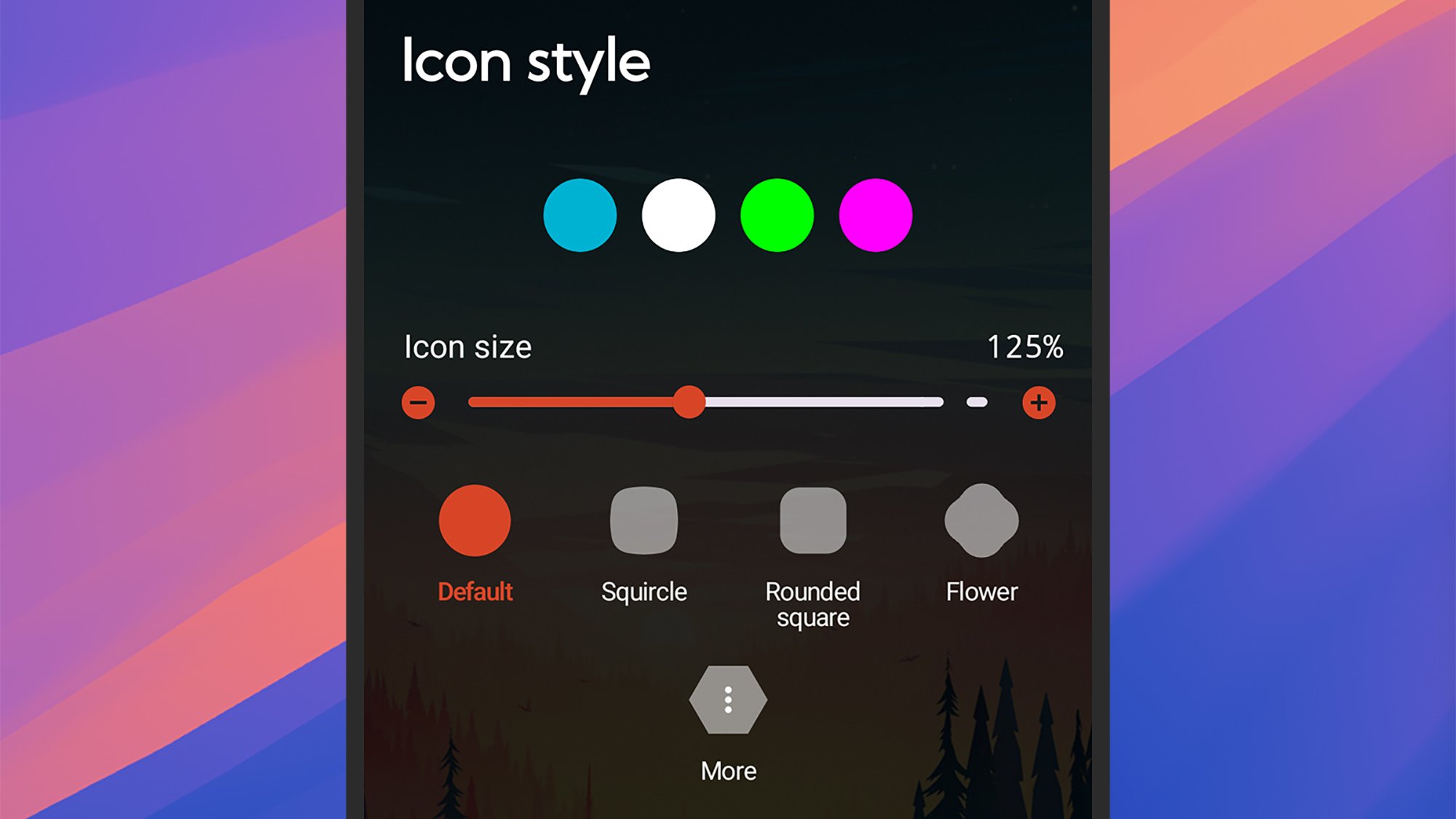
Launchers offer plenty of customization options.
Credit: Lifehacker
Credit: Lifehacker
Some launchers go even further, letting you customize the gestures and swipes that are used to get around Android. You can change the way apps are launched and switched between, for example, as well as tweak how Android search works—giving you easier access to the apps and files you need the most.
Nothing is affected in your actual apps by installing third-party launchers—these will still look and operate the same as they always have. What you might see are some differences in how home screen widgets for your apps are rendered, but as far as the apps themselves are concerned, nothing changes.
The best Android launchers
Niagara Launcher
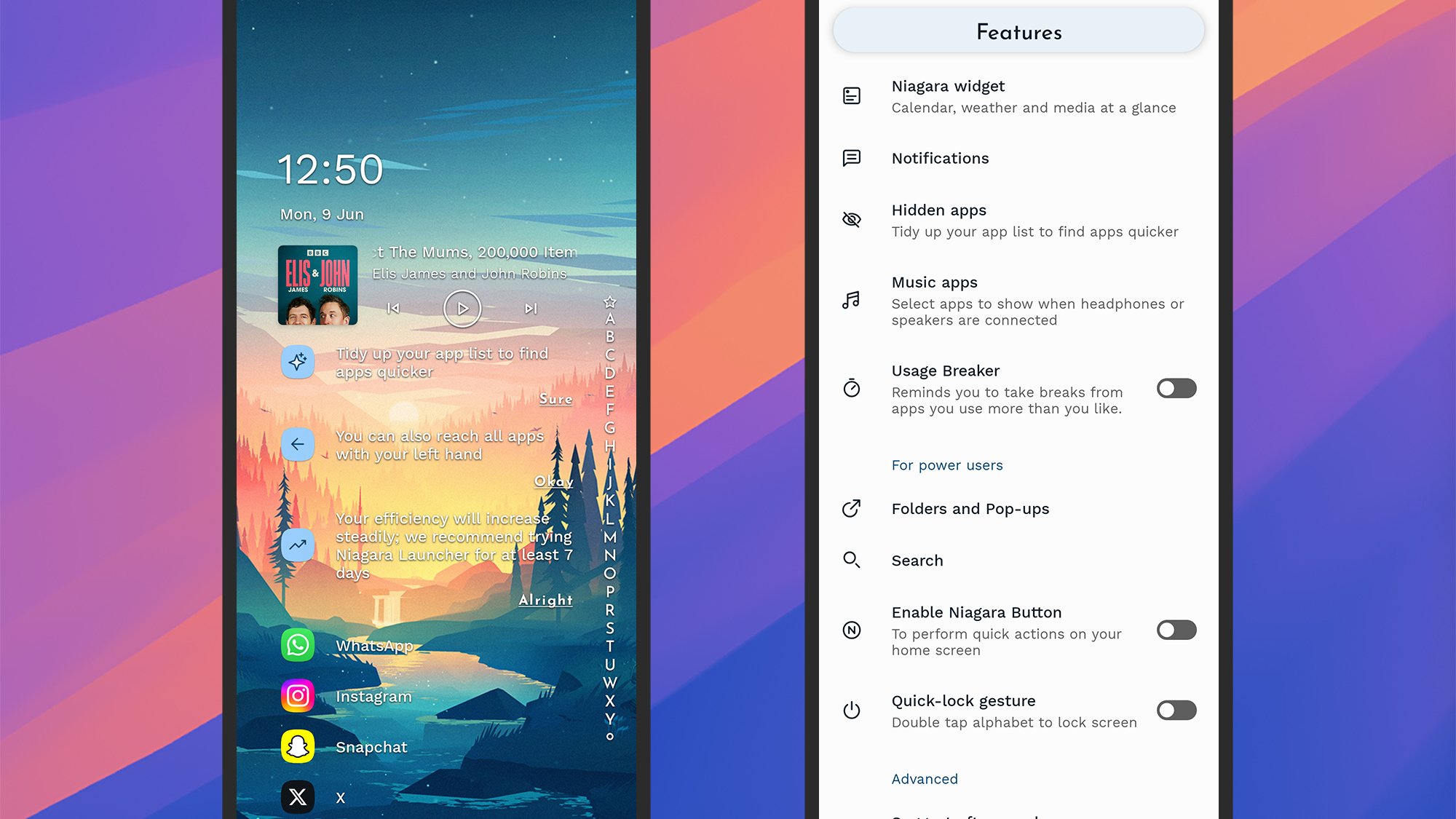
Niagara Launcher brings with it a cleaner home screen.
Credit: Lifehacker
Credit: Lifehacker
Niagara Launcher is one of those launchers that can totally transform the layout of the home screen, putting your apps, notifications, and media controls in an ordered, customized list on screen—so it can be as minimal or as busy as you want it to be.
The launcher can hide apps, remind you to take breaks at certain times, put apps into folders, suggest apps based on your usage, and tweak all kinds of colors and layout options. More customizations are available with a Pro subscription ($14 per year).
Smart Launcher
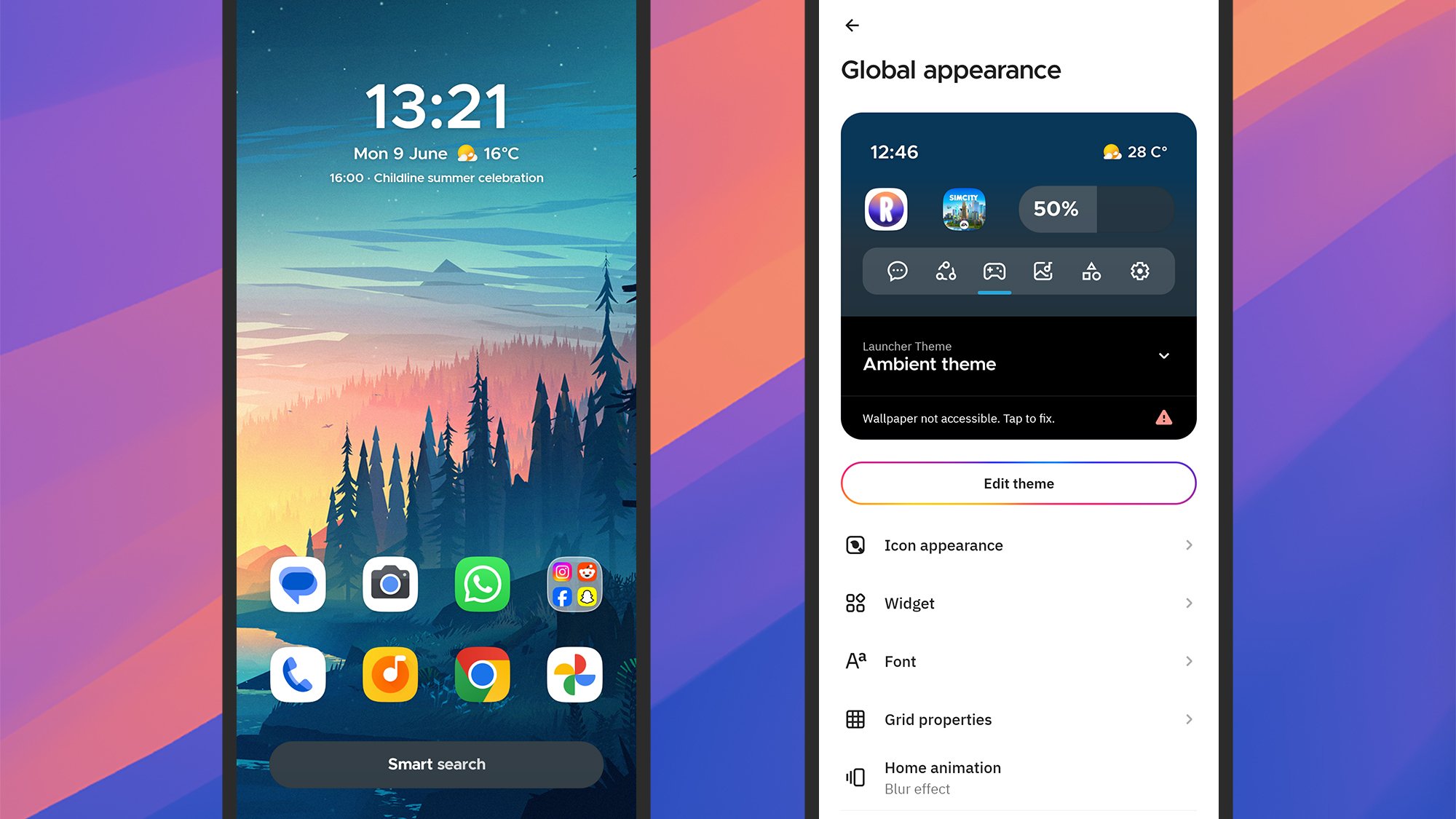
Smart Launcher is packed with features and settings.
Credit: Lifehacker
Credit: Lifehacker
Smart Launcher is another choice you’ll often see atop best launcher lists, as it brings with it lots of intelligent features: auto app sorting based on usage, a useful one-handed mode, responsive widgets, a comprehensive search tool, and lots of customizations.
Those customizations run the full gamut from adaptive icon shapes, to gestures you can use to get around Android, to hidden apps. As usual, there’s a premium-level option you can subscribe to—from $2.50 a month—which adds on even more customization tweaks.
Nova Launcher
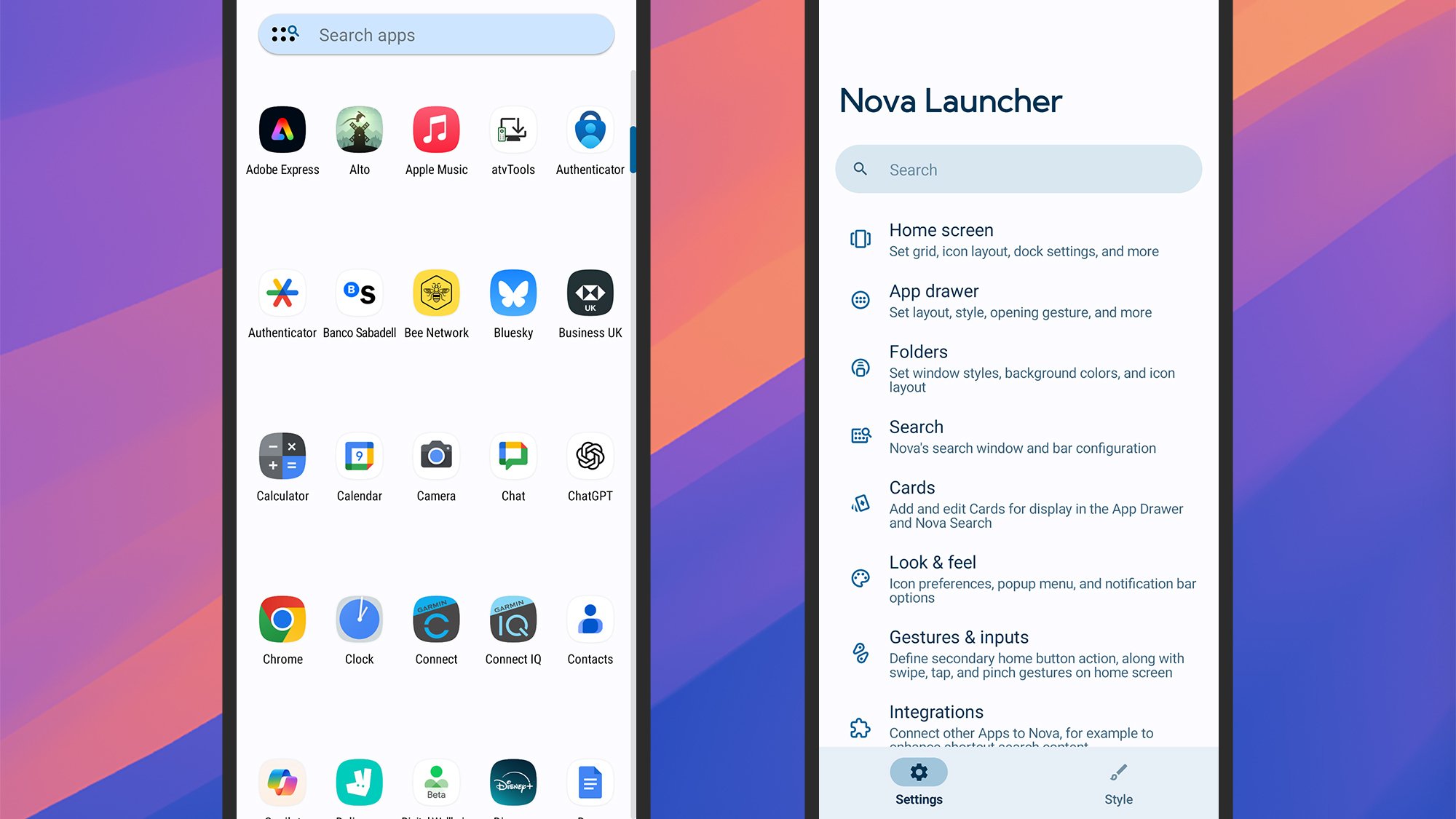
Nova Launcher is one of the most comprehensive in terms of customizations.
Credit: Lifehacker
Credit: Lifehacker
Nova Launcher is one of the oldest and most comprehensive Android launchers there is, offering a host of different customizations for you to play around with. You’re able to adjust everything from the app drawer icon size to the transparency of the notification bar.
It’s an intelligent launcher, too—it can surface media controls when you need them, or a weather widget when the forecast is changing, or the apps you use most frequently. Pay a one-off fee of $5 for Nova Prime to get even more options, like notification badge control.
Square Home
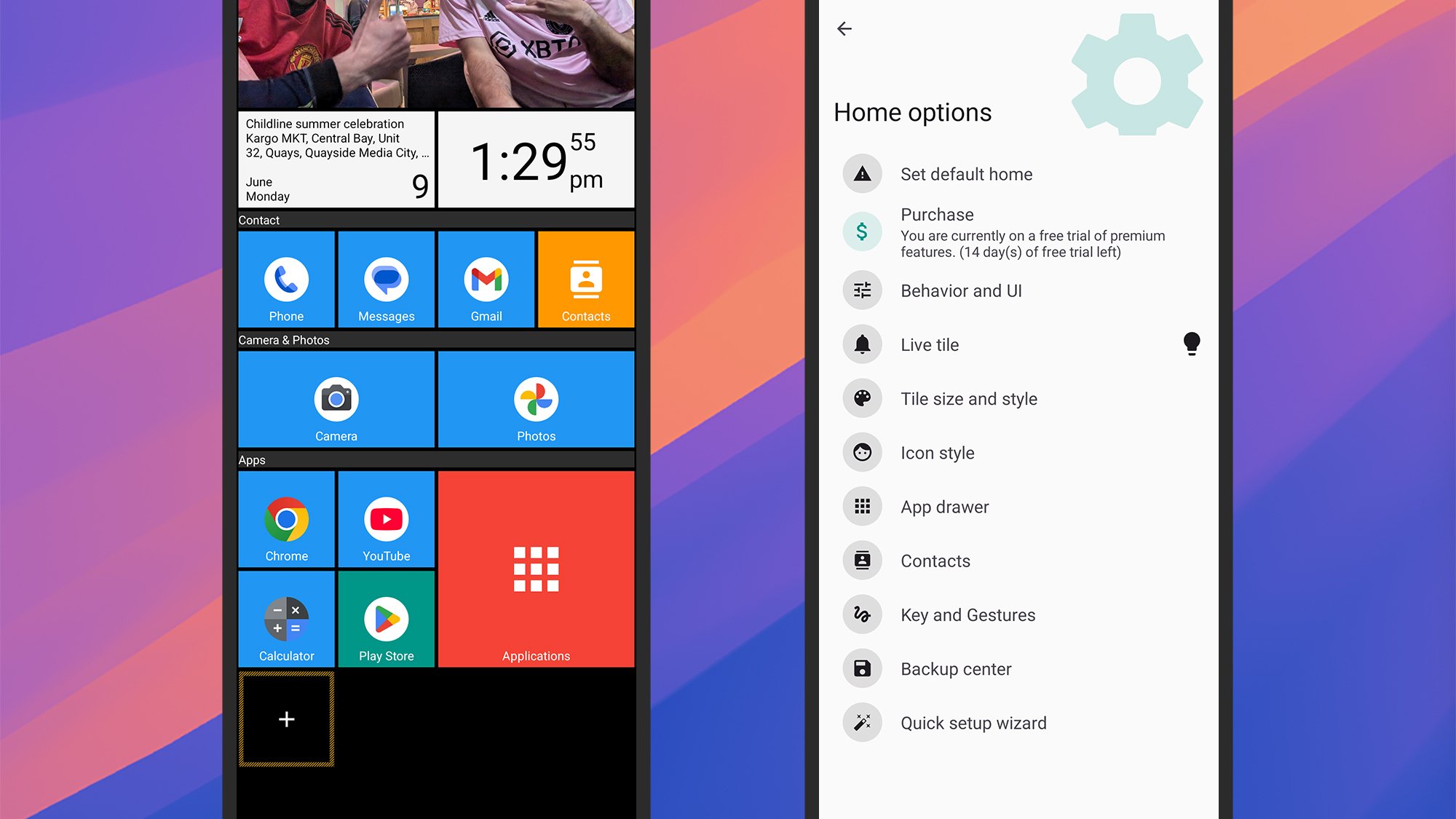
Square Home builds up your home screen with tiles.
Credit: Lifehacker
Credit: Lifehacker
Square Home is a great example of a launcher that can change the whole look of Android—in this case, into something that’s more like the old Windows Phone look, with your apps and widgets sorted into rectangular tiles that fill up your home screens.
While the layout may look fixed, there are many ways to tweak the look, from photo slideshows to notification badges. The quick start tutorial is a welcome way in, and while several features are available for free, you can unlock all of them for $2 per year.
AIO Launcher
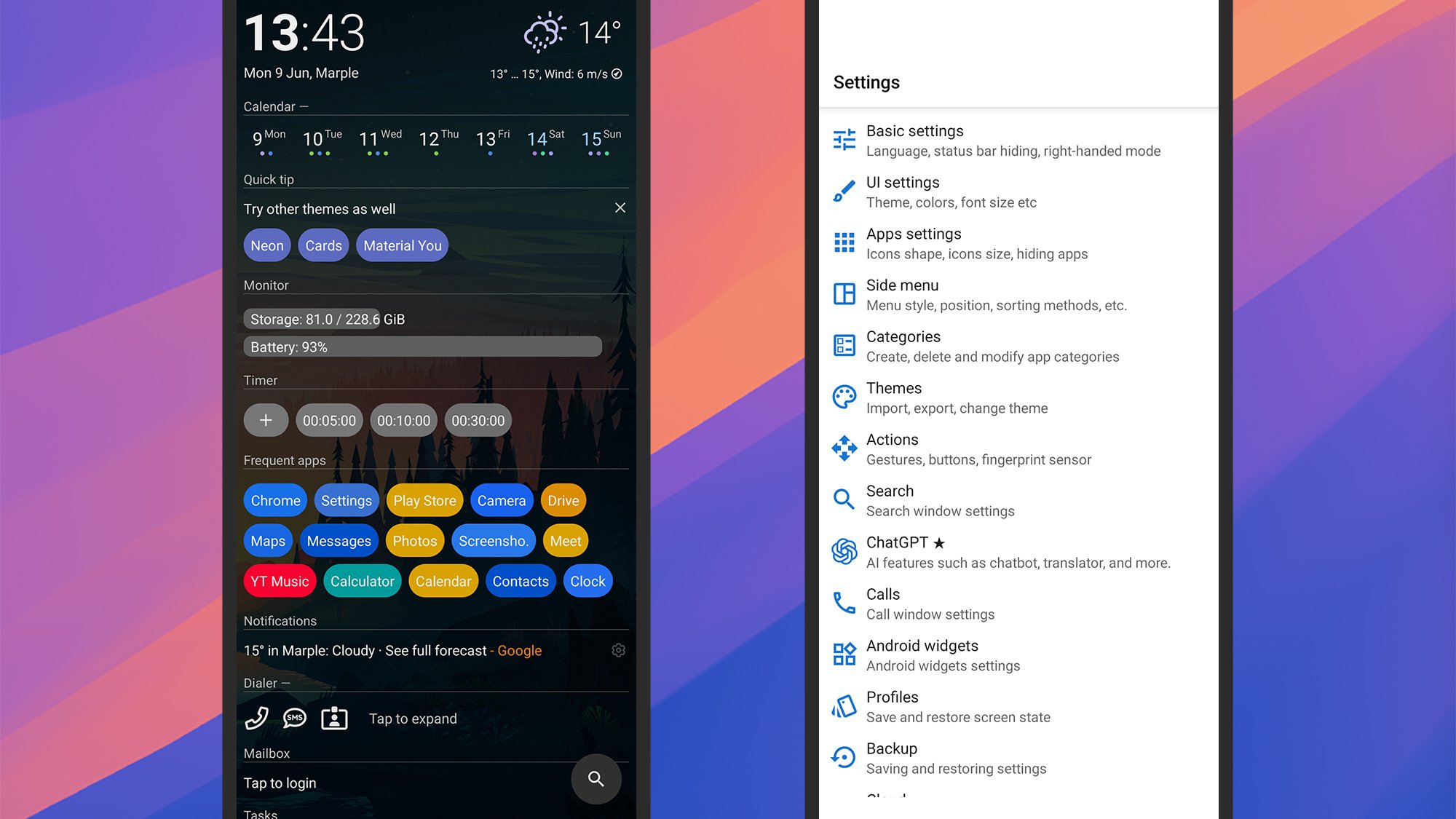
AIO Launcher packs a lot of info into the home screen.
Credit: Lifehacker
Credit: Lifehacker
AIO Launcher goes in the opposite direction to the minimal launchers out there, choosing instead to cram in as much information on the home screen as possible—though you still get full control over what’s shown, including shortcuts, widgets, and real time information.
The app developer promises everything you need on one screen, and they certainly deliver, with over 30 excellent widgets to pick from (weather, stocks, messages, tasks, and so on). Various extra features can be picked up at various prices as in-app purchases.
Alienware And LEGO Want To Brick Your Gaming PC In The Best Way Possible
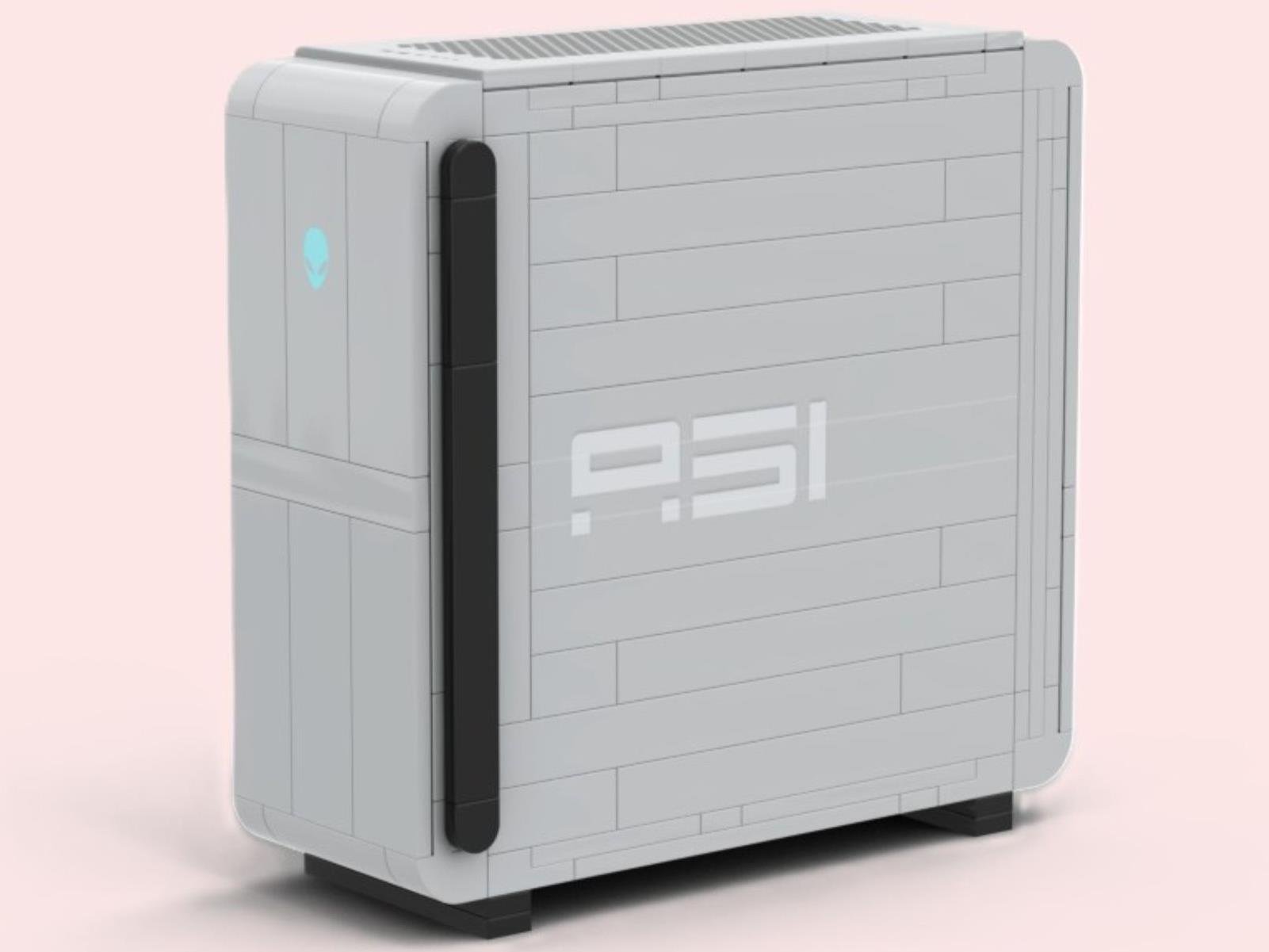
Forget virtual worlds for a second, because Alienware is bringing its legendary Area-51 desktop to your desk in a brand new, tangible form! In a move that’s sure to excite PC gaming aficionados and brick-building enthusiasts alike, Alienware has announced the “Area-51 Brick Kit,” a NUC-sized replica of its iconic gaming rig, built with 318