2026 Corvette ZR1X Revealed: 1,250-HP AWD Hybrid Is The Fastest Corvette Ever

2026 Corvette ZR1X Revealed: 1,250-HP AWD Hybrid Is The Fastest Corvette Ever
Chevrolet has just pulled back the curtain on its most bonkers Corvette yet: the 2026 Corvette ZR1X. Hailed by the automaker as a “true American hypercar,” the car shatters performance benchmarks (how does sub-2 seconds 0-60 mph sound?), combining twin-turbo V8 power and hybrid technology to deliver a monstrous 1,250 horsepower and possibly

Our favorite budget wireless earbuds are almost half off ahead of Prime Day

It’s that time of year again, and Amazon Prime Day is around the corner. There’s a lot to expect from this year’s extended event running July 8 to 11, the longest Prime Day ever. That’s not to say you have to wait until it starts to find great deals. Right now you can grab a pair of Anker Soundcore Space wireless earbuds at the lowest price we’ve ever seen them. Normally retailing for $80, they are on sale for $45.

The Anker Soundcore Space earbuds are currently our top pick for best budget wireless earbuds. While their performance doesn’t rival that of more premium products, we felt the Space A40’s feature set offered excellent value for such a budget-friendly set of earbuds.

These earbuds connect via Bluetooth, support connection to two devices at once, and come in a case that supports wireless charging. We were most impressed with the Space A40’s active noise cancellation (ANC), a feature rarely seen at this price point. While it’s not the most sophisticated ANC on the market, it does its job in blocking out the steady rumble of a train or jet engine. Battery life is solid for a budget pair of earbuds, reaching roughly eight to 10 hours depending on use, with another 40 hours or so supplied by the case.

In-ear fit is comfortable, as the round earpieces are pretty light and evenly balanced. The audio quality is impressive for its price point, offering a warm sound that can be fine-tuned with an EQ in the Soundcore app. A subpar built-in mic means the Space A40s don’t have the best transparency mode and aren’t the best for phone calls in noisy areas, but overall for $45 these are a great deal.

Follow @EngadgetDeals on X for the latest tech deals and buying advice.

This article originally appeared on Engadget at https://www.engadget.com/deals/our-favorite-budget-wireless-earbuds-are-almost-half-off-ahead-of-prime-day-145248634.html?src=rss

Netflix Will Air Traditional TV Channels in France

Starting in summer 2026, Netflix subscribers in France will be able to watch commercially broadcast TV content “without ever having to leave the service.” The Verge adds: The streaming giant has announced a distribution deal with French media company TF1 Group to make TF1’s free-to-air live TV channels and on-demand TF1 Plus streaming content available to French Netflix users as part of their existing subscription plan.


Read more of this story at Slashdot.

Prime Day deals include three months of Audible for only $3

The bumper 2025 edition of Amazon’s Prime Day is fast approaching and the deals are starting to emerge. While we’ve seen this offer pop up several times in the past, it’s one that’s always worth highlighting. New Audible subscribers can get three months of access to the Premium Plus plan for $3. That’s a total of $42 off.

This is one of the best streaming deals around right now. It will be available until July 31, which is a few weeks after the Prime Day event ends (it could probably be called Prime Week this year since it’s running for four days). If you don’t cancel your Audible membership before the promotional period ends, it will automatically renew for $15 per month.

Through the Audible Premium Plus plan, you’ll receive one credit each month. You can use this to claim any audiobook you like on the platform, whether it’s a bestseller, new release or something else you’ve been meaning to get to. You’ll retain access to audiobooks you claim with credits even after your subscription expires. So, you’re effectively getting three audiobooks for your permanent collection for three bucks.

Audible members will be able to take advantage of exclusive discounts and sales too. They also get access to thousands of audiobooks, Audible Originals and podcasts as long as their subscription remains active.

Follow @EngadgetDeals on X for the latest tech deals and buying advice.

This article originally appeared on Engadget at https://www.engadget.com/deals/prime-day-deals-include-three-months-of-audible-for-only-3-143734782.html?src=rss

This Anker Waterproof Bluetooth Speaker Is Under $20 Right Now

We may earn a commission from links on this page. Deal pricing and availability subject to change after time of publication.

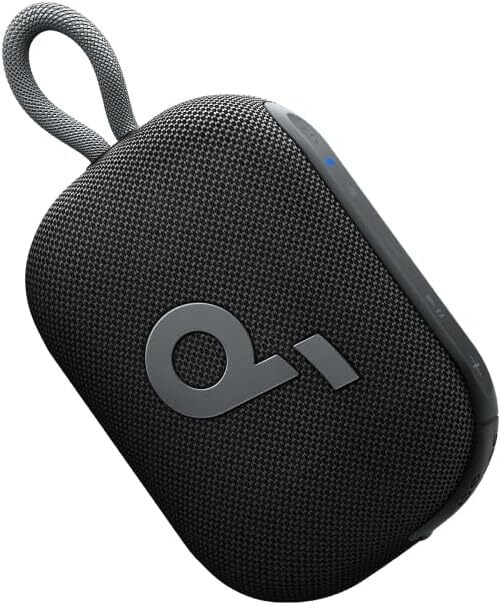
If you’re looking for a portable outdoor speaker that can withstand the elements, the Soundcore Select 4 Go portable speaker by Anker is now under $20 on Amazon. This rugged speaker can handle dust and water, and is designed to accompany your adventures, from picnics in the park to beach and camping trips. Despite being a mono speaker, it reportedly offers surprisingly clear and balanced sound. You can customize the EQ via the Soundcore app or pair it with a second unit for stereo output.

It’s advertised as being floatable, making it suitable for lounging in the pool or bath. While it’s rated to float, keep in mind that the IP67 rating does mean that a device can’t be submerged for more than 30 minutes in more than a meter of water, so don’t toss it in the pool or lake and forget about it.

Measuring just two inches tall and equipped with a built-in loop, the speaker is palm-sized and easy to clip to bags, hang from a tree, or carry in hand. It’s not backlit, making it better for daytime adventures. It’s compact, but not quite as small and bass-driven as portable outdoor speakers like the JBL Go 4. Still, it’s significantly less expensive and has a longer battery life. (The JBL Go 4 typically lasts up to nine hours, while the Soundcore Select 4 features a battery life of 10-20 hours.)

It doesn’t quite match the JBL Go 4 in terms of sound quality, but if you’re seeking a budget-friendly outdoor speaker with a compact, lightweight design, extended playback, and pool-friendly durability, the Anker Soundcore Select 4 Go is a worthwhile pick for summer adventures and beyond. 

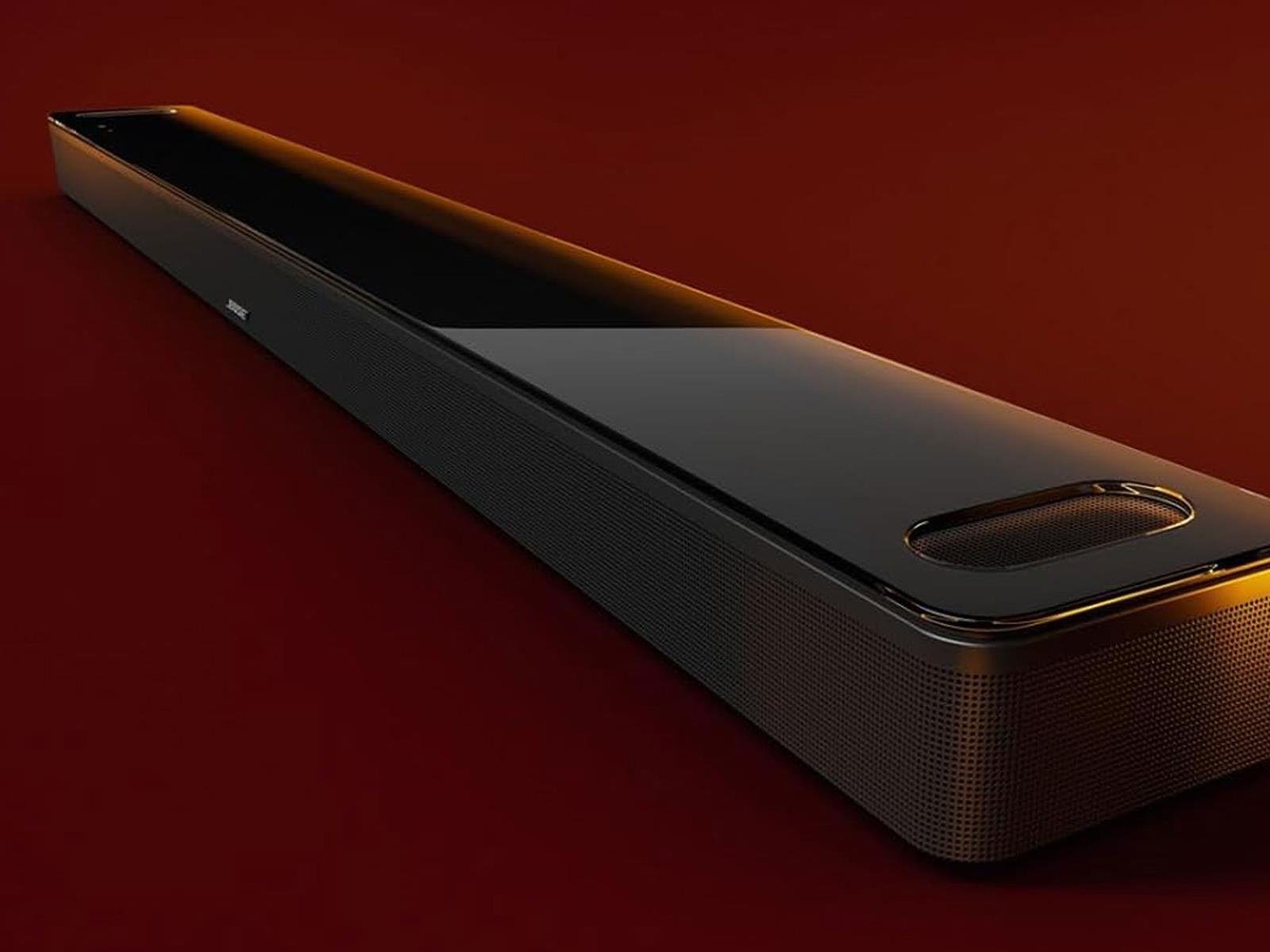
Rock Out To Great Deals On Refurb Bose Headphones And Soundbars Up To $100 Off

Rock Out To Great Deals On Refurb Bose Headphones And Soundbars Up To $100 Off
In less than a month, Amazon will host its next Prime Day event, which is set to last twice as long this year (four days instead of two). However, you don’t have to wait in order to score some great deals, especially if you’re in the market for an audio product from Bose. The company is offering some compelling discounts on a variety of products,

Garmin’s new sleep tracker offers a week of battery life

Sleep tracking is nothing new in Garmin’s fitness watches, but the company’s latest wearable is a dedicated smart sleep band. The Index Sleep Monitor offers week-long battery life with continuous pulse ox tracking for monitoring your blood oxygen saturation while you sleep.

Garmin’s tracker is worn on the upper arm — which should hopefully make it more comfortable — where it tracks a variety of metrics: skin temperature; light, deep and REM sleep stages; and variations in your heart rate and breathing. The data is then combined to provide an overall personalized daily sleep score that can be viewed in the Garmin Connect app. If you already use a Garmin smartwatch but don’t sleep with it on your wrist, the Index Sleep Monitor is designed to add the missing metrics to the insights you’re already getting from the watch.

Skin temperature tracking gives you a better idea of how your sleep environment affects the quality of your sleep, while flagging potential illnesses indicated by temperature changes. This metric also extends to menstrual health tracking, with skin temperature changes useful for tracking cycles, past ovulation estimates and offering what Garmin describes as “improved period predictions.”

Garmin’s Index Sleep Monitor will also monitor your energy levels, providing you with its “Body Battery” measurements that advise you to take more rest when the reading is coming in low. Again, these insights should be more accurate and reliable when combined with a compatible smartwatch worn during the day. The sleep band will also track your stress throughout the night, and features a smart alarm that attempts to wake you gently during lighter sleep stages so you’ll feel less tired.

The Index Sleep Monitor is available in S-M and L-XL sizes and costs $170.

This article originally appeared on Engadget at https://www.engadget.com/wearables/garmins-new-sleep-tracker-offers-a-week-of-battery-life-142350473.html?src=rss

How NASA Is Solving The Moon’s Tricky Lighting Problem For Artemis III Mission

How NASA Is Solving The Moon's Tricky Lighting Problem For Artemis III Mission
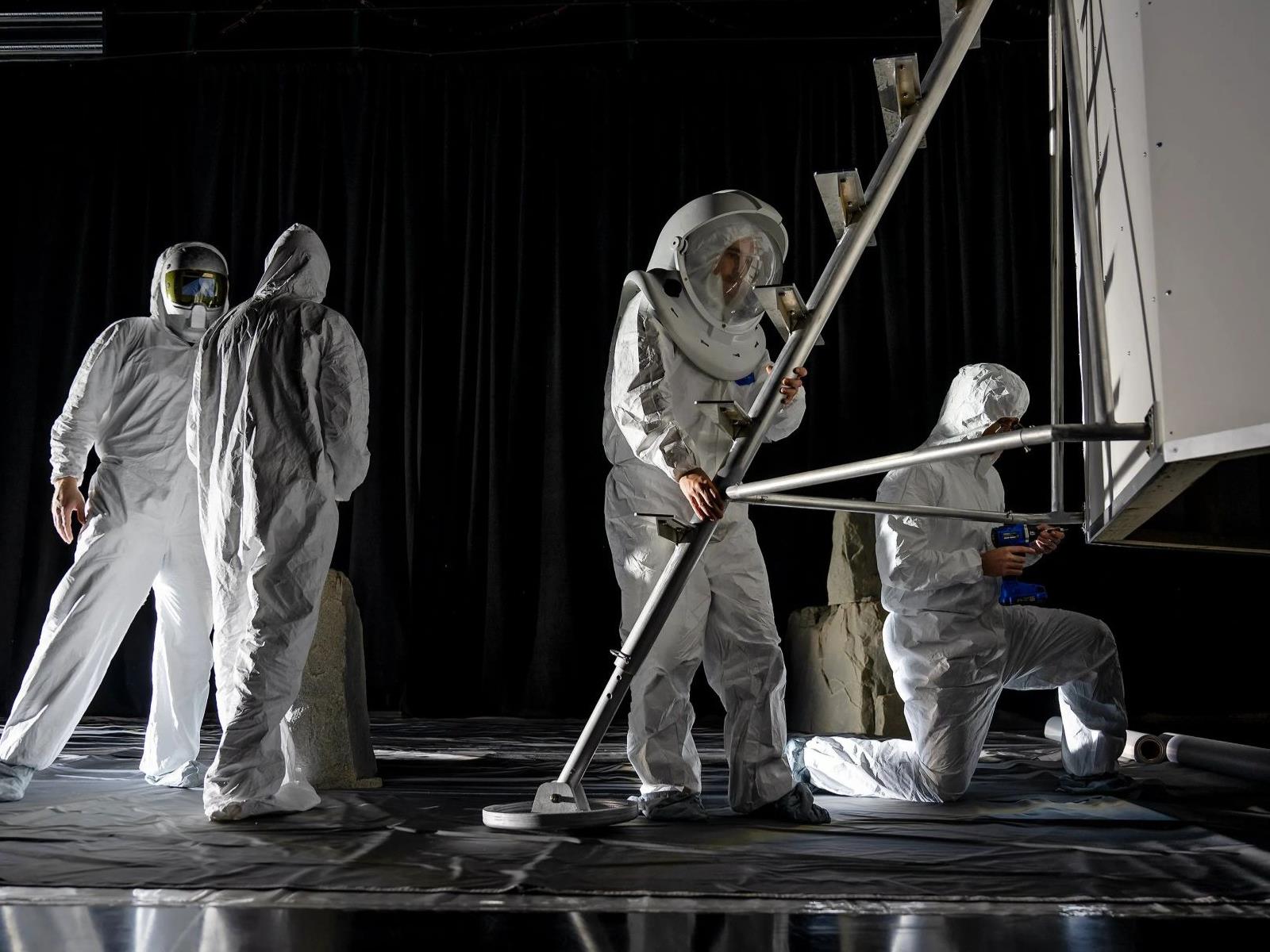
As NASA gears up for its 2027 Artemis III mission, engineers and astronauts at Marshall Space Flight Center’s Flat Floor Facility in Huntsville, Alabama, are meticulously simulating the extreme lighting conditions expected at the lunar South Pole, the target landing site for Artemis III. This seemingly simple exercise intends to shed light

The Biggest Companies Across America Are Cutting Their Workforces

U.S. public companies have cut their white-collar workforces by 3.5% over the past three years, marking a fundamental shift in corporate philosophy that views fewer employees as a path to faster growth. One in five S&P 500 companies now employ fewer people than they did a decade ago, according to employment data-provider Live Data Technologies.

The reductions extend beyond typical cost-cutting measures and coincide with record corporate profits at the end of last year. Amazon CEO Andy Jassy told employees Tuesday that AI will eliminate certain jobs in coming years, while Procter & Gamble announced plans to cut 7,000 positions to create “broader roles and smaller teams.”

Bank of America reduced its workforce from 285,000 in 2010 to 213,000 today while revenues climbed 18% over the past decade. Managers have faced particularly steep cuts, with their ranks falling 6.1% between May 2022 and May 2025. Companies are flattening organizational structures and pushing remaining employees to handle larger workloads as executives track revenue per employee more closely.


Read more of this story at Slashdot.

All the Ways You Can Customize Your Lock Screen in iOS 26

iOS 26 is one of the biggest iPhone software updates that Apple has pushed out in recent years, bringing with it features including new gestures, improved parental controls, custom snooze times, and of course that translucent interface revamp called Liquid Glass (which takes some getting used to).

There are also changes to how you can tweak the look of your iPhone lock screen, building on top of several other customizations Apple has added in recent years. Your lock screen can be more personalized than ever, not just in terms of the wallpaper but also the elements on top, and how they’re arranged.

iOS 26 lock screen
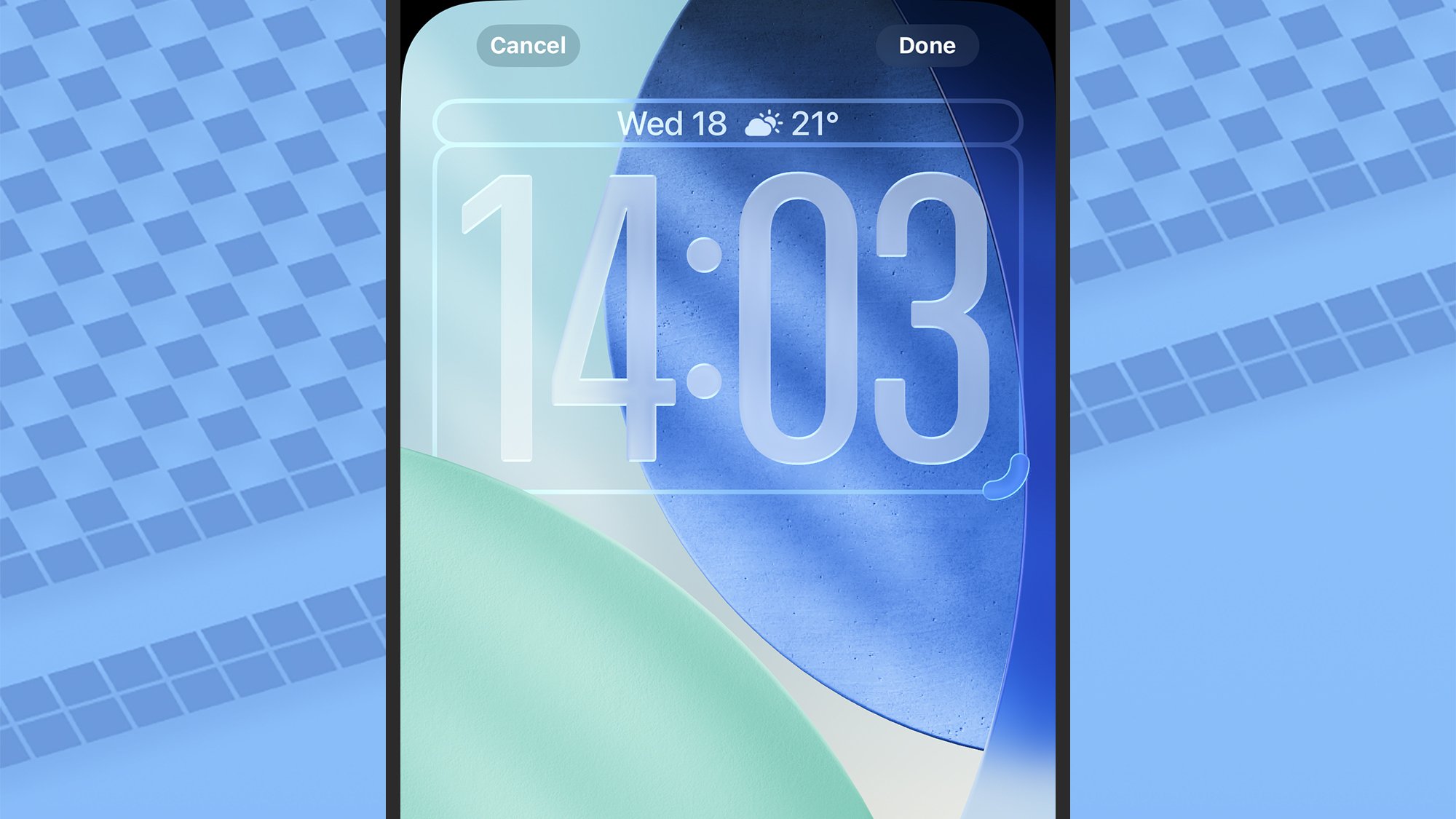
The lock screen clock can now be resized.
Credit: Lifehacker

To get started with these customizations, you need to lock your phone, then press the power button (to wake up the screen without actually unlocking your phone again), and tap and hold on the lock screen. Choose Customize to start making changes.

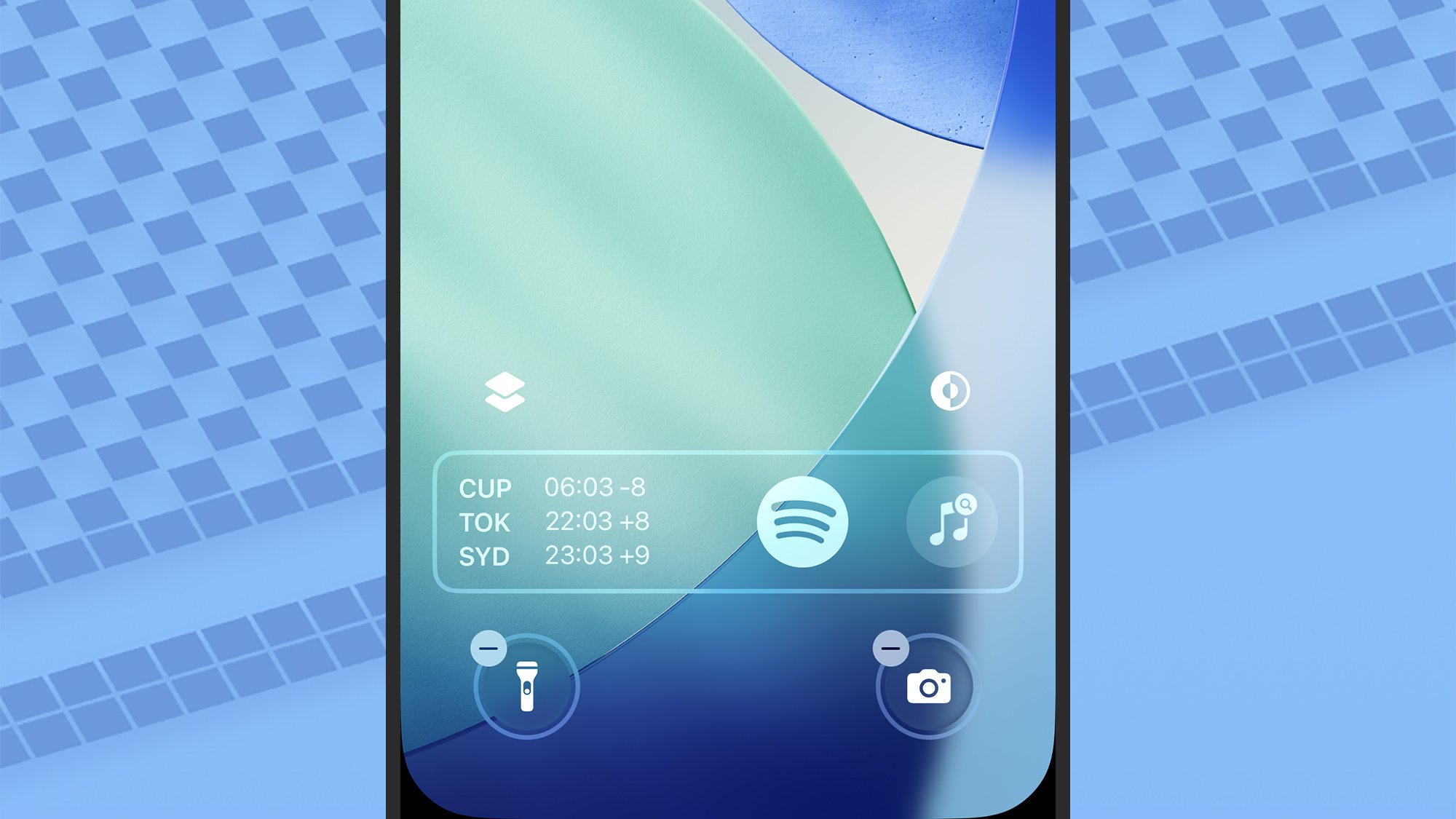
From the top, you can tap the date to pick from a selection of single-line widgets. The options will vary depending on the apps you’ve got installed, but are typically going to include widgets for the weather forecast, reminders, and calendar events. Next is the clock, which in iOS 26 can be changed in terms of its size by dragging the handle in the lower right corner.

Farther down the screen, the widget box is now at the bottom of your lock screen rather than at the top: As before, tap Add widgets to drop in mini indicators for iPhone battery level, global time zones, current fitness activities, news headlines, and plenty more (again, the selection will vary, depending on the apps you’ve got installed).

iOS 26 lock screen
Lock screen widgets have been moved to the bottom.
Credit: Lifehacker

There are two buttons above the widget bar. The one on the left lets you turn depth effects on or off for the wallpaper, which works especially well for Spatial Photos. The button on the right is for setting whether the lock screen should use light mode, dark mode, or follow the setting for iOS as a whole.

Finally, there are the two shortcuts down in the bottom left and right corners. Tap the small – (minus) symbol next to either of these shortcuts, which lets you choose something new (or leave the spots empty). A host of different shortcuts can be dropped in here, from ambient music mixes to links to the iOS stopwatch. You can also use these shortcuts for speedy access to your favorite apps.

Focus modes, wallpapers, and more

iOS actually lets you set up multiple lock screens if you want to, so you can have different lock screens for different moods or times of the day. If you tap and hold on the lock screen so the Customize button appears, and then swipe left and right, you’re able to add new lock screens and switch between them.

Choose to create a new lock screen via the + (plus) button, and the first decision you need to make is to pick some wallpaper. This can be the same as the wallpaper you’ve got for your home screens, or something different—and you can choose emojis, colors, and photo slideshows from the icons at the top.

iOS 26 lock screen
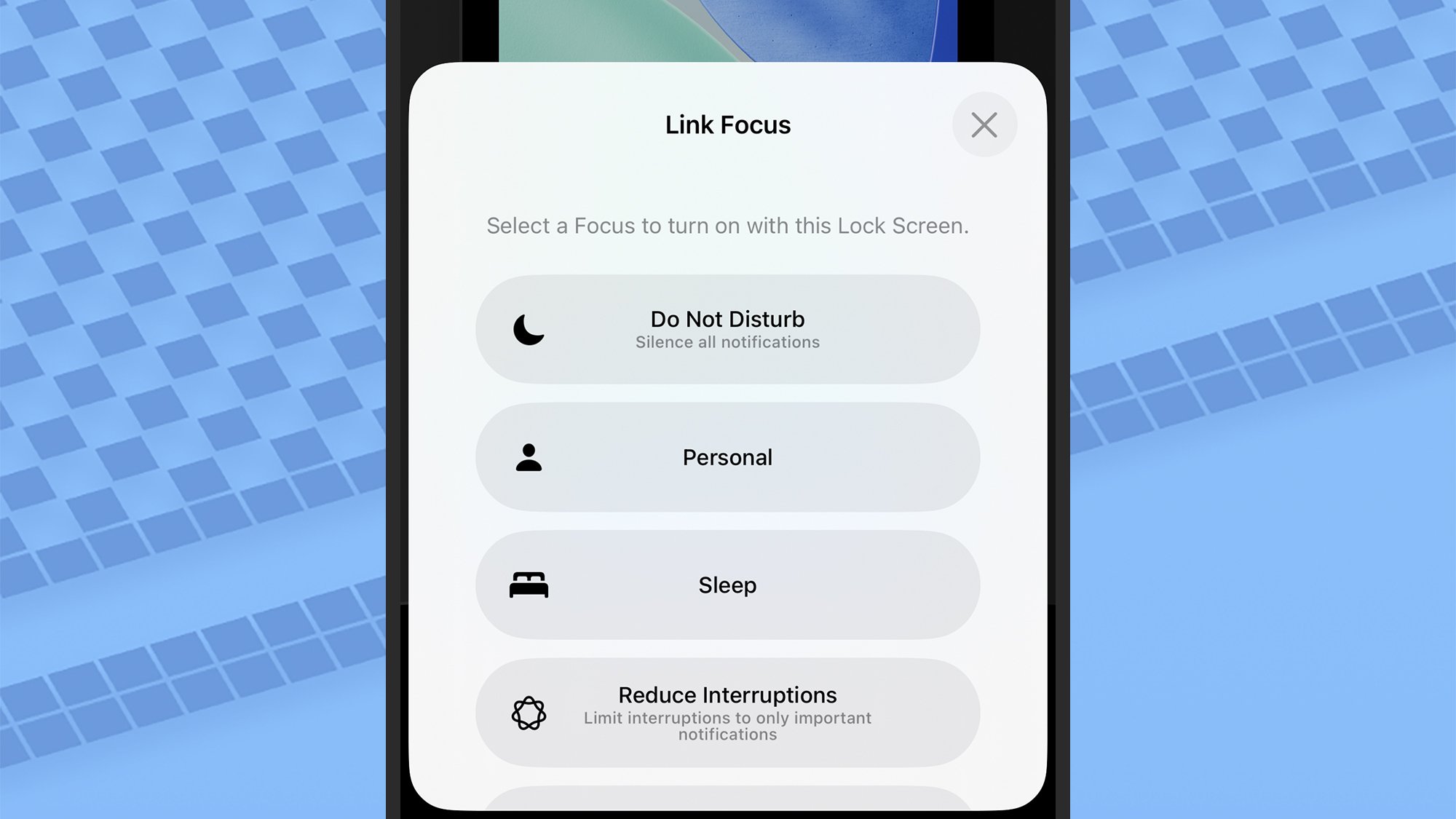
Focus modes can be linked to lock screens.
Credit: Lifehacker

On top of each of the lock screen thumbnails, you’ll see a Focus button. Tap this and you can choose a Focus mode that’s automatically enabled when you switch to that particular lock screen. You could have one lock screen and Focus mode for driving, for example, one for sleeping, and so on.

There are a few more controls to talk about, which you can get to through the Display & Brightness menu in iOS Settings. The Auto-Lock option here lets you choose how much idle time your iPhone waits for before locking itself and displaying the lock screen, while Raise to Wake lets you control whether or not the lock screen lights up when you pick up your iPhone.

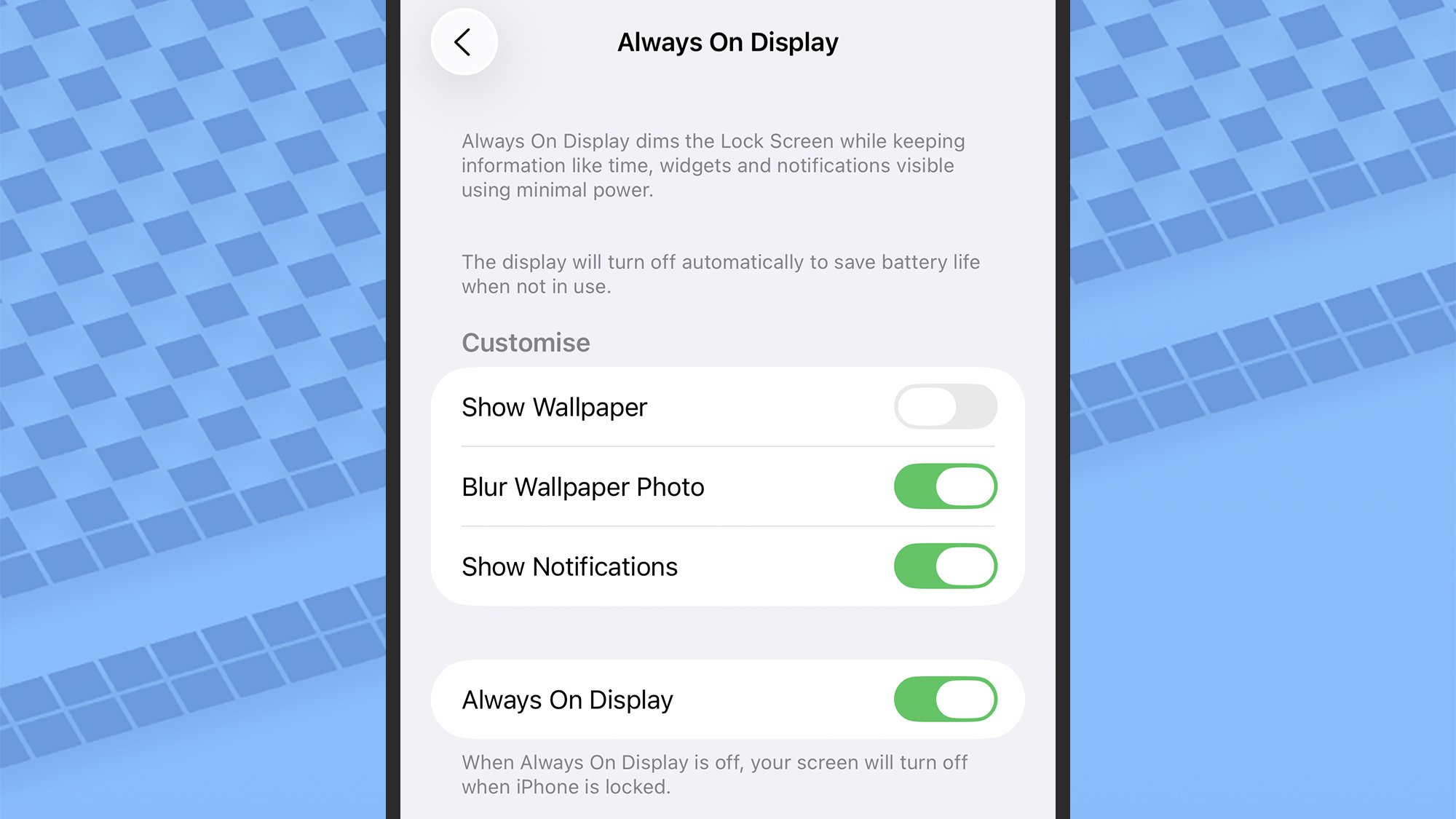
If you’ve got a Pro or Pro Max iPhone from 2022 or later, you’ll also see an Always On Display option here. This lets you pick certain features, such as the wallpaper and notifications, that are still shown persistently on the display, even when your phone is locked—at the expense of some battery life, of course.

iOS 26 lock screen
Some iPhone models give you always on display options too.
Credit: Lifehacker

Speaking of notifications, you can customize how these are shown on the lock screen, too. You’re able to hide previews if you think other people might be looking over your shoulder when they come in. To control how notifications work on the lock screen, head to Notifications from iOS Settings, and tap Show Previews.

iOS 26 ushers in another lock screen change too, but it’s not customizable: For certain Apple Music tracks that support the feature, you can get full screen animated album art on the lock screen, by tapping on the media player widget. It’s something else to try once you’ve installed the new operating system.

Cheese Expert Reviews And Rates All The Cheeses Available At Trader Joe’s

I love listening to experts discuss their subjects. They know so much! Me? I know very little about anything. And you know what they say about ignorance. “It’s bliss.” That can’t be right though because I’m miserable. This is a video from Epicurious of professional cheese expert Liz Thorpe reviewing all the cheeses available at Trader Joe’s (previously: a cheese connoisseur tasting 21 of the most expensive cheeses). I learned a lot by watching it. Mostly, that Trader Joe’s is a good place for cheese, which is great news because I love cheese and they’re opening one nearby. My life is about to change forever!

My top seven cheeses of the day in recommended tasting order are Chevre with Fine Herbs, Fromage Pave, Goat’s Milk Gouda-Style, Mini Basque, Unexpected Cheddar, Thousand Day Gouda, and Blue Stilton.

Mmmm, Thousand Day Gouda. I’m more of a Ten Thousand Day Gouda man myself, but that’s just me and I’m EXTRA FANCY. “Your fly is down.” I don’t even have to look to know you’re lying, because there’s no way I’m wearing pants at 9AM on a Wednesday.

The Coolest VR Gear and Games I Saw at Augmented World Expo 2025

We may earn a commission from links on this page.

I’m bored with reality, so last week, I attended the Augmented World Expo in Long Beach, CA, to check out other options, such as Augmented Reality (AR), Virtual Reality (VR), and Mixed Reality (MR).

The Augmented World Expo has been around since 2010, pursuing its lofty goal of “enabling people across the globe to learn, connect and grow within the XR industry.” I don’t know about all that, but I did get to check out the new devices and applications that might be the future of how we work, relax, and relate to each other. Here are some of the highlights of the show.

SnapDragon AR1+ Gen 1 chip

Snap Dragon AR+ Gen 1 Chip

Credit: Stephen Johnson

The biggest tech news out of Augmented World Expo 2025 was Qualcomm announcing the Snapdragon AR1+ Gen 1 chip, the brain that will power much of the next generation of smart glasses.

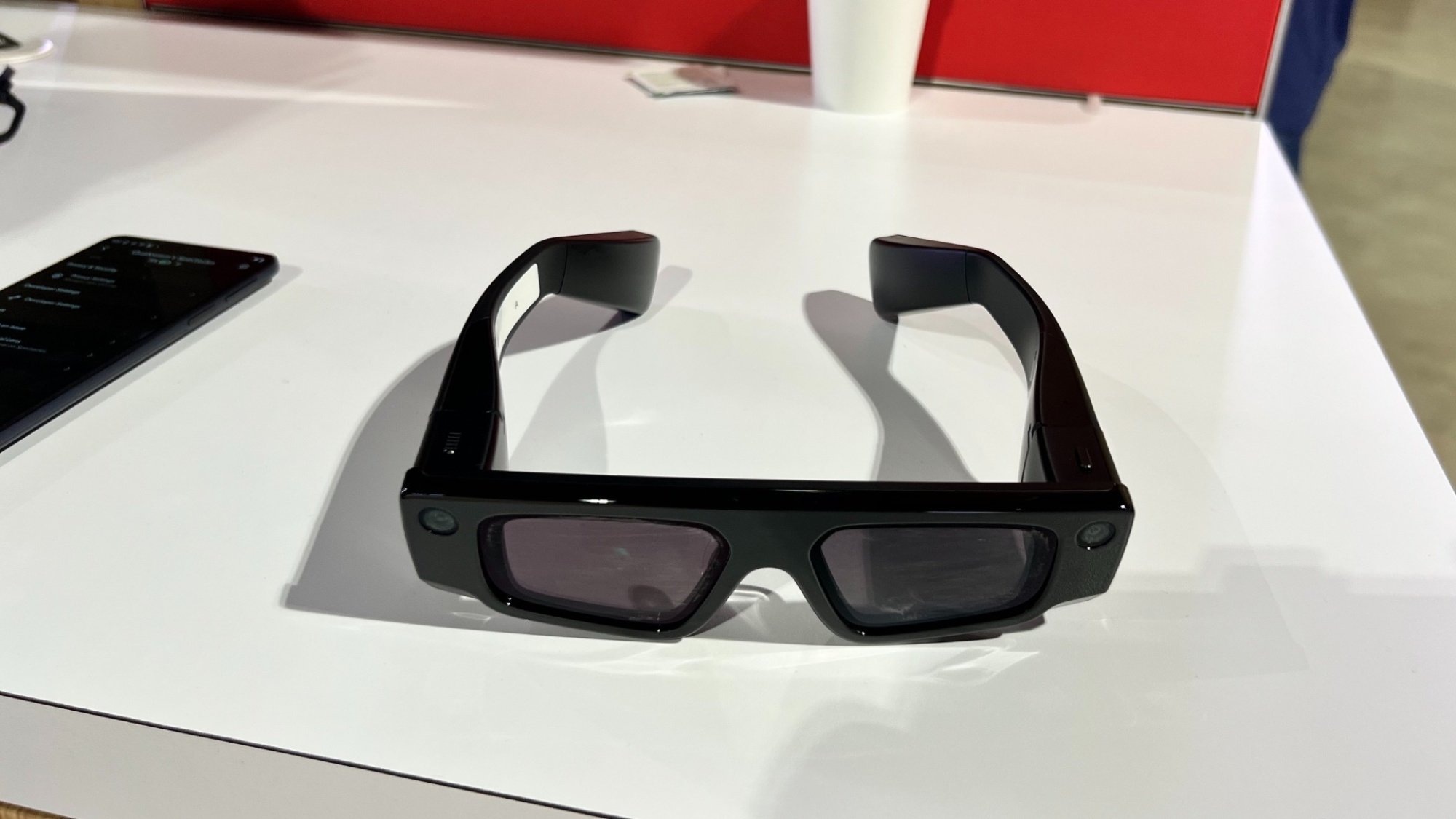
“I don’t like having a huge thing on my head” and “Wait, I also have to pair it to my phone?” are two common problems people have with VR/AR, and the AR1+ aims to solve both. It allows for on-device AI processing, and improves camera quality, display quality, and energy efficiency. I tried a pair of Snap Spectacle 4 smart glasses powered by this chip, and it’s impressive.

RP1’s Spatial Browser

RP1 Browser

Credit: Stephen Johnson/RP1

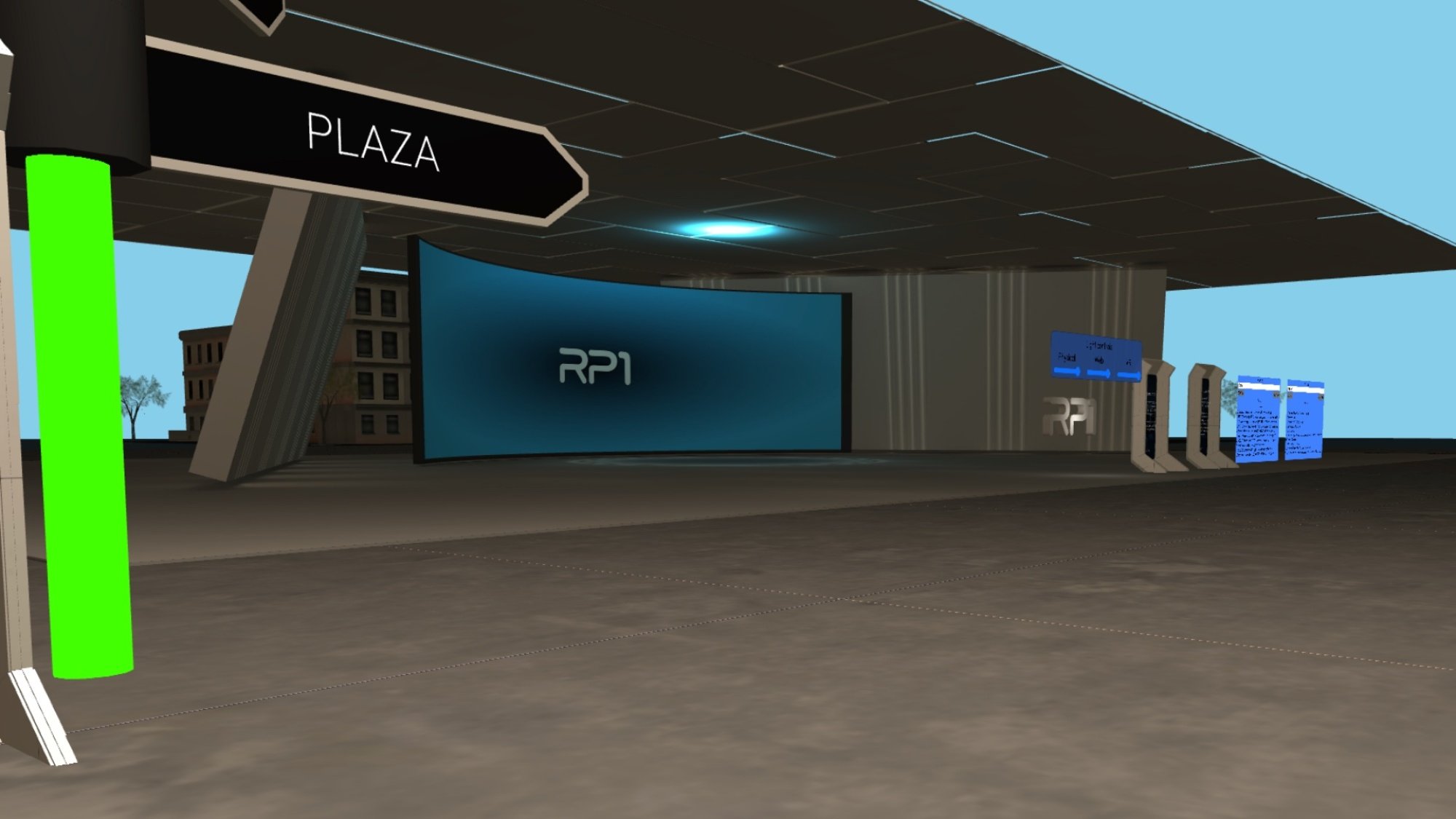
I admit, I was a little puzzled as to what RP1 is trying to do at first. The “world’s first Metaverse browser” aims to “connect the world’s population in a single, persistent XR ecosystem, providing on-demand access to unlimited self-hosted 3D content and services.” But then a helpful representative put it to me like this: “Remember how AOL and Compuserve were totally separate camps? And then the web made a common place for everyone? We’re doing that with 3D spaces,” and it all made sense. The idea is to provide a platform for all Immersive XR (extended reality) spaces, so it doesn’t matter what device you’re using to view them. You can check it out now, by the way.

XREAL Eye

XREAL OnePro

Credit: Stephen Johnson

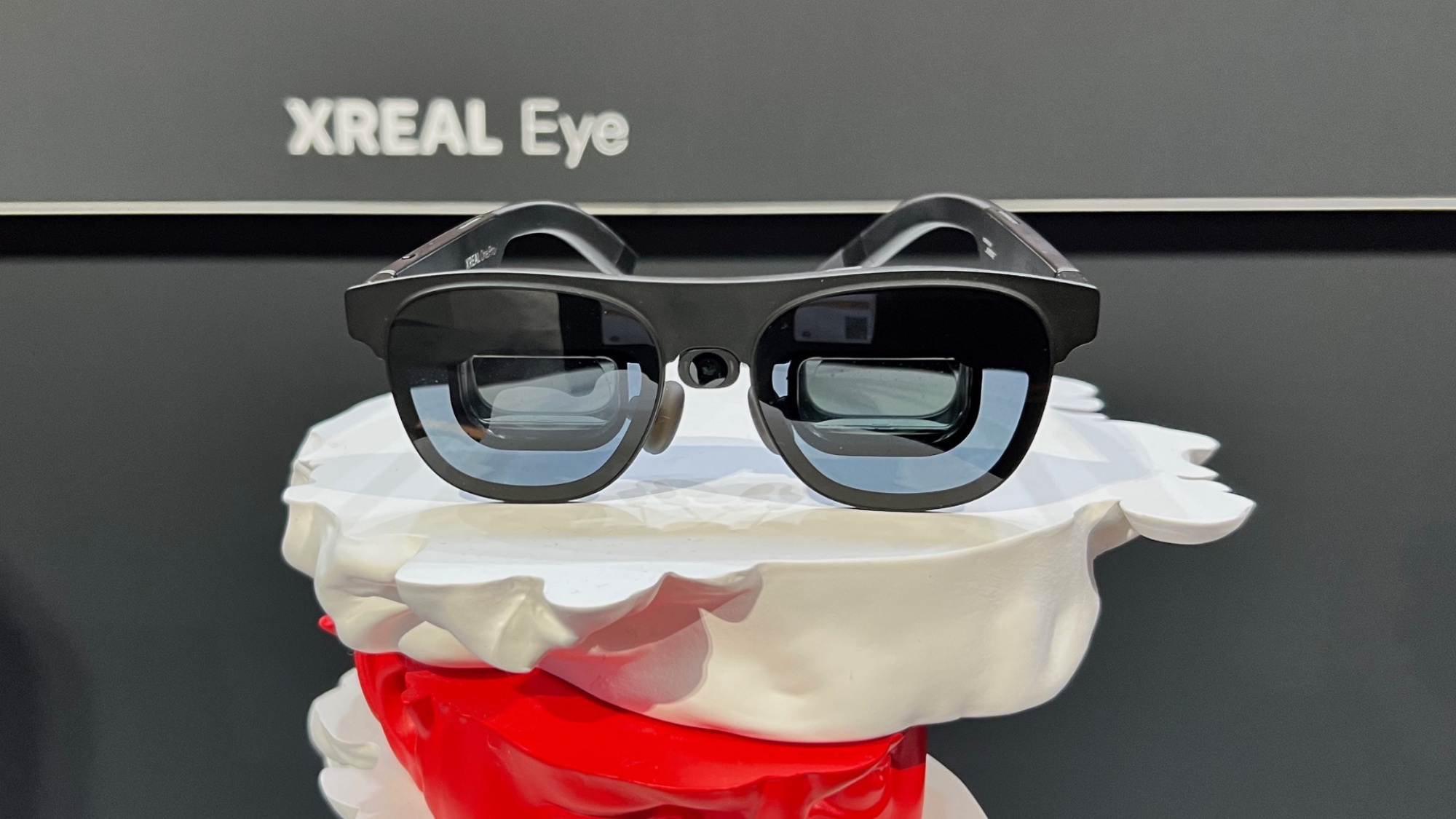
I was impressed with the XREAL Air 2 Pro glasses I reviewed last year, and this enhancement makes them better. The XREAL Eye is a small camera that adds 6DoF (i.e. 6 Degrees of Freedom so your head and body can move naturally in space: up/down, left/right, forward/back) tracking, making virtual content more immersive and natural. I tried it out briefly on the show floor, and it’s very impressive. Look for a full review soon.

Lumus Z-30 Optical Engine

Lumus VR tech

Credit: Stephen Johnson

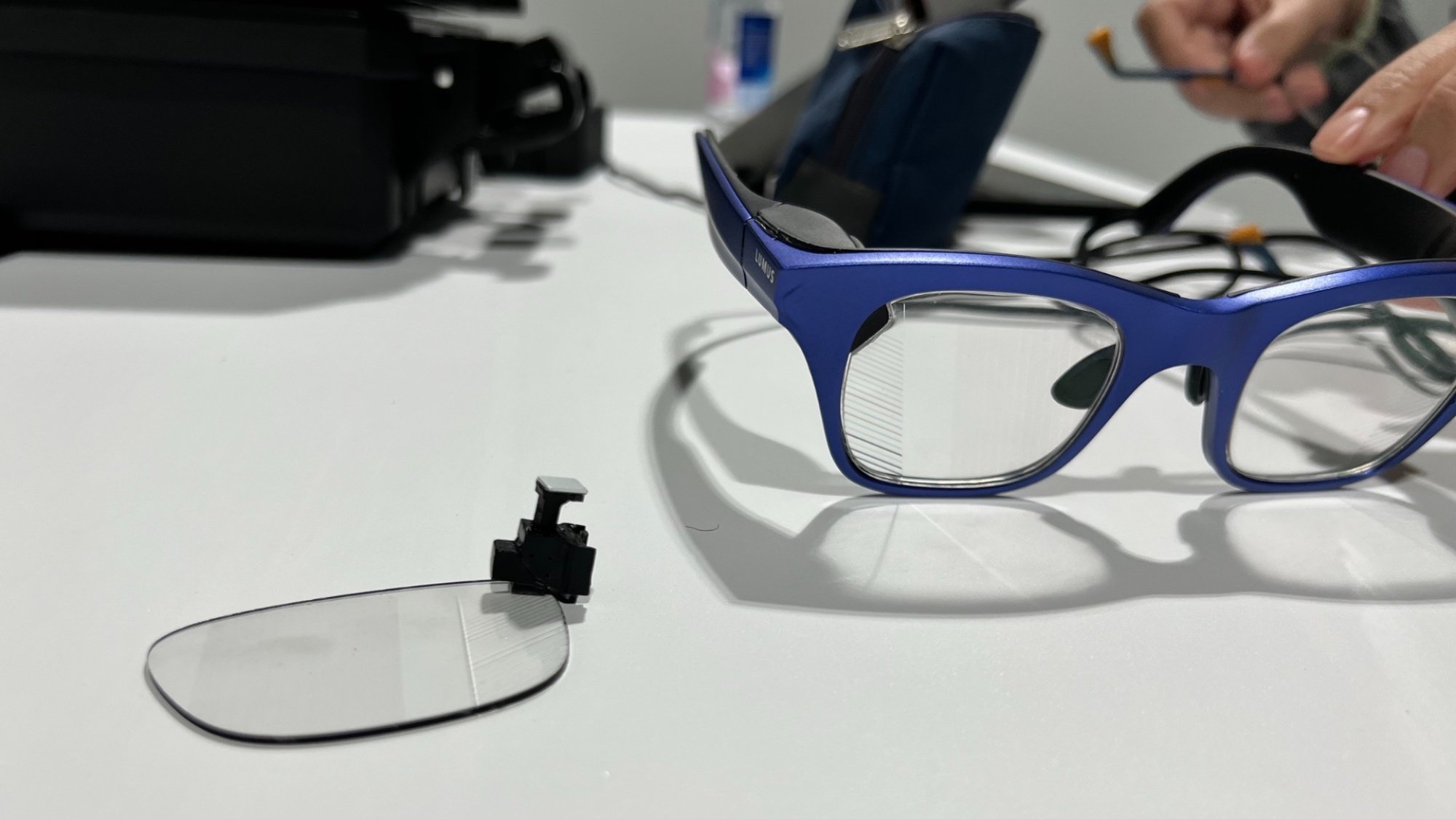
Sometimes at tech conventions, you get taken into a back room and shown some pure tech, prototypes that are not yet available commercially. Lumus (“the pioneering developer of geometric waveguide technology for augmented reality”) took me into a bare conference room to check out the Z-30 Optical Engine. The device left me saying “whoa” like I was Keanu Reeves. Check out the picture above; the lightweight thing on the side of the glasses’ is tiny projector that throws a 720 x 720 pixel image onto the clear glass of the lenses, and only you can see it. You could use this to add a customized HUD to your life without anyone knowing what a huge nerd you are, or secretly watch TikTok while having a conversation.

Campfire

Campfire VR

Credit: Campfire

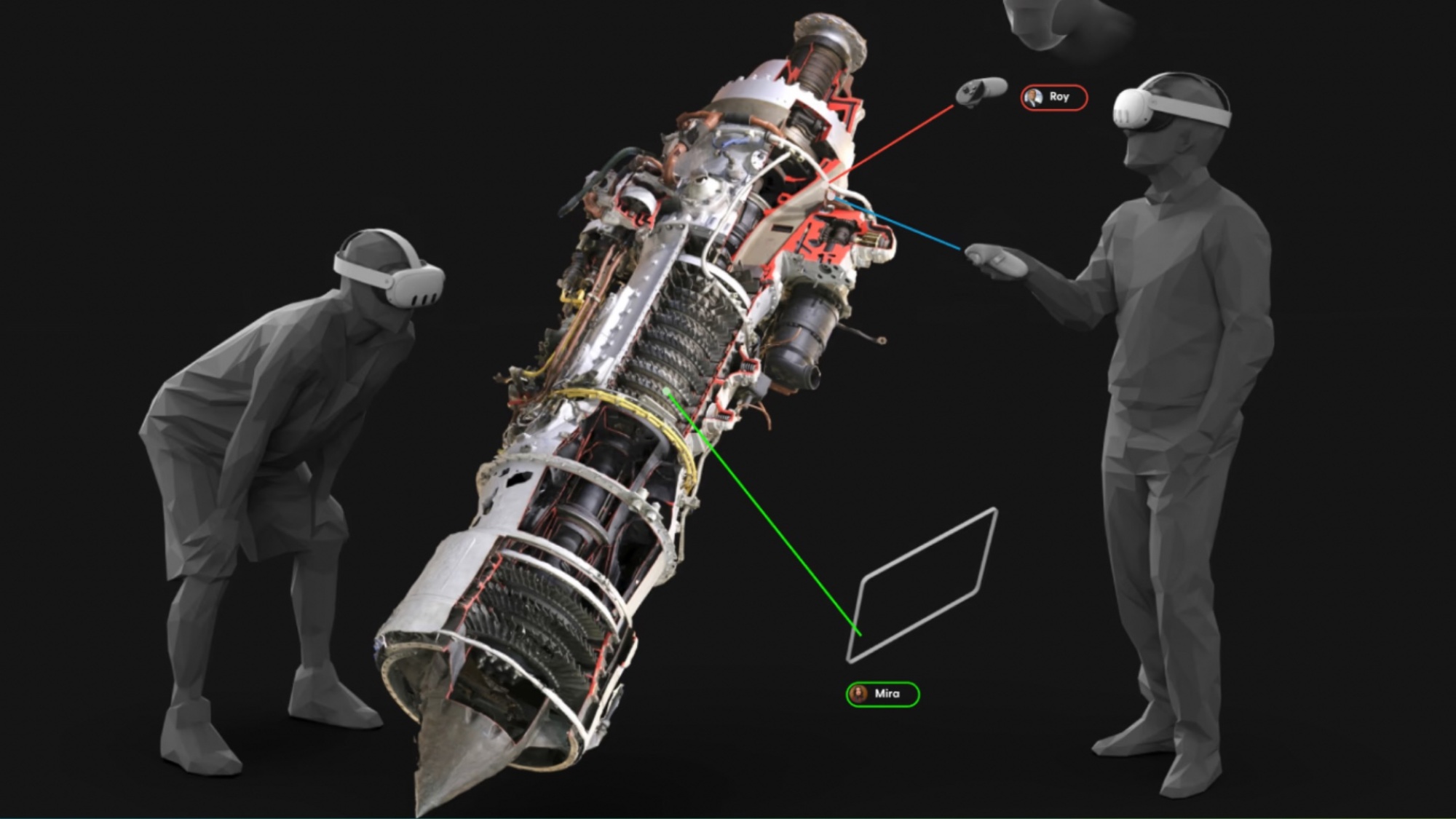
The people I know who regularly use VR in the workplace are my friends who design sets for stop-motion animation. It’s niche, I realize, but anyone working in collaborative 3D design in any way should take a long look at Campfire. It lets you look at CAD at 1:1 scale with other people, everyone in a circle around the virtual 3D object like it’s a campfire.

FreeAim Powered AR Shoes

Free Aim Powered AR Shoes

Credit: Stephen Johnson

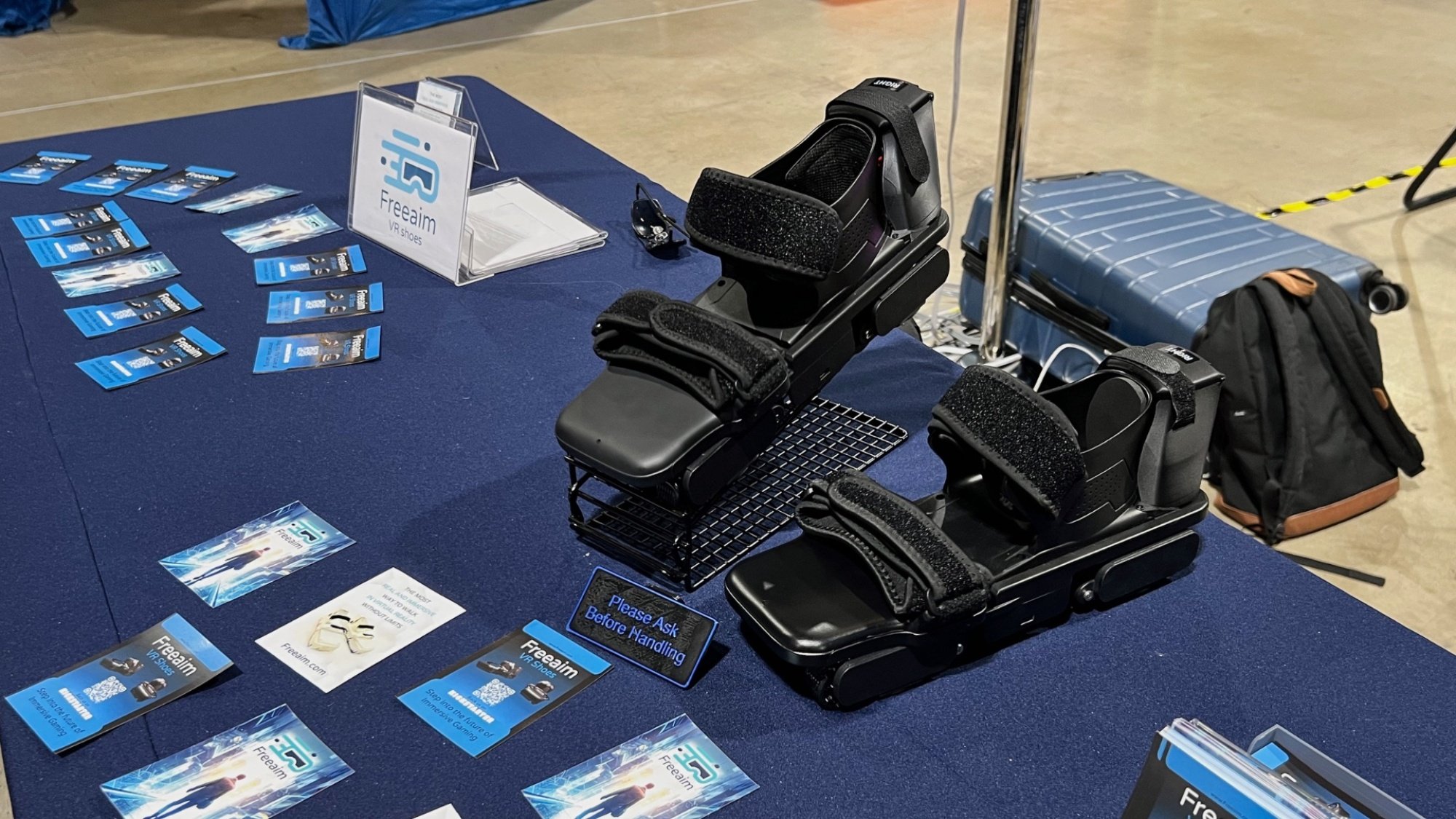
FreeAim VR Shoes aim to solve the problem of “How do you walk around in virtual reality?” Their solution: Make powered shoes that will return the user to their original position after they take a step. I didn’t get a chance to try these out, because I didn’t trust my balance enough, but I’m looking forward to checking out a pair in a more controlled environment.

Virtuix Omni One

Virtuix Omni One

Credit: Stephen Johnson

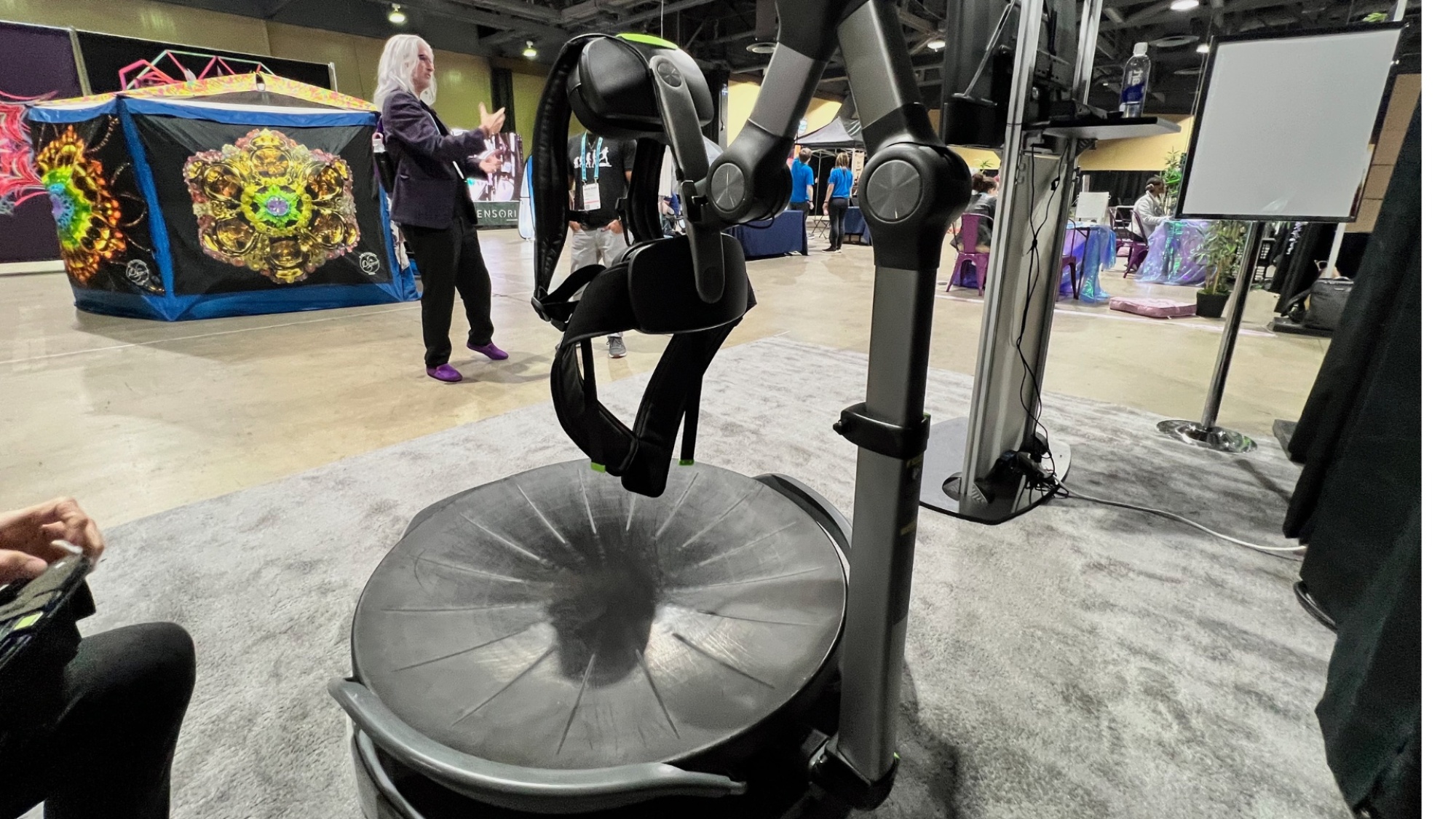
Another approach for “walking in VR” comes via the Virtuix Omni One, a treadmill device that lets you virtually walk and run without moving through low-friction technology. In other words, it’s an extremely slippery, bowl-shaped floor with a harness and scaffolding that keeps you upright. Let me tell you, it’s very slippery—the kind of thing that’s disconcerting until you trust it—but once you’re over that hump, it’s a viable solution.

Simtryx

Simtryx VR

Credit: Stephen Johnson

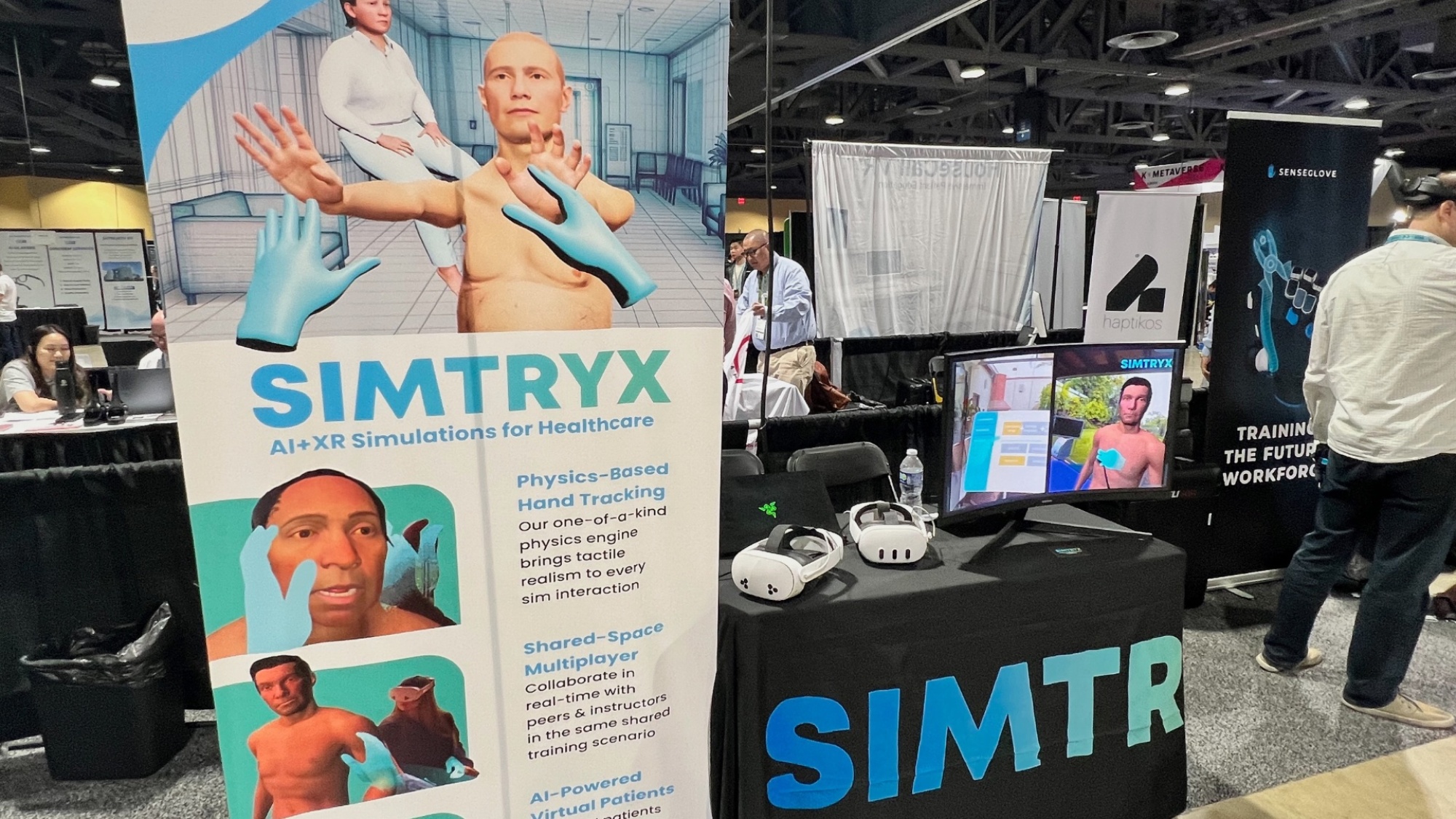
I tried out a bunch of AR and VR games at the AWE Expo, and by far the most fun I had was playing with the Simtryx AI medical training device. The (extremely indulgent) Simtryx representative at AWE explained that it’s actually not a game; it’s a XR+AI simulator designed to train medical professionals, but when a VR patient complains of stomach pain, I’m going to play doctor. I tried to convince the AI bot that his appendicitis was psychosomatic, then prescribed a ton of pain killers. Poor guy was dead in about three minutes.

Dreampark

Dreampark VR

Credit: Stephen Johnson

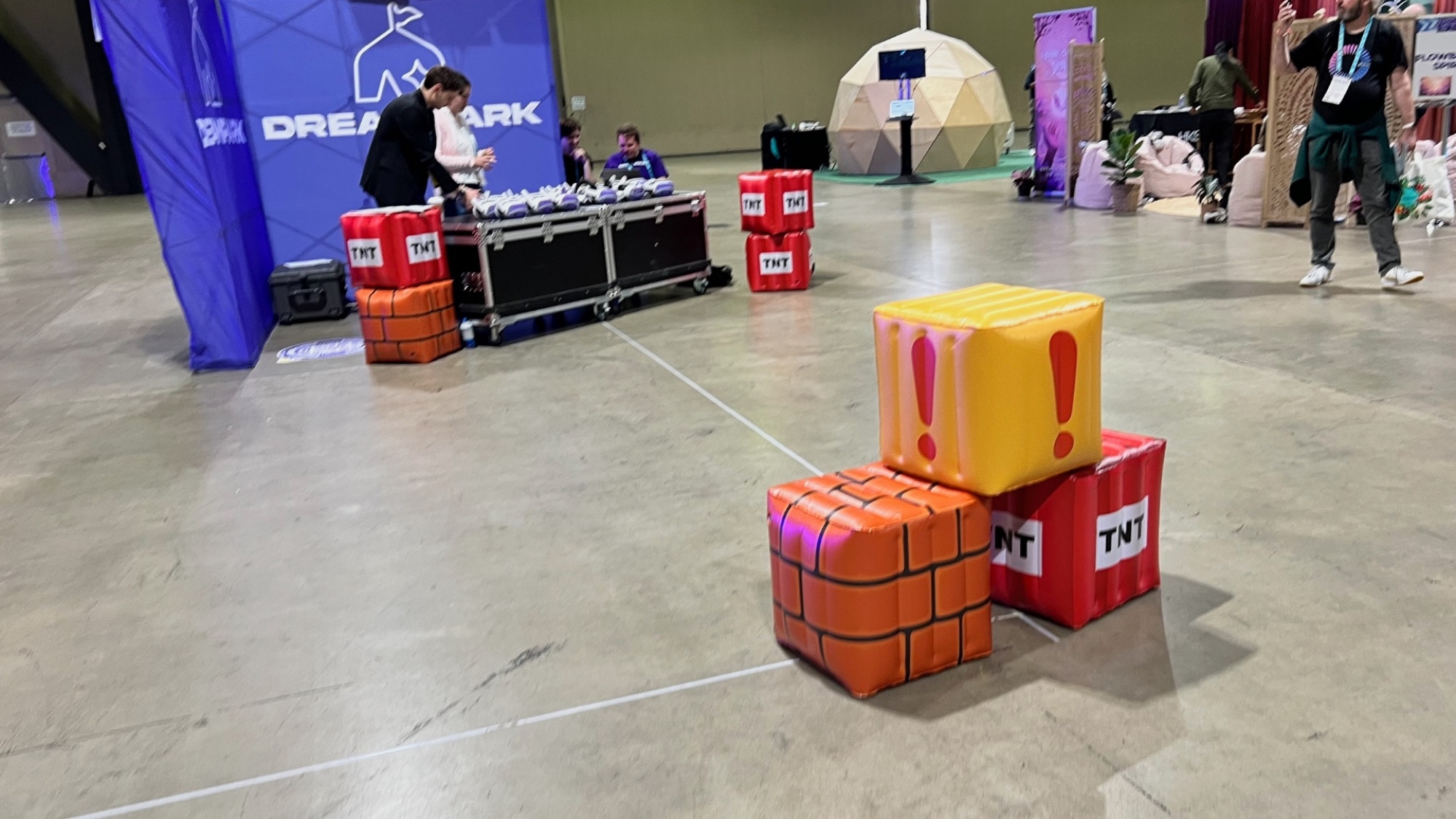
The image above looks like some sad inflatables on a concrete floor, but if you slip on a Meta Quest running Dreampark, it becomes a colorful level of a Mario-esque platformer, complete with golden coins to collect, lava to avoid, and more. It’s not the kind of thing you could probably do in your house, but it would be perfect at a kid’s birthday party space, or at the crumbling remains of a once vibrant retail zone, like Santa Monica’s Third Street Promenade, that hosts a Dreampark experience weekly.

Kinneta

Kinneta VR

Credit: Stephen Johnson

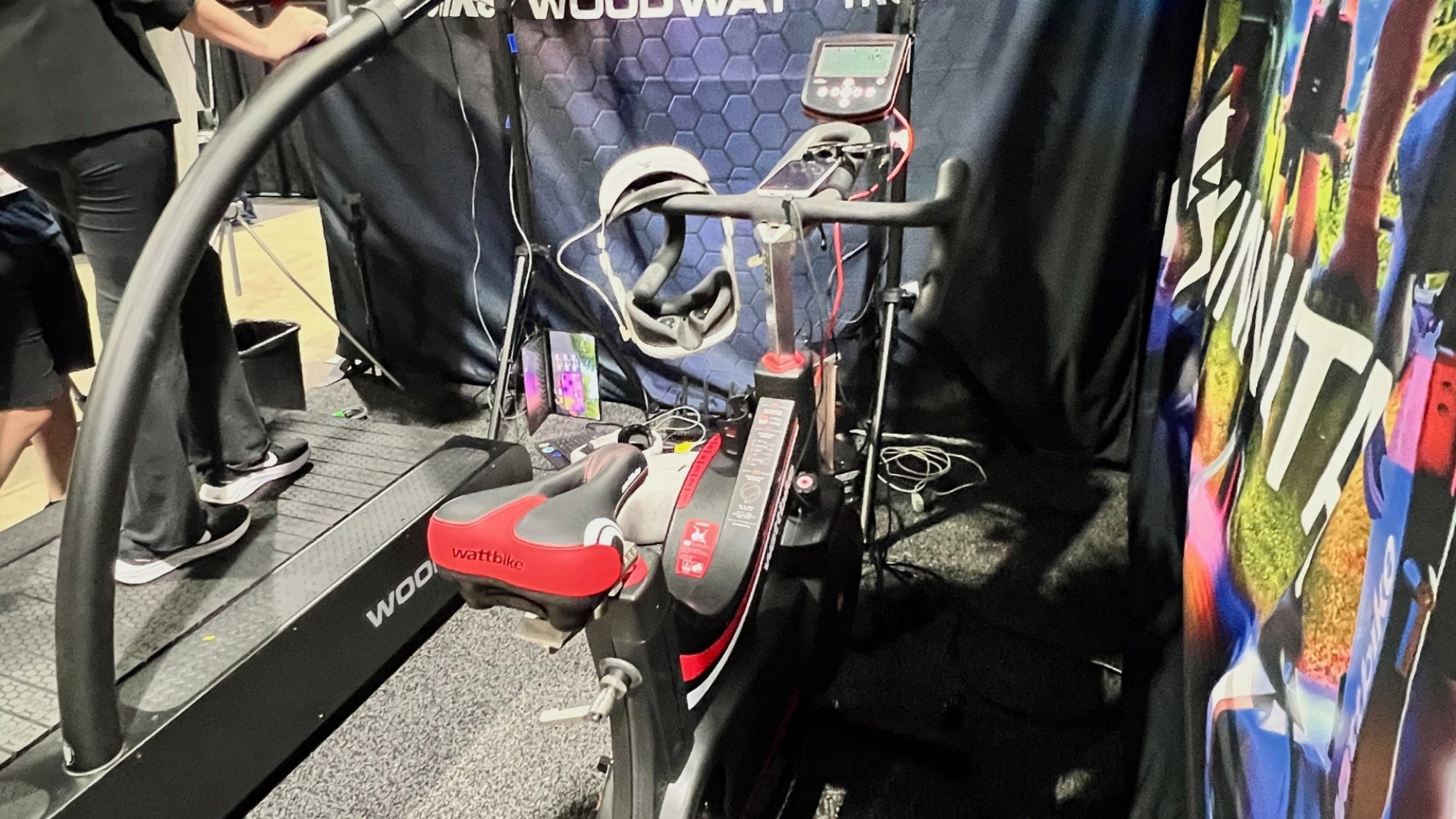
Lifehacker’s resident spin class instructor Lindsey Ellefson and I disagree about the “games” that come with a Peloton. She loves them; I think they’re ass. But this is just because she hasn’t tried Kinneta yet. It pairs your Meta Quest 2, 3 or 3S with any Bluetooth bike to provide fully gamified fitness on any Bluetooth-enabled treadmill or stationary bike. I gave it a shot and found the experience mirrors Meta’s own Supernatural in an awesome way.

Flowborne Spirit VR

There are a lot of VR and AR apps that are meant to provide relaxation, meditation, and a contemplative experience and Flowborne Spirit was the best I saw at the show. I like the innovative use of the Meta Quest’s controller: You rest it on your belly and it responds to your breath. The game made me feel like I had joined a cult, in the best way possible!

AMD Scores Chip Deal To Power Microsoft’s Next-Gen Xbox And More Gaming Devices

AMD Scores Chip Deal To Power Microsoft's Next-Gen Xbox And More Gaming Devices
At this point, we’ve pretty much come to expect that AMD will power living room consoles from Microsoft and Sony, but that’s not necessarily how it will always be (just ask Intel about its past relationship with Apple). However, AMD will indeed power Microsoft’s first-party gaming systems for the foreseeable future, with the company announcing

2025 Audi S5 and A5 first drive: Five-door is the new four-door

ASPEN, Colo.—The SUV might be the dominant design in the American automobile market, but it hasn’t completely taken over. At Audi, there is still life in the sedan. The old A4 four-door is no more—at least for a while or until Audi redoes its nomenclature yet again. If you want a small Audi four-door, you need to step down to the A3. Five doors is where it’s at, with the 2025 A5.

Like the new Q5 SUV, which you may have read about last week, the new A5 uses an all-new vehicle architecture from Audi called PPC (for premium platform combustion). PPC will give rise to a wide range of new vehicles from Audi, Porsche, and the other premium VW Group stablemates, and it takes a meaningful step into the future with advanced new electronics, making this a true software-defined vehicle.

Under the hood

There will be two versions at launch. The regular A5 features a 2.0 L four-cylinder turbocharged, direct-injection engine driving all four wheels via a seven-speed dual-clutch transmission, and generates 268 hp (200 kW) and 295 lb-ft (400 Nm). That’s a pretty large power and torque bump compared to the outgoing A5 Sportback, in part thanks to a new variable geometry turbocharger that replaces the old twin-scroll blower.

Read full article

Comments

I’m a Long-Time Philips Hue User, and These Are My Six Favorite Features

We may earn a commission from links on this page.

Among smart lights, few have the robust software (or price tag to go along with it) of Philips Hue. The company has made a name for itself as the standard-bearer for what smart lights can be. After years of adding new features, though, there are quite a few that aren’t as helpful as the others. These are the ones that I, as a long-time Hue owner, actually use on a regular basis.

Some of this is going to be a bit your-mileage-may-vary. For my money, the feature that lets you create a colorful scene based on a photo is neat as a party trick (if your party is boring), but it’s not that helpful when there’s already a huge library of scenes available to choose from. Maybe you disagree! But I’ve been using Hue lights for almost as long as they’ve existed, and these are my favorite features.

Schedule your lights to slowly wake you up…

Getting blasted with light in the morning is a terrible way to wake up, at least for me. And if you’re in the same boat, the fade-in timer in the Hue app is a handy solution. In the Automations tab, click the + icon and tap “Wake up with light.” Choose a room and you can set a specific time and date for your lights in that room to turn on.

Most helpfully, you can tap the Fade Duration setting to slowly turn on the light. You can tweak this to be anywhere from 10 to 60 minutes. Personally, I find this meshes really well with my terrible habit of setting multiple alarms, because I sleep through the first several. It’s easy to lose track of how much time has passed across multiple snoozes, but the lights make the imminent arrival of a new day impossible to ignore.

…Or sync your lights to the rising and setting of the sun

While I prefer turning my lights on in the morning at a specific time—and it makes more sense for anyone who has to stick to a schedule—the night is a bit of a different story. Like many smart lights, the Hue app features automations that let you tie your lights to your local sunset. It bases this off the location of your Hue Bridge, which you can adjust in the app’s settings.

To set this up, head to the Automations tab in the Hue app and choose Custom automation. Instead of choosing a specific time, you can pick either Sunrise or Sunset. To avoid an abrupt transition, I like to set the timer to begin 15 minutes before sunset, and set the Fade duration to 30 minutes, so some of my lights turn on roughly as the sun sets.

I also like to set a second automation to kick in an hour or two after sunset to dim the lights again. Especially in the summer, sunset happens pretty late where I live, so it can be easy to lose track of time. Having such a visible reminder helps keep my sense of time grounded.

Give date night some ambience with candle effects

The animated effects are a little buried in the Philips Hue app, which is a bit of a bummer because they’re one of the platform’s best features. These effects let your lights—especially if you have full color RGB bulbs—simulate the flickering of a candle, the shimmering surface of water, or abstract colorful prisms.

The candle animation in particular is perfect for date nights. Nothing sets the mood quite like the dim, soft dance of firelight—without the setup and risks of actual fire. To find these effects, open up the light you want to apply it to. You can tap each light and select the three-star Effects icon to find a library of effects.

For rooms with multiple lights, it’s often easier to create a custom Scene to apply it to all the lights in a room. It takes a little more setting up, but create a new Scene for the room, and choose the effect for each bulb in that room. Once the scene is set up, you can easily activate it from the app, or one of the more convenient methods. Including …

Use home screen widgets for quick scene changes

Widgets—in particular Android’s home screen widgets—have had a rocky history, waffling between mostly useless decorations and kinda-helpful little gizmos. But the Philips Hue controls is one of the few widgets I genuinely use every day and don’t want to live without. I have a page on my phone’s home screen with light toggles and a few common scenes that I can swipe to easily.

If you have the Hue app on your phone, you can add these widgets to your home screen on both Android and iOS. Long press an empty space on your home screen and find the Hue widget. The app will take over and walk you through choosing which room, scene, and toggle you’d like each widget to apply to. You’ll have to create a widget for each scene, but after a few minutes, you’ll have a nice little control panel within easy reach.

Don’t forget your voice controls

There’s a decent chance that half the reason you got smart lights in the first place is to control them with a smart speaker. Once you’ve turned off the bedroom lights while snugly under the covers, you never want to go back. What you might not know is that even if you don’t have a smart speaker, you can use this trick.

Most smart speakers like Google Home, Amazon’s Echo, and even Apple’s HomePod can control Philips Hue lights with simple voice commands. However, you can set up your voice assistants like Siri or Gemini to control the lights directly. The process will vary based on which device you’re pairing with, so check your phones and speakers to see how to connect them to your lights.

Turn on vacation mode when you’re away to make it seem like you’re home

One of the most useful specialized automations in the Philips Hue app is the Mimic Presence tool. In the Automations tab, you can find this feature that will automatically turn your lights on or off at irregular schedules even when you’re not at home. This can give the impression that you (or someone) is at home to onlookers nearby.

This is a common tactic to dissuade possible burglars, and it can be surprisingly effective. Most home burglaries are crimes of opportunity, and even simple methods to dissuade can make your home a less appealing target. Whenever I plan on leaving my home for a while, I’ll set this automation up. Then I usually forget that I did until the first time my lights randomly turn off after I get home.


DC Studios Chief Says Movie Industry Is ‘Dying,’ Claims Disney ‘Killed’ Marvel With Output Mandates

DC Studios co-head James Gunn argues that the movie industry is “dying” primarily because productions begin before screenplays are complete, while also delivering a sharp critique of his former employer Marvel Studios, which he claims Disney has “killed” through output mandates.

Gunn dismissed common explanations for Hollywood’s struggles like declining theater attendance or improved home viewing experiences, telling Rolling Stone that “the number one reason is because people are making movies without a finished screenplay.” The filmmaker has implemented a strict rule at DC Studios requiring finished scripts before production starts, recently scrapping a project because its screenplay wasn’t ready.

The director, who previously helmed three “Guardians of the Galaxy” films for Marvel, said Disney’s corporate directive to increase output destroyed the studio’s creative process. “They were under a corporate mandate, yeah. That wasn’t fair. It wasn’t right. And it killed them,” Gunn said, referring to Marvel’s mandated production quotas for movies and television shows. By contrast, Gunn said DC Studios operates without numerical mandates. “We don’t have the mandate to have a certain amount of movies and TV shows every year. So we’re going to put out everything that we think is of the highest quality,” he explained.


Read more of this story at Slashdot.

Motorsport giant Brembo enters cycling market with Specialized

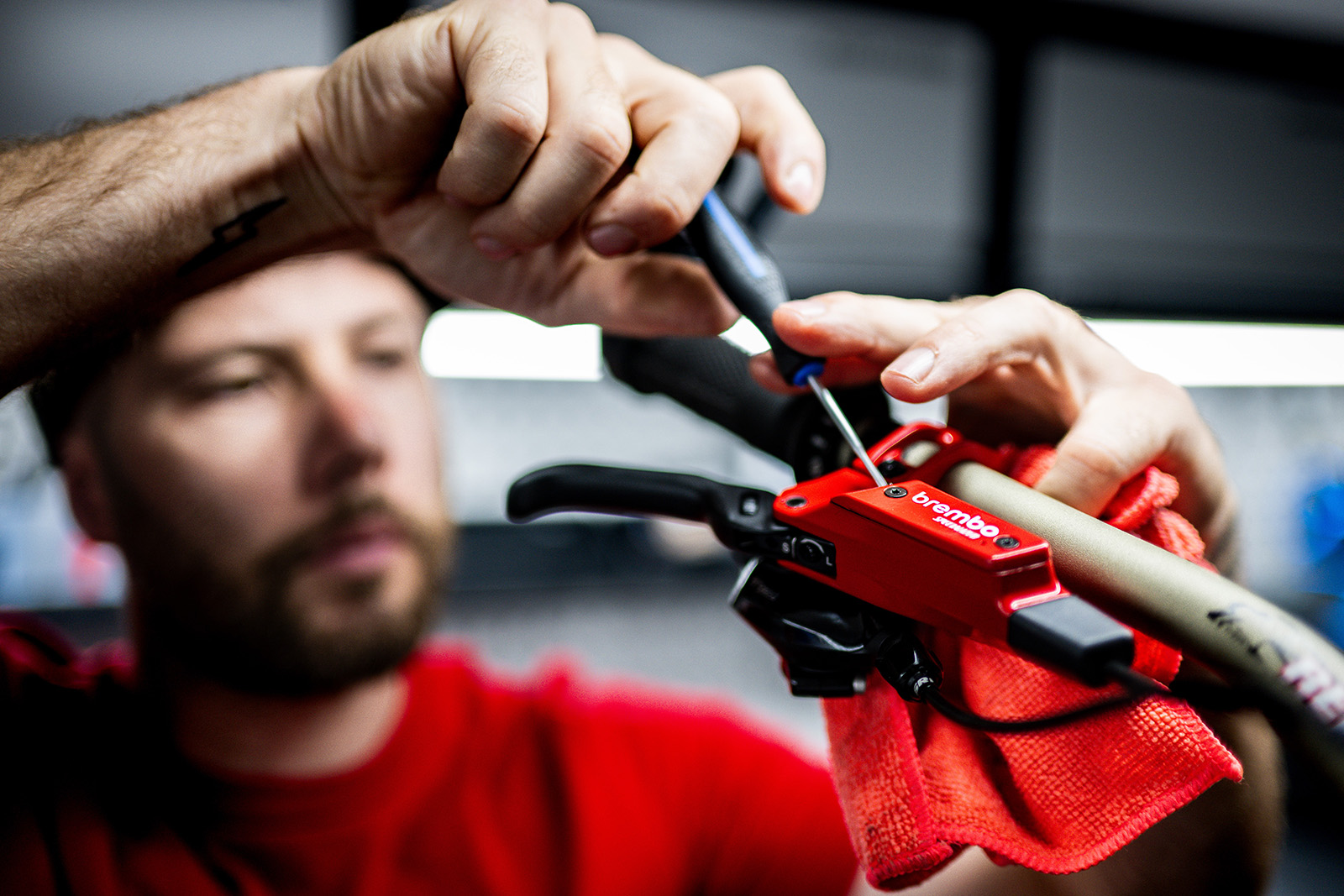
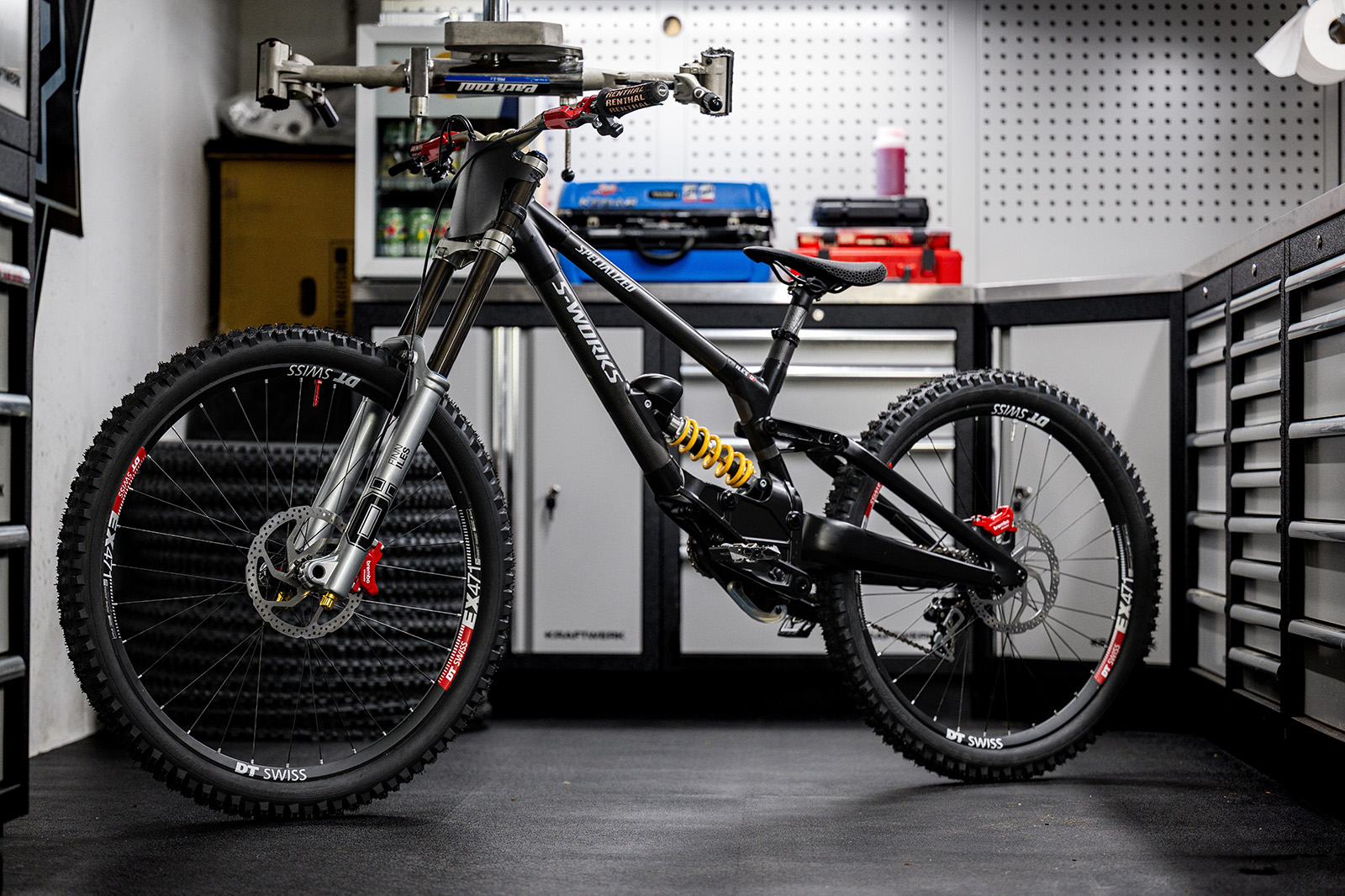
Brembo Brakes has announced a partnership with Specialized Bicycles and will be working with the likes of Loïc Bruni, Jordan Williams and Finn Iles to develop a new braking system.

While the new tie-in may seem a big departure from the top-level motorsport Brembo is synonymous with, it’s no massive shock, having acquired suspension brand Öhlins in 2024. Öhlins also supports the Specialized Gravity team.

Alongside Öhlins, Brembo plans on helping Iles, Williams and Bruni to the top step of the World Cup podium this year, using prototype brakes.

Not Brembo’s first rodeo

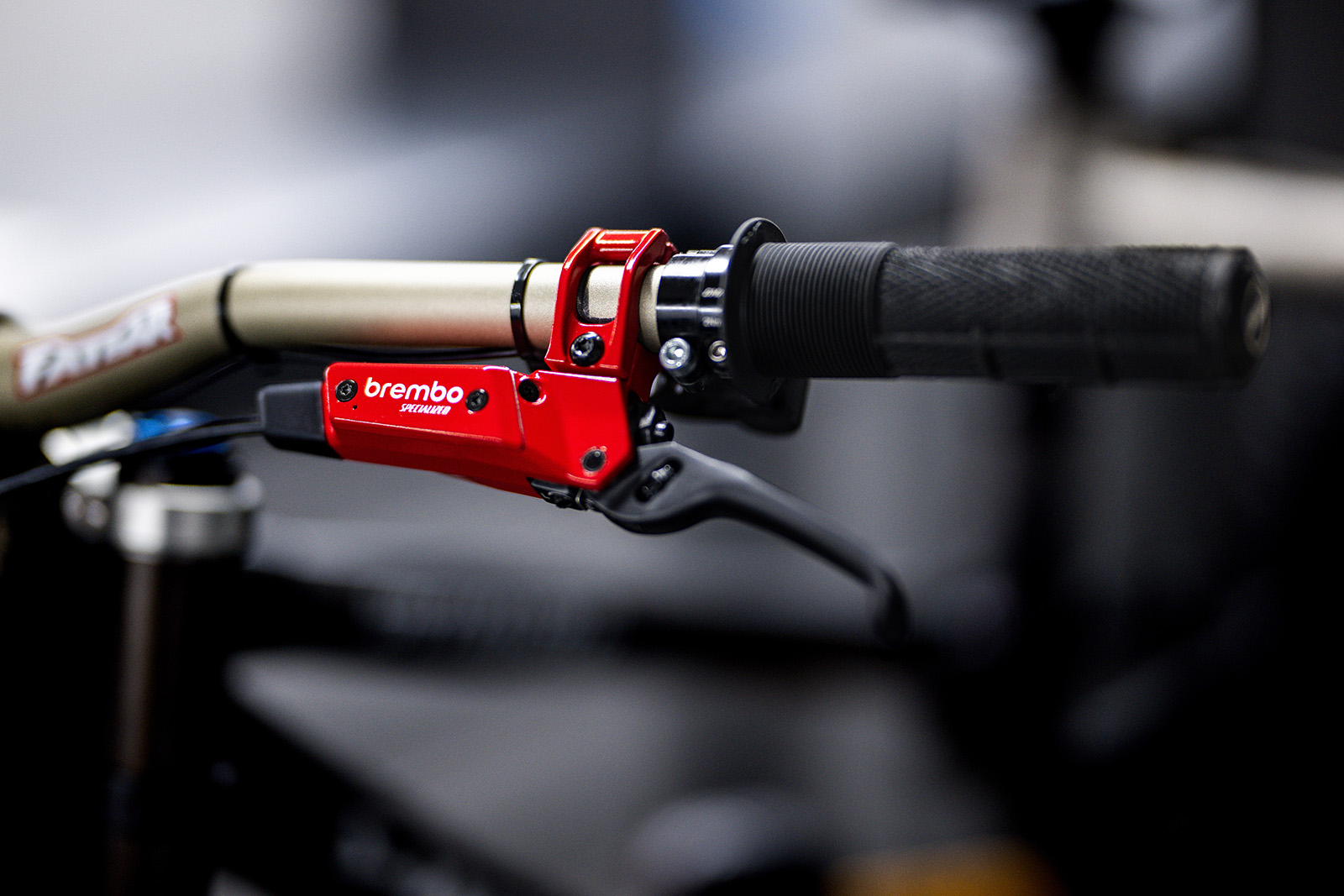
Brembo Brakes lever
The chunky new lever looks easily as big as some of its closest rivals, with a hefty oil reservoir and lengthy lever blade. Billy Ceusters

Brembo is well known in the automotive world, having supplied brakes systems to Formlula One and MotoGP teams.

The brand knows what it takes to compete at the top level, so the jump to downhill racing shouldn’t be a massive shock to the system.

In fact, cast your mind back or search the depths of eBay and you may find some old, twin-piston Brembo brakes from around 17 years ago.

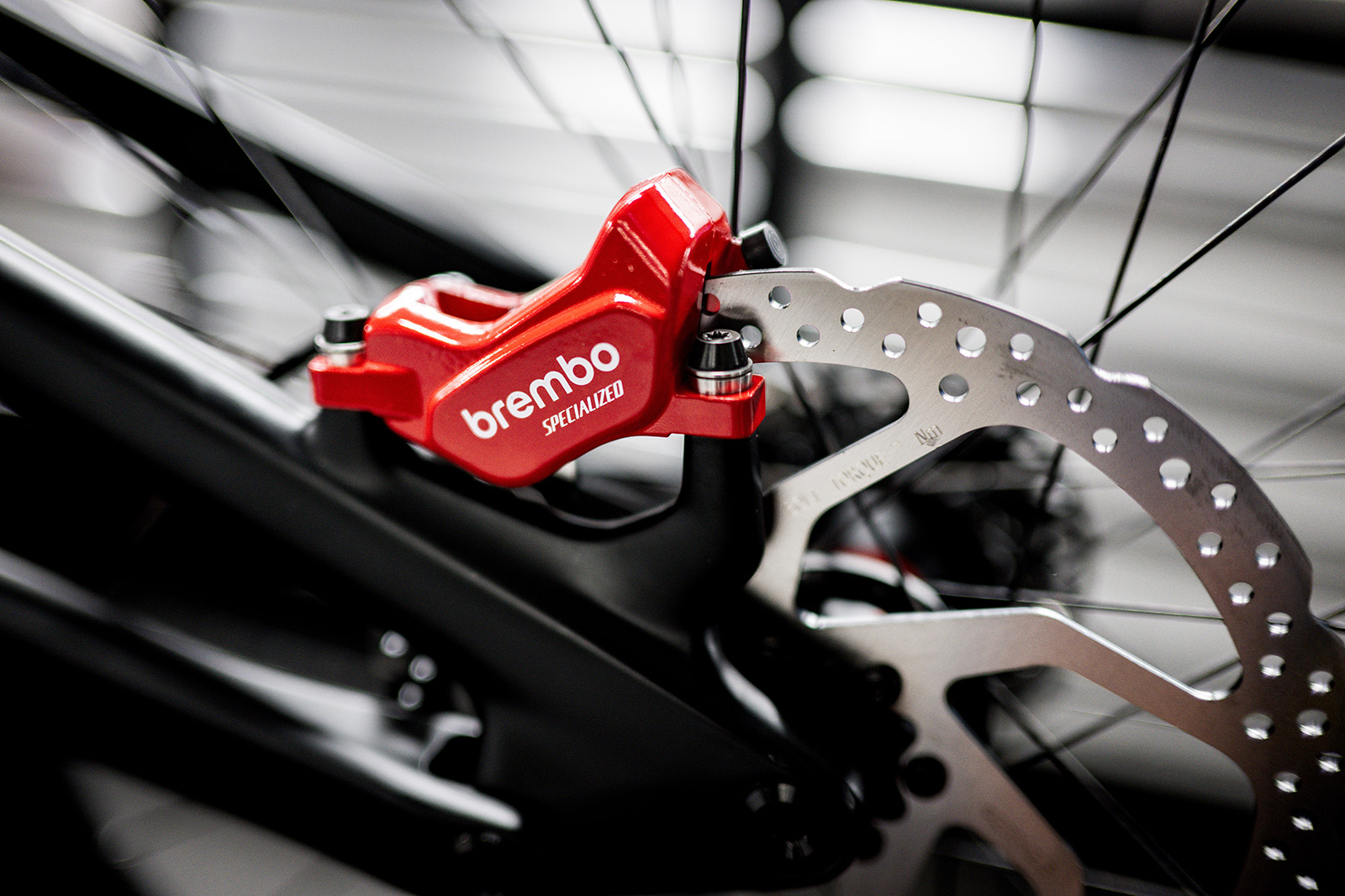
Brembo Brakes caliper
Inside the large calipers, we’re assuming there are four pistons ready to squeeze pads onto the rotors. Billy Ceusters

These old brakes had a lever reminiscent of Shimano’s classic XTs and a caliper that looked a little like an inflated Hope C2.

The new brakes, though, which were spotted at the early rounds of the World Cup on the Specialized Gravity team bikes, look drastically different.

At the bar, the lever blade looks almost as long and straight as the Hope Tech 4 V4, minus the protruding adjuster dials.

There is, however, a small adjuster integrated into the blade itself, near the pivot, which we assume alters reach.

Brembo Brakes lever
External adjustment looks to be limited to lever-reach adjust at this point. Billy Ceusters

The blade then attaches to the lever body, which looks similar in size to that of SRAM’s Maven brakes, if a little larger, and – like the ‘Stealth’ lever body of the Maven – sits close to the bar.

That said, the fluid reservoir looks taller (a little like that of the TRP DHR EVOs) and possibly a touch larger than SRAM’s top gravity stoppers.

At the business end, it appears the caliper uses four pistons to stop the rotor.

Racing only

Mountain bike with Brembo Brakes
Finn Iles, Loïc Bruni and Jordan Williams will all be using the prototype Brembo brakes throughout the 2025 season. Billy Ceusters

Brembo’s press release states that its focus will solely be on Downhill World Cup racing, with the Specialized Gravity team riding on prototype brakes for the rest of the 2025 season.

There’s no mention of what will come next from the partnership, or whether the brakes will go on general release.

But, looking at the pictures included, these appear to be close to production-ready, so there’s a solid chance you’ll have the opportunity to buy yourself some high-end Italian stoppers in the not-too-distant future.

However, we imagine they won’t come cheap.

The AI Revolution: Why AMD, Intel and NVIDIA All Risk Losing Their Crowns

The artificial intelligence (AI) revolution is reshaping the very bedrock of computing, promising a future that is as exhilarating as it is uncertain. While AMD, Intel and NVIDIA currently dominate the semiconductor headlines, a deeper look reveals that despite their individual strengths – AMD’s burgeoning open-source leadership, Intel’s enduring processor market share and NVIDIA’s current GPU supremacy – all three face existential threats. These challenges could see them being bypassed by a new breed of AI-forward companies and potentially relegate them to the annals of “has-beens” if they don’t adapt with unprecedented speed and vision. After all, history is littered with former champions who failed to navigate the next technological tidal wave.

The Peril of Pioneering: When Front-Runners Falter

NVIDIA, having largely ignited the current AI craze with its powerful GPUs and proprietary CUDA software, stands as the undisputed king of AI accelerators. Its market share for GPUs is formidable, with NVIDIA commanding around 92% of the GPU market share in Q1 2025 and approximately 80% of the AI accelerator market.

However, history teaches a harsh lesson: It’s rare for companies at the very front end of a disruptive technological wave to maintain their dominant position until the technology stabilizes and becomes mainstream. This phenomenon, described in Clayton Christensen’s The Innovator’s Dilemma, occurs because established leaders focus on serving their existing high-margin customers and are often slow to adapt to disruptive, lower-margin innovations that eventually capture the mainstream. Think of Nokia. It was once the mobile phone titan that famously failed to pivot to smartphones, clinging instead to older technologies while Apple and Samsung surged ahead. Or IBM, which, despite inventing the PC, ultimately abandoned the PC market after missteps like the ill-fated PCjr instead of owning the personal computing revolution it started. NVIDIA’s proprietary CUDA ecosystem, while a current strength, could become its Achilles’ heel if the AI market increasingly demands open standards and more flexible solutions.

The Big Three’s Unique Vulnerabilities

Each of these semiconductor titans carries its own unique baggage into the AI future:

  • Intel: Despite maintaining the lion’s share of the overall x86 CPU market (around 75.6% in Q1 2025), Intel faces immense pressure from its manufacturing challenges, the rise of powerful AI accelerators from competitors and the significant trend of cloud companies designing their own custom processors like Amazon (Graviton), Google (TPU) and Microsoft (Cobalt).
  • NVIDIA: While still the king of AI GPUs, its proprietary CUDA platform presents a vulnerability. The market is increasingly leaning towards open-source alternatives like AMD’s ROCm, which offers greater flexibility and less vendor lock-in. If the industry coalesces around open standards, NVIDIA’s closed ecosystem could become a significant competitive disadvantage.
  • AMD: Despite its strong momentum in open-source AI (ROCm™ software stack is getting updates every two weeks and ROCm 7 is coming) and competitive hardware performance (Instinct MI325X outperforms NVIDIA H200 in Llama 2 fine-tuning), AMD is still fighting for market share against two entrenched giants. It faces the challenge of scaling its ecosystem and convincing a historically NVIDIA-dominated AI development community to switch.

The Rise of the AI-Native Challengers: Beyond the Big Three

The true disruptive force might not come from within this established trio. A new wave of “AI-forward” companies is emerging, unburdened by legacy architectures or entrenched business models. These startups, often with open-source roots, are designing solutions from the ground up specifically for the unique demands of AI. For example, AheadComputing, founded by former Intel CPU architects, is focusing on high-performance RISC-V processors for AI, cloud and edge devices, highlighting the limitations of current architectures for modern AI workloads. Other examples include Cerebras Systems, known for its wafer-scale engine for massive AI model training, and Groq, focusing on ultra-low-latency AI inference.

Perhaps the most potent threat comes from the recently announced merger of Jony Ive’s design powerhouse, IO, with OpenAI. This alliance aims to develop entirely new AI-powered consumer devices, potentially rendering most existing PC and even smartphone computing hardware obsolete. Imagine a device where the AI is the interface, transcending traditional screens and operating systems. This could bypass the need for conventional CPUs and GPUs as we know them, creating a completely new computing paradigm.

A “Skunk Works” Solution: Reclaiming the Edge

To avoid being relegated to the sidelines, AMD, Intel and NVIDIA all need to cultivate a “skunkworks” mentality – small, autonomous and highly innovative teams operating outside traditional corporate bureaucracy. These projects should focus on:

  • Radical AI-Native Hardware: Developing completely new chip architectures designed from the ground up for AI, potentially embracing open hardware designs.
  • Pure Open-Source Software Ecosystems: Investing heavily in building truly open and collaborative software platforms that attract the broadest possible developer community.
  • Deep Integration with AI Models: Moving beyond selling chips to offering full-stack, optimized solutions for specific AI workloads and applications, potentially even partnering with leading AI model developers in new ways.
  • Exploring Post-PC/Smartphone Paradigms: Actively researching and investing in the next generation of computing devices that might emerge from the AI revolution, beyond the confines of current form factors.

Wrapping Up: The Imperative of Adaptation

The AI revolution presents an existential challenge to the semiconductor industry’s established order. While AMD, Intel and NVIDIA all possess immense talent and resources, their traditional business models and proprietary leanings could become liabilities in a landscape increasingly defined by open-source collaboration, custom silicon and radical new hardware concepts. History is replete with examples of industry leaders who failed to adapt to seismic technological shifts. To avoid becoming cautionary tales, these giants must shed their corporate inertia, embrace a more agile, experimental approach and perhaps even collaborate in unconventional ways to build the truly open, AI-native computing future that is rapidly taking shape. The time for incremental change is over; the future demands a revolutionary response.