Netflix’s Assassin’s Creed is officially set in ancient Rome

Netflix’s live-action Assassin’s Creed show has entered production and will officially be set in Rome in the year 64AD, confirming previous reports.

The upcoming adaptation, then, will return to the setting of 2010’s Assassin’s Creed Brotherhood, although the latter’s story took place more than 1,000 years after the events we’ll see in Netflix’s show. Ubisoft confirmed in a press release that the Netflix series will tell an original story centered on a war between the Templar Order and the Assassin Brotherhood, who each have very different ideas on how the future of mankind should look.

The full ensemble cast has also now been announced. Sandra Guldberg-Kampp (Foundation), Youssef Kerkour (A Knight of the Seven Kingdoms), Mirren Mack (28 Years Later: The Bone Temple), and Louis McCartney (Broadway production Stranger Things: The First Shadow) have all been cast as recurring characters. Netflix previously announced Lola Pettigrew (Trespasses) and Toby Wallace (Babyteeth) as possible leads, along with a number of other series regulars.

Roberto Patino (Westworld, Sons of Anarchy) and David Wiener (Halo, The Killing) are serving as creators, showrunners and executive producers on the show, which is primarily filming at Rome’s iconic Cinecittà Studios. No release date has been announced.

Assassin’s Creed won’t represent the first time that Netflix has adapted a Ubisoft property. 2023’s Captain Laserhawk: A Blood Dragon Remix was based on a Far Cry 3 expansion, and last year Sam Fisher made his TV debut in the broadly well received Splinter Cell: Deathwatch.

This article originally appeared on Engadget at https://www.engadget.com/entertainment/streaming/netflixs-assassins-creed-is-officially-set-in-ancient-rome-171533234.html?src=rss

Chuck Norris Dies At 86

Longtime Slashdot reader SchroedingersCat writes: Chuck Norris, known for his roles in action films and as Texas Ranger Cordell Walker on the TV show “Walker, Texas Ranger,” passed away on March 19, leaving behind a legacy of inspiring millions around the world. He was 86.

He became Internet phenomenon after “Chuck Norris Facts” went viral online with such wildly hyperbolic statements as, “Chuck Norris had a staring contest with the sun — and won,” and, “When Chuck Norris does push-ups, he doesn’t push himself up, he pushes the Earth down.”

His death was announced by his family through his official Instagram account, but no further details were immediately available. He was hospitalized earlier that day in Hawaii after experiencing a medical emergency, the family said.


Read more of this story at Slashdot.

Here’s How Google’s ‘Safer’ Sideloading Works on Android

While Google has plans to severely restrict Android users’ ability to download apps from sources other than the Google Play Store, the company is introducing a new process that will allow sideloading after a mandatory 24-hour waiting period. This new “advanced flow” setting is meant to prevent users from installing malware distributed by bad actors through unverified sources, while still allowing them to sideload from legitimate developers.

Sideloading restrictions are coming to Android

Last year, Google announced that sideloading on Android would eventually be limited to verified third-party app stores and developers. This change has a clear goal: cracking down on malicious apps impersonating real ones found on the Google Play Store. These restrictions—which go into effect for Brazil, Indonesia, Singapore, and Thailand later this year, and apply globally in 2027—will eventually require developers to register specific details with Google in order to distribute their apps, as well as pay a fee. (Students and hobbyists will be still able to share apps with up to 20 devices without registering or requiring users to go through the new workaround.)

This move was met with significant criticism from both developers and users, with concerns ranging from privacy infringement (developers now need to share details they didn’t previously have to) to increased difficulty accessing modified or downgraded versions of apps. As such, Google is rolling out a compromise it feels will protect most users from malware, while allowing power users to sideload when they wish to.

Google is introducing a sideloading workaround

The new advanced flow setting will add multiple points of friction to unverified app installation, cutting into the sense of urgency scammers frequently use to distribute malware. Users will go through a one-time process to disable security protections—meaning you won’t need to repeat it every time you want to sideload—but you’ll still see a warning when you attempt to install an app from an unverified developer.

If you’re interested in this workaround, you will first need to enable developer mode in your device’s Settings app and confirm you are not being coerced into disabling security protections on your device (a common scam tactic). Next, you’ll need to restart your phone, which shuts down calls and remote access tools scammers may use to communicate with you or control your device. From here, you’ll have to wait 24 hours before you can return and authenticate the settings change using biometrics or your device PIN. Finally, you’ll confirm you understand the risks, which then allows you to install apps from unverified developers for seven days, or indefinitely.

This workaround will be available starting in August—before developer registration requirements kick in.

Amazon is reportedly developing an AI-centric smartphone

Amazon is developing a new smartphone over a decade after discontinuing the Fire Phone, Reuters reported today, citing four anonymous “people familiar with the matter.”

Reuters said the phone is codenamed Transformer but couldn’t confirm what it might cost, how much Amazon has invested into development thus far, or how much Amazon expects to make off the device. Like any product reportedly under development, it’s possible that Amazon will never release the phone. Reuters’ sources noted that Transformer could be cancelled over finances or a change in strategy.

When reached for comment by Ars Technica, an Amazon spokesperson declined to comment on Reuters’ report.

Read full article

Comments

Felt’s new Nexar is the lightest aero bike it’s ever made, but that hasn’t compromised its speed or comfort

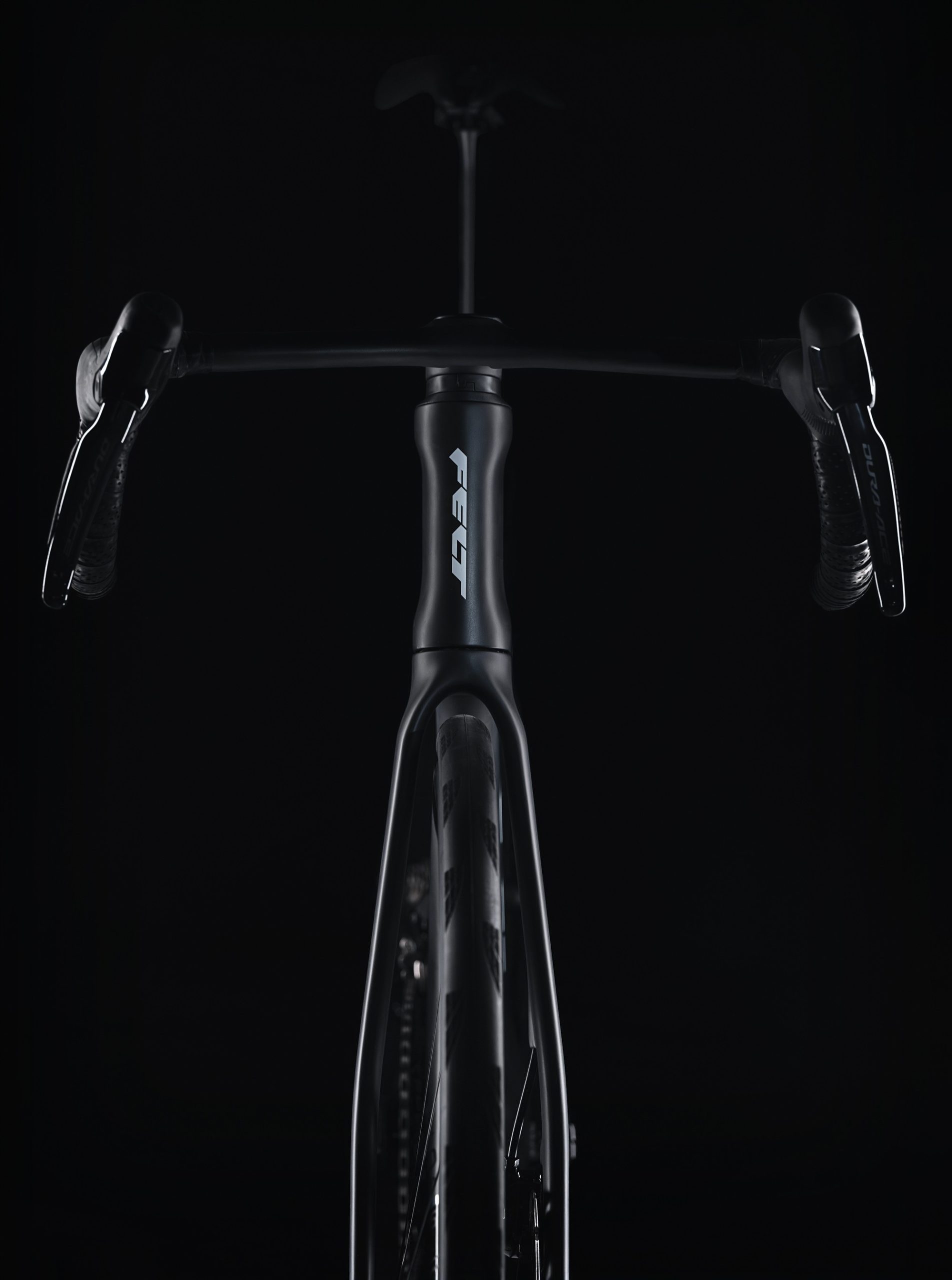
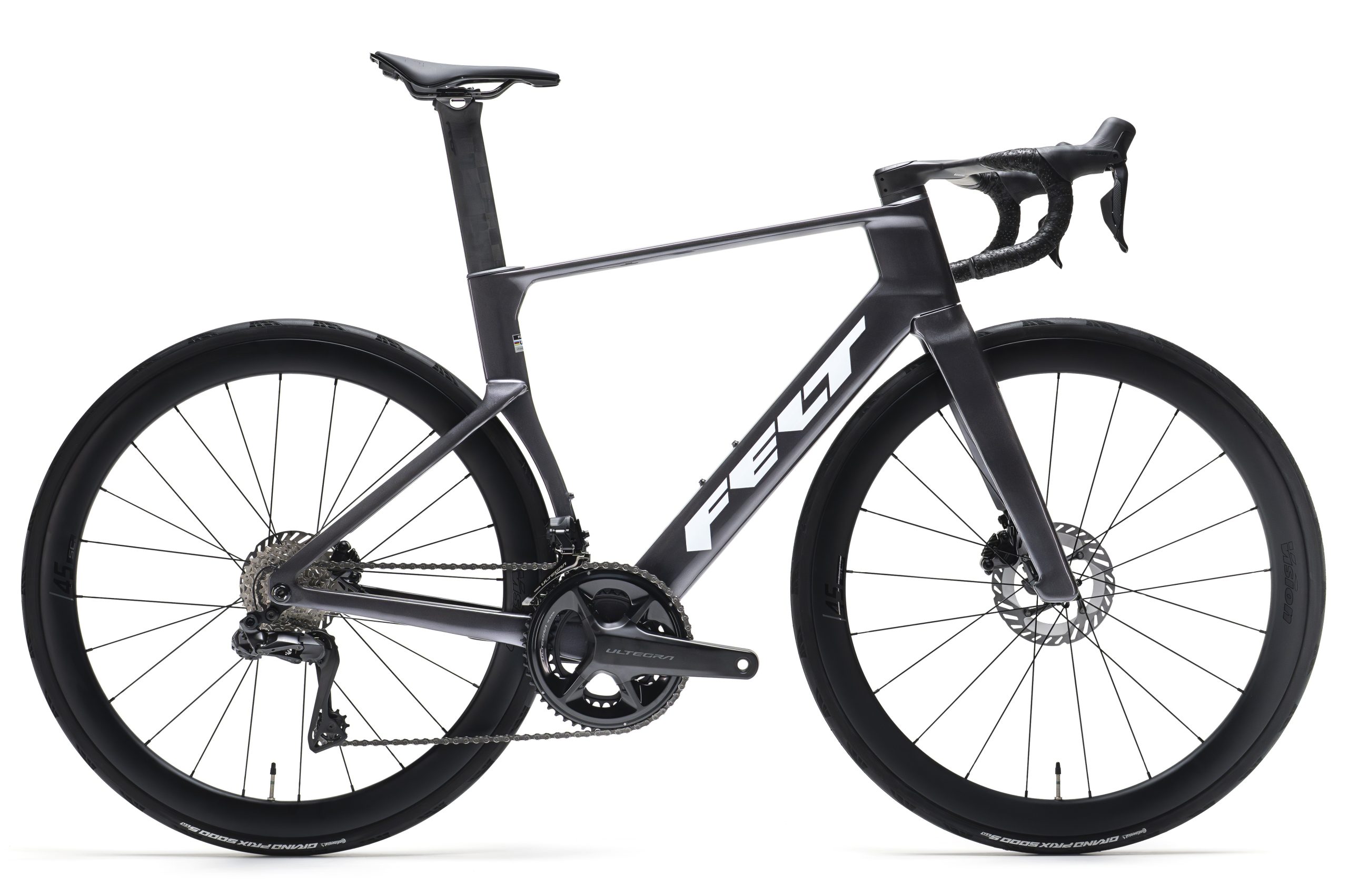
Felt has launched the Nexar, an aero bike with an 800g claimed frame weight, which leads to a 6.48kg claimed overall weight for the top Dura-Ace spec. Felt also claims aerodynamics within 4 watts of the best-performing aero road bike.

The brand says the Nexar is the lightest and fastest aero bike it has made. It’s the successor to the AR, Felt’s original aero road bike, which was launched a full 18 years ago and last updated in 2020. 

Felt says the Nexar name denotes Next AR. It claims the Nexar is 5% faster than the previous-generation Felt AR and that its commissioned independent testing shows it to be within 4 watts of its (unnamed) fastest competitor at 40km/h. 

Felt has slimmed down the Nexar’s frontal profile to reduce wind resistance.

Felt’s analysis of the AR showed three areas where aerodynamics could be improved with the new frameset: the width of the head tube, the top tube/down tube interface and the wake behind the head tube. 

So Felt has reduced the frontal area by slimming down the Nexar’s frame tubes and hidden cables, bolts and other hardware. 

It’s also updated critical areas of the frame to enhance stiffness, while adding compliance. That includes larger headset bearings, increased vibration absorption in the rear triangle and a beefed-up bottom bracket. There’s space to fit 32mm tyres.

More comfortable geometry

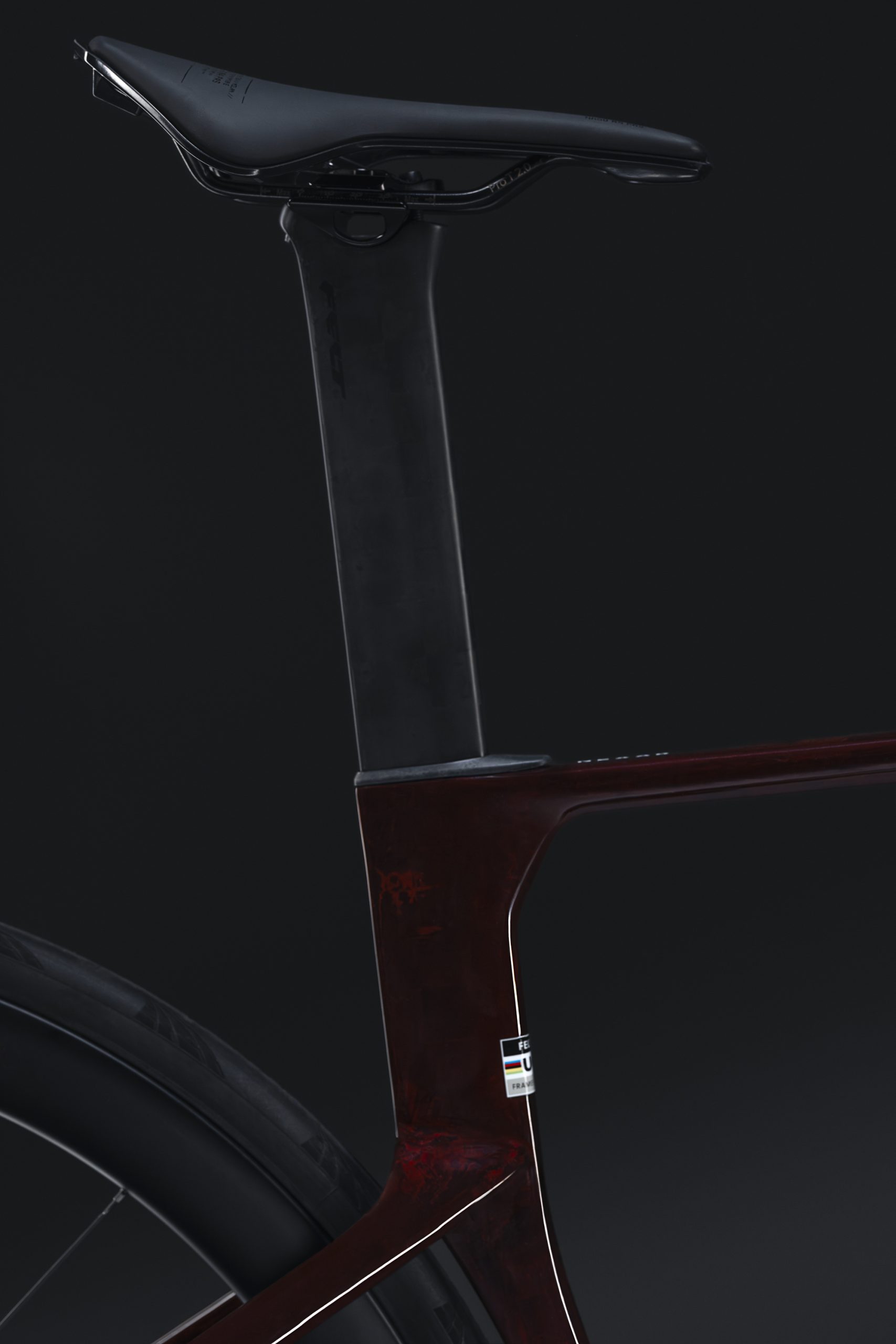
The Nexar’s steeper seat tube is claimed to place the rider in a more efficient pedalling position.

The Nexar’s geometry has been revised, so that the stack is a little higher and its reach slightly shorter than the AR. The seat tube angle has also been steepened and the seatpost has a zero offset, both placing the rider further over the pedals. 

Felt says the revised position helps the rider stay aero while still delivering power and increased stability. It reckons this benefits 99% of performance riders by making longer rides more comfortable. 

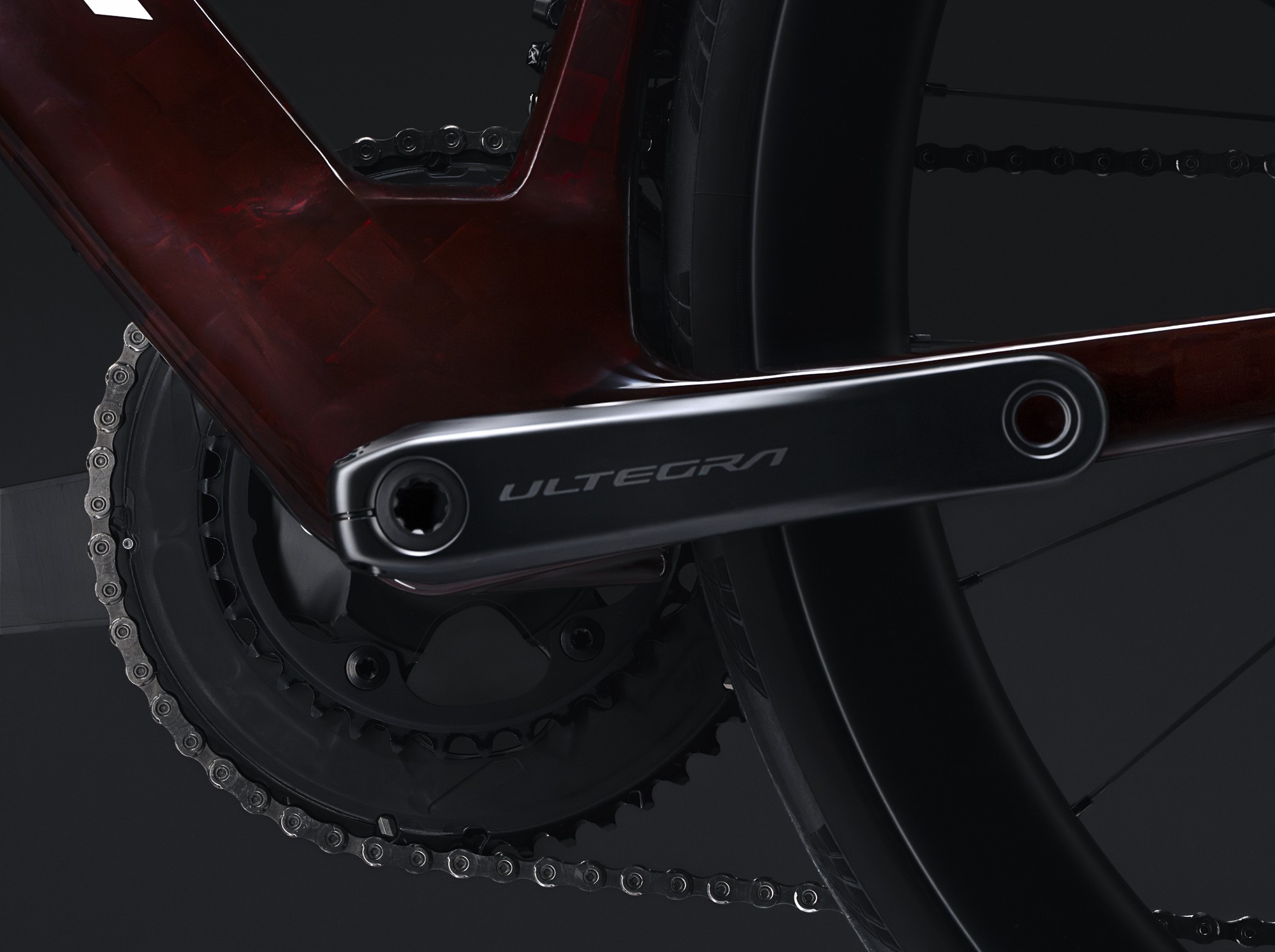
Felt is fitting shorter cranks to the Nexar across the size range.

It has also gone with the trend of fitting shorter cranks, with lengths between 165mm and 170mm across the seven frame sizes to ensure consistent biometrics. 

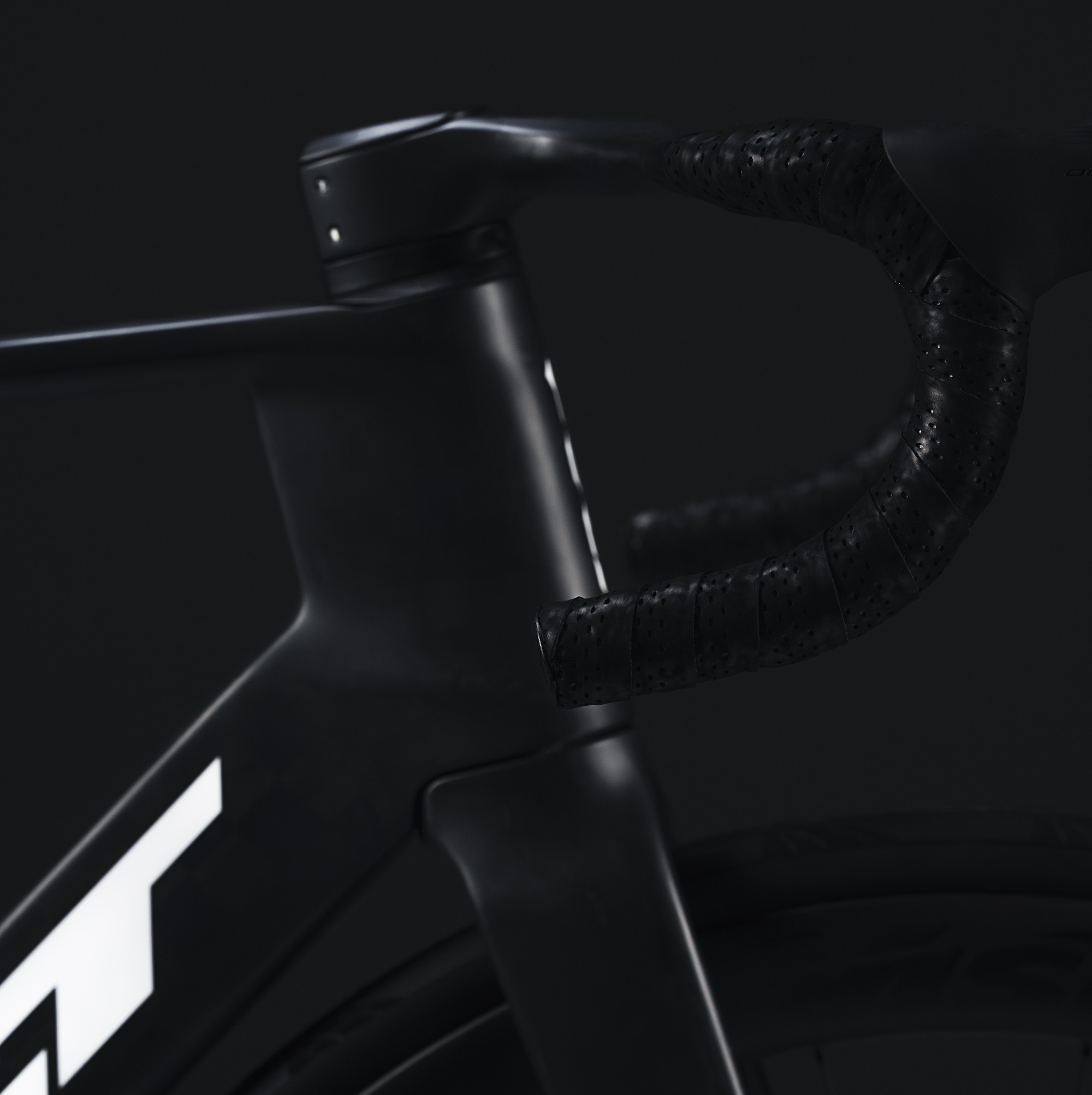
The Nexar will be sold with two frame grades with different carbon specs. The Nexar FRD and Pro have the higher spec, with an 800g claimed frame weight – around 300g lighter than the AR. All specs are fitted with a one-piece cockpit with a sub-300g claimed weight, in place of the AR’s separate bar and stem. 

That leads to a claimed 6.48kg full-bike weight in the top FRD spec for a size-54 frame. That’s close to the 6.56kg of the 2026 Giant Propel Advanced SL 0 in size ML, which we reckon is the lightest aero bike we’ve seen.

New owners

The deeper head tube is engineered to reduce wake drag.

Felt was established in 1991 in California by Jim Felt, who built its original tri bike before branching out into road, track and more, with its bikes ridden over the years by a cluster of star pros including Bradley Wiggins and Wout van Aert.

Felt has gone through a number of owners including, at one time, the Rossignol ski brand.  

Since November 2025, Felt has been 100% owned by a duo of Spanish partners, and is now based in Barcelona, with a string of new performance drop-bar and tri bikes slated for launch this year and next, and distributed via a global dealer network. 

Felt Nexar specs 

The Felt Nexar will be sold in four Shimano specs: FRD with Dura-Ace, Pro with Ultegra Di2 and power meter, Expert with Ultegra Di2 without a power meter and Race with 105 Di2. There’s a framekit with frame, fork, cockpit and seatpost for the top FRD, too.

Felt hasn’t yet provided prices.

Felt Nexar FRD

  • Frame: Nexar FRD 12K   
  • Groupset: Shimano Dura-Ace 
  • Power meter: 4iiii Precision Pro dual-sided 
  • Gear ratios: 52/36t, 11-30t
  • Wheels: Vision Metron 45 RS
  • Tyres: Continental GP 5000 S TR 28mm             
  • Bar/stem: Felt 1-Piece                            
  • Saddle: Prologo Nago R4 PAS Nack 137 
  • Seatpost: Nexar Carbon  
  • Weight: 6.48kg claimed 

Felt Nexar Pro

  • Frame: Nexar FRD 12K   
  • Groupset: Shimano Ultegra
  • Power meter: 4iiii Precision Pro dual-sided   
  • Gear ratios: 52/36t, 11-30t 
  • Wheels: Vision Metron 45 SL
  • Tyres: Continental GP 5000 S TR 28mm 
  • Bar/stem: Felt 1-Piece             
  • Saddle: Prologo Nago R4 PAS T2.0 137 
  • Seatpost: Nexar Carbon 
  • Weight: 7.04kg claimed 

Felt Nexar Expert

  • Frame: Nexar UD Carbon Std
  • Groupset: Shimano Ultegra
  • Power meter: None   
  • Gear ratios: 52/36t, 11-30t 
  • Wheels: Vision Metron SC45 i23 
  • Tyres: Continental GP 5000 S TR 28mm 
  • Bar/stem: Felt 1-Piece         
  • Saddle: Prologo Nago R4 PAS T2.0 137 
  • Seatpost: Nexar Carbon 
  • Weight: 7.53kg claimed 

Felt Nexar Race

  • Frame: Nexar UD Carbon Std
  • Groupset: Shimano 105 Di2
  • Power meter: None
  • Gear ratios: 52/36t, 11-34t 
  • Wheels: Vision Metron SC45 i23
  • Tyres: Continental Grand Prix TR 28mm
  • Bar/stem: Felt 1-Piece                   
  • Saddle: Prologo Nago R4 PAS Steel 137 
  • Seatpost: Nexar Carbon 
  • Weight: 7.96kg claimed    

Amazon Plans Smartphone Comeback More Than a Decade After Fire Phone Flop

Amazon is reportedly developing a new AI-focused smartphone that doesn’t rely as heavily on traditional apps. “The phone is seen as a potential mobile personalization device that can sync with home voice assistant Alexa and serve as a conduit to Amazon customers throughout the day,” reports Reuters. From the report: As envisioned, the new phone’s personalization features would make buying from Amazon.com, watching Prime Video, listening to Prime Music or ordering food from partners like Grubhub easier than ever, the people said. They asked for anonymity because they were not authorized to discuss internal matters. A key focus of the Transformer project has been integrating artificial intelligence capabilities into the device, the people said. That could eliminate the need for traditional app stores, which require downloading and registering for applications before they can be used. Alexa would likely be a core feature but not necessarily the primary operating system of the phone, the people said. When Amazon launched the Fire Phone in 2014, it aimed to compete directly with offerings from Samsung and Apple. Instead, the device received mixed reviews and failed to impress reviewers, leading Amazon to abandon the effort just over a year later.


Read more of this story at Slashdot.

10 Chrome Hacks for iOS and Android Everyone Should Know

You might think that Chrome for mobile is just a mini version of Google’s desktop browser, designed for quickly browsing the web, while all your serious work can only happen on your computer. While Chrome for desktop will likely always be more capable, Chrome for mobile has its own share of powerful features that you should explore. Once you customize its cluttered home screen, you’ll find a browser where organizing and pinning tabs is intuitive, blocking notifications is easy, and every website opens in dark mode.

Use pinned tabs to keep track of important pages

Pin tabs in Chrome for iOS and Android.
Option to pin tabs in overflow menu. Below: Pinned tabs section.
Credit: Khamosh Pathak

On desktop, you might be used to pinning tabs to gain quick access to important pages. For example, I always keep Gmail and Trello pinned in my default browser. This keeps the bookmarks bar and bookmark folders free for link organization. But Chrome for Android and iOS lacked this feature until fairly recently. If you didn’t know you could do it, it might be time to start pinning tabs on your device, especially when it comes to tablets.

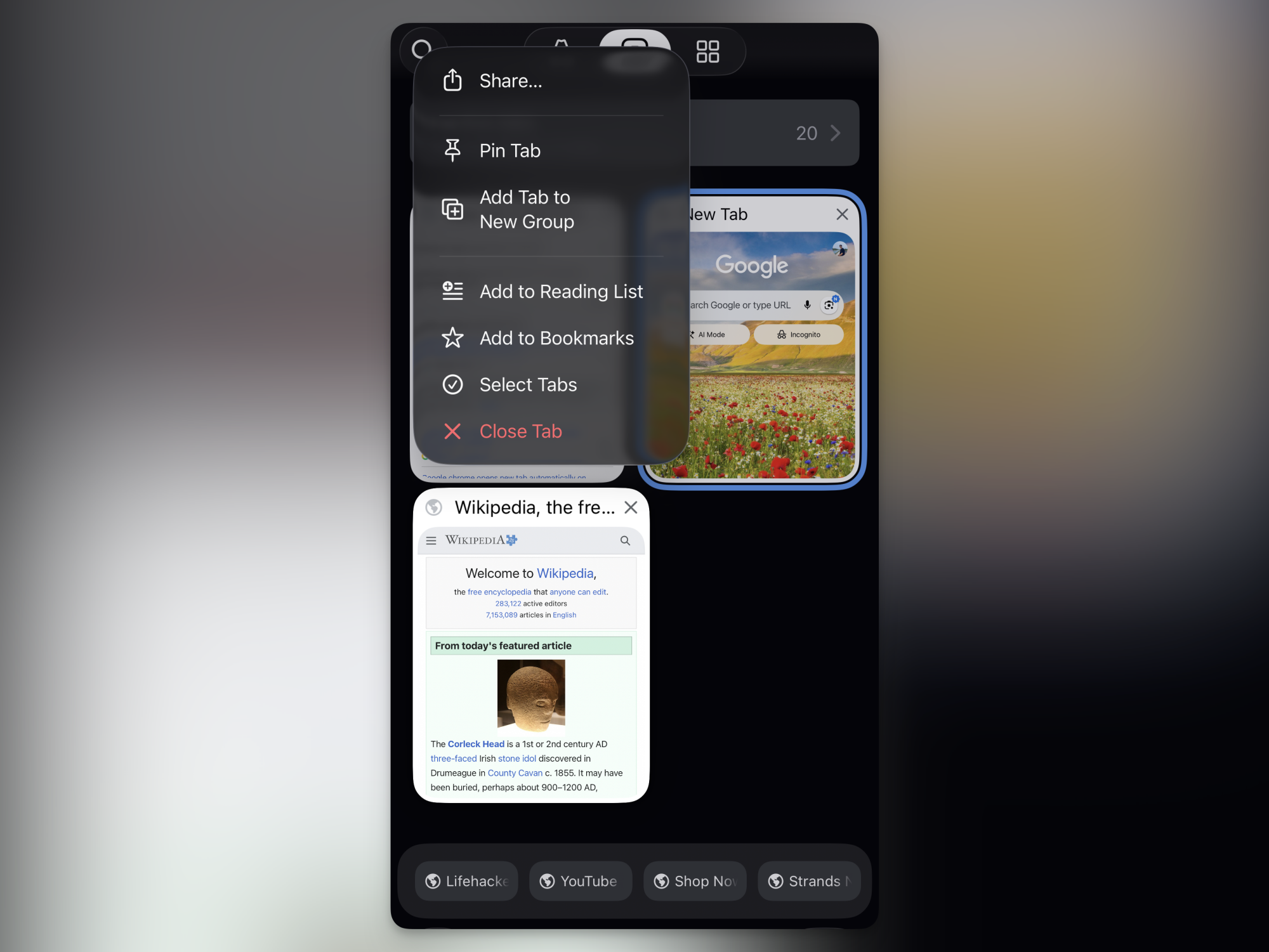
Pinning tabs in Chrome for mobile is slightly different than on desktop, though. After opening a page, you’ll have to open the Tabs menu. Then, tap and hold on a page and tap the Pin Tab button. Pinned tabs show up in a special pill-shaped “Pinned Tabs” section at the bottom of the tab switcher. Tapping on one will instantly take you to the pinned page. One added advantage? When you close all tabs because of tab overload, pinned tabs won’t disappear.

Prevent tab overload by closing old inactive tabs

Automatically close old inactive tabs on Android

Credit: Khamosh Pathak

Safari on iPhone automatically closes tabs that are older than 30 days. Chrome has something similar for Chrome for Android, but the feature on the iOS version is surprisingly limited.

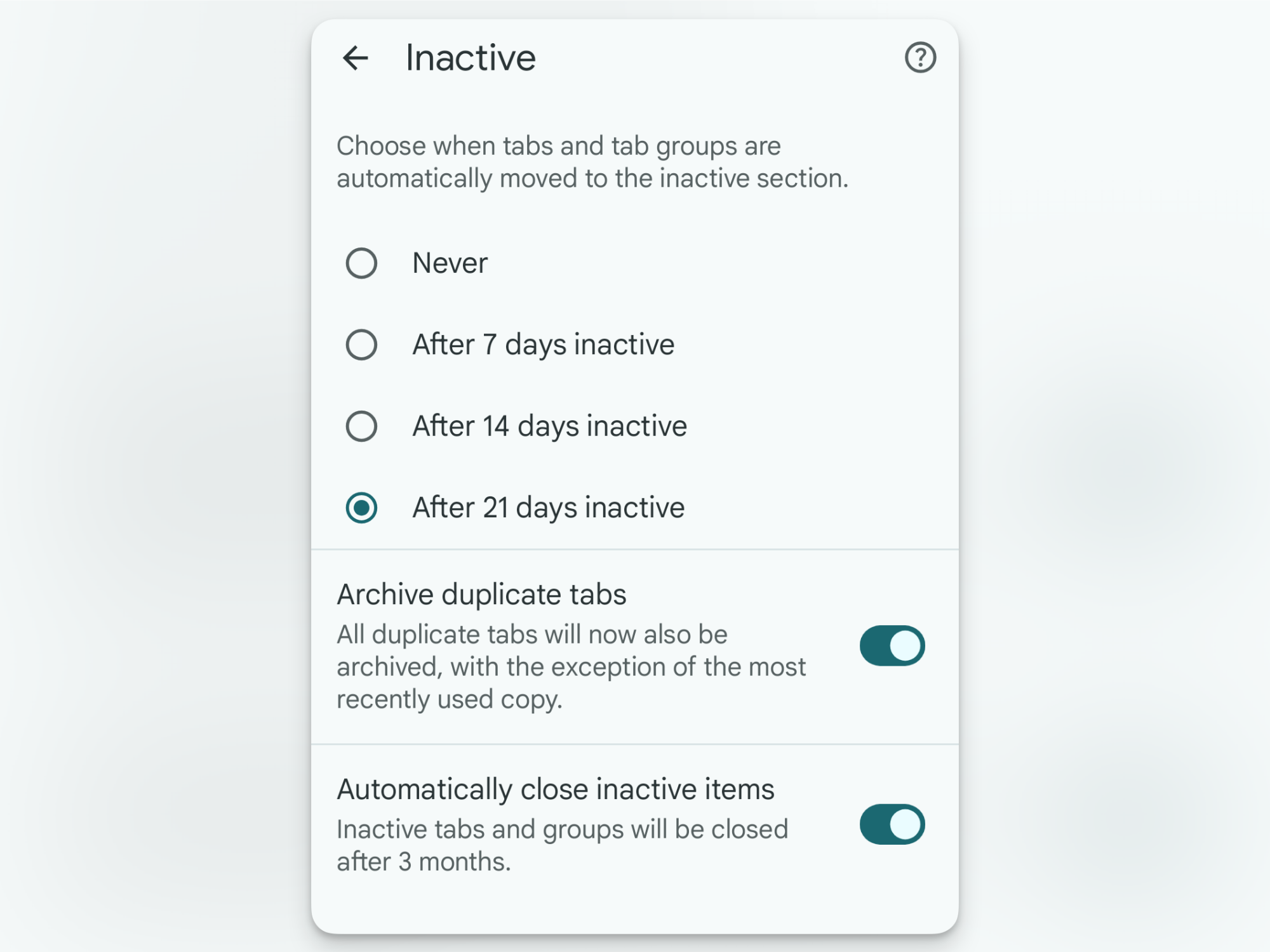
By default, any tab that you don’t use for 21 days automatically gets moved to “Inactive Tabs.” You’ll find this section at the top of the Tabs page. This means that when you open the main Tabs screen, you’ll only see tabs that you’ve used recently. But just because the inactive tabs are tucked away, that doesn’t mean they’re gone. If you have hundreds of inactive tabs cluttering things up, it’s time to close them manually. Go to the Inactive Tabs section, tap the Close all inactive tabs button, and confirm from the popup. Every time the list gets a bit too crowded, go in and clear it out.

Android users, though, get a Safari-like option to automatically close any tabs that haven’t been active for over three months (iOS users don’t have this option yet). Go to Settings > Tabs and tab groups > Move to inactive session and make sure that the Automatically close inactive items feature is enabled.

Move Chrome’s address bar to the bottom

Move address bar to the bottom of the screen.

Credit: Khamosh Pathak

Speaking of Safari-like features, Chrome now has an option to move the address bar to the bottom of the screen on both Android and iPhone. This is great news for anyone who uses a giant phone like I do. (Why Google doesn’t just switch this to the default, I will never know.) To move the address bar to the bottom, simply tap and hold on the address bar, then tap the Move address bar to bottom button. Going forward, there will be no need to stretch your fingers just to switch to another website.

Use “Send to Your Devices” to open your mobile links on desktop

Send links from Chrome for mobile to desktop.

Credit: Khamosh Pathak

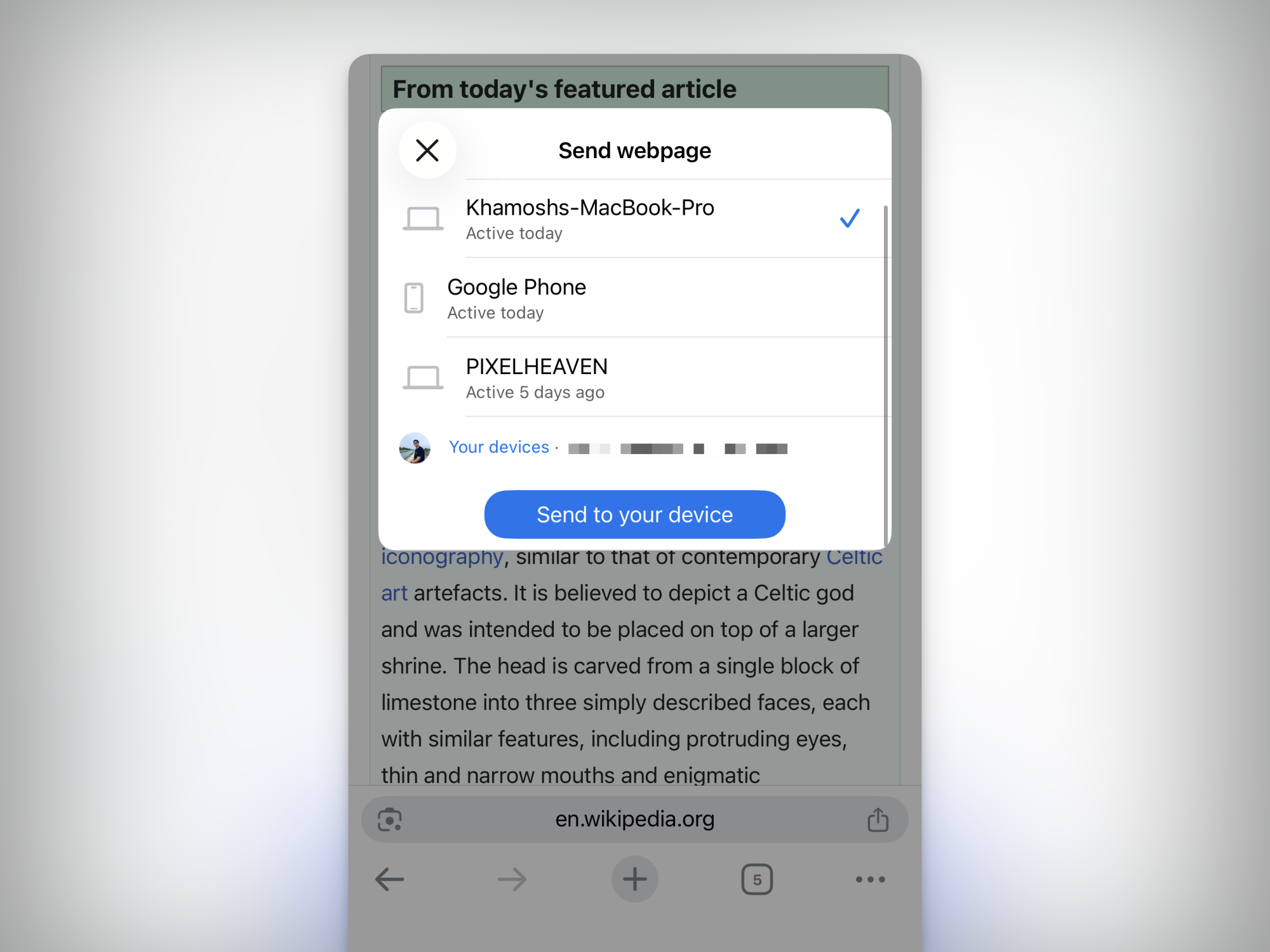
If you use Chrome on both mobile and desktop, you can use a little-known feature to send any link from your phone to the Chrome desktop app. On your smartphone, tap the Share button and choose the Send to Your Devices option. From the list, select the Chrome browser where you want to send it to, and tap the Send to your device button. The next time you open Chrome, you’ll see a popup saying that a page was shared from one of the devices. Click on Open in new tab to resume reading or working on the website on your computer.

Block websites from spamming you with notifications (Android only)

Don't allow notification popups on Android

Credit: Khamosh Pathak

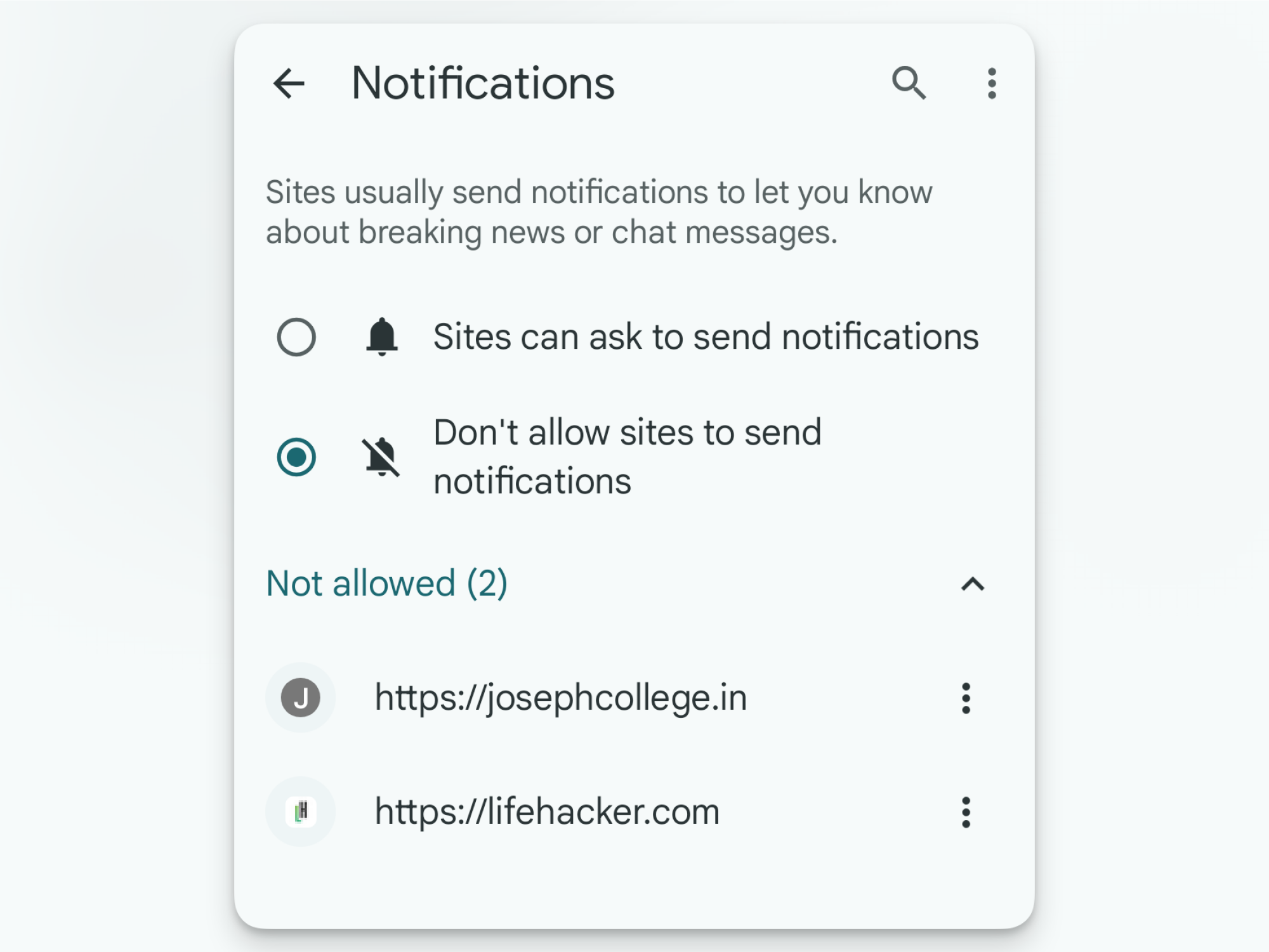
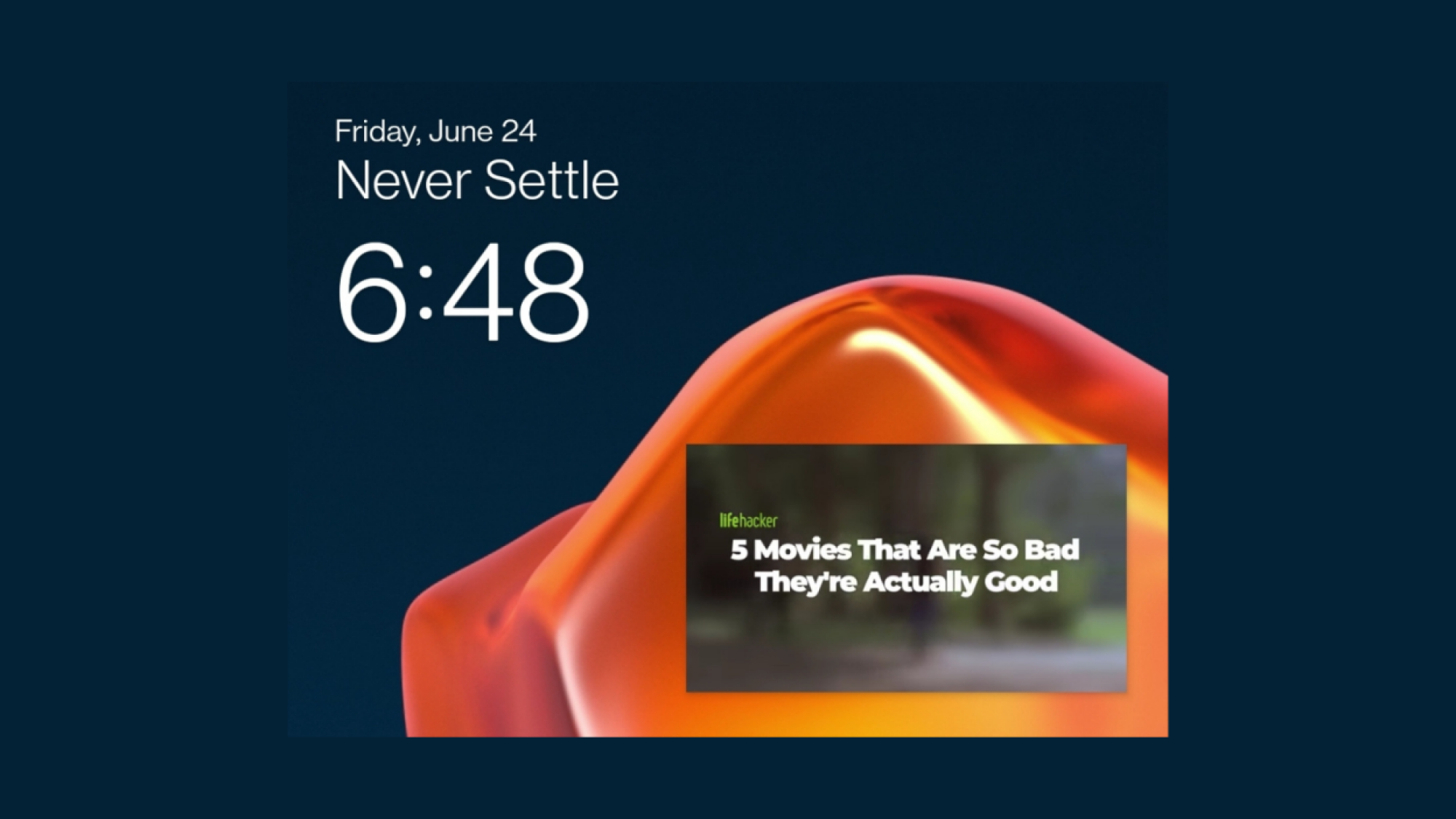
Spammers love to abuse Chrome for Android’s notification system. Every random website you visit wants to send you alerts, and if you tap “Allow” even once, you’re inundated with dozens of notifications a day. Luckily, Chrome has an option that blocks all sites from even presenting a popup for enabling notifications. Go to Settings > Site settings > Notifications and switch to Don’t allow sites to send notifications. Websites won’t be allowed to ask you for notification access, and they won’t be able to send you notifications either. If you want to keep the feature enabled, you can also disable notifications on a per-site basis from the section.

Set up your phone so Picture-in-Picture works on any website

Picture in Picture video playing using Chrome on Android.

Credit: Khamosh Pathak

Picture-in-picture isn’t just for YouTube and media apps. Chrome also supports this feature natively on both Android and iOS. This means you can tune in to any website’s video, and watch it in a little floating window no matter if they have a dedicated app or not. As long as Picture-in-Picture is enabled on your phone, all you have to do is to open the video playback, and go to the home screen. (This works with YouTube as well, but only if you’re paying for YouTube Premium.) On iPhone, you’ll even see a PiP button in the native video player, which will automatically close the app, and bring you to the home screen with the video still playing in the floating window.

If Picture-in-Picture is not enabled, you can set it up from the Settings app. On Android, go to Apps > Special app access > Picture-in-Picture > Chrome and enable the “Allow picture-in-picture” feature. On your iPhone, go to Settings > General > Picture in Picture and make sure that the Start PiP Automatically feature is enabled.

Use this setting to force any website into dark mode

Force website into dark mode.

Credit: Khamosh Pathak

If you use dark mode on your phone, you might be use to being blinded when you open a news site that only offers a light theme. But there’s a simple fix here: All you need is to enable an experimental feature that forces all websites into dark mode, with a black background and white text (without impacting any media or images).

Go to the Chrome address bar and enter “Chrome://flags.” Search for “dark” from the top. In the Auto Dark Mode for Web Contents option, tap on the drop-down and switch to Enabled, then tap the Relaunch button to restart Chrome. This works on both Android and iOS.

Lock Incognito tabs when you leave Chrome

Locked Incognito tabs in Chrome for Android

Credit: Khamosh Pathak

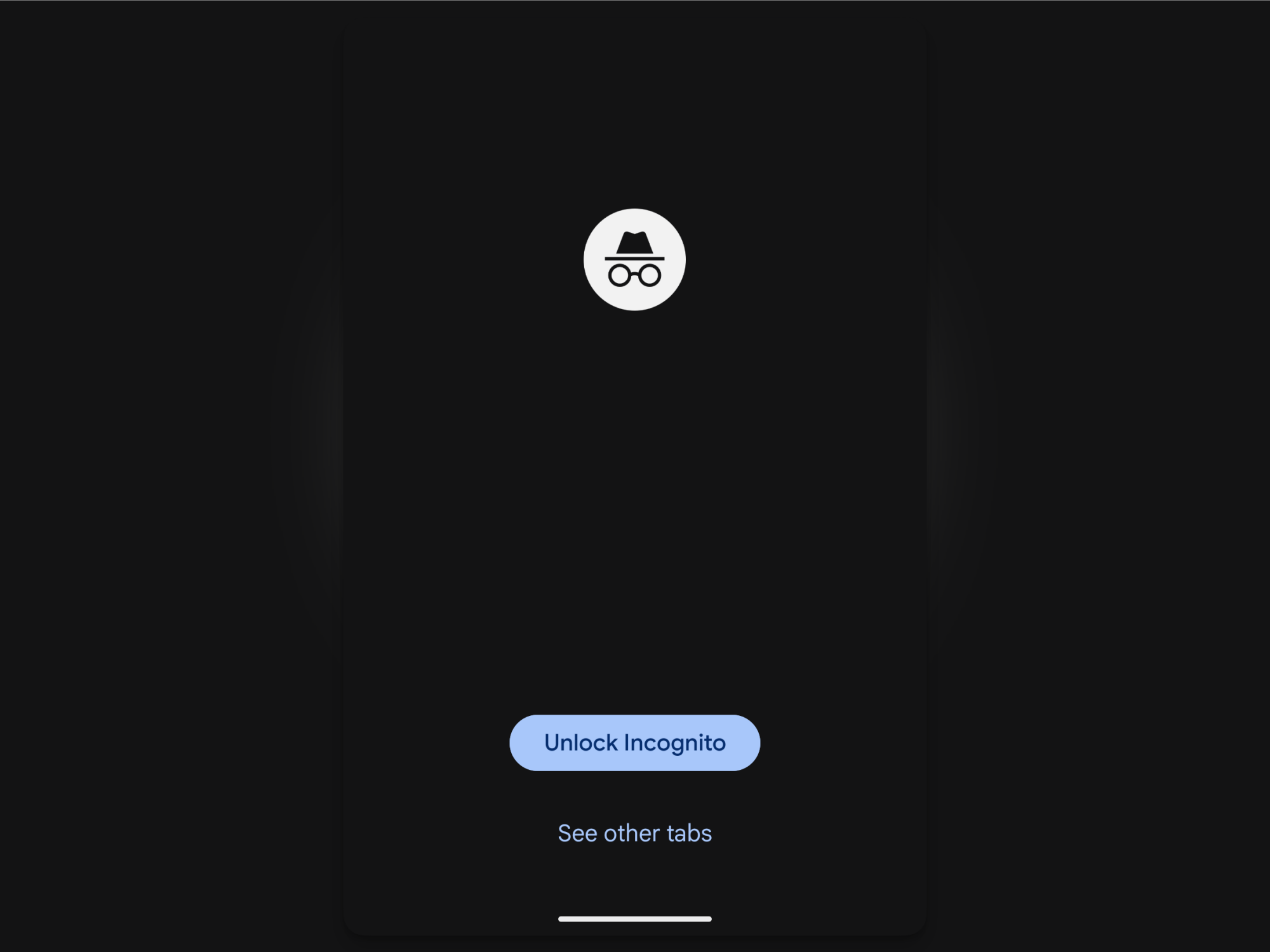
Incognito tabs are private for a reason, and yet, they’re as accessible as your standard tabs. Fortunately, Chrome has a feature that can automatically lock Incognito tabs when you leave the browser—again, something that should be enabled by default.

On Android, go to Settings > Privacy and Security and enable Lock Incognito tabs when you leave Chrome. Verify using your fingerprint or passcode to enable the feature. On iOS, the steps are slightly different. Go to Settings > Privacy and security > Hide Incognito tabs. Here, you can either choose to hide the tabs after 10 minutes, or, better yet, use Lock Immediately with Face ID option for a safer route.

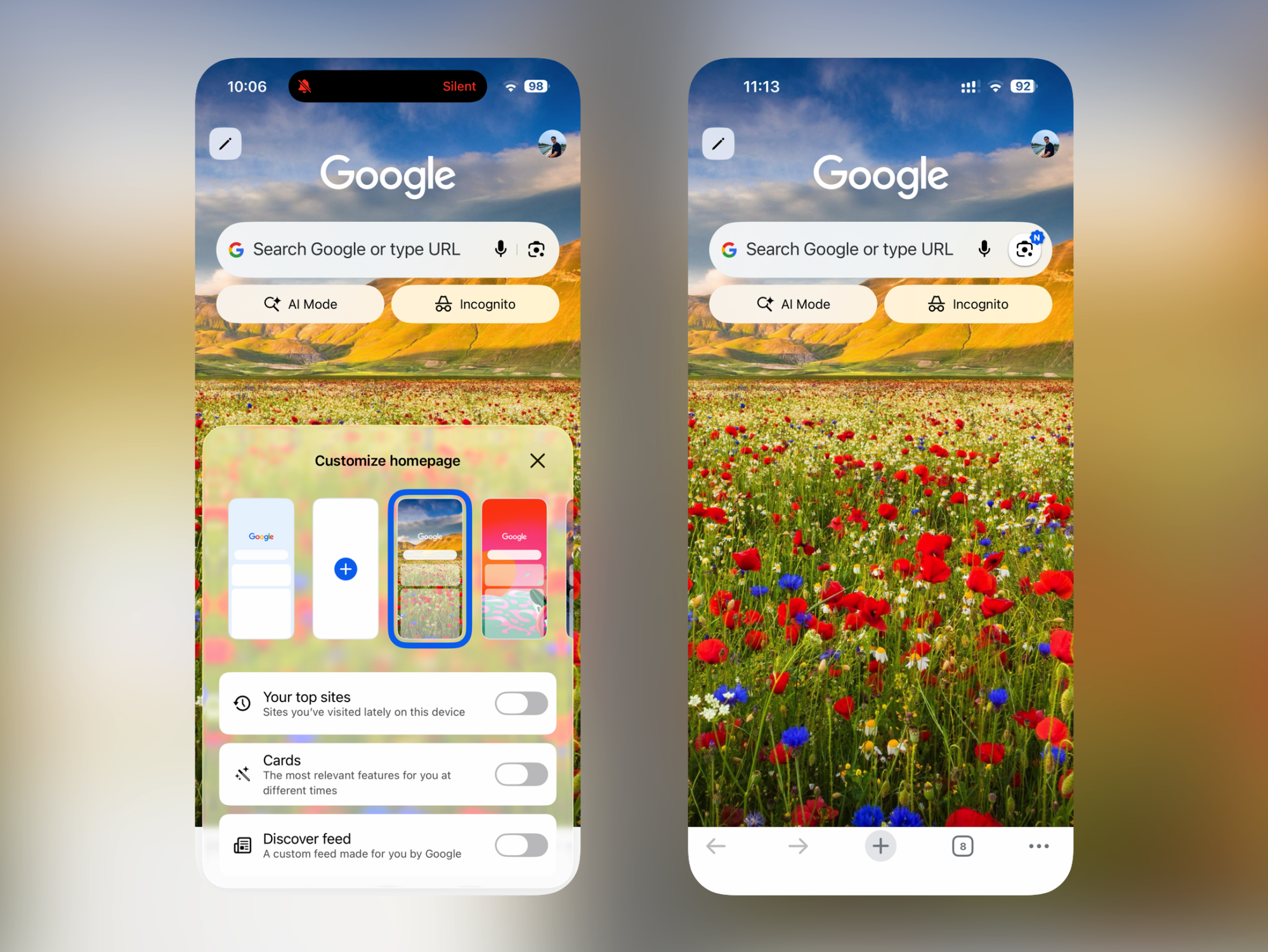
Remove the Discover feed and customize the start page

Chrome New Tab Page Personalization.

Credit: Khamosh Pathak

Chrome’s start page can be a bit much, especially on iOS. What you want is quick access to the address bar or the search bar, but that’s precisely what’s farthest to reach. Instead, what you’ll find are sections for your top sites, card suggestions, and, of course, the Discover feed, where Google shows you all the articles you might be interested in.

Thankfully, this start page is customizable, and you can disable all three sections to keep things clean and simple. Tap “Edit” from the top-left corner of the new tab page, and disable each feature that you no longer wish to use. When all features are disabled (and you’ve switched to a calmer background), you’ll likely find the new tab page is much more useful.

Join the beta to test out new features early

Google Chrome install beta for Android

Credit: Khamosh Pathak

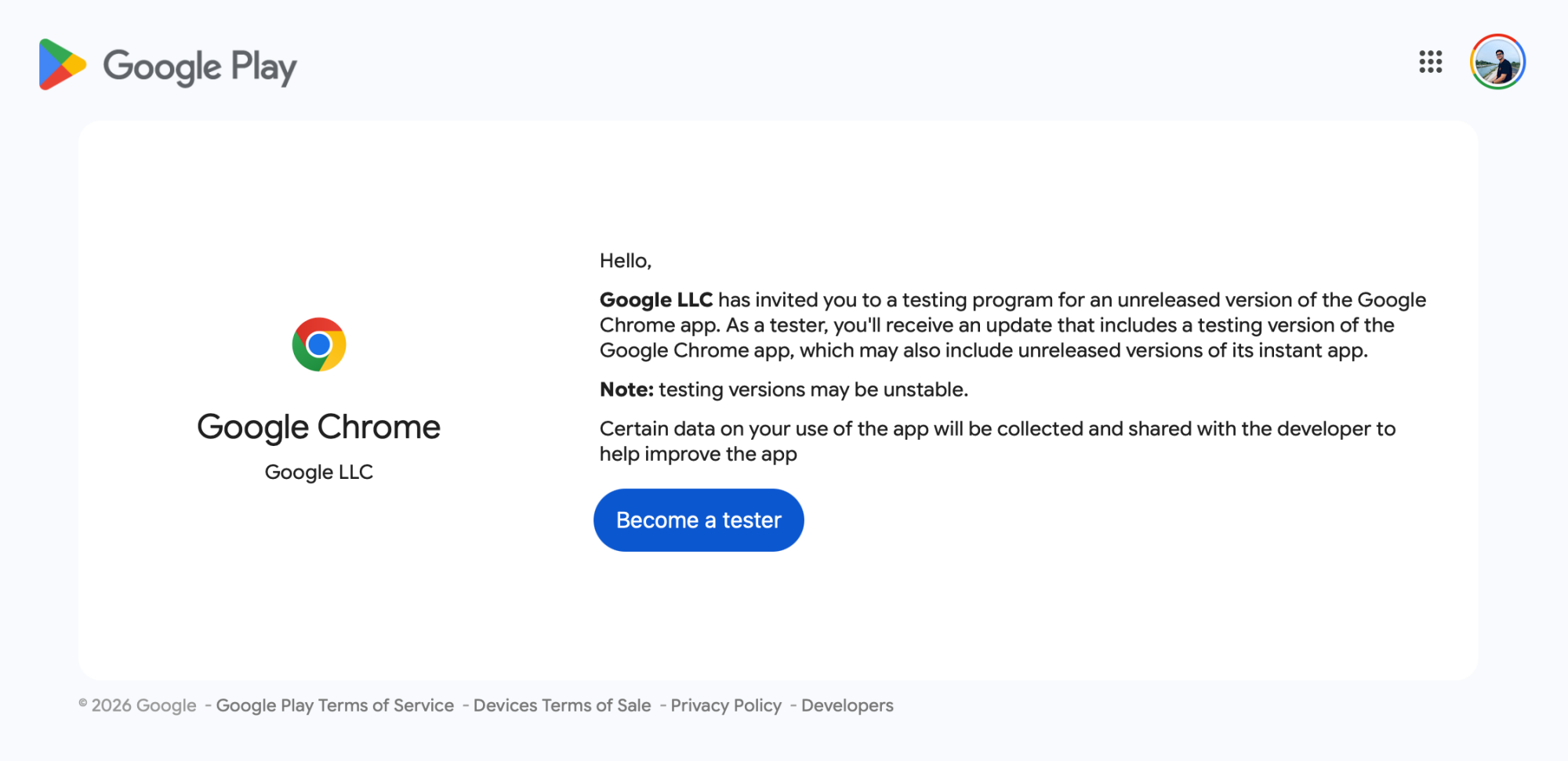
If you like being on the bleeding edge of tech, you can test new Chrome features before anyone else gets their hands on them, whether you have an iPhone or Android. On iOS, it’s as simple as installing the Google Chrome beta from the TestFlight app. If you already have the app installed, the beta version will replace the stable app. On Android, visit the Google Chrome beta testing site, log in with the Google Play account you use on your smartphone, and choose Become a tester. Once enrolled, you will get an update for Chrome that will switch you out to the latest beta version. If you want to leave the program and return to the stable build, go back to the same website, and use the Leave the program button.

5 downhill tech trends from Not A Race – from lead weights and huge rotors to smart sensors 

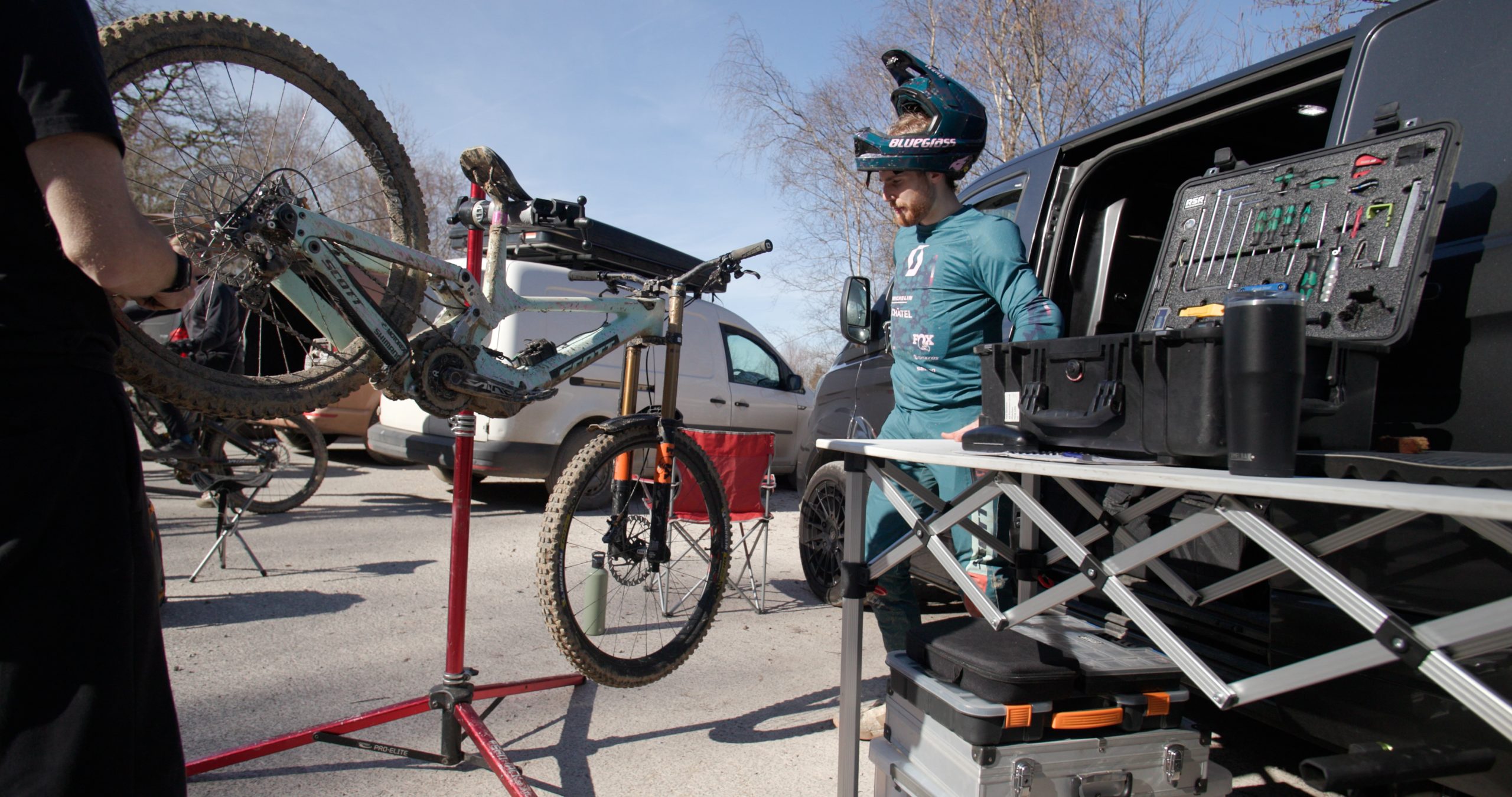
Pre-production linkages, data-acquisition hardware, electronic gears, big rear disc rotors, lead weights and Wynn Masters’ latest DH bike – these were all spotted at the Not A Race test event in Wales, as the unofficial 2026 downhill MTB season opened.

Specialized’s Jordan Williams set the fastest time of the day onboard a pre-production Specialized Demo downhill bike with a hidden chainring, pre-production Öhlins shock, SRAM AXS DH drivetrain and Brembo brakes.

We learned loads from Williams’ bike, and there were plenty of glimpses of downhill tech that will be present on 2026’s fastest bikes, if you knew where to look.

Energy-saving bar ends

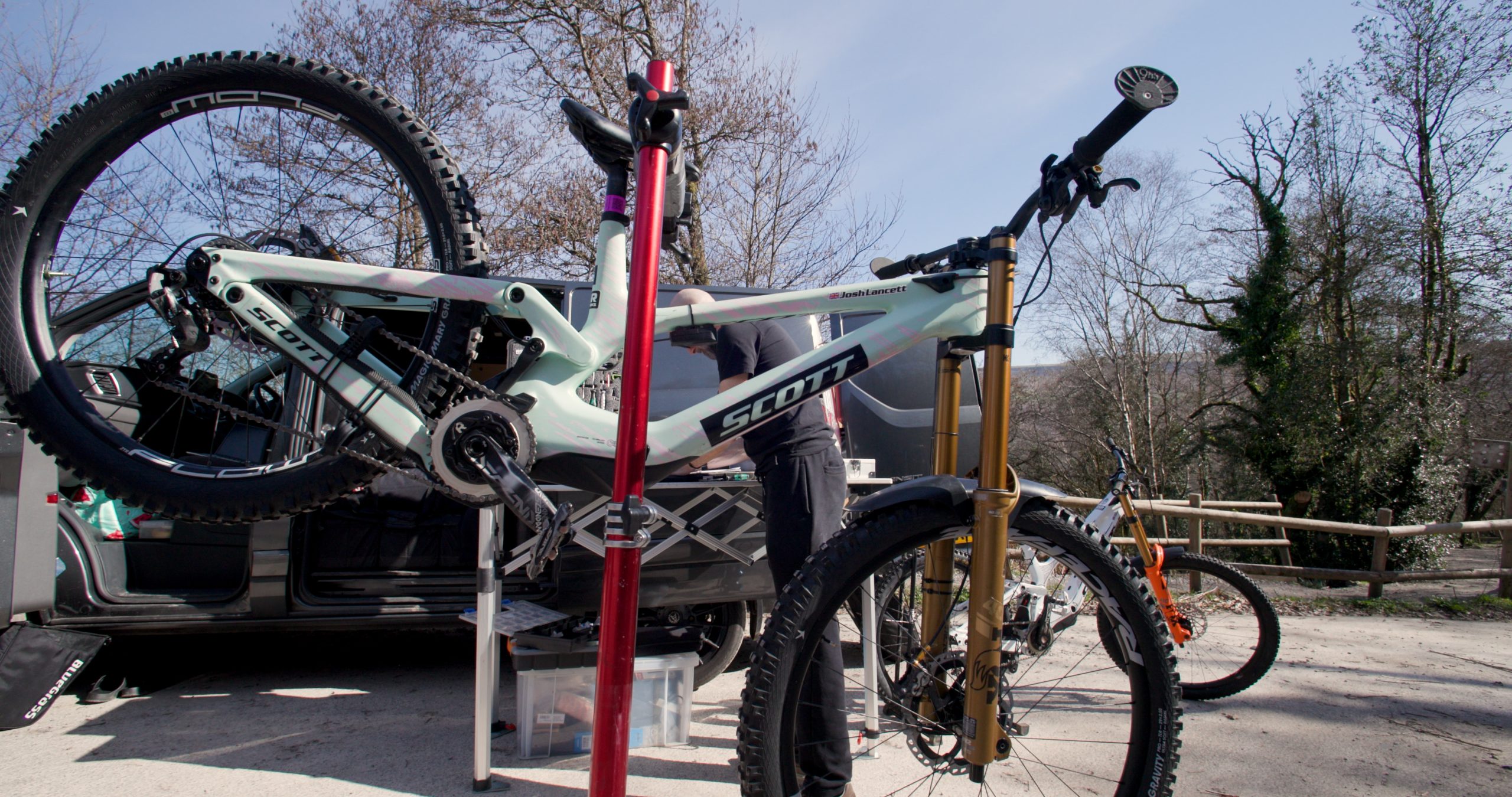
9ish Components bar ends on Josh Lancett’s 2026 Scott Gambler save energy and reduce arm pump. Scott Windsor / Our Media

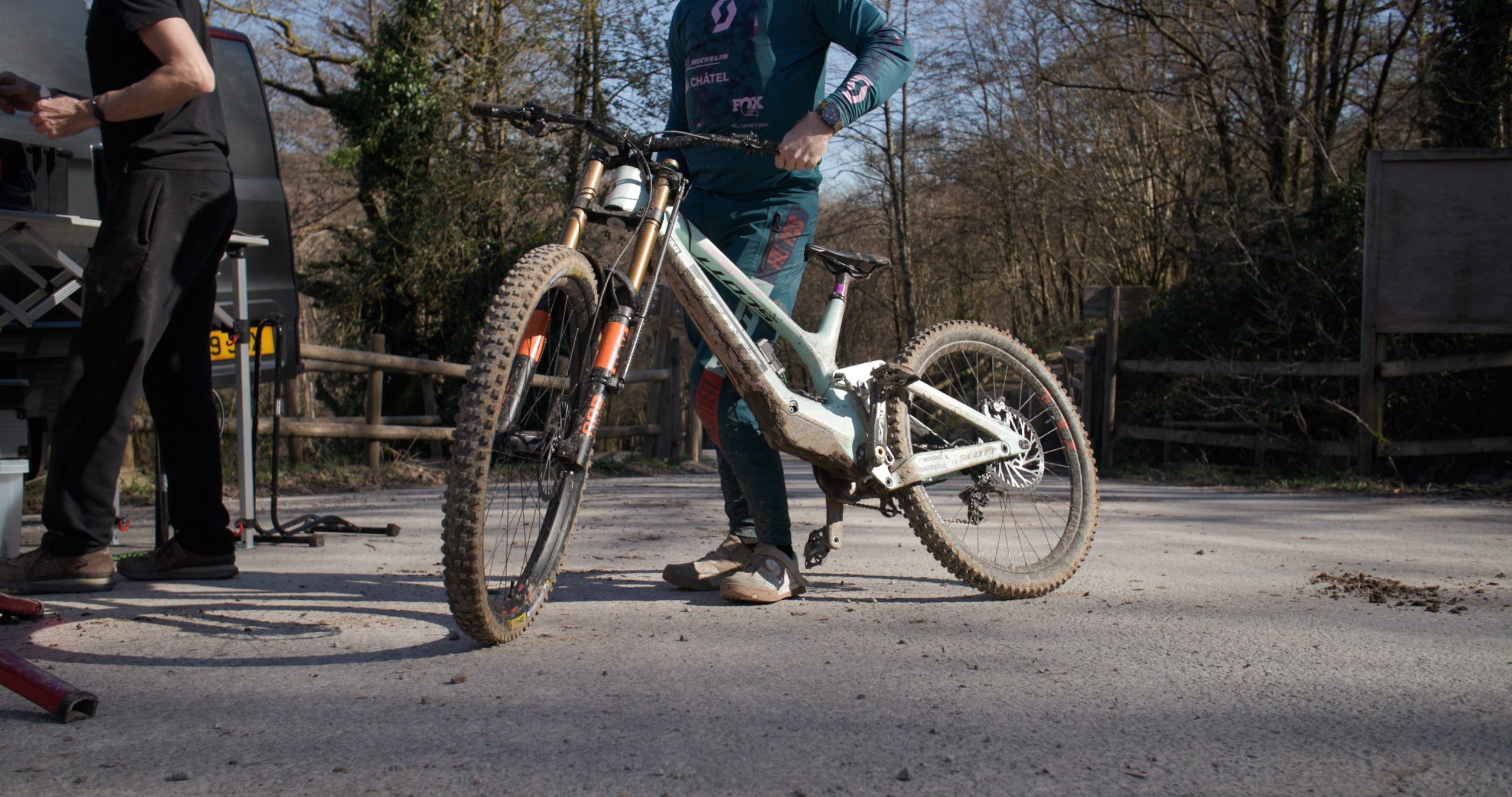
Large bar ends were visible on privateer Josh Lancett’s Scott Gambler at BikePark Wales.

Joe Breeden’s prototypes were top secret when we covered them at the Fort William DH World Championships in 2024, but are now becoming more commonplace.

Lancett was enthusiastic about his bar ends, which he said help reduce arm pump by minimising the amount of energy used to keep your hands on the handlebar, which is most likely to tire riders out on long tracks or rough terrain.

Large 220mm+ rear brake rotors

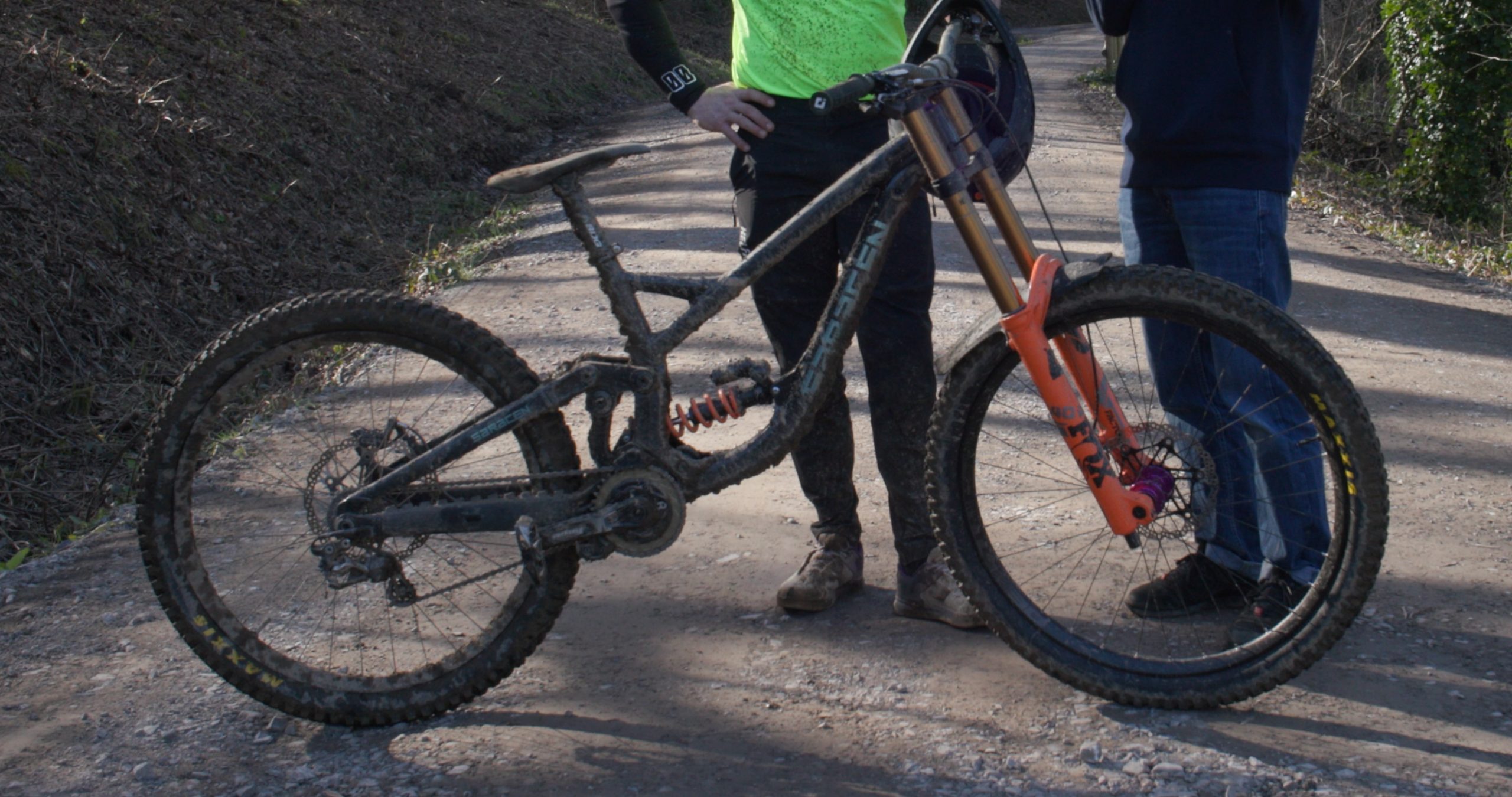
Many riders, including Saracen’s Adam Brayton, were spotted running a 200mm front rotor and larger 220mm rear rotor at Not A Race. Scott Windsor / Our Media

A few riders at Not A Race were running very large 220mm rotors on the rear of their bikes, while opting for a more conservative 200mm rotor on the front. Adam Brayton was one pro running a larger rear Hope floating rotor and a smaller front one.

I didn’t receive a definitive answer as to why riders had made this choice. However, in theory, the larger rotor provides greater power and increased cooling for the brakes.

Whether one or both of these factors is behind their adoption by multiple riders on the World Cup circuit needs further investigation.
Adding weight

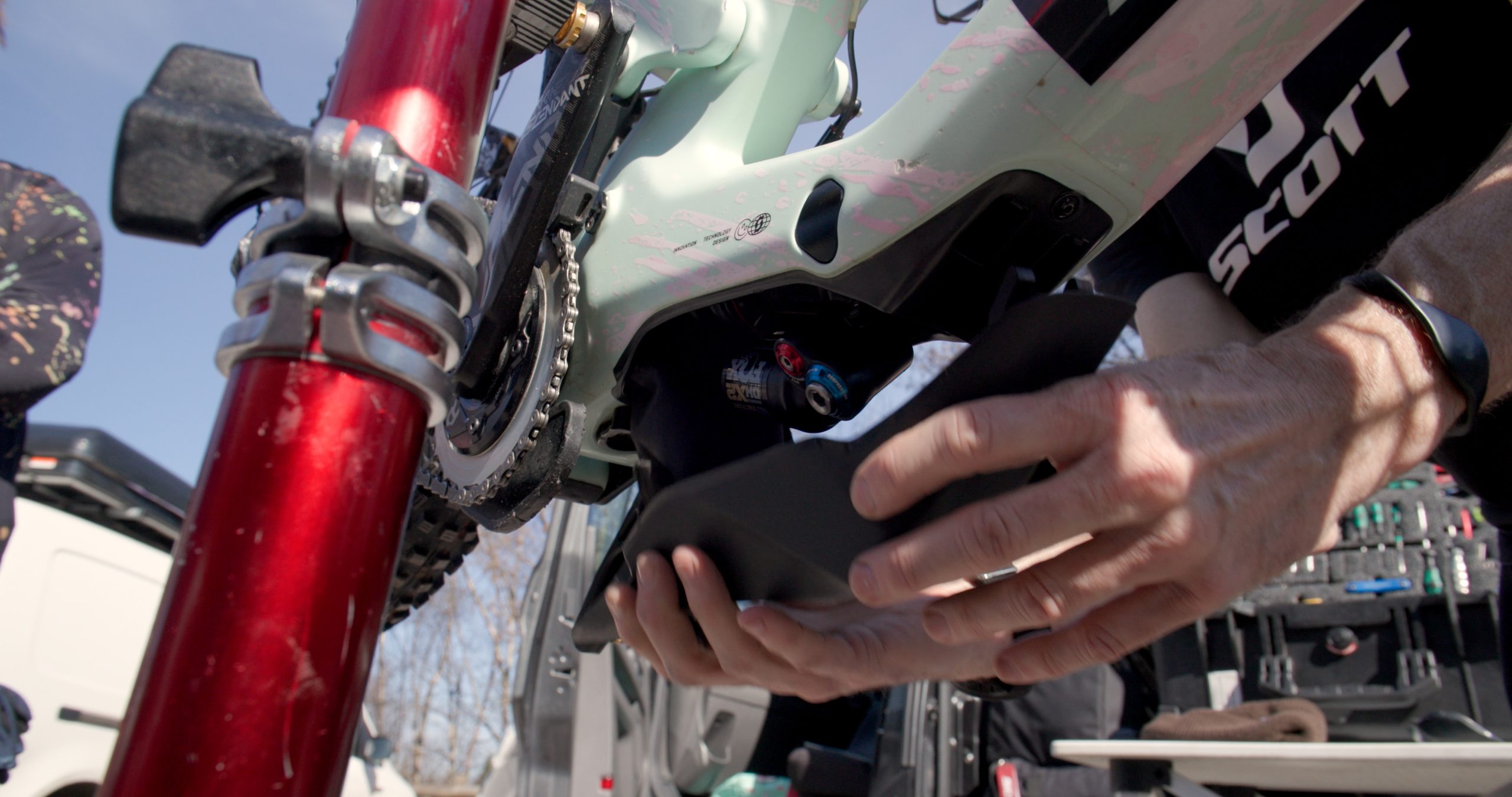
Lancett was running ballast weight in a bean-bag type arrangement hidden beneath the cover concealing the 2026 Scott Gambler’s shock. Scott Windsor / Our Media

Adding weight to downhill bikes is now standard practice in Elite-level racing, but the amount of weight could be creeping up.

Over the past few years, it’s been possible to spot riders running around 400-500g of ballast on their bikes, usually below the bottom bracket shell.

Jackson Goldstone, one of the lightest riders on the circuit, is said to be running around three times this amount beneath his Santa Cruz V10.

This could become a trend, with veteran of 97 World Cup races Wynn Masters explaining he was running a whopping 1,500g of lead weights from a scuba diving belt cable tied below his new V10.

Masters explained that his sponsor, Focus, does not make a downhill bike, and because it’s part of the PON group along with Santa Cruz, Focus was happy for him to run a V10.

Masters hadn’t been on a downhill bike since the Lake Placid World Cup and was still missing a few parts for his V10, but said he was rapidly warming to the new bike.

He was running a full 29in setup, with the reach-adjustment cups in the shortest position on his V10.

The third-fastest rider of the day, Joe Breeden, was running an even more colossal 2kg of weight below the down tube of his Nukeproof Dissent.

Pro-only customisation

Ethan Craik’s 2026 Scott Gambler had a prototype Fox 40 fork fitted, as well as a custom link. Scott Windsor / Our Media

It will come as no surprise that World Cup racers have higher demands for their bikes than Joe Public, and we saw numerous riders at Not A Race running custom parts in order to tailor their bikes for the task of getting the fastest time possible on a World Cup track.

Ethan Craik was running a very shiny CNC-machined linkage on his new Scott Gambler DH bike with a hidden Fox air shock.

Craik and suspension engineer Rich from RSR were tight-lipped on what the new links do, but explained they gave him the rear-suspension characteristics he wanted to go as fast as possible.

Telemetry and suspension data acquisition

RSR Racing was monitoring suspension useage closely on Ethan Craik and Josh Lancett’s 2026 Scott Gamblers. Scott Windsor / Our Media

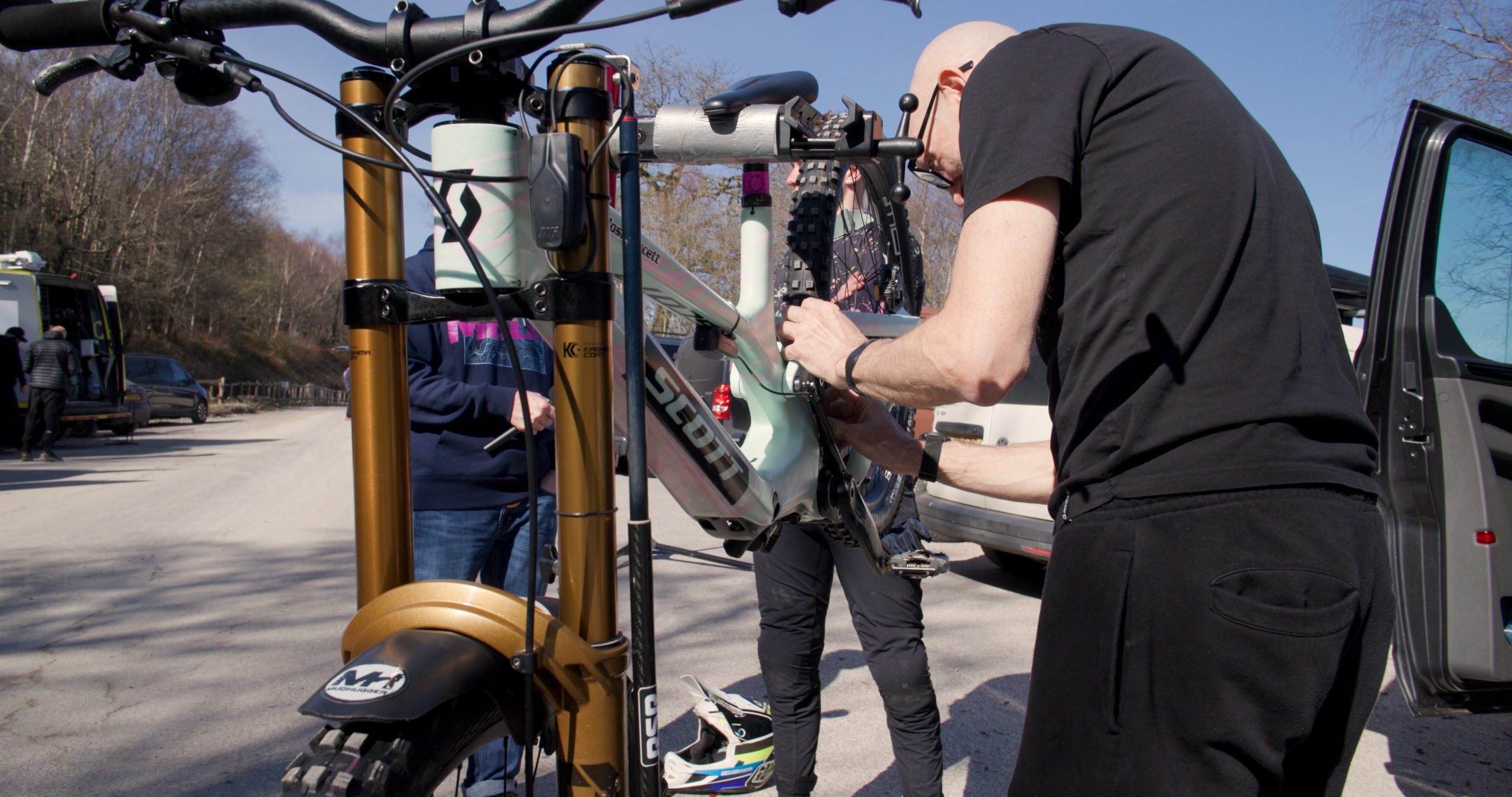
RSR Racing was in attendance, and using hardware attached to the fork and shock to record the speed of movement and the position while Craik and Lancett were riding.

These systems have gained popularity over the past few seasons and are now considered by some to be essential; riders have limited runs on the course during the race weekend and it is not only important to find the correct setting for the suspension, but to be able to do so as fast as possible.

What we didn’t see

Ethan Craik’s 2026 Scott Gambler was fitted with Shimano’s latest M9200 XTR brakes running LV mineral oil. Scott Windsor / Our Media

Even the most well-connected Shimano-sponsored riders were not running the rumoured (and long-awaited) new Shimano Saint components. Instead, riders such as Craik were running a mix of the existing Saint M820 drivetrain and XTR M9200 brakes.

Hopefully, a new Saint groupset is on the way for pro riders and bike shops very soon.
Not A Race results

Wynn Masters was running a box-fresh 29in-wheel Santa Cruz V10 with 1.5kg of diving-belt weights cable-tied to the down tube. Scott Windsor / Our Media
Despite Not A Race’s non-competitive nature, riders were keen to showcase their talents against their peers ahead of the World Cup season opener in South Korea at the start of May.

Williams set the fastest time of the day aboard his prototype Specialized Demo, at 2mins 44.66secs, only 0.29secs ahead of Craik, whose best was a 2mins 44.95secs. Breeden rounded out the not-a-podium for Nukeproof Axess Racing with a time of 2mins 45.75secs.

Project Hail Mary could teach humanity a thing or two

It’s hard not to find the premise of Andy Weir’s Project Hail Mary instantly compelling: Something is slowly killing the sun and threatening life on Earth. That same mysterious force, dubbed the Astrophage, also destroyed every nearby star — except one. Our only hope is to visit that solar system and figure out what helped it survive. And there’s just one middle school science teacher who can do it. 

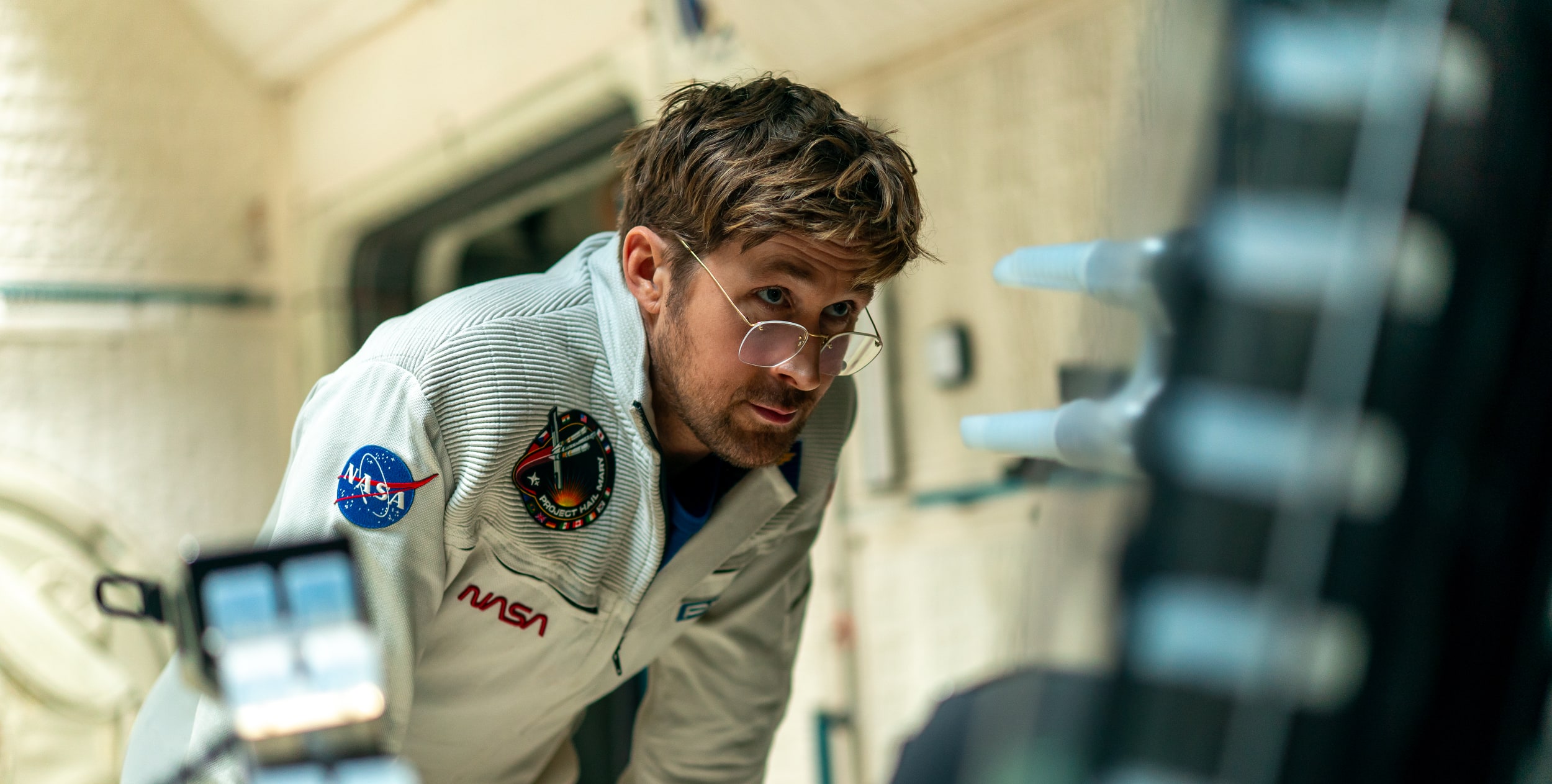
At its core is Weir’s love of technical problem solving, along with a tremendous performance by Ryan Gosling in full nerd hero mode as the aforementioned science teacher (and former molecular biologist). It’s the sort of sweeping sci-fi epic that will make a whole generation of kids ready to science the shit out of humanity’s future problems. And maybe it’ll remind clueless adults that we gain much more by working together to solve global issues, instead of being purely self-interested.

The film starts with Gosling’s character, Ryland Grace, waking up from an induced coma with no memory. He’s shocked to find that he’s light years away from Earth, and that the other two members of his crew are already dead. As he gets his bearings, he recalls that he was sent on a last-ditch mission, Project Hail Mary, to save the sun and everyone on Earth. No pressure! These early moments make it clear that screenwriter Drew Goddard (who also adapted The Martian), as well as directors Phil Lord and Chris Miller, can deftly juggle comedy alongside the inherent drama in the story.  

There’s something genuinely moving about the mission. With about 30 years before the planet is faced with a global cooling event likely ending in mass starvation, Earth’s major political powers put aside their differences and deliver their finest scientific minds to come up with a solution. You can really take your pick with real-world parallels, like the impending climate crisis, or the increasing threat of nuclear war. Simply seeing the world work together feels meaningful in these bleak times. And unlike other space disaster films like Armageddon and Interstellar, cooperation, rather than NASA alone, is the only way forward.

Ryan Gosling in Project Hail Mary.
Jonathan Olley for Amazon

Sure, humanity’s hope for survival ultimately falls on the shoulders of one of the most attractive white men on (or in this case, off) the planet, but you know, movies. It’s also not a spoiler to say that Grace isn’t entirely alone on his journey. As already revealed by the film’s trailers and a ton of social media clips, he’s also joined by a crab-like being made of rock, which he simply calls Rocky. They eventually learn to communicate, and it’s revealed that Rocky is also on a mission to save their own home planet. 

While we get brief glimpses of life on Earth, and the planning of Project Hail Mary, for the vast majority of the film we’re just left with Grace figuring things together with a rock alien. And yet, the film never drags. It’s a testament to Gosling’s inherent charm, but he also demonstrates an incredible ability to shift from joy and goofiness, to sheer terror, to leading-man heroics on a dime. It’s also hard to take your eyes off of Rocky, who is rendered with a loving mixture of practical puppetry and CG. We’ve never seen a creature like them before – one that, despite having no eyes or mouth, manages to connect with viewers mostly through their very expressive arms.

Ryan Gosling in Project Hail Mary.
Jonathan Olley for Amazon

Project Hail Mary is ultimately a work of pulp sci-fi as told by an author who loves deeply nerdy technical solutions, as well as a writer and directors who know precisely what makes a great blockbuster tick. But the notion that humanity can collectively come together to do the impossible always tugs at my heartstrings a bit. And yes, there’s the power of friendship, too. In this moment, when things seem particularly bleak, these ideas seem especially meaningful.

This article originally appeared on Engadget at https://www.engadget.com/entertainment/tv-movies/project-hail-mary-could-teach-humanity-a-thing-or-two-154327806.html?src=rss

Major SteamOS update adds support for Steam Machine, even more third-party hardware

Valve’s Steam Machine desktop is currently in a state of involuntary limbo, driven by historically awful pricing and availability for memory and storage chips. AI data centers are absorbing much of what memory manufacturers can produce, leaving much less for enthusiast and hobbyist hardware like the Steam Machine and the Steam Frame VR headset. Even the years-old Steam Deck is currently out of stock thanks to component shortages.

But that hardware uncertainty hasn’t stopped Valve from working on the software, and the company released a major update this week. The SteamOS 3.8.0 preview release comes with a long list of changes for the Steam Deck as well as third-party gaming handhelds and other PC hardware, and it also adds “initial support for upcoming Steam Machine hardware.”

Many of the update’s improvements come from various upstream Linux components. Valve says the update includes a new Arch Linux base, an updated graphics driver, version 6.16 of the Linux kernel, and a new version of the KDE Plasma desktop environment for Desktop Mode (which now uses Wayland rather than X11).

Read full article

Comments

Feds Dismantle Botnets That Launched The Largest DDoS Attacks Ever Recorded

Feds Dismantle Botnets That Launched The Largest DDoS Attacks Ever Recorded
Law enforcement agencies have scored a major win against the world’s most predatory botnet operations, dismantling the infrastructure of four major networks responsible for some of the most aggressive cyberattacks in internet history. The coordinated operation, led by the U.S. Department of Justice alongside authorities in Canada and Germany,

Dell Upstreams Firmware For The XPS Snapdragon X Elite Laptop

When it comes to using Qualcomm Snapdragon X1 Elite laptops on Linux, one of the big challenges have involved the need to extract the necessary firmware from the Windows 11 partition due to most vendors not providing the firmware in an easily redistributable and public form. The one exception has been the Lenovo ThinkPad with X1 Elite having upstream firmware in linux-firmware.git while now the Dell XPS model has joined the party too…

Apple M4 MacBook Air Slashed To Lowest Price Ever Following M5 Launch

Apple M4 MacBook Air Slashed To Lowest Price Ever Following M5 Launch
Savvy shoppers know that a surefire strategy to save some coin in the land of tech is to wait for a new generation product to emerge, and then pounce on the inevitable discount offered on the item it’s replacing. Now is one of those opportune times. Apple’s new M5 MacBook Air is barely two weeks old, and you can find the still-capable M4 model

Monte Verde site gets a new date, but the big picture doesn’t change

A landmark site in the peopling of the Americas is several thousand years younger than we thought. While that means very different things about the site itself, it doesn’t change the big picture as much as the researchers who generated the new date are claiming.

University of Wyoming archaeologist Todd Surovell and his colleagues recently took a second look at the age of a site called Monte Verde in southern Chile, and it turns out that people lived there 8,000 years ago—not 14,500, as the archaeologists who first described it claimed.

Monte Verde is about as far from the Bering Land Bridge as you can get without leaving the continents, so its age was the first piece of evidence that people were well-established in the Americas before the end of the last Ice Age. But it hasn’t been the last, so Surovell and his colleagues’ findings don’t actually change what we now know about the peopling of the Americas—and they definitely don’t put the “Clovis First” hypothesis back on the table.

Read full article

Comments

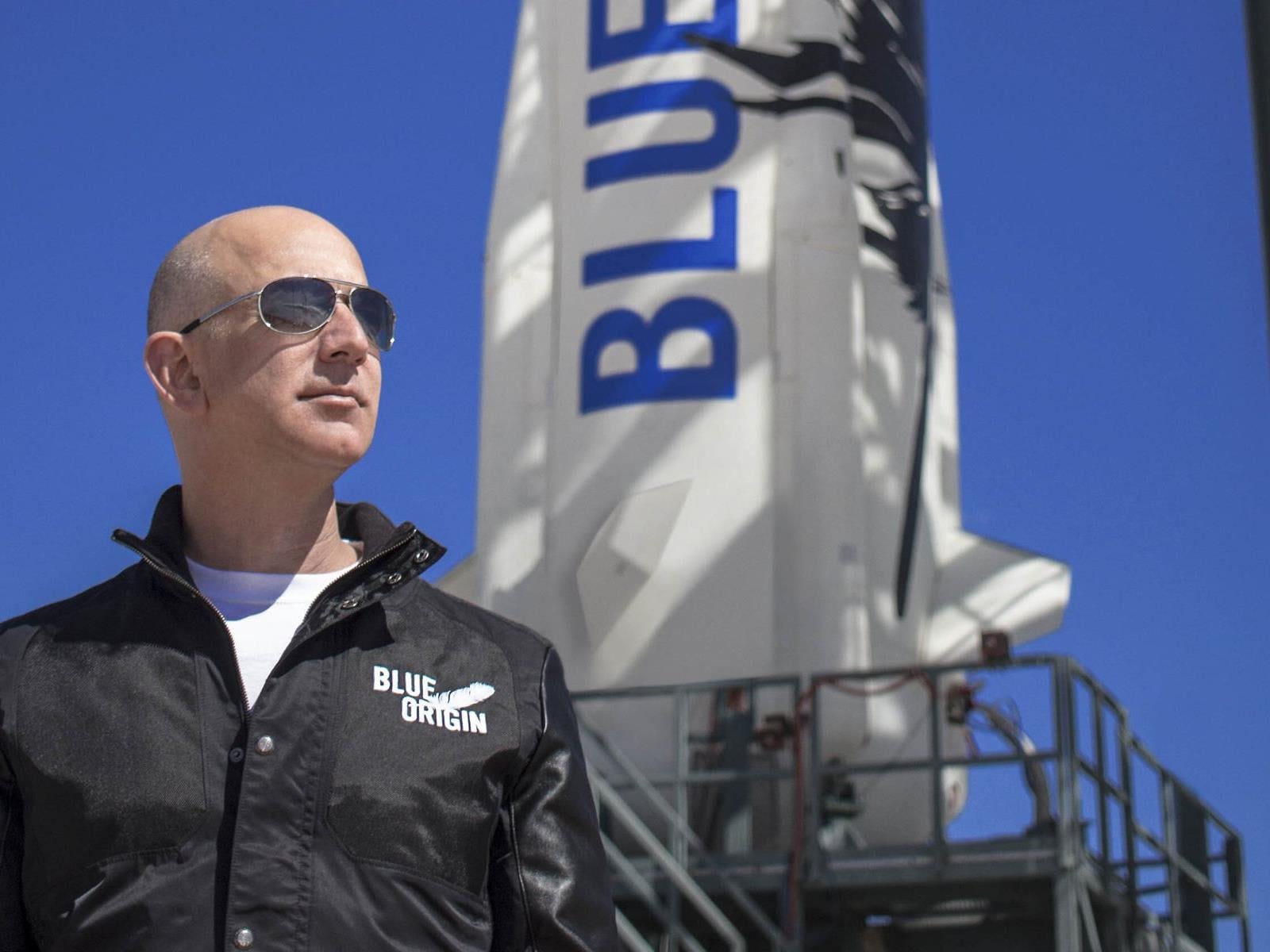
Blue Origin To Challenge SpaceX In High-Stakes Data Center Race In Space

Blue Origin To Challenge SpaceX In High-Stakes Data Center Race In Space
Looks like we have a new entrant to the orbital data center race: Blue Origin is formally challenging the likes of SpaceX and Axiom with plans for an initial constellation of tens of thousands of satellites.

Filing plans with the Federal Communications Commission (FCC) for Project Sunrise, Jeff Bezos’s space venture aims to deploy a not

As OpenClaw Enthusiasm Grips China, Kids and Retirees Alike Raise ‘Lobsters’

An anonymous reader quotes a report from Reuters: Fan Xinquan, a retired electronics worker in Beijing, has recently started raising a “lobster,” hoping that the AI agent he has been training can help organize his specialized industry knowledge better than chatbots like DeepSeek. “OpenClaw can actually help you accomplish many practical things,” the 60-year-old said at a recent event hosted by AI startup Zhipu to teach people how to use and train the AI agent, which has gone viral in China, with its various local versions earning the “lobster” nickname.

In the past month, OpenClaw, which can connect several hardware and software tools and learn from the data produced with much less human intervention than a chatbot, has captured the imaginations of many in China, from retirees looking for side income to AI firms hoping to generate new revenue streams. […]

Huang Rongsheng, chief architect at Baidu’s smart device unit Xiaodu, said at an event on Tuesday that parent group chats for his daughter’s primary school class have become overwhelmed by OpenClaw discussions. “My daughter came to me and asked: Dad, I see you raising a lobster every day,” he said. “Can I have one too?” Bai Yiyun, another attendee at the Zhipu event, said she hopes to use the agent to start a side hustle during her retirement. “If DeepSeek marked a milestone for open-source large language models, then OpenClaw represents a similar turning point for open-source “agents,” said Wei Sun, chief AI analyst at Counterpoint Research.


Read more of this story at Slashdot.

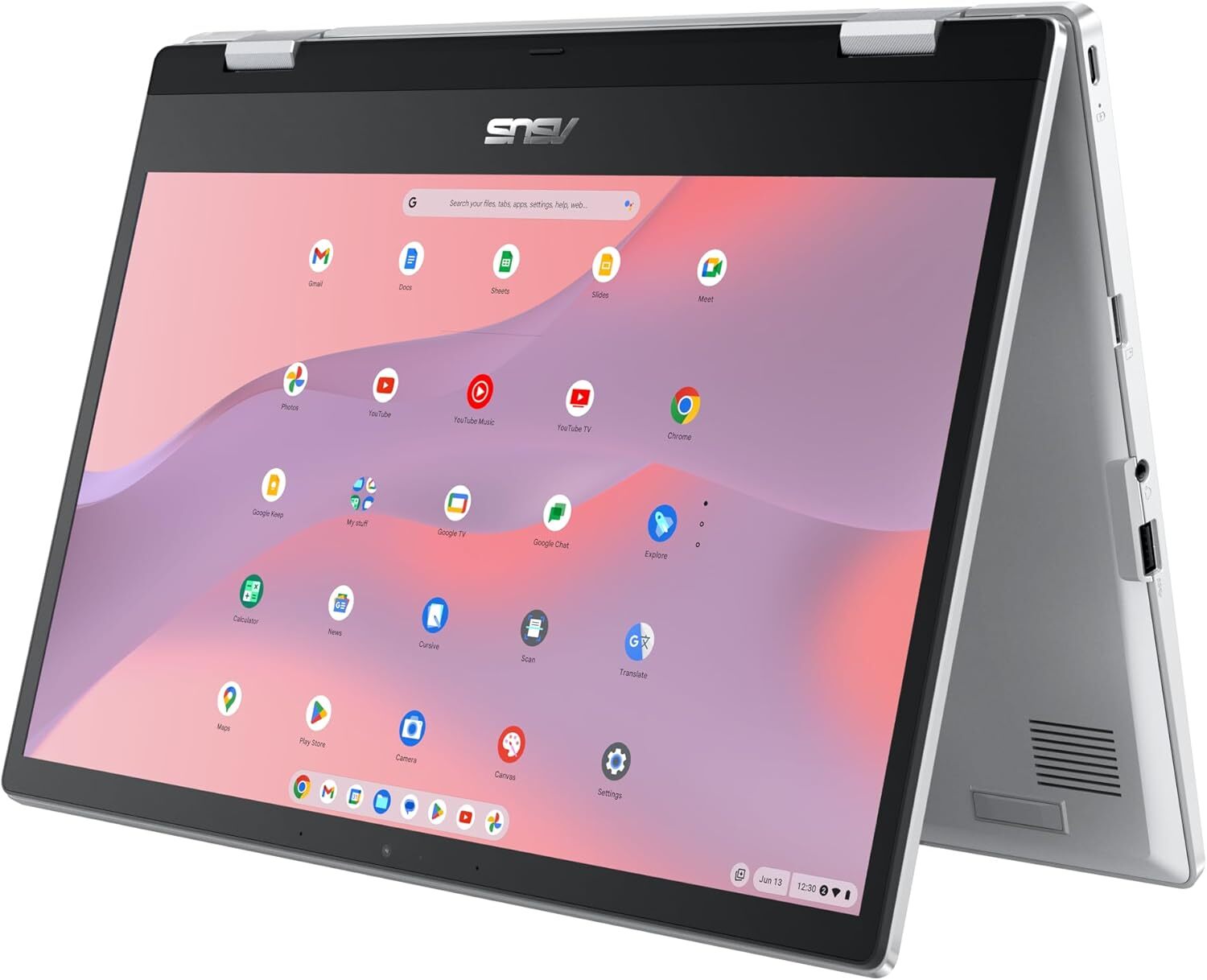
This Convertible Chromebook Is Nearly $100 Off Right Now

We may earn a commission from links on this page. Deal pricing and availability subject to change after time of publication.

Convertible laptops are a versatile and affordable alternative to buying a separate laptop and tablet. They offer touchscreen capability, multiple viewing modes, and greater portability than traditional laptops, which is a perk for commuters. They’re also useful if you want a second screen but don’t want to invest in a full second laptop or desktop. One of the most popular options is the entry-level 14-inch ASUS Chromebook Flip CX1 Convertible Laptop, which is down to a record low of $279.99 (originally $369.99), according to price trackers. 

It’s one of the most affordable convertible laptops with a 360-degree hinge, a 13-inch touchscreen, and all the essentials for everyday tasks like streaming video, getting work done, multitasking, or serving as a secondary device. That said, it’s not designed for more intensive tasks like design work, competitive gaming, and video editing.

It has an Intel Celeron N4500 processor, 8 GB of RAM, and 128 GB of eMMC storage, and lasts up to 11 hours per charge. It can be used in laptop, tent, or tablet mode, adding to its versatility. While it doesn’t have the high-end specs and performance of dedicated computers, this  2-in-1 does come with fingerprint login, a backlit keyboard, dual speakers,  and a 1080p webcam. It also has fast-charging USB-C, USB-A, and micro-SD ports, offering more connectivity than many budget Chromebooks.

If you’re looking for a model that covers the basics and your priority is versatility and convenience at under $300, the Asus Chromebook Flip CX1 2-in-1 is a strong choice. However, if you need more storage, better brightness and visuals, and a more capable processor, it’s worth stepping up to a slightly more powerful model like the ASUS Chromebook CM14 Flip or the Lenovo IdeaPad Flex 5i Chromebook Plus, though those upgrades will come with a higher price tag.

Our Best Editor-Vetted Amazon Big Spring Sale Deals Right Now

Deals are selected by our commerce team

Belkin Charging Case Pro for Switch 2 review: A more elegant solution

Last year, Belkin released a couple of cases for the Nintendo Switch 2 just in time for launch, including one that came with a handy battery pack. That one was simple and effective, but it felt a bit crude because it wasn’t much more than a basic travel pouch with a generic power cell tossed inside. Now, Belkin is back with a Pro version of its Charging Case for the Nintendo Switch 2, featuring a more sophisticated battery pack along with a higher price tag ($100 vs. $70). So here’s the question for any Switch 2 owners still looking for a way to protect their console while keeping it topped off: Is a more elegant charging solution really worth the extra money?

Case design

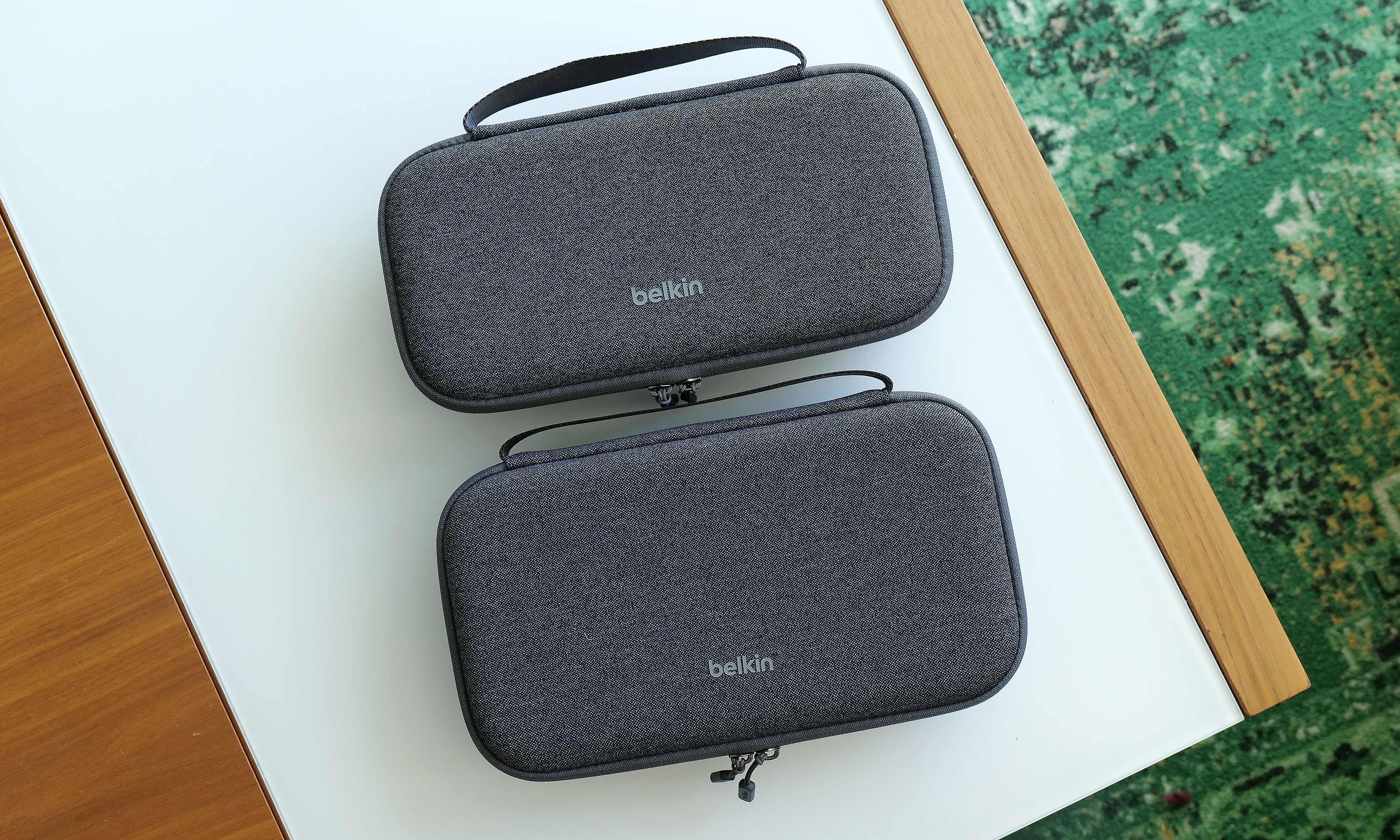
At 11.7 x 6.1 x 2.5 inches and weighing 1 pound 12 ounces, the Pro Charging Case is a touch larger and heavier than its non-pro sibling. It also features a very similar design with the same color options and materials, including a tough polyester outer shell that’s balanced by a softer, velvet-like material and cutouts for your Switch 2 on the inside. 

The Pro Charging Case (bottom) is a touch bigger and heavier than the previous model, but aside from that its sports a nearly identical design.
Sam Rutherford for Engadget

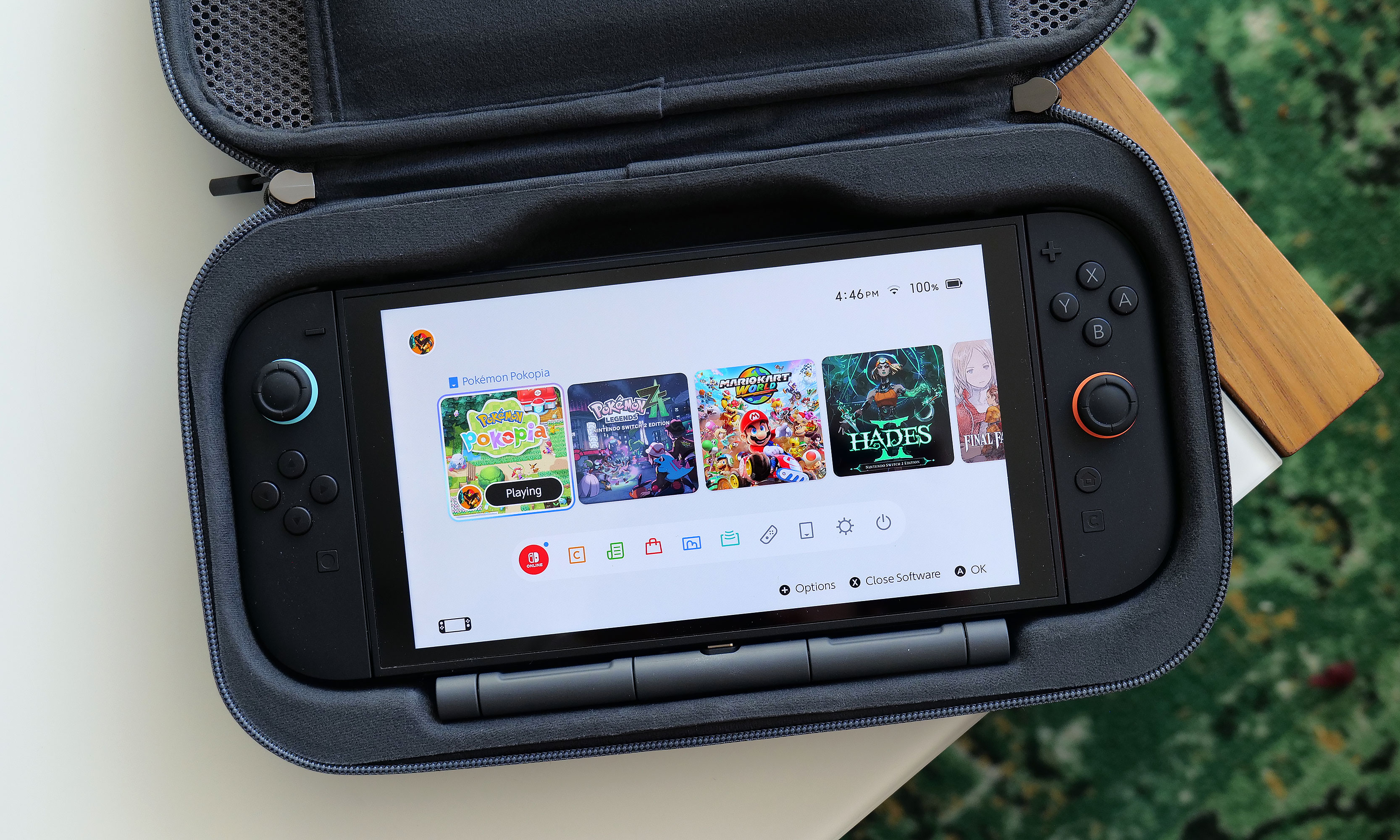
Once again, Belkin has done a good job of providing a snug cabin to store your console while still making it easy to take it in and out. That said, if your system also has an extra-thick protector or hardshell case like the Killswitch from Dbrand, it may not fit. There’s also a padded flap that swings down to protect your Switch 2’s screen that also pulls double duty as a place to stash up to 12 game cartridges, which is a very thoughtful touch. 

However, the biggest change to the Pro Charging Case’s exterior design is a new cutout on the front edge, which allows you to top off other gadgets (or a Switch) by plugging a USB-C cable into Belkin’s included battery pack. Unfortunately, the case doesn’t come with a cord, which seems a bit odd until you take a closer look at the power pack’s layout. That’s because once you open up the case, you’ll see a second port designed to fit right into the bottom power jack on the Switch 2 without the need for a cable.

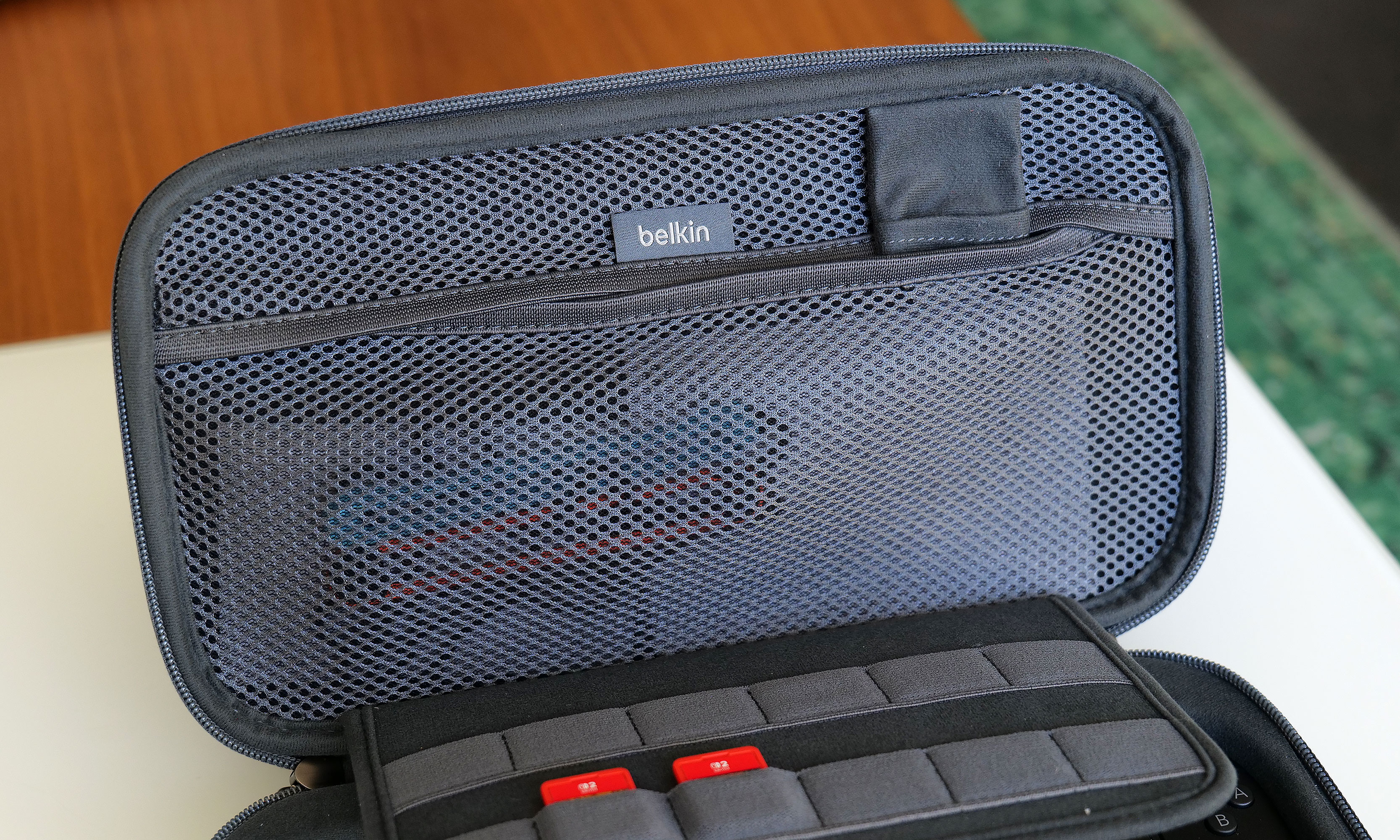
The inside of the Pro Charging Case features a handy mesh pocket, 12 slots for game carts and a hidden AirTag pouch.
Sam Rutherford for Engadget

Other small touches on Belkin’s Pro Charging Case include a mesh pocket for storing things like cables, Joy-Con straps or cleaning cloths, which is very handy. However, my favorite thing might be the AirTag pouch that’s also hidden inside that pocket, which could give you a fighting chance of recovering your system if it’s ever lost or stolen (though I wouldn’t count on it). 

Battery pack

The arrangement of the included 10,000mAh battery pack and the placement of its internal USB-C port makes it a cinch to recharge your Switch 2 every time you put it in the case.
Sam Rutherford for Engadget

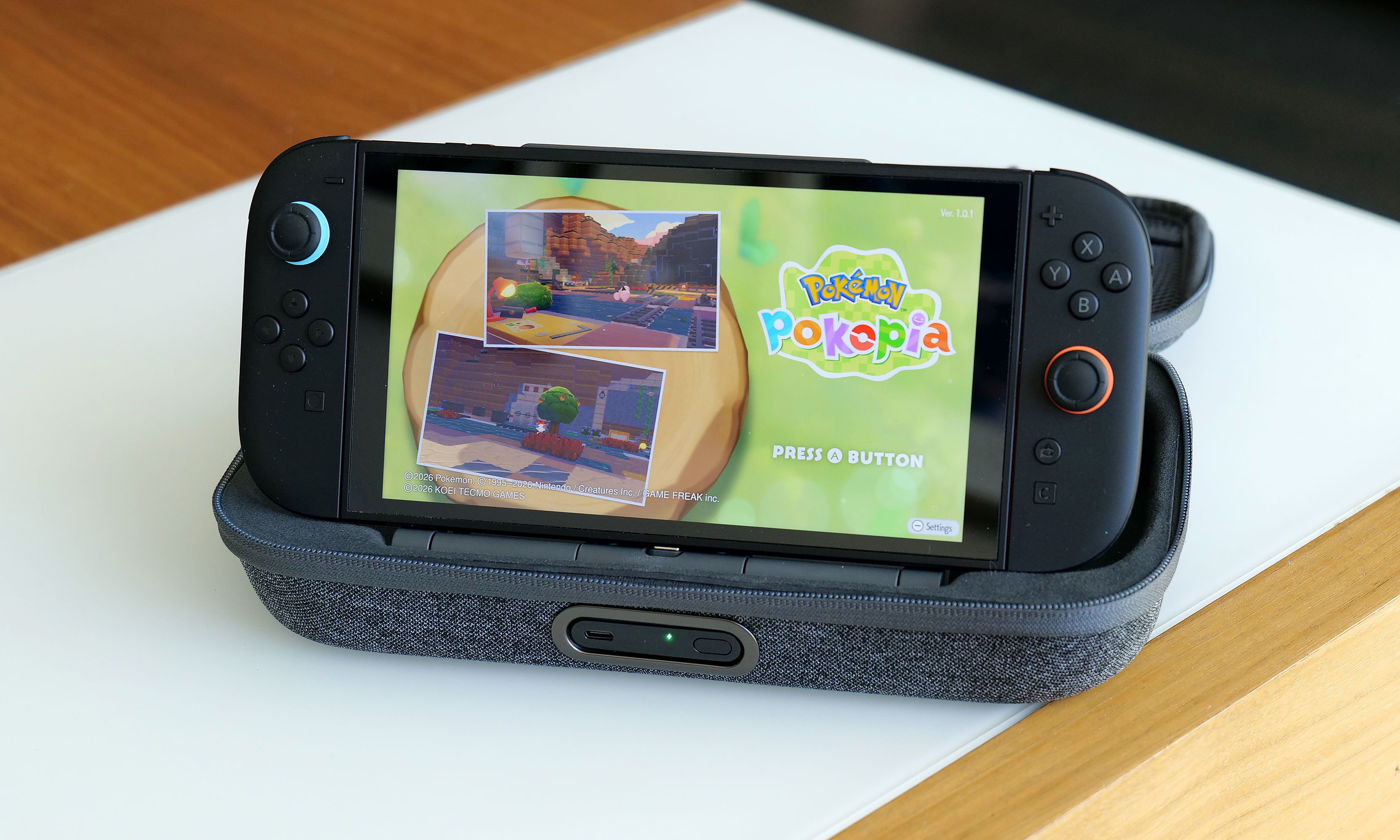
Despite the increased size of the Pro Charging Case’s included battery, it has the same 10,000mAh capacity as what you get from its less expensive sibling. That means you’ll typically have enough juice for a little more than 1.5 recharges for your Switch 2 and its onboard 5,220mAh cell. Instead of relying on a simple external power pack like before, Belkin’s bundled battery comes with a second USB-C port and a kickstand. This makes it super easy to plug in your Switch 2 every time you put it in the case. This way, you know the next time you turn it on, it’ll be at 100 percent. 

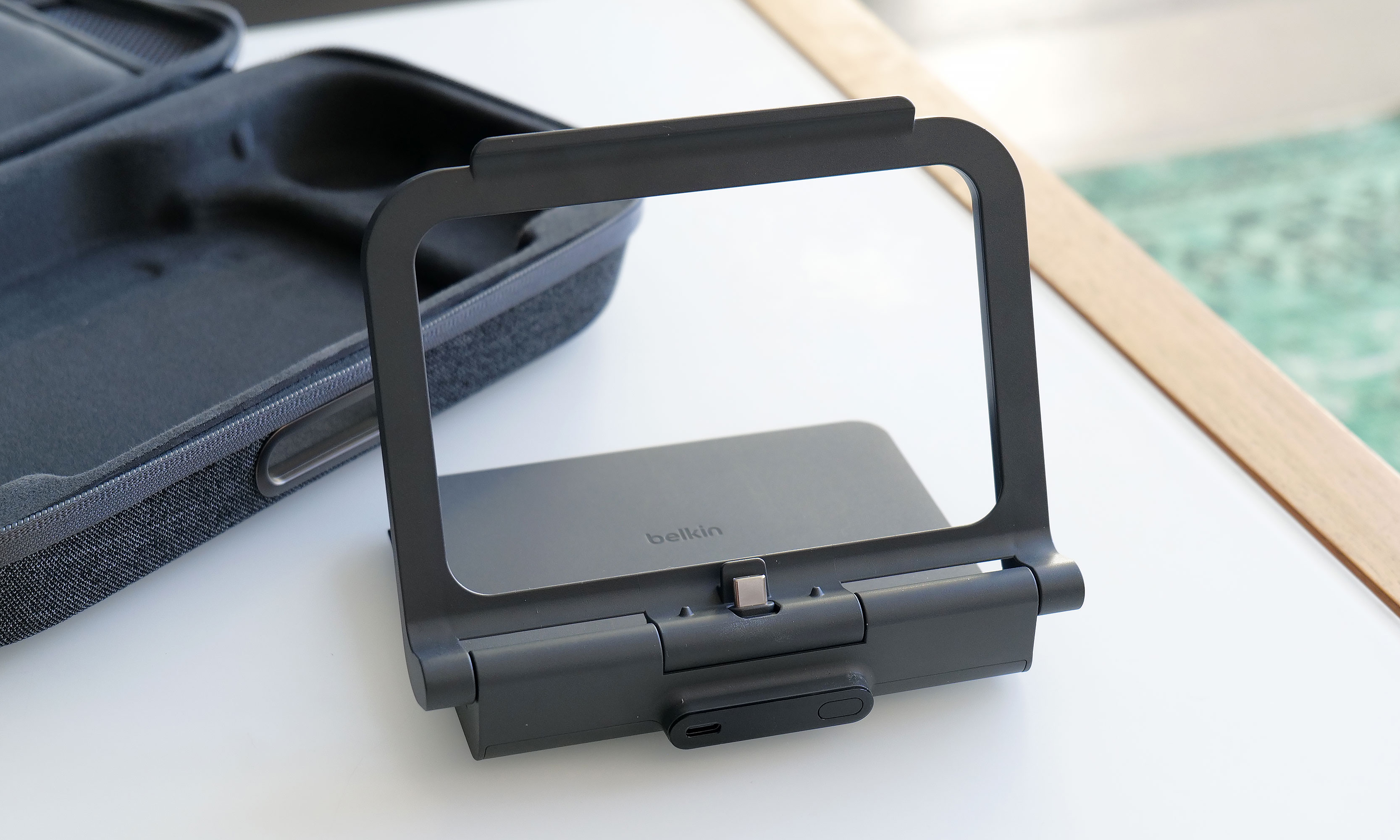
Here’s what the battery pack looks like when you take it out of the case. As you can see, its size and shape means it’s not a great standalone external power pack any more.
Sam Rutherford for Engadget

Alternatively, you can raise the kickstand to prop up the Switch 2 and game on it while it stays nestled inside the case. This might seem a bit redundant as Nintendo’s console already has its own kickstand, but Belkin’s allows you to continue charging the system while you’re playing without needing a cord. There’s even a handy display on the side of the battery, so it’s super easy to see how much juice is left, even when the case is closed. Furthermore, when you need to recharge the power pack, you can do so without removing it from the case or disconnecting your Switch thanks to that bonus USB-C port on the outside. Compared to the previous model, this is certainly a more elegant solution that provides some subtle quality of life improvements. The one downside is that the battery pack is somewhat awkwardly shaped, so you won’t really want to use it on its own.

Wrap-up

There’s no doubt the Pro Charging Case’s new battery pack is a more premium solution that’s easier to use and manage. When you need to recharge it, you can do so from the outside without opening the pouch. It also lets you charge a Switch 2 without ever needing a cable. The built-in kickstand is another bonus that helps elevate the whole kit from a simple case to something closer to a tiny all-in-one gaming booth. 

One of the neat things about giving the battery a kickstand is that it turns the case into a mini all-in-one. This makes me wish Belkin gave the included power pack some sort of docking functionality for connecting the Switch 2 to an external display.
Sam Rutherford for Engadget

That said, after using it for a couple of weeks, I’m still not sure the added convenience is worth an extra $30 over the original. Due to the battery packs’ new shape, it’s less useful as a standalone power cell, and the rest of the case’s design is largely unchanged. Of course, it’s always nice to have options, and if you’re the kind of person who doesn’t mind spending a little extra for a more streamlined and convenient kit, Belkin’s Pro Charging Case for the Switch 2 is still very much worth consideration.

This article originally appeared on Engadget at https://www.engadget.com/gaming/nintendo/belkin-charging-case-pro-for-switch-2-review-a-more-elegant-solution-144820809.html?src=rss

Jeff Bezos just announced plans for a third megaconstellation—this one for data centers

A little more than a month ago, SpaceX founder Elon Musk put down a marker of his intent to saturate low-Earth orbit with up to 1 million satellites. Its purpose? Provide always-on data center services around the planet.

Now, Amazon and Blue Origin founder Jeff Bezos has done something similar with a filing to the Federal Communications Commission of his own, proposing a constellation of up to 51,600 satellites operating in Sun-synchronous orbits at altitudes ranging from 500 to 1,800 km. Bezos’ space company, Blue Origin, sought the authority to do this and is calling the constellation “Project Sunrise.”

In its filing, Blue Origin argues that terrestrial AI-based data centers will face difficulties scaling up to meet computing demand.

Read full article

Comments