It’s been six years since the original model.

It’s been six years since the original model.

The bans came after modder Noffletoff was credibly accused of participating in graphic discussions of illegal content
A company that’s best known for keyboards makes a strong entry into the high-end dock world.
Google launches (and retires) apps at a rapid rate, so it’s not always easy to keep track of everything that’s coming and going. One of the more recent launches we’ve had is Google Pics, which is now available to users subscribed to Google AI Pro ($19.99 a month) or Google AI Ultra ($99.99 or $199.99 a month).
It sits alongside Google Docs, Slides, and Sheets in your Google Drive Workspace, and it’s part Canva, part Photoshop: It does a bit of graphic design (like putting together an event poster), and a bit of image editing (like cutting unwanted objects out of your vacation photos), and if you’re paying for one of those Google AI plans mentioned above, you might find Google Pics is the only image creation app you need.
The web app incorporates the Nano Banana AI image generation model, and, as well as working as a standalone entity, will also pop up inside the other Google Workspace apps as and when you need it. Here’s what you get and how it works.
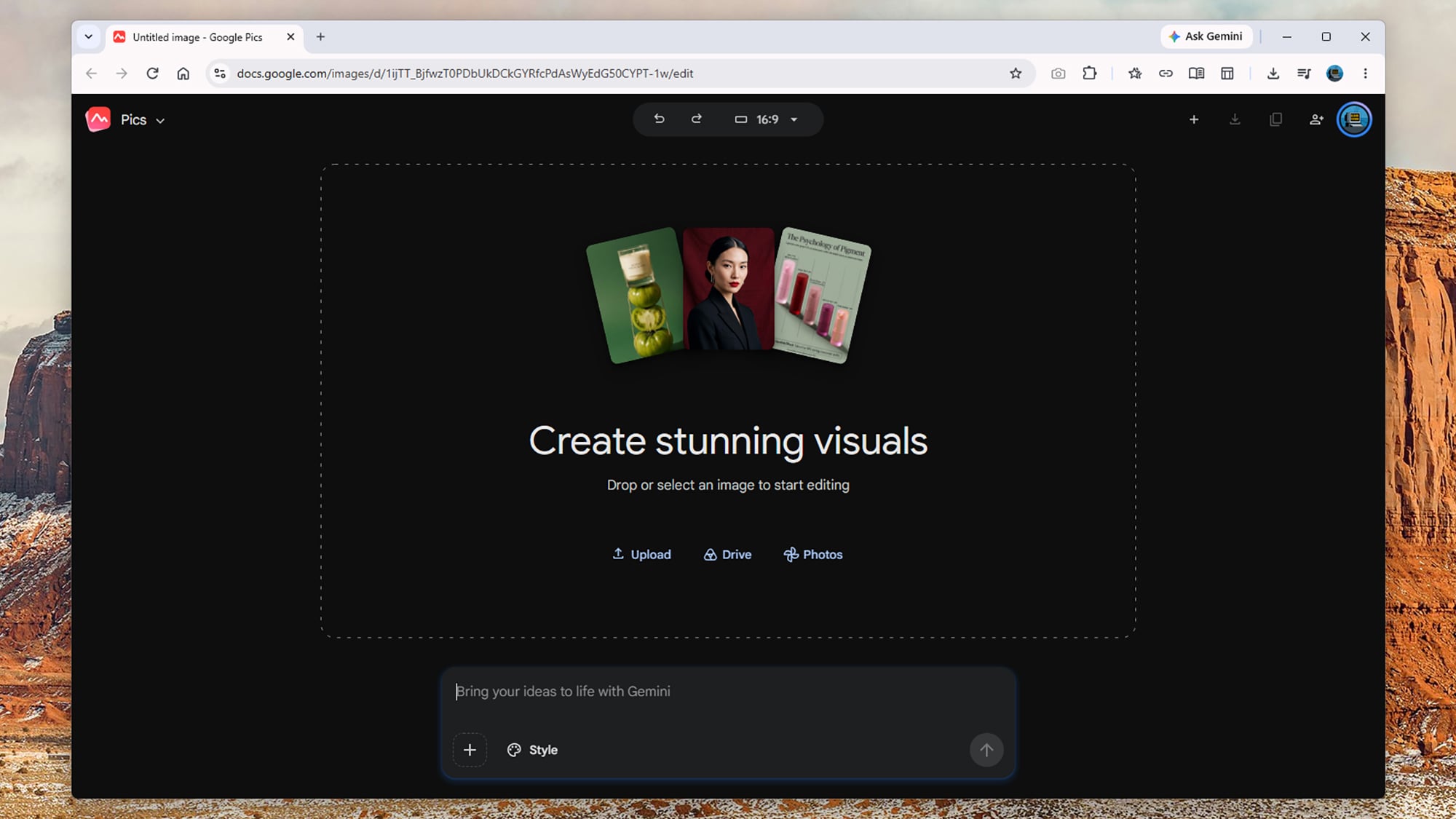
Google Pics is driven primarily through text prompts, whether it’s creating something new from scratch or making edits to something you’ve made elsewhere. From the opening screen, you can type in an image prompt just as you would with the Gemini app: Prompts for anything from photorealistic scenes to printed materials will work, and the more detail you add, the better.
The Style box lets you give Google Pics a reference to work from in terms of the overall image look and feel, while clicking on the Upload, Drive, or Photos links lets you load in an existing image ready for editing. At the very top is an aspect ratio drop-down, so you can specify the dimensions of new images, though this can be edited later too.
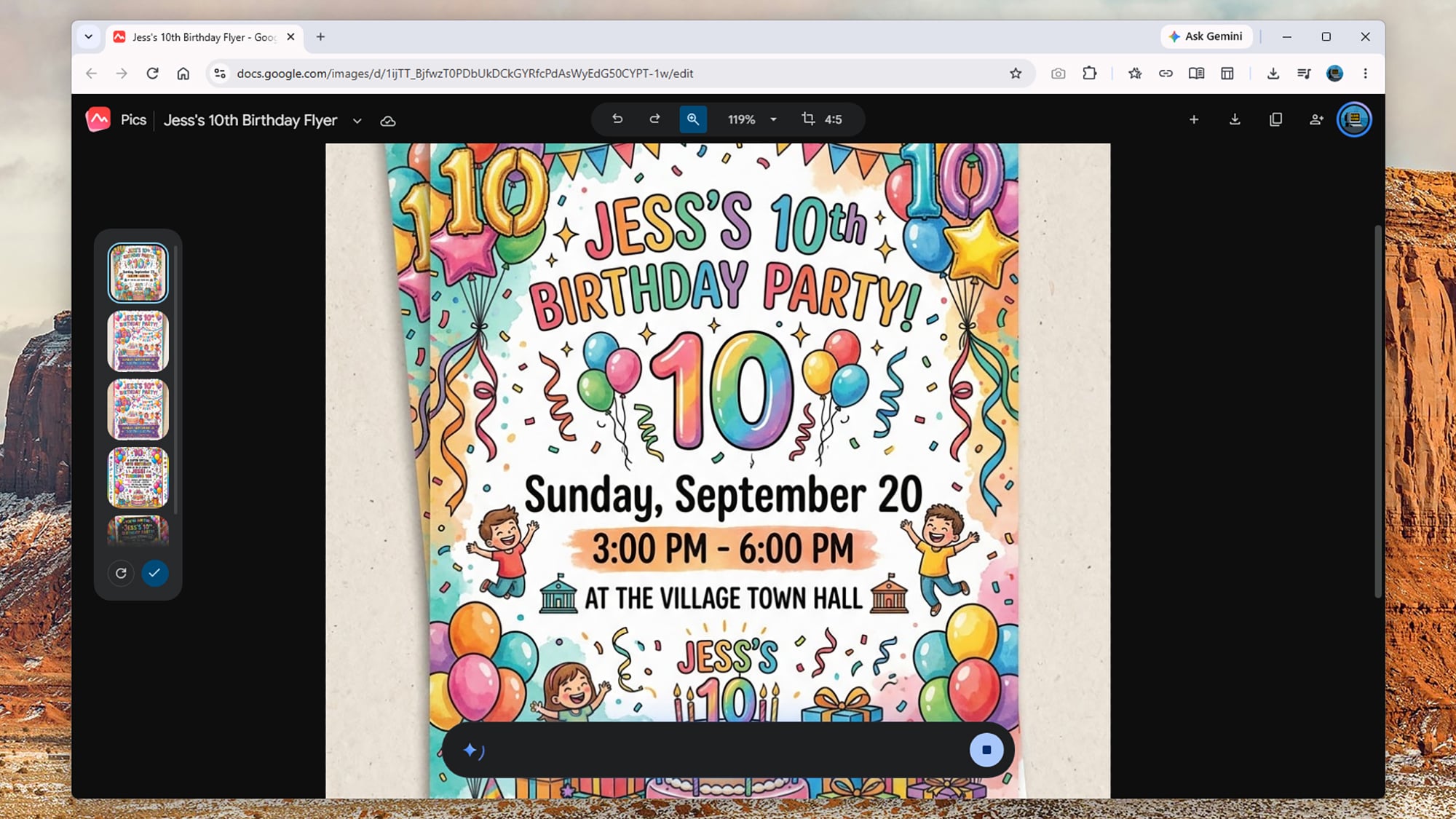
When you make something new, you get four or five alternatives shown as thumbnails on the left, so you can click through them to find the one you want. There’s also the option to generate four more pictures from your prompt, if you don’t mind the extra usage. As it often is, Google is rather vague when it comes to limits: It says “higher access” will be available to users until February 2027, and that factors like image resolution affect how quickly you reach the limits.
So, you could prompt Google Pics like this: “Create an A5 flyer for a 10th birthday party for Jess, happening at the village town hall at 3 p.m.-6 p.m. on Sunday, September 20. Include lots of party decorations, including balloons, streamers, and cake, and include some small print about food and drink being provided and there being plenty of on-site parking.”
From that prompt, Google Pics gave me a selection of suitable vibrant and fun-looking flyers I could choose from—all of them carrying that familiar AI “sheen” you’ve no doubt seen everywhere from restaurant menus to school event posters in recent times. It followed the brief directions and took seconds to do.
I also tried loading in my own photos and using Google Pics to manipulate them: You can very easily turn your photos into watercolors or comics, giving you what’s effectively an unlimited box of Photoshop filters to play around with. The results aren’t perfect every time, but they’re usually more than good enough.
This is a pretty bare-bones app though. You can undo recent edits, zoom in and out, and change the aspect ratio, but outside of the prompt box, that’s just about it. You don’t have any of the traditional resizing options or tools to do any drawing or touching up yourself, and there’s no support for layers—so you’re still going to need Photoshop and Canva around for more advanced tasks.
Where Google Pics really impresses is with the editing tools, which become available after you’ve created something from scratch or loaded in an existing image. First of all, the app identifies parts of the image you can click on—so “church”, “sky”, and “mountains,” for example. You can click on these specific elements to get a prompt box to make changes.
You can also just drag a box around something on screen to bring up a prompt box: Maybe drag a box around a party balloon and add the prompt “make this blue,” or select a random stranger in your family vacation photo and say “remove this person”. Any edit you can describe, you can make (or at least attempt).
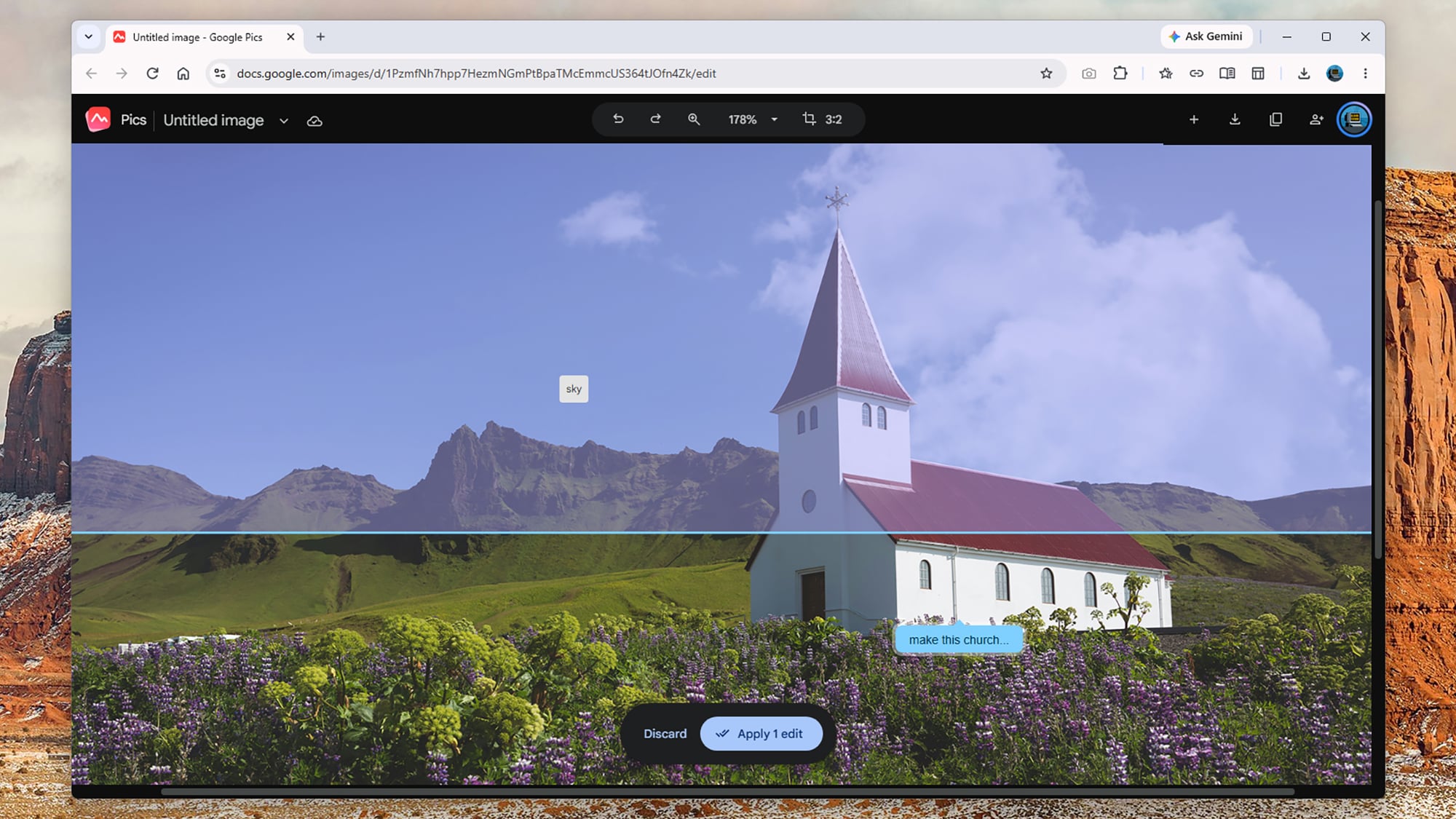
As always with this kind of trickery, Google Pics doesn’t know what’s actually behind the people and objects it’s removing, but it can make a decent AI-inspired guess based on the rest of the image and background. The results I got were mostly fine, and usually you wouldn’t know an edit had been made—though bigger changes to more detailed photos, like removing buses and cars, can be difficult for Google Pics to handle.
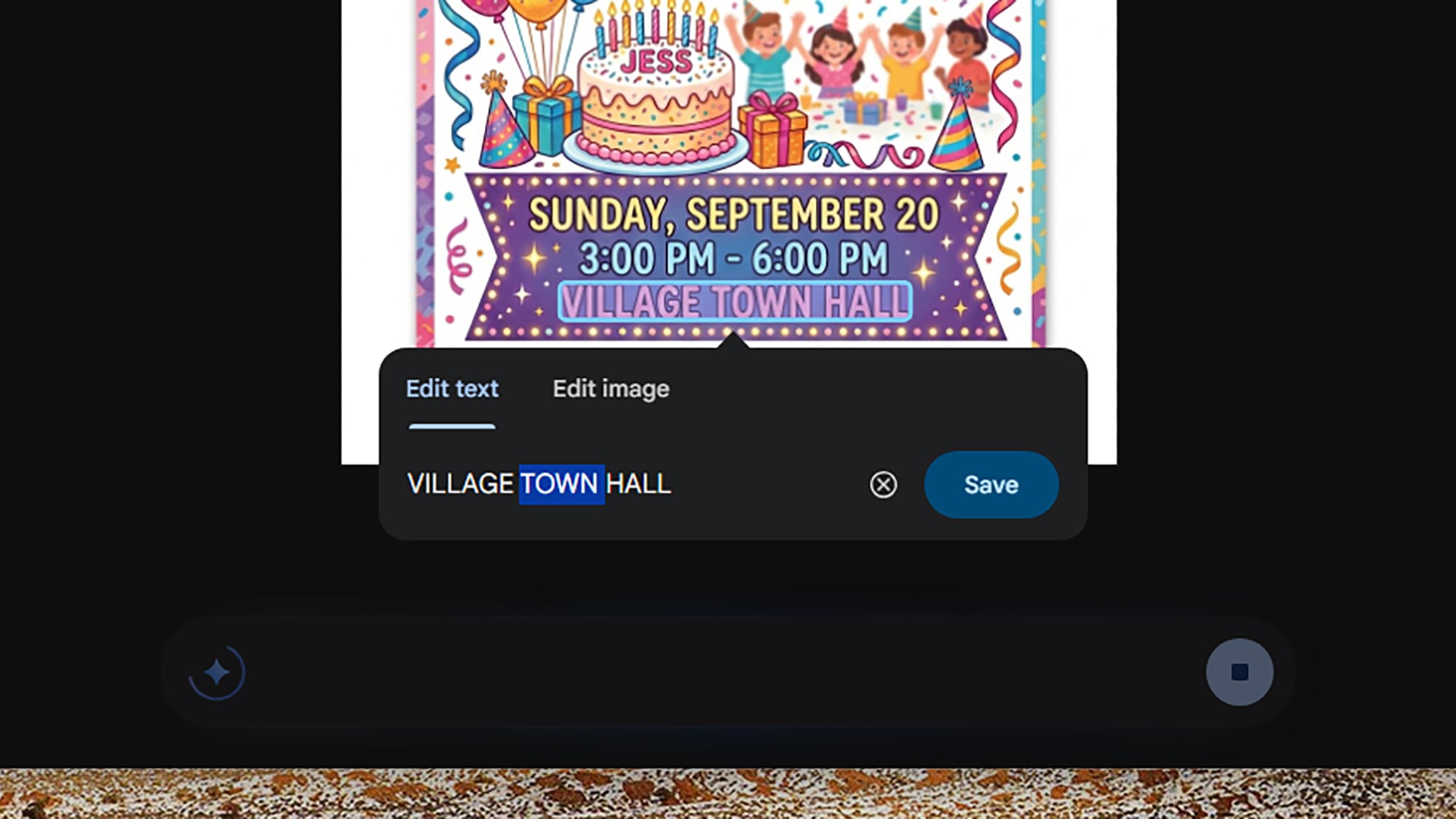
You can save up all of these various edits and apply them together, which saves quite a bit of waiting and working forwards and backwards. In the case of my birthday party flyer, I was able to add lines of text, change various colors, add in new elements, and more—and if you select blocks of text, you can edit them directly without a new prompt.
Besides being useful practically, it can also be a lot of fun playing around with different edits and seeing what’s possible. I got quite addicted to playing around with different photos, making changes that ranged from the large scale (“turn this into a night scene”) to the small scale (“add an extra cloud here”).
One of the edits I made was to age a car in a scene by five years, something which I’ve got no idea how to do in a full image editor, and which would’ve probably taken me an hour or so even if I did. The end results might not be quite as precise or polished as they would be if done by a human hand, but these kinds of tools expand what’s possible with quick and casual image editing.
I won’t be ditching Canva and Photoshop just yet, as they’re still essential for different kinds of tasks, including projects where pixel-level precision is required and where various elements need to be combined together in layers—but I can also see Google Pics proving very useful, especially with its integration with the rest of Workspace.
We may earn a commission from links on this page. Deal pricing and availability subject to change after time of publication.
If you need to tackle some DIY projects this fall, you might be looking to beef up your DIY tool kit. But if you’ve looked for tools recently, you may have also noticed that getting quality tools that will last can be expensive. Here are some deals on some of my favorite tools ahead of Amazon’s Big Deal Days sale.
If you’re just starting out on your DIY adventure, beginning with a tool set will give you a solid foundation. Here are some deals on quality tools that will be with you for years to come.
The DeWalt 20-volt oscillating multitool set is on sale for $157, 47% off its regular price. The set comes with the multitool, a 2-amp-hour battery, a charger, three starter blades, a sanding attachment, and some sandpaper. This tool can be used to cut metal, wood, plaster, drywall, PVC, and tile, and you can also use it for sanding and polishing. It’s a good deal for expanding your existing DeWalt set or if you’re just starting out with DIY projects.
The DeWalt 192-piece mechanic’s tool set is on sale for $169.94, 41% off its usual price. This set comes with ½-inch, ⅜-inch, and ¼-inch ratchets, sockets in SAE and metric sizes, a set of spark plug sockets, driver bits, a set of hex wrenches, and adapters. This is a full tool set that will allow you to work on cars, as well as do maintenance on small home appliances like changing filters and replacing hoses.
The Craftsman 10-piece mechanics tool set is on sale for $14.99, 51% off its typical price. The set comes with a ⅜-inch ratchet and nine metric sockets. This compact set is good for most beginner DIY projects and can be used for light vehicle maintenance; it’s also perfect for an emergency roadside kit.
Saws are essential for many DIY projects, like repairing fencing or building shelves, and they’re also excellent for yard work and demolition. Having the right tools for making precision cuts will make your projects go more smoothly. Here are some deals on saws for all your DIY needs.
The DeWalt 7 ¼-inch cordless compound miter saw is on sale for $296.65, 20% off its regular price. This is a tool-only deal, so you’ll need a DeWalt 20-volt battery and charger to use it. This saw is compact and portable so it’s useful for situations where you don’t have a permanent home shop set up. You can use it to cut molding and trim for door frames, stairs, and finishing decks.
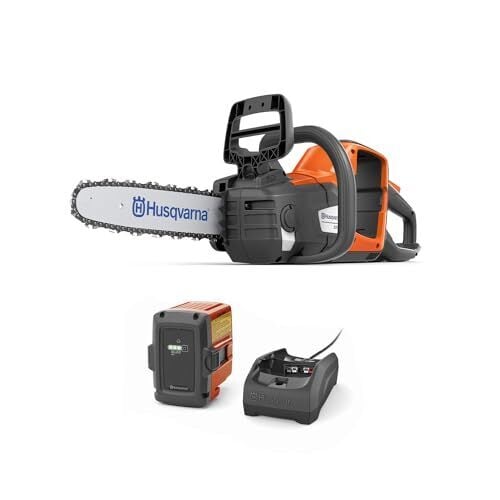
The Husqvarna 14-inch 225i battery-powered chainsaw is on sale for $264.99, 30% off its regular price. The saw comes with a chain, a battery, and a charger. It can make up to 190 cuts on a single charge, and you can use it to cut up downed tree limbs and clear thick branches.
The DeWalt 20-volt jig saw is on sale for $139.90, 41% off its usual price. This is a tool-only deal, so you’ll need a DeWalt 20-volt battery and charger to use it. A jigsaw can be used to cut curves and irregular shapes and is useful for making specialty cuts in fencing or for making decorative cuts on decor or furniture.
Bits and accessories for your power tools don’t seem like they’ll be a big expense until you’ve made your third trip to the hardware store for a size you don’t have on hand. Having a wide range of sizes for drivers and drill bits will allow you to keep working on your project instead of running out for one more thing. Here are some of the best deals on bits and accessories.
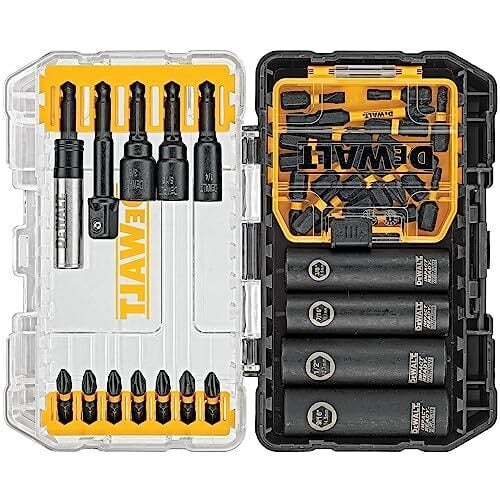
The DeWalt 35-piece impact bit set is on sale for $29.98, 66% off its regular price. The set comes with a bit holder, a socket adapter, several types of driver tips, and a set of sockets. It’s a good set for driving fasteners, but you’ll need drill bits if you want to drill holes.
The Bosch 41-piece drilling and driving combo set is on sale for $21.47, 57% off its usual price. This set comes with drill bits up to ¾”, several types of driver tips, an adapter, and a case. This bit set is a good starter set because it has both driver tips and drill bits, so you could use it with a drill for hanging pictures or curtains, or for assembling flat-packed furniture.
The Milwaukee socket adapter set is on sale for $8.21, 47% off its regular price. This set comes with socket adapters for ¼-inch, ½-inch, and ⅜-inch sockets. This is a tool that you won’t know you need until you don’t have it. I use mine all the time to switch between driving screws and driving nuts for installing wheels and assembling metal parts.
October Prime Day starts Tuesday, October 6, 2026, at 12:00 a.m. PT / 3:00 a.m. ET.
Prime Day lets Prime Members shop online for thousands of products with big discounts. It only lasts two days, so make sure you check out everything we know about the sale before it starts.
Yes, you will need to be a Prime Member to shop the exclusive sales during Amazon’s Prime Big Deal Days. Prime membership starts at $14.99 per month.
‘Talk to me, Rex’
Ads are everywhere on Android. For most of us, the answer is either to sit through the ad, or pay up for a service’s “premium” tier. While services like YouTube Premium can genuinely be worth it, they aren’t for every app. Thankfully, there are options: All you need are free apps or extensions, easily available from the Play Store or alternative app stores, including one option that can block virtually all ads on Android.
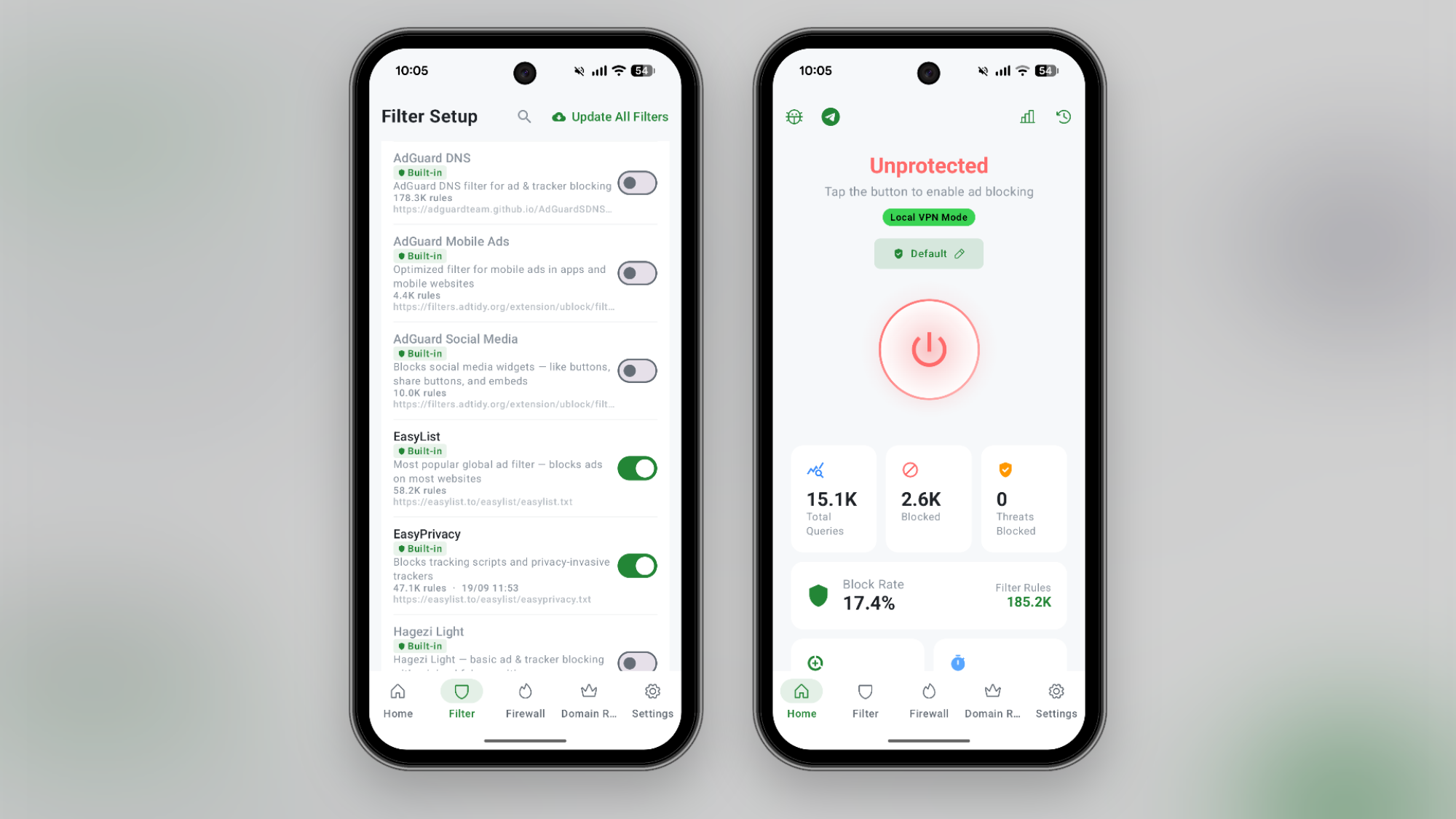
If you want a single app that blocks everything, start with the aptly named “BlockAds.” It’s a free, open-source app you can install directly from GitHub or via the F-Droid store. It’s not available on the Play Store, so the installation method will depend on where you live and when you’re installing it. If Google’s new rules are in place, you’ll need a 24-hour cooling-off period before you can sideload apps.
Once installed, activate BlockAds, giving it permission to add a VPN profile. When enabled, BlockAds will activate its own VPN profile that will stay enabled in the background. While it uses a VPN profile, it’s not a VPN service like Proton VPN in the traditional sense. Instead, it’s a local VPN that filters the traffic on your device itself. It uses DNS filtering to automatically block traffic to ad servers and trackers, quietly disabling them in the background. All your regular activity continues, but the annoying ads in any app disappear, without needing to root your device. There is one downside to using this method: Android only lets you enable one VPN profile at a time, so if BlockAds is taking up the VPN slot, you can’t use an actual VPN to protect your internet usage or to spoof your location.
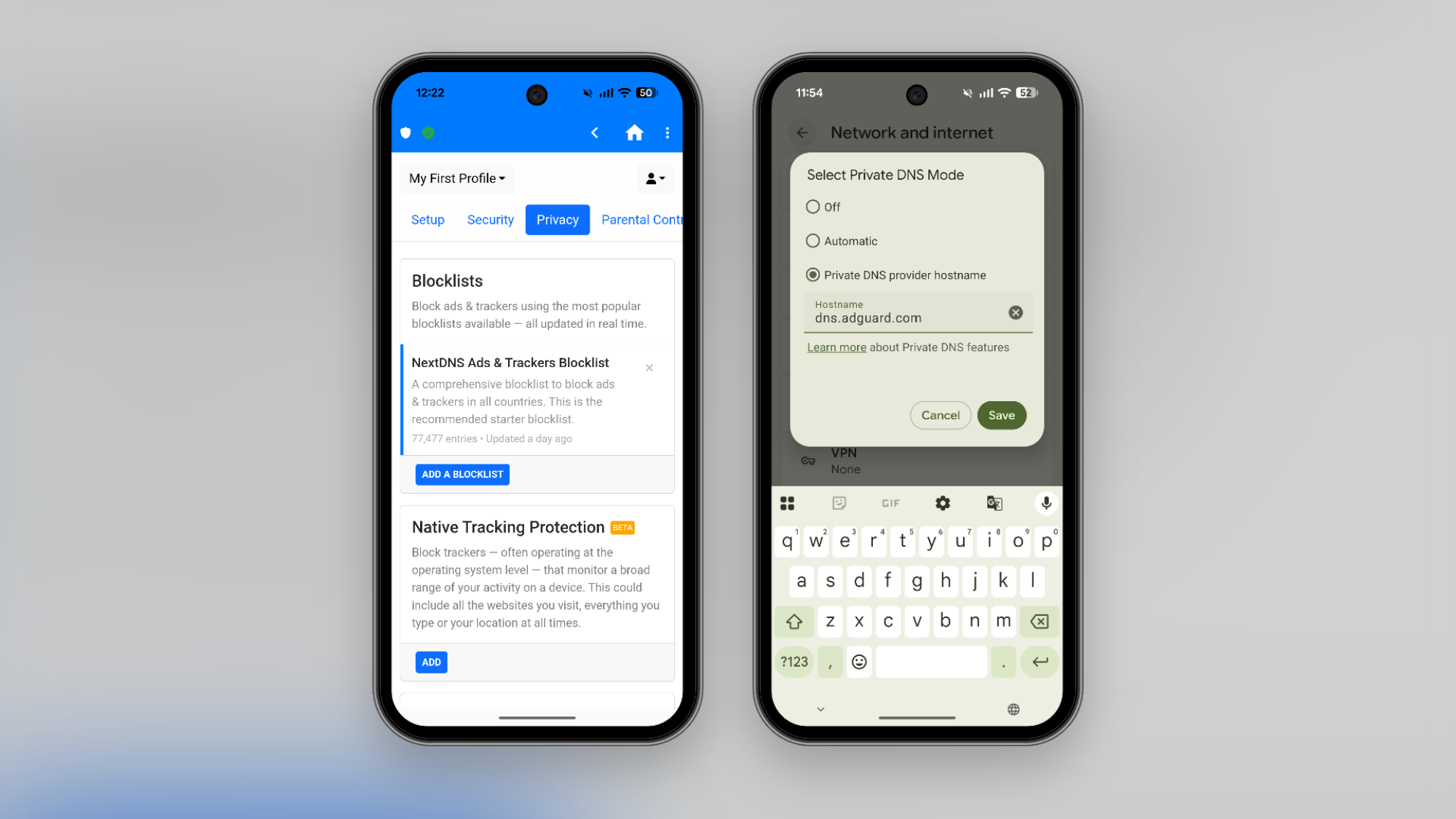
If you don’t want to use a VPN profile, or a third-party app, DNS filtering is another path. This method blocks known advertiser domains, effectively blocking most ads you encounter on the web. Android OS comes with a built-in option that lets you change the DNS server to whatever you like, but there are also services that use DNS filtering to remove ads and trackers as you browse the internet, like AdGuard’s free DNS filtering. All you have to do is change the DNS address. Go to Settings > Network and Internet > Private DNS and switch to the Private DNS provider hostname option, then enter the hostname. In this case, to use the free service, enter “dns.adguard-dns.co” and hit the Save button.
It’s important to note that DNS filtering might break some sites or apps with full-screen ads. This is where a more flexible option like NextDNS can help. Once you create a NextDNS account, you get a personal DNS hostname URL, where you can customize which filters to use and add websites to a whitelist as well. Plus, you can enable or disable protection as needed. After you sign up for NextDNS, go to the Setup section to find your URL. NextDNS, though, isn’t completely free. You get up to 300,000 queries for free per month, and the unlimited Pro plan costs $1.99 per month or $19.99 per year.
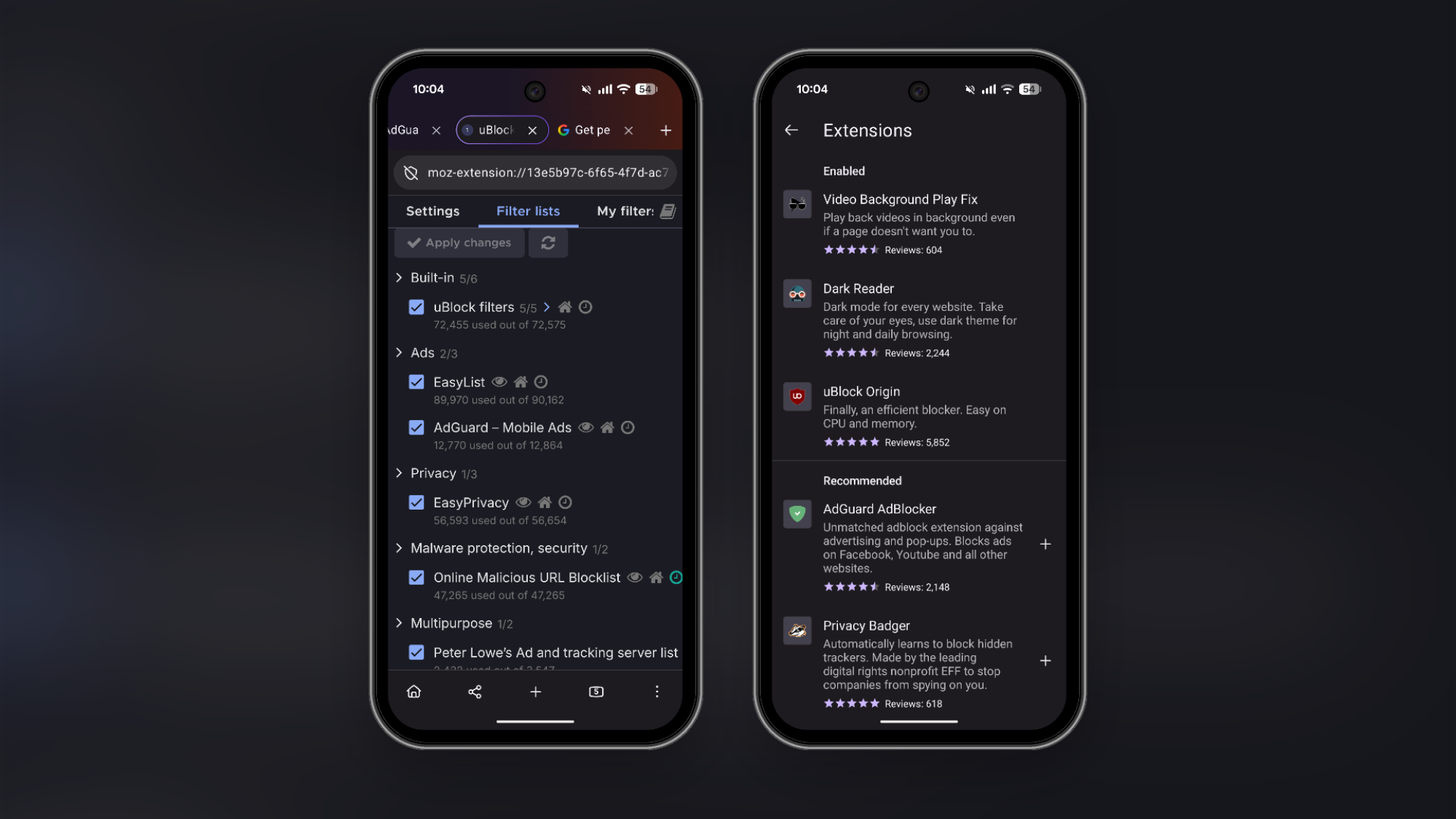
After Google’s new Manifest V3 changes, getting a full-fledged ad-blocker that updates in real time is becoming more difficult, even on desktop. On Mac and Windows, Firefox is perhaps the biggest champion of ad blockers, supporting the full uBlock Origin extension natively.
It’s the same story on Android as well. Firefox is the best way to run the full uBlock Origin extension, with its dynamic blocking and customizable filter support. If you want to use it, install the Firefox app on Android, tap the Menu button, and go to Extensions. Here, search for and install uBlock Origin. Once it’s installed, ads from websites will disappear automatically. The default setup is enough for most users. But if you want to customize it, you can go to uBlock Origin extension’s settings page to add extra filters.
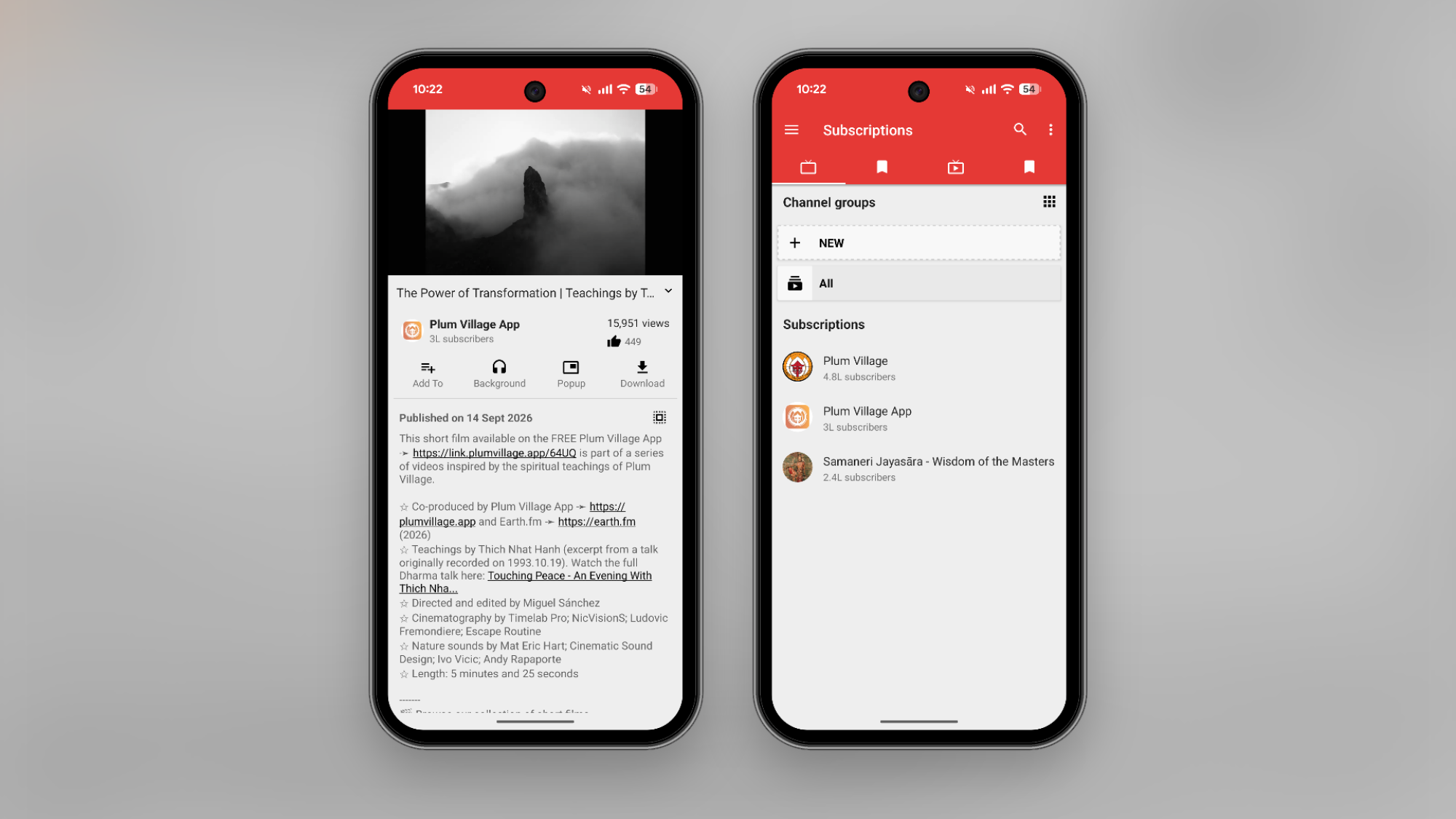
The most reliable way to block ads on YouTube these days is to pay for Premium, as Google makes it quite hard to block ads for free. That said, there are plenty of workarounds. The best way is to get out of Google’s system altogether using the NewPipe app, an alternative YouTube client that’s hosted on the open-source F-Droid app store (similar to the BlockAds app we discussed above). The app plays YouTube videos ad-free, and you can also access features like background playback and offline downloads (usually reserved for YouTube Premium subscribers). You can search for and play videos, but you can also subscribe to channels and build your own YouTube feed in the NewPipe app.
If you don’t want to install an app from third-party app stores, try using DuckDuckGo’s browser. It has a built-in YouTube ad blocker, which uses the robust filters from the uBlock Origin extension discussed above. Just load up a YouTube video in the browser, and you should be good to go. If you still see ads, make sure that the feature is enabled from Menu > Ad Blocking > Block Ads on YouTube.
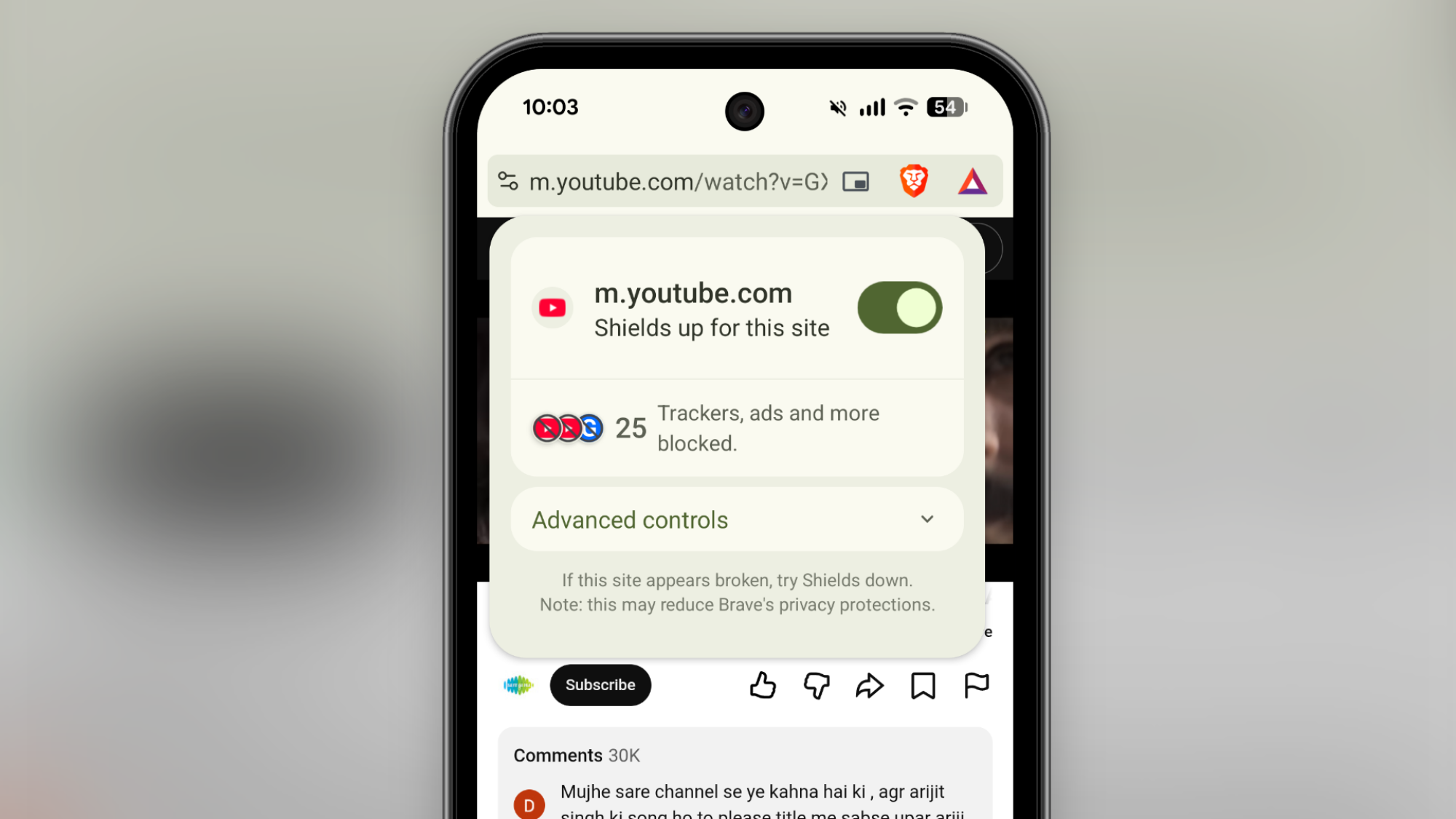
If you just want an ad-free browsing experience without the need for installing and updating third-party extensions, try the Brave browser. It’s one of the best privacy-focused browsers out there, and the Android app is quite easy to use. It blocks trackers and ads by default. There are no switches to flip, and no extensions to enable. The default ad-blocking works for YouTube videos as well.
The Sovereign Tech Agency (STA) is
investing nearly €1.3 million
in KDE through 2027. At Akademy 2026
in Graz, Austria, Nate Graham and Kevin Ottens, two of the contributors who
helped bring in the investment, explained how the funding was secured, provided
tips on how projects should approach organizations like STA, and talked about
how that money will be improving KDE for everyone. In addition to keeping the
community informed about the work, the pair hoped to pass on what they have learned
to encourage others to help raise funds for development as well.
Snap was in the smart glasses game from the jump. The company’s original camera-equipped Spectacles debuted back in 2016, beating Meta to the market by five years. Meta’s Ray-Bans and Oakleys captured massive consumer mindshare anyway, while Snap’s smart eyewear has been less visible.
With Snap Specs, though, the company is aiming to make up for lost time by delivering smart glasses that go beyond a hidden camera and voice-activated AI. At the Snapdragon 2026 Summit, I got my hands (and eyes) on a pair of Snap’s soon-to-be-released spatial-computing glasses that overlay digital graphics onto the physical world.
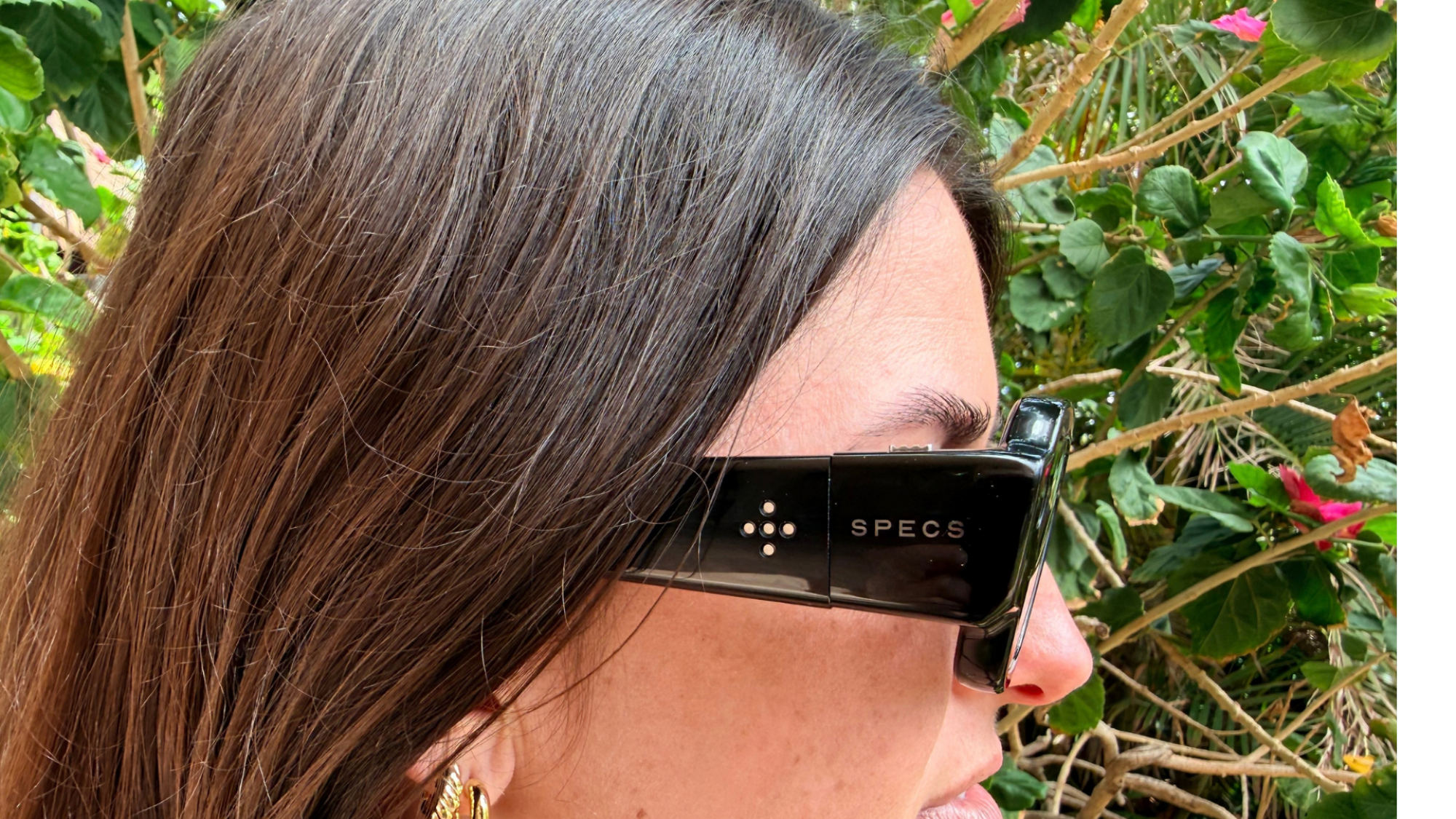
There’s a lot of tech packed into these black polymer frames. They’re powered by two Snapdragon processors, with two full-color hi-res cameras facing outward; the tracking system supports 6DOF (six degrees of freedom) hand tracking for gesture controls; and it’s all standalone, as there’s no tether or wired puck handling the heavy lifting. With all that crammed into the frames, plus the battery to run it, you’d expect them to be heavy. At around 135 grams, they aren’t light, but Specs are surprisingly comfortable. The weight is distributed evenly, mainly across the frames, so for the brief time I used them, they remained ergonomically acceptable. Specs feel more like a pair of sunglasses than a bulky VR helmet. As for battery life, Snap promises four hours of mixed-use on a full charge.
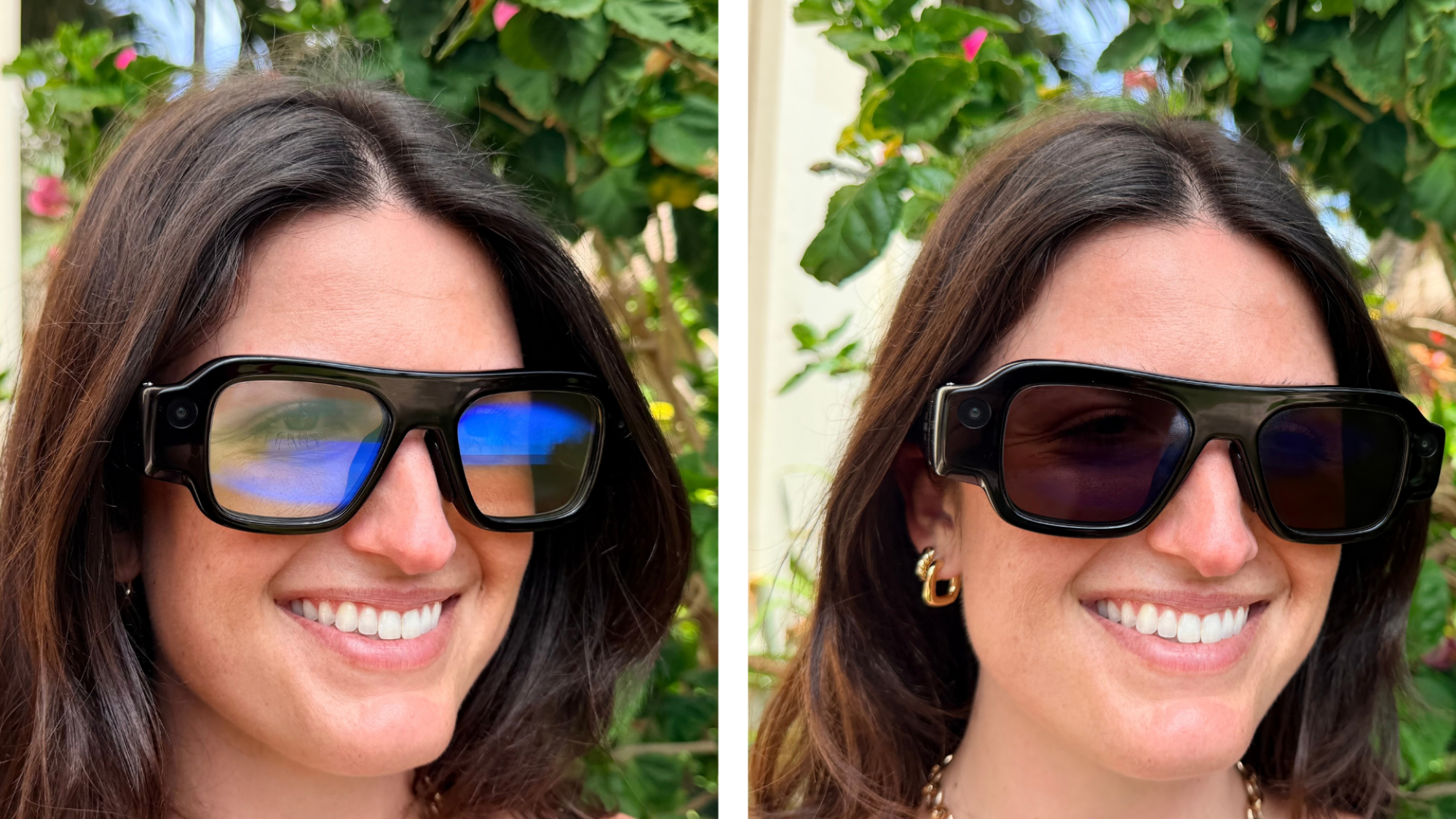
In the interest of not alienating the people around you, Snap chose to make the lenses clear enough that your eyes can still be seen through them, but if you want to close out the world, there’s electrochromic dimming for quick transitions between clear and dark lenses. It both useful and a cool trick. Check it out:
The in-glasses display is surprisingly bright. Specs’ visuals are powered by a proprietary liquid crystal on silicon (LCoS) display system, and even when used in a light-filled conference room, I could still clearly see the UI and its various apps. I tested out YouTube under these borderline abusive conditions, and it streamed high-def video in 16 million colors suitably.
The display offers a 51-degree field of view. It feels like having a large floating window hovering in front of you. From there, you can use simple gestures to launch apps, watch movies, play games, and do most other tasks you can’t do from your phone. But it was the context-aware, real-world spatial computing tasks that I wanted to try—the things you can’t do from a phone or PC.
Snap plans to launch Specs with a full suite of both first-party and third-party apps that will do everything from improving your drawing skills to teaching you music. I tried out a golfing demo, and it made the possibilities of augmented reality glasses immediately clear. Instead of putting blindly toward a distant hole, Specs show you exactly which direction to swing the putter and adds a virtual flag to mark where the hole is. It’s anecdotal evidence, but my personal putting game improved immensely. Is it cheating? Probably, but it works.
A half-hour or so of testing a prototype isn’t enough time to really say whether these will be useful in a person’s real life, but I can say for sure that they’re very cool, and I’m looking forward to going more in-depth with them in the coming months as their release date approaches. Snap Specs are planned for release this fall and will retail for $2,195.
“These rivers are pretty much untouched, and yet this is happening here. It’s a new reality of climate change.”
Johannes Schindelin has posted a detailed
summary of the discussions held at the 2026 Git Contributors’ Summit.
Topics covered include Git 3.0, security process, documentation, the
pluggable object database, use of LLMs, and more.

Originally appearing as a simple script-based information stealer derived from the AMOS family, MacSync
A new report shows how streamer-friendly global hits have propelled Japanese gaming

Central to the breakthrough lies in the string breaking and hadronization phenomenon, i.e. the mechanism by
The Ignisphere Project, led by a new action RPG named Dawngazer, has ambitions to be more than just a video game