Author Archives: Xordac Prime
Amazon’s Bahrain Data Center Targeted By Iran For US Military Support
Iranian state media said on Wednesday that it targeted Amazon’s data center in Bahrain due to the company’s support of the U.S. military. The drone strike that occurred on Sunday disrupted core cloud services and caused “prolonged” outages. Two data centers in the UAE were also damaged by drone strikes. CNBC reports: All of the facilities remain offline, according to the Amazon Web Services health dashboard. The attack in Bahrain was launched “to identify the role of these centers in supporting the enemy’s military and intelligence activities,” Iran’s Fars News Agency said on Telegram.
In addition to structural damage, the data centers also experienced power disruptions and some water damage after firefighters worked to put out sparks and fire. Some popular AWS applications experienced “elevated error rates and degraded availability” due to the incident. AWS advised cloud customers to back up their data, consider migrating their workloads to other regions and direct traffic away from Bahrain and the UAE.


Read more of this story at Slashdot.
This Company Wants to Refresh Workers by Sticking Them in Tiny Pods With VR Headsets
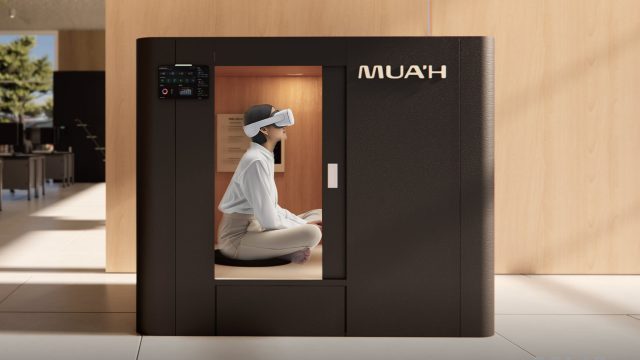

South Korea-based XR company NP Inc showed off a unique solution to combat employee fatigue at Mobile World Congress (MWC) in Barcelona this week, combining a small pod with a VR headset.
The News
NP, developer of the MUA app for Quest, unveiled MUA’H (MUA Home) this past week, a single-person pod unit designed to provide an immediate “digital detox and psychological restoration right in the middle of the corporate workspace,” the company says.
It’s not just a small box with a Quest 3 headset though. NP says Mua Home uses “non-contact sensors” to monitor six vital signs in real-time, including Heart Rate Variability (HRV), heart rate, blood pressure, and body temperature.
All of this pairs with a VR headset to deliver a customized XR meditation experience via data fed into NP’s own ‘MIND-C AI’, NP says.
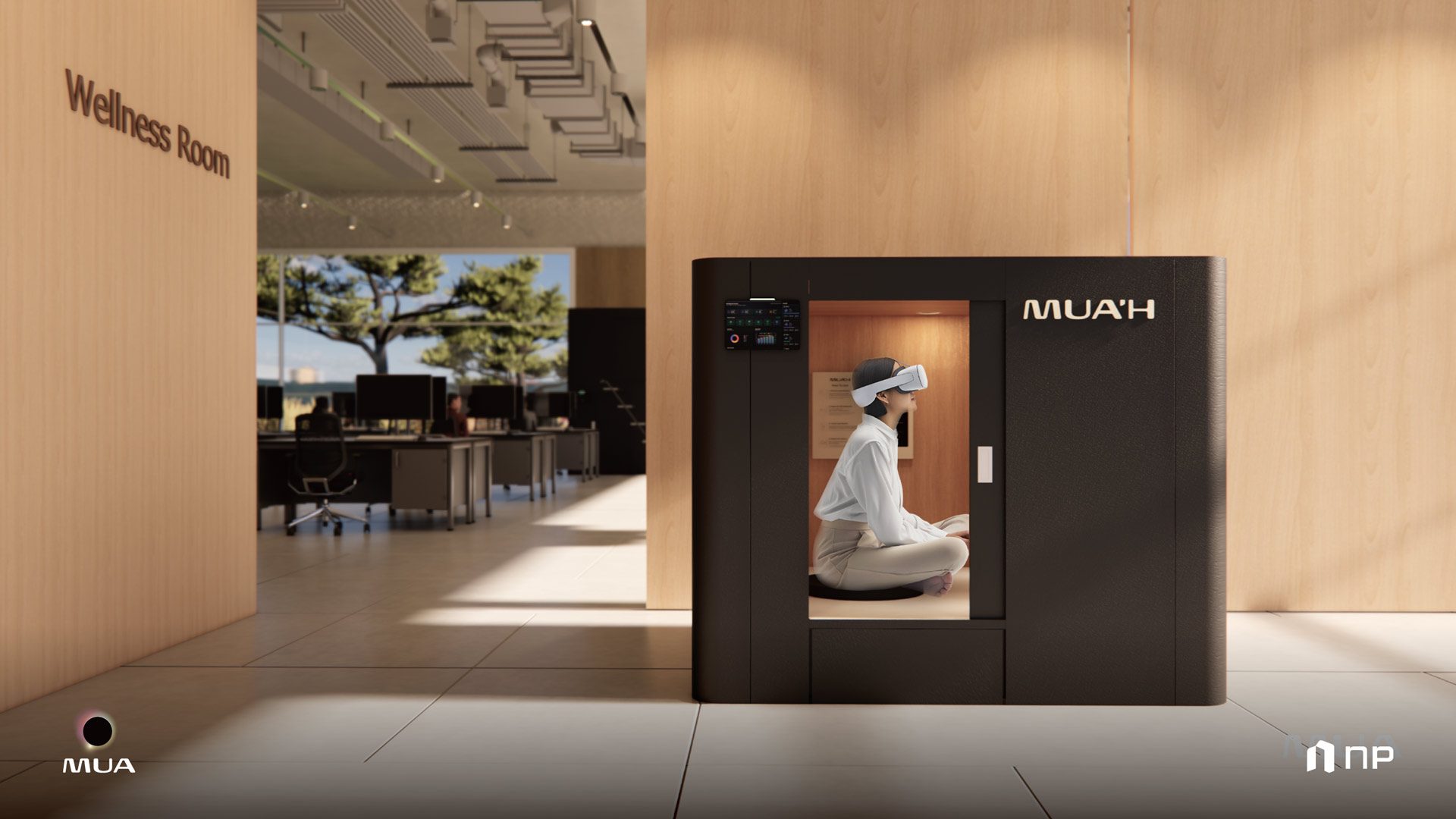
What’s more, the Seoul-based company says its Mua Home platform will also let management identify stress levels and proactively manage employee burnout risks, albeit using anonymized data so a boss can’t essentially spy on their employees individual health or wellbeing concerns.
At MWC this week, NP showed off a prototype version of the VR-pod, which featured carpeted floors, cushions, and sliding privacy door. Check it out in action in this YouTube Short.
My Take
Like many places, burnout is a pretty big deal in Korea. Recent statistics maintain that around 30 percent of young Koreans suffered from burnout over the course of 2024. It’s a multifaceted issue spanning stuff like excessive workload, bad company culture, perceived fairness, etc—but one of the common denominators in almost all modern offices is the open floorplan.
Open floorplan offices are supposed to create better flow, allow coworkers to collaborate more efficiently, and give managers more direct supervision. In practice though, they could even be counterproductive, as they tend to create noisy environments that lack privacy—two things that can reduce productivity and cause constant stress.
Sadly, the question isn’t how companies can reorganize their offices for better mental health outcomes from the start—if that were the case, open floorplan offices would be a thing of the past—but how they can make the largest impact with the smallest investment. That’s where our slightly dystopian cube comes in, which is actually trading on the idea of how small it is, and how simple it is to construct and place in an unused corner.
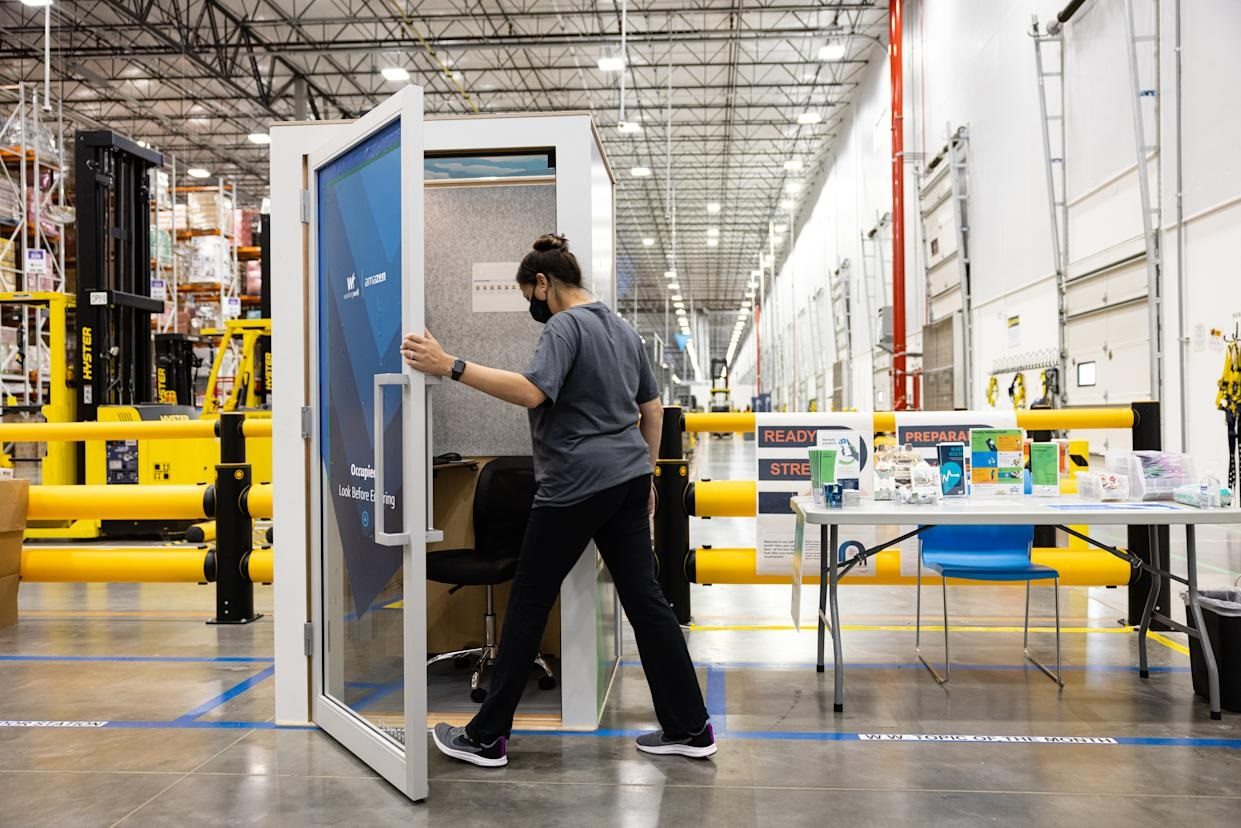
Granted, NP isn’t the first company to think of ‘mindfulness nooks’. Many companies, including Google, Apple and Nike offer employees quiet rooms for things like mediation, naps, and silent prayer. Enclosed pods however color the issue in a slightly more malignant light. Amazon tried telephone booth-style pods back in 2021, and was widely mocked for essentially creating cheap ‘cry closets’, as the company is know for high burnout rates and some of the most draconian employee performance metrics.
Even in the context of a cramped Korean office, I’d consider these sorts of compact pods essentially a band-aid to a larger problem. To Mua Home’s credit, it at least has the ability to simulate a larger area while focusing on worker health and wellbeing in the process. Still, the optics are objectively terrible, as it conjures up images of stressed workers climbing into what is essentially a capsule hotel for their company-mandated mood correction. It’s all maybe a little too Severance for comfort.
The post This Company Wants to Refresh Workers by Sticking Them in Tiny Pods With VR Headsets appeared first on Road to VR.
[$] Reconsidering the multi-generational LRU
The multi-generational LRU (MGLRU) is an
alternative memory-management algorithm that was merged for the 6.1 kernel
in late 2022. It brought a promise of much-improved performance and
simplified code. Since then, though, progress on MGLRU has stalled, and it
still is not enabled on many systems. As the 2026 Linux Storage,
Filesystem, Memory-Management and BPF Summit (LSFMM+BPF) approaches,
several memory-management developers have indicated a desire to talk about
the future of MGLRU. While some developers are looking for ways to improve
the subsystem, another has called for it to be removed entirely.
Pokémon Pokopia’s First Event Sets A Disappointing Precedent

The cozy game is a vibe, but the capitalism is showing already
Apple Music Is Rolling Out AI Transparency Tags But There’s A Major Caveat

As AI continues to proliferate aspects of our daily life, some users are seeking ways to avoid the technology, especially when it comes to artistic endeavors such as music. However, it’s getting more difficult for users to be able to accomplish this as AI has continued to improve. For those who are interested, Apple is introducing a new trick
What is Bash Shell on Linux?
Bash, an acronym for “Bourne-Again SHell“, is a superset of the shell (or sh) program written by Brian Fox for the GNU Project as a replacement for the traditional Bourne Shell (or sh).
The Sims 4 Chose A Terrible Time To Roll Out Paid Mods Where EA Keeps 70 Percent Of The Money

As if players didn’t hate the game enough…
Redox OS Gets Vulkan & Node.js Working On This Rust-Based Open-Source OS
There were some fairly exciting improvements made by the Redox OS developers over the course of February. They have the Vulkan API working on Redox OS for the first time along with more COSMIC desktop software and even Node.js…
A GeForce RTX 5050 Variant With 9GB Of Faster GDDR7 May Be Inbound
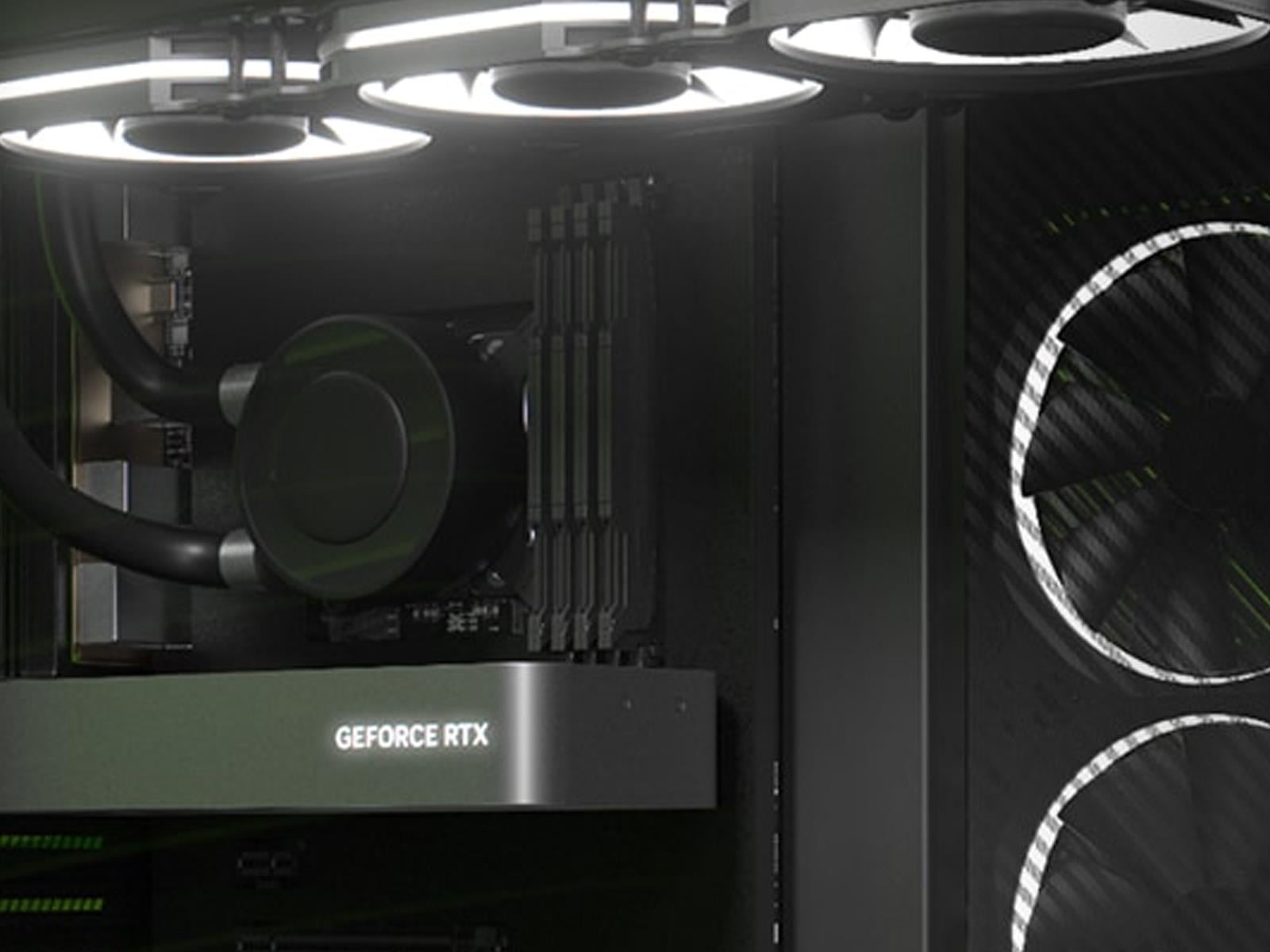
Gamers chomping at the bit (technically champing, for you grammar purists) for a refresh of the GeForce RTX 50 series with more VRAM are about to get their wish, though perhaps not exactly as they had envisioned, according to a popular leaker on X. No, we’re not talking about the oft-rumored GeForce RTX 50 Super lineup, but an upgrade to the
10 Hacks Every TikTok User Should Know
TikTok is entertaining, addictive, and full of hidden features that can make the experience way more enjoyable—not to mention safer. Because for all its charms, TikTok is something of a privacy nightmare. The app’s ownership recently shifted from Chinese company ByteDance to the TikTok USDS Joint Venture, a new entity backed by Oracle’s Larry Ellison, private equity firm Silver Lake, and UAE-based investment firm MGX, a change that raised plenty of eyebrows when it was announced in January 2026, and may have you thinking twice about how it’s using your data.
When it comes to hacking your TikTok feed, you probably already know the surface-level tricks: adding automatic captions, holding down to play at 2x speed, or tapping “Not interested” to nudge the algorithm. Let’s go deeper, with 10 TikTok hacks you might not know about.
There’s a way to view your TikTok watch history
Finding a TikTok via the search bar is famously painful. If you didn’t like or save the video, you can consider it gone forever…unless you use this little-known trick to actually see your own watch history. Go to the search bar on your For You feed, type a single period (.) and hit search. You’ll see an option to “view your watch history.” From here, you can even filter by date, if you remember roughly when you watched the video you’re looking for. This is huge.
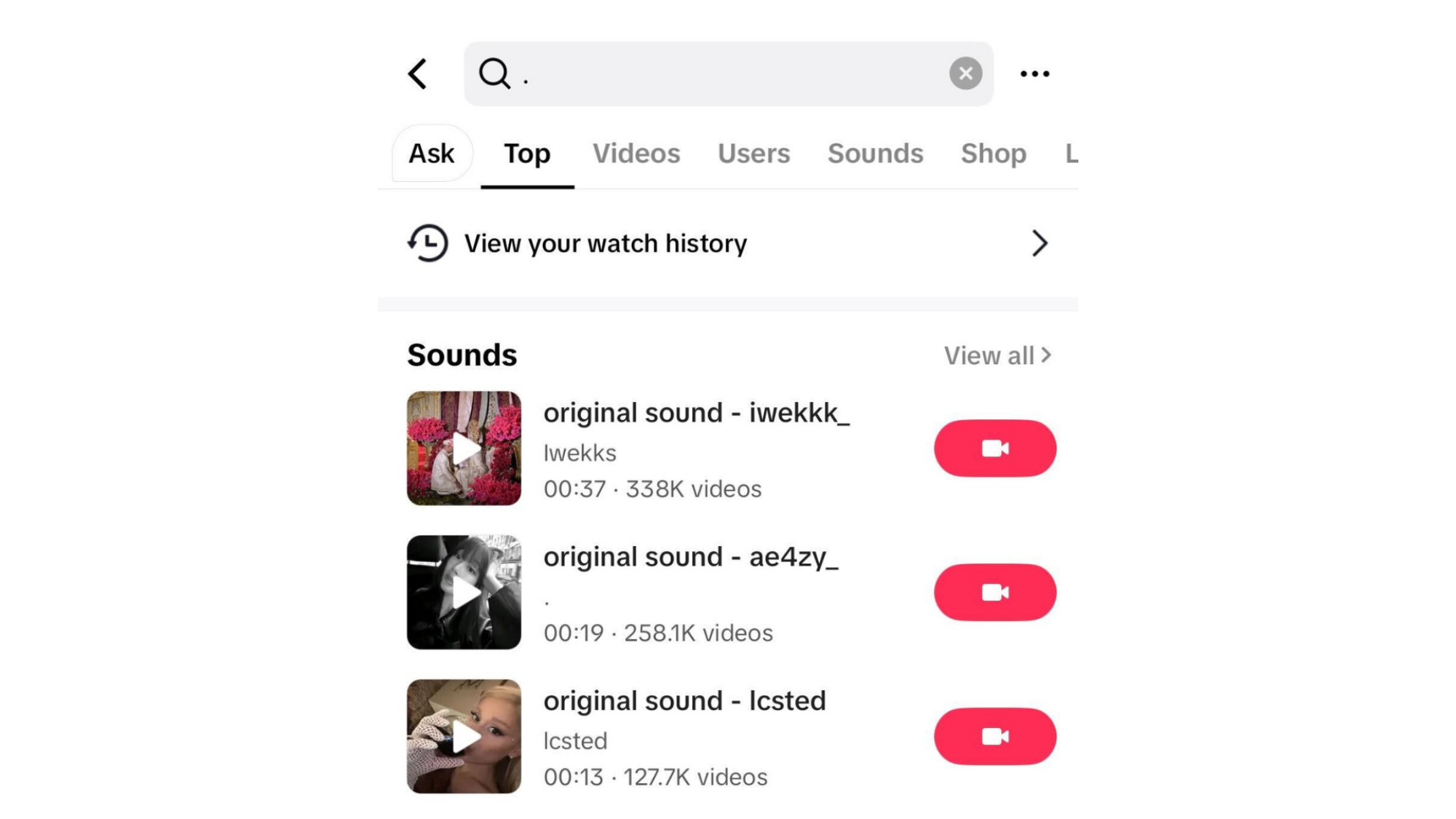
Credit: Meredith Dietz
Long-press the share button to quickly send a TikTok to your top friends
Instead of going through the full share menu, you can simply press and hold the share (arrow) button while watching a video. Your top four contacts will appear instantly, letting you send with one tap. Note: TikTok’s idea of who makes it into your “top four” may surprise you, and it’s not entirely transparent about how it determines who counts as one of your closest connections.
Enable clear mode in TikTok for a cleaner watch experience
To strip away the like buttons, comment icons, and other UI clutter from a video, long-press on the screen while watching and select Clear Display. Alternatively, pinch the screen with two fingers and move slightly outward to toggle the same mode. Press X or swipe to the next video to exit clear mode. This trick is particularly great for screenshots, or when you want to get a better view of the video without the interface in the way.
Drop an emoji react in TikTok without opening comments
Press and hold the comment box to send a quick emoji reaction without pulling up the full comments section. It’s faster, though if you ask me, the comments section is crucial to the full TikTok experience. Some of the best content on the internet lives in the replies.
Reset your TikTok For You feed’s algorithm
Stuck in a content rut? TikTok has a way to wipe your feed and start fresh:
-
Tap Profile at the bottom right
-
Tap the three-line menu (top right)
-
Go to Settings and privacy
-
Select Content preferences
-
Tap Refresh your For You feed
-
Tap Continue to confirm
Your feed will repopulate with a clean slate of broader, less personalized content.
Save a TikTok as a Live Photo for your iPhone Lock Ccreen
Love a video so much you want to see it every time you lock your phone? Or do you want to prank a friend who left their phone in your hands? On iPhone, open any video in TikTok, tap the Share (arrow) icon, and select Live Photo from the bottom row. The video will save to your Photos app. To then use it as a lock screen wallpaper:
-
Open the Live Photo in the iPhone Photos app
-
Tap Share → Use as Wallpaper
-
Or go to Settings → Wallpaper → Choose a New Wallpaper and select it from your library
Force-press your lock screen and your TikTok video will play as a live photo. This is useful if you really, really like someone’s fan edits of your favorite character.
Opt out of TikTok’s data collection
TikTok collects a lot. If you’re going to use the app, there isn’t really a way to get around the privacy nightmare completely. Still, in the settings, you can limit what it does with your data:
-
Turn off targeted ads outside of TikTok
-
Disable using off-TikTok activity for ad targeting
-
Turn off location tracking within the app
-
Stop contact syncing
You can also go to your phone’s system Settings → TikTok and revoke location permissions at the OS level. This is usually a more reliable route than trusting in-app controls.
Stop TikTok from suggesting your account to others
Two layers here, and you need both: In TikTok settings, you should turn off syncing for contacts and Facebook friends. But the real hack is to also go into your phone’s settings and revoke TikTok’s contacts permission entirely. Otherwise TikTok may still be able to match your account to people who have your number saved, even with in-app syncing off.
Use hidden hashtags to reach the right audience
Ready to post something yourself? Hashtags tell TikTok’s algorithm what your video is about, but a wall of hashtags in your caption looks messy and may actually confuse the algorithm. But you can hack it with two cleaner approaches:
-
Use SEO-based terms, shrink them small, and flick them off-screen in the caption editor.
-
Post your video, then immediately add hashtags as your very first comment.
Whichever method you choose, stick to 3–5 hashtags that directly relate to your content, mixing specific, broad, and trending tags. More isn’t better here, since it can dilute your content.
Boost your own engagement
The secret to engaging an audience of your own is to actually be engaging, and to engage back with others. For instance, replying to comments with video responses boosts reach more than typing a reply does. But to make sure you’re posting something that gets a comment in the first place, use the three-hook rule to keep viewers watching past the first second:
-
Text hook. Put descriptive text on-screen that tells viewers exactly what this video is about.
-
Verbal hook. In your voiceover or talking-head intro, explain why they should stick around.
-
Visual hook. Do something visually compelling immediately. Always open with your most exciting footage, even if you circle back chronologically.
Finally, capitalizing on trends does help, but I promise you don’t have to dance to trending sounds—just add a popular song to the background of whatever you’re already filming to ride its algorithm boost.
US Tech Firms Pledge At White House To Bear Costs of Energy For Datacenters
Major tech companies including Google, Microsoft, Amazon, and Meta pledged at the White House to pay for new power generation and grid upgrades needed to support their rapidly expanding datacenters. The Guardian reports: The agreement is meant to help mitigate concerns that big tech’s datacenters are driving up US electricity costs for homes and small businesses at a time the administration of Donald Trump is seeking to curb inflation. “This means that the tech companies and the datacenters will be able to get the electricity they need, all without driving up electricity costs for consumers,” the president said at the pledge signing event. “This is a historic win for countless American families and we’ll also make our electricity grid stronger and more resilient than ever before.”
The so-called “Ratepayer Protection Pledge” was first announced by Trump in his State of the Union address, and comes as communities and state legislators increase scrutiny of rapidly proliferating datacenters. Datacenters consume vast amounts of electricity to run server racks and cooling systems for the development of technologies such as artificial intelligence. “Some datacenters were rejected by communities for that, and now I think it’s going to be just the opposite,” Trump said, referencing cancelled or postponed projects in recent months across several states after local opposition.
The pledge includes a commitment by technology companies to bring or buy electricity supplies for their datacenters, either from new power plants or existing plants with expanded output capacity. It also includes commitments from big tech to pay for upgrades to power delivery systems and to enter special electricity rate agreements with utilities. The effort is aimed at drawing support from towns and cities that otherwise oppose the projects, said the Trump official, who spoke on the condition of anonymity.


Read more of this story at Slashdot.
AMD DCN 4.2 IP, GFX 12.1 Updates For AMDGPU Driver In Linux 7.1 Plus GCN 1.1 APU DC
AMD has begun staging AMDGPU and AMDKFD kernel driver improvements for the upcoming Linux 7.1 cycle…
Musk testifies tweet that led to $44 billion lawsuit “may not have been my wisest”
Elon Musk has acknowledged that the tweet at the center of a multibillion-dollar lawsuit over his $44 billion acquisition of Twitter “may not have been my wisest” as the world’s richest man defends himself from allegations of market manipulation in court.
He told a San Francisco jury on Wednesday that his post was not intended to manipulate Twitter’s stock price in the midst of the takeover battle.
A group of Twitter investors has alleged they lost money after Musk threatened to walk away from the deal to gain leverage during takeover talks, despite being aware he would be legally forced to complete the $44 billion buyout.
Affected: The Asylum Wants To Redefine VR Horror This Summer
A new trailer and press release gives more details for the follow up to Affected: The Manor.
We first reported back in 2022 that Affected: The Asylum was expected to release on all VR platforms in 2023. Then, in late 2023, the developer announced the game was delayed into 2024. Since then, there has been radio silence – until now.
Developer Dead Boss Games and publisher Evolution Publishing have released a new short teaser trailer and details about the anticipated horror sequel.
0:00
/0:29
The official press release expands on what players can expect in the story.
A sanatorium with a long, dark history, many years ago, the line between medicine and madness was intentionally erased. Controlled by a secretive cult, they used the institution not to treat patients, but to experiment upon them.
Through a series of harrowing procedures, patients were subjected to “The Preparation”, a systematic process of indoctrination and physical alteration. Through this process, the cult sought to merge biology with belief, creating a collective hive mind using a parasitic entity known as the “Holy Gift”.
Step into the dilapidated remnants of Blackthorne Asylum to discover the cult’s crowning achievement and greatest failure: SUBJECT 357. An employee who was forcibly selected for the “Apex Experiment” after falling foul of the leader, the process broke them. However, what remained was something more than human. They now roam the asylum as an ever-present predator, a warped manifestation of the cult’s ambitions.
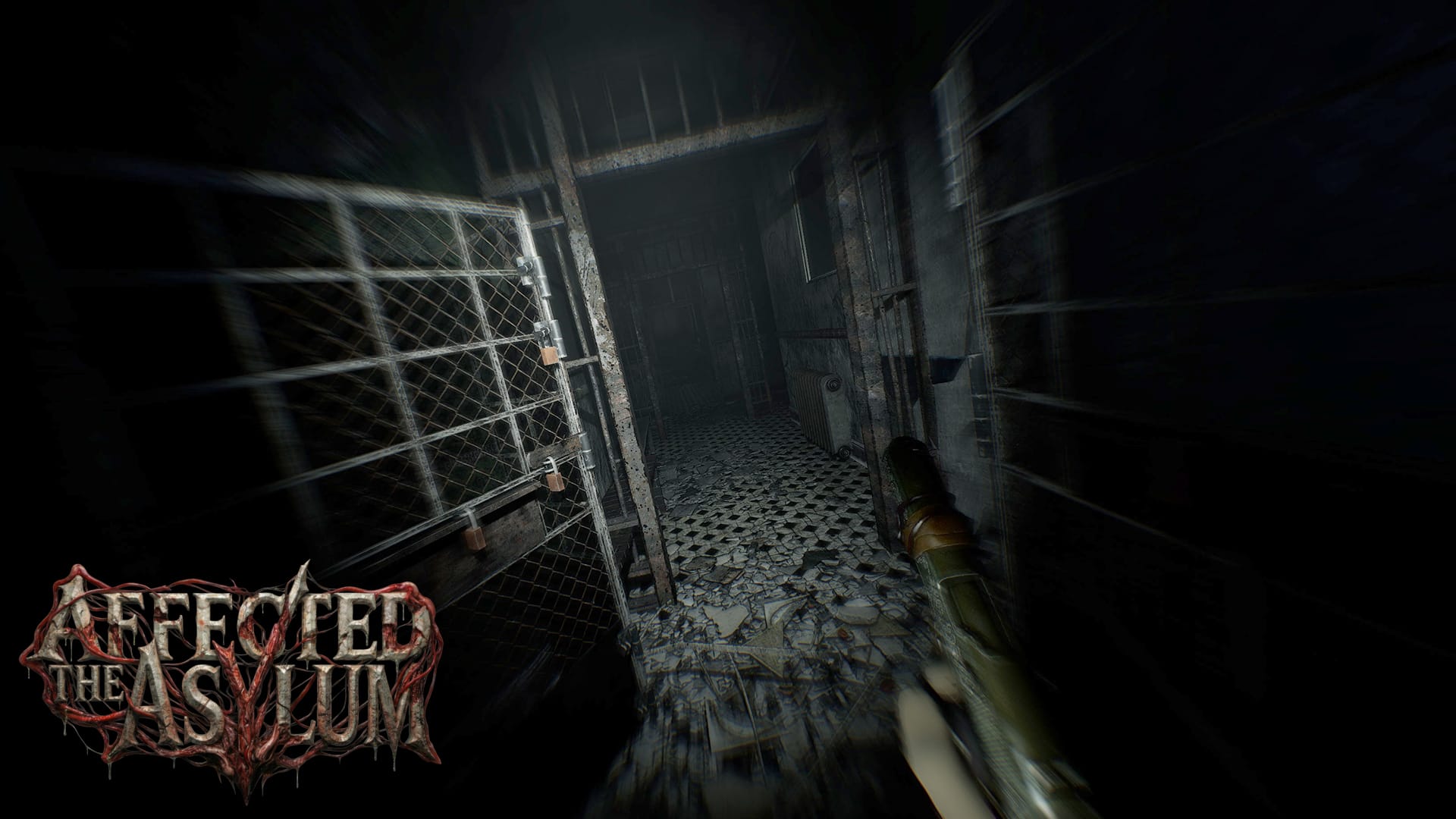
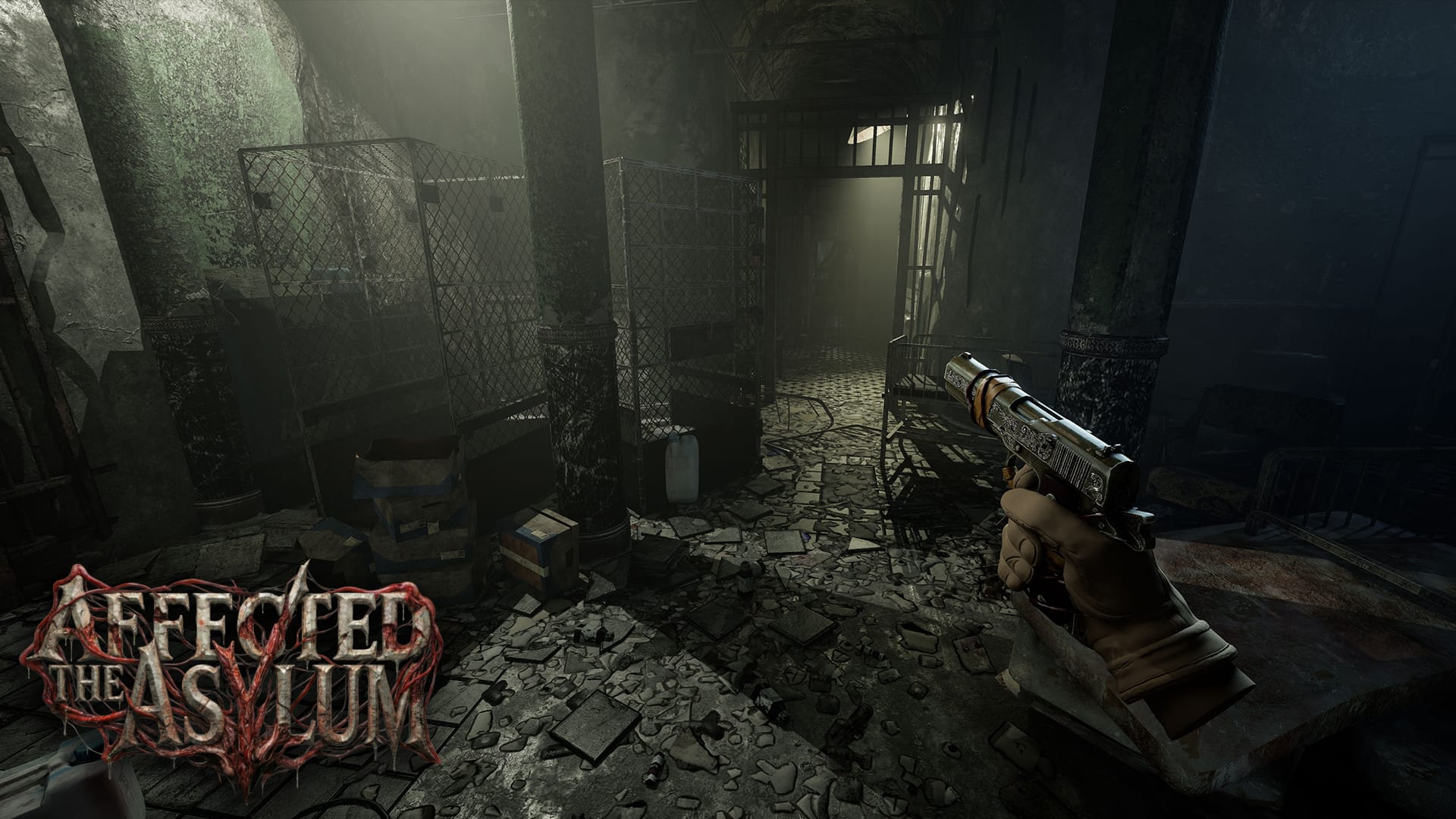
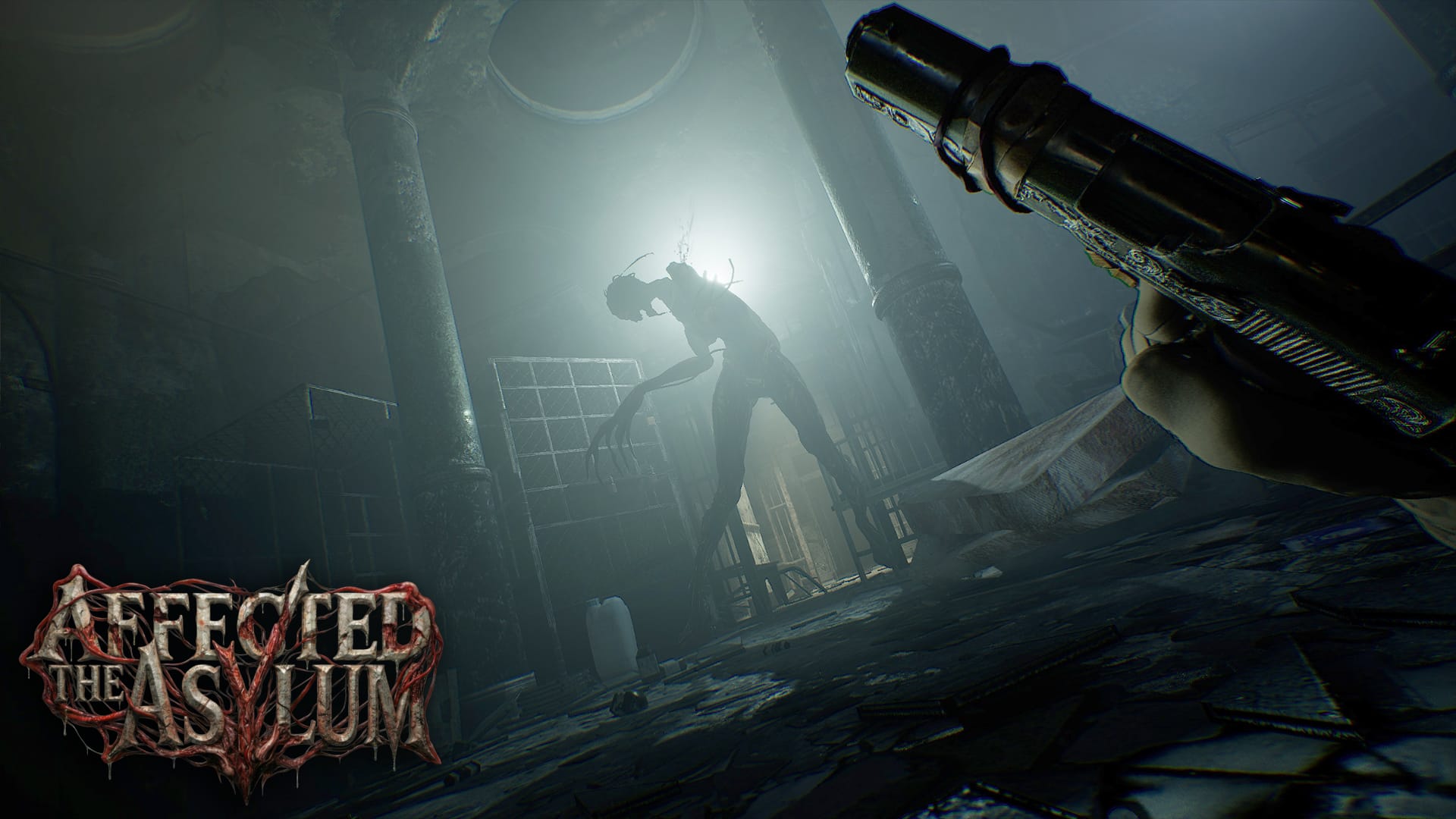
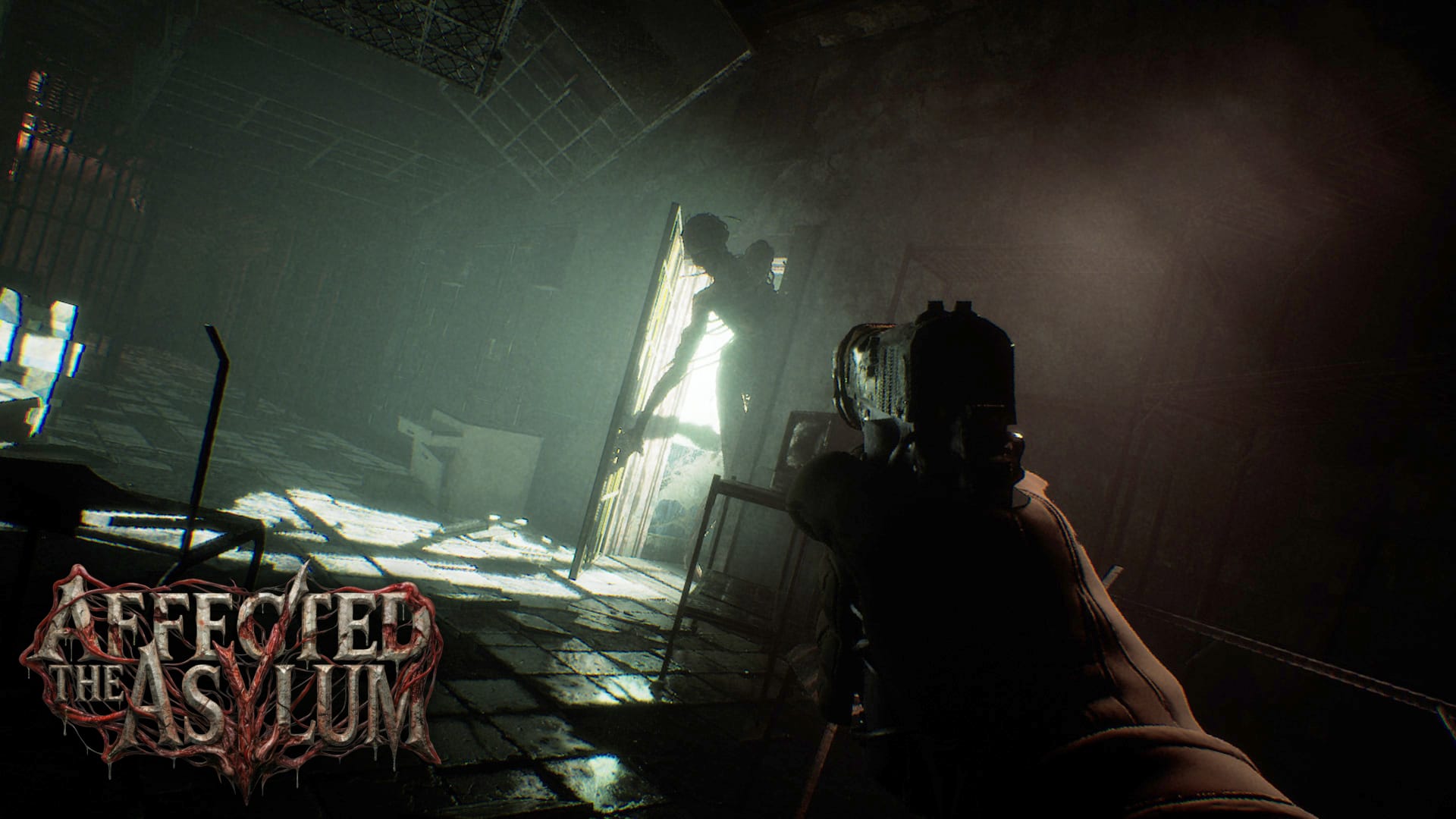
Affected The Asylum screenshots provided by Evolution Publishing
Another takeaway from the new press release is a pivot away from multiplayer. The Asylum was originally announced to have a competitive four player multiplayer mode titled ‘The Assessment.’ There is no mention of that in the new release and the game is now described as a ‘single player psychological survival horror.’
Lastly, Dead Boss Games confirmed to me that it has taken over active development of the game ‘with support from Evolution Publishing.’ Affected: The Manor was developed and produced by Fallen Planet Studios.
Affected: The Asylum is coming soon to Meta Quest and PC VR in summer 2026.
How NotebookLM’s New ‘Cinematic Video’ Tool Works
NotebookLM is Google’s more sophisticated, research-focused AI tool, built on the same underlying models as Gemini but with an interface that’s less chatty and friendly. Like Gemini, it regularly gets upgrades and new features, and the latest update adds “cinematic” video summaries.
One of the tasks NotebookLM is perfect for is collecting a bunch of information together in a notebook—PDFs, web links, YouTube videos—and then having it explained and summarized (it’s a great study tool in that respect). You may remember that a couple of years ago it added the ability to generate realistic-sounding podcasts called Audio Overviews from your notebooks.
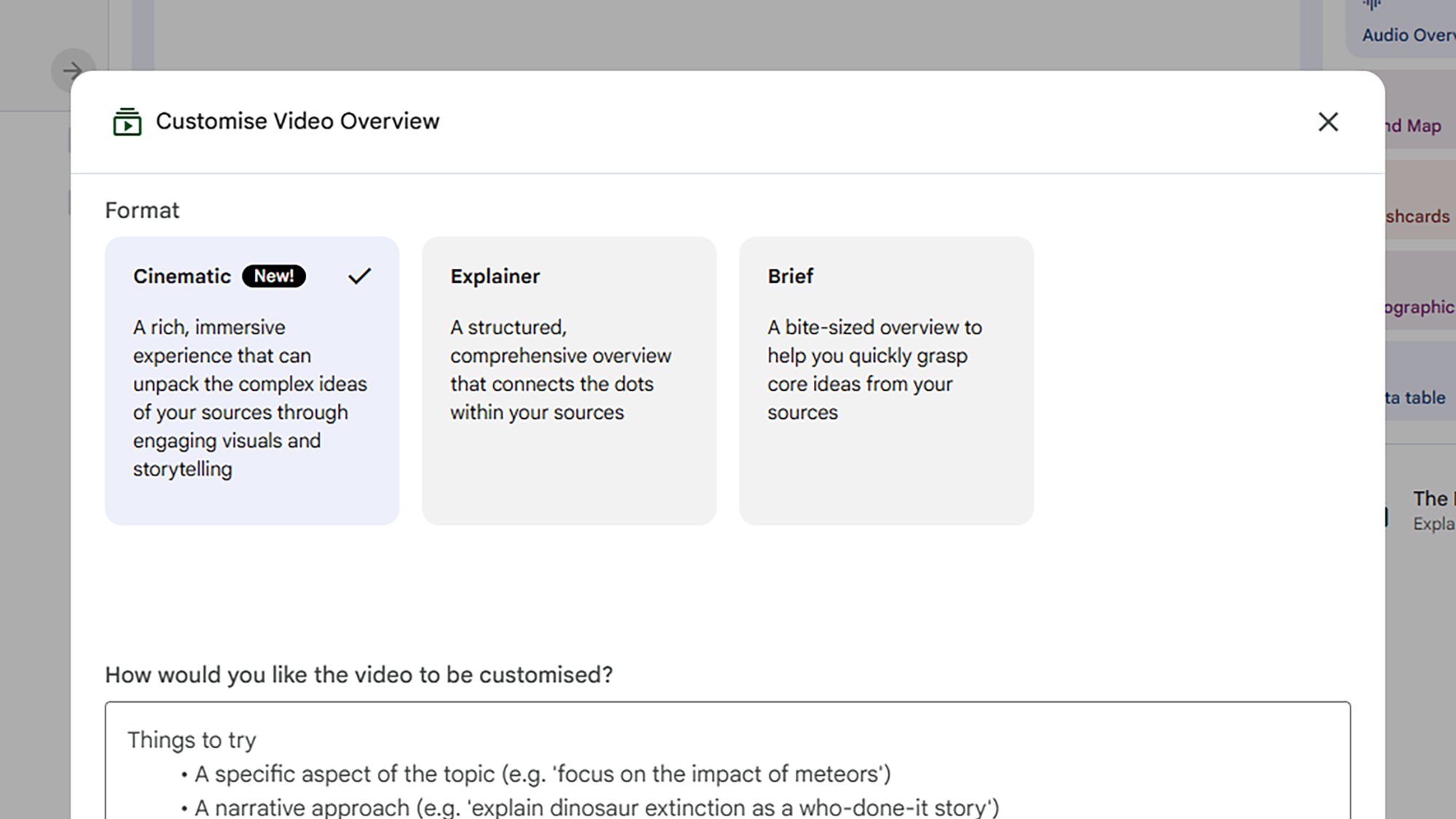
The new Cinematic option in Video Overviews.
Credit: Lifehacker
Credit: Lifehacker
Last year we got Video Overviews, but these were more like slideshows than mini movies—they basically put the contents of a notebook into something that might have been made in PowerPoint. With this new cinematic upgrade, however, you’ll get video summaries that are much more animated and three-dimensional.
There are some rather hefty caveats: You need to be on the top-tier, $250-per-month Google AI Ultra plan to access this new Video Overviews category; additionally, they’re only available to users aged 18 and above, and only in English. The feature may trickle down to everyone eventually, but for now you need to be a relatively well-off AI enthusiast to be able to access this.
It’s a lot of money to spend on AI each month, but there’s plenty more to Google AI Ultra, including a subscription to YouTube Premium and 30TB of Google Drive space to store all those AI-generated images and videos you’ll be making. In Gemini and NotebookLM, you get higher usage rates on just about everything.
To put the new cinematic overviews to the test, I created a new notebook in NotebookLM based on a single source: A paper published by Apple researchers on the “illusion of thinking” exhibited by Large Reasoning Models (LRMs), such as those that NotebookLM taps into. It’s a dense, 39-page study, exactly the sort of lengthy document you might need summarizing by AI.
The cinematic difference
While there are mobile apps available for NotebookLM, the interface is easier to manage on the web. If you’re new to the tool, you can click Create new notebook to get started, then point NotebookLM towards your sources—whether it’s plain text you want to paste in, or an Apple AI study you want to upload. The app can even search the web for other relevant sources.
Once you’ve actually got some information together, the Video Overview option is in the Studio panel on the right. You can pick between a Brief overview or a more detailed Explainer style, and choose a template for your overview too. There’s also space to give some pointers as to how the video should be structured. If you’re a paid-up Google AI Ultra member, you also get a Cinematic option.
First I requested an Explainer-style Video Overview for the Apple AI paper. It took around 15 minutes to generate, and came in at a little over six minutes long. As you can see above, it does a decent job of explaining the contents of the paper, and giving some of the reasons why LRMs get stuck on complex tasks.
It’s a very static slideshow, but it’s well laid out, and the illustrations generally make sense, with one or two aberrations: That first Claude Sonnet graph has two extra lines that shouldn’t be there. It gives you a decent understanding of the paper, but I wouldn’t want to 100 percent rely on it (AI “can be inaccurate” is the disclaimer that Google puts all across Gemini and NotebookLM).
The Cinematic–style Video Overview took more than 50 minutes to generate and is more than seven minutes long, and you can see it below. On the plus side, it goes into more detail, and I felt I knew more about the topic after watching it. All the charts were copied over from the paper correctly, and some of the animations were genuinely useful.
However, NotebookLM clearly struggled with certain animations: When it was trying to show someone drawing on a page for example, or placing blocks on top of one another in a Tower of Hanoi puzzle. These are notable problems evident in other AI-generated videos, because these models don’t really understand the real world or physics—the vast amounts of video footage they’ve been trained on give them a good idea about where to place pixels, but not really how objects should interact with each other.
I did prefer the Cinematic Video Overview overall, though clearly the results are going to vary depending on the sources that you feed NotebookLM—outside of research papers it might get a bit more creative and interesting. The visual errors are kind of distracting, though, and ultimately the standard Video Overviews that everyone has access to work well enough without any enhancements.
NVIDIA’s New Hotfix GPU Driver Targets Voltage Caps, Crashes And Gaming Bugs
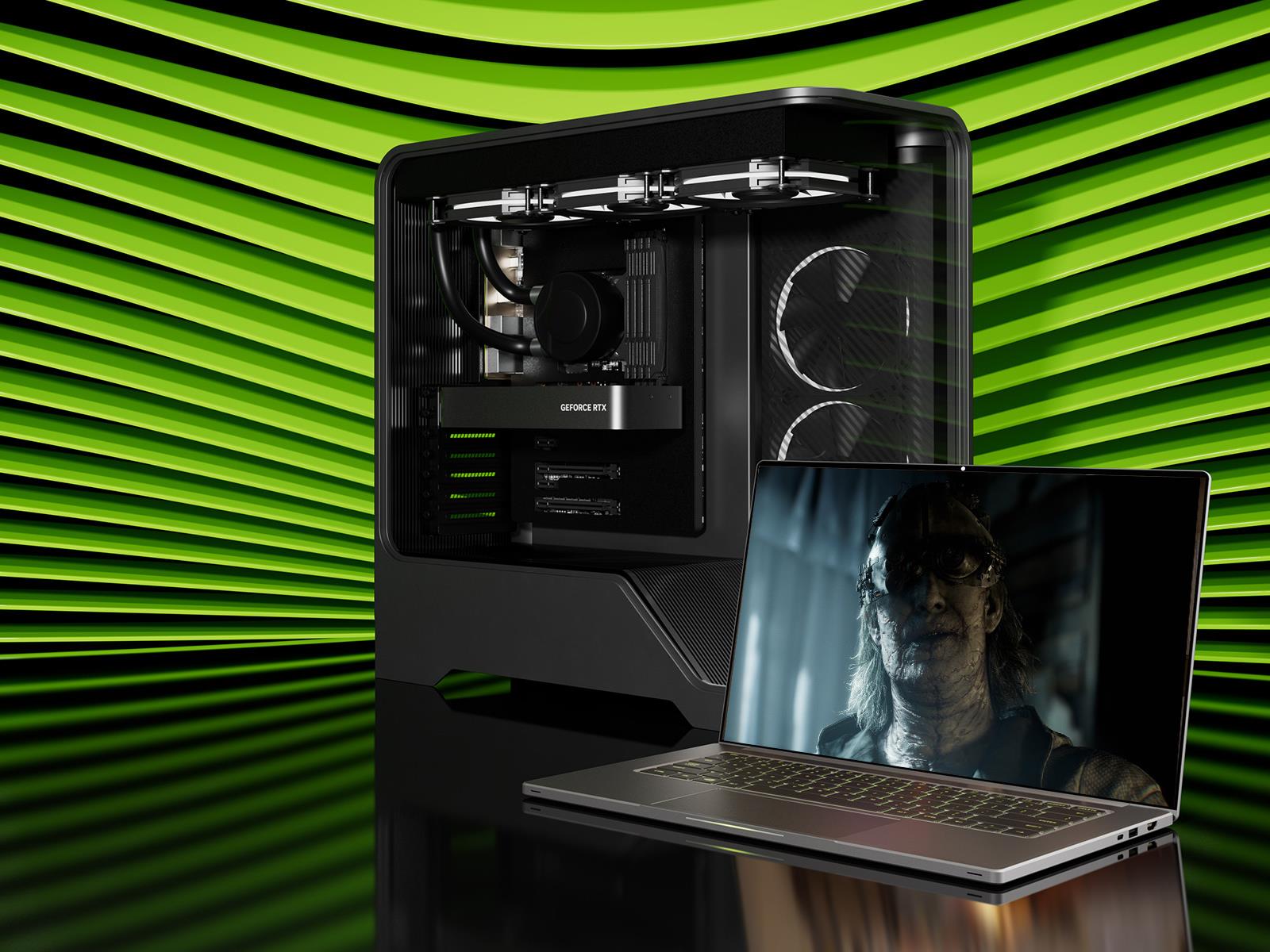
It took a few attempts, but NVIDIA’s latest driver release for GeForce GPU owners is polished and properly optimized for Resident Evil Requiem. The caveat is that you have to install a new hotfix, which is technically beta software, though it purportedly stomps out several bugs that were introduced with the latest Game Ready release.
The
How To Skip Building Times In Pokémon Pokopia

For those who need instant gratification, here’s how to get past Pokopia’s time-gated mechanics
Samsung Galaxy S26 Ultra review: The stealth upgrade
You’d be forgiven for thinking that the Samsung Galaxy S26 Ultra looks a lot like the last four models. That’s because it does, right down to its general design and rear camera layout. But on Samsung’s latest flagship phone, some stealthy upgrades are hidden beneath its classic blocky silhouette that might go unnoticed by the casual observer. Those help make this year’s release feel like a better deal than its most recent predecessor. It remains rather expensive, starting at the same $1,300 as before, but considering the price of RAM these days, that almost feels like a blessing. So while it won’t hit you over the head with monumental changes year over year, it’s subtly one of the best Ultras we’ve gotten in the past half-decade.
Design: Back to aluminum
After dabbling with titanium frames on the last two Ultras, Samsung returned to aluminum for 2026. The company says this makes it easier to color-match the phone’s chassis to the Corning Gorilla Armor 2 panels on the front and back, though it’s incredibly difficult to see the impact on my black review unit. Elsewhere, the company shaved a few grams off its total weight and a few millimeters off its thickness (7.9mm and 214 grams), but even when directly comparing the new model to last year’s S25 Ultra (8.2mm and 218 grams), that difference is basically imperceptible. I almost think the S26 Ultra’s extra sleekness was just so that people would stop saying the Z Fold 7 is lighter than Samsung’s most premium traditional candybar-style handset.
As always, there’s a built-in storage slot for Samsung’s S-Pen, which is essentially a carbon copy of what we got last year without any functional changes. However, because the phone’s corners are more rounded than ever, one small peculiarity is that now there’s a right and wrong way to insert it. No matter what you do, the stylus will stay put, but if you don’t align the curve on the end of the S-Pen with the shape of the phone’s corner, it just doesn’t look right.
Display: Now with more privacy
Sam Rutherford for Engadget
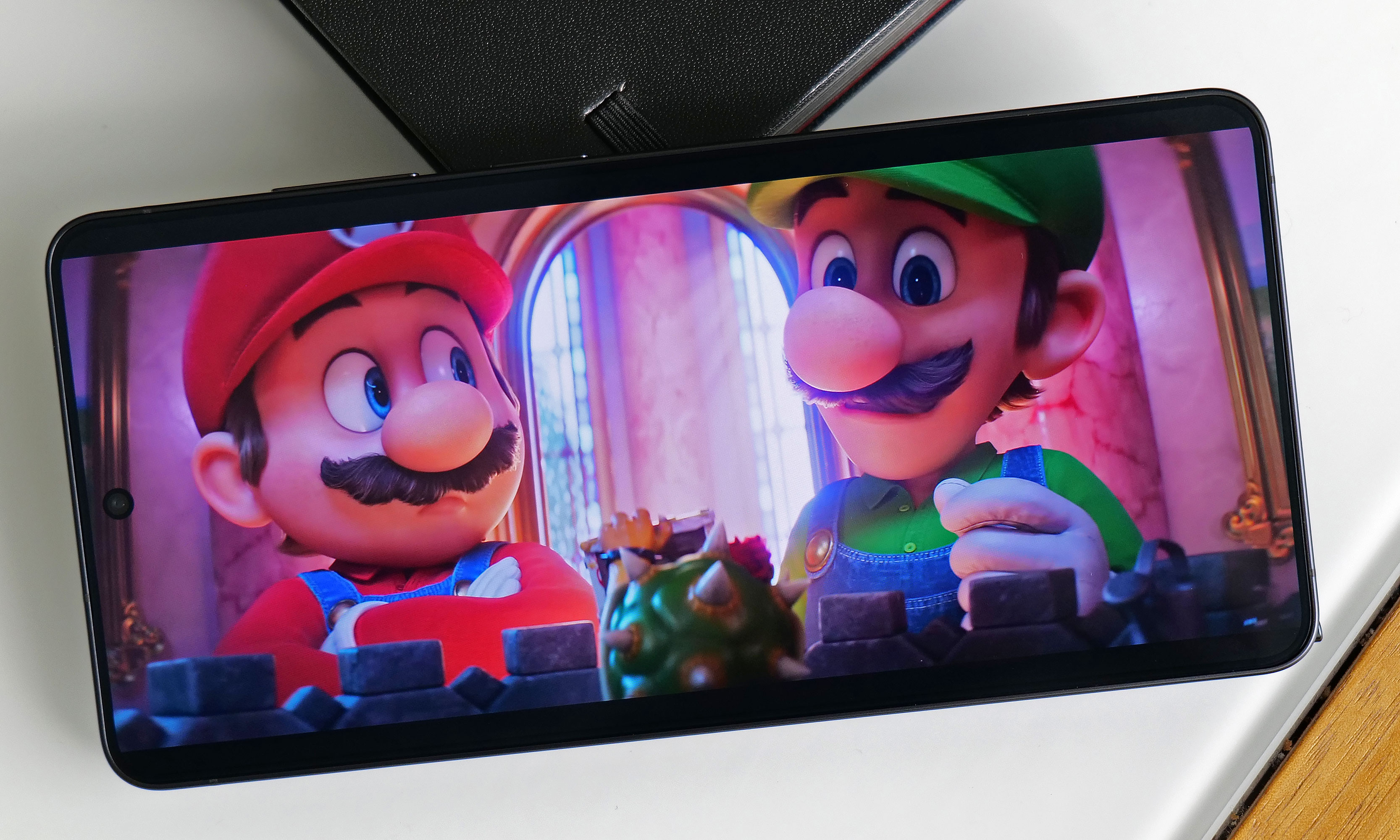
The S26 Ultra’s 6.9-inch screen is easily its most undercover upgrade because it sports essentially the same specs as last year. You still get 2,600 nits of peak brightness with a variable 120Hz refresh rate and a max resolution of 3,120 x 1,440. The secret is that with the touch of a button, you can activate Samsung’s Privacy Display, which effectively stops others from spying on your screen when viewed from acute angles (both from the side and up and down).
When you turn the Privacy Display on and look at the phone less than head-on, everything sort of fades to black. Depending on the angle, you may still see an outline of UI elements and some bright spots depending on your content, but the wider you go, the fainter things get. The way it works is that the phone has two sets of subpixels, narrow and wide, the latter of which get turned off when the feature is active. And if you’re really concerned about people snooping on you, there’s an extra level called Maximum Privacy Protection that makes almost everything completely go gray, though there are trade-offs for this.
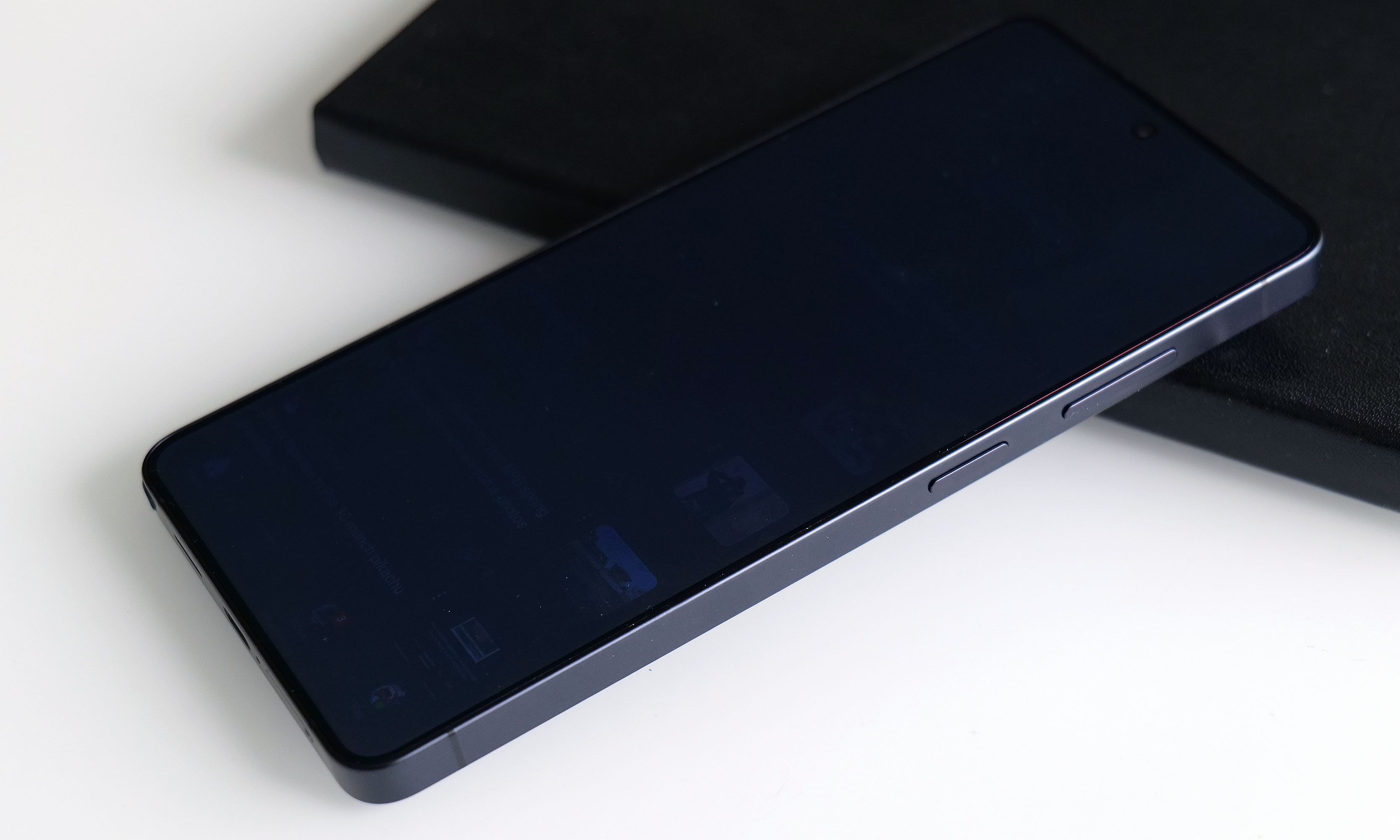
Sam Rutherford for Engadget
When using the standard Privacy Display mode, there’s very little impact on image quality and brightness, so it’s not that big of a deal to leave it on all the time. If you look closely, you may notice what appears to be a small drop in resolution, though this requires some serious pixel peeping and good eyesight. But with maximum protection on, there’s a noticeable drop in contrast and luminance that, for me, isn’t worth the increased privacy.
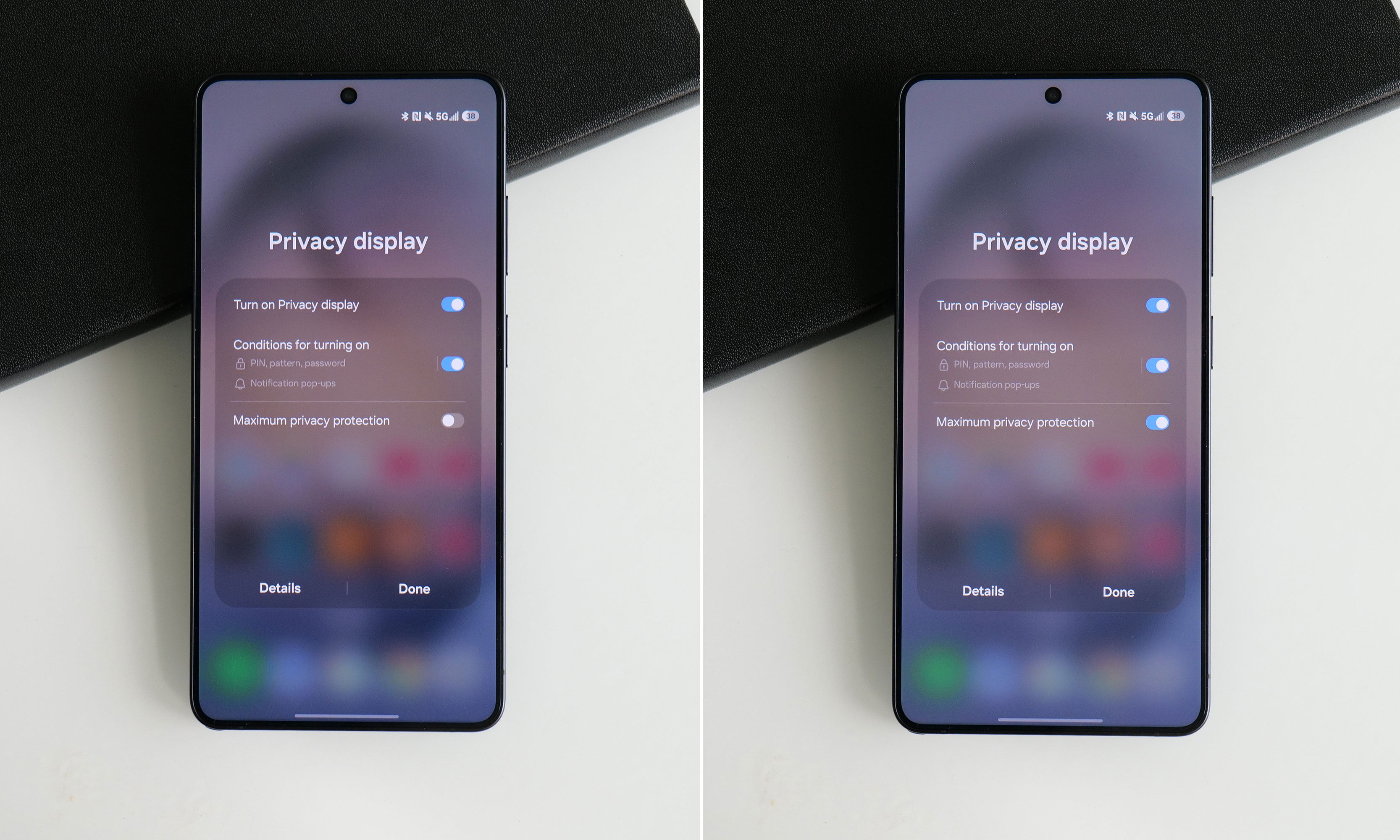
Sam Rutherford for Engadget
Thankfully, there’s a third option, which is to have the phone selectively activate Privacy Display under certain conditions. You can have it automatically turn on when you get notifications or open selected apps (like for banking or authenticators), which is what I prefer. The phone can also enable the feature when you need to enter a PIN, pattern or password. The caveat is that this only applies to system-level prompts like your lock screen. Theoretically, there’s no reason the S26 Ultra can’t do this anytime you’re presented with a password or PIN prompt, but every app needs to be optimized properly, so that isn’t a thing just yet. Regardless, it’s a powerful tool that can prevent people from gleaning sensitive info while you’re and about and I really hope it becomes standard inclusion on all premium phones going forward.
Performance and software: More speed and AI
Sam Rutherford for Engadget
The main engine powering the S26 Ultra is Qualcomm’s Snapdragon 8 Elite Gen 5 chip for Galaxy along with 12GB or 16GB of RAM and up to 1TB of storage. Its biggest strength lies in its improved NPU, which is 39 percent more powerful than the previous generation, paving the way for improved AI-based features. That said, the rest of the processor provides some nice but not especially impressive gains in processing speed. Its CPU boasted 19 percent better performance while its GPU is around 24 percent beefier. In Geekbench 6, this translated to a multi-core score of 11,240 for its CPU (up from 9,828 on the S25 Ultra) and a GPU score of 25,403 (up from 19,863). Granted, it’s not like its predecessor ever struggled with performance, but it’s still worth noting that this is essentially as fast as an Android phone can get right now.
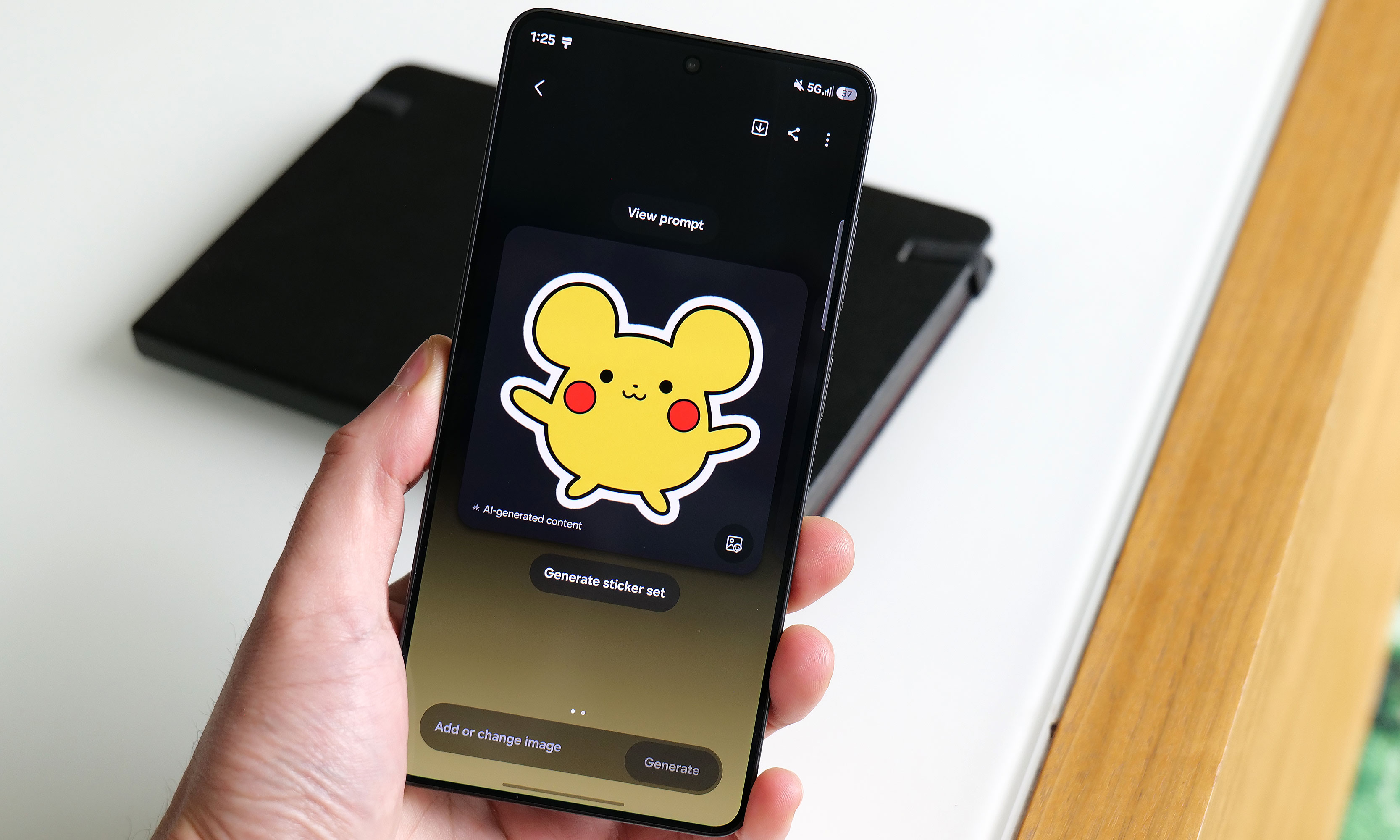
Of course, as we progress deeper into the AI era, Samsung has come up with a boatload of new and improved AI-powered tools as well. The most useful of these is Photo Assist, which serves as a one-stop shop for all your editing and content creation needs. In addition to fixing things like reflections or deleting objects in an image, you can use natural language text prompts to generate completely new elements like hats for your pets or pretty much anything else you can think of. And if that’s not enough, there’s also Samsung’s Creative Studio, which is a playground for making all sorts of fun digital art like wallpapers, stickers and greeting cards.
Sam Rutherford for Engadget
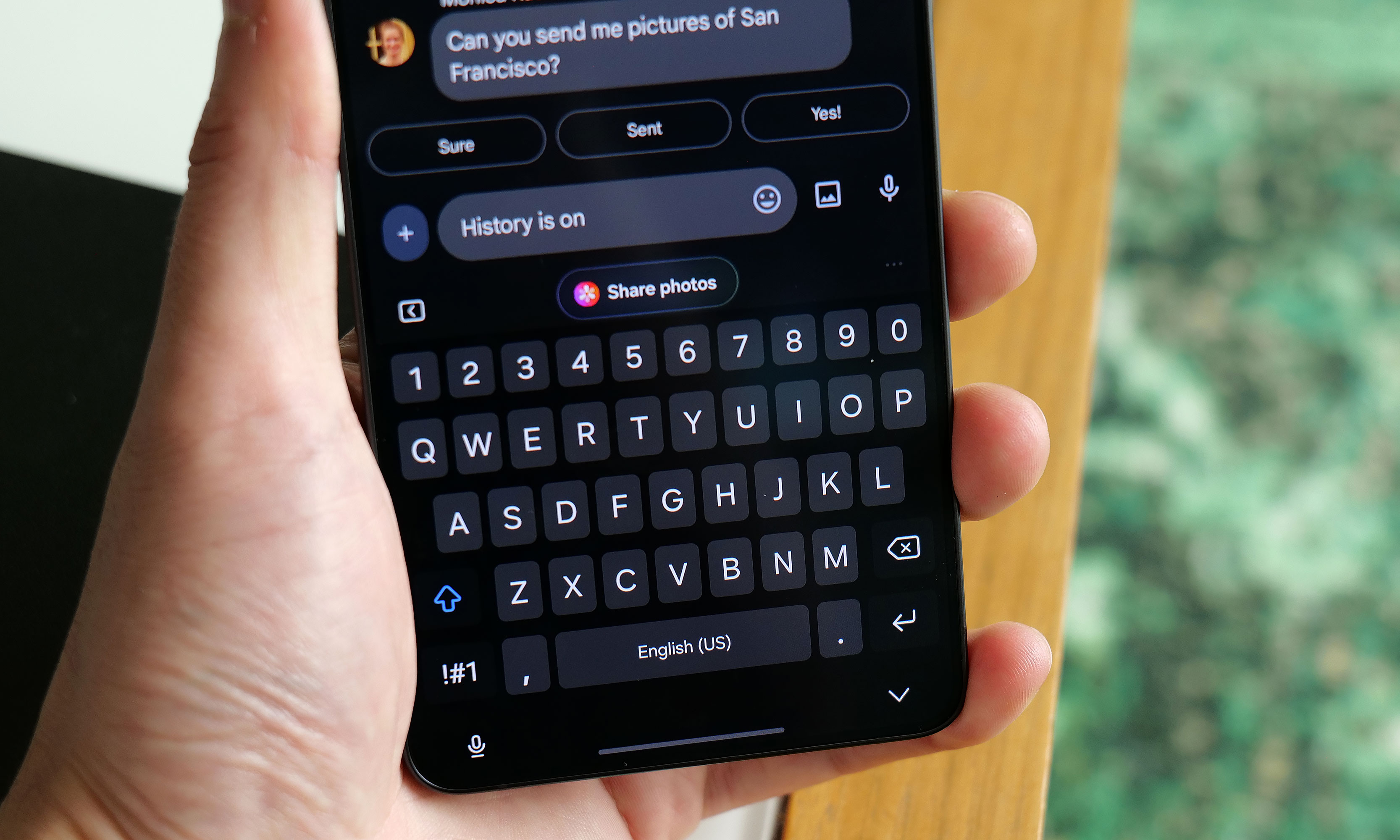
Elsewhere, there’s also an improved document scanner and a call screener that’s better at blocking spam and robocalls. All told, they’re welcome upgrades and they work rather well. Samsung even borrowed an idea from Google’s Magic Cue with its Now Nudge feature, which can surface relevant photos based on context anytime you’re using the Samsung keyboard. Unfortunately, what’s arguably the S26 Ultra’s coolest new feature, Automated App Actions, isn’t available for another week. But the bigger issue is that almost all of these features are things we’ve seen before on rival devices like the Pixel 10 Pro. While they’re nice to have, it’s gotten to the point where these tools are more like table stakes for high-end phones nowadays instead of being reasons you might want to upgrade.
Cameras: The same sensors with some larger apertures
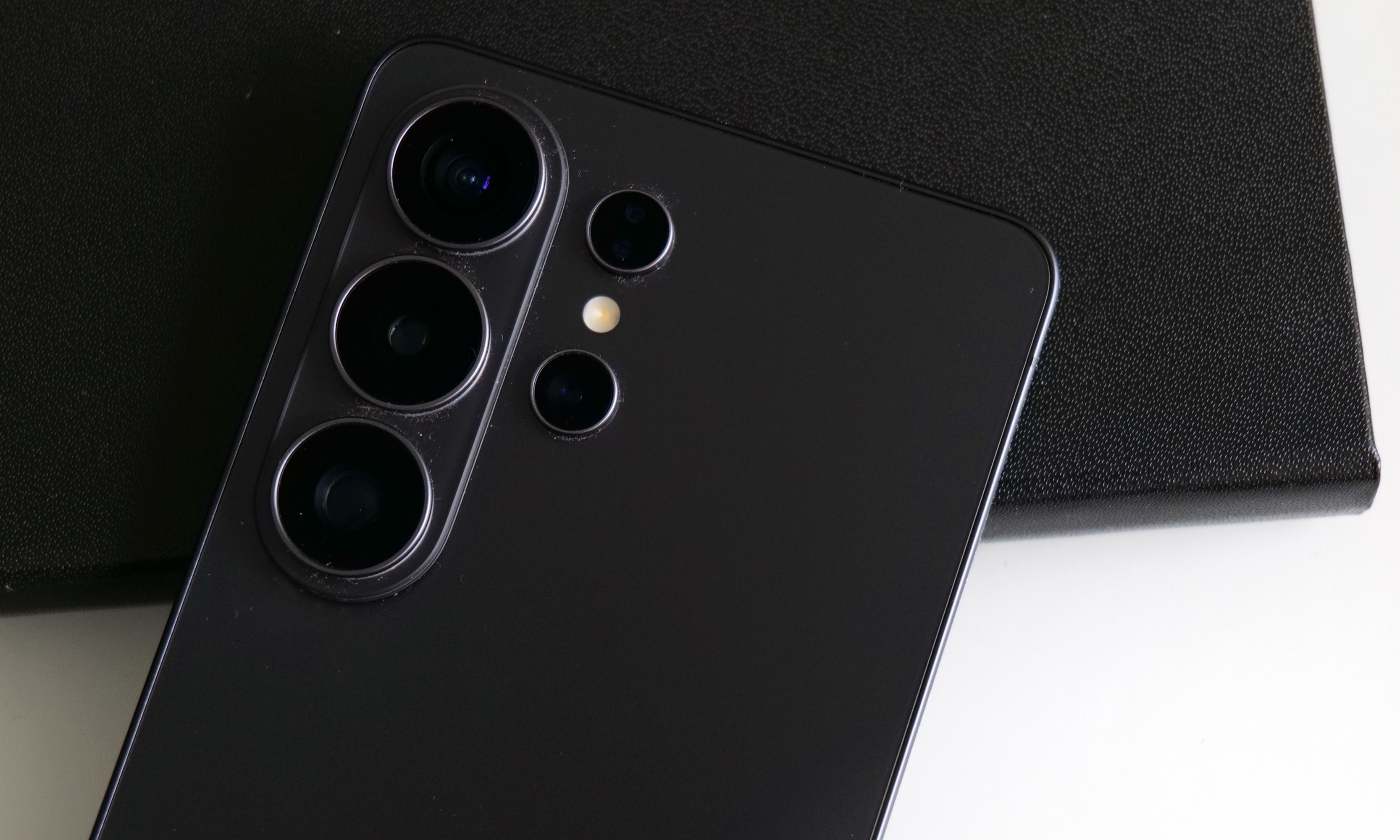
Sam Rutherford for Engadget
While the sensors on the S26 Ultra haven’t changed since the previous model, Samsung didn’t completely forget about photo upgrades. Alongside its 10-megapixel 3x telephoto, 50MP ultra-wide and 12MP selfie cam, its 200MP main cam and 50MP 5x telephoto camera have larger apertures at f/1.4 and f/2.9, respectively (up from f/1.7 and f/3.4). So on top of already being able to take excellent photos during the day, the UItra’s primary shooter is noticeably better at night.
In a shot of some Transformers in a dimmed room, the S26 Ultra basically matched what I shot with a Pixel 10 Pro — aside from some minor differences in white balance. Details were sharp and Samsung’s photo was less noisy, which is due in part to a change in the phone’s image processing. But the most impressive example of the Ultra’s improved picture quality was when I took a very challenging backlit shot of a Grogu doll, in which the S26 did a better job of exposing Baby Yoda’s face compared to the P10 Pro. So even without new sensors, Samsung has managed to make an already great main camera just a bit better.
Battery life
The Galaxy S26 Ultra features a 5,000mAh battery, just like what we got on the previous model. That means it’s largely relying on power efficiency gains from its new chip for improved longevity, which it delivers, but it’s not a major leap. On our local video rundown test, the S26 Ultra lasted 30 hours and three minutes, which is only about half an hour longer than before. That said, considering the only phones that have fared better were the OnePlus 15 and 15R, it’s hard to be upset about its overall runtime.
As for charging, the Ultra has gotten a big leap in speed (assuming you have compatible power adapters) compared to its less expensive siblings. When using a cable, it now supports up to 60 watts versus 45 watts for the S26+ or just 25 watts for the base S26. And it’s a similar story when charging wirelessly, with the Ultra now capable of hitting 25 watts when plopped on a pad compared to 20 watts for the S26+ and 15 watts for the S26.
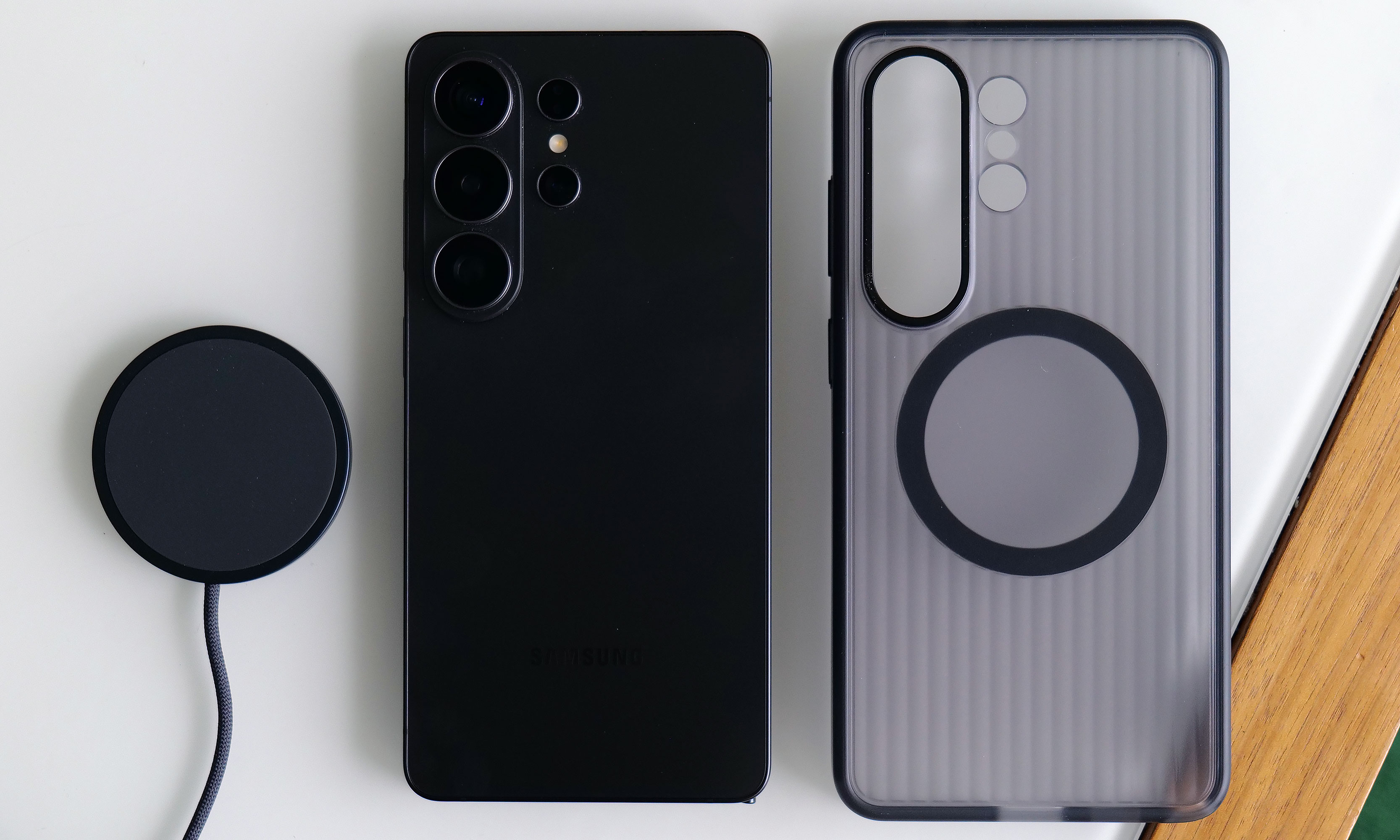
Sam Rutherford for Engadget
The major annoyance is that Samsung still hasn’t given any members of the S26 family a built-in magnetic ring for Qi2 charging or other magnetic accessories. The company claims this was done to help keep the phone as thin as possible, but honestly, I thought we had gotten over the desire for needless sleekness long ago. Sure, you can add that functionality back in by choosing the right case, but that’s not a very premium experience and I sincerely hope this is the last time Samsung makes this omission on its flagship phone line.
Wrap-up
There’s a strange feeling I often get when testing phones. After I got everything updated and set up the way I like, I noticed it even more with the S26 Ultra. The issue is that despite using a brand new device with shiny hardware, better performance and a more refined design, I’m still largely doing the same things and using the same apps as I was before (like Google Maps, Gmail and whatever my go-to mobile games are at the moment). This means my daily flow is basically unchanged from device to device.
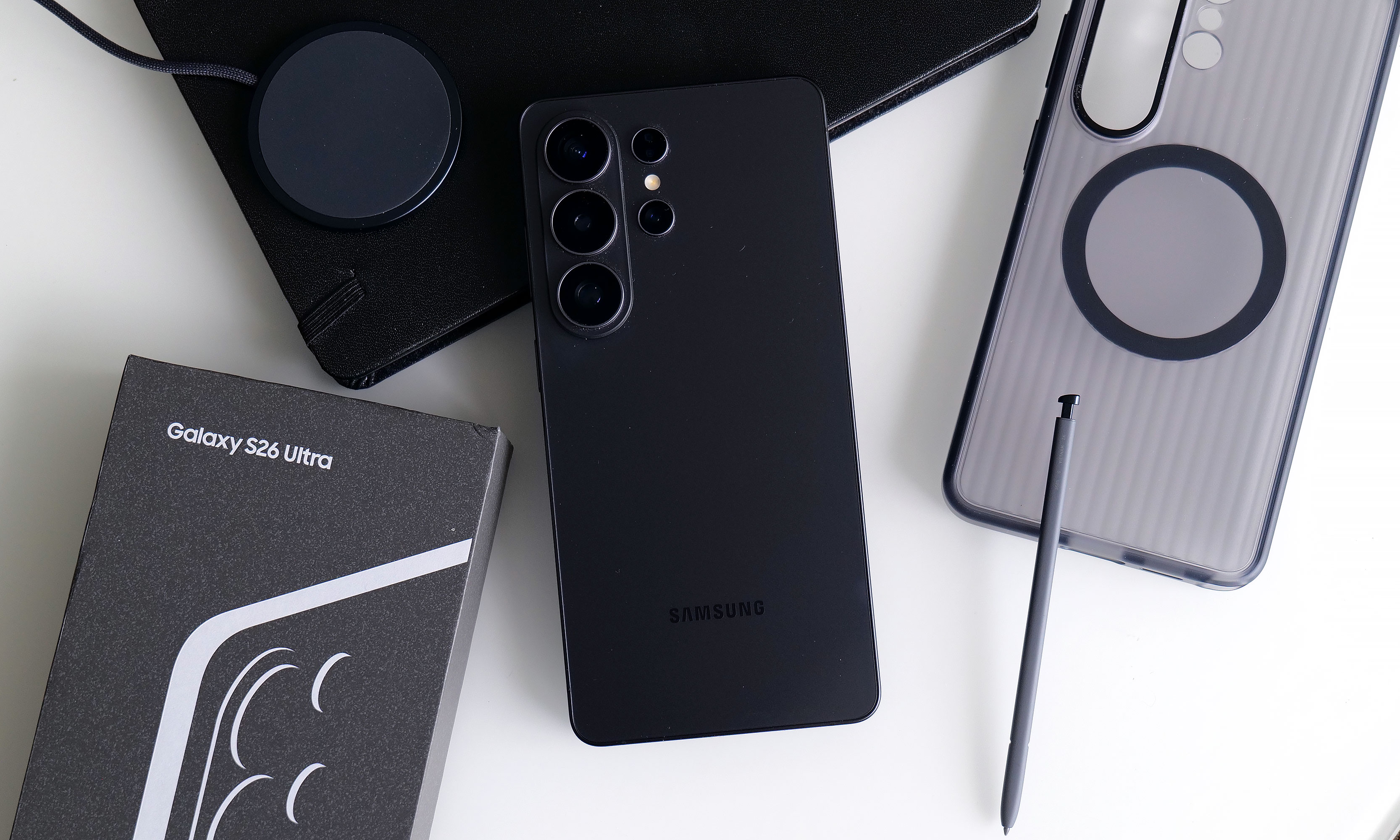
Sam Rutherford for Engadget
However, if you’re paying attention, you’ll notice things like higher framerates while gaming, sharper and more well-exposed photos at night and helpful suggestions like when the phone surfaces relevant photos in the middle of a text conversation. This goes double for the S26 Ultra, whose biggest upgrade — the Privacy Display — is something meant to stop other people from snooping at what you’re doing. When it’s on, you probably won’t even be able to tell, which is kind of the point.
There’s no doubt that the S26 Ultra is an improvement over last year’s phone. It’s faster, it takes better low-light photos and thanks to all of its new AI features, the handset feels smarter too. But it takes a discerning eye to spot and feel all these differences, particularly if you’re upgrading from a device that’s only a year or two old. So while the S26 Ultra remains the top pick as a phone that can do pretty much everything really well, in the grand scheme of things, it’s more of a stealthy, undercover update than an eye-catching new crown jewel.
This article originally appeared on Engadget at https://www.engadget.com/mobile/smartphones/samsung-galaxy-s26-ultra-review-the-stealth-upgrade-140000629.html?src=rss
The Top 10 TV Series Right Now, According to Streaming Data
We may earn a commission from links on this page.
The most-streamed TV shows in February prove that the monoculture is officially dead. Instead of one-show-fits-all, we have a lineup of series diverse enough to give you genre-whiplash. The high-stress espionage of The Night Manager, the super-hero meta-commentary of Wonder Man, the light fantasy of A Knight of The Seven Kingdoms, and the gritty realism of The Pitt have little in common beyond all being excellent television shows. Here’s the full list of the top 10 most-streamed shows of February 2026 across all major streaming services, as compiled by JustWatch.
The Pitt
The Pitt continues to dominate the streaming charts. HBO’s gritty, hyper-realistic medical drama has earned acclaim from critics and audiences for its relentless pace, as it follows a single 15-hour shift at the Pittsburgh Trauma Medical Center. Starring Noah Wyle as Dr. Michael Robinavitch, The Pitt ditches the “disease of the week” format of many medical shows in favor of a study of the toll the modern medical system places on everyone involved. Season one earned five Emmy awards, and judging from the first few episodes, season two might win more. Stream The Pitt on Max.

A Knight of the Seven Kingdoms
A Knight of the Seven Kingdoms takes fans back to Westeros, 100 years before the events of Game of Thrones. Based on George R.R. Martin’s Tales of Dunk and Egg novellas, the series is less about world-spanning politics and more about smaller, character driven moments in the lives of humble, towering knight Ser Duncan the Tall (Peter Claffey) and his diminutive, mysterious squire Egg (Dexter Sol Ansell). It’s shorter, lighter, and funnier than its forebears (but not too light—this is still Westeros, after all). Stream A Knight of the Seven Kingdoms on Max.

The Night Manager
If you’re into high-stake international espionage, you have to check out The Night Manager. It’s based on John le Carre’s best-selling novel and stars Tom Hiddleston as Jonathan Pine, an MI-6 agent whose mission is to infiltrate the inner circle of dangerous arms trader Richard “Dickie” Onslow Roper, played by Hugh Laurie. It’s been 10 long years since the show first premiered, but both seasons of this BBC-made series are available in full as of Feb. 1, so binge it up, man. Stream The Night Manager on Prime Video.

Fallout
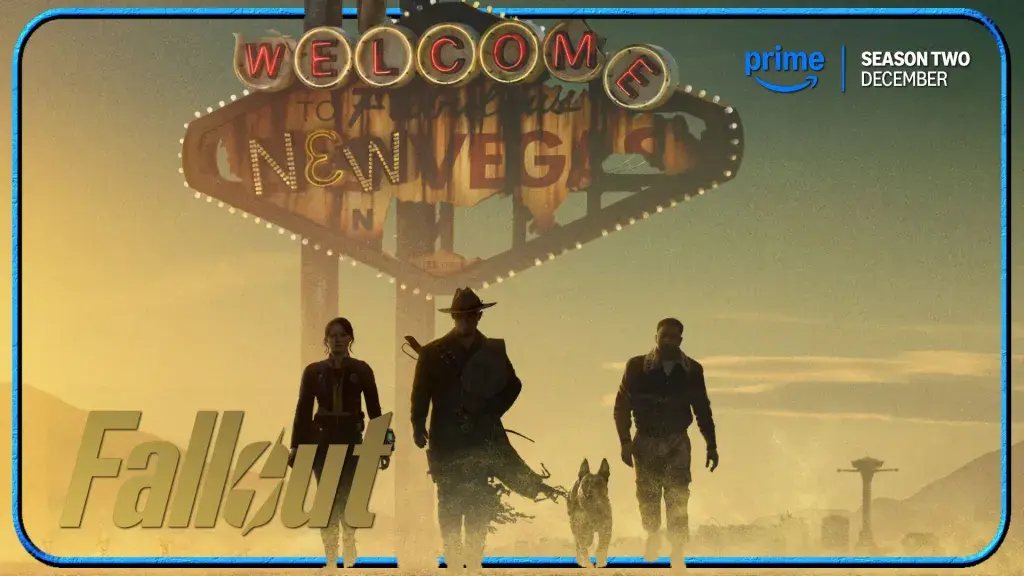
Post-apocalyptic action-comedy Fallout is like nothing that’s been on TV before. Staying true to the gritty, gruesome, and irreverent spirit of the video games upon which it is based, it follows naive former vault dweller Lucy MacLean (Ella Purnell) as she leaves her protected bunker to track down her father in the irradiated Wasteland. The show’s standout characters include Lucy’s duplicitous pop (Kyle MacLachlan), conflicted mech-warrior Maximus (Aaron Moten), and The Ghoul (Walton Goggins), the noseless, undead remains of a pre-apocalypse Hollywood cowboy. Season one earned a staggering 17 Emmy nominations in 2024, and the just-finished season two earned even greater critical acclaim for its expansion into the iconic ruins of New Vegas. Stream Fallout on Prime Video.
Shrinking
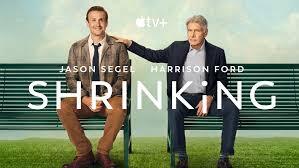
January saw the premiere of the third season of Apple TV+’s Shrinking, a comedy/drama created by Jason Segel, Bill Lawrence, and Brett Goldstein, the team behind Ted Lasso and Scrubs. This comedy/drama series follows Jimmy Laird (Segel), a grief-stricken therapist who breaks all professional and ethical boundaries by telling his patients exactly what he thinks, while Harrison Ford, Laird’s mentor, does damage control. Shrinking has been nominated for nine Primetime Emmies, including Outstanding Comedy Series and Outstanding Lead Actor in a Comedy Series, but has yet to take a statue home. Unfair! Stream Shrinking on Apple TV+.
Wonder Man
In the Marvel universe, people with superpowers are legally prohibited from appearing in Hollywood movies, but struggling actor Simon Williams really needs a job, and he doesn’t understand how his powers work anyway, so he takes a job on a superhero movie called Wonder Man. What could possibly go wrong? A lot, it turns out. Yahya Abdul-Mateen II stars as the reluctantly super-heroic main character, and Sir Ben Kingsley plays Simon’s mentor, Trevor Slattery. Stream Wonder Man on Disney+.

The Lincoln Lawyer
There’s something comforting about this old-school legal procedural. Based on the best-selling novels by Michael Connelly, the series follows Mickey Haller (Manuel Garcia-Rulfo), an idealistic LA attorney who runs a law practice out of the back seat of his Lincoln Town Car. Slick, fast-paced, and anchored by a charismatic lead actor, The Lincoln Lawyer makes even the most dense legal jargon feel like a thrill ride. Stream The Lincoln Lawyer on Netflix.

Schitt’s Creek
Despite having been off the air for more than six years, beloved series Schitt’s Creek is on the top 10 charts, proving that quality pays. Created by the father-son team Eugene and Dan Levy, Schitt’s Creek is a riches-to-rags comedy that follows the Rose family, who lost a massive fortune and must live together in a rundown motel in a town the family once bought as a joke. Stream Schitt’s Creek on Hulu and Max.

Paradise
The “Paradise” of the show’s title is a high-end, experimental community inside an underground Colorado bunker. The surface may be an irradiated hellscape, but in Paradise, everything seems perfect, until an outsider enters. Sterling K. Brown plays a Xavier Collins, a secret service agent investigating the murder of the U.S. President in Paradise. Stream Paradise on Hulu.

How to Get to Heaven From Belfast
Derry Girls creator Lisa McGee is behind this biting comedic thriller about a trio of lifelong friends who reunite after a tragic death. A somber wake in a Northern Ireland hometown soon spirals into a high-stakes thriller as these three unlikely heroes uncover a global mystery that might prove deadly. How to Get to Heaven From Belfast is an ode to Irish culture, female friendship, and Hitchcock-style suspense. Stream How to Get to Heaven From Belfast on Netflix.